This guide explains how to choose, customize, review, and export an editable template online. It also shows how to think about file formats, privacy, accessibility, branding, collaboration, and final quality checks so that the finished document looks intentional rather than merely customized.
Modern browser-based editors make the process particularly convenient because the template and editing tools can be available in the same workspace. Microsoft Word for the web, for example, provides editable templates for resumes, cover letters, reports, letters, flyers, and other documents, while Canva provides a large collection of document templates that can be customized and later downloaded or shared. :contentReference[oaicite:0]{index=0}
The central idea is simple: select a suitable structure first, then customize content and design in a controlled way. A template should accelerate good decisions, not encourage you to make unnecessary changes simply because the editor offers them.

What Is a Template to Edit Online?
An online-editable template is a predesigned document or visual layout that can be customized through a web browser. Instead of creating page structure, headings, spacing, sections, and visual elements from an empty page, you begin with an existing framework.
The framework may be as simple as a blank business letter with correctly positioned fields or as visual as an invitation containing typography, photographs, illustrations, borders, and decorative elements. The editing experience can also vary substantially between platforms.
Traditional document editors generally emphasize text, paragraphs, tables, margins, and page structure. Visual design editors tend to emphasize movable elements, typography, colors, images, shapes, and page composition. Both approaches can produce useful results, but they solve slightly different problems.
The best template therefore depends on the intended output. A formal contract may benefit from restrained typography and predictable pagination, while an invitation may benefit from stronger visual composition. A resume needs readable information hierarchy, whereas a social announcement may prioritize visual impact.
Before choosing a design, identify what the reader needs to notice first, second, and third. That simple hierarchy often tells you more about the right template than its thumbnail does.
Why Templates Are Useful
The main benefit of a template is speed. A well-structured starting point eliminates repetitive setup work and lets you spend more time on the information that matters. This is especially valuable when you produce similar documents regularly.
Templates can also improve consistency. A business may use the same visual structure for proposals, letters, reports, and client documents, while an individual may use a consistent style across resumes, cover letters, and portfolios.
Consistency does not mean every document should look identical. A reusable template can provide common rules for typography, spacing, colors, headings, and branding while still allowing the actual content to change.
Another advantage is accessibility of the editing process. Browser-based tools can reduce the need to install specialized software and can make a template available across supported devices. Microsoft describes Word for the web as a browser-based environment for creating and editing documents and using ready-to-edit templates. :contentReference[oaicite:1]{index=1}
Online collaboration can be another major advantage. Depending on the platform, several people may review a document, leave comments, or edit the same file. Canva and Google Docs both describe collaboration features for shared documents, although the exact controls differ by service. :contentReference[oaicite:2]{index=2}
Templates to Edit Online: The Main Categories
There is no single best category of template because different documents have different jobs. The first useful distinction is between information-heavy documents and visually driven documents.
Information-heavy templates include reports, proposals, resumes, meeting notes, letters, forms, invoices, and business documents. Their success depends heavily on organization, readability, consistency, and the reader’s ability to find important information quickly.
Visually driven templates include invitations, flyers, announcements, posters, certificates, social graphics, and event materials. Their success depends more heavily on composition, imagery, typography, color, and the relationship between decorative elements and essential information.
Some templates sit between these categories. A professional resume, for example, needs a strong visual hierarchy but must remain highly readable. A business proposal may contain charts and photographs while still requiring several pages of structured text.
When evaluating a template, ask whether its original structure supports the actual amount and type of content you need to include. A beautiful one-page layout is not useful if your information requires three pages and the design becomes cramped when expanded.

How to Choose the Right Template
Start with the purpose of the document rather than the platform. If you need a resume, search specifically for resume structures. If you need an invitation, evaluate invitation layouts. Purpose-specific templates usually contain fields and hierarchy that are closer to your actual needs.
Next, consider the audience. A corporate client, hiring manager, wedding guest, student, customer, or internal team member may each expect a different level of formality. The same visual style that works for an event invitation may be inappropriate for a formal business document.
Then examine the information hierarchy. Look at the title, headings, body text, supporting information, calls to action, contact details, and any required fields. If the template does not give enough visual distinction between these elements, customization may become harder than starting with another design.
Pay attention to page size and output requirements. A design intended for a screen may not automatically be ideal for printing. Likewise, a template designed for a social post may not translate well into an A4 or US Letter document.
Finally, inspect the editing capabilities before investing time in customization. Some editors let you change individual text boxes and graphics freely, while others preserve more of the underlying document structure. Choose the editing model that matches how much control you actually need.

How to Edit Template Online
The first step is to create a working copy rather than modifying a master template that you expect to reuse. This prevents accidental changes from becoming part of the original starting point.
Next, replace placeholder text systematically. Work from the title and primary information toward secondary sections. This makes it easier to see whether the template still has the right balance after your real content replaces the sample content.
Do not treat every placeholder as mandatory. Templates are designed for general use, so they often contain sections that do not apply to your situation. Remove irrelevant blocks instead of filling them with unnecessary information.
After editing the text, review typography. Check heading sizes, body text, line spacing, capitalization, and alignment. If the template already has a coherent typographic system, small controlled changes usually produce a better result than replacing every font.
Finish by reviewing the entire document as a reader would see it. Look for awkward page breaks, excessive empty space, crowded sections, inconsistent alignment, missing information, and visual elements that distract from the main purpose.
Template to Edit Online PDF: What to Know
A PDF has a special role because it is commonly used as a final distribution format. It is useful when the recipient should see a predictable version of a document regardless of the editing environment used to create it.
However, editing an existing PDF is not always the same as editing a native document template. Some PDFs contain selectable text and separate objects, while others may effectively behave like a flat visual page. The available editing tools therefore depend on how the PDF was created.
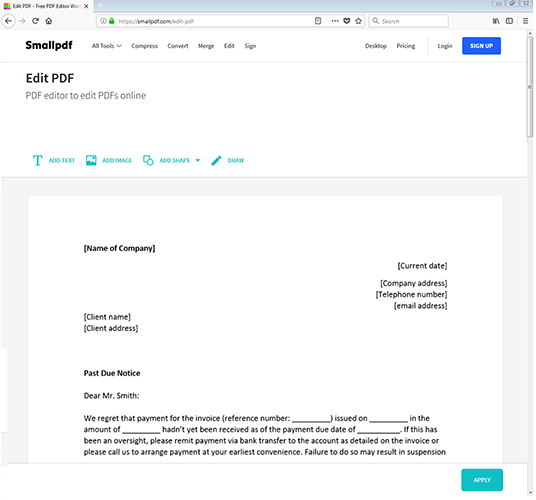
Browser-based PDF editors can support tasks such as adding text, inserting images, annotating pages, or modifying existing content. For example, the Smallpdf interface shown by IONOS provides controls for adding text, images, shapes, and drawings directly within a browser-based PDF workflow. :contentReference[oaicite:3]{index=3}
Microsoft Word also describes a workflow for opening text-based PDFs and converting them into an editable Word copy. The original PDF remains unchanged while Word creates an editable version for modification. :contentReference[oaicite:4]{index=4}
For important documents, always inspect the converted or edited file carefully. Conversion can affect spacing, fonts, tables, graphics, page breaks, and other layout features. A PDF that looks correct before editing may need additional formatting after conversion.
Template to Edit Online for Free
The word “free” deserves careful interpretation when choosing an online editor. A service may provide free templates but charge for certain exports, premium assets, advanced features, storage, or collaboration options.
Some services explicitly provide free document templates. Canva describes its document template collection as including free templates that can be edited online, while Adobe Express describes its document templates as free to use alongside premium options. :contentReference[oaicite:5]{index=5}
Microsoft also provides free templates through Word for the web, including resumes, cover letters, reports, flyers, letters, and other categories. :contentReference[oaicite:6]{index=6}
Before starting a long customization session, check whether the final format you need is included. A free editor that requires payment at export may not meet your practical definition of free.
Also consider whether free means “free with an account,” “free without an account,” or “free with limitations.” These differences can matter when privacy, repeated use, or client work is involved.
Template to Edit Online for Invitations
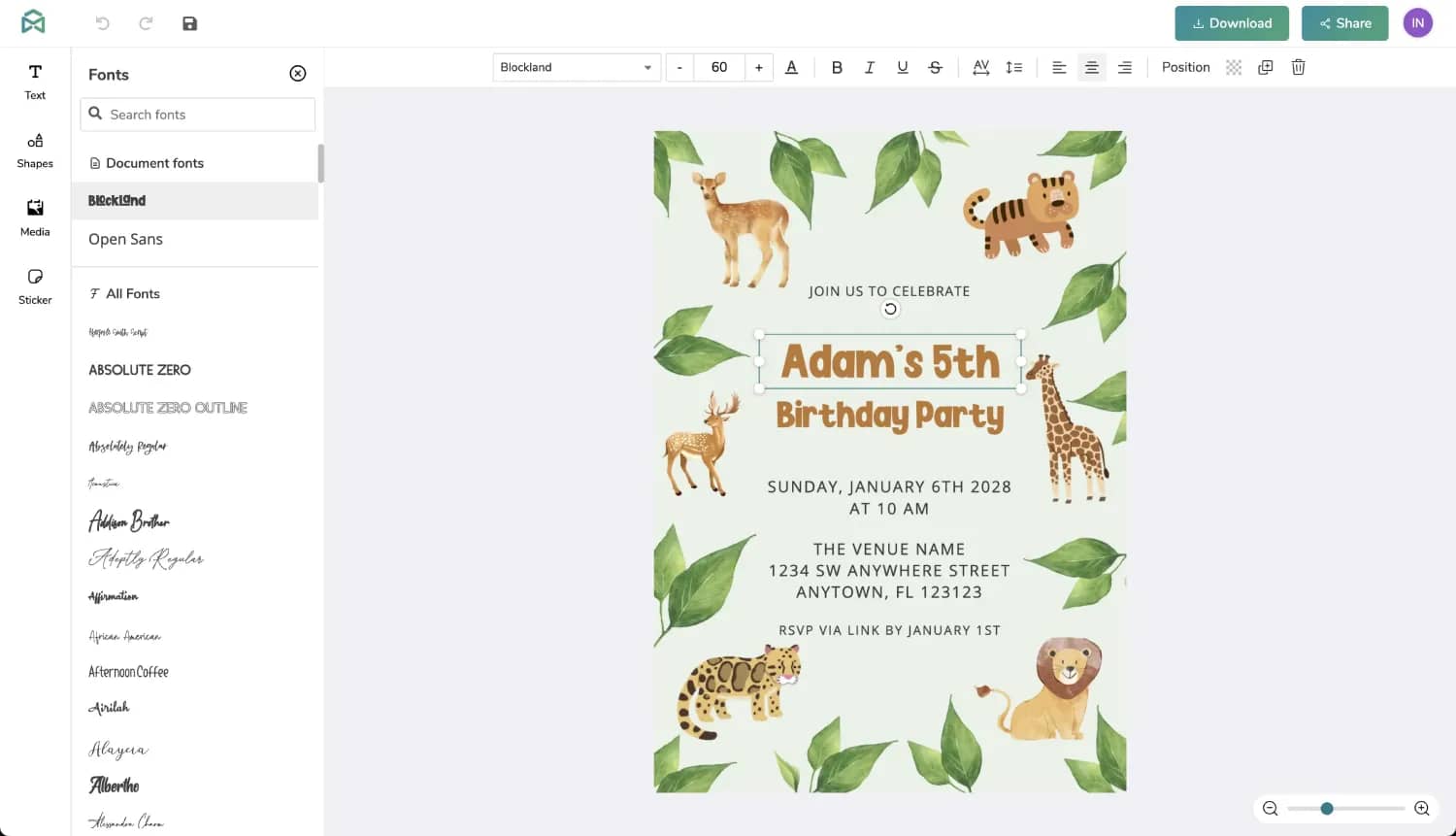
Invitation templates are usually more visually expressive than business documents because they communicate an event as well as practical details. The challenge is making decorative design support rather than compete with the information.
Start by identifying the essential information: event name, host or hosts, date, time, location, RSVP information, and any special instructions. The exact fields vary by event, but these details generally need clear visual priority.
Choose typography that matches the occasion. A wedding invitation may tolerate a more expressive typeface, while a professional event invitation may benefit from a restrained sans-serif system. Regardless of style, important details should remain easy to read.
Images should reinforce the theme rather than merely occupy space. Floral illustrations, photographs, geometric shapes, or decorative borders can create atmosphere, but they should not reduce contrast around the event details.
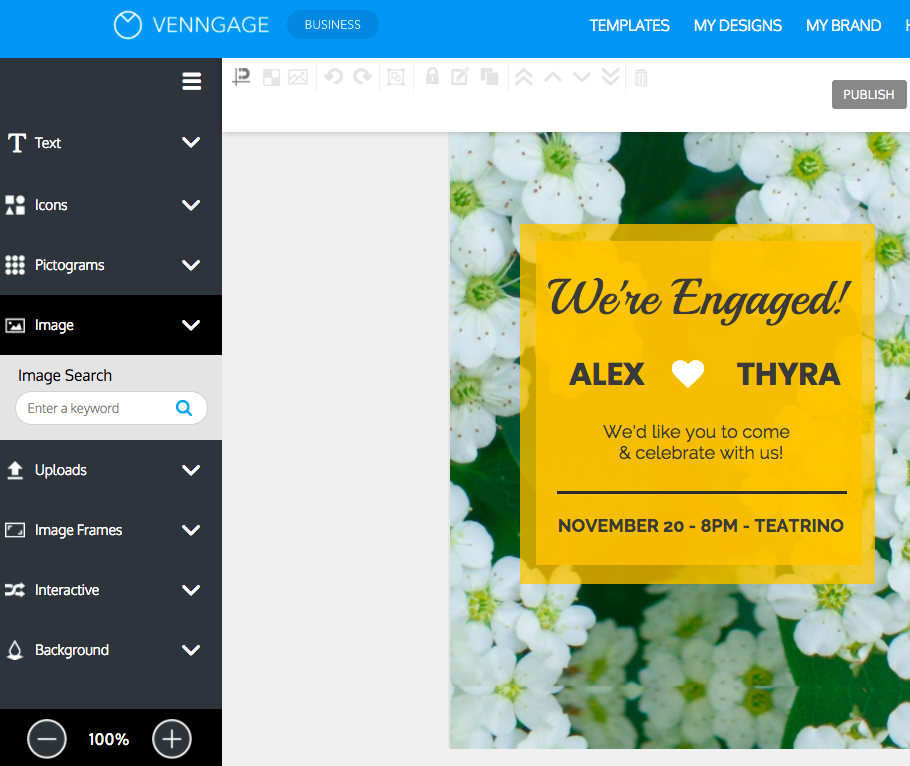
Online invitation editors can make this process faster because text and visual elements can often be changed directly on the design. Venngage, for example, demonstrates an invitation editor with controls for text, icons, imagery, uploads, and backgrounds. :contentReference[oaicite:7]{index=7}
Template to Edit Online for Resumes
Resume templates need a different design philosophy. Their primary purpose is to help a reader understand professional qualifications quickly. Decorative choices should therefore reinforce hierarchy instead of obscuring experience, skills, education, and achievements.
Begin with the most relevant information for the target position. A template cannot decide which achievements matter most, so customization should include editorial decisions, not just replacing placeholder names.
Keep section headings consistent. If “Experience,” “Education,” and “Skills” use different typographic treatments without a clear reason, the document may feel less organized even when the content itself is strong.
Be cautious with graphics, icons, text boxes, and multiple columns when an applicant tracking system may be involved. Microsoft provides dedicated ATS-friendly resume templates and recommends replacing placeholder information while retaining an ATS-oriented structure. :contentReference[oaicite:8]{index=8}
A final resume should be checked both visually and as text. Make sure dates, job titles, employers, contact information, and important skills are easy to identify and that the exported file preserves selectable text where appropriate.
Template to Edit Online Resume: Designing for Different Career Stages
A recent graduate may need a template that gives education, projects, internships, certifications, and skills sufficient space. An experienced professional may need more room for career achievements and less emphasis on introductory education details.
Career changers have another challenge: the template should make transferable skills and relevant accomplishments easy to find. In this case, the summary and skills sections may require more editorial attention than the original template suggests.
Creative professionals may choose a more visual resume, but visual polish should never make essential information difficult to extract. A portfolio or personal website can carry much of the visual storytelling while the resume remains focused.
For highly structured industries, a simpler layout may communicate professionalism more effectively. The design should reflect the expectations of the field while still presenting a coherent personal identity.
When possible, create a reusable master resume and make targeted copies for individual applications. This approach preserves a complete record while allowing each submitted version to emphasize the qualifications most relevant to the opportunity.

Template to Edit Online for Documents
General document templates are useful for reports, meeting notes, proposals, letters, checklists, plans, and internal communications. The strongest templates make recurring document structures easy to reproduce.
For a report, for example, the template might include a title page, executive summary, section headings, charts, findings, recommendations, and appendices. For meeting notes, the useful structure may instead be date, attendees, agenda, decisions, action items, and follow-up.
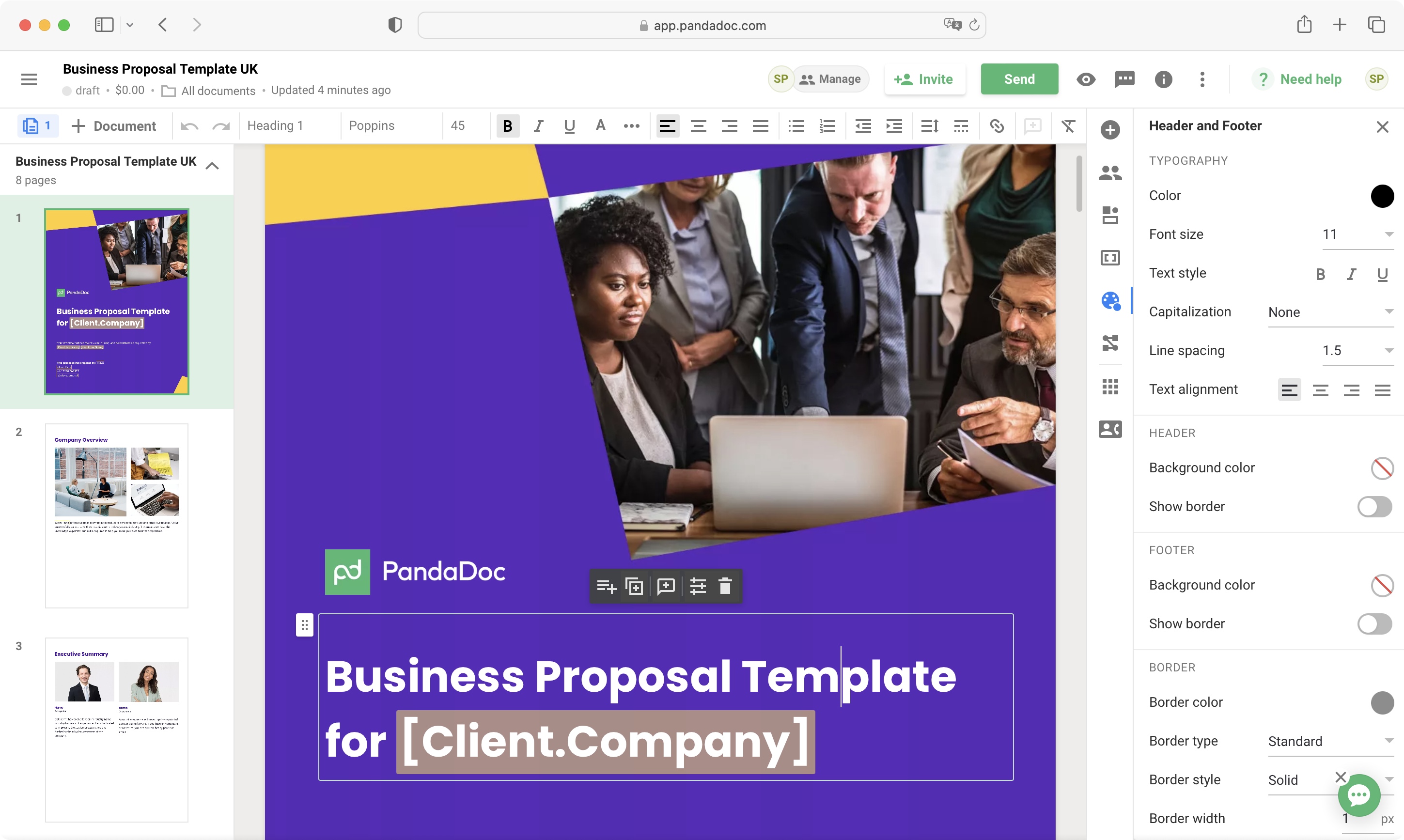
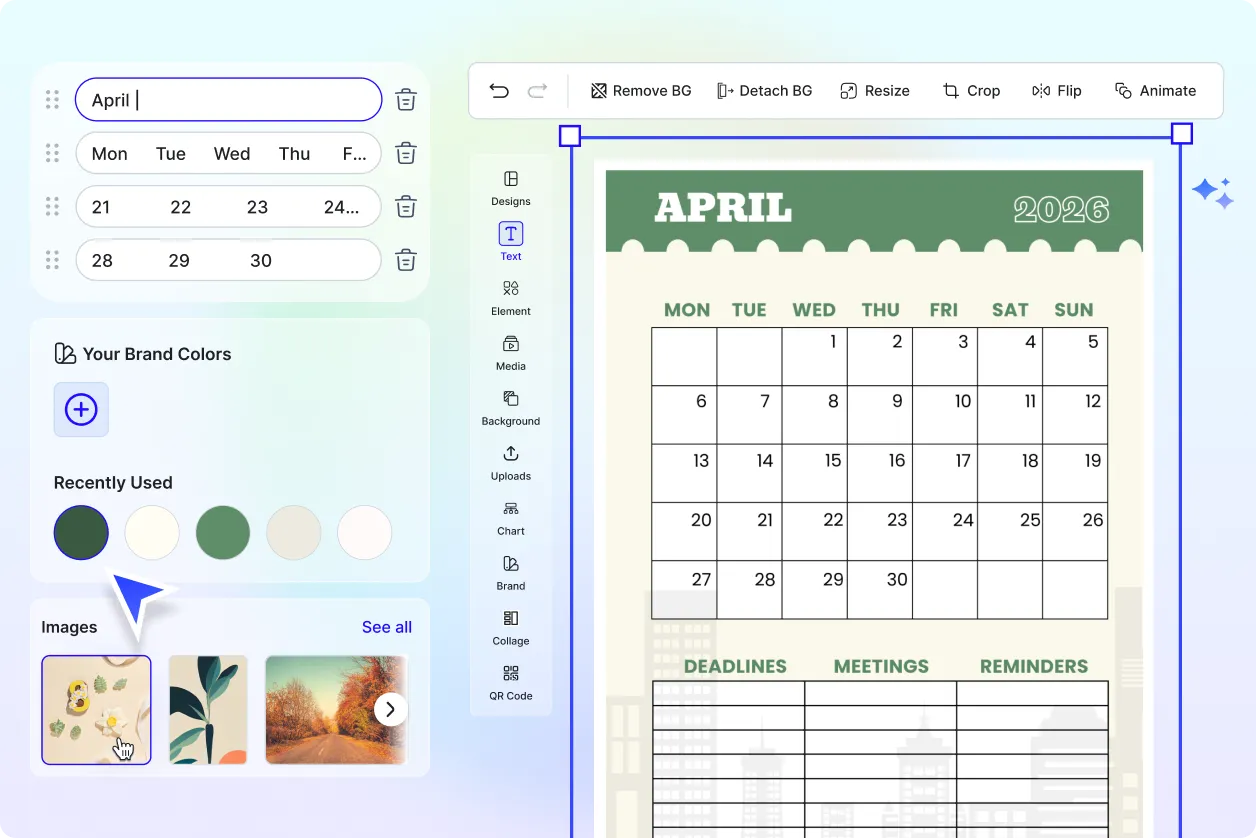
Canva’s document templates include meeting minutes, notes, reports, proposals, planners, invoices, forms, resumes, and other document types. Its documentation also describes editing text, fonts, colors, images, and graphic elements within the design workspace. :contentReference[oaicite:9]{index=9}
Microsoft Word is particularly useful when the document is primarily text-based. Its online editor supports headings, fonts, colors, themes, margins, tables, and templates, while also providing browser-based saving and collaboration through Microsoft services. :contentReference[oaicite:10]{index=10}
Choose a document editor according to the structure you need. A visually complex report may benefit from a design platform, while a long legal or technical document may be easier to manage in a conventional word processor.
How to Customize a Template Without Ruining the Design
The easiest way to damage a good template is to change too many design variables at once. If you replace the font, colors, margins, spacing, imagery, alignment, and layout simultaneously, it becomes difficult to tell which change improved or weakened the design.
Instead, work in layers. First edit the content. Second correct the hierarchy. Third adjust colors and typography. Fourth replace imagery. Finally, make small layout refinements.
Preserve relationships between elements. If a heading has a particular size relative to body text, maintain that hierarchy unless there is a clear reason to change it. The same principle applies to margins, spacing between sections, and alignment.
Use a limited visual system. Two or three complementary colors are often easier to control than a large palette. Similarly, a small number of typefaces or weights can create a more coherent result than many unrelated styles.
Do not resize elements simply to fill empty space. Empty space can improve readability and give the document visual breathing room. The objective is balance, not maximum content density.
Branding an Editable Template
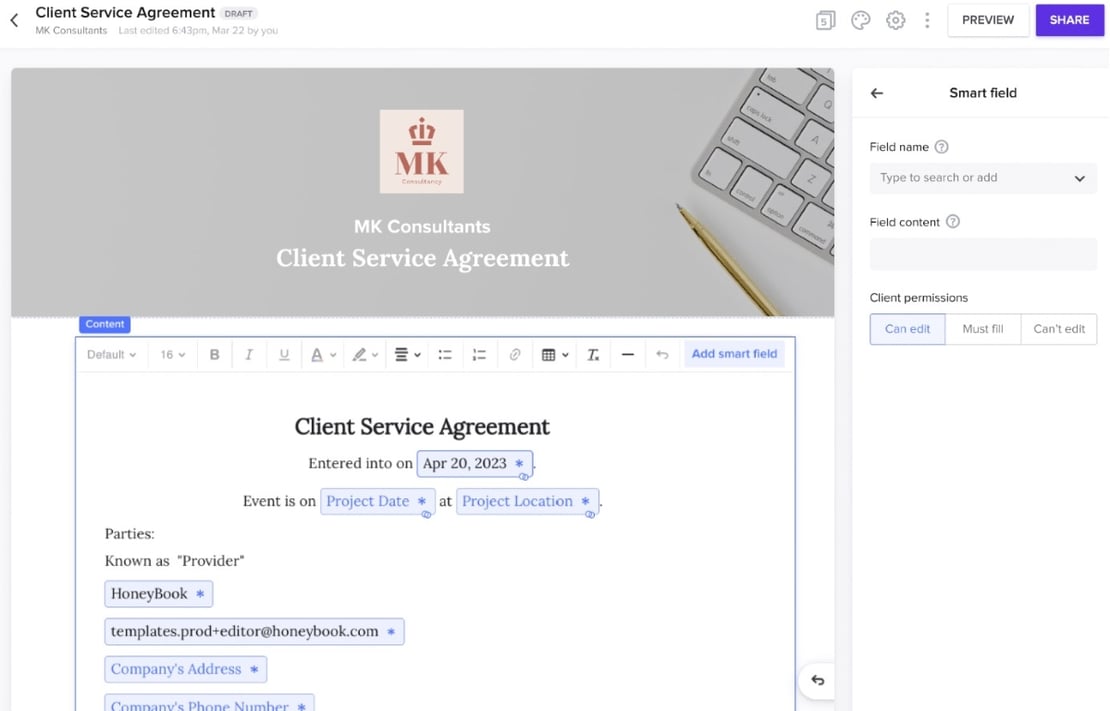
For business use, customization often includes branding. A logo, brand color, typeface, contact information, and recurring footer can turn a generic template into a reusable company document.
Branding should be consistent but restrained. A logo does not need to dominate every page. In many business documents, the brand is better communicated through a small header treatment, controlled colors, and consistent typography.
Check logo quality before export. A low-resolution image may look acceptable inside a small browser preview but become visibly blurred when printed or enlarged.
Brand colors should also be tested against text and background combinations. Attractive color choices are not automatically readable color choices. Contrast matters for both digital viewing and print.
Once the branded version works, save it as a master or reusable starting point when the platform supports that workflow. This can reduce repeated work while keeping future documents visually consistent.
Working With Forms, Invoices, and Structured Documents
Structured documents require special attention because users often expect fields to behave predictably. An invoice, for example, needs clear customer information, line items, totals, payment information, and document identification.
Template-based invoice editors can reduce formatting work by providing predefined structures for item descriptions, quantities, prices, totals, branding, and export. Some browser-based invoice tools also update a live preview as information is entered.
For forms, the key issue is field clarity. Labels should tell the user what belongs in each field, while required information should be visually distinguishable from optional information.
For contracts or agreements, editing convenience should not be confused with legal suitability. A template may provide a useful structural starting point, but legal requirements depend on the situation and jurisdiction. Important legal documents should be reviewed appropriately rather than treated as universally valid because they came from a template library.
Online template systems can be particularly useful for recurring administrative work because a standardized structure reduces repeated formatting and helps teams produce documents consistently.
Collaboration and Review
Online editing becomes more valuable when a document involves multiple people. A designer may create the structure, a subject-matter expert may provide content, and an approver may check the final version.
Use comments or review features for questions rather than making unexplained design changes. This preserves the reasoning behind revisions and makes it easier for the owner of the document to accept or reject individual suggestions.
Version control also matters. If a document is being reviewed repeatedly, establish a clear naming or versioning convention. Avoid situations where several people independently edit downloaded copies and no one knows which version is current.
Google Docs is designed around online collaboration and provides templates and building blocks for documents, while Canva describes real-time collaboration for its Docs environment. :contentReference[oaicite:11]{index=11}
Before final delivery, assign one person responsibility for the final proof. Collaboration can increase quality, but too many independent last-minute edits can also introduce inconsistent wording, formatting, or outdated information.
Exporting and Checking the Final File
Editing is not finished when the document looks correct inside the editor. The exported file is the actual deliverable, so it must be inspected independently.
Check the first page, middle pages, and final page at minimum. Look for unexpected page breaks, cropped images, shifted elements, missing fonts, altered line spacing, and empty pages.
If you are exporting to PDF, check that text remains readable and, when required, selectable. Verify links, page numbers, signatures, tables, and other functional elements.
For printed material, inspect margins and bleed requirements when applicable. A design that looks attractive edge-to-edge on a screen may be cropped by a printer if it has not been prepared for the intended printing process.
For a document sent electronically, also check the filename, file size, metadata if relevant, and whether the final file contains information that should not be shared. The last quality check should be treated as part of editing rather than an optional final glance.
Common Mistakes When You Edit Template Online
One common mistake is selecting a template because the thumbnail looks attractive without checking whether its structure fits the intended content. A template can be beautiful and still be the wrong tool.
Another mistake is leaving sample information in the final document. Placeholder names, dates, addresses, phone numbers, and sample descriptions are easy to overlook when the design itself looks finished.
Over-customization is another problem. Replacing every design choice can remove the very consistency that made the template useful. Customize what supports the purpose and preserve what already works.
Users also sometimes forget to check mobile or print behavior. A document can look perfect on one screen and become difficult to read on another device or when printed.
Finally, do not assume that an online editor’s export is automatically perfect. Always inspect the final file. The editing environment and the exported document are two different stages of the workflow.
Accessibility Considerations
Good template design should make information easier to understand, not merely make a page attractive. Accessibility begins with readable text, sufficient contrast, logical hierarchy, and clear labeling.
Avoid relying on color alone to communicate meaning. If a field is required, for example, use a label or symbol in addition to color where appropriate.
Keep body text large enough to read comfortably and avoid overly decorative fonts for essential information. Script and display fonts can work well for short headings but may become difficult to read in paragraphs.
Images should support meaning rather than hide important information. When a document depends on visual content, consider whether the essential message remains understandable without that image.
Accessibility should be considered during template selection, because correcting an unsuitable design later can require more work than choosing a clearer template from the beginning.

Privacy and Security When Editing Online
Online editing can be convenient, but users should consider what information they are uploading. A resume may contain contact details, while a business document may contain confidential pricing, contracts, financial information, or customer data.
Review the service’s privacy and account practices before uploading sensitive files. The fact that an editor works in a browser does not by itself tell you how files are stored, processed, synchronized, or retained.
For highly sensitive material, consider whether a local editor or a browser tool with clearly documented local processing is more appropriate. Some newer resume tools explicitly describe local browser storage, while others rely on cloud accounts.
Use strong account security where accounts are required, and avoid sharing editable links more broadly than necessary. A view-only link may be preferable when recipients only need to inspect a document.
Finally, remove sensitive sample information before distributing a reusable template. A master template should contain placeholders rather than real customer or employee information.

Practical Workflows for Different Needs
For a resume, begin with a role-specific structure, replace the sample content, prioritize measurable achievements, check ATS readability, proofread, and export a clean PDF. Microsoft specifically provides ATS-oriented templates for this type of workflow. :contentReference[oaicite:12]{index=12}
For an invitation, choose a visual template that matches the occasion, enter all event details, adjust the typography, check contrast, confirm the date and location, and test the final design on both a phone and the intended printed format.
For a business report, establish the hierarchy first: title, summary, sections, findings, visuals, recommendations, and supporting material. Use charts only when they clarify the information and keep captions or labels understandable without excessive explanation.
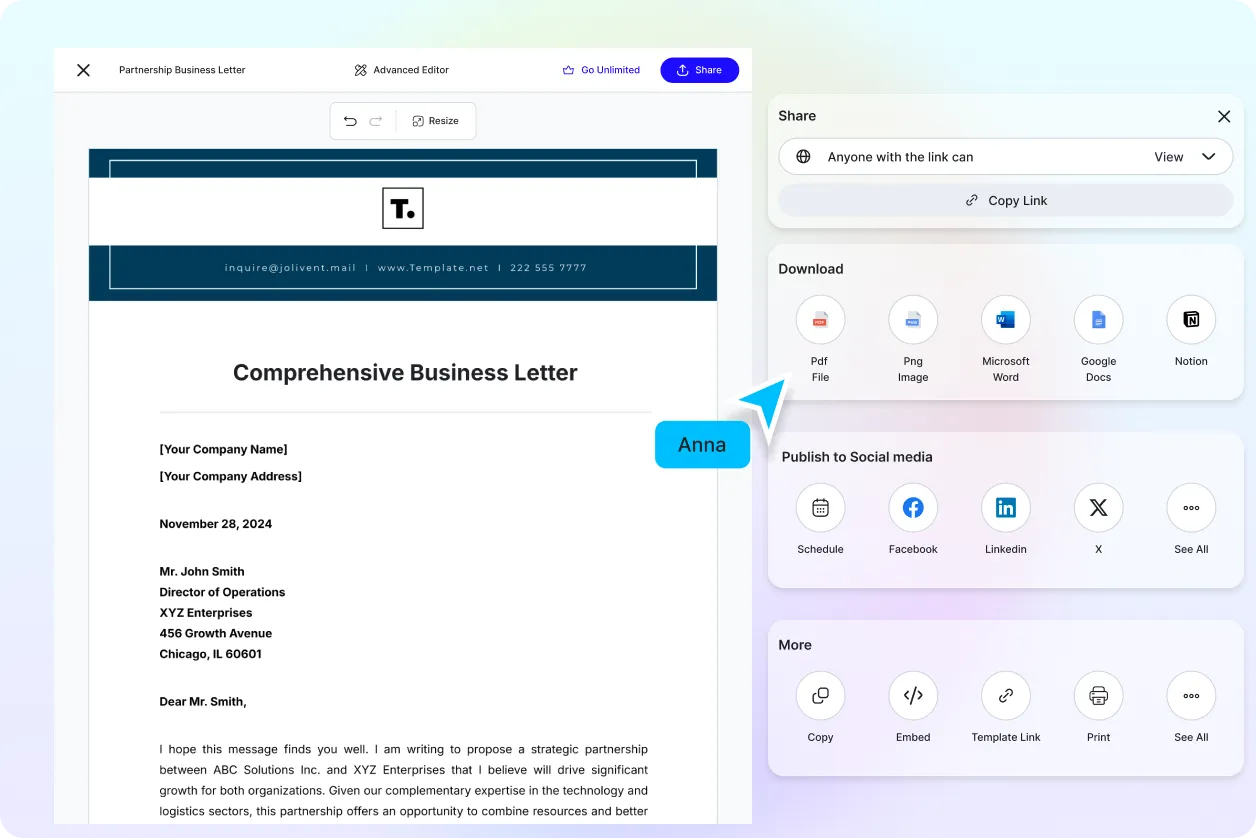
For a business letter, prioritize formal structure, sender and recipient information, date, subject where appropriate, body paragraphs, closing, and signature. Microsoft provides preformatted business letter templates that can be customized online. :contentReference[oaicite:13]{index=13}
For an invoice, confirm business information, customer details, invoice number, date, due date, line items, totals, payment terms, and branding before exporting. The visual design should support accuracy rather than distract from amounts and payment information.
Practical Solution: A Repeatable Template Editing Workflow
The most efficient workflow begins with a five-minute requirements check. Write down the document’s purpose, audience, required information, final format, and whether the output will be printed, shared digitally, or submitted through an automated system.
Next, shortlist two or three templates rather than editing the first one you find. Compare their information hierarchy, available space, visual style, page size, and editing flexibility. The best choice is usually the one that needs the fewest structural changes.
Create a working copy and replace the placeholder content before making extensive visual changes. Real content reveals problems that sample text can hide, including sections that become too long or pages that become overcrowded.
After content editing, make design changes in a controlled sequence. Adjust hierarchy first, then typography, colors, images, and spacing. Keep a record of major changes if the template will become a recurring business asset.
Finally, export the document and perform a separate delivery check. Read it from beginning to end, inspect every page, confirm the filename and format, verify links and contact information, and make sure no placeholder or confidential information remains.
When an Online Template Is Better Than Starting From Scratch
A template is particularly useful when the document follows a recognizable structure. Resumes, invoices, business letters, reports, invitations, schedules, and forms all have recurring patterns that can be represented effectively by reusable layouts.
Starting from scratch makes more sense when the project has unusual requirements or when the available templates force compromises that would take longer to fix than designing the structure yourself.
Templates are also valuable for teams because they establish a common starting point. Instead of asking every employee to decide where headings, logos, dates, and signatures belong, the template provides an agreed structure.
The strongest template systems therefore balance consistency and flexibility. They make recurring work faster while still allowing users to adapt content to the specific situation.
That balance is the real measure of a useful template. A design that cannot be changed is not genuinely useful for varied work, while a completely unconstrained editor may offer so many options that the efficiency benefit disappears.
How to Decide Between Word, Canva, and Other Editors
Choose a traditional word processor when the document is primarily text, requires precise page structure, or will be revised extensively. Word for the web provides templates and browser-based document editing, including support for common business documents and PDF conversion workflows. :contentReference[oaicite:14]{index=14}
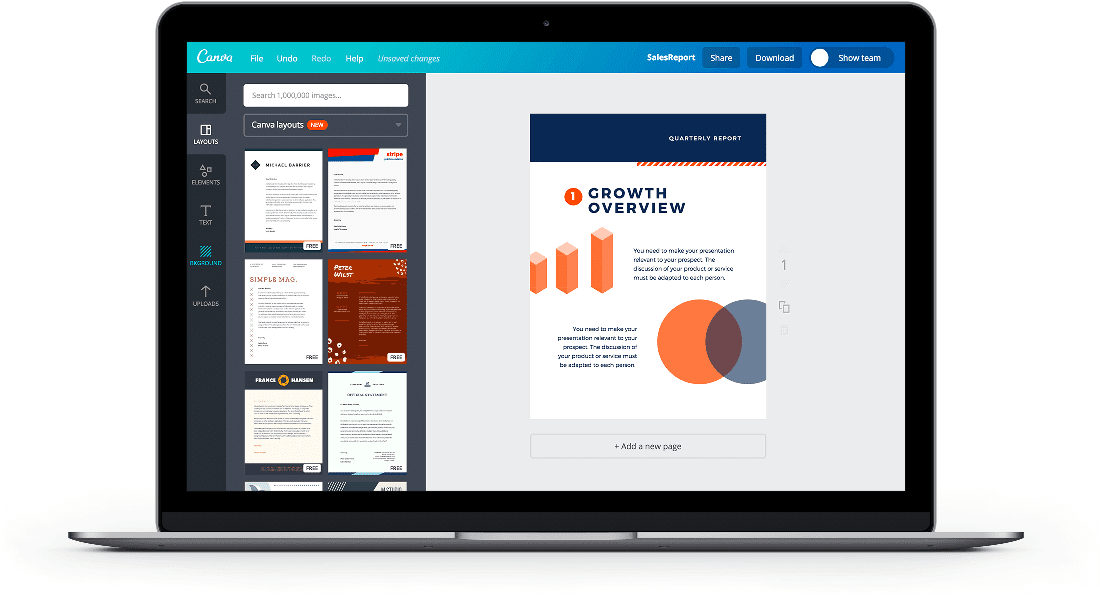
Choose a visual design platform when composition, images, branding, and flexible page layouts are central to the task. Canva’s document environment combines text editing with visual elements, charts, graphics, and templates. :contentReference[oaicite:15]{index=15}
Choose a specialized PDF editor when the existing file is already a PDF and the goal is to make targeted changes without rebuilding the entire document. The specific editing capabilities depend on the PDF structure and the service.
Choose a specialized resume builder when the workflow is primarily about job applications and you want resume-specific sections, layouts, and export features. Several current browser-based services provide resume-specific editing and PDF export workflows.
Choose a dedicated form, invoice, or document automation platform when the template is part of a recurring operational process. Such tools may provide structured fields, calculations, signatures, collaboration, or automated document generation that a general design editor does not.
Reference Examples
The following examples correspond to the requested search phrases and illustrate different types of editable online template workflows.
templates to edit online
Source: Microsoft Word template interface.
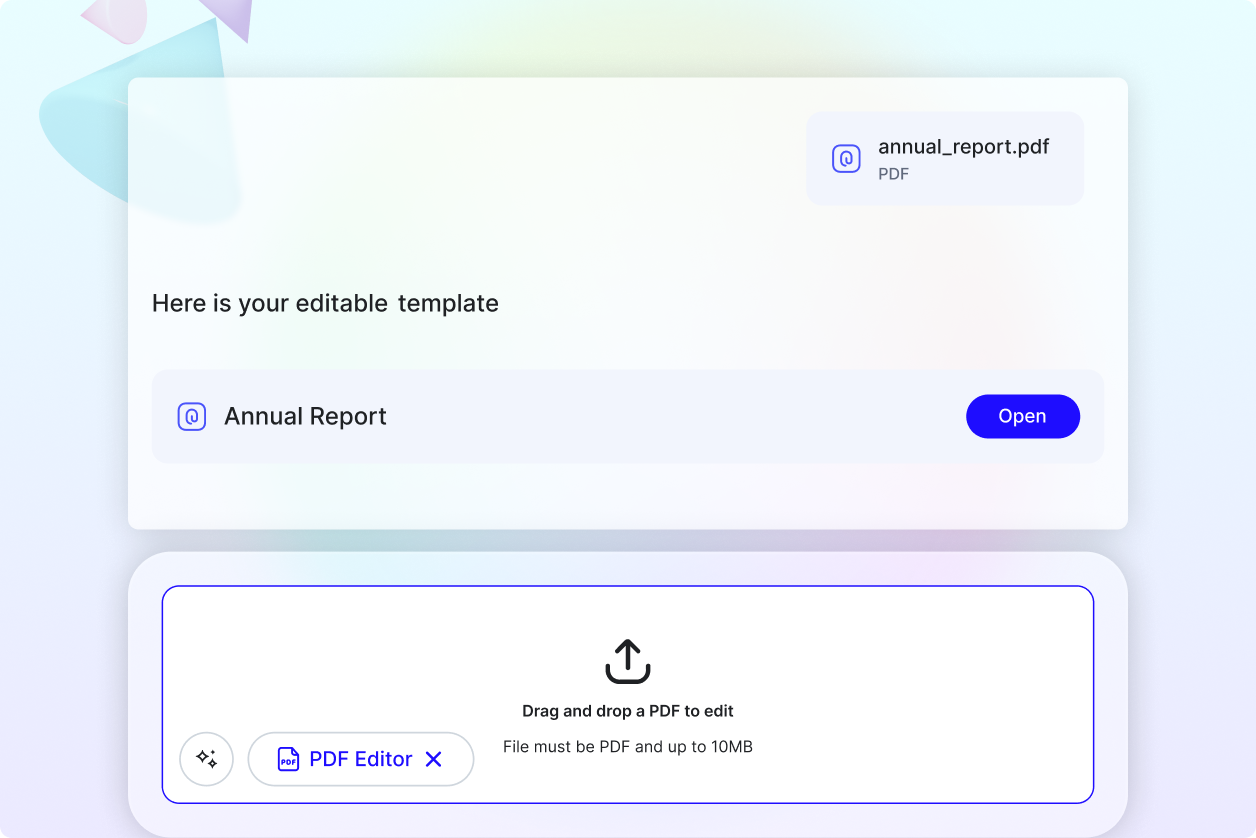
template to edit online pdf
Source: Template.net PDF editor example.
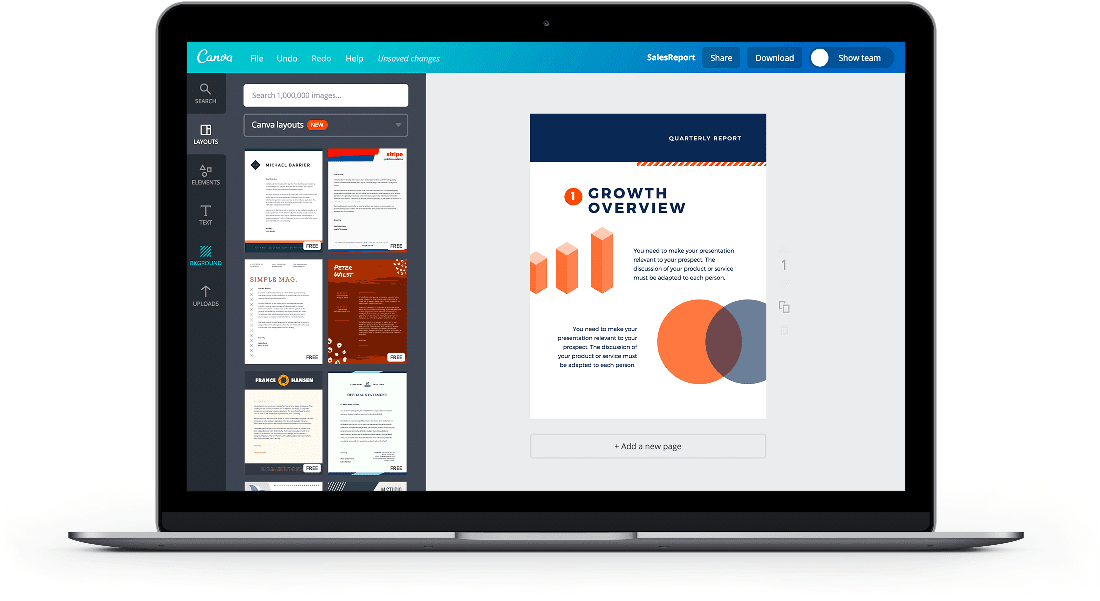
template to edit online for free
Source: Canva online document editor example.
template to edit online for invitations
Source: Venngage invitation editor example.
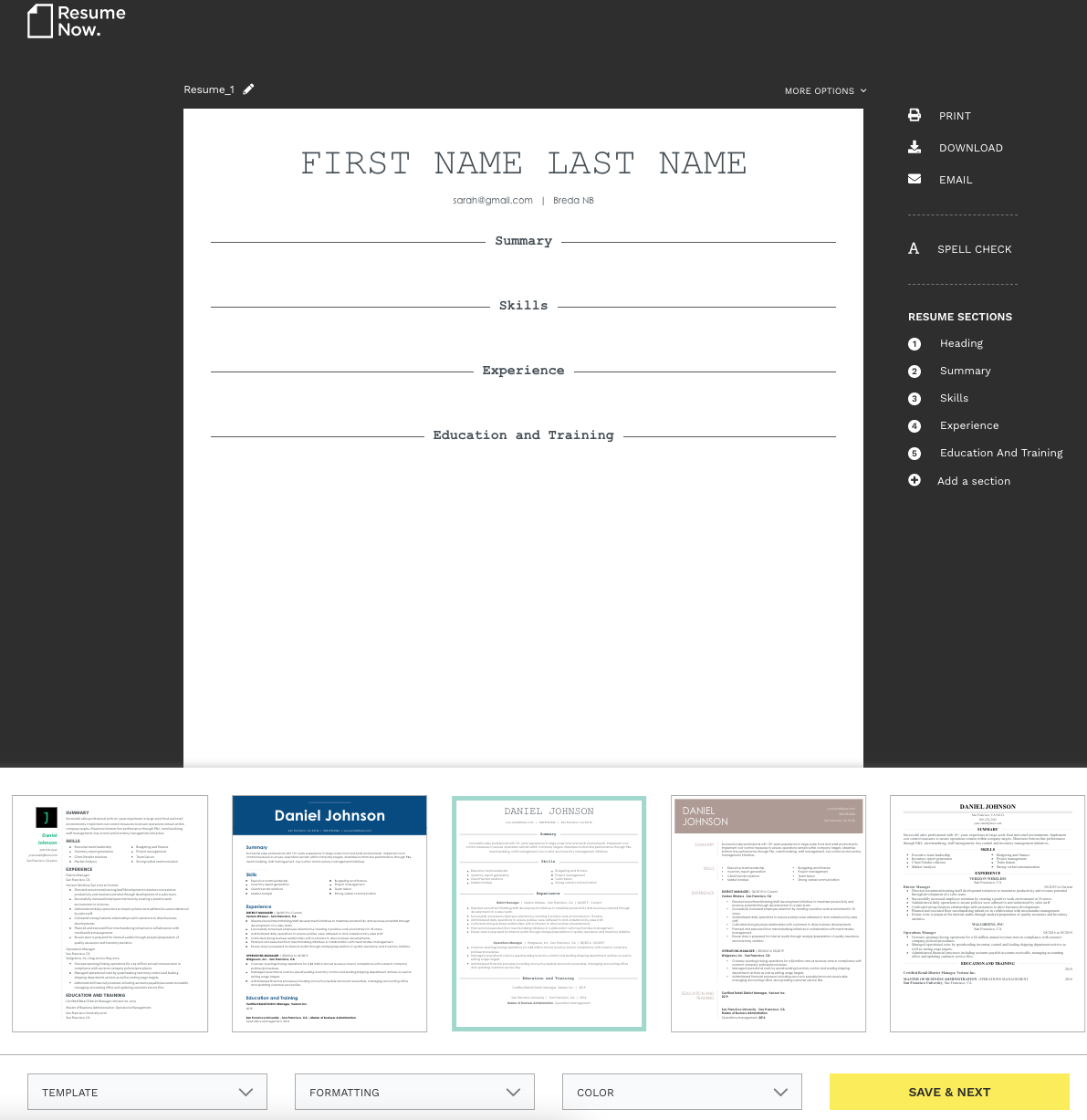
template to edit online for resumes
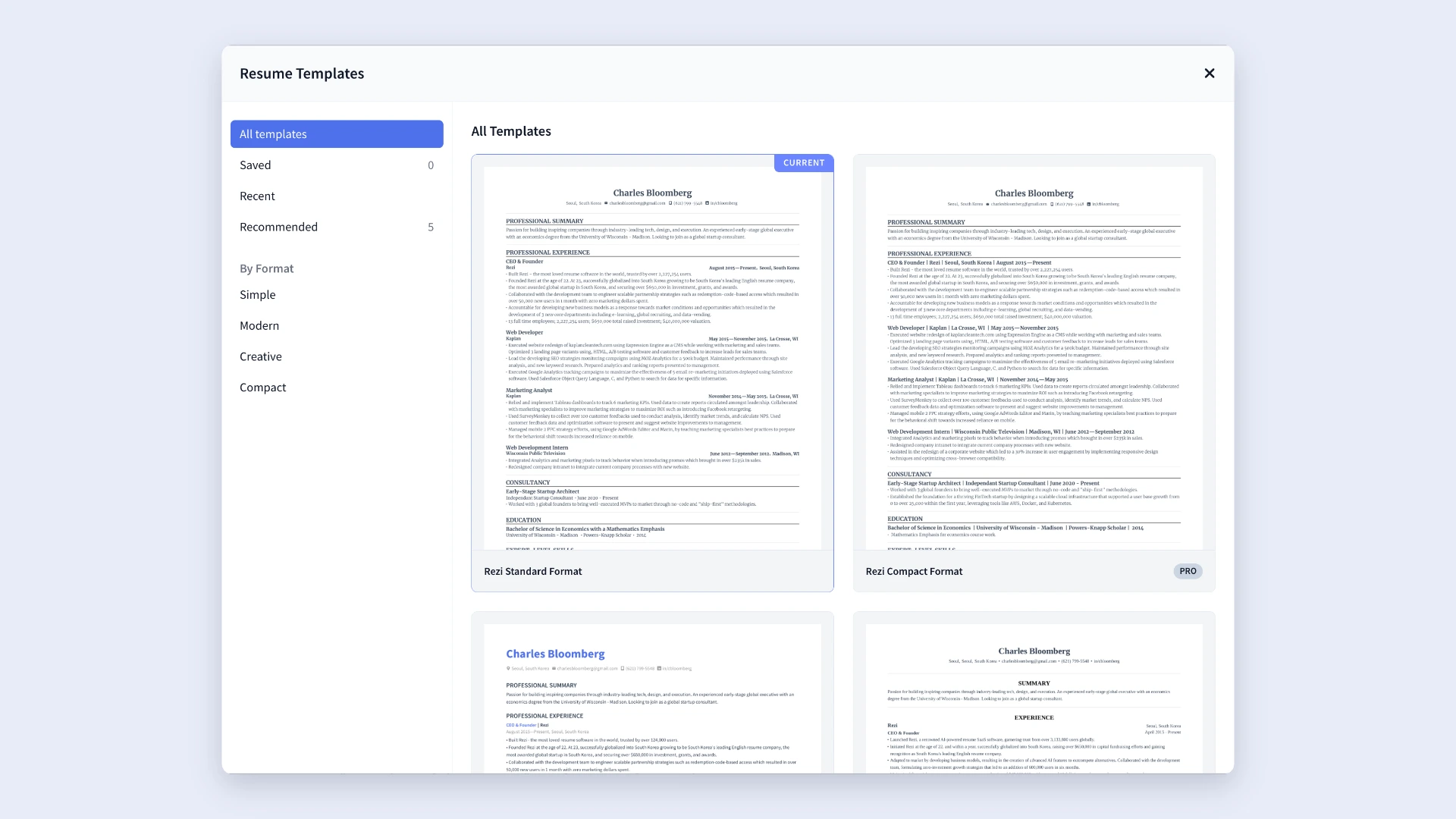
Source: Rezi resume template gallery.
template to edit online resume
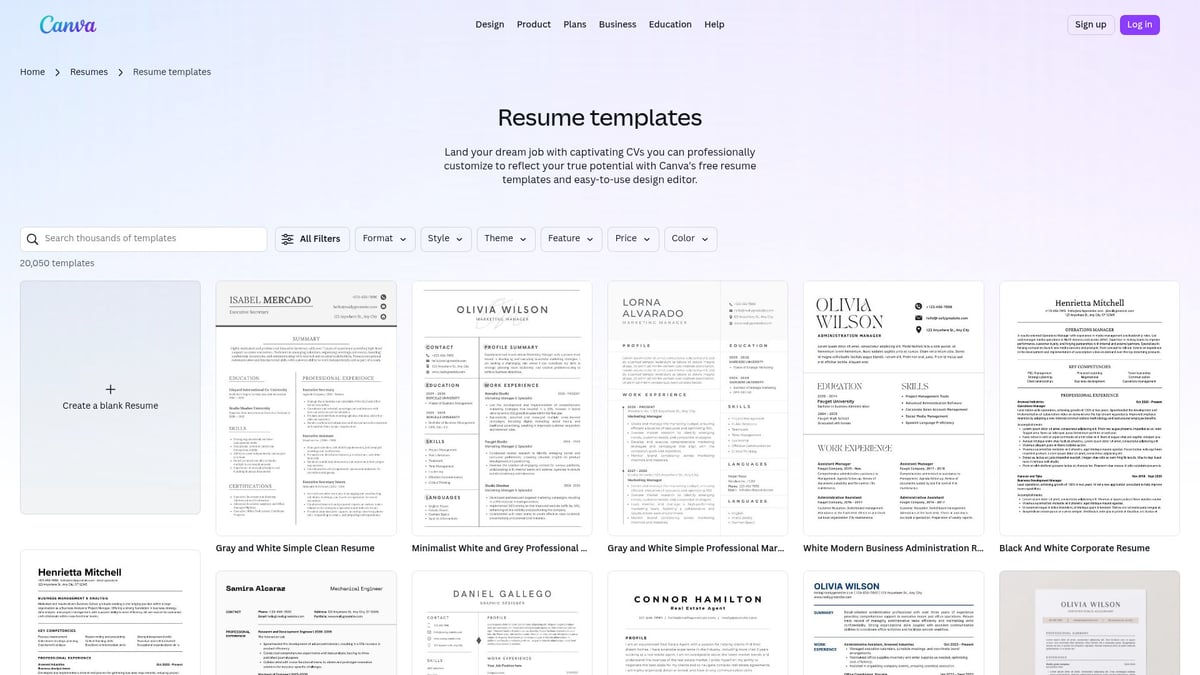
Source: Canva resume template gallery example.
template to edit online for documents
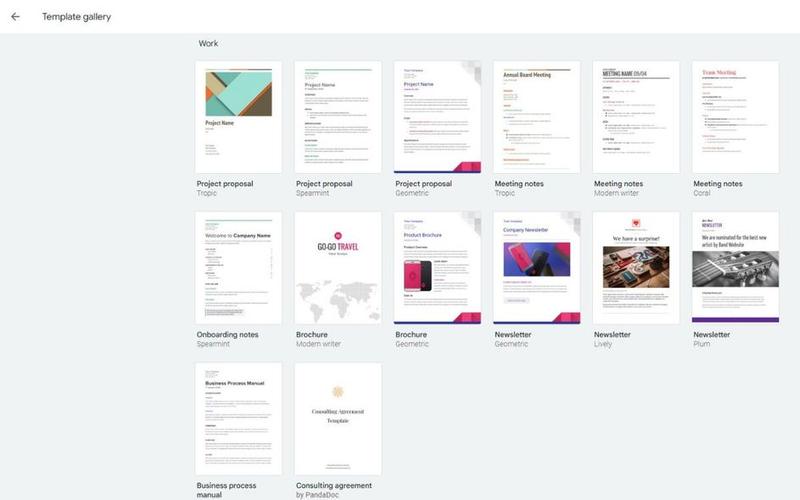
Source: Google Docs template gallery example.
edit template online
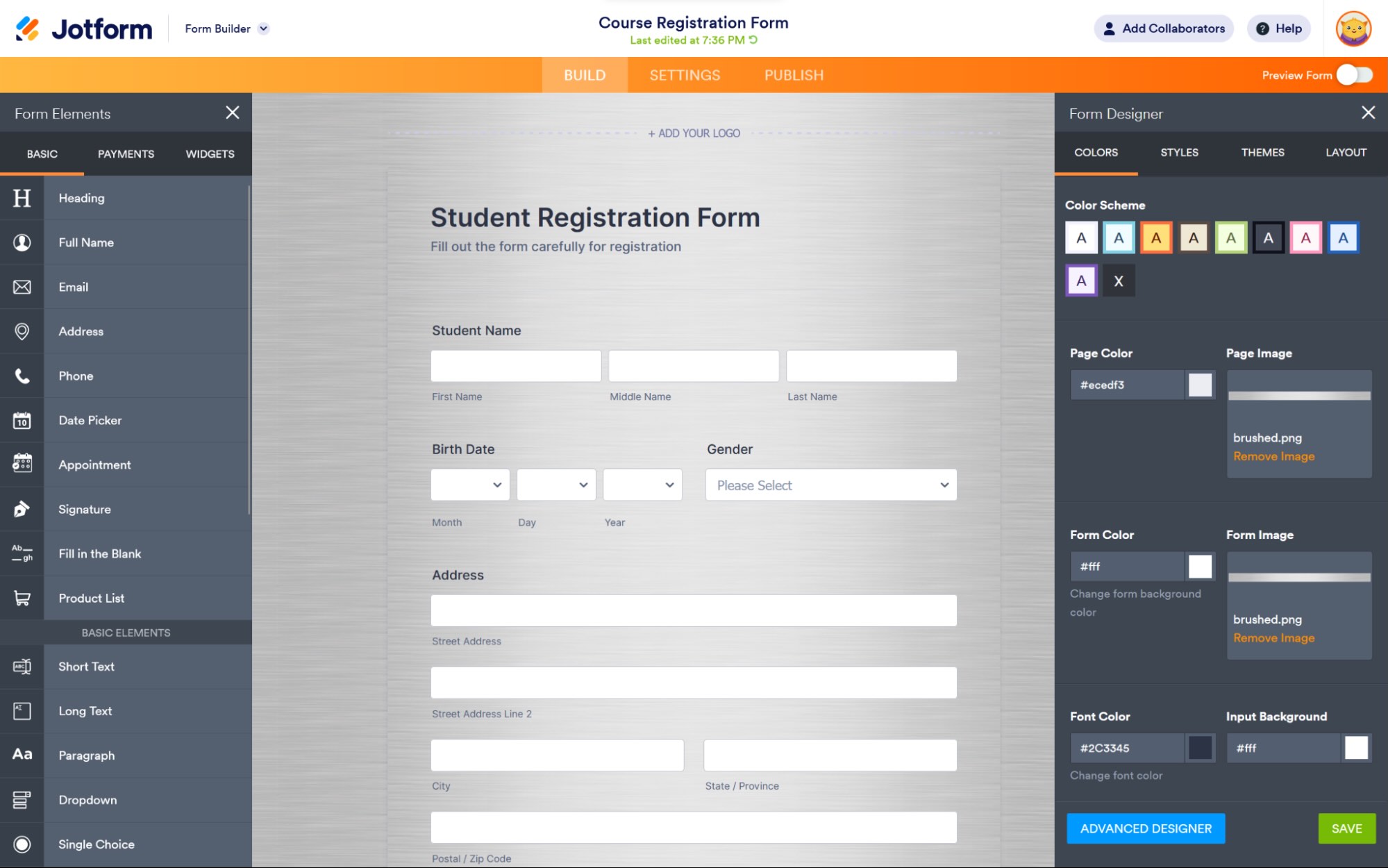
Source: Online form editor example published by Zapier.
Frequently Asked Questions
What is the easiest way to edit a template online?
Choose a template that already matches the purpose and structure of your document, create a working copy, replace the sample content, adjust the design only where necessary, and inspect the exported file before sharing it.
Can I edit a PDF template online?
Yes. Browser-based PDF editors can support different types of changes, although capabilities depend on how the PDF was created. Some workflows can also convert text-based PDFs into editable document formats.
Are templates to edit online free?
Some are. Free availability varies by platform, template, editing feature, account requirement, and export format. Always check the final-output conditions before investing significant time in customization.
What is the best template to edit online for a resume?
The best resume template is one that makes relevant experience easy to scan, supports a clear information hierarchy, and is appropriate for the employer’s application process. For ATS-oriented applications, simpler text structures are often preferable to heavily graphical designs.
Can I edit an invitation template online?
Yes. Invitation editors commonly let you replace names, dates, locations, wording, colors, images, and other design elements. Always proofread event details carefully because a polished design cannot compensate for incorrect logistical information.
What should I check before exporting?
Check spelling, names, dates, contact information, page breaks, alignment, image quality, margins, contrast, links, and placeholders. Then open the exported file independently and inspect it again.
Is an online template suitable for professional documents?
It can be, provided the template supports the document’s requirements. Professional quality comes from appropriate structure, accurate content, readable design, consistent formatting, and careful review rather than from the template platform alone.
Should I customize every part of a template?
No. Keep design decisions that already work and change only what is needed to fit your purpose, brand, audience, and content. Excessive customization can make the result less coherent.
Conclusion
A template to edit online is most useful when it gives you a strong starting structure without taking away control. The right workflow is to define the document’s purpose, choose a template that already fits the content, customize the information first, refine the design second, and treat export and quality control as essential final stages. Whether you are preparing a resume, invitation, PDF, report, letter, invoice, or business document, the goal is not simply to make an existing design look different; it is to turn a reusable structure into a clear, accurate, audience-appropriate finished document.
