A square business card is a creative alternative to the traditional rectangular business card. With its distinctive shape and balanced proportions, it can help a brand stand out while still providing essential contact information in a professional format. Whether you are a freelancer, entrepreneur, designer, photographer, consultant, or small business owner, a well-designed square business card can make a strong first impression.
Using a square business card template makes the design process easier because you can start with a structured layout instead of creating everything from scratch. A good template provides space for your name, business logo, job title, contact information, website, social media details, and other important branding elements.
In this guide, you will learn how to choose, customize, and print a square business card while keeping the final design professional, readable, and consistent with your brand.
What Is a Square Business Card?
A square business card is a business card designed with four equal sides rather than the conventional rectangular format. Its symmetrical shape gives it a modern and distinctive appearance, making it useful for businesses that want their printed materials to look different from standard corporate cards.
The square format can work especially well for creative industries. Designers, photographers, artists, marketing professionals, beauty businesses, and boutique brands can use the unusual proportions to reinforce a unique visual identity.
Although the shape is different, the purpose remains the same: to provide useful business information in a compact and easy-to-share format.
Why Use a Square Business Card Template?
Creating a business card from a blank document can take considerable time. A professionally structured template gives you a starting point and helps organize the most important design elements.
1. Save Design Time
A template already includes a basic layout, spacing, typography structure, and visual hierarchy. You can replace the sample information with your own details instead of building the design from the beginning.
2. Create a Consistent Brand Identity
A business card should match your overall branding. Your logo, colors, fonts, and visual style should feel consistent with your website, social media profiles, packaging, and other marketing materials.
A customizable square business card template makes it easier to maintain that consistency.
3. Make Your Brand More Memorable
Because square cards have a different silhouette from conventional cards, they can attract attention when exchanged during networking events, meetings, conferences, or client appointments.
4. Make Customization Easier
A good template should allow you to modify important elements without disrupting the overall layout. You can adjust the colors, fonts, logo placement, contact information, and other details according to your needs.
What Information Should Go on a Square Business Card?
Because a square business card has limited space, every element should have a clear purpose. Avoid filling the card with unnecessary information. Focus on details that help people identify your business and contact you.
Common business card elements include:
- Business or personal name: Clearly display the name that customers should remember.
- Job title: Add your role when it helps explain what you do.
- Logo: Use a recognizable brand mark to strengthen visual identity.
- Phone number: Include a professional contact number when appropriate.
- Email address: Use an address that is easy to read and remember.
- Website: Direct potential customers to your main online presence.
- Social media: Include relevant social profiles if they are important to your business.
- Business address: Add a physical location when customers need to visit you.
For a minimalist business card, you do not necessarily need to include every item. Select the information that is most useful to your target audience.
How to Design a Professional Square Business Card
Choose a Simple Layout
A clean layout is usually easier to read than a crowded design. Use sufficient empty space around the logo and contact details. White space can make a card look more polished and can help important information stand out.
Use Readable Typography
Typography plays an important role in business card design. Choose fonts that remain readable at a small printed size. You can combine a distinctive font for the business name with a simpler font for contact information.
Avoid using too many different typefaces. Two complementary fonts are often enough to create a professional visual hierarchy.
Use Brand Colors Carefully
Your square business card should reflect your existing brand colors whenever possible. A limited color palette can create a stronger and more cohesive appearance.
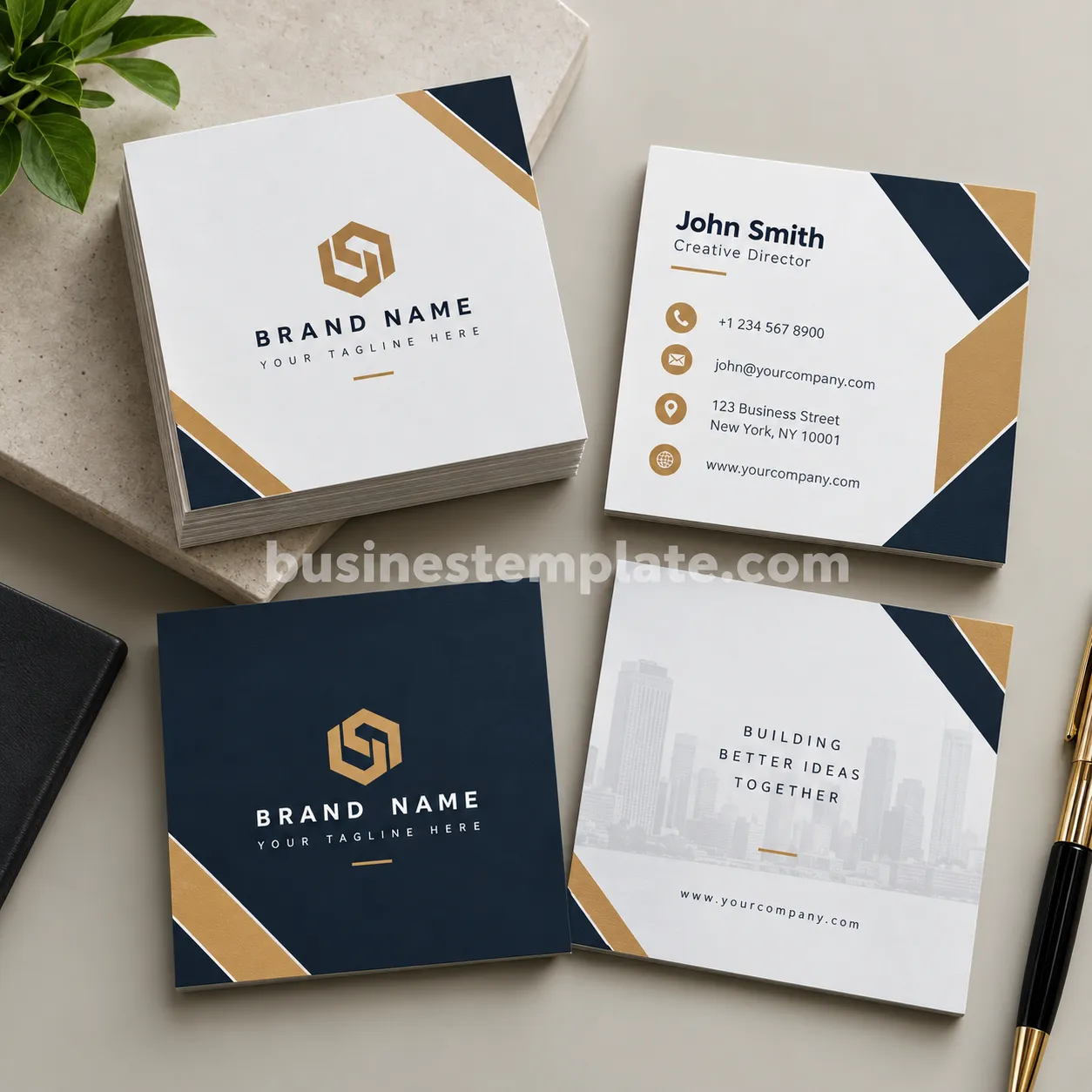
For example, a professional brand might use dark blue with white and metallic-inspired accents. A creative business could use brighter colors, while a luxury brand may prefer a restrained neutral palette.
Make the Logo Easy to Recognize
The logo should have enough space around it so that it does not compete with other information. Avoid placing too many decorative elements close to the logo.
Create a Clear Information Hierarchy
Readers should be able to identify the most important information quickly. Typically, the business or personal name should be more prominent than secondary contact details.
A simple hierarchy might be:
- Brand or personal name
- Professional title or tagline
- Phone and email
- Website or social media
- Optional address or additional information
Square Business Card Ideas for Different Industries
The square format can be adapted to many professional uses. The design style should reflect the expectations of your industry and your target customers.
Creative Professionals
Graphic designers, illustrators, photographers, and artists can use bold typography, unusual compositions, photography, or geometric elements to make the card feel more expressive.
Small Businesses
Local businesses can use a simple logo, brand colors, phone number, website, and social media information. Keeping the design straightforward makes it easier for customers to find important details.
Real Estate Professionals
A real estate business card can feature a professional portrait, name, job title, contact details, license information where applicable, and company branding.
Beauty and Wellness Brands
Beauty salons, spas, stylists, and wellness businesses can use elegant typography, subtle colors, and clean layouts to create a polished customer-facing design.
Freelancers and Consultants
Independent professionals can emphasize their name, specialty, website, and primary contact method. A minimalist layout can communicate professionalism without making the card feel crowded.
Printing Tips for Square Business Cards
Designing the card is only part of the process. Preparing the file correctly can help produce a better printed result.
Check the Final Dimensions
Different printers may offer different square business card sizes. Before designing, check the exact dimensions required by your chosen printing service.
Allow for Bleed
If your background color, photograph, or design extends to the edge of the card, your printer may require a bleed area. Follow the printer’s specifications rather than assuming a standard measurement.
Keep Important Text Away From the Edges
Do not place phone numbers, email addresses, or other essential information too close to the cutting area. Maintaining a safe margin helps protect important content during trimming.
Use High-Quality Images
Logos and graphics should be suitable for print. Low-resolution images can appear blurry or pixelated when printed.
Proofread Before Printing
Always check your spelling, phone number, email address, website URL, and social media information before sending the file to a printer. A small mistake can make an otherwise professional business card less useful.
Tips for Making Your Square Business Card Stand Out
- Keep the design focused: Avoid adding decorative elements that do not support your brand.
- Use contrast: Make sure text is easy to read against the background.
- Prioritize essential information: Give the most important details the strongest visual emphasis.
- Match your branding: Use colors and typography that appear elsewhere in your business identity.
- Consider both sides: One side can focus on branding while the other presents contact information.
- Preview the printed appearance: Colors and small text can look different on paper than they do on a screen.
Square Business Card Template vs. Traditional Business Card
A traditional rectangular business card is familiar and works well for almost every industry. A square business card, however, offers a more distinctive shape and can support a modern branding strategy.
The right choice depends on your business identity, audience, printing options, and practical requirements. If you want a recognizable format that feels contemporary, a square layout can be an effective option. If maximum compatibility with standard card holders and traditional networking practices is important, a rectangular format may be more practical.
How to Customize a Square Business Card Template
Start by replacing the placeholder logo and business name. Next, update the contact information and choose colors that match your brand. Adjust the typography so the name and essential details remain readable.
After making your changes, review the design at its actual printed size. This step is important because text that looks comfortable on a large computer screen may become difficult to read once reduced to business card dimensions.
Finally, export the design according to your printer’s requirements and review a proof before ordering a larger quantity.
Final Thoughts
A square business card can provide a memorable alternative to the traditional rectangular format while still delivering the essential information customers and professional contacts need. With the right layout, typography, colors, and branding, it can create a polished first impression without becoming overcrowded.
Using a square business card template can make the design process faster and more approachable. Start with a clean structure, customize it with your brand identity, check the print specifications, and carefully proofread every detail before printing.
Whether you are building a personal brand, launching a small business, or refreshing an established company’s visual identity, a thoughtfully designed square business card can become a practical and memorable part of your marketing materials.
