The phrase reporting vendors form template can refer to several related documents. Some organizations need an intake form for onboarding a new supplier. Others need a recurring vendor performance report, a supplier evaluation form, a registration document, or a structured spreadsheet that consolidates information from multiple vendors. Understanding that distinction is important because the best template depends on what the organization is trying to accomplish.
A well-designed template is more than a collection of blank fields. It establishes the structure of the information, identifies who is responsible for completing each section, makes important records easier to compare, and creates a reliable foundation for later analysis. It can also reduce duplicate data entry when information collected during onboarding is reused during performance reviews.
Templates are particularly useful when several departments interact with the same supplier. Procurement may need commercial information, accounts payable may need payment details, operations may need service information, information security may need risk evidence, and management may need performance summaries. A shared structure helps each group work from the same underlying vendor record.
This guide explains how to design, select, customize, and use vendor reporting forms across Word, Excel, PDF, Google Docs, and digital workflows. It also covers vendor registration, new-vendor onboarding, performance reporting, risk review, data quality, California-related considerations, software vendors, common mistakes, and a practical implementation process.
What Is a Reporting Vendors Form Template?
A reporting vendors form template is a predefined document or digital form used to collect, organize, review, and report information about vendors or suppliers. It may be completed once during onboarding or repeatedly as part of periodic vendor reviews. The template normally defines the information that should be captured, the order in which it is collected, and the fields that reviewers use to evaluate the relationship.
There is an important difference between a vendor information form and a vendor report. A vendor information form primarily collects facts such as the legal business name, address, contact information, tax information, payment details, products, services, licenses, and certifications. A vendor report generally interprets information about performance, quality, delivery, pricing, compliance, incidents, service levels, or relationship health.
A strong reporting vendors form template can connect these two activities. The onboarding form establishes the baseline vendor record, while the reporting component records what happens after the relationship begins. This creates a more complete history instead of treating registration and performance management as unrelated administrative tasks.
For example, a company might collect a supplier’s legal name, service category, contract owner, insurance status, payment terms, and primary contact during onboarding. Each quarter, the same record could then be supplemented with delivery performance, quality issues, invoice accuracy, open corrective actions, and an overall evaluation.
The most useful templates are designed around decisions rather than paperwork. Every field should exist for a reason. If nobody uses a particular field, it creates administrative burden without improving vendor management. Conversely, leaving out a field that is essential for approval or reporting can force employees to maintain separate spreadsheets and email trails.
Why Vendor Reporting Templates Matter
Consistency is one of the biggest benefits of a standardized form. When different employees evaluate suppliers using different criteria, the resulting records are difficult to compare. One reviewer may document delivery issues in detail while another records only a general comment. A structured template gives both reviewers the same framework.
Standardization also improves handoffs. Vendor information frequently moves between procurement, legal, finance, operations, IT, security, and management. A predictable structure allows a new team member to understand where important information belongs without reconstructing the history from email messages and attachments.
Templates can improve review efficiency as well. A procurement manager reviewing 40 suppliers does not want to read a different type of report for every vendor. Consistent headings and scoring fields make it easier to identify exceptions, compare suppliers, and prioritize follow-up actions.
Another benefit is auditability. A structured record can show what information was requested, who supplied it, when it was reviewed, what evidence supported the assessment, and what actions resulted from the review. The exact retention and documentation requirements vary by organization and jurisdiction, so the template should be aligned with applicable policies rather than treated as a universal legal form.
Finally, standardized reporting creates better data for analysis. If every vendor has the same service category, review period, score definitions, and issue classifications, the organization can aggregate information across vendors. That makes it possible to identify recurring supplier problems, concentration risks, improvement opportunities, and trends over time.

Key Components of a Vendor Reporting Form
1. Vendor identification
The first section should establish exactly which business the report concerns. Typical fields include legal vendor name, trading name if different, vendor ID, business address, website, primary contact, and vendor category. A unique internal vendor ID is particularly valuable because company names can change or may be entered inconsistently.
If the organization works with subsidiaries, branches, contractors, or multiple billing entities, the form should distinguish between the parent organization and the specific entity that holds the relationship. This prevents performance information from being accidentally attributed to the wrong business unit.
2. Relationship and contract information
Useful relationship fields include contract owner, department, service category, contract start date, renewal date, purchase order requirements, service-level expectations, and contract status. The template does not need to reproduce the entire contract. Instead, it should provide enough context to understand what the vendor is expected to deliver.
For recurring reporting, include the review period. A report without a defined period can become ambiguous because a comment might refer to one incident while a score represents several months of performance.
3. Operational performance
Operational fields depend on the vendor’s role. Common measures include delivery timeliness, order accuracy, service availability, response time, defect rate, issue resolution, fulfillment accuracy, and adherence to specifications. Not every metric belongs in every vendor form.
Metrics should be measurable and defined. “Good service” is subjective, while “percentage of scheduled deliveries completed within the agreed window” provides a clearer basis for review. When exact measurement is unavailable, a qualitative rating can still be used, but the rating scale should be documented.

How to Build a Reporting Vendors Form Template
Start by identifying the business decision the completed form needs to support. If the goal is vendor onboarding, the form should prioritize identity, business information, payment setup, qualifications, documents, and approval. If the goal is quarterly performance management, it should emphasize measurable outcomes, exceptions, corrective actions, and trends.
Next, identify the people who will use the information. Interview procurement staff, finance personnel, operational owners, and other relevant stakeholders. Ask what information they currently collect, where it is stored, what they repeatedly request from vendors, and which fields are most often missing.
Then separate required information from useful information. A required field should be necessary for a business process, approval, reporting requirement, or meaningful decision. Optional fields can capture additional context without preventing submission when they are unavailable.
Define the data type for each field. A date should be a date, a monetary value should have a consistent currency convention, a score should use a documented scale, and a yes-or-no decision should not require free-text interpretation. Structured fields improve later filtering and analysis.
Finally, test the template with real-world examples before adopting it. Ask a procurement employee to complete it for a familiar vendor and ask another employee to review the result without being coached. Confusing labels, duplicate questions, and missing fields usually become obvious during this exercise.

Choosing Between Word, Excel, PDF, and Google Docs
The correct format depends on how the form will be completed and what happens to the information afterward. A document-oriented format works well when the output needs to look like a formal report. A spreadsheet is stronger when the organization needs calculations, sorting, filtering, scoring, or comparisons across many vendors.
Microsoft Word is useful for narrative reports, formal evaluations, printable forms, and documents that require substantial written commentary. A reporting vendors form template word document can provide a professional structure with headings, tables, approval sections, and narrative fields.
Excel is generally better for structured vendor data. A spreadsheet can maintain a master vendor list, calculate scores, summarize monthly performance, flag missing information, and create charts. It is particularly useful when the organization wants to compare several suppliers in one reporting cycle.
PDF is useful when the completed document needs to be distributed or preserved in a fixed layout. A PDF is not automatically the best format for collecting information, however. If users need to update the same vendor record repeatedly, a structured database, spreadsheet, or online form may be more practical.
Google Docs can support collaborative document editing, while Google Sheets is often better for structured vendor data. A reporting workflow should distinguish between a document used for narrative review and a data table used for aggregation. The two can work together rather than competing with each other.
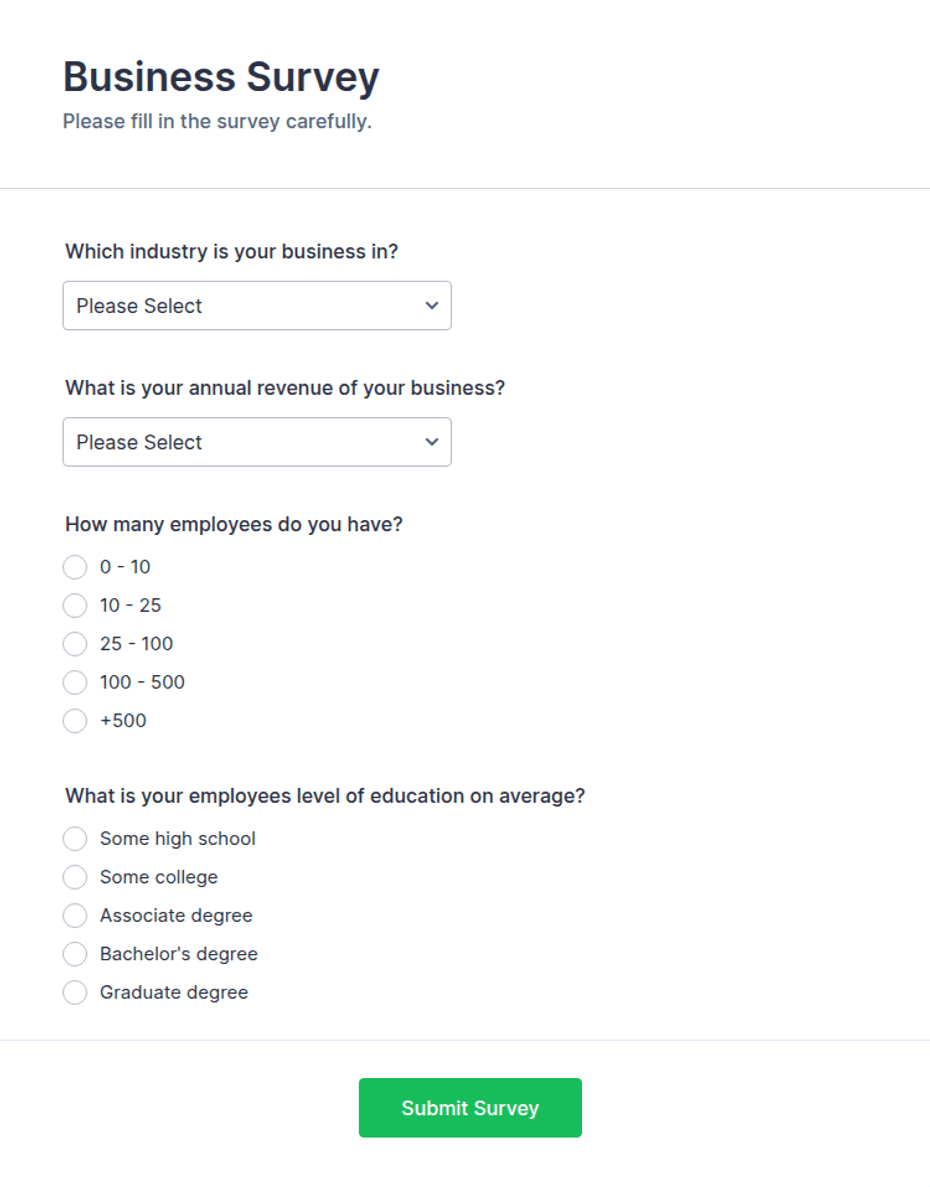
Reporting Vendors Form Template Word: When a Document Format Works Best
A Word-based form is appropriate when the primary output is a professional document that will be read by people rather than analyzed row by row. It works well for vendor evaluations that contain a combination of structured scores and narrative explanations.
A practical Word layout begins with vendor identification, followed by relationship information, review period, performance criteria, findings, supporting evidence, recommendations, and approvals. Tables can be used for scores while paragraphs provide room for explanations and corrective-action notes.
Keep the page structure predictable. A reviewer should be able to find the overall rating, major issues, and recommended actions quickly. If the report becomes very long, an executive summary can present the most important information before detailed evidence.
Do not make every field a large blank text box. Excessive writing space makes a form visually heavy and can encourage inconsistent answers. Use checkboxes, short fields, rating scales, and structured tables for information that can be standardized.
A Word document can also be converted to PDF after approval when a fixed final version is required. The organization should preserve the editable source separately if future revisions are expected.

Reporting Vendors Form Template Excel: Designing a Useful Spreadsheet
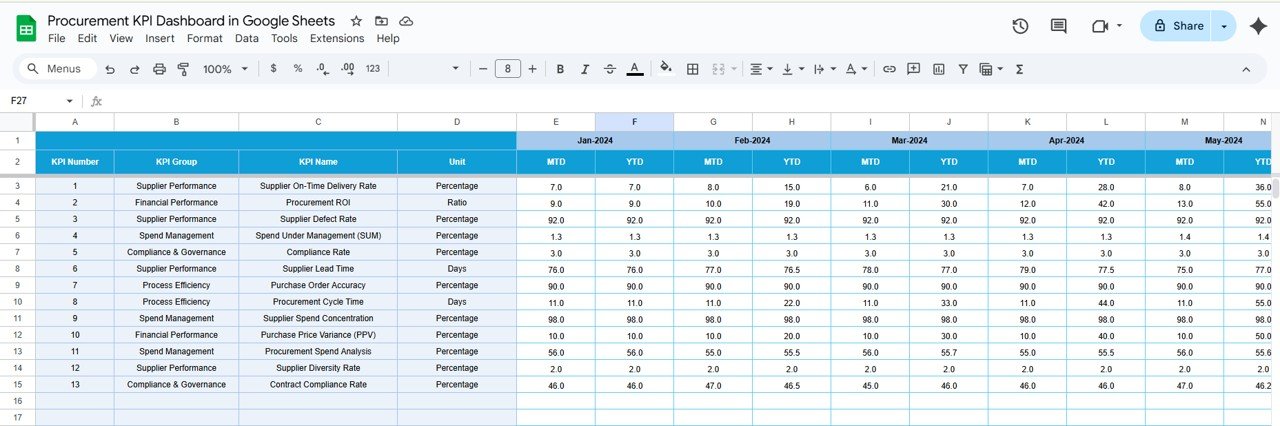
Excel becomes especially valuable when the organization manages many vendors. Instead of creating one isolated report for every supplier, a workbook can contain a vendor master table, a performance data table, a scoring sheet, and a summary dashboard.
The vendor master table might contain vendor ID, legal name, category, owner, contract status, renewal date, and risk classification. A performance table can then record one row per vendor per review period, making it possible to compare results across months or quarters.
Use controlled values wherever practical. For example, vendor status might be Active, Pending, Suspended, or Closed. A consistent set of values makes filtering more reliable than allowing every employee to type their own description.
Score calculations should also be transparent. If delivery, quality, responsiveness, and compliance are weighted differently, document the weighting method. A numerical score without a visible methodology can create false precision.
Dashboards should focus on decisions rather than decoration. Useful summaries include vendors with declining performance, overdue corrective actions, upcoming contract renewals, missing documentation, and suppliers that require management attention.
Reporting Vendors Form Template Free and Free Download Considerations
Free templates can be an excellent starting point, especially for small organizations that need a basic structure without investing in specialized software. A free template can provide headings, field ideas, scorecards, and a sensible document flow that would otherwise take time to design.
However, “free” does not necessarily mean that a template is appropriate for every organization. Review whether the template is editable, whether the file format fits the workflow, whether its fields match the information actually needed, and whether the licensing or usage terms are suitable for the intended purpose.
A reporting vendors form template free download should also be inspected before employees begin using it. Remove sample information, unnecessary fields, obsolete branding, and assumptions that do not apply to the organization. A downloaded template is a starting structure, not automatically a finished business process.
When evaluating a free template, look for practical qualities such as clear headings, logical grouping, readable tables, room for evidence, approval fields, and consistent terminology. A visually attractive template with poor data structure may be less useful than a simple form designed around the organization’s workflow.
It is also wise to maintain one controlled master version. If every department downloads and modifies its own copy, several competing versions can quickly emerge. Version control matters even for simple forms because different versions may collect different information.

Reporting Vendors Form Template PDF: When to Use a Fixed Format
A PDF format is useful when the document needs to preserve its layout during distribution, printing, or archival. It can be appropriate for an approved vendor evaluation, a completed registration package, or a report that needs to be circulated to stakeholders.
There is an important distinction between a static PDF and a fillable PDF. A static PDF is primarily intended for viewing or printing. A fillable PDF contains interactive fields that can be completed electronically. The latter can be convenient, but organizations should test fields, validation behavior, signature requirements, and accessibility before adopting it.
When creating a vendor form PDF, avoid shrinking the type excessively to fit every possible question on one page. A two-page form with clear sections is often easier to complete and review than a crowded one-page document.
For records that may contain sensitive commercial or financial information, consider how the completed PDF will be transmitted and stored. The template itself does not provide security simply because it is a PDF. Access controls, storage policies, retention practices, and approved communication channels remain important.
A PDF can also serve as the final presentation layer for information that originated in a spreadsheet or online form. This approach separates data collection from document presentation and can reduce manual formatting work.
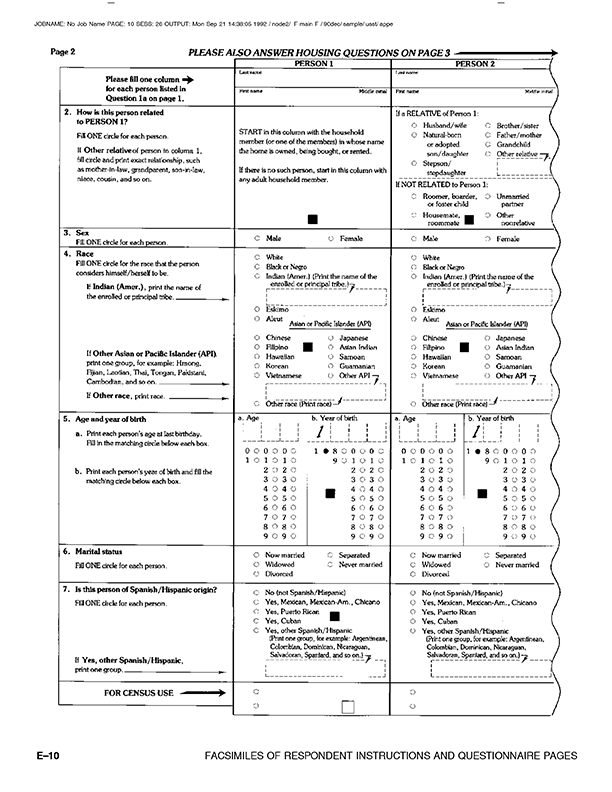
Reporting Vendors Form Template Google Docs and Collaborative Workflows
Google Docs is useful when multiple authorized users need to collaborate on a narrative vendor report. Procurement managers, contract owners, and department leaders can contribute comments and revisions without emailing separate document copies.
For structured vendor information, Google Sheets is generally more appropriate than a document. A useful workflow may therefore use a Google Form or structured sheet for collection, a spreadsheet for analysis, and a Google Doc for narrative reporting.
Collaboration needs clear ownership. Decide who can edit vendor records, who can approve reports, who can comment, and who can view sensitive information. Without defined permissions, collaboration can become uncontrolled editing.
Templates should also use standardized field names. If one department calls a field “Supplier Owner,” another uses “Vendor Manager,” and a third uses “Accountable Department,” consolidation becomes harder. Choose terminology that makes sense across the organization.
A shared document should include the reporting period and last-updated information so readers know whether they are viewing current information. For high-volume programs, a centralized database or vendor-management platform may eventually become more appropriate than a collection of shared documents.

Vendor Registration and New Vendor Onboarding
A vendor registration form normally captures information needed to establish a vendor relationship. Typical sections include company details, contacts, products or services, business credentials, payment information, certifications, insurance information where relevant, and supporting documentation.
A new-vendor process should not stop at collecting a completed form. The information needs to be reviewed, validated, approved, entered into the appropriate system, and connected to the responsible business owner. The exact approval chain depends on the organization’s policies.
A new vendor form should distinguish vendor-supplied information from internal approval information. For example, the vendor can provide its legal name and contact details, while an internal procurement employee records the approval status, internal vendor number, assigned owner, and review date.
Payment information deserves particular care. Sensitive financial data should only be collected through approved channels and handled according to the organization’s security and privacy procedures. A generic template should not be assumed to satisfy every jurisdiction’s financial, tax, or compliance requirements.
References and certifications can be useful when the organization needs to assess vendor capability. The form should identify which supporting documents are required, which are optional, and whether documents need periodic renewal.

Vendor Performance Reporting
Vendor performance reporting begins with expectations. Before measuring a supplier, define what successful performance means. Depending on the relationship, this may include delivery reliability, product quality, service responsiveness, availability, invoice accuracy, documentation, compliance, or customer satisfaction.
Performance reports should distinguish facts from interpretation. “Three deliveries arrived outside the agreed window” is an observation. “The vendor is unreliable” is a conclusion. Both may belong in a report, but the conclusion should be supported by evidence.
Use the same scoring scale throughout a reporting cycle. If a five-point scale is used, define what each score means. For example, the organization might define one as unacceptable and five as exceptional, while describing the performance conditions associated with intermediate ratings.
Corrective actions should be specific. A useful action includes the issue, expected improvement, responsible party, target date, and follow-up method. Simply writing “vendor needs improvement” does not create an actionable management record.
Periodic reporting should also preserve trends. A vendor that scores well in one quarter but declines steadily across four quarters may deserve more attention than a vendor with a single isolated issue. Historical data helps reviewers distinguish temporary problems from persistent patterns.

Risk, Compliance, and Vendor Review
Vendor risk review should be proportional to the relationship. A supplier that provides ordinary office materials may require relatively simple onboarding, while a technology provider handling confidential information may require substantially more scrutiny.
Risk categories can include operational continuity, information security, privacy, financial stability, regulatory exposure, concentration risk, geographic dependency, subcontracting, and reputational considerations. Not every category applies to every vendor.
The form should capture evidence rather than simply asking whether the vendor is “safe.” For example, a review might record the date an insurance certificate was received, the expiration date, the responsible reviewer, and any exceptions that remain open.
Compliance fields should be reviewed periodically when their validity can expire. Licenses, certificates, insurance documents, and other credentials may need renewal. A vendor report that records only the original submission date can become misleading if no renewal mechanism exists.
Risk scores should not be treated as objective truth. They are decision-support tools. A high numerical score does not eliminate the need for judgment, and a low score should trigger investigation rather than automatic conclusions without context.

Reporting Vendors Form Template California Considerations
Organizations operating in California may need to consider state-specific business, privacy, procurement, tax, licensing, or industry requirements depending on the vendor relationship. A generic reporting vendors form template california version should therefore be treated as an organizational starting point rather than an official state-mandated document.
The correct fields depend on the organization and activity. A public agency, private company, healthcare organization, educational institution, and event organizer may have very different obligations. Industry-specific requirements can also change what information needs to be collected.
Privacy deserves particular attention when a vendor form collects personal information. The organization should identify why each category of information is collected, who needs access, how long it is retained, and which internal policies govern its handling.
California-related forms should also avoid implying that a template is an official government form unless that status has been verified. A business-created vendor registration document can be useful while still being completely different from an official state filing or regulatory document.
For organizations with significant California operations, the safest approach is to map the vendor form to internal legal and compliance requirements and obtain professional advice where necessary. The template should document business needs without pretending to replace legal review.

Software Vendor Report Template
A software vendor report requires a slightly different structure because technology providers may introduce operational, security, privacy, integration, and continuity considerations in addition to ordinary commercial performance.
Useful sections may include application or service scope, business owner, contract dates, service-level commitments, availability expectations, support performance, incident history, integration dependencies, data categories, access requirements, subcontractors, and renewal status.
Security and privacy assessments should be handled according to the organization’s established process. A simple vendor report can reference the status of a separate security review rather than attempting to reproduce a technical assessment inside a procurement form.
Software performance reporting can also include user experience, support response, unresolved defects, release impacts, implementation milestones, and adoption measures where those metrics are relevant to the contract.
The report should distinguish vendor-controlled outcomes from customer-controlled outcomes. For example, a delay caused by an internal configuration problem should not automatically be attributed to the software provider. Clear issue ownership improves the fairness and usefulness of the evaluation.

How to Analyze Vendor Data
Once vendor information has been collected, analysis should begin with data quality. Check for missing vendor IDs, inconsistent names, duplicate records, invalid dates, incomplete scores, and unexplained changes in classifications.
Next, group vendors into meaningful categories. Categories might include direct materials, professional services, software, facilities, logistics, marketing, or event suppliers. The categories should reflect the organization’s actual procurement structure.
Analyze performance using the metrics appropriate to each category. A logistics provider may be evaluated heavily on delivery reliability, while a consulting firm may be evaluated more heavily on milestones, deliverable quality, communication, and budget adherence.
Look for trends rather than isolated numbers. A sequence of declining ratings, recurring complaints, or repeated corrective actions can reveal a problem that is not obvious from one report.
Finally, convert analysis into decisions. The purpose of vendor reporting is not to create more spreadsheets. It is to help determine whether a relationship should continue, improve, renegotiate, expand, reduce, or receive additional oversight.

Practical Examples of Vendor Reporting
Consider a hypothetical manufacturer with ten packaging suppliers. Its reporting form records delivery performance, defect observations, order accuracy, responsiveness, pricing issues, and open corrective actions. Each supplier receives the same quarterly review structure.
Suppose Supplier A has excellent quality but repeated delivery delays. Supplier B delivers reliably but has a higher defect rate. A useful report does not simply rank them by one overall number. It highlights the specific trade-offs and identifies which issue needs action.
For a hypothetical software vendor, the form could record service availability, support response, unresolved incidents, implementation milestones, renewal date, and outstanding security documentation. The report might recommend continuing the relationship while requiring a corrective action for slow support response.
For an event organizer, a vendor registration form could capture company name, contact details, product category, booth requirements, payment information, insurance documents, and agreement confirmation. After the event, a separate performance section could record attendance, setup compliance, customer feedback, and outstanding payments.
These examples demonstrate why one universal template rarely works perfectly. The best design starts with a core vendor record and then adds fields appropriate to the relationship type.

Common Mistakes to Avoid
One common mistake is collecting too much information. Every additional field creates work for both the vendor and the internal team. If a field does not support a decision, control, reporting requirement, or useful record, consider removing it.
Another mistake is using vague scoring criteria. If reviewers interpret “excellent,” “good,” and “poor” differently, scores become difficult to compare. Define the criteria in plain language and use examples when the subject is particularly subjective.
Duplicate data is another problem. If vendor contact information exists in a master system, an evaluation form should ideally reference the authoritative record rather than creating a second copy that can become outdated.
Organizations also sometimes mix vendor self-reporting with internal assessment without clearly labeling the source. A vendor’s statement that a requirement is satisfied is different from an internal verification that the evidence was reviewed.
Finally, avoid designing a beautiful template that nobody maintains. A simple, consistently completed form is more valuable than a sophisticated document that employees bypass because it takes too long to complete.

Best Practices for Better Vendor Forms
Use plain field labels. “Legal business name” is clearer than “Entity designation,” unless the latter has a specific meaning within the organization. Clear language reduces incomplete submissions and follow-up questions.
Group related questions together. Company identity, contact information, payment details, compliance documentation, and performance review should each have a logical home.
Use conditional logic in digital forms where appropriate. A software vendor may need security questions that do not apply to a catering supplier. Showing only relevant questions can shorten the form without losing important controls.
Establish ownership for every stage. Someone should own vendor registration, someone should validate the information, someone should approve the relationship, and someone should own recurring performance reviews.
Review the template periodically. Vendor management practices evolve as the organization adds new services, systems, regulations, or risk categories. A form should be maintained like any other business process.

Practical Solution
The most practical solution is to create a modular vendor reporting system rather than trying to force registration, performance management, compliance, and reporting into one oversized document. Start with a core vendor record that contains information needed for identification and administration.
Step one is to create a master vendor profile. Include vendor ID, legal name, primary contacts, category, internal owner, contract status, important dates, and links or references to approved supporting records. Keep this information as stable as possible.
Step two is to create an onboarding form. Collect only information needed to establish and evaluate the relationship. Separate vendor-completed fields from internal approval fields so responsibilities remain clear.
Step three is to create a performance review form. Choose a small set of meaningful metrics, define each rating, provide room for evidence, and require corrective actions when performance falls below the organization’s expectations.
Step four is to create an exception and action log. Instead of burying every issue inside narrative reports, record significant issues in a structured list with owner, date, severity, due date, status, and resolution.
Step five is to establish a review calendar. Low-risk suppliers may need relatively simple periodic reviews, while critical vendors may require more frequent monitoring. The schedule should reflect business importance and risk.
Step six is to create management reporting. Summarize active vendors, upcoming renewals, missing documents, performance trends, major incidents, unresolved actions, and suppliers requiring attention.
Step seven is to control versions. Assign the template a name and revision date, maintain one official master copy, and communicate changes to the people who use it.
Step eight is to test the process. Select several vendors representing different categories and walk through onboarding, review, approval, reporting, and follow-up. Use the test to eliminate unnecessary questions and clarify ambiguous fields.
This approach provides the benefits people usually seek when searching for a reporting vendors form template without making the template itself responsible for every part of vendor management. The document becomes one component of a repeatable process rather than the process itself.

Reference Examples
The following reference visuals illustrate document, form, reporting, procurement, and vendor-management concepts that can help when designing or evaluating a template. They are examples of visual structures rather than claims that any particular organization requires the pictured format.
reporting vendors form template word
Source: Wikimedia Commons
reporting vendors form template free

Source: Wikimedia Commons
reporting vendors form template excel
Source: Neotech Navigators
reporting vendors form template free download
Source: Jotform
reporting vendors form template pdf
Source: Wikimedia Commons
reporting vendors form template google docs
Source: Wikimedia Commons
reporting vendors form template california
Source: Wikimedia Commons
software vendor report template
Source: Wikimedia Commons
vendor form template pdf
Source: Wikimedia Commons
vendor form template free
Source: Wikimedia Commons
new vendor form template
Source: Wikimedia Commons
vendor registration form template pdf
Source: Wikimedia Commons
Frequently Asked Questions
What should a reporting vendors form template include?
A useful template normally includes vendor identification, contacts, relationship information, service or product scope, performance criteria, review dates, evidence, issues, corrective actions, approvals, and any organization-specific compliance information that is genuinely necessary.
Should vendor registration and vendor performance reporting use the same form?
They can share a common vendor ID and core profile, but they do not need to be the same document. Separating onboarding from recurring performance review usually keeps both forms shorter and easier to maintain.
Is Excel better than Word for vendor reporting?
Excel is usually stronger for structured data, scoring, comparisons, calculations, and dashboards. Word is usually stronger for narrative reports and formal documents. Many organizations benefit from using both.
Can a free template be used for a professional vendor program?
Yes, provided it is reviewed, customized, and aligned with the organization’s actual process. A free template should be treated as a starting point rather than assumed to contain every required field or control.
When should a vendor performance report be completed?
The frequency should reflect the importance and risk of the relationship. Some organizations use monthly, quarterly, semiannual, or annual reviews. Critical suppliers may require more frequent monitoring than low-risk vendors.
What makes a vendor score meaningful?
A score is most useful when its criteria are defined, evidence is available, the same scale is applied consistently, and the score leads to a clear management action when performance falls outside expectations.
What information should be collected from a new vendor?
Common categories include legal and contact information, products or services, business credentials, payment information, applicable licenses or certifications, insurance evidence where relevant, references, and internal approval information. The exact requirements depend on the organization and relationship.
Does a California vendor form need to be an official government form?
No. A business-created vendor form is not automatically an official state document. California-specific requirements should be identified separately and verified against the applicable organization, industry, transaction, or legal requirement.
How should software vendors be reported?
Include ordinary commercial and performance information plus technology-relevant areas such as service levels, support, incidents, integration dependencies, data considerations, security review status, contract dates, and outstanding corrective actions where applicable.
Conclusion
A reporting vendors form template is most valuable when it creates consistency without creating unnecessary paperwork. The strongest design begins with the decisions the organization needs to make, identifies the information required to support those decisions, and then chooses the simplest practical format for collecting and reporting it.
Word is useful for narrative reports, Excel is useful for structured analysis, PDF is useful for fixed final documents, and Google-based tools can support collaboration and centralized data collection. Registration forms, performance reviews, risk assessments, and management reports can share a common vendor identity while remaining separate components of a larger workflow.
The goal should not be to find the longest or most sophisticated form. It should be to create a reliable record that employees can complete consistently, managers can understand quickly, and analysts can use without extensive cleanup. With clear fields, defined scoring, appropriate evidence, controlled versions, and a practical review schedule, a reporting vendors form template can become a useful foundation for stronger vendor management and better business decisions.

Used thoughtfully, a reporting vendors form template turns scattered vendor information into a structured management process: collect the right information, validate it, evaluate performance, document exceptions, assign actions, and review the relationship over time. That practical structure is what makes a vendor reporting system useful long after the original form has been completed.
