The best templates are not simply attractive forms. They connect scope, tasks, responsibilities, dates, dependencies, resources, costs, risks, communication, quality requirements, approvals, and reporting. Project planning guidance commonly treats these areas as interconnected parts of an overall project plan rather than isolated administrative fields.
This guide explains how to choose, build, customize, and use a planning projects form template for different types of work. It also compares document formats, explains when spreadsheets are preferable to narrative documents, discusses construction-specific planning, and provides practical examples that can be adapted to real projects.
Whether you need a simple project planning sheet template for a small team or a detailed planning package for a complex initiative, the underlying principle is the same: the form should make important decisions visible before execution begins.
For searchers looking for a planning projects form template, the most useful solution is therefore not one universal file. It is a reusable structure that can be adjusted to the project’s size, delivery method, risk profile, reporting requirements, and level of collaboration.
What Is a Planning Projects Form Template?
A planning projects form template is a reusable document or worksheet designed to collect the information needed to organize a project. It may be a one-page form, a multi-sheet spreadsheet, a formal project management plan, a presentation, or a collaborative online document.
At its simplest, the form records a project name, objective, owner, tasks, dates, and status. More sophisticated versions include scope boundaries, work breakdown structures, milestones, dependencies, budgets, resources, stakeholders, risks, communication arrangements, quality criteria, assumptions, constraints, approvals, and change-control procedures.
The distinction between a form and a complete project plan is useful. A form primarily prompts the planner to provide information. A project plan uses that information to establish how the project will be executed, monitored, controlled, and communicated.
A reusable template reduces the chance that important planning questions will be forgotten. It also creates consistency across projects, making it easier for managers, sponsors, clients, and team members to review plans using familiar sections.
The strongest template is therefore neither the longest nor the most complicated. It is the smallest structure that captures the information necessary for informed decisions and effective control.
Why Use a Project Planning Form?
Planning is valuable because execution problems are often easier and less expensive to address before work starts. A project planning form encourages the team to clarify objectives, define deliverables, identify dependencies, assign ownership, and establish realistic dates before resources are committed.
It also creates a shared reference point. Instead of relying on separate emails, meeting notes, spreadsheets, and personal task lists, the team can use a common planning structure to understand what is expected and how individual activities contribute to the final deliverable.
A planning form can expose contradictions early. For example, a team may discover that a launch date is fixed while a critical approval is scheduled after development is supposed to finish. Recording both items in one plan makes the dependency obvious.
Templates also improve handoffs. When a project manager changes, a new contractor joins, or leadership requests a status review, the planning document provides context without requiring the entire history of the project to be reconstructed from conversations.
Most importantly, a template should support decisions rather than become paperwork for its own sake. If a field never influences planning, execution, reporting, or control, it may not belong in the core form.
Core Components of a Strong Planning Projects Form Template
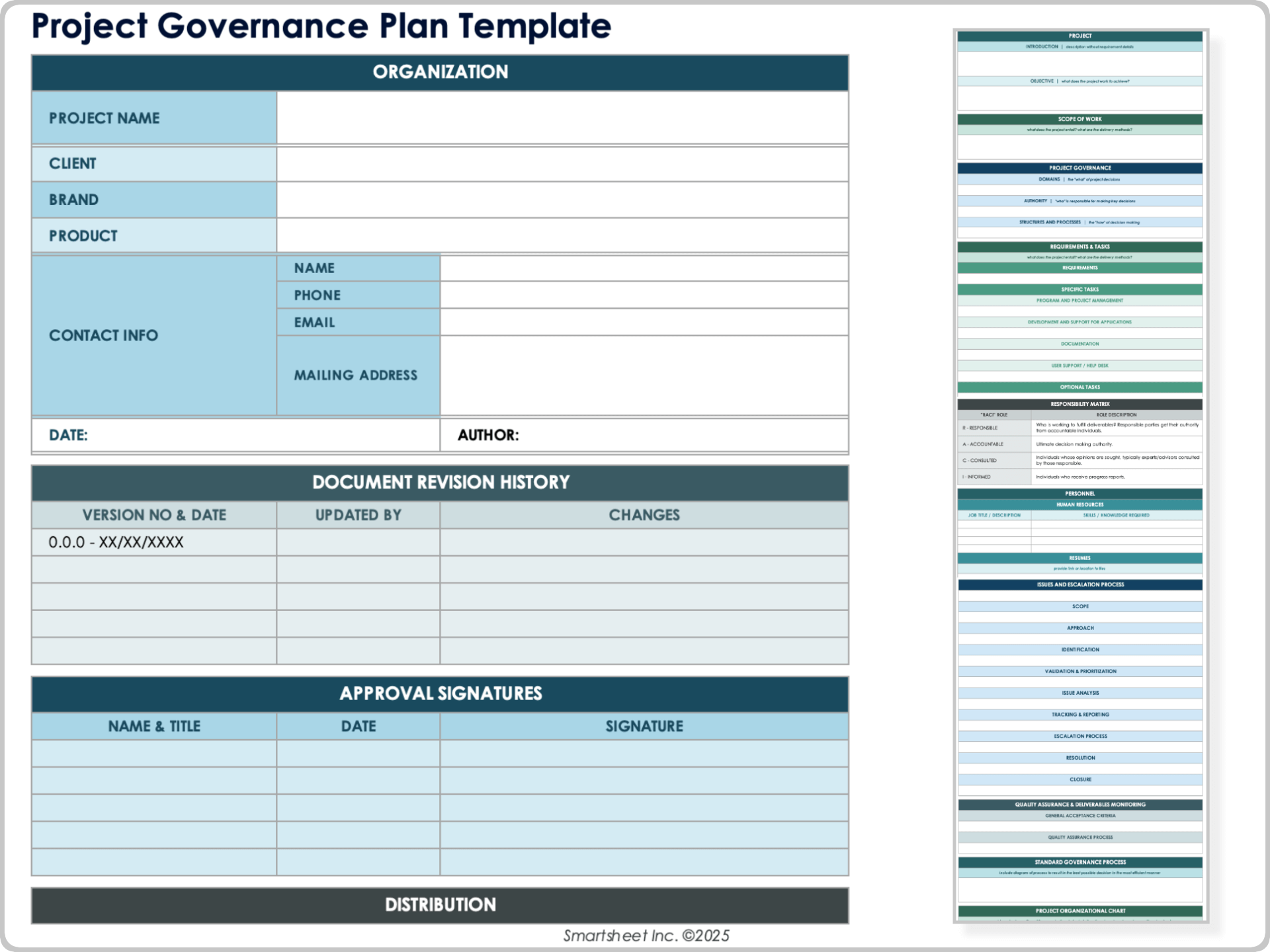
A useful template begins with project identification. Include the project name, project code if one exists, sponsor, project manager, department or client, planned start date, target completion date, document version, and current status.
The next area should explain why the project exists. A concise business purpose, problem statement, expected outcome, and measurable objectives help readers understand what the work is intended to accomplish.
Scope is equally important. The form should distinguish included deliverables from excluded work. This creates a practical boundary that can be referenced when new requests appear during execution.
Schedule information should connect tasks to dates and milestones. At minimum, record planned start, planned finish, duration, owner, and status. More advanced templates can include dependencies, baseline dates, actual dates, percentage completion, and variance.
Finally, the template should address resources, cost, risks, communications, quality, approvals, and change control when those subjects materially affect delivery.
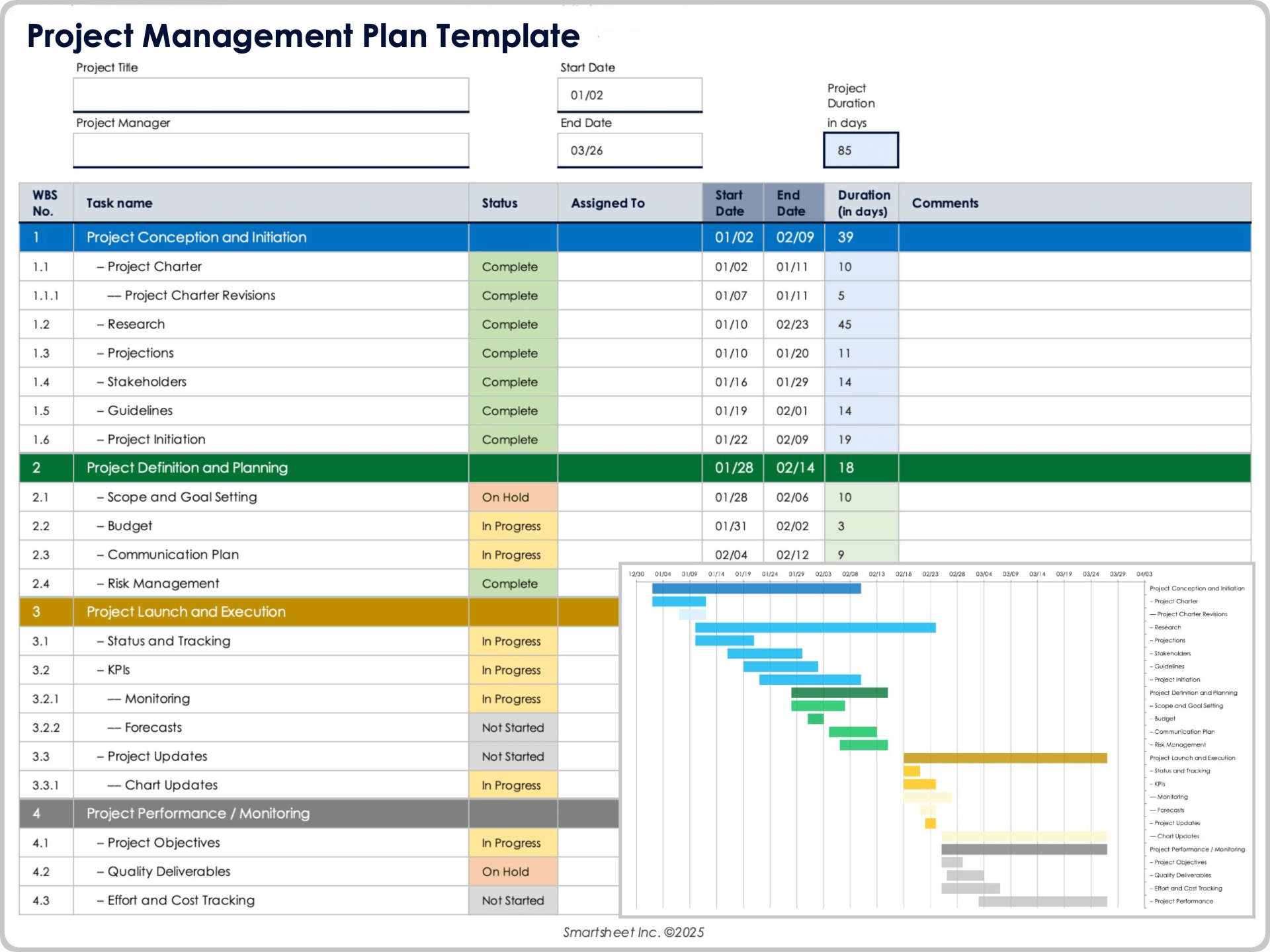
Start With Scope Before Building the Schedule
One of the most common planning errors is starting with dates before defining the work. A calendar can look precise while still being based on an incomplete understanding of the project’s deliverables.
Begin by identifying the outcomes that must exist when the project is complete. For a website project, that might include approved content, interface designs, a working site, tested integrations, analytics configuration, and launch documentation.
Then break each deliverable into the work needed to produce it. This approach creates a logical relationship between scope and tasks instead of producing a list of activities that may or may not support the intended outcome.
Document exclusions as deliberately as inclusions. If the website project does not include ongoing content production, a native mobile application, or post-launch advertising, those boundaries can be recorded so later requests can be evaluated as changes rather than silently added work.
A strong scope section gives the schedule something meaningful to represent. Once the deliverables and boundaries are clear, the planner can build tasks, dependencies, milestones, resources, and cost estimates around the approved work.
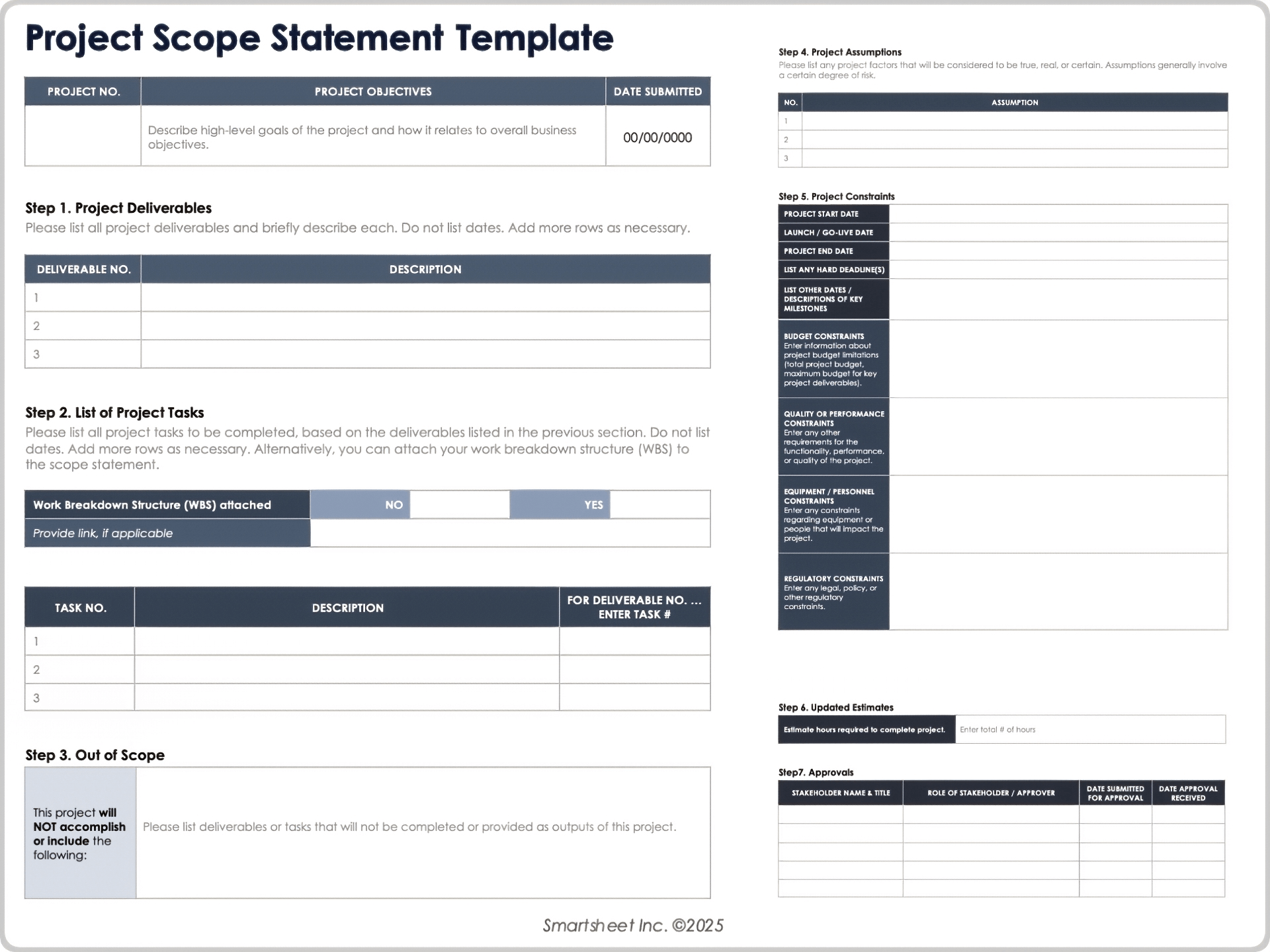
Build a Work Breakdown Structure
A work breakdown structure, or WBS, decomposes project scope into increasingly manageable pieces of work. It is especially useful when a project contains many deliverables or when several teams must coordinate their activities.
A practical hierarchy might begin with the overall project, continue to major deliverables or phases, and then divide those areas into work packages and tasks. The goal is not to create the longest possible list; it is to create a level of detail that supports ownership, estimating, scheduling, and control.
For example, a product launch could be divided into research, product preparation, marketing, sales enablement, technical readiness, launch execution, and post-launch review. Each area can then be divided into specific activities.
WBS numbering is useful when the planning form contains many rows. Codes such as 1.0, 1.1, 1.2, and 2.0 make it easier to connect tasks with budgets, risks, reports, and approvals.
Do not confuse a WBS with a schedule. The WBS explains what work exists. The schedule explains when that work will happen and how activities relate to each other.
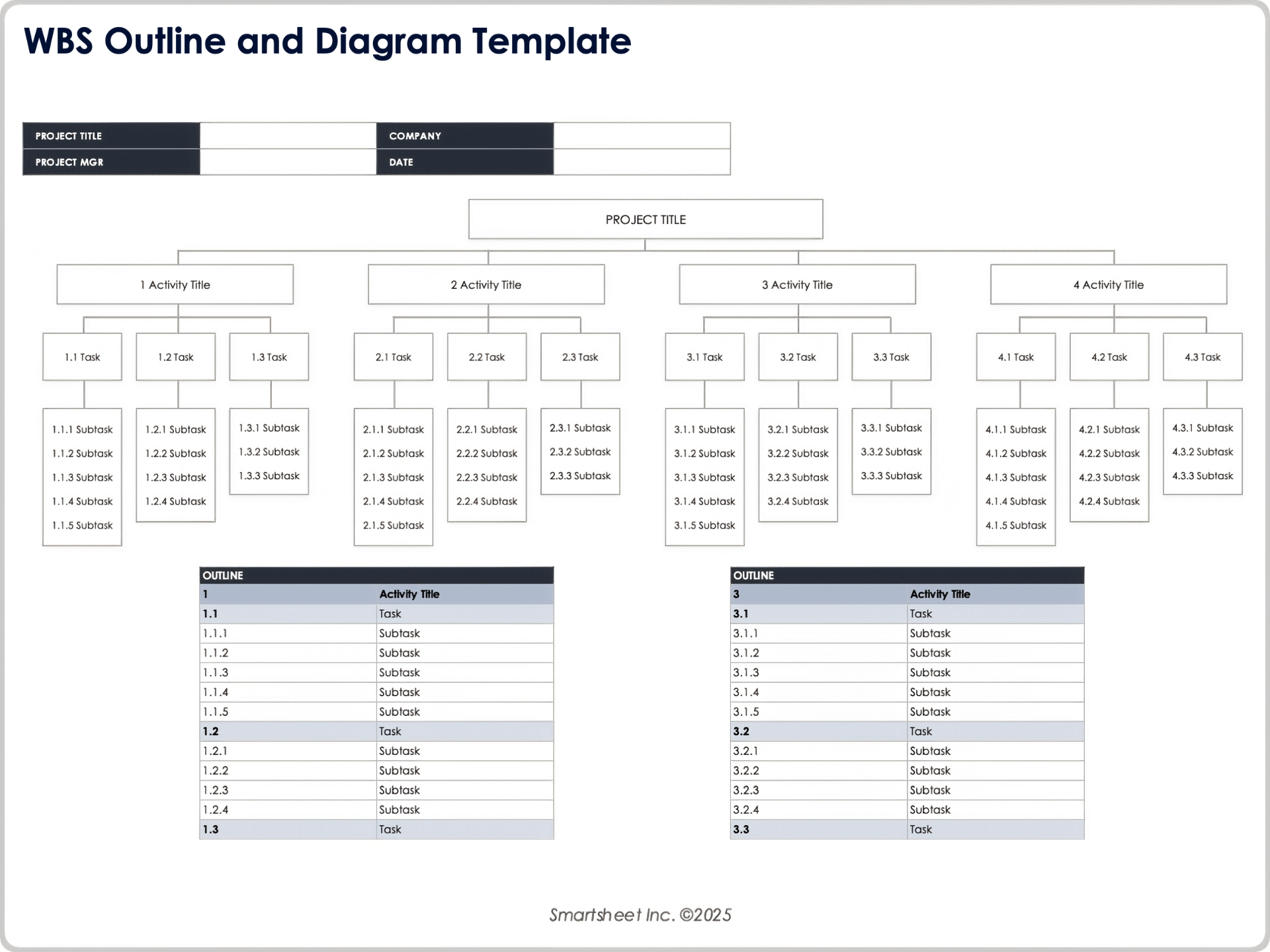
Turn Tasks Into a Realistic Schedule
Once tasks are identified, assign planned start and finish dates and estimate durations. The estimate should reflect the actual work involved rather than an arbitrary date chosen because it looks convenient on a calendar.
Dependencies are essential. A task may depend on another task being completed, approved, or partially available. Examples include design approval before development, procurement before installation, or testing before production release.
Milestones should represent meaningful decision or delivery points. A milestone might be requirements approved, design signed off, construction inspection completed, prototype accepted, user testing completed, or final handover approved.
Schedule templates become more powerful when they distinguish baseline dates from current forecasts. The baseline represents the approved plan, while the current forecast reflects what the team now believes is achievable.
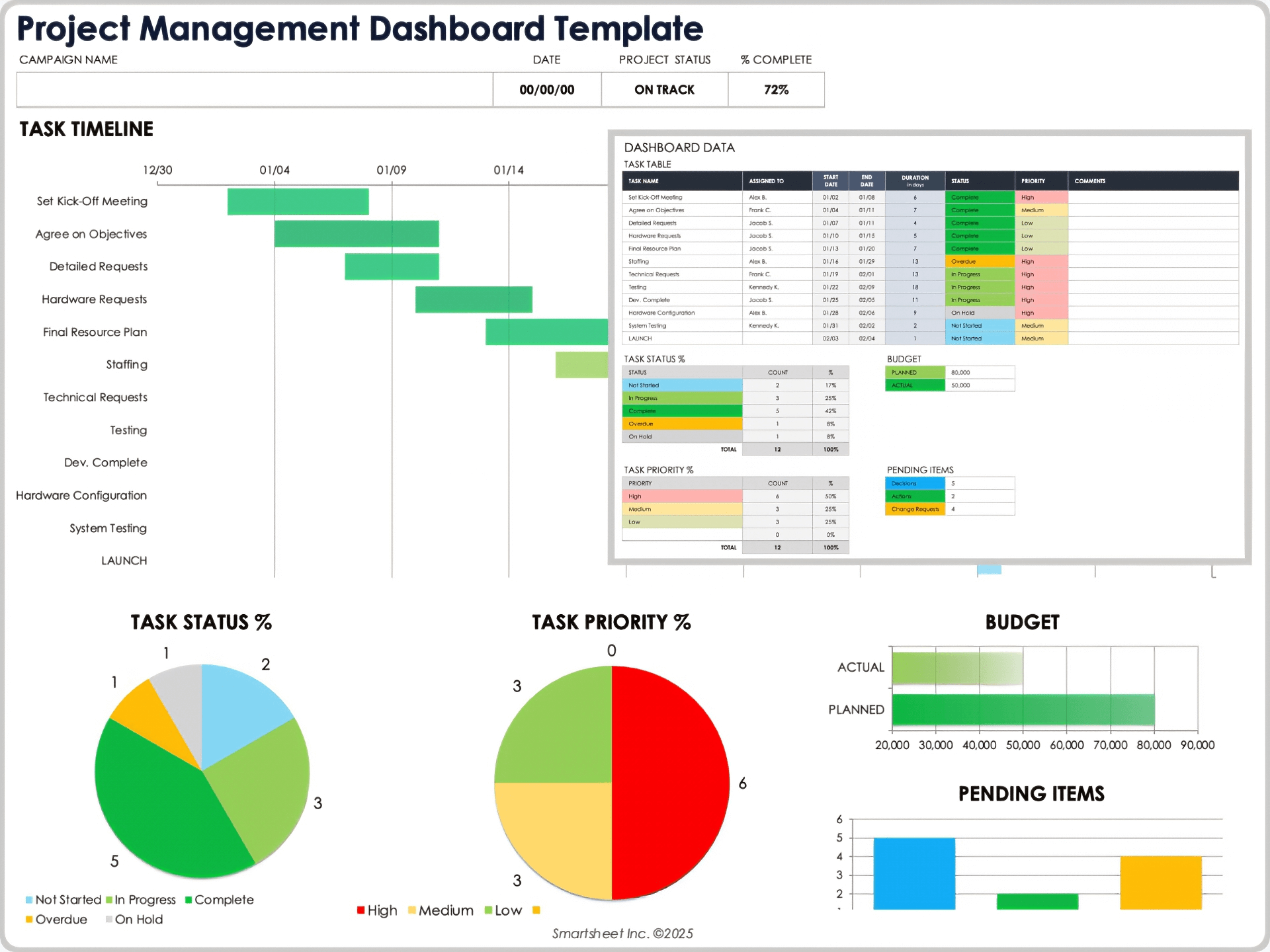
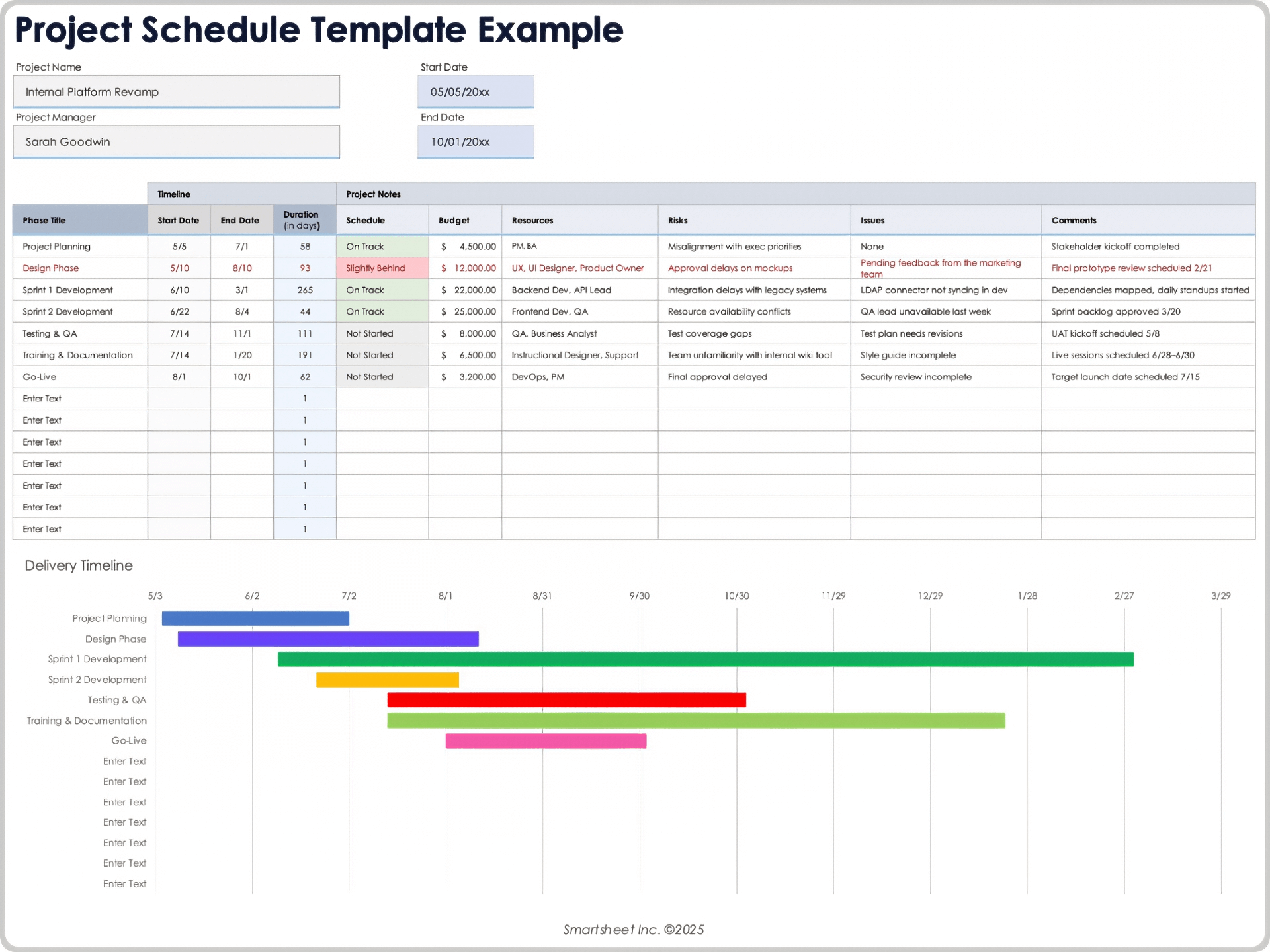
For complex projects, a Gantt view can complement the task table. It allows readers to see overlaps, sequencing, long-running activities, milestones, and potential schedule bottlenecks without reading every row individually.
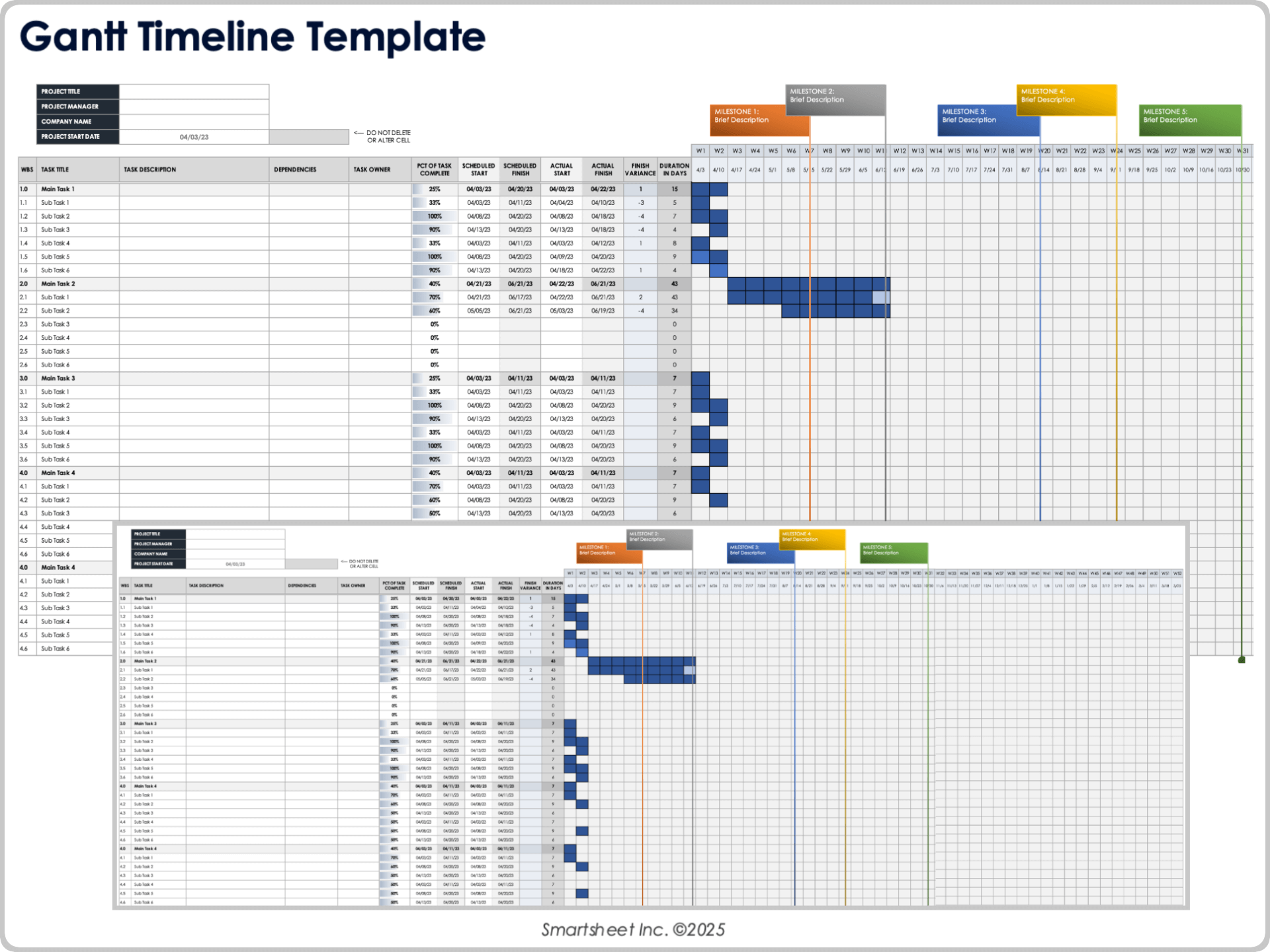
Use a Project Planning Sheet Template for Day-to-Day Control
A planning document describes the intended approach, but teams also need a practical way to monitor execution. This is where a project planning sheet template can become the operational layer of the plan.
A useful sheet includes columns for task ID, task name, owner, priority, planned start, planned finish, actual start, actual finish, status, percentage complete, dependencies, notes, and sometimes cost or hours.
Status values should be simple and consistently defined. A small team might use Not Started, In Progress, Blocked, Complete, and On Hold. More complex organizations may add At Risk, In Review, or Awaiting Approval.
Do not rely on percentage completion alone. A task showing 80 percent complete may still contain the most difficult remaining work. Status comments should explain blockers, decisions required, or changes that affect the forecast.
The sheet should be reviewed at a frequency appropriate to the project. Fast-moving work may require daily updates, while a long-duration initiative might be updated weekly or at formal control points.
Assign Responsibilities and Resources
Every significant task should have a clear owner. The owner is the person responsible for ensuring the work moves forward, even when several contributors participate in completing it.
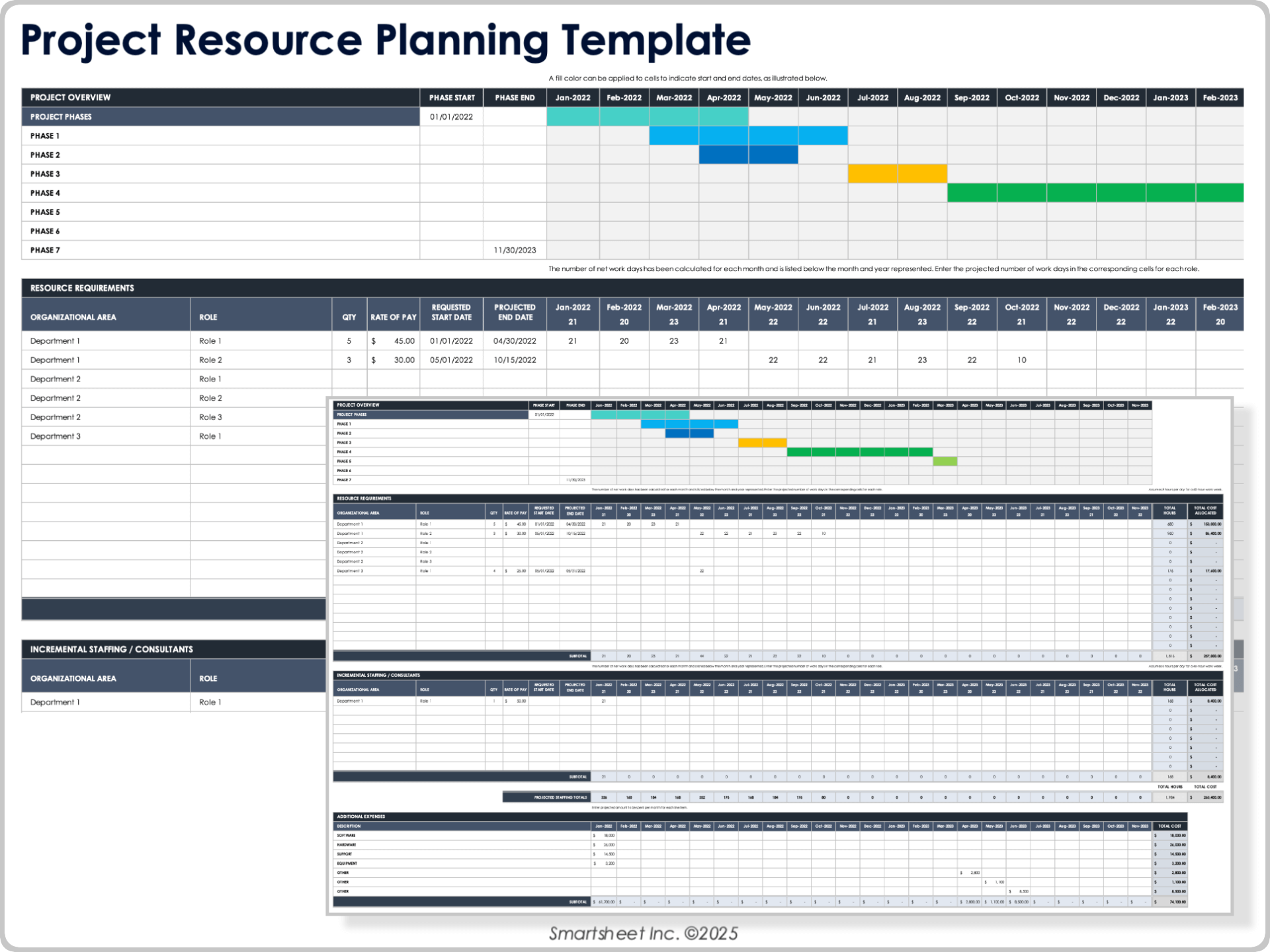
Resource planning should cover people as well as equipment, materials, software, facilities, contractors, and specialist services. A project can have a technically sound schedule and still fail because a critical resource is unavailable when needed.
When allocating people, consider both capacity and capability. Assigning three people to a task does not help if none has the specialist expertise required to complete it.
Resource conflicts should be visible. If the same engineer, designer, inspector, or machine is needed by several activities simultaneously, the planner should identify the conflict before it becomes a delivery problem.
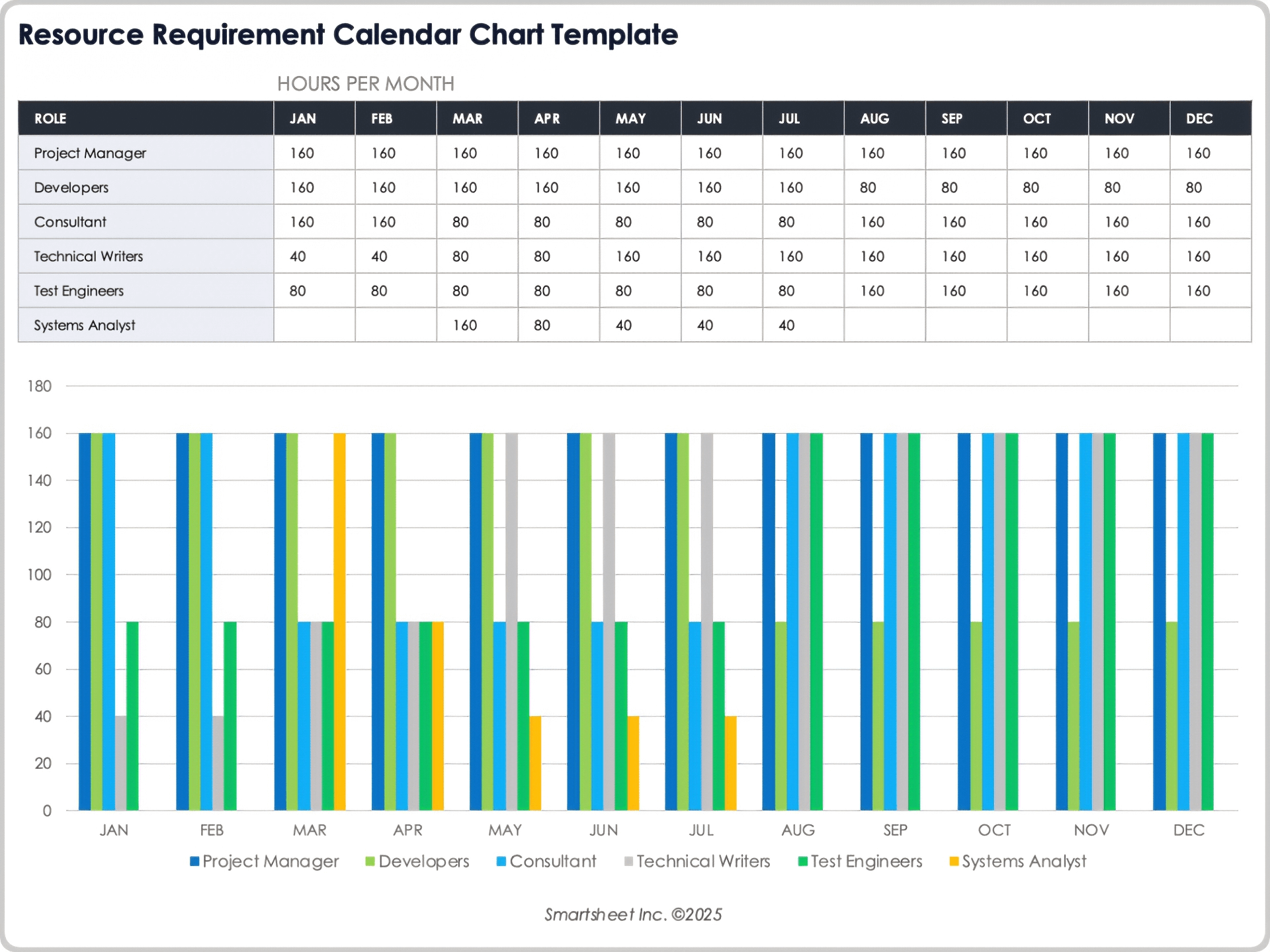
For larger projects, resource calendars can show demand by month or phase. This helps management identify hiring, contracting, training, procurement, or scheduling decisions that need to happen before the resource becomes critical.
Stakeholder Planning and Communication
Stakeholder planning identifies the people or groups affected by the project, involved in decisions, responsible for approvals, or able to influence delivery.
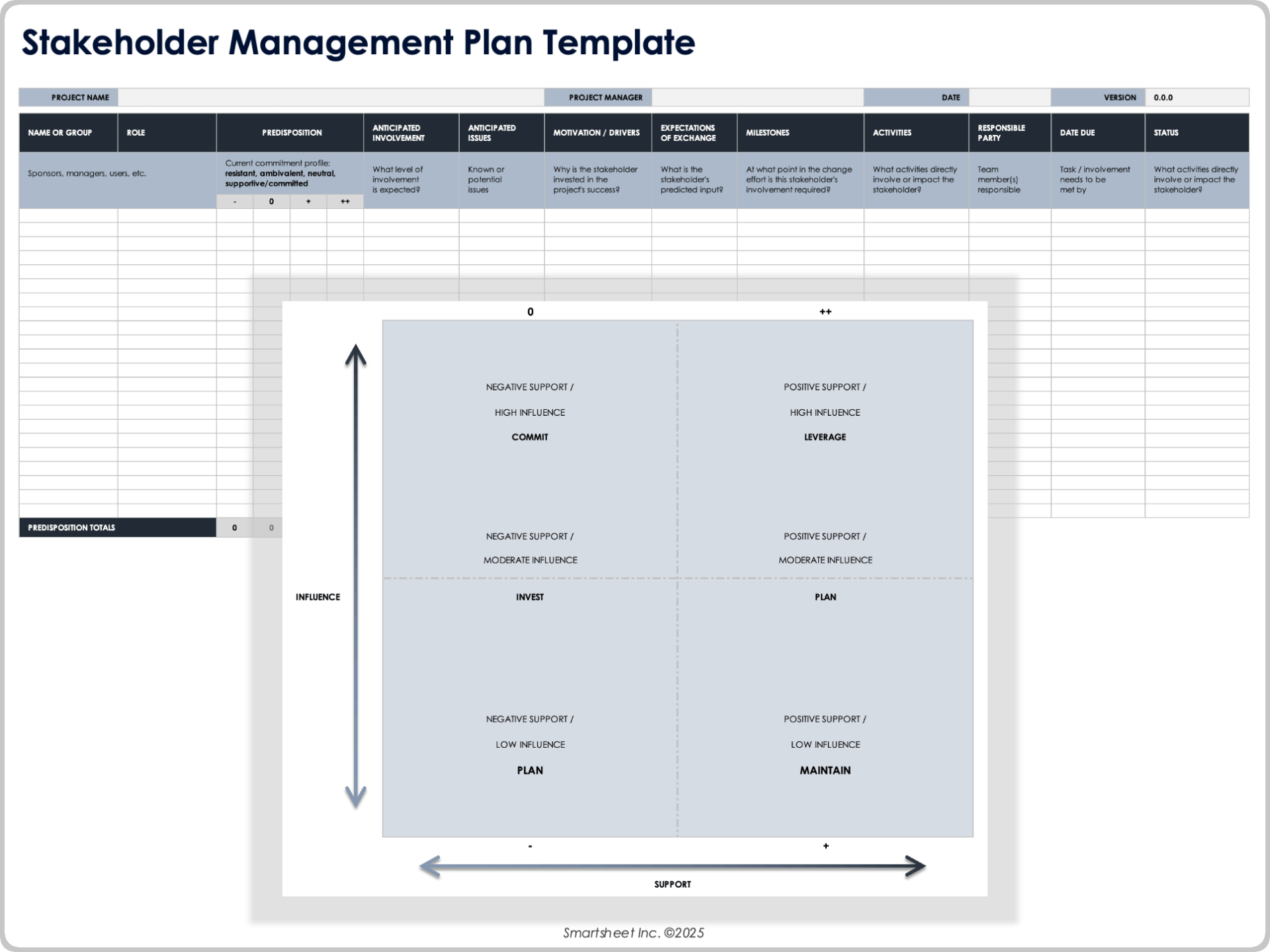
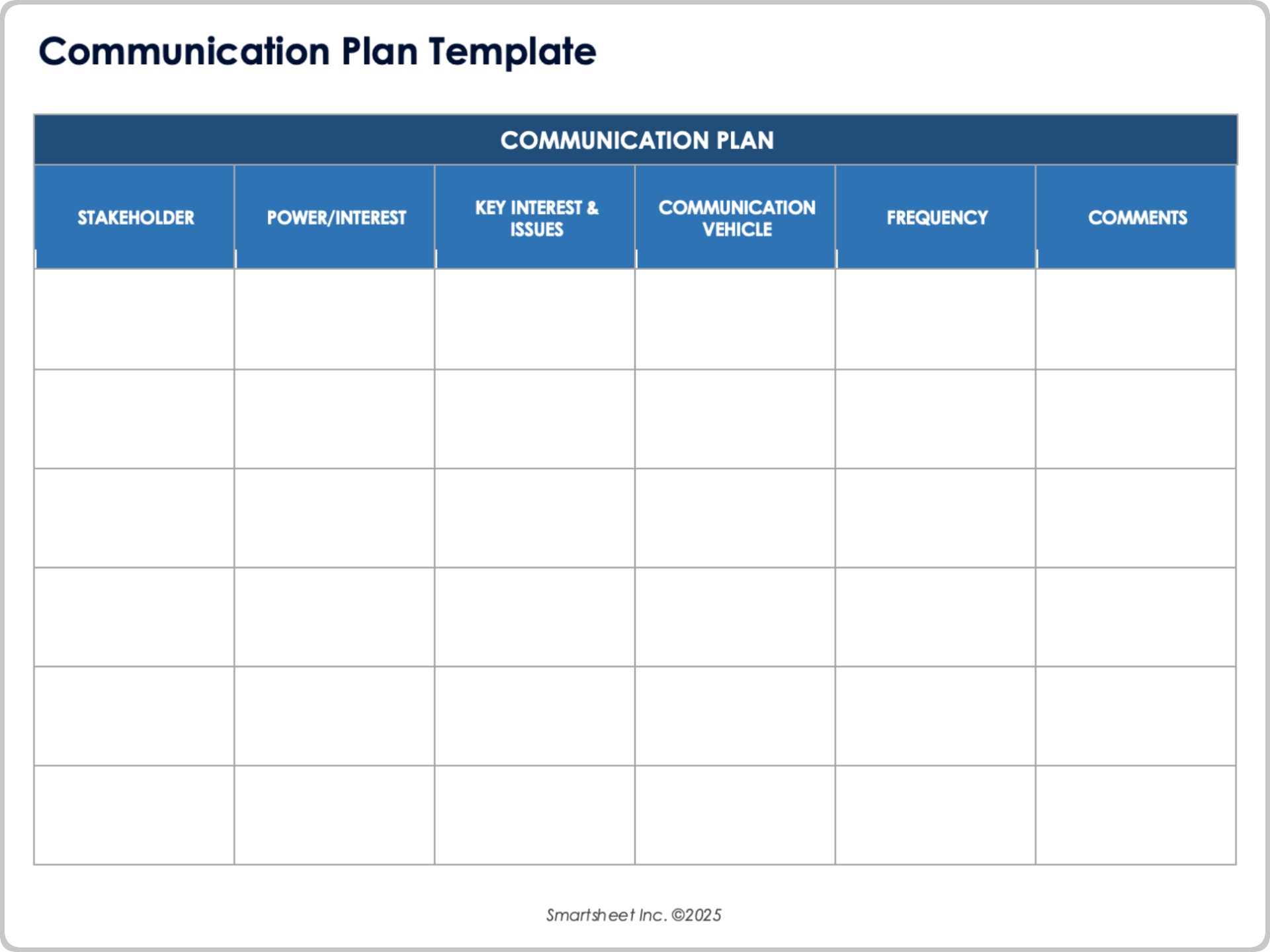
A stakeholder section can record the stakeholder or group, role, interest, influence, expectations, required involvement, preferred communication method, and decision responsibilities.
Not every stakeholder needs the same information. A sponsor may need a concise summary of schedule, cost, risks, and decisions, while a technical contributor may need detailed task information and dependencies.
A communication plan should specify what information will be shared, with whom, how often, through which channel, who owns the communication, and what action is expected from the recipient.
Good communication planning also prevents information overload. More reports do not automatically produce better visibility. The objective is to provide the right information at the right level of detail and at a useful frequency.
Budget and Cost Planning
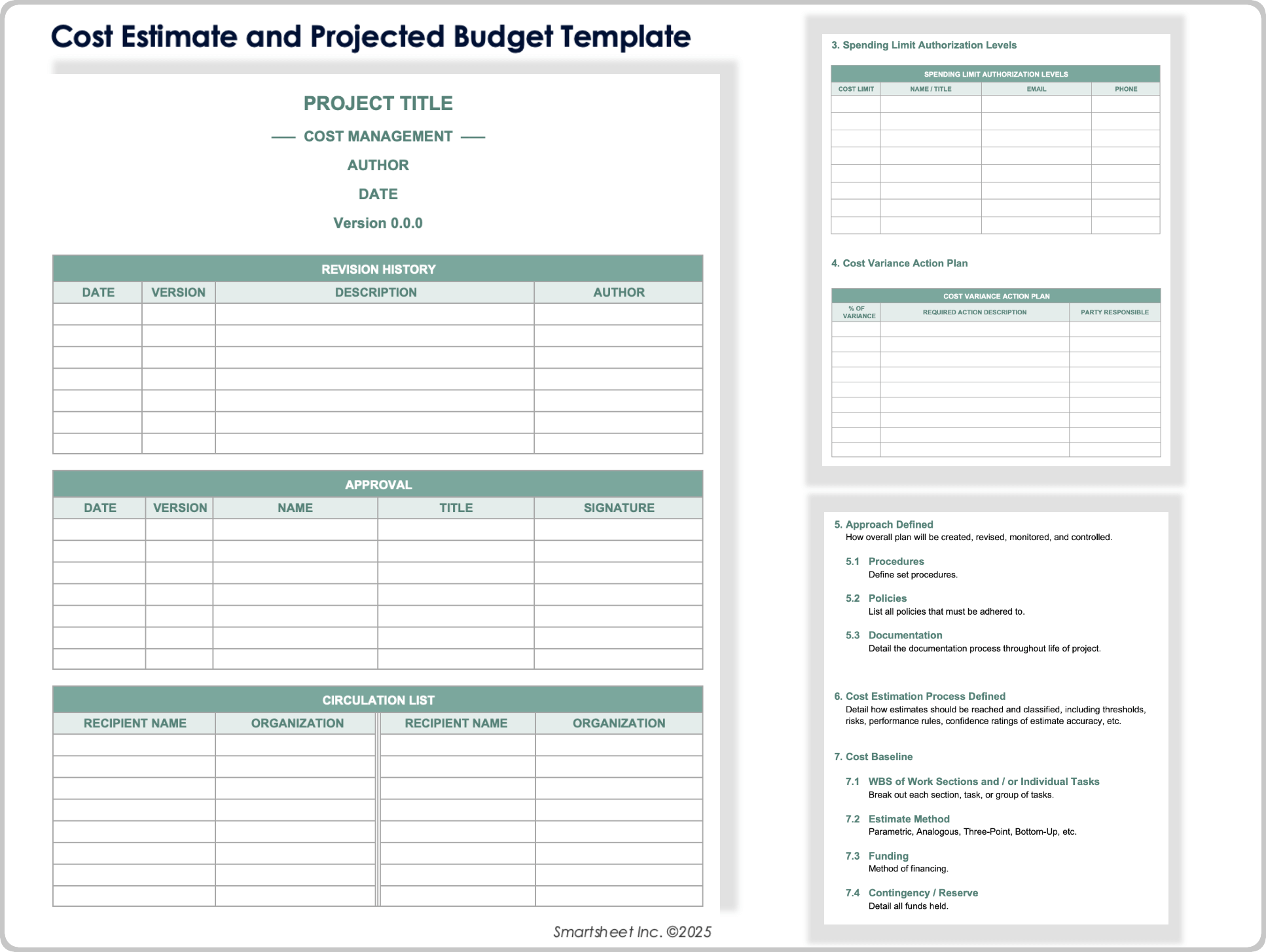
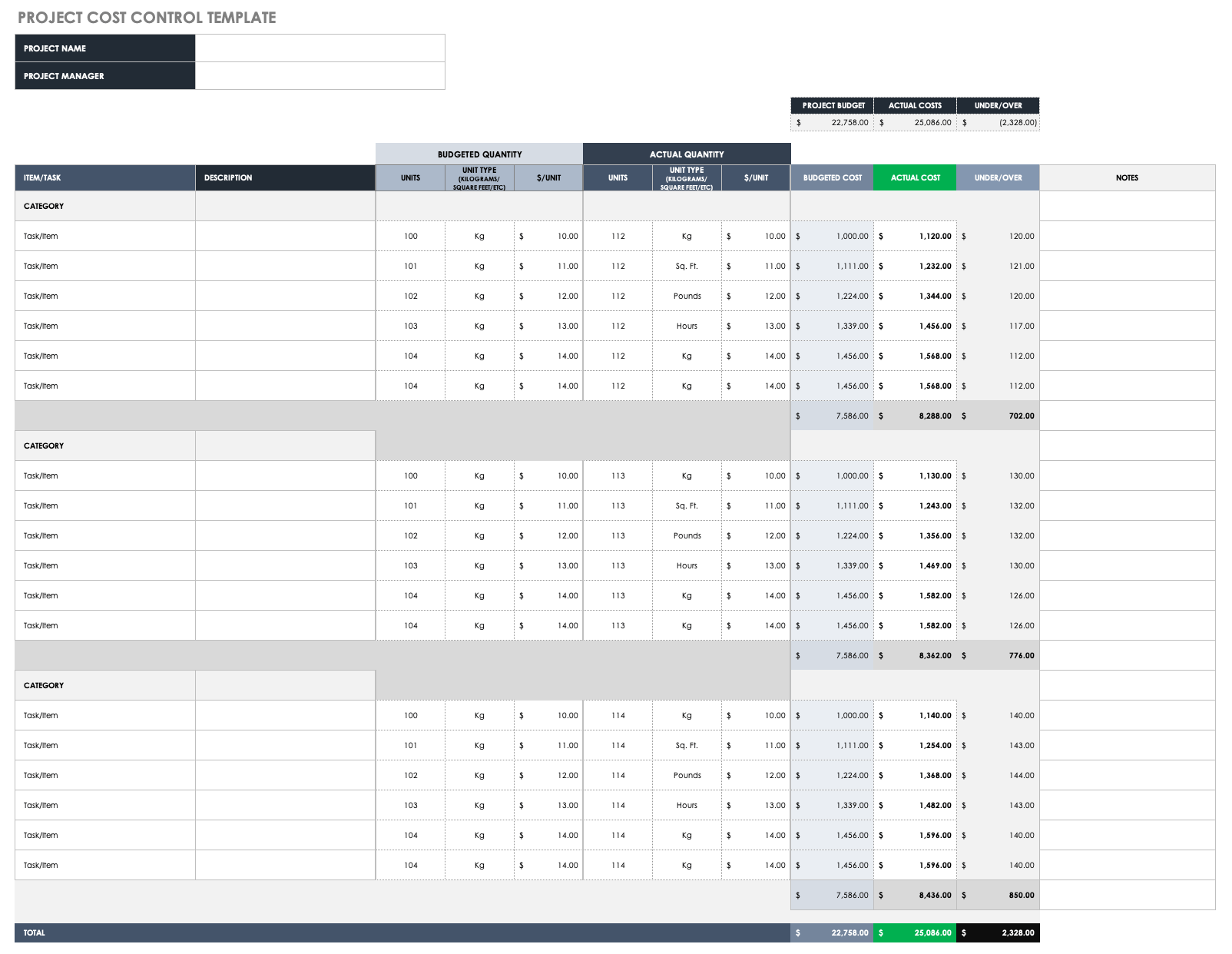
A project planning form should connect financial information to the work rather than treating the budget as a single number. Breaking costs down by task, phase, category, resource, or deliverable provides more useful control.
Typical categories include labor, materials, equipment, travel, subcontractors, software, facilities, professional services, and contingency. The appropriate categories depend on the project.
Record assumptions behind estimates. A labor estimate based on 200 hours has a different level of confidence from an estimate based on a confirmed supplier quotation.
Separate planned, actual, committed, and forecast costs when the project requires detailed financial control. This distinction helps the team see both money already spent and obligations that may not yet appear as actual expenditure.
Cost variance should lead to action. If a category is trending above plan, identify the reason, assess the effect on the overall forecast, and determine whether corrective action or formal approval is needed.
Risk, Issues, Assumptions, and Constraints
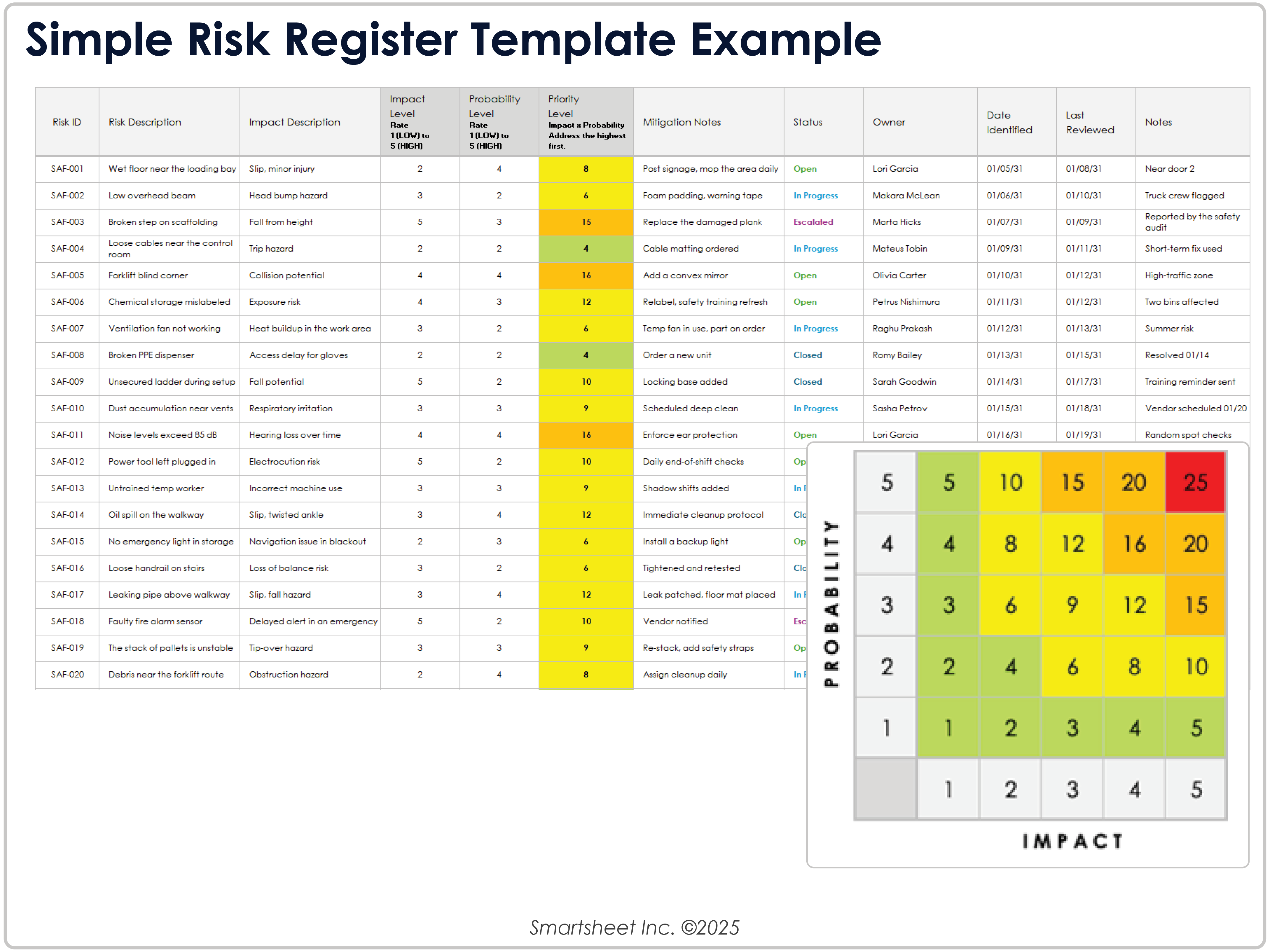
Risks are uncertain events that may affect project objectives. An effective template records the risk description, potential impact, likelihood, owner, trigger, response strategy, and current status.
Issues are different because they have already occurred. A project issue log may include the issue, date identified, owner, impact, corrective action, due date, escalation status, and resolution.
Assumptions are conditions treated as true for planning purposes. Examples include expected supplier availability, access to a specialist, approval timing, or availability of a required data source.
Constraints limit the project’s options. Common examples include fixed deadlines, regulatory conditions, contractual requirements, limited staffing, budget ceilings, site restrictions, or technology limitations.
Keeping these categories separate makes planning clearer. A risk can become an issue, an assumption can prove false, and a constraint can require a schedule or scope decision. The template should make those changes easy to track.
Quality Planning and Acceptance Criteria
Quality should be defined before deliverables are produced. A planning form can record quality standards, inspection methods, test requirements, review responsibilities, acceptance criteria, and approval evidence.
Acceptance criteria should describe what must be true for a deliverable to be considered complete. For software, that might include functional testing, performance checks, security review, documentation, and user acceptance.
For a construction project, quality planning may involve specifications, inspection points, testing, submittals, material approvals, workmanship standards, and required records.
Quality responsibilities should be assigned rather than assumed. The person doing the work may perform an initial check, while another person may be responsible for formal approval.
A clear definition of done reduces arguments near project completion because stakeholders can evaluate the deliverable against agreed criteria instead of subjective expectations.
Choose the Right File Format
The correct format depends on how the template will be used. A spreadsheet is generally strong for structured data, calculations, task lists, schedules, resource allocation, and cost tracking.
A narrative document is usually better when the project requires explanations, policies, assumptions, governance descriptions, detailed scope statements, or formal approvals.
A presentation works well for executive communication, project kickoff meetings, steering committee reviews, and concise visual summaries. It should not normally replace the detailed working plan.
PDF is useful when a stable, shareable, print-ready version is required. However, a PDF is less convenient for active editing and calculations, so it is often best treated as a distribution or approval format.
Collaborative online documents are useful when multiple contributors need to review and edit planning information. The important consideration is not the brand of software but whether the chosen format supports the team’s actual workflow.
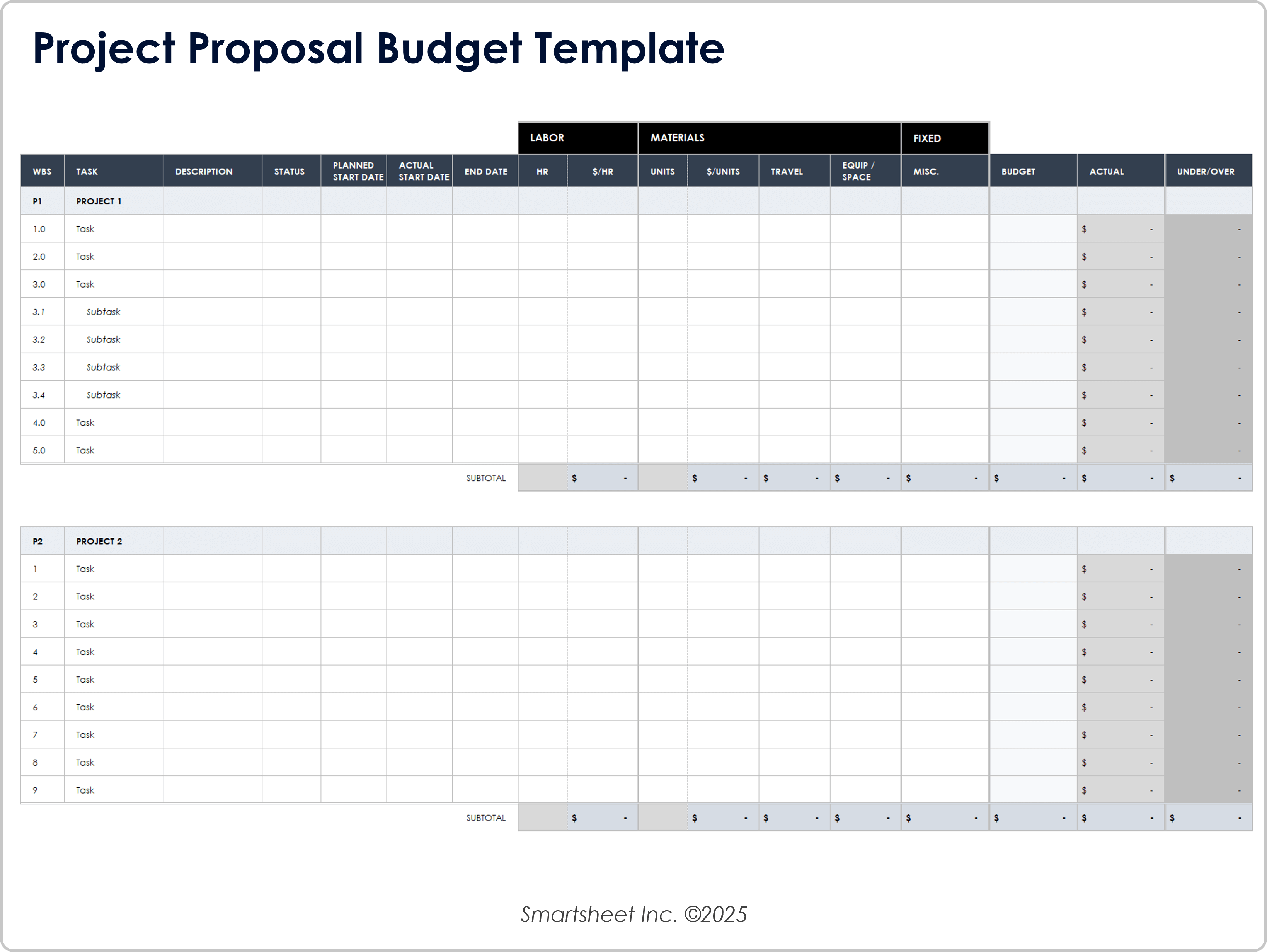
How to Build a planning projects form template in Excel
Excel is particularly useful when the planning form must combine task management with calculations. Start by creating a project information section at the top, followed by a structured task table.
Useful columns include WBS ID, task, deliverable, owner, start date, finish date, duration, status, priority, planned cost, actual cost, risk, dependency, and notes.
Use consistent date formats and controlled status values. Where appropriate, formulas can calculate duration, totals, variance, remaining work, or other project metrics.
Keep the main task table readable. Avoid creating a spreadsheet where every possible field is visible at once. Less frequently used information can be placed on supporting sheets for risks, stakeholders, costs, or resources.
Before distributing the workbook, test the formulas with hypothetical data. Check whether dates update correctly, totals reconcile, blank cells behave sensibly, and filters do not hide information needed for management decisions.
When a planning projects form template free download Is Appropriate
A planning projects form template free download can be useful when a team needs a starting structure without building a workbook or document from scratch.
Free templates are especially helpful for small organizations, students, freelancers, community projects, early-stage planning, and teams testing a new planning process.
However, a free template should be evaluated rather than adopted blindly. Check whether it contains the fields you actually need, whether formulas work as expected, whether the layout is editable, and whether the licensing terms allow the intended use.
A downloaded template should also be customized to match the project’s terminology. A construction company, software team, nonprofit, marketing department, and research group may all need different fields even though their documents share the same planning principles.
Use the free template as a framework, then remove unnecessary sections and add project-specific information. The result should feel like a tool designed for your workflow rather than a document copied from another organization.
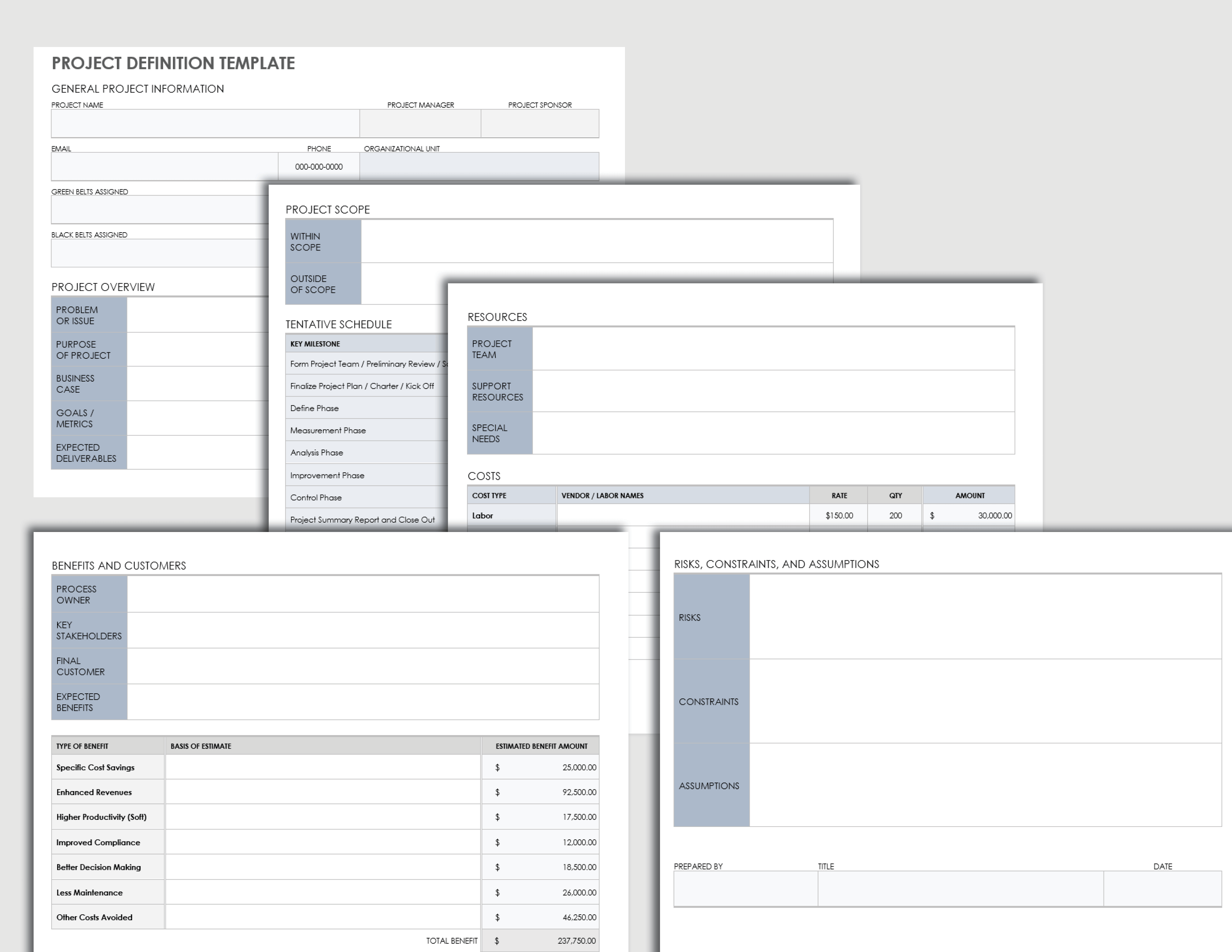
Using a Template for Project Planning in Google Docs
Google Docs is useful when the project plan is primarily narrative and several people need to review the same document. It works well for project definitions, planning narratives, scope statements, meeting decisions, and approval records.
For a collaborative plan, establish a consistent heading structure so readers can find scope, objectives, schedule, risks, communication, resources, and approvals quickly.
Use tables for structured information such as stakeholder lists, milestones, assumptions, approval records, and communication schedules. Keep large numerical calculations in a spreadsheet when formulas and filtering are important.
Version history can be valuable when the team needs to understand how a decision or planning assumption changed. However, version history should complement, not replace, deliberate document-control practices.
A practical hybrid approach is often strongest: maintain detailed schedules and calculations in a spreadsheet while keeping the explanatory project plan in a collaborative document.
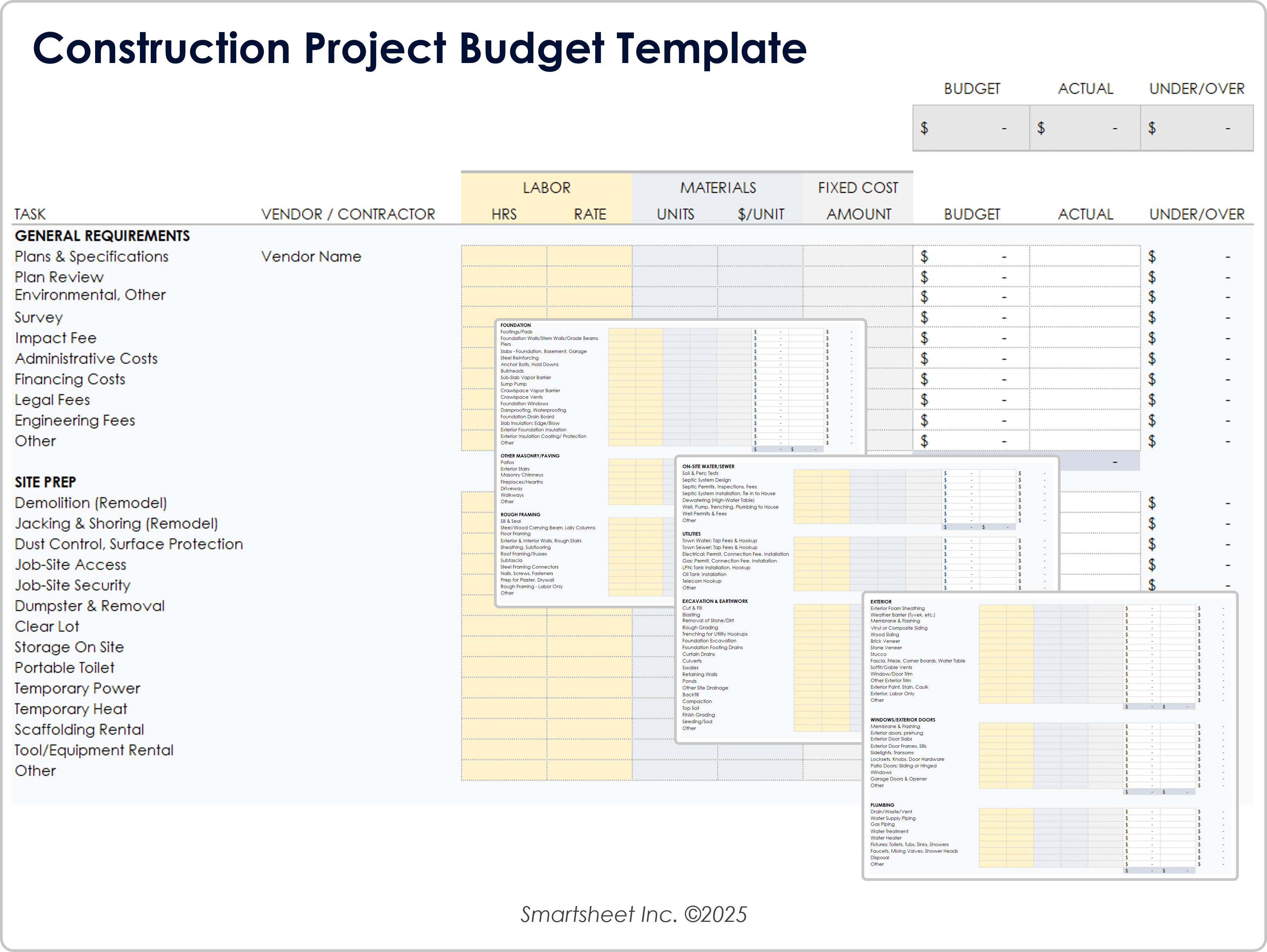
Planning Projects Form Template for Construction
A planning projects form template for construction needs more detail than a simple office task list because physical work involves sequencing, site conditions, materials, subcontractors, inspections, safety considerations, approvals, and dependencies.
A construction planning form can begin with project location, client, contractor, project manager, contract information, start date, target completion, and major milestones.
The schedule should identify pre-construction activities, design, procurement, permits, site preparation, structural work, building systems, finishes, inspections, commissioning, handover, and closeout where applicable.
Cost planning should distinguish labor, materials, equipment, subcontractors, site costs, professional services, and other project expenses. The categories should reflect the project’s actual commercial structure.
Construction planning also benefits from explicit fields for inspections, submittals, requests for information, change orders, delays, site issues, and approvals. These records can provide a clearer operational picture than a generic project task list.
Project Planning Examples by Project Type
For a website redesign, the planning form might include discovery, content inventory, information architecture, UX design, visual design, development, content migration, testing, analytics, launch, and post-launch review.
For a training program, the plan could include needs assessment, learning objectives, curriculum development, facilitator preparation, materials production, participant registration, delivery, evaluation, and reporting.
For a product launch, the plan could connect product readiness, packaging, inventory, sales training, marketing assets, distribution, customer support, launch communications, and post-launch measurement.
For a construction project, the same underlying structure becomes more detailed around procurement, permits, site preparation, construction phases, inspections, commissioning, safety, subcontractor coordination, and handover.
These examples show why a template should be modular. The core fields can remain consistent while specialized sections are added according to the type of project being managed.
How to Use a Printable Project Planning Template
A printable project planning template is useful when teams need a physical planning board, meeting handout, approval document, workshop worksheet, or field reference.
Printed forms should prioritize readability. Use clear headings, sufficient writing space, logical grouping, and a layout that remains understandable when printed in the intended paper size.
For planning workshops, a printed form can help participants identify deliverables, dependencies, risks, assumptions, and decisions before information is transferred into a digital project system.
For field environments, keep the form focused on information that can realistically be recorded and reviewed on site. Excessive fields can encourage incomplete records or make the document impractical to use.
After a paper-based planning session, assign someone to consolidate the decisions into the controlled digital plan. The printed worksheet should not become a disconnected version of the project record.
Reporting and Monitoring
A planning template becomes more valuable when it continues to support the project after approval. Monitoring should compare the current situation with the approved plan and highlight meaningful deviations.
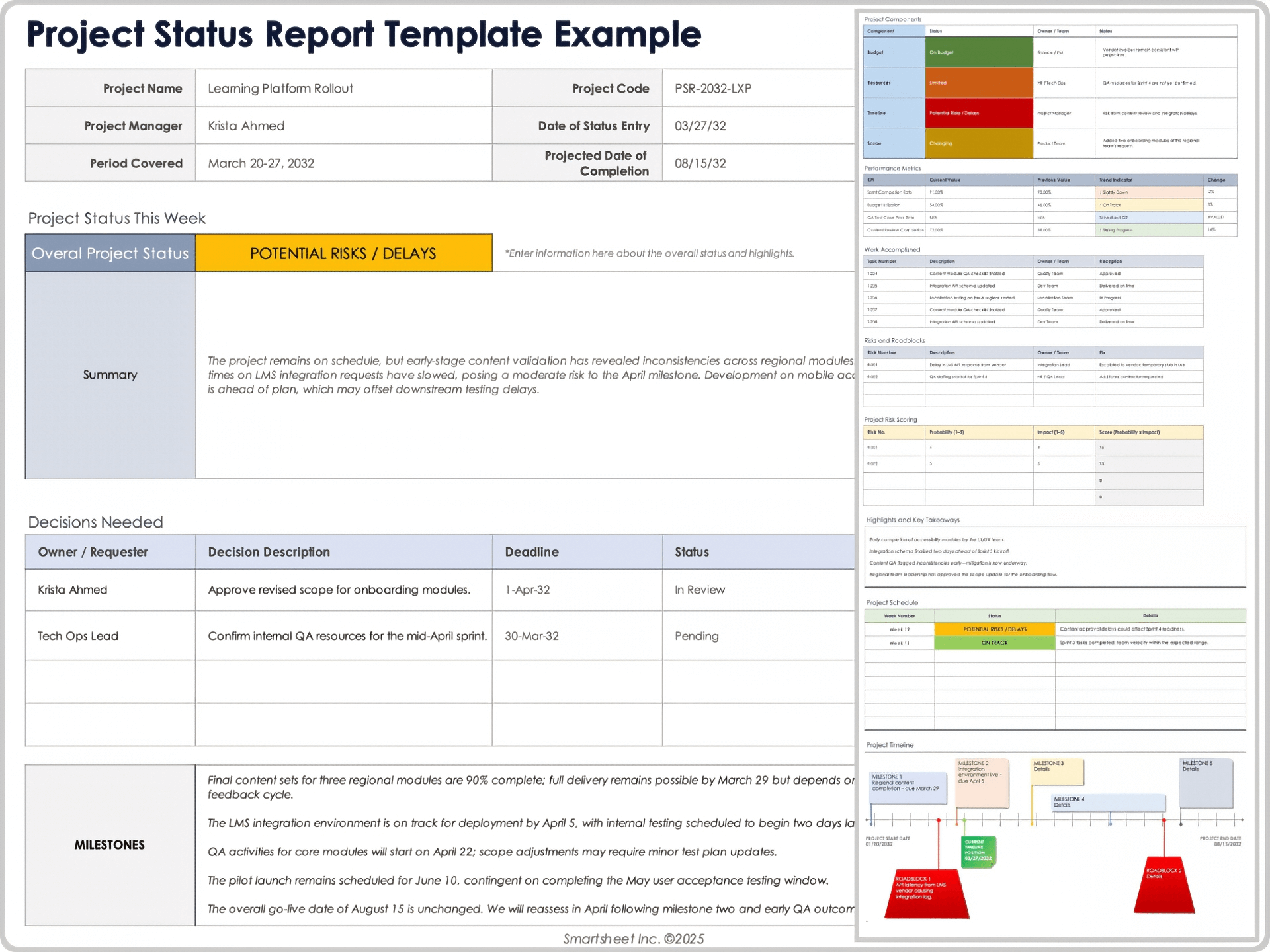
A weekly report might summarize overall status, completed work, upcoming work, milestone health, budget position, active risks, issues, decisions required, and changes since the previous reporting period.
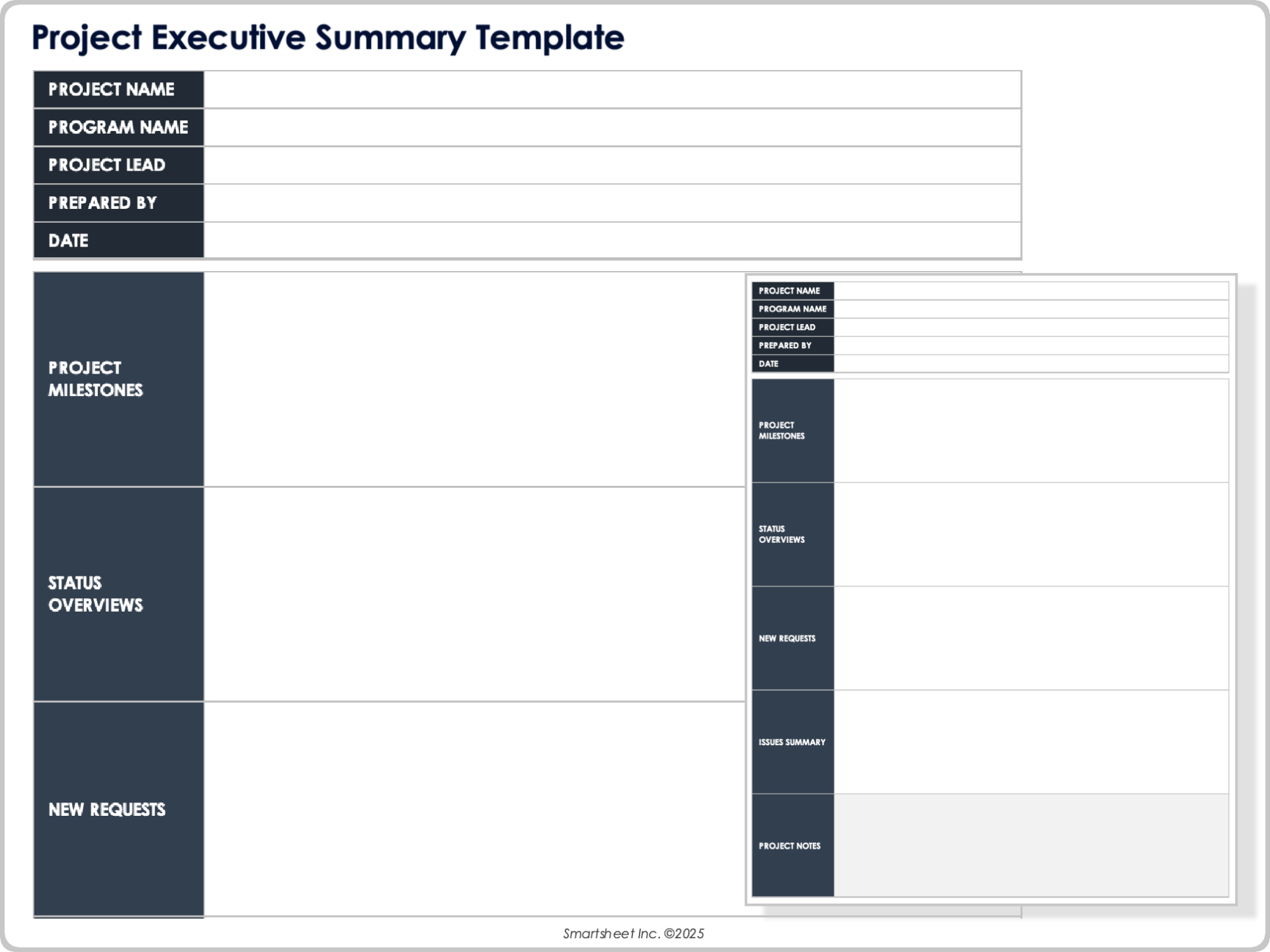
Executive reporting should usually be shorter than team reporting. Leaders often need a clear view of whether the project is healthy, what has changed, what requires a decision, and what consequences may follow.
Visual status indicators can make reporting easier to scan, but color should not be the only source of meaning. Labels and explanatory notes should remain understandable for readers with different visual abilities or when the document is printed without color.
Reports should connect back to the planning data. If the status report says the schedule is at risk, the underlying task list should identify the activities, dependencies, and owners responsible for addressing the risk.
Using PowerPoint for Project Planning Communication
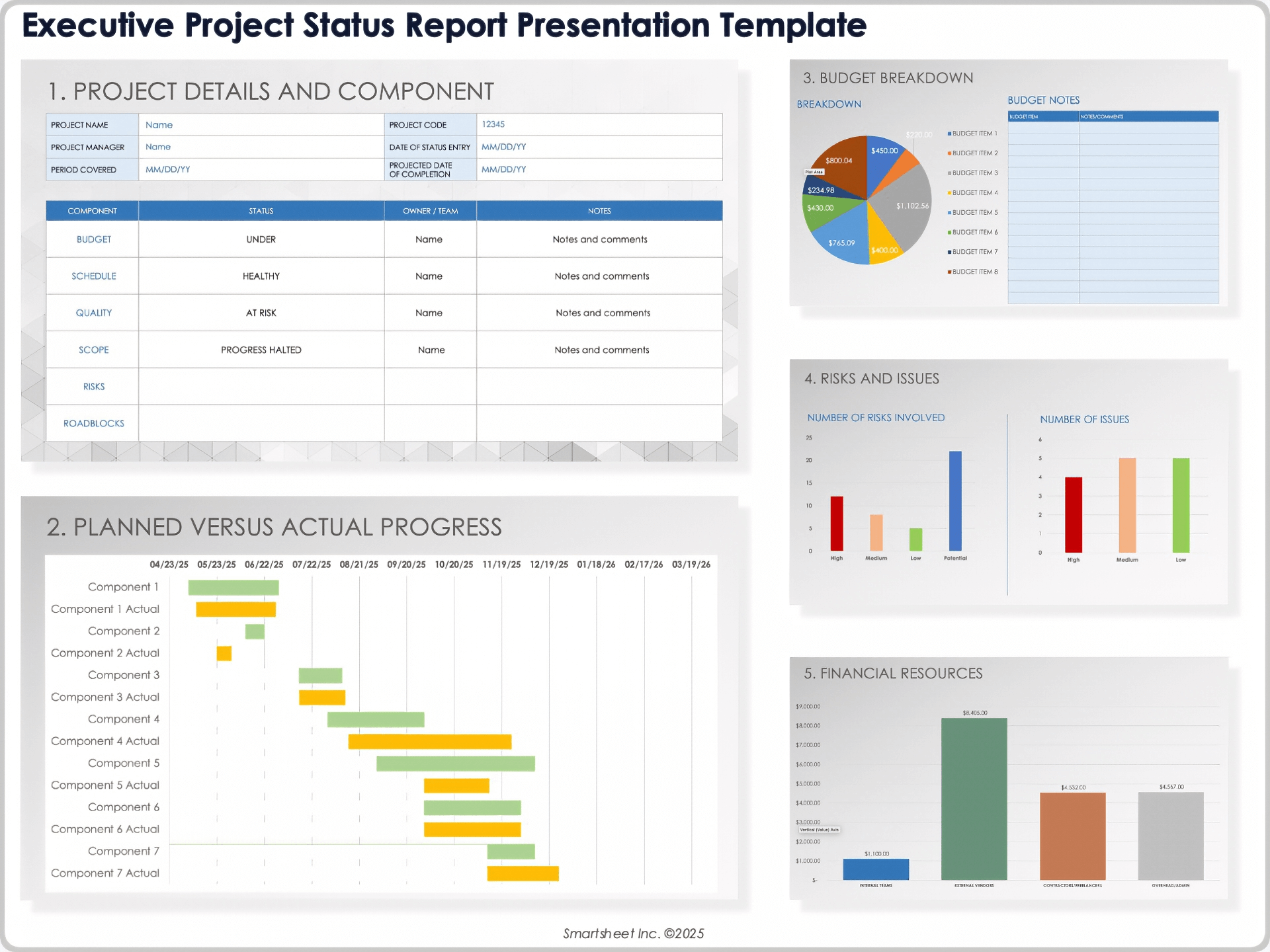
PowerPoint is best used to communicate a project plan visually rather than store every planning detail. A project planning presentation can summarize objectives, scope, milestones, timeline, responsibilities, budget position, risks, and decisions.
A useful planning deck should answer the questions stakeholders are likely to ask. What are we delivering? Why does it matter? When will it happen? Who is responsible? What could prevent success? What decisions are needed?
Keep detailed task lists and calculations outside the presentation when they would make slides difficult to read. The presentation can reference the detailed planning workbook or controlled project document.
For kickoff meetings, use visuals to establish a common understanding of phases and major dependencies. For steering meetings, emphasize changes, exceptions, risks, decisions, and forecast outcomes.
The presentation should be updated when the planning assumptions materially change. An outdated slide deck can create confusion if it presents dates or milestones that no longer match the working plan.
Managing Changes to the Original Plan
Projects rarely execute exactly as originally planned. A good planning form therefore includes a controlled way to record significant changes rather than pretending the first schedule is permanent.
A change request should describe what is changing, why the change is requested, which deliverables are affected, the estimated effect on schedule and cost, the effect on resources or risks, and who must approve it.
Small adjustments may be handled within normal team authority, while changes affecting contractual commitments, major milestones, budget limits, or scope boundaries may require formal approval.
Change records should preserve the decision trail. Record the request date, decision, approver, implementation owner, and resulting update to the project plan.
This creates an important distinction between a plan that is actively controlled and a document that is simply overwritten whenever something changes. Controlled changes preserve accountability and make later reviews much easier.

Common Mistakes When Using Project Planning Templates
One common mistake is choosing a template because it looks professional rather than because it fits the project’s needs. Attractive formatting cannot compensate for missing dependencies, unclear ownership, or unrealistic estimates.
Another mistake is filling in the template once and never updating it. A plan should evolve as assumptions are confirmed, risks change, tasks are completed, and forecasts become more accurate.
Overplanning is another problem. A form with dozens of fields may discourage users from maintaining it. Keep the core document focused and move specialized detail into supporting registers or schedules.
Underplanning can be equally damaging. A task list without scope boundaries, owners, dependencies, or acceptance criteria may create the appearance of organization while leaving critical questions unanswered.
Finally, avoid treating status colors as a substitute for explanation. A project marked green is not automatically healthy. The underlying evidence, trend, risks, and upcoming decisions should support the reported status.
Best Practices for Designing Your Own Template
Start with the decisions the template must support. If management needs to decide whether to approve a project, include the information needed to evaluate value, scope, cost, schedule, risks, and resource requirements.
Use consistent terminology. If the project uses the term deliverable, do not alternate between deliverable, output, product, and result unless those words have different meanings in the project’s context.
Separate planning from tracking when necessary. A detailed project plan may contain assumptions and approved baselines, while a task tracker may contain rapidly changing operational information.
Design for the reader. A project manager, executive sponsor, technical specialist, contractor, and client may need different views of the same underlying information.
Review the template after each completed project. Remove fields that were consistently ignored, improve sections that caused confusion, and add prompts for planning questions that repeatedly surfaced too late.
Practical Solution
The most practical solution is to create one master planning structure and then maintain lightweight variants for different project types. This prevents every new project from requiring a completely new planning process.
Begin with a project overview containing the purpose, objectives, sponsor, manager, dates, major deliverables, and success criteria. This gives every reader an immediate understanding of what the project is trying to achieve.
Next, build the WBS and convert the work into a schedule. Assign an accountable owner to every meaningful task, identify dependencies, establish milestones, and record assumptions behind significant estimates.
Add separate sections or supporting sheets for resources, budget, risks, stakeholders, communications, issues, quality, approvals, and changes. Keep these components connected through common project and task identifiers.
Finally, establish a review rhythm. At each review, compare planned and actual dates, costs, deliverables, risks, issues, and resource requirements. Record decisions and update the controlled forecast rather than silently replacing the original plan.
A useful implementation sequence is simple: define scope, build the WBS, estimate work, create the schedule, assign resources, estimate costs, identify risks, plan communications, define quality criteria, obtain approval, then monitor and control execution.
For small projects, these steps may fit into one spreadsheet. For larger initiatives, the same logic can be distributed across a project plan, schedule, budget workbook, risk register, stakeholder register, communication plan, and reporting dashboard.
Do not wait until the project is fully documented before using the planning information. Early drafts can be used to expose missing decisions and facilitate planning workshops.
Once the plan is approved, establish which document or system is authoritative. This avoids conflicting versions and makes it clear where the team should look for current dates, responsibilities, and decisions.
Use the template as a management instrument rather than an administrative obligation. Every section should help someone understand the work, make a decision, take an action, or control a risk.

For a small marketing project, the practical workflow might be a one-page overview, task sheet, budget table, risk list, and weekly status update. That may be sufficient without creating a large formal project management plan.
For a complex construction project, the workflow may require a detailed baseline schedule, cost controls, procurement tracking, subcontractor coordination, inspection records, change management, risk management, and formal reporting.
For software development, the planning structure may need requirements, releases, development tasks, testing, environments, technical dependencies, security reviews, user acceptance, and deployment activities.
The template should scale with the project’s complexity rather than forcing every project into the same level of administration.
This principle keeps planning useful: more complex projects receive more control, while straightforward projects remain easy to manage.
Reference Examples
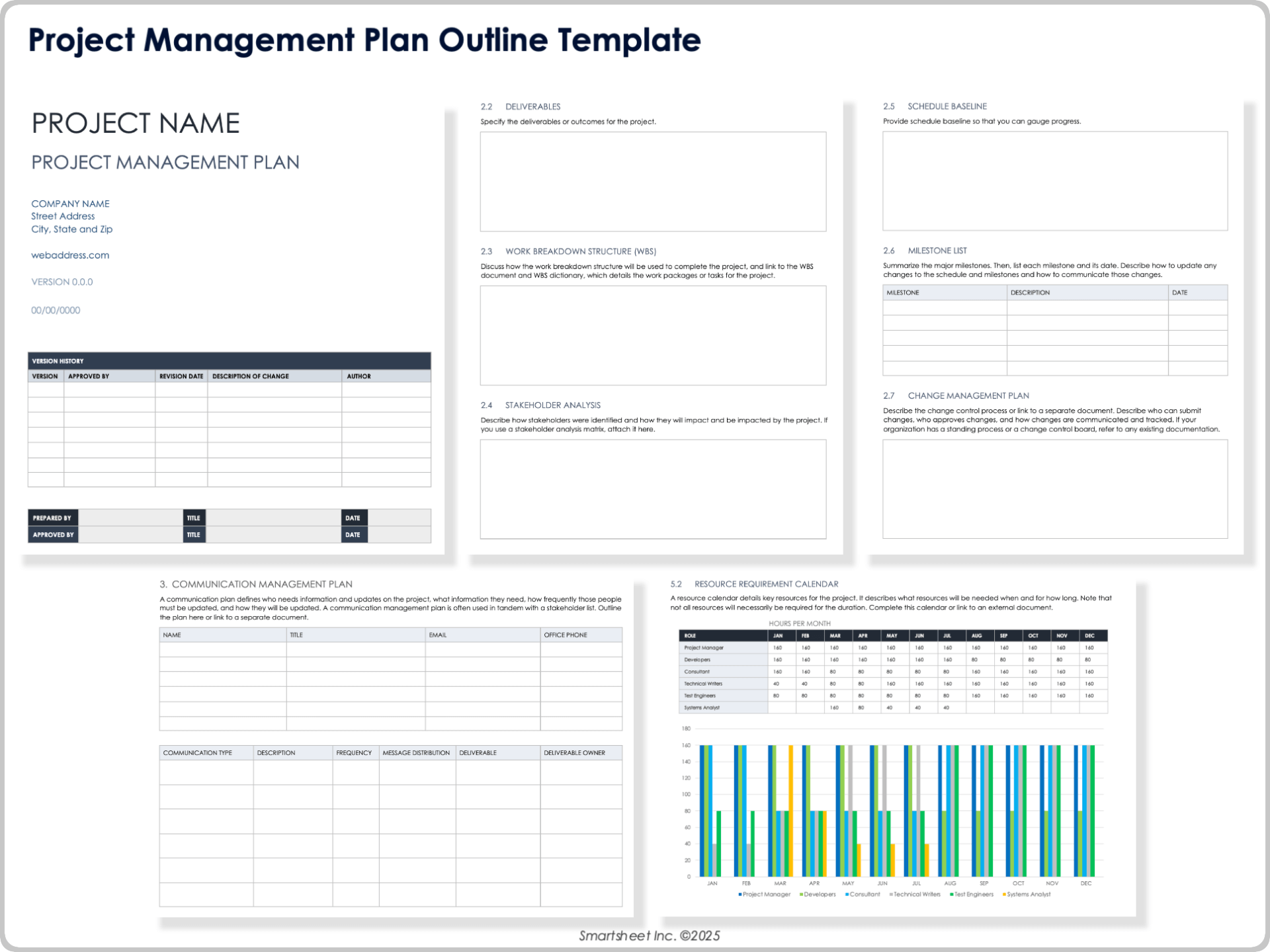
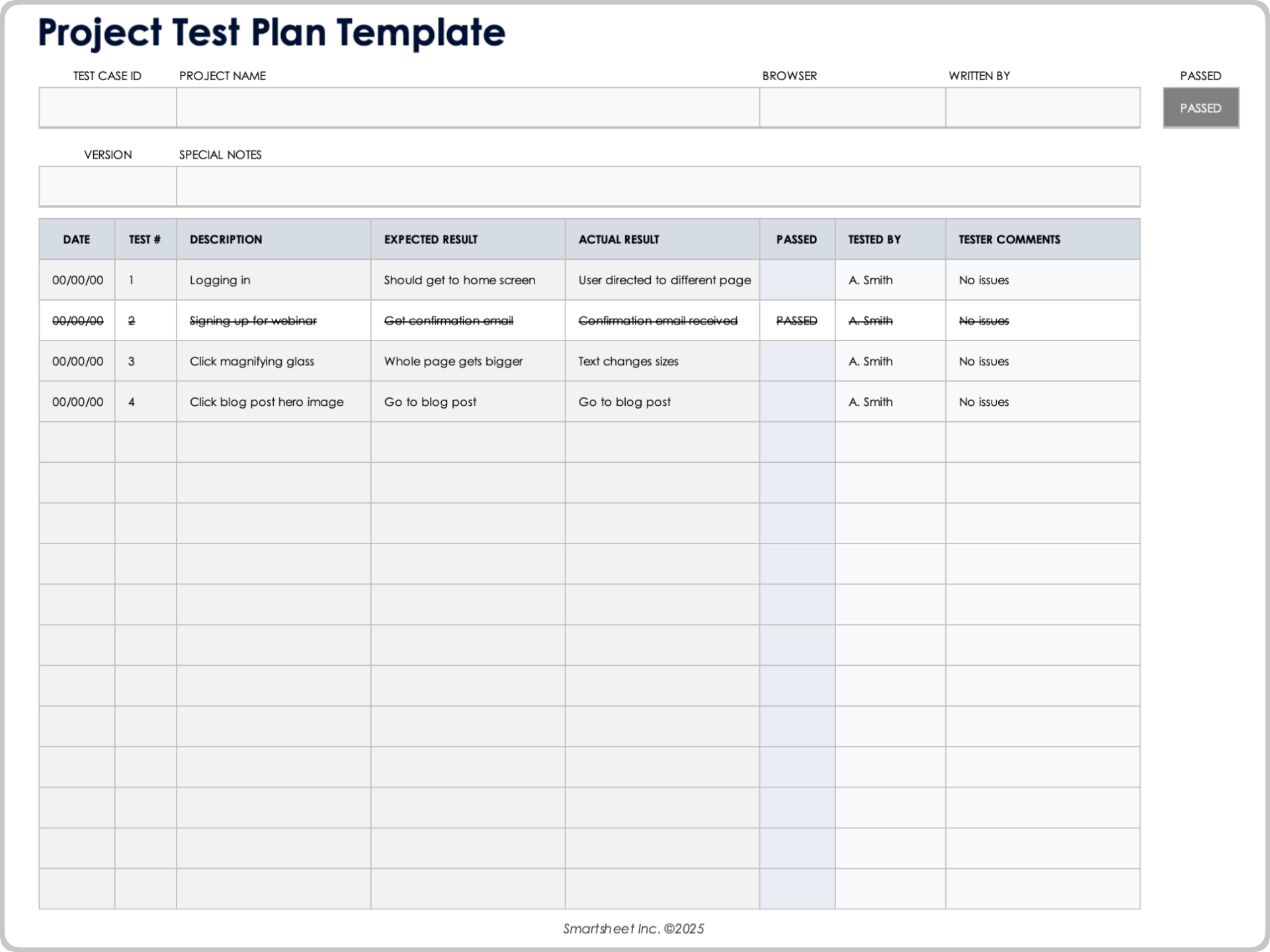
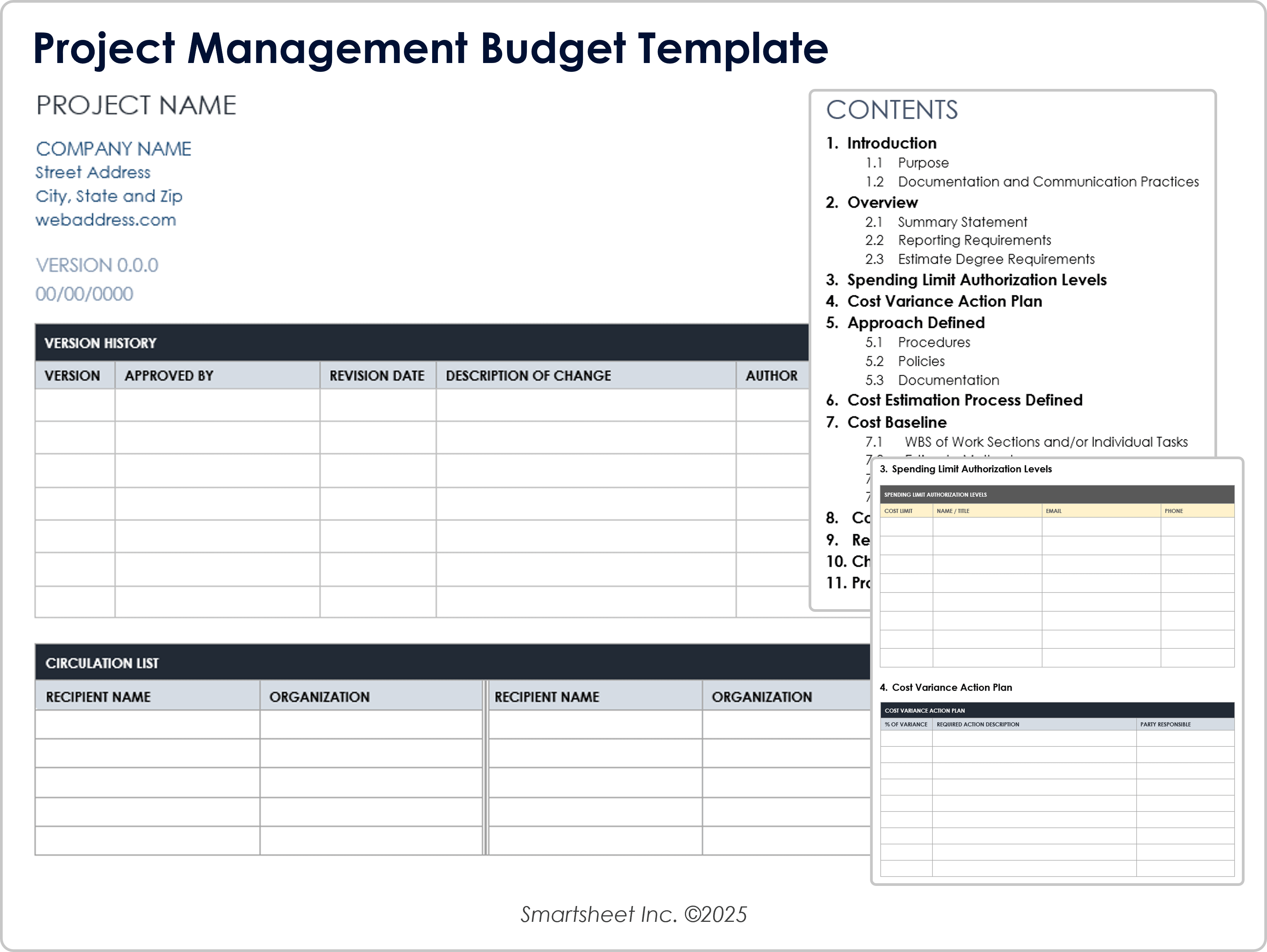
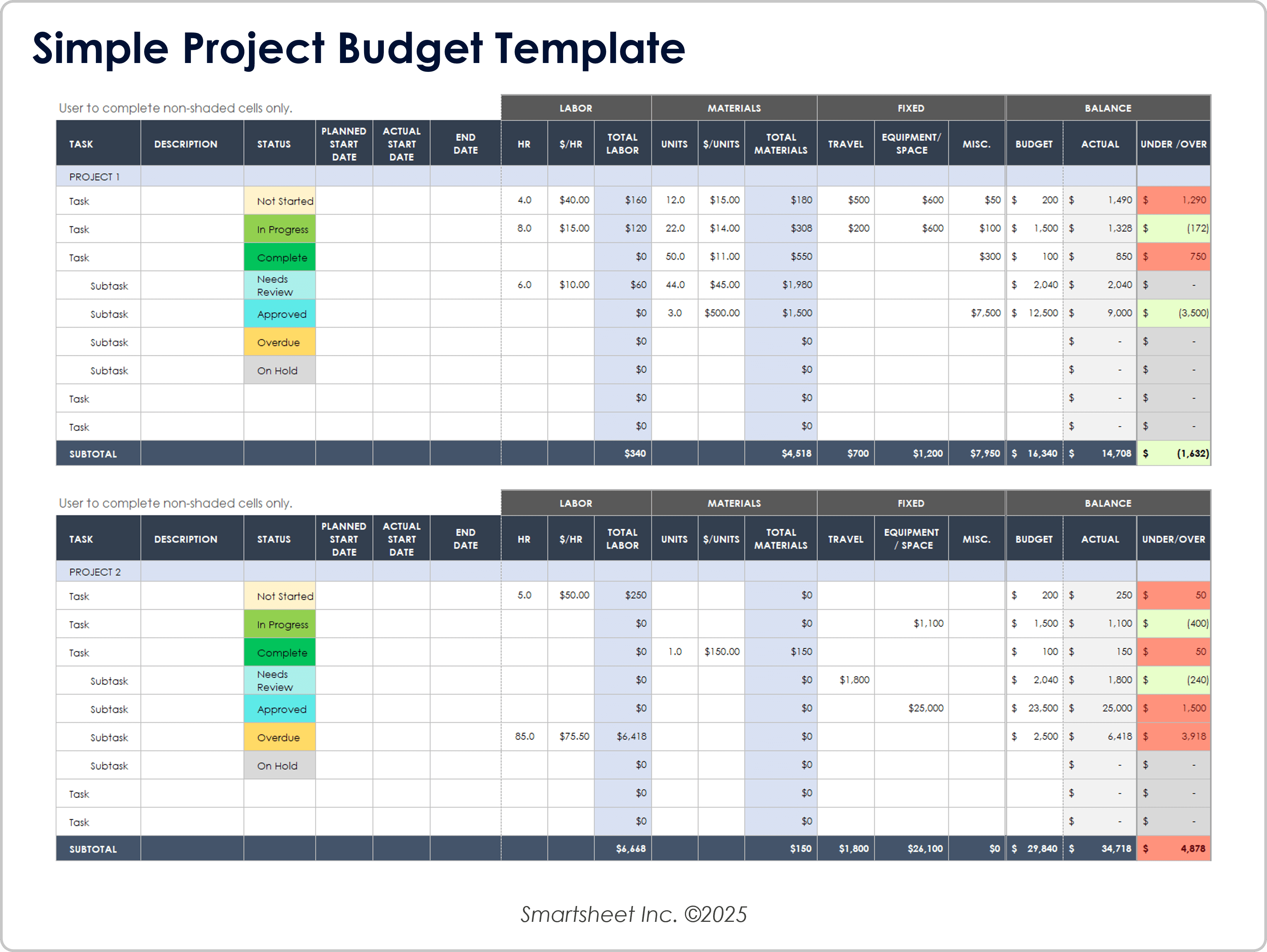
The following reference examples correspond to the requested formats and use cases. They illustrate how project-planning information can be organized visually across spreadsheets, documents, construction schedules, and presentation-oriented formats.
planning projects form template free
Source: Smartsheet
planning projects form template free download
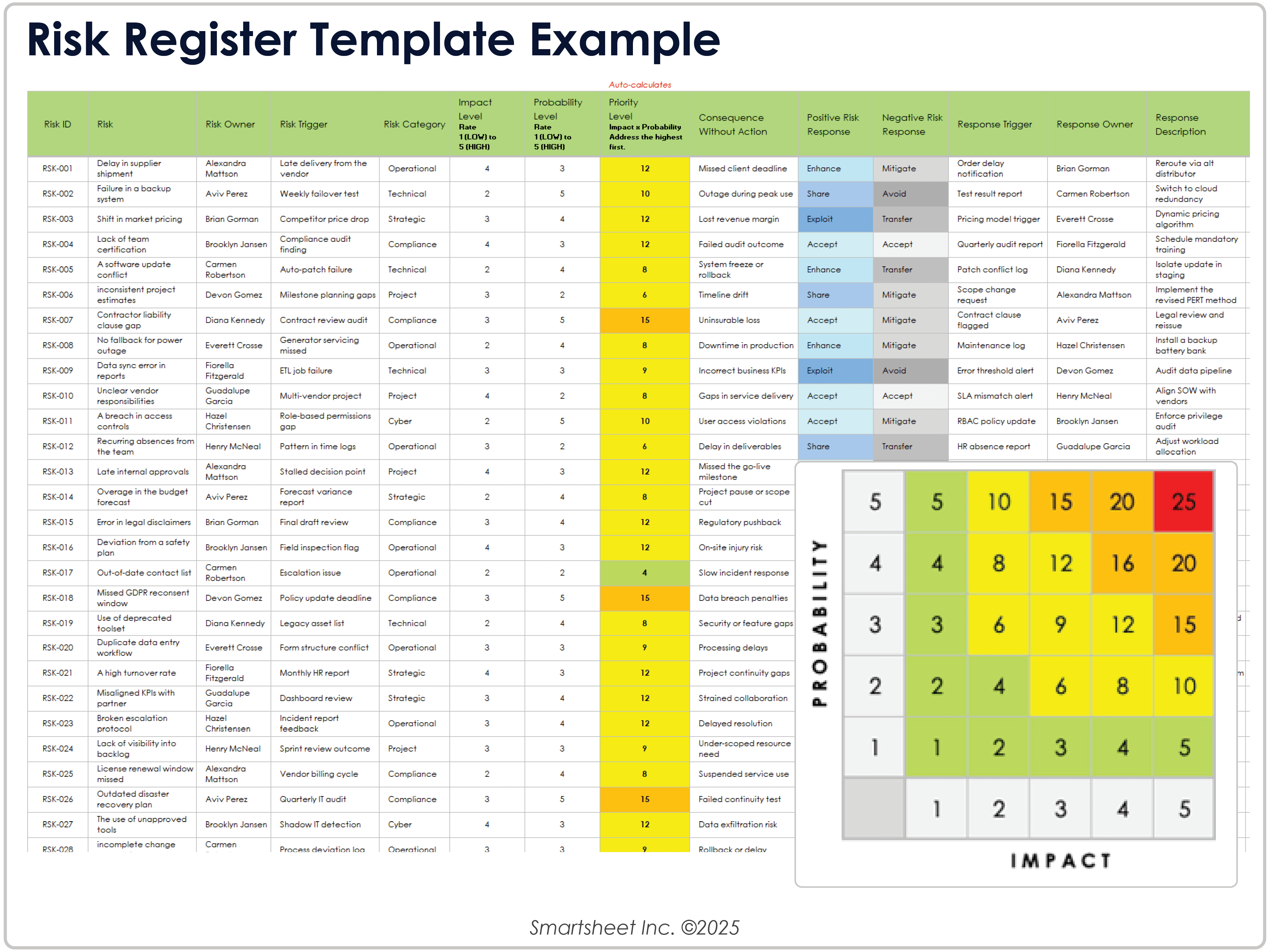
Source: Smartsheet
planning projects form template excel
Source: Smartsheet
planning projects form template pdf
Source: Smartsheet
planning projects form template word
Source: Smartsheet
planning projects form template google docs
Source: Smartsheet
planning projects form template for construction
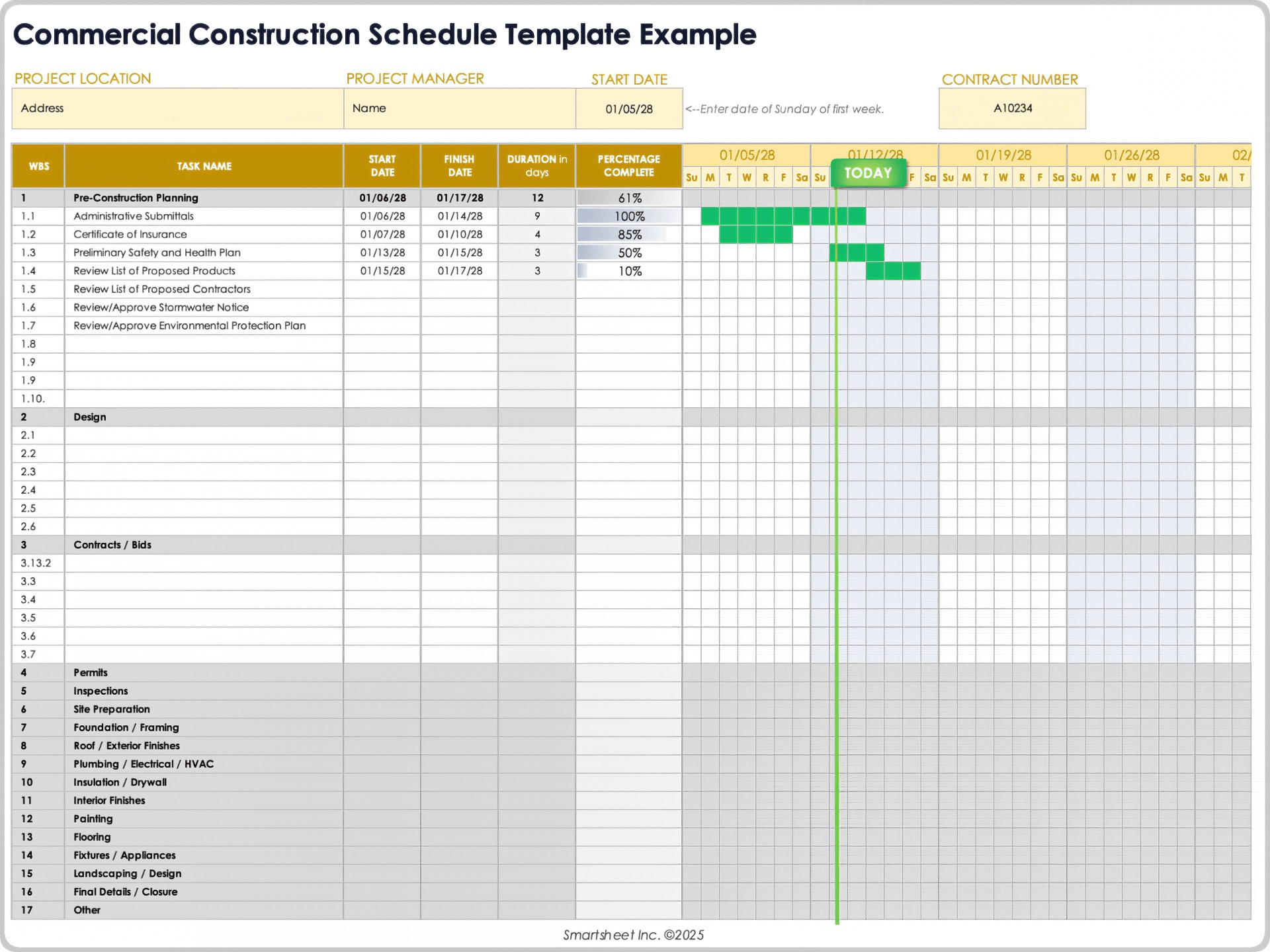
Source: Smartsheet
planning projects form template ppt
Source: Smartsheet
Frequently Asked Questions
What should a project planning form include?
A useful form normally includes project purpose, objectives, scope, deliverables, tasks, owners, dates, milestones, dependencies, resources, costs, risks, stakeholders, communication arrangements, quality criteria, assumptions, constraints, and approvals. Smaller projects can use fewer fields.
Is a project planning template the same as a project management plan?
Not necessarily. A template is a reusable structure that prompts the user for information. A project management plan is the completed, project-specific document describing how the work will be delivered and controlled.
Should I use Excel or Word for project planning?
Use Excel when the project requires calculations, schedules, task tracking, filtering, resource planning, or cost control. Use Word when narrative explanations, scope definitions, governance, policies, and formal documentation are more important.
When is a spreadsheet better than a document?
A spreadsheet is usually better when many rows of structured information need to be sorted, filtered, calculated, or visualized. A document is better when the reader needs context, explanations, decisions, and formal narrative.
Can a project planning template be used for construction?
Yes. Construction projects often require additional sections for procurement, permits, inspections, subcontractors, site preparation, materials, equipment, change orders, safety, commissioning, and handover. The basic planning structure remains the same.
How detailed should a project planning template be?
The appropriate level of detail depends on project complexity. A short internal project may need a one-page plan and task sheet, while a large initiative may need separate schedules, budgets, risk registers, resource plans, communication plans, and governance documents.
How often should a project plan be updated?
Update it whenever a material planning assumption, milestone, scope decision, risk, resource commitment, or forecast changes. Routine status reviews may occur daily, weekly, monthly, or at project-specific control points.
What is the most important part of a project planning form?
There is no single universally most important field. Scope, ownership, schedule, dependencies, resources, cost, risks, and acceptance criteria work together. The most important feature is a clear connection between the project’s intended outcome and the work required to achieve it.
How can I prevent a planning template from becoming too complicated?
Keep the core form focused on decisions and controls that matter. Move specialized information into supporting sheets or registers, remove fields that are rarely used, and review the template after each project to simplify it.
Conclusion
A well-designed planning projects form template provides more than a place to enter dates and tasks. It creates a common structure for defining scope, organizing work, assigning responsibility, estimating resources and costs, identifying risks, communicating with stakeholders, controlling changes, and measuring progress.
The strongest approach is to choose the simplest format that supports the project’s real needs. Use spreadsheets for structured planning and calculations, narrative documents for detailed project plans, presentations for stakeholder communication, PDFs for stable distribution, and collaborative documents when multiple contributors need to work together.
Templates should also evolve. A planning structure that works for a small internal initiative may be inadequate for construction, software delivery, procurement, or a multi-team program. Customize the fields, terminology, approval points, and control mechanisms to match the project’s complexity.
The practical objective is not to create the longest project document. It is to create a reliable planning system that helps people understand what must happen, who owns it, when it must happen, what could prevent success, and what decisions are required to keep the work moving.
A thoughtfully built planning projects form template can therefore become a repeatable foundation for better project decisions, clearer accountability, more realistic schedules, and more controlled delivery across many different types of projects.
