A marketing agency employee tax Template is best understood as a structured payroll record that helps an agency organize employee earnings, tax withholdings, deductions, employer costs, and reporting information. Marketing firms often have a mix of salaried strategists, account managers, designers, media specialists, analysts, copywriters, and administrative staff, so a payroll record needs to capture more than a simple list of salaries. A well-designed structure connects employee information with each pay period, earnings category, withholding category, and year-to-date total.
The goal is not to replace a payroll system or professional tax advice. Instead, a template can serve as a controlled working record for reviewing payroll information, reconciling amounts, preparing internal reports, and communicating with an accountant or payroll provider. The IRS explains that employers generally use Form W-4 information and the applicable federal withholding methods to determine federal income tax withholding, while Form W-2 reports annual wages and taxes withheld. Those requirements make careful record organization particularly important for agencies that process recurring employee compensation.
For a marketing agency, the most useful design separates employee master information from period-by-period payroll activity. That separation makes it easier to identify changes in salary, job role, withholding elections, benefits, reimbursements, commissions, bonuses, and other compensation without rewriting historical records. It also creates a clearer audit trail when an accountant needs to investigate why a particular payroll amount differs from the previous period.
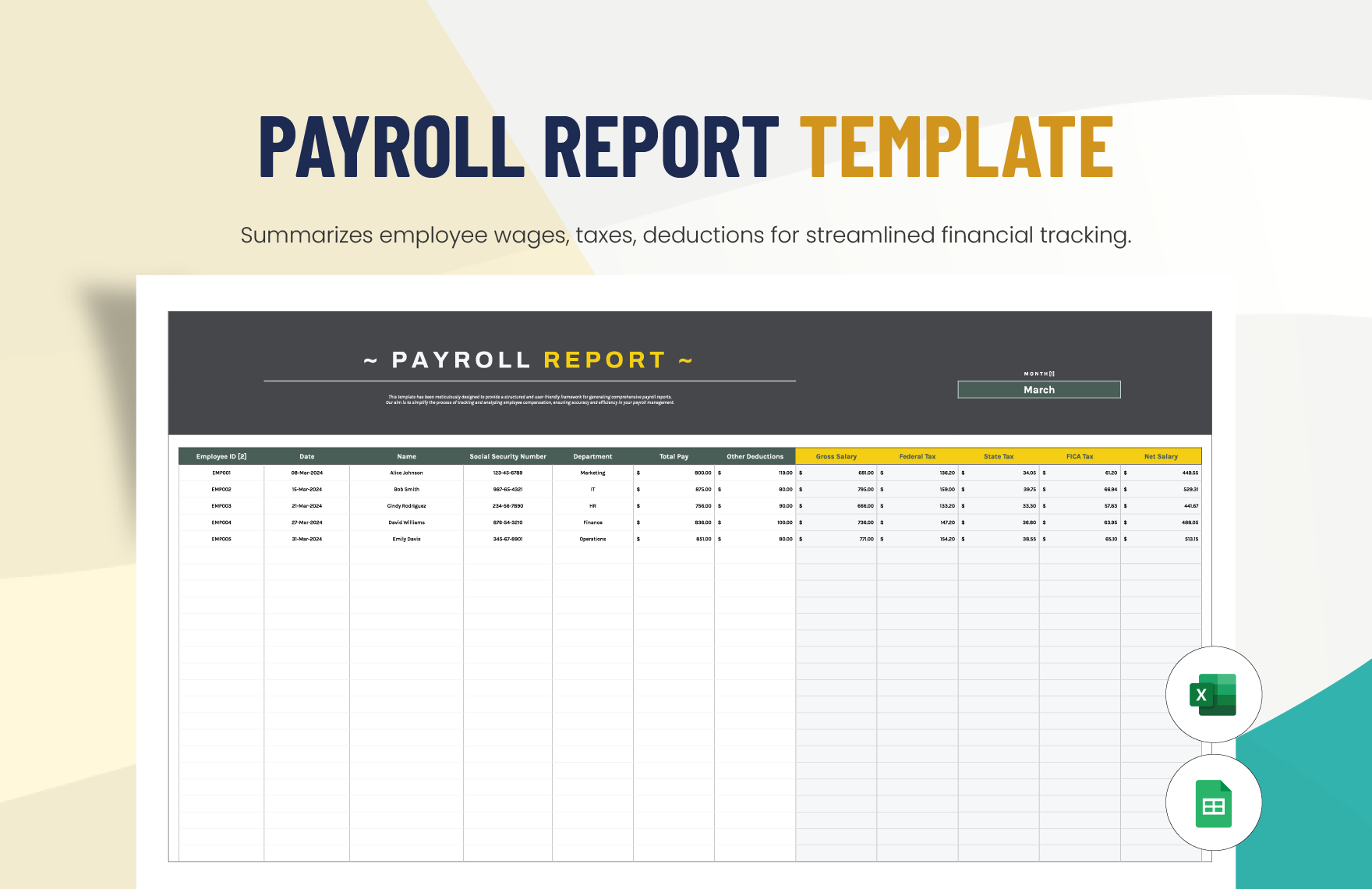
What a marketing agency employee tax Template should accomplish
The central purpose of the template is organization. A useful worksheet should allow an agency to move from employee information to gross earnings, applicable deductions, tax withholding, employer-side costs, and final payroll totals without mixing unrelated categories. The structure should also make it obvious which figures are entered manually and which figures are calculated or imported from another payroll source.
Employee information normally belongs in a controlled master section. Useful fields can include an internal employee identifier, employee name, job title, department, employment status, pay basis, regular rate or salary, pay frequency, hire date, and relevant withholding information. Sensitive identifiers should be handled carefully and should not be stored in a broadly accessible worksheet when they are not necessary for the workflow.
The payroll activity section should then record each pay period independently. A marketing agency may need columns for regular wages, overtime where applicable, commissions, bonuses, taxable benefits, reimbursements, pretax deductions, federal withholding, state withholding, Social Security, Medicare, other employee deductions, and net pay. Employer-only costs should remain separate from employee deductions so that the worksheet does not accidentally treat an employer liability as money withheld from the employee.
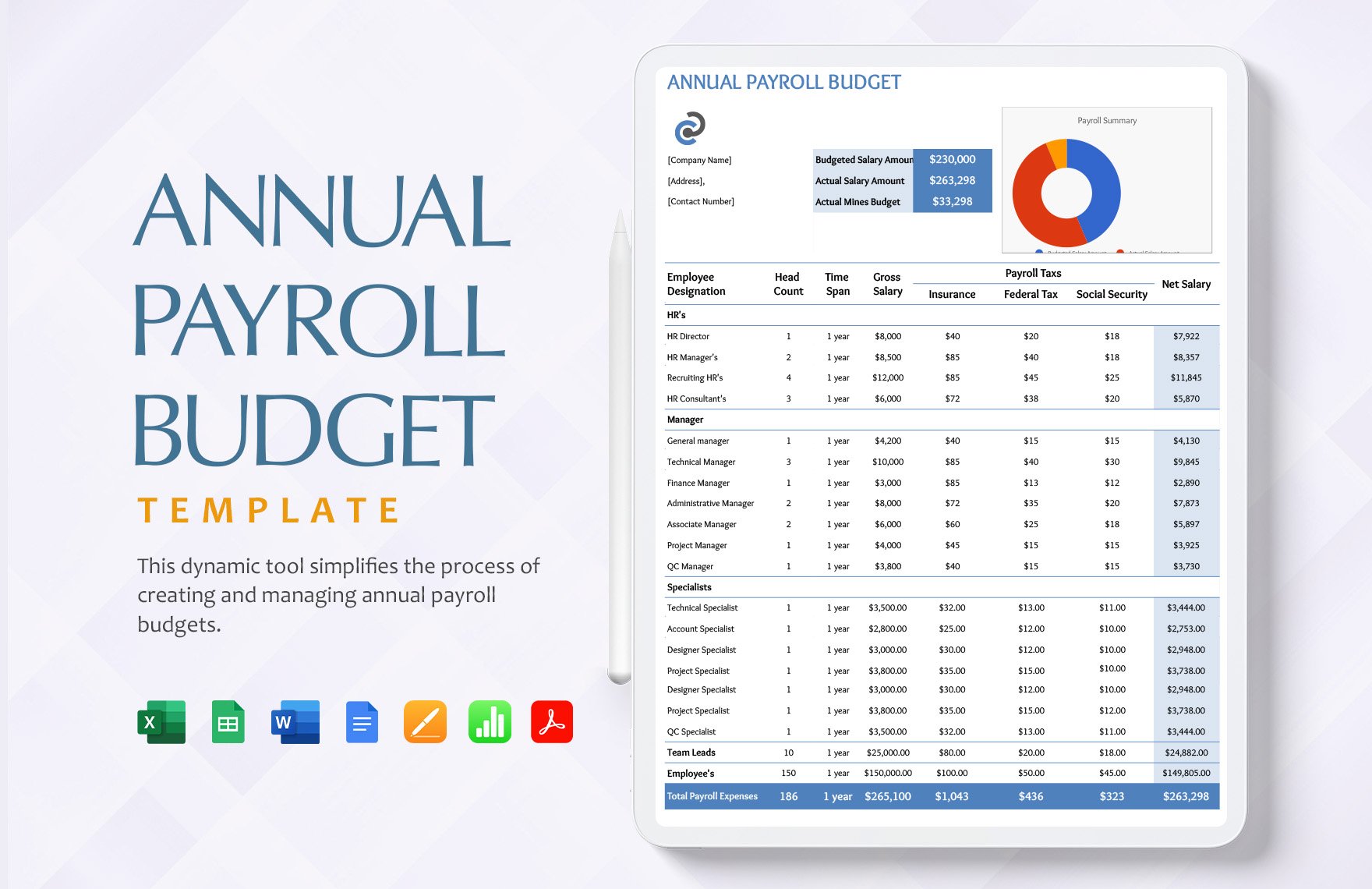
Keep employee data separate from payroll transactions
A strong structure can use one sheet for employee master data, another for payroll-period calculations, and another for reporting or reconciliation. This arrangement reduces the risk of changing historical payroll simply because a current employee record was updated. It also makes it easier to add a new employee without altering the formulas or layout used for existing staff.
Marketing agencies should pay particular attention to variable compensation. Sales commissions, performance bonuses, referral payments, production bonuses, and special project incentives can complicate gross-pay calculations. The template should identify these amounts separately rather than placing everything into one miscellaneous earnings field. Doing so makes later review much easier and provides a clearer explanation for unusually high or low payroll periods.
Another useful distinction is between employee deductions and employer expenses. Employee-side amounts reduce the employee’s net pay, while employer-side payroll taxes and other employer costs increase the agency’s total labor expense without reducing the employee’s paycheck. A clear layout should therefore show both categories independently.
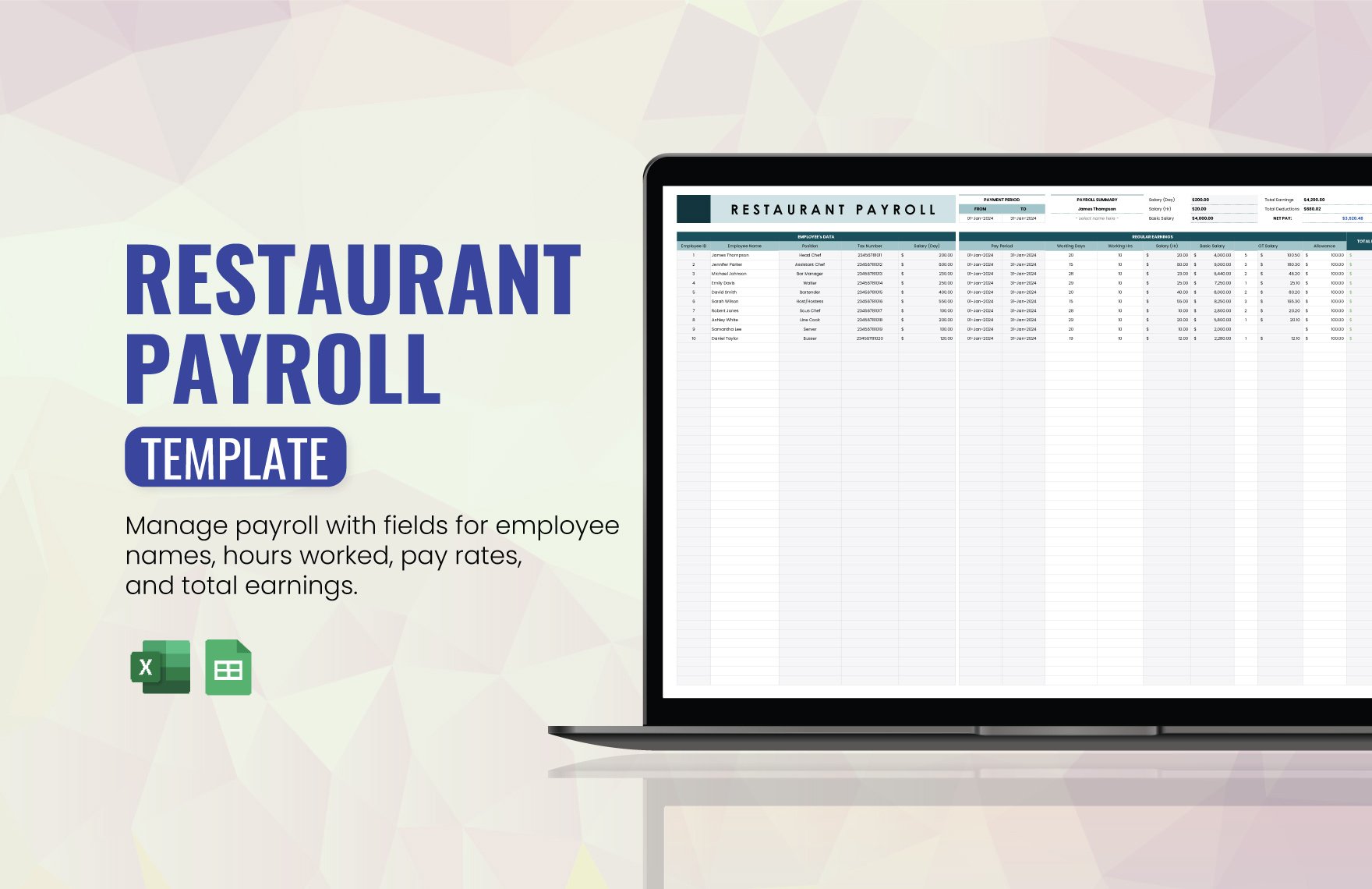
Core fields to include in the template
The first group of fields identifies the employee and establishes the context for the payroll transaction. Include an employee ID, name, position, department, pay frequency, pay period start date, pay period end date, and scheduled payment date. For agencies with multiple offices or legal entities, an additional entity or work-location field can help distinguish which payroll records belong to which organization.
The second group covers earnings. Separate regular salary or hourly earnings from overtime, commissions, bonuses, taxable allowances, and other compensation. This matters because two employees with the same annual salary can have different gross wages in a particular period if one receives a commission or qualifying additional compensation.
The third group covers deductions and withholding. A useful layout distinguishes federal income tax withholding, applicable state or local income tax withholding, Social Security, Medicare, benefit deductions, retirement deductions, and other authorized deductions. The exact tax treatment of each item should be determined from current tax guidance and the employee’s circumstances rather than assumed from a generic template.
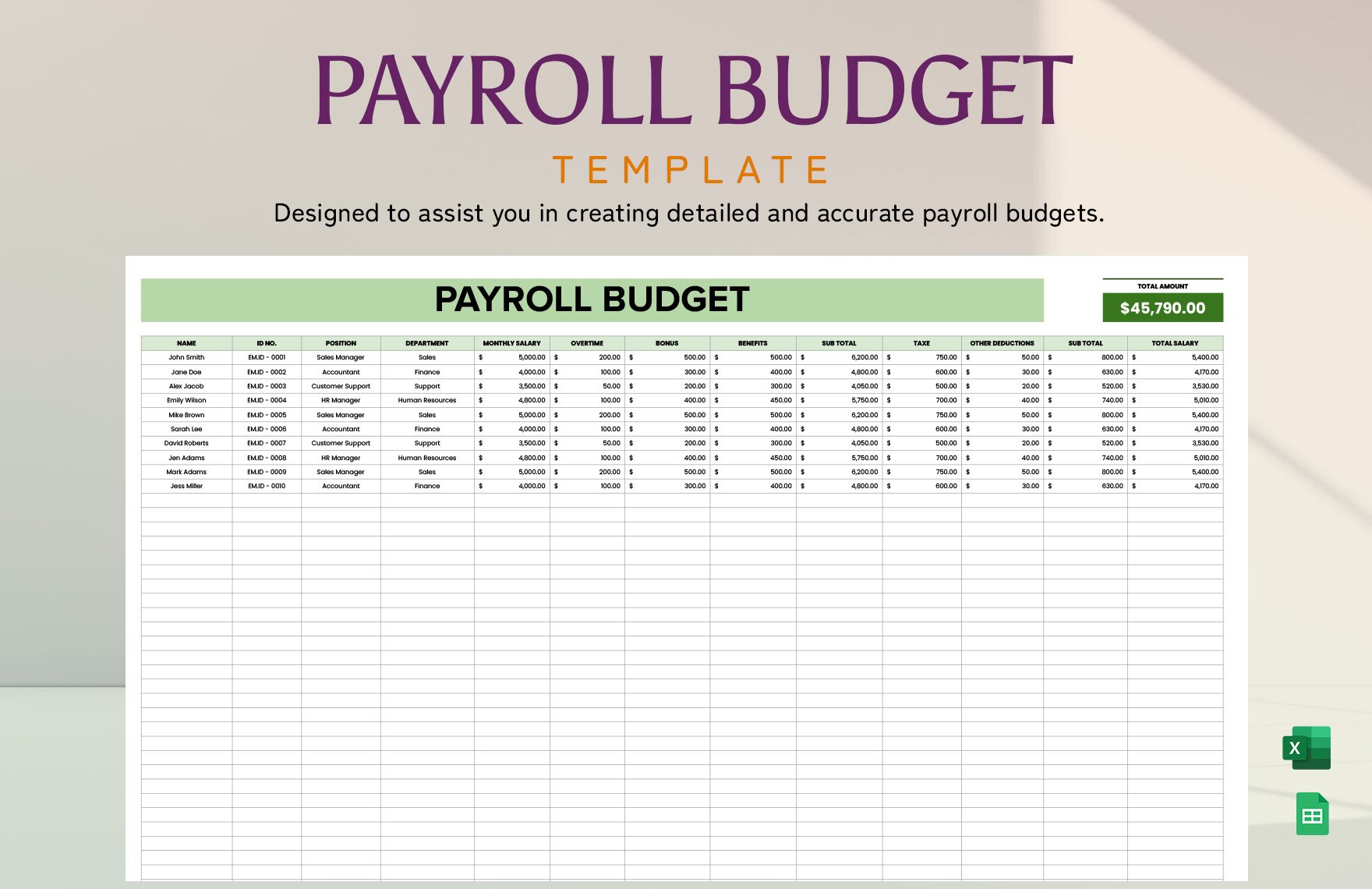
The final group should show net pay and reconciliation information. A basic calculation can be expressed conceptually as gross taxable compensation minus employee deductions and withholding, subject to the specific rules governing each payroll component. A separate employer-cost section can then capture employer payroll taxes and other labor costs. Keeping those calculations distinct makes management reporting considerably easier.
Year-to-date fields are also valuable. Instead of reviewing dozens of individual payroll periods, an agency manager or accountant can see cumulative gross wages, taxable wages, federal withholding, state withholding, Social Security, Medicare, benefits, and other relevant totals. Year-to-date figures should be reconciled periodically against the payroll provider or accounting records rather than treated as automatically accurate.
For agencies that bill clients by project, another optional layer is internal labor allocation. Payroll records should not be changed merely to track client profitability, but a separate reporting field can identify department, team, cost center, or approved project allocation. That allows management to analyze labor economics without confusing operational reporting with tax reporting.
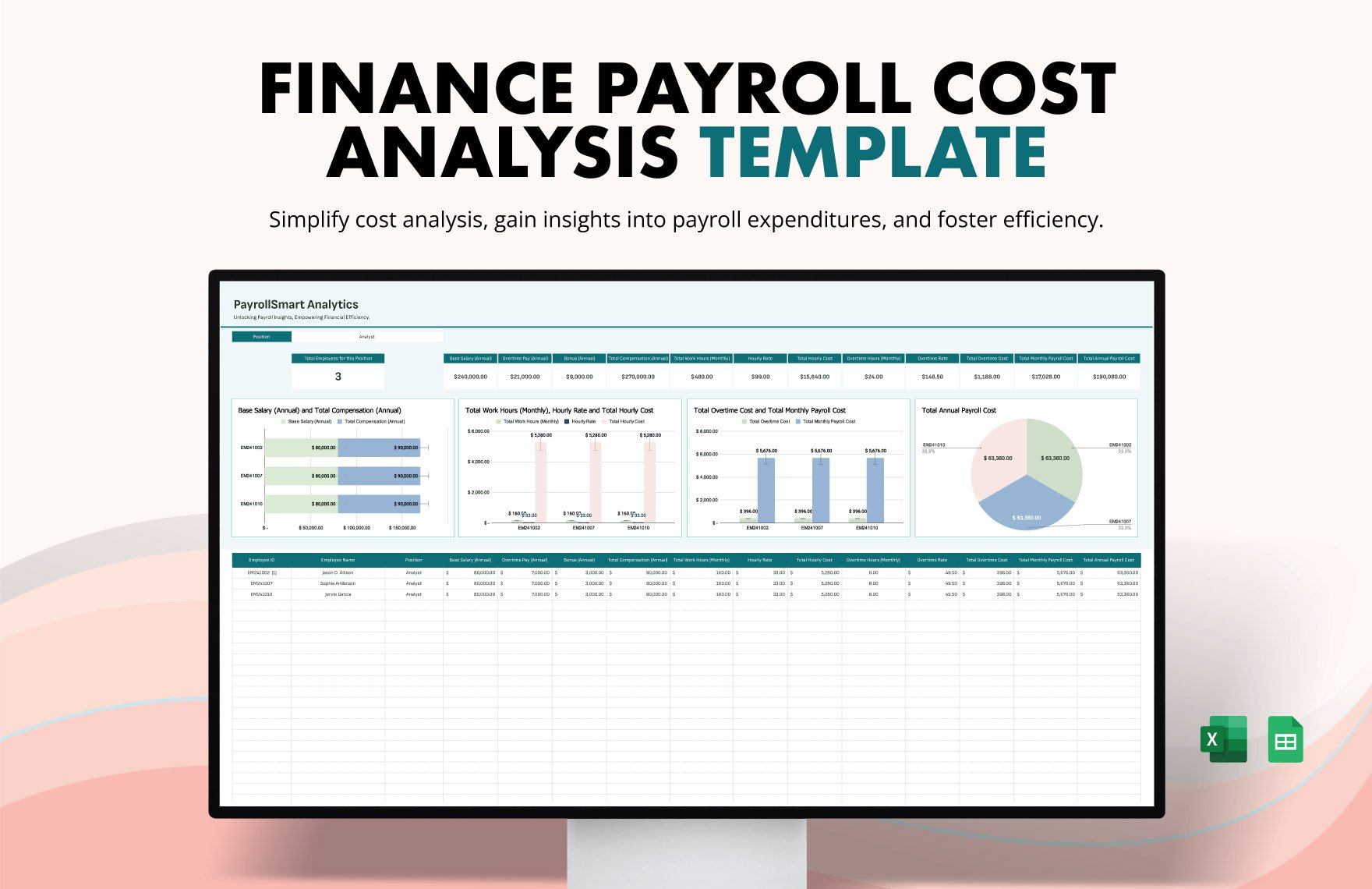
Designing an Excel-based payroll tax worksheet
A spreadsheet-based design can work well as a supporting record when the agency already has a reliable payroll process. The strongest layout begins with clearly labeled input columns, protected calculation areas, and a separate assumptions section. Tax rates and withholding rules should not be hard-coded casually because federal and state rules can change from year to year.
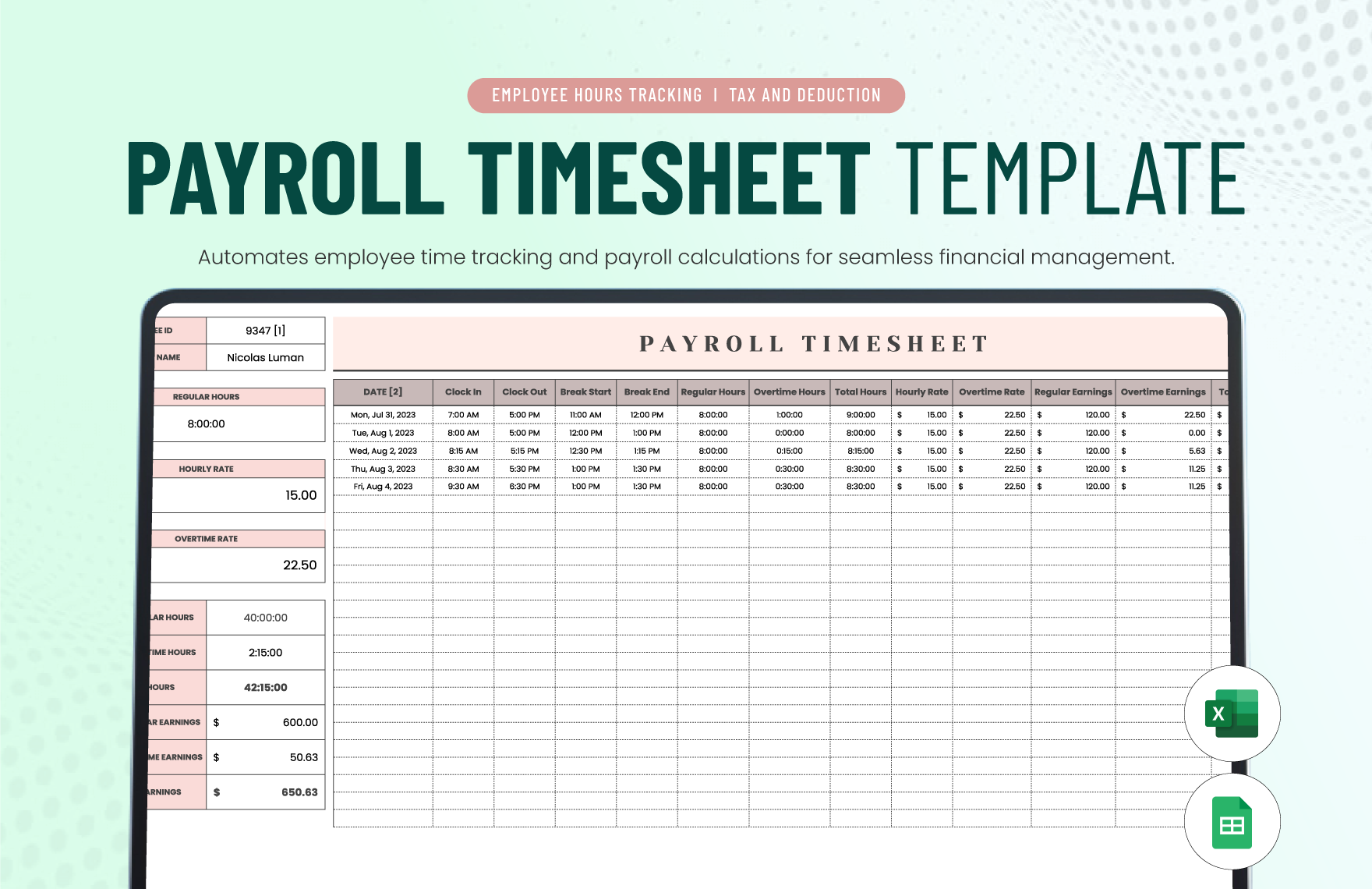
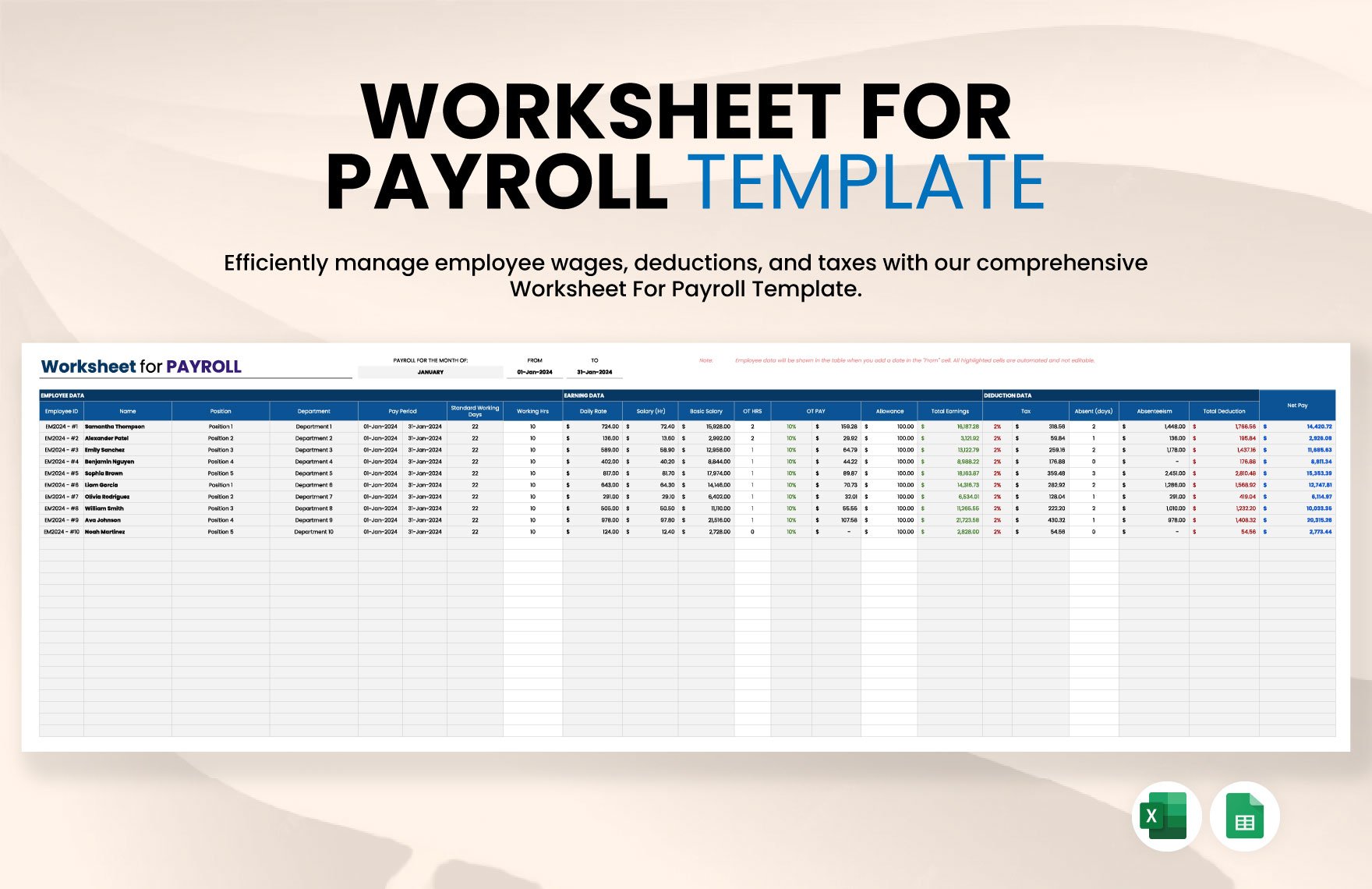
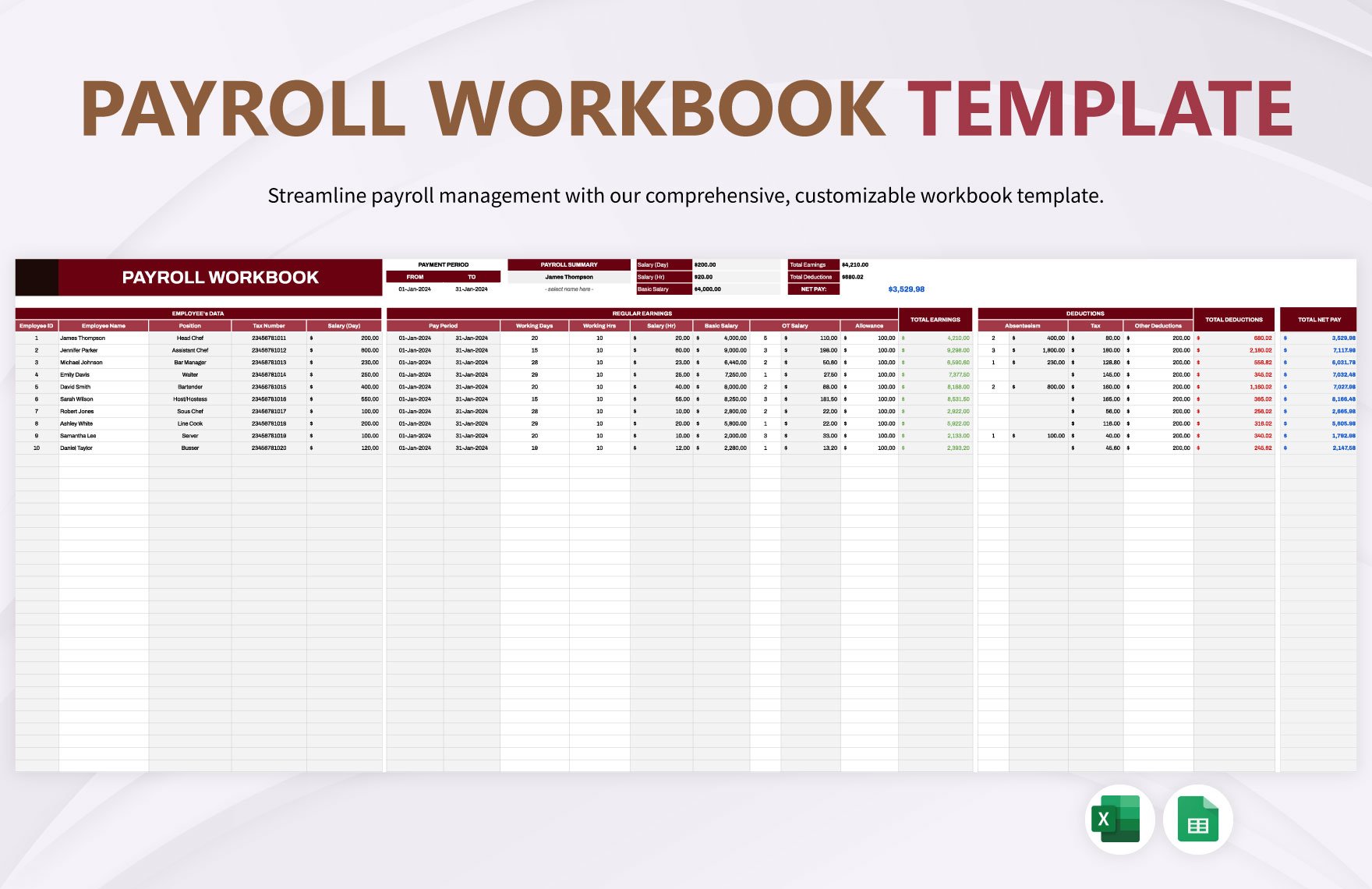
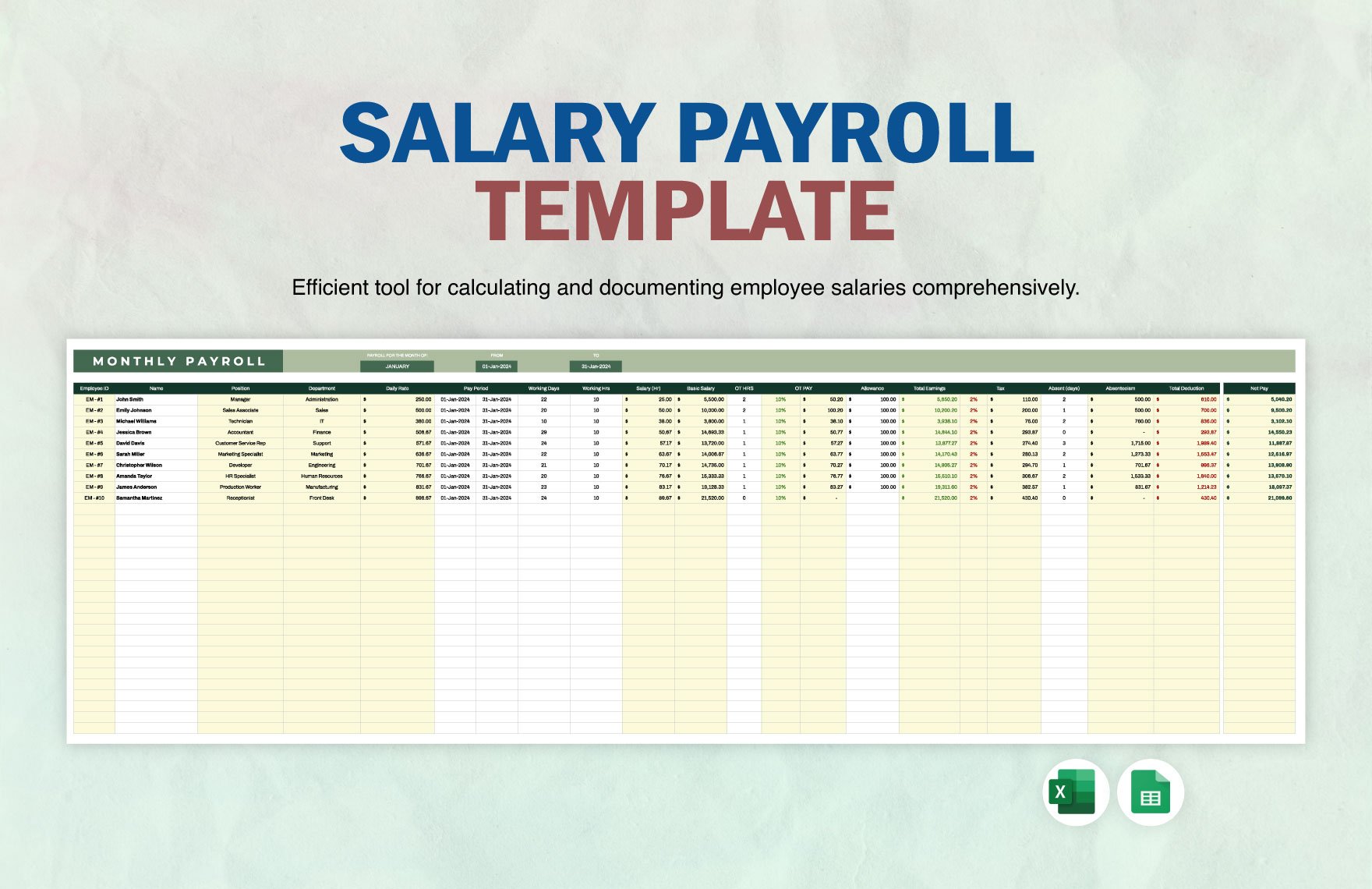
For example, a payroll worksheet might have columns for employee ID, pay period, regular earnings, overtime, commission, bonus, gross earnings, pretax deductions, taxable wages, federal withholding, state withholding, Social Security, Medicare, other deductions, net pay, employer taxes, and total employer cost. The formula logic should be documented separately so that another reviewer can understand how each figure was produced.
Excel can be especially useful for reconciliation because filters, validation rules, formulas, and pivot-style summaries make it easier to identify unusual changes. However, spreadsheet convenience should not be confused with regulatory authority. The IRS’s 2026 Publication 15-T provides the current federal income tax withholding methods and tables for employers, and agencies should use current official guidance when maintaining calculations rather than relying on an old worksheet.
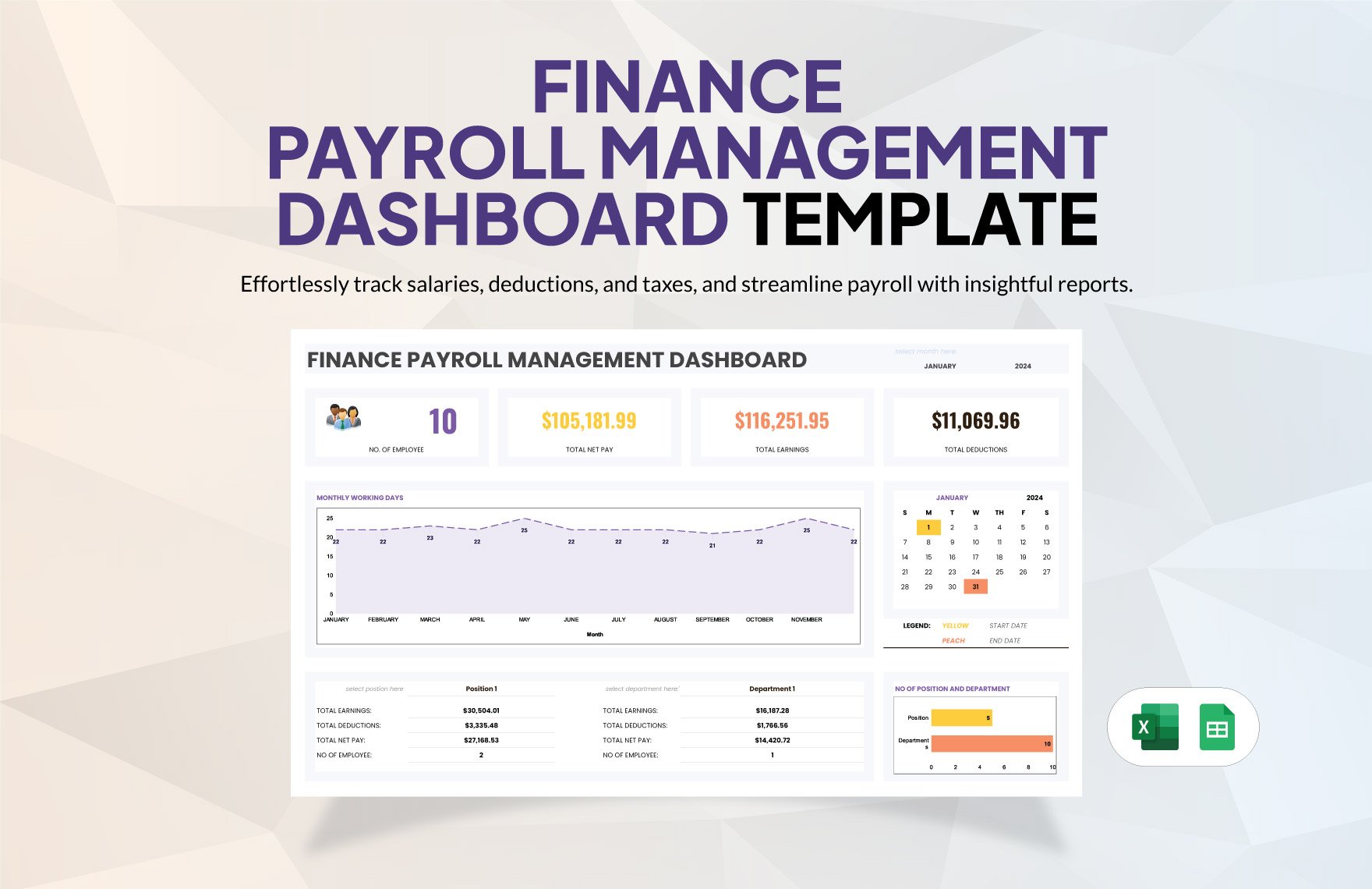
When a Google Sheets structure makes sense
A shared spreadsheet can be useful when payroll information needs to move between authorized finance, operations, and accounting personnel. The important issue is not the spreadsheet brand but the control environment. Access should be limited, sensitive fields should be minimized, and changes should be traceable.
A shared worksheet should also establish a single source of truth for employee identifiers and pay-period dates. If one person changes an employee’s salary while another person is preparing payroll, an uncontrolled spreadsheet can create conflicting figures. A locked master-data area, documented change process, and periodic reconciliation can reduce that risk.
For an agency working with an external accountant or payroll provider, the spreadsheet can function as a review layer rather than the primary payroll engine. The accountant or provider remains responsible for the actual tax calculation and filing workflow, while the agency uses its internal worksheet to confirm headcount, compensation changes, commissions, bonuses, and expected payroll totals.
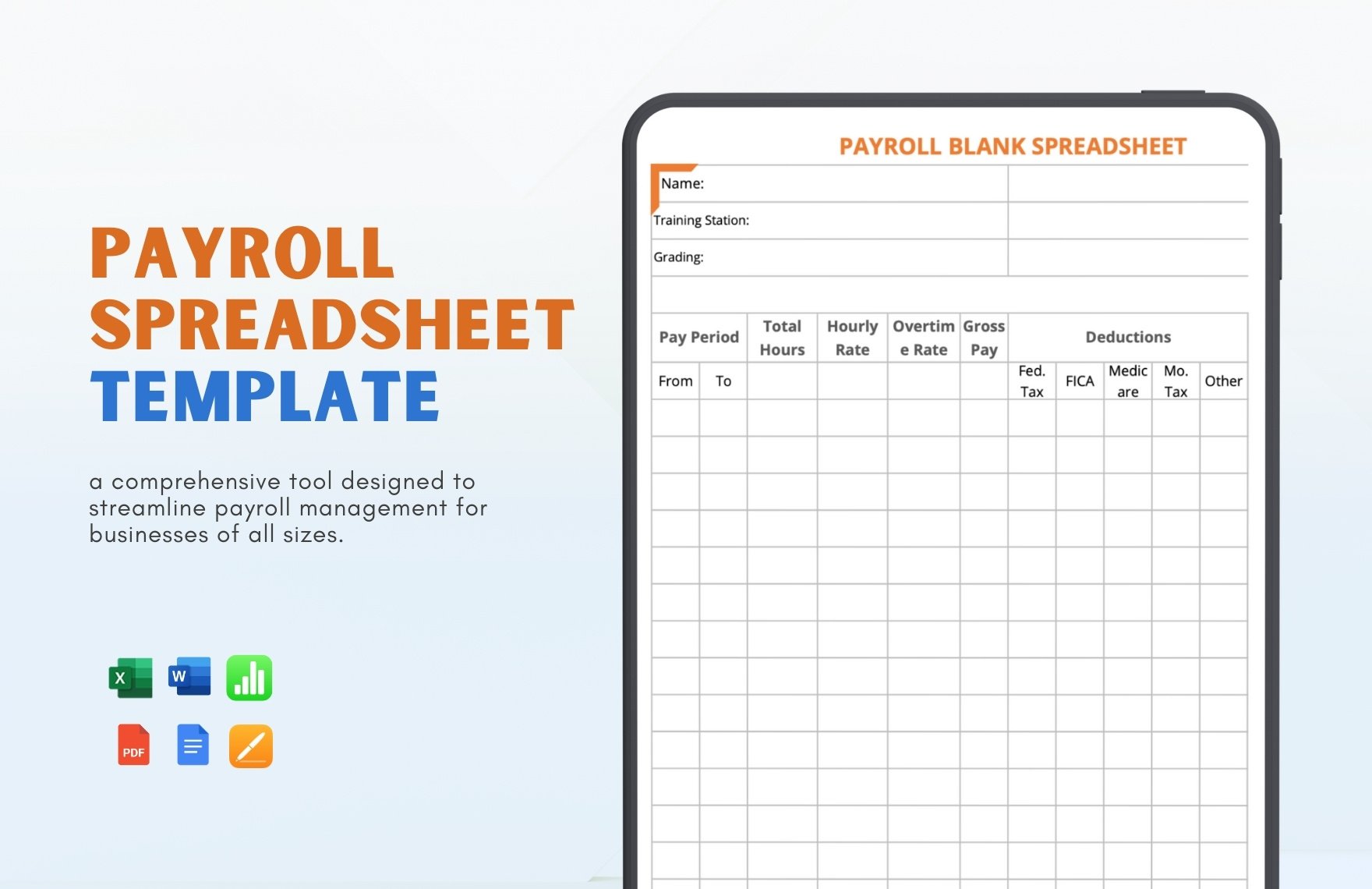
Understanding federal employee withholding
Federal employee withholding should be treated as a regulated calculation rather than a simple percentage entered into a spreadsheet. The employee’s Form W-4 provides information used by the employer to determine federal income tax withholding, and IRS Publication 15-T provides withholding methods and tables. The 2026 publication also reflects changes to the 2026 Form W-4, so older worksheet assumptions should not automatically be carried into current payroll calculations.
Social Security and Medicare require separate treatment from federal income tax withholding. The IRS identifies Social Security and Medicare as employment taxes involving both employee and employer responsibilities, with specific rules concerning rates and taxable wages. A template therefore benefits from separate columns for employee withholding and employer liability rather than combining them into one generic tax figure.
The annual reporting side also matters. The IRS states that employers generally must furnish and file Form W-2 for employees when applicable, reporting wages and taxes withheld. A well-maintained internal payroll record should therefore make it possible to reconcile periodic payroll totals with annual reporting figures. When discrepancies arise, the worksheet should help identify the originating pay period instead of forcing the reviewer to reconstruct the entire year.
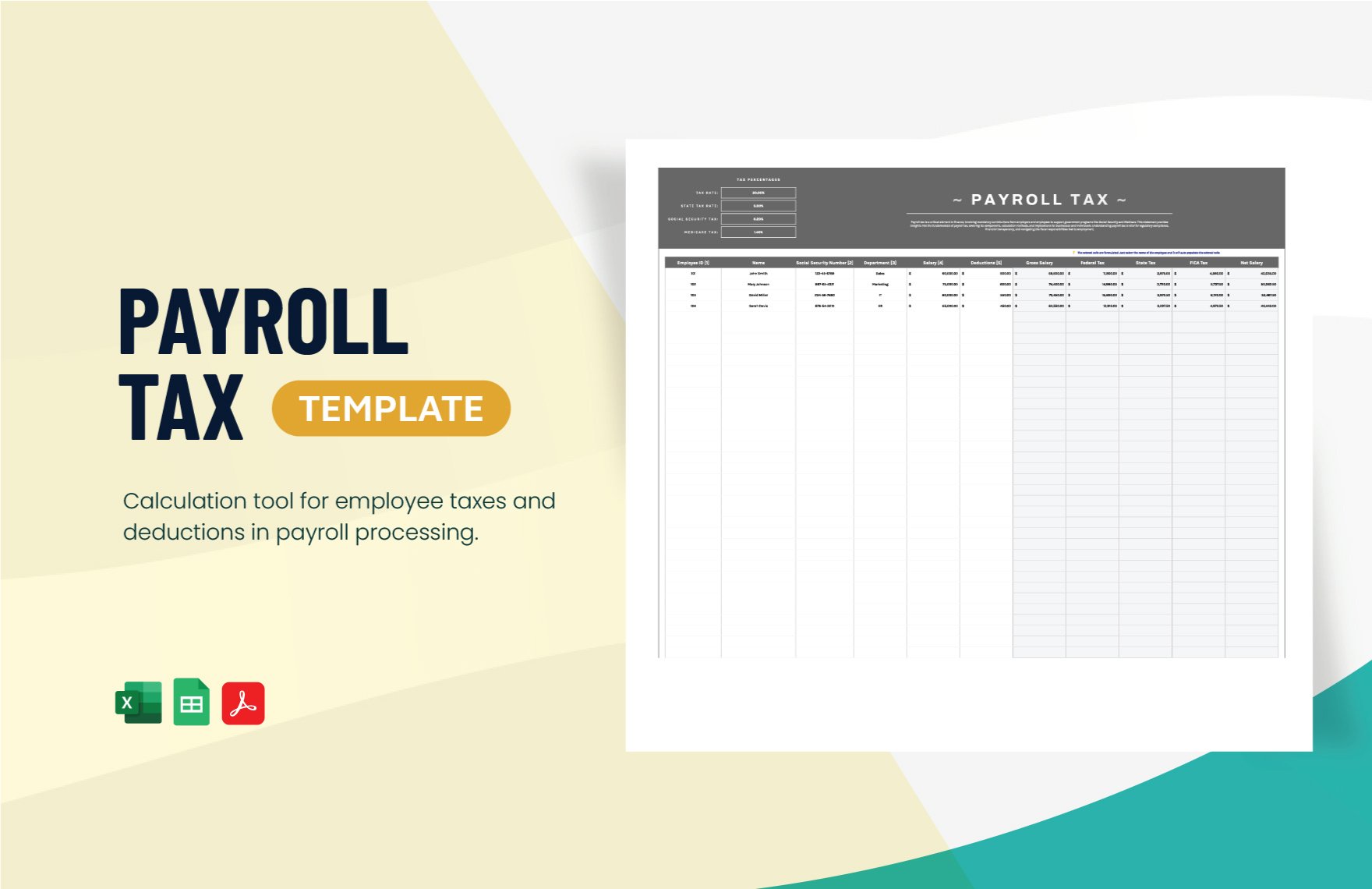
State-specific considerations for California
A marketing agency operating in California needs to account for California payroll tax rules in addition to federal obligations. The California Employment Development Department identifies four state payroll taxes: Unemployment Insurance and Employment Training Tax are employer-paid, while State Disability Insurance and Personal Income Tax are generally withheld from employee wages. The exact treatment can depend on the type of employment and other circumstances.
California employers also have wage reporting and filing responsibilities. The EDD identifies forms such as DE 9 and DE 9C for quarterly contribution and wage reporting and provides a payroll tax calendar for filing and payment deadlines. A worksheet should therefore provide enough detail to reconcile employee-level payroll records with the figures ultimately reported through the employer’s official filing process.
The phrase marketing agency employee tax template california reflects a useful search intent because agencies need a state-aware structure rather than a generic national worksheet. The important distinction is that a template can organize California payroll information, but it should not be presented as an official EDD form unless it actually is one. Current California instructions and employer guidance should remain the controlling source for compliance decisions.
State-specific considerations for Virginia
Virginia has its own employer withholding requirements. Virginia Tax states that an employer paying wages to one or more employees in Virginia generally must deduct and withhold Virginia income tax from those wages when applicable. Employers subject to withholding also have registration, return-filing, payment, and annual reporting responsibilities.
Virginia withholding frequency depends on the employer’s withholding liability. Virginia Tax identifies quarterly, monthly, and semi-weekly filing categories, with different reporting and payment schedules. A payroll worksheet should not attempt to determine the agency’s filing frequency solely from a generic template; the business should use its current account information and Virginia Tax instructions.
The search phrase marketing agency employee tax template virginia is therefore best addressed with a customizable payroll record that can capture Virginia withholding separately from federal amounts. The worksheet should also preserve the underlying pay-period detail needed to reconcile returns, annual statements, and payroll-provider reports.
Choosing between spreadsheet and PDF-oriented records
A spreadsheet is generally more useful for calculations, sorting, reconciliation, and ongoing payroll analysis. A fixed document format can be more useful for preserving a reviewed record, distributing a standardized report, or creating a presentation-ready payroll summary. The two formats serve different purposes and should not be treated as interchangeable.
A PDF-oriented record is particularly useful after a payroll period has been reviewed and approved. The goal is preservation rather than calculation. If an agency maintains archived payroll reports, each period should have a clear date range, version identifier, responsible reviewer, and relationship to the underlying payroll records.
The phrase marketing agency employee tax template pdf can therefore describe a useful reporting format, but it should not imply that a static document automatically performs current tax calculations. If figures originate from a spreadsheet or payroll platform, the PDF should represent reviewed data rather than becoming a second, independently maintained calculation system.
Using the template for agency-specific compensation
Marketing agencies frequently have compensation patterns that differ from a simple hourly payroll model. Account executives may receive commissions, creative staff may receive project bonuses, and senior employees may receive annual incentive payments. A useful template should provide separate earning categories so that payroll reviewers can distinguish recurring wages from variable compensation.
Another important issue is reimbursement. Legitimate business expense reimbursements should not automatically be treated as taxable wages. Their tax treatment depends on the circumstances and applicable rules, so a template should provide a separate reimbursement field rather than folding reimbursements into salary. The underlying payroll or accounting professional should determine the appropriate tax treatment.
Benefits can also complicate payroll records. Health coverage, retirement contributions, paid leave, and other benefits can have different tax consequences depending on the plan and circumstances. Instead of creating one generic benefits deduction, an agency should maintain distinct categories that correspond to the payroll provider’s records and the applicable plan documentation.
Tax email marketing templates and printed marketing materials
The phrase tax email marketing templates and samples belongs to a different but adjacent marketing workflow. A marketing agency serving accountants or tax professionals may create promotional email layouts, educational campaigns, and client communications about tax services. Those materials should not be confused with an employee payroll tax record. The first is a marketing communication asset; the second is an internal financial control document.
Similarly, tax marketing print products templates may refer to brochures, postcards, flyers, or other promotional layouts used by tax-related businesses. These materials can be useful for an agency’s client work, but they do not belong inside the employee payroll worksheet. Keeping client marketing assets separate from employee compensation records reduces confusion and helps protect sensitive payroll information.
The same separation applies to a marketing agency template website. A website template can organize service pages, portfolios, landing pages, and contact information, while a payroll tax template organizes compensation and withholding data. The two may support the same business operationally, but they serve completely different information-management purposes.
Common mistakes when building an employee tax worksheet
One common mistake is using a static tax rate without checking the applicable year. Federal and state withholding rules can change, and a spreadsheet that worked in a previous year may no longer produce appropriate calculations. The safest approach is to identify the tax year prominently and reconcile calculation assumptions against current official guidance before each annual update.
Another mistake is combining employee deductions with employer taxes. This can distort net pay, labor cost, and accounting reconciliation. Every amount should have a clear classification: employee withholding, employee deduction, employer payroll tax, employer benefit cost, or another defined category.
A third mistake is failing to preserve historical records. If an employee’s salary changes in July, overwriting the employee’s original salary field can make earlier payroll periods difficult to explain. Instead, maintain effective dates or a separate compensation-history record so that the payroll history remains understandable.
Protect sensitive employee information
Payroll records contain sensitive information and should be handled accordingly. A template should collect only the information necessary for its stated purpose. If an employee’s full Social Security number or other highly sensitive identifier is not required, it should not be placed in a general reporting worksheet simply because a template includes such a field.
Access should also follow job responsibilities. An agency’s creative director does not ordinarily need access to detailed payroll records merely because that person manages creative staff. Finance, authorized leadership, human resources, and external payroll professionals may have different levels of access based on the agency’s internal controls.
Version control is equally important. Each approved payroll report should have a clear period and revision status. Corrections should be documented rather than silently replacing the original record. This creates a more reliable audit trail and makes later questions about payroll changes easier to answer.
How to structure formulas and review controls
Calculation cells should be separated visually and logically from input cells. A reviewer should immediately know which values come from payroll records and which values are generated by formulas. This is especially useful when an agency receives payroll data from an outside provider and imports selected figures into its internal reporting workbook.
Validation checks can identify duplicate employee IDs, missing pay-period dates, negative net pay, unexpected changes in gross compensation, missing tax classifications, and unexplained differences between current and prior periods. These checks are not substitutes for professional review, but they can highlight records that deserve attention.
Reconciliation should happen at more than one level. First, individual employee totals can be checked against source payroll records. Second, department or agency totals can be compared with the accounting ledger. Third, periodic totals can be compared with quarterly or annual tax reporting records. A discrepancy at any level should be investigated before the report is treated as final.
Practical Solution
Start by creating a master employee sheet containing only the fields needed to identify each worker and establish payroll terms. Add employee ID, role, department, employment status, pay basis, compensation rate, pay frequency, and effective date. Keep sensitive personal information outside the general worksheet unless it is genuinely required. For a marketing agency, also consider fields for department or cost center so management can analyze labor expenses without changing tax records.
Next, create a payroll-period sheet with one row per employee per pay period. Separate regular earnings, overtime, commissions, bonuses, reimbursements, deductions, federal withholding, state withholding, Social Security, Medicare, and net pay. Add employer-side payroll costs in their own columns. Mark the tax year clearly and document where calculation assumptions originate. For federal withholding, use current IRS guidance, including the applicable edition of Publication 15-T. For California or Virginia payroll, use the applicable state authority’s current instructions and filing schedules.
Finally, establish a review routine. Before payroll is approved, compare headcount with the agency’s employee roster, inspect compensation changes, review variable pay, check unusual deductions, reconcile tax totals, and confirm that the payroll period is correct. After approval, preserve a reviewed report and maintain the underlying source record. This workflow turns the template into a practical control document rather than merely a collection of spreadsheet columns.
For agencies searching for a marketing agency employee tax template free or a marketing agency employee tax template excel free, the most important evaluation criterion is not the advertised price or file format. Examine whether the structure supports the agency’s actual pay practices, whether formulas can be reviewed, whether the tax year is identified, and whether the record can be reconciled with the agency’s official payroll process.
Likewise, a search for marketing agency employee tax template excel should lead to a worksheet that is easy to audit rather than one that merely looks polished. A spreadsheet should make assumptions visible, protect formulas, separate employee and employer amounts, and preserve historical records. For agencies collaborating through cloud spreadsheets, marketing agency employee tax template google sheets can be approached with the same principles: controlled access, clear ownership, version history, and periodic reconciliation.
How to review a template before adopting it
Before putting any payroll template into production, test it with several hypothetical employee records. Use a salaried employee, an hourly employee, an employee receiving a bonus, and an employee with recurring deductions. The purpose is not to prove that the template calculates every tax correctly, but to identify structural weaknesses such as missing fields, confusing labels, or formulas that mix unrelated categories.
Run a second test using a prior payroll period with known totals. Compare employee counts, gross wages, deductions, withholding, and net pay. Any difference should have an explanation. If the template cannot reproduce an already approved payroll record, investigate the cause before using it for future periods.
A third test should examine year-end reporting. Ask whether the structure can produce cumulative totals that reconcile with the records needed for annual reporting. The IRS notes that Form W-2 reporting must accurately reflect wages and taxes withheld, so an internal template should support that reconciliation rather than make year-end preparation more difficult.
Keeping the template current
Payroll templates should be treated as living internal records rather than permanent tax authorities. At the beginning of each tax year, review federal withholding guidance, state requirements, payroll tax limits where applicable, reporting forms, and agency-specific compensation policies. The 2026 IRS Publication 15-T is an example of why annual review matters: it contains updated withholding tables and information related to the 2026 Form W-4.
California employers should review the EDD’s current payroll tax resources, required filings, and due-date calendar. Virginia employers should review Virginia Tax’s current withholding guidance, filing requirements, and payment schedules. These official sources should control when they conflict with a generic spreadsheet or older instructions.
It is also useful to maintain a change log. Record the date a tax assumption was changed, the reason for the change, the source reviewed, and the person who approved the update. This creates a simple governance layer around the spreadsheet and makes it easier to explain why calculations differ between tax years.
When a template should not be the primary payroll system
A template becomes less suitable as the primary payroll mechanism as an agency grows in headcount, jurisdictions, compensation complexity, or transaction volume. Multiple states, frequent commissions, equity compensation, benefits, garnishments, complex leave rules, and large numbers of payroll adjustments can create a level of complexity that is difficult to control manually.
In those situations, the template can remain useful as a management and reconciliation report. The payroll provider or accounting system can perform the formal payroll calculations and filings, while the agency’s internal record provides a concise view of employee compensation, tax categories, and expected totals.
The distinction is important because a polished spreadsheet does not become an official tax form merely because it contains similar fields. Official federal and state forms have their own instructions and filing processes. The template should support those processes, not be represented as a replacement for them.
Reference Examples
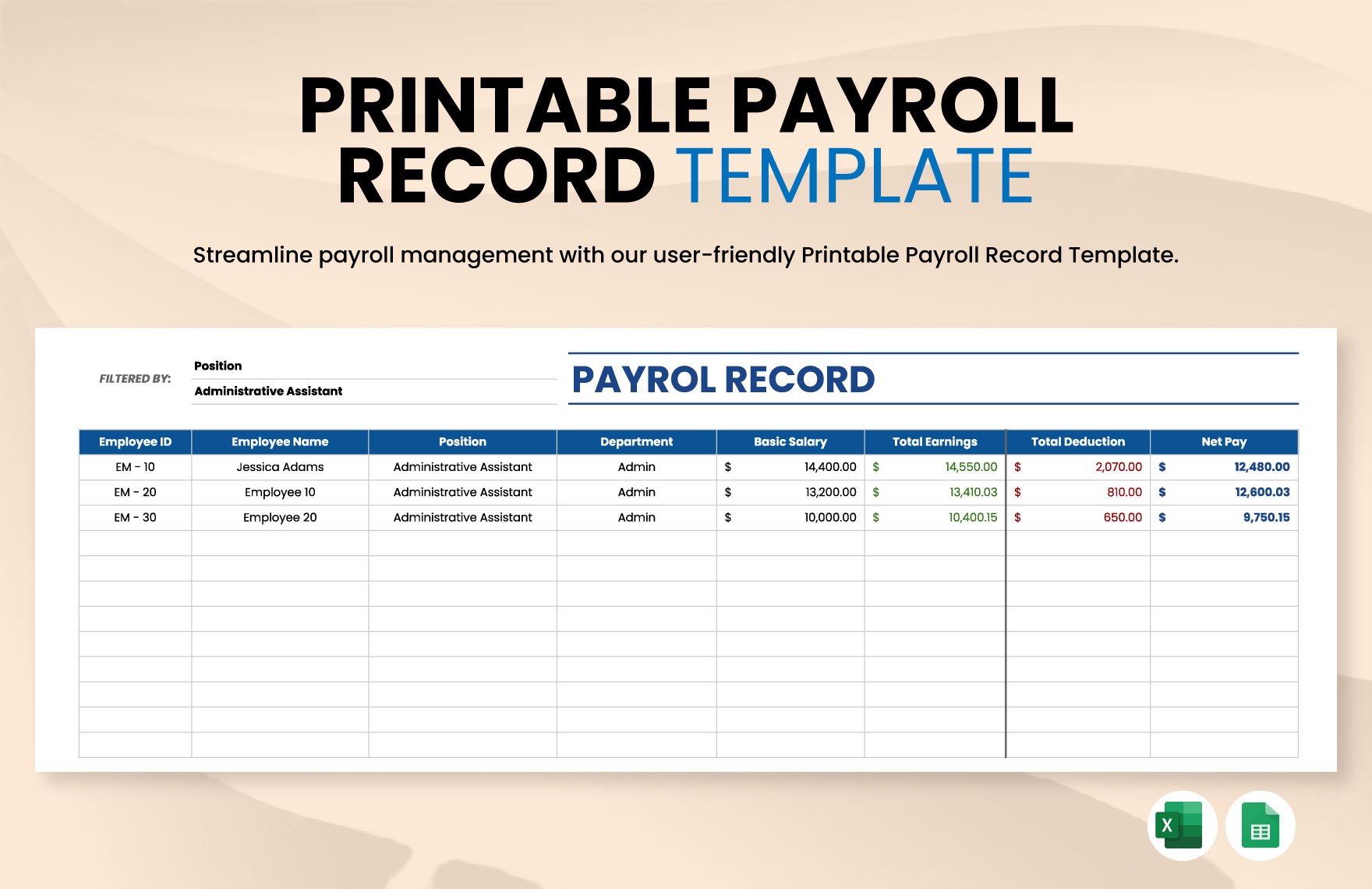
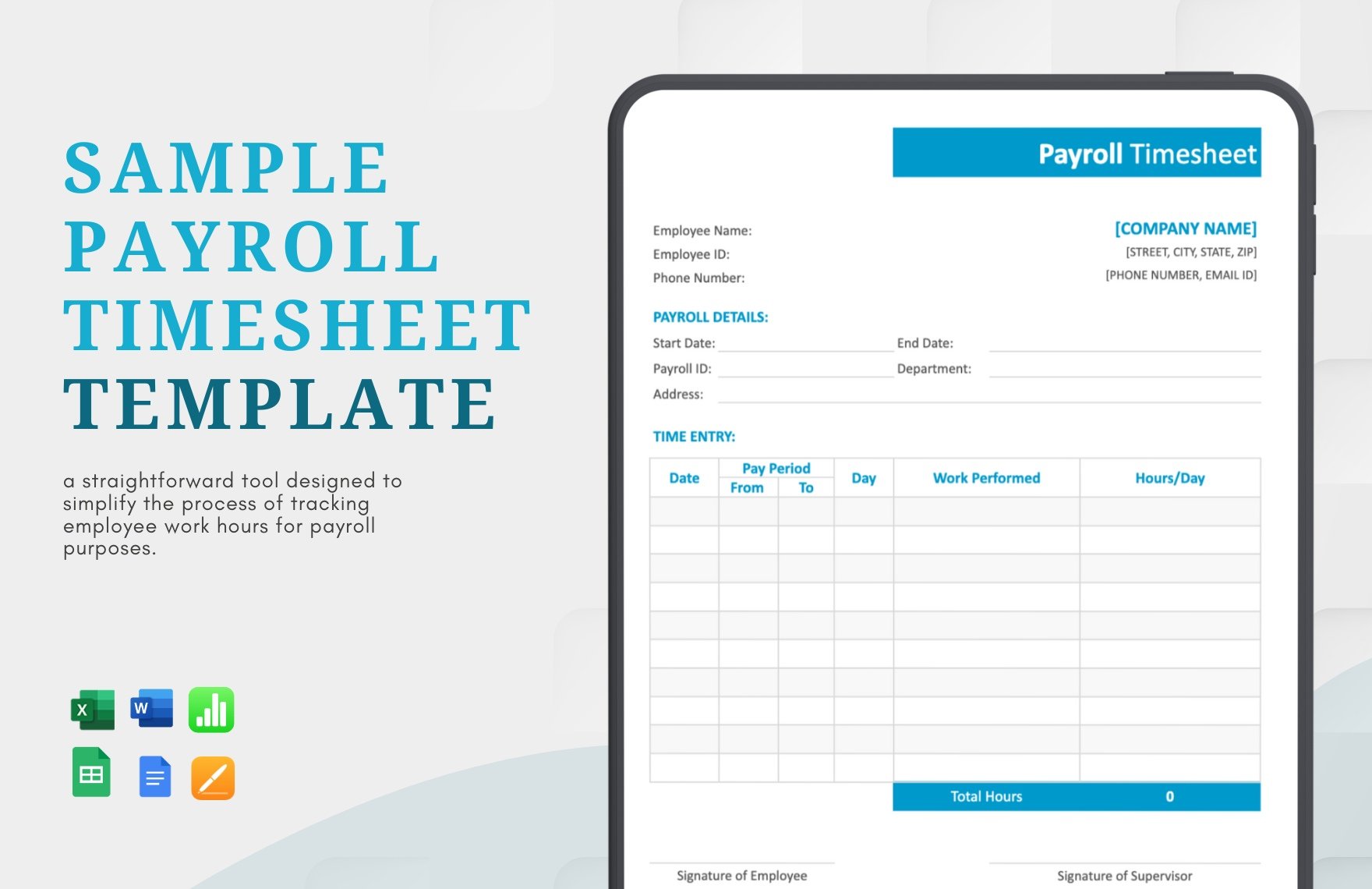
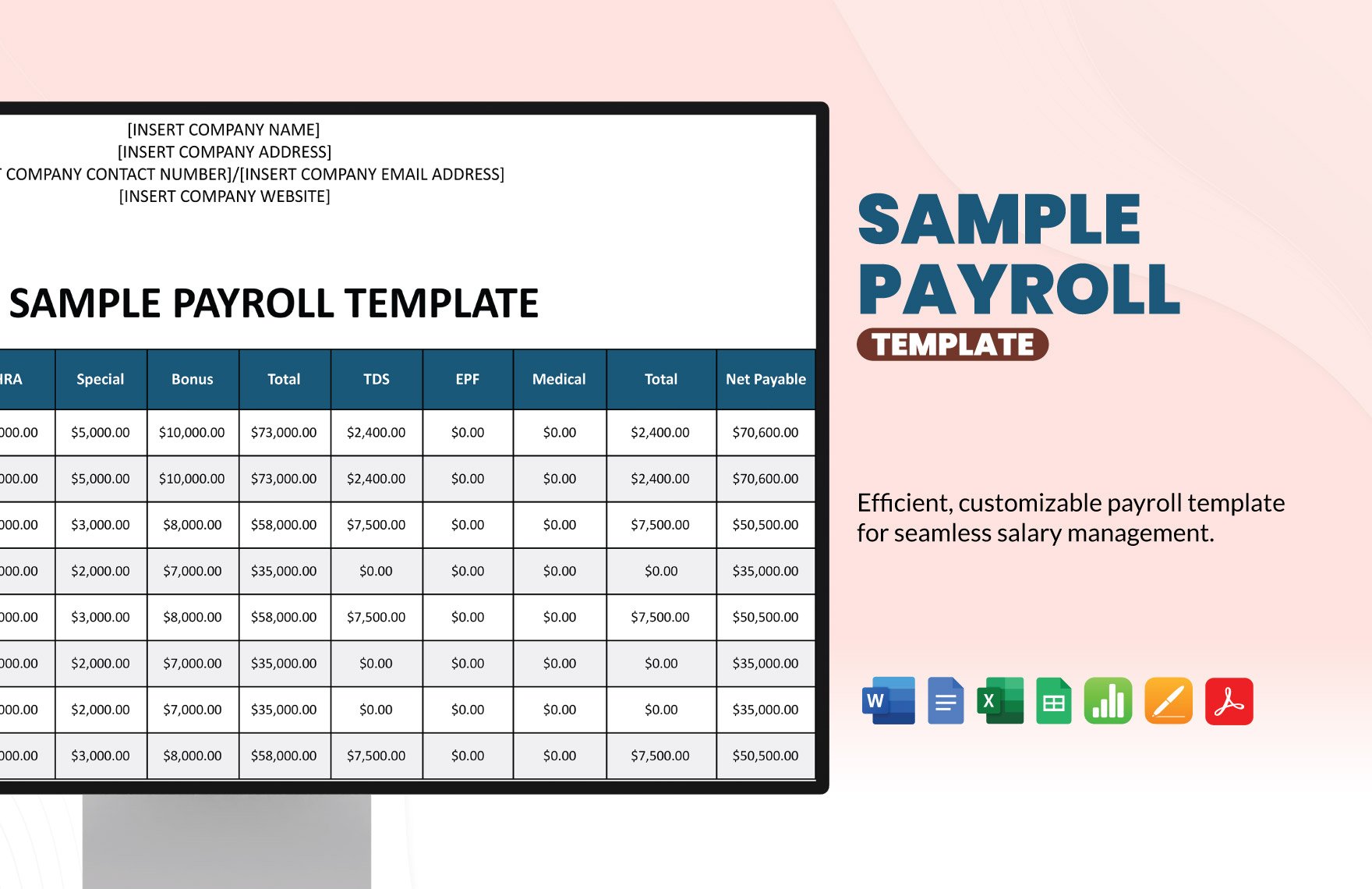
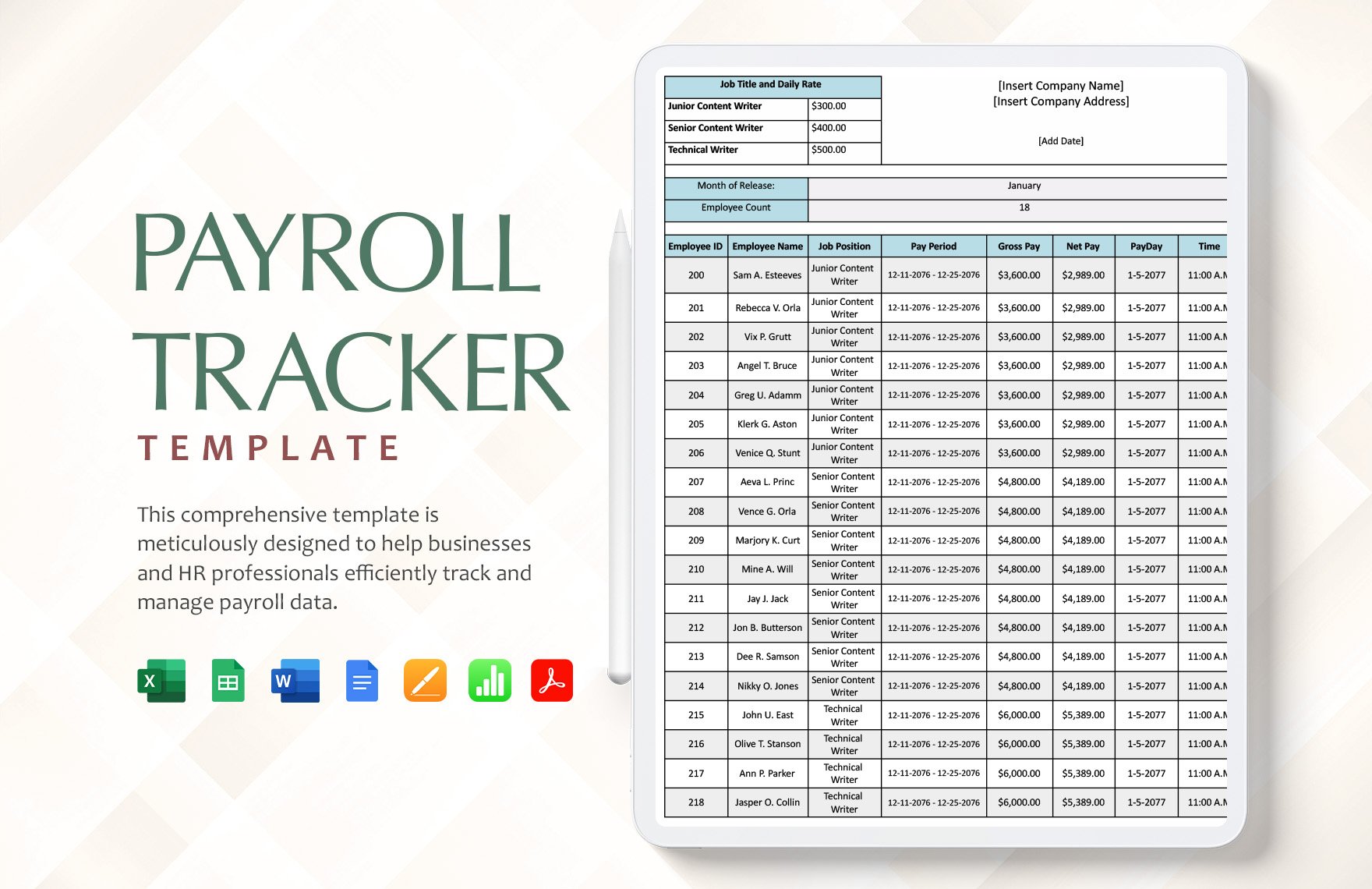
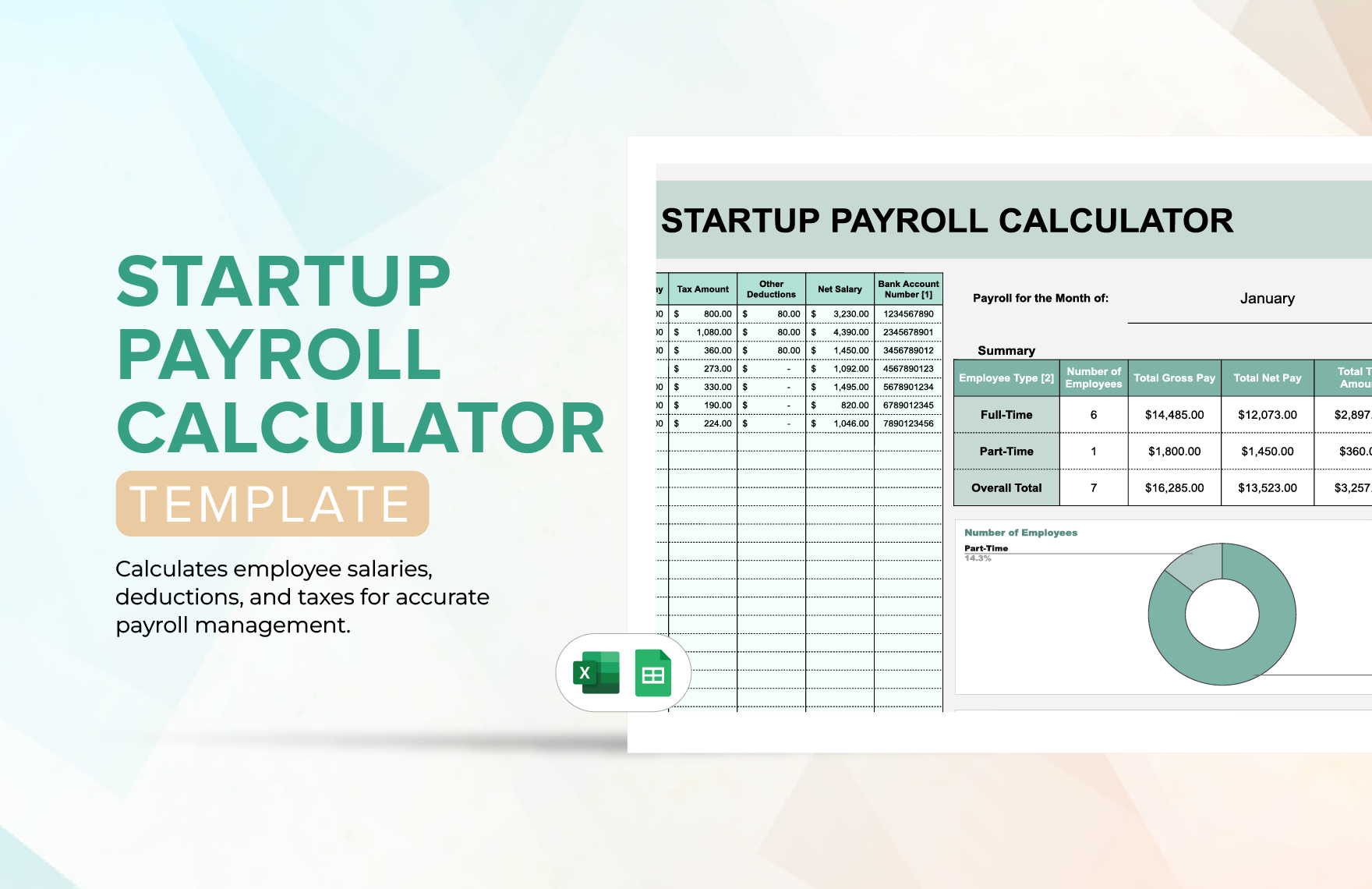
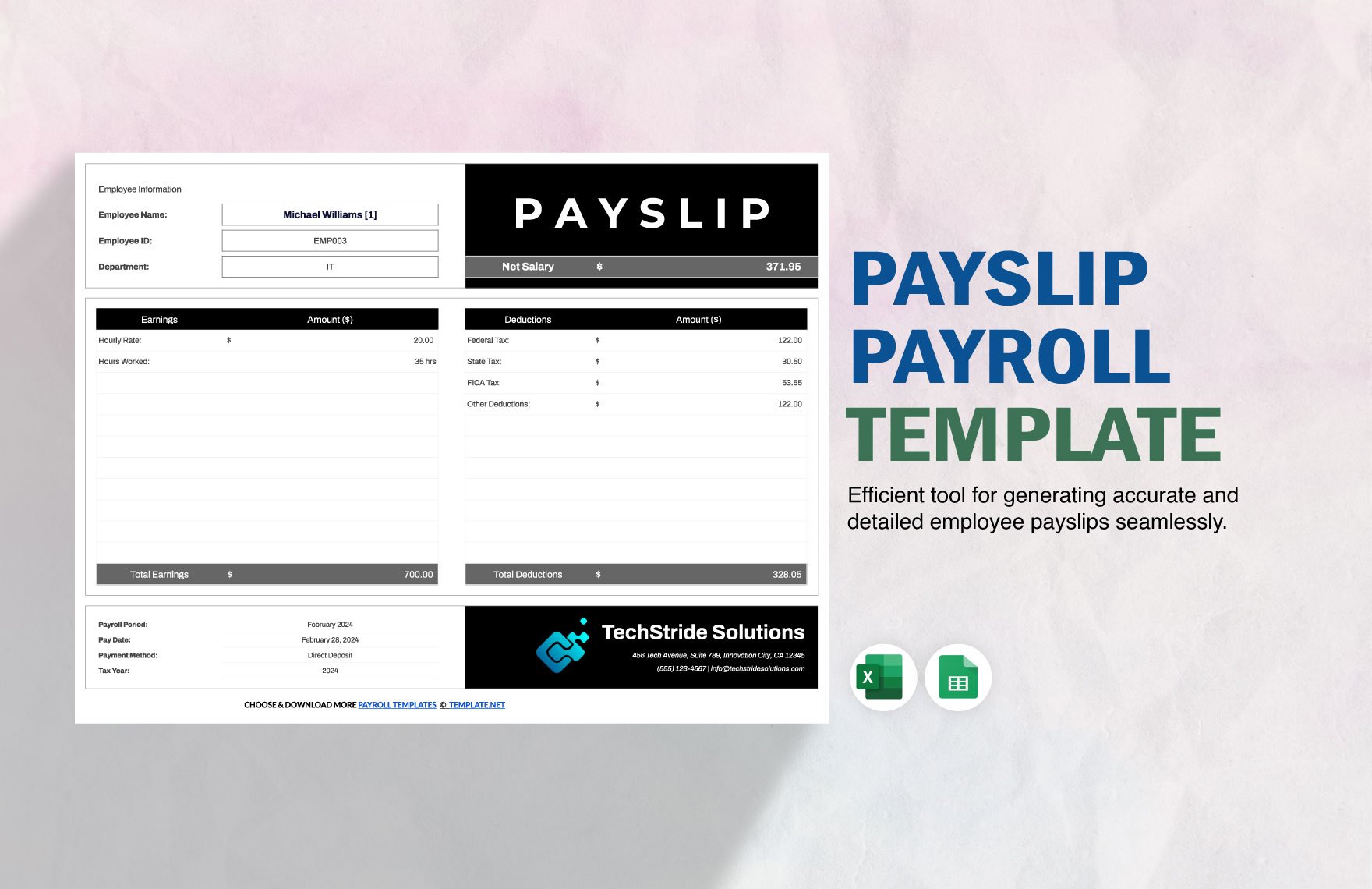
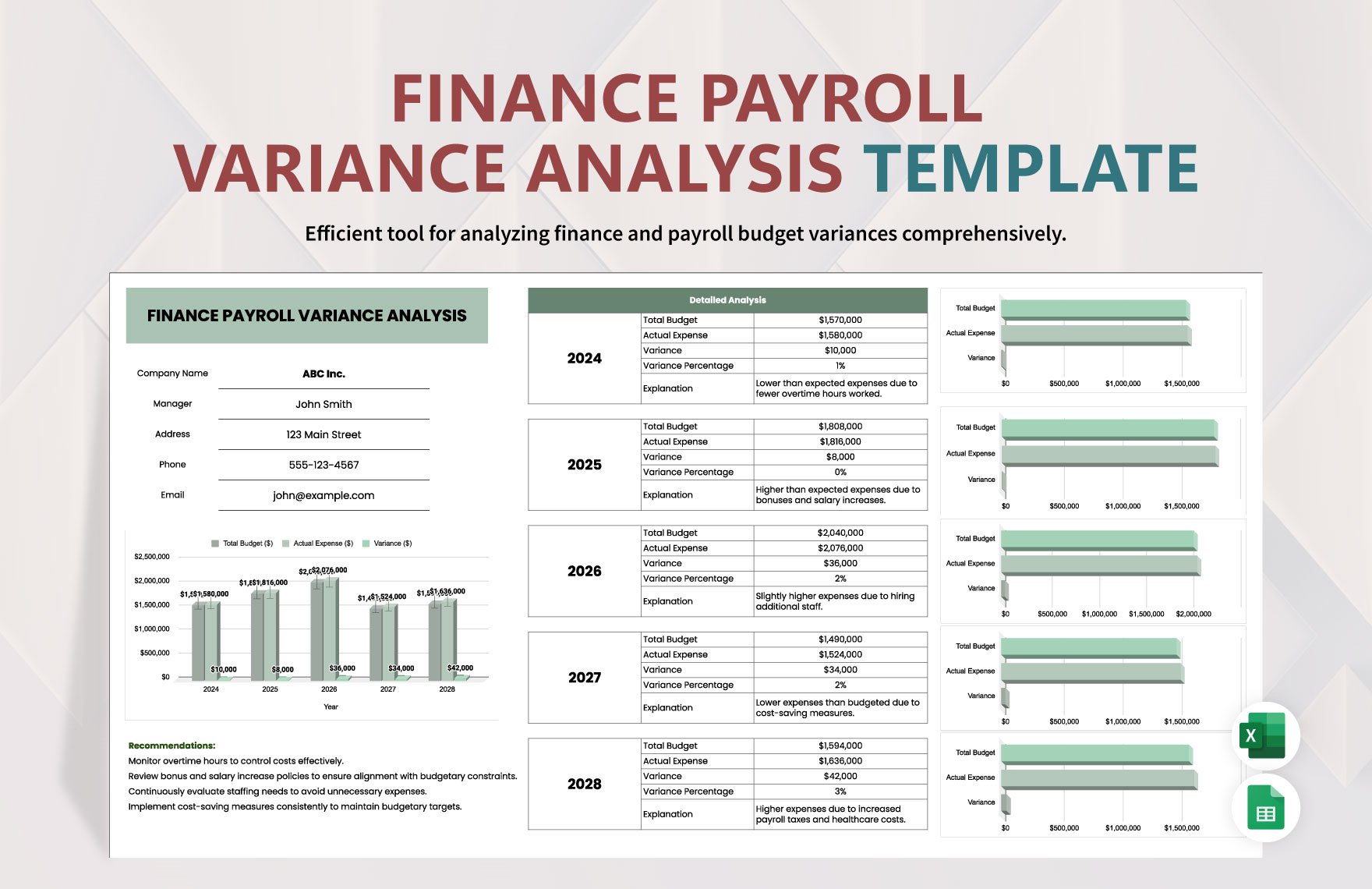
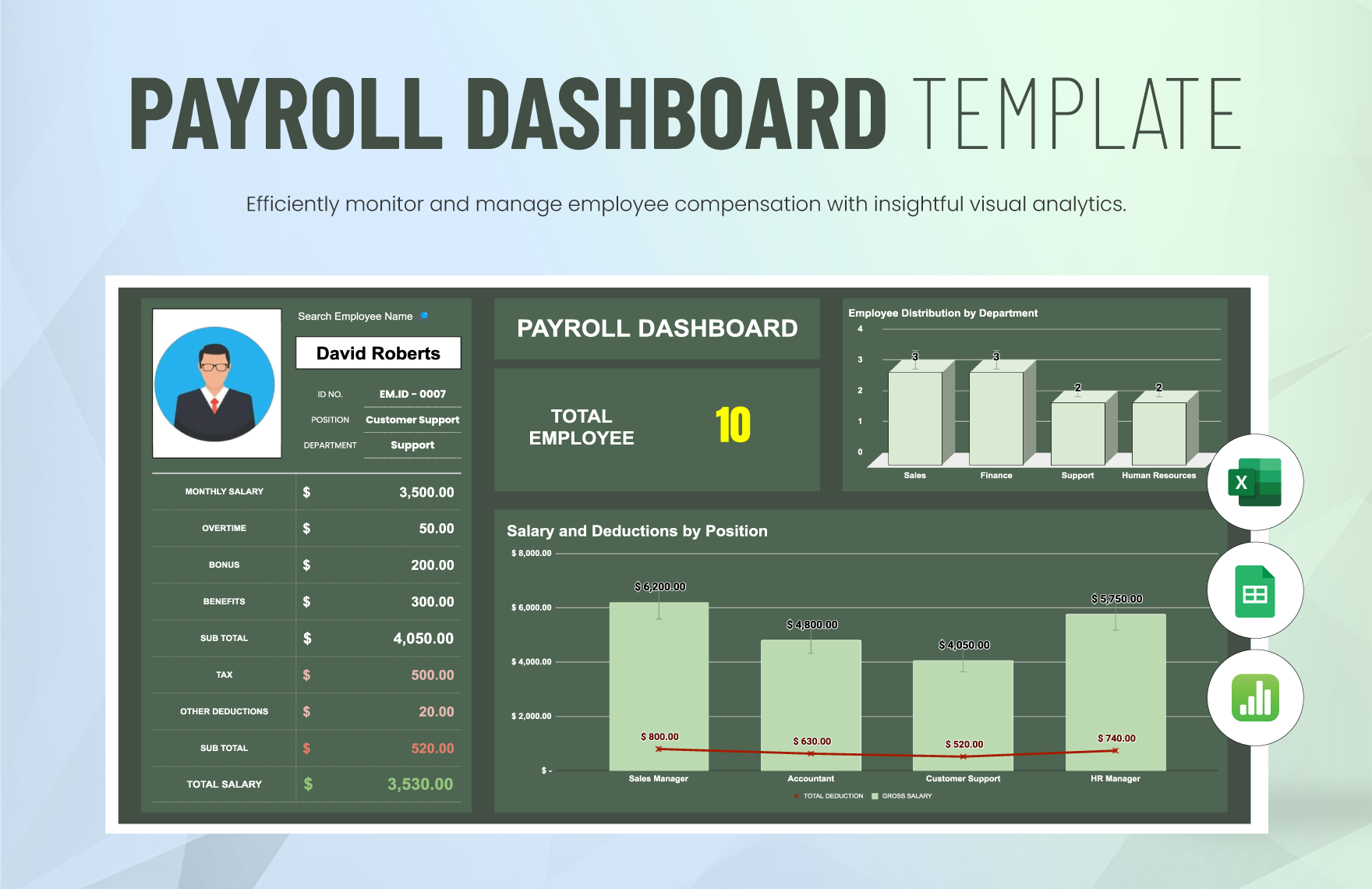
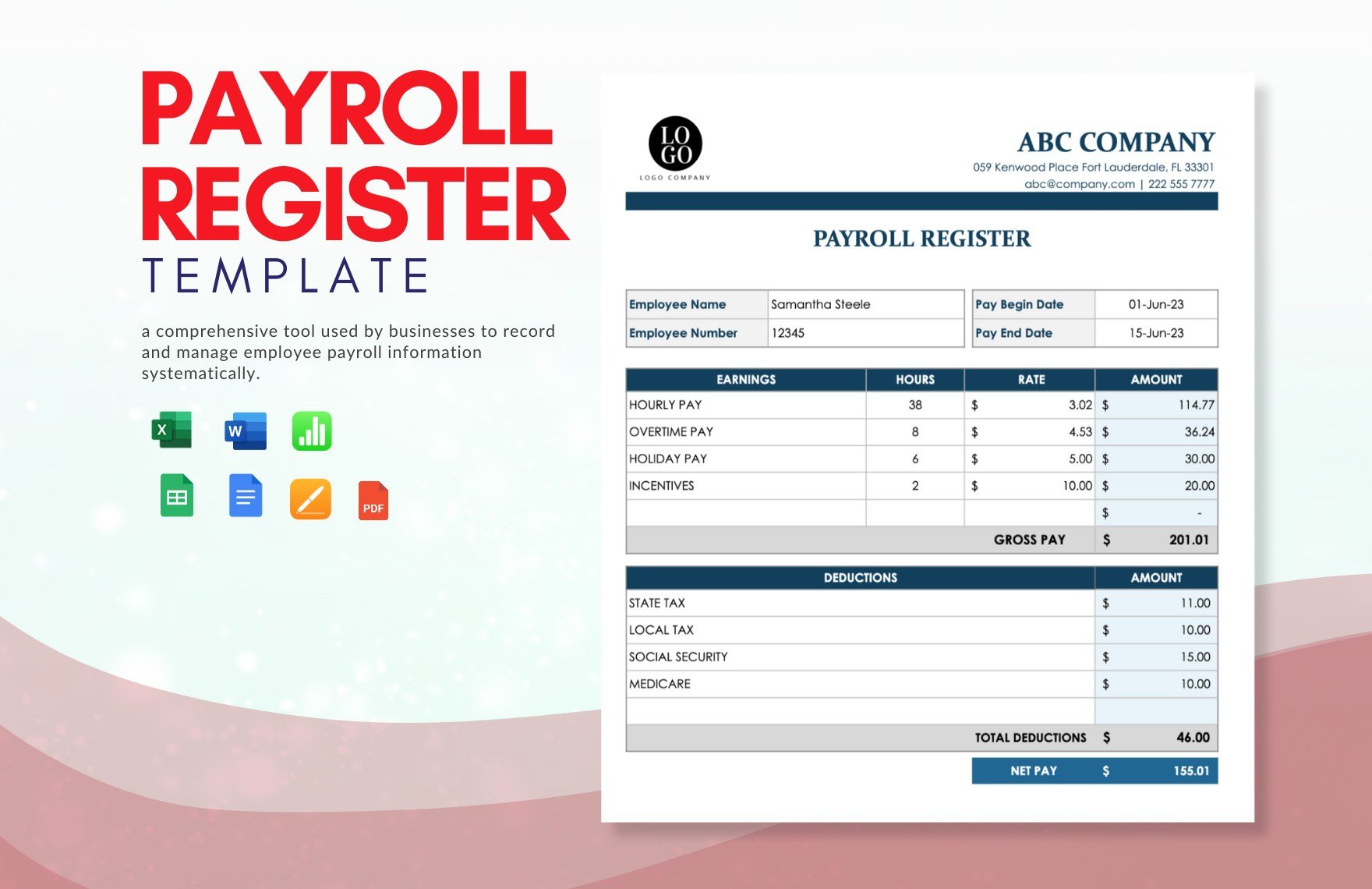
A marketing agency employee tax Template works best when its visual structure mirrors the real payroll workflow: employee information leads into earnings, deductions, withholding, employer costs, and reconciliation. Reference examples can help readers recognize useful design patterns such as separate earnings and deduction blocks, clearly labeled pay periods, year-to-date totals, and distinct employee versus employer amounts. The strongest examples are not necessarily the most elaborate. A simple register with consistent categories can be easier to review than a highly decorated dashboard that hides important assumptions.
The following visual references illustrate different ways payroll records can be organized, including tracker layouts, calculator sheets, payslips, reconciliation records, compliance monitoring, and payroll registers. They can help an agency compare layouts before designing its own marketing agency employee tax Template. When adapting any visual structure, the agency should replace generic assumptions with its own approved payroll process and verify tax calculations against current official guidance.
Payroll Tracker Template
Source: Template.net
Startup Payroll Calculator Template
Source: Template.net

Payslip Format Template
Source: Template.net
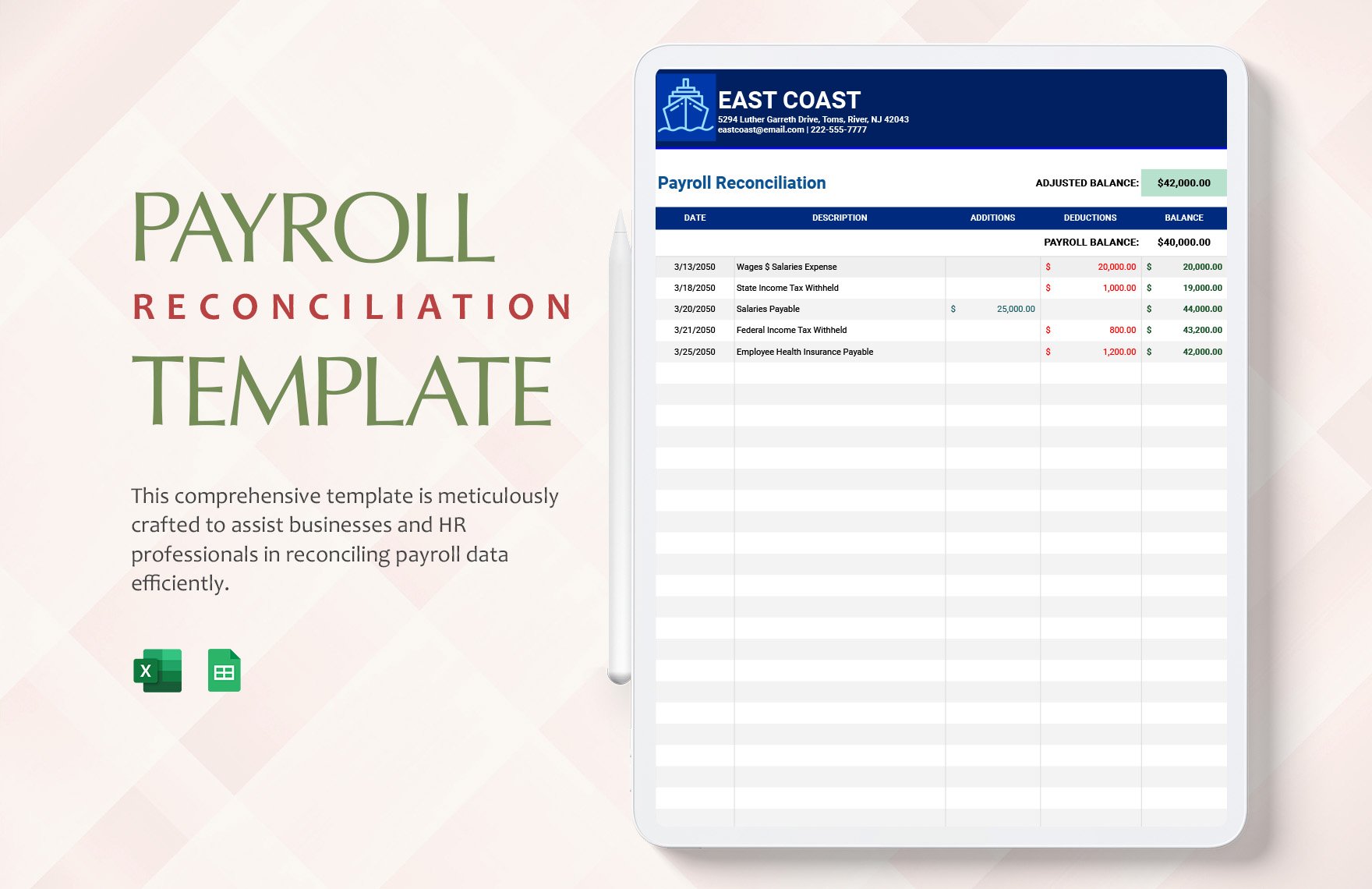
Payroll Reconciliation Template
Source: Template.net
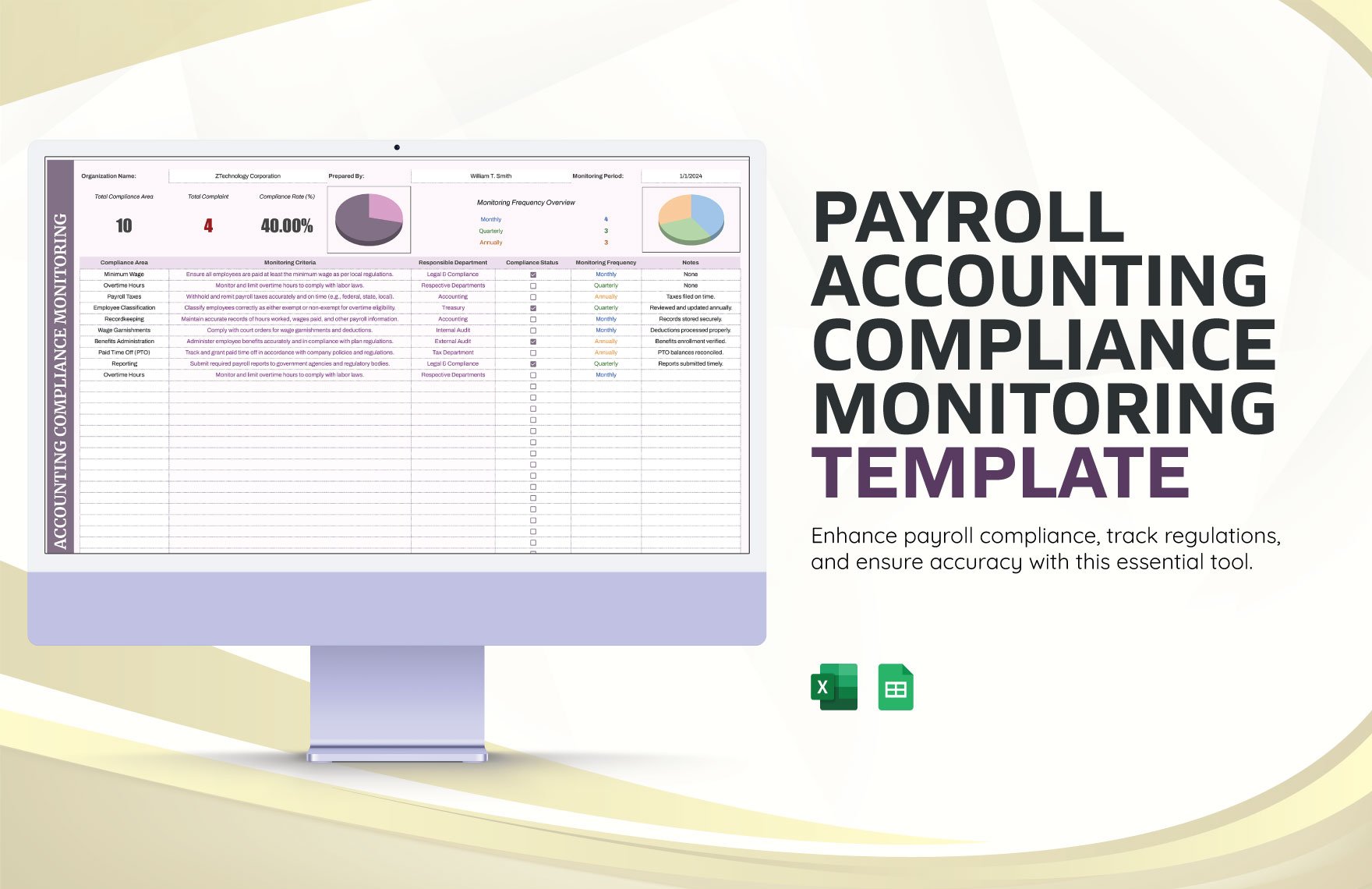
Payroll Accounting Compliance Monitoring Template
Source: Template.net
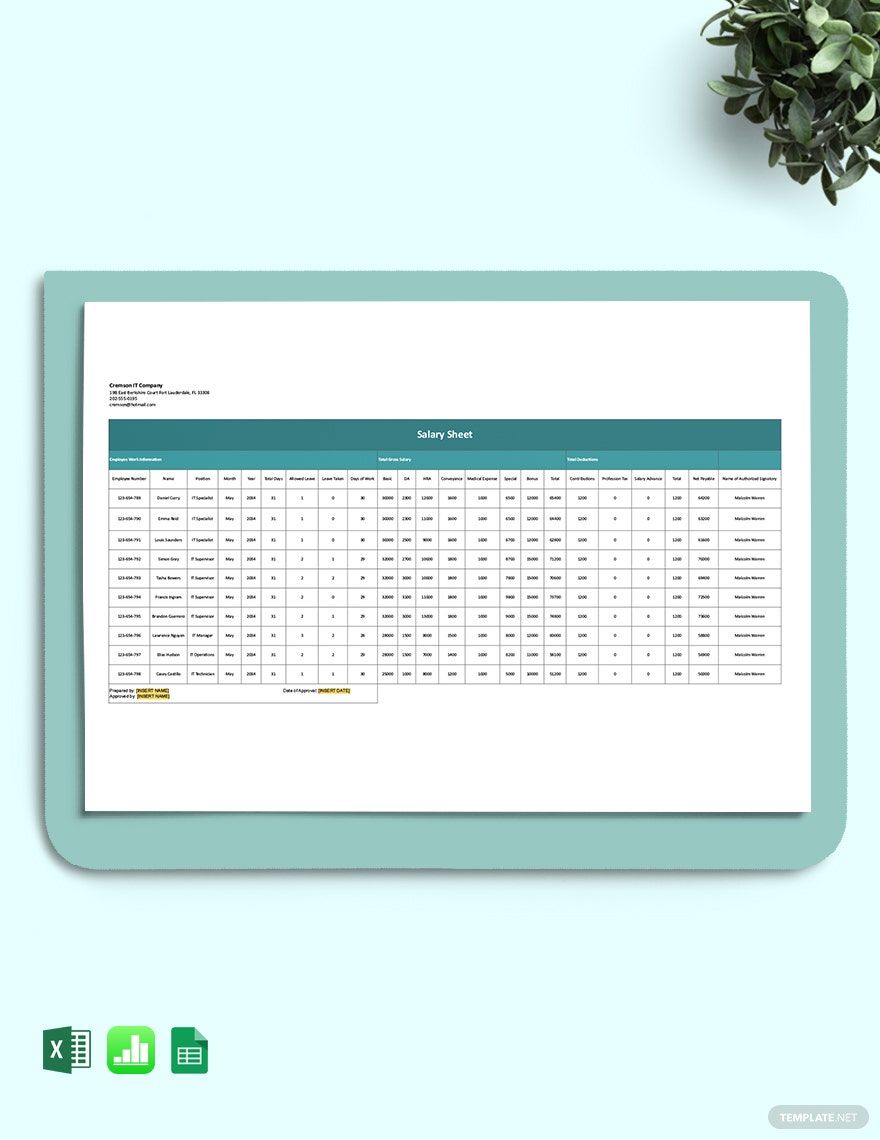
Salary Sheet Template
Source: Template.net
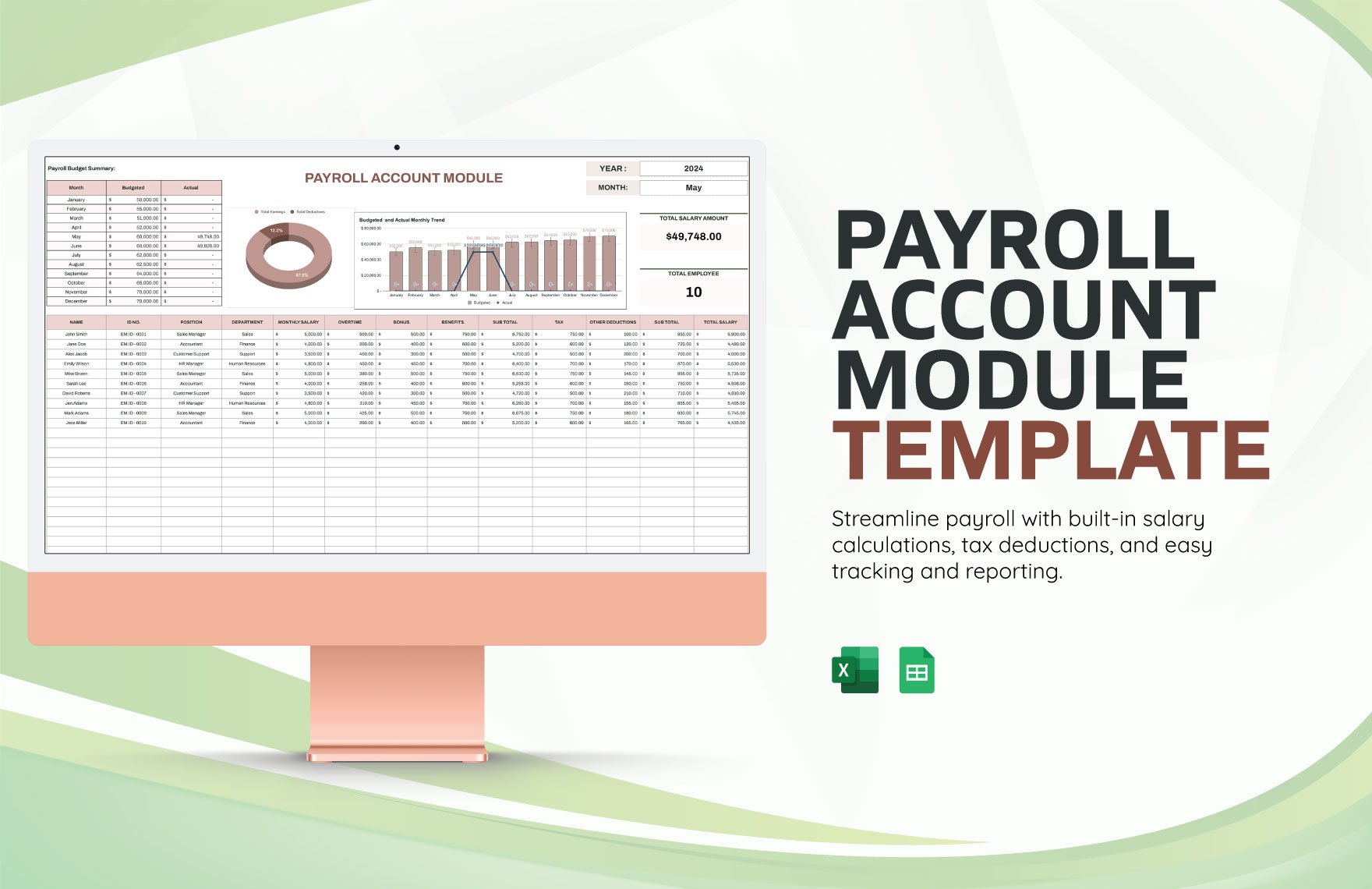
Payroll Account Module Template
Source: Template.net
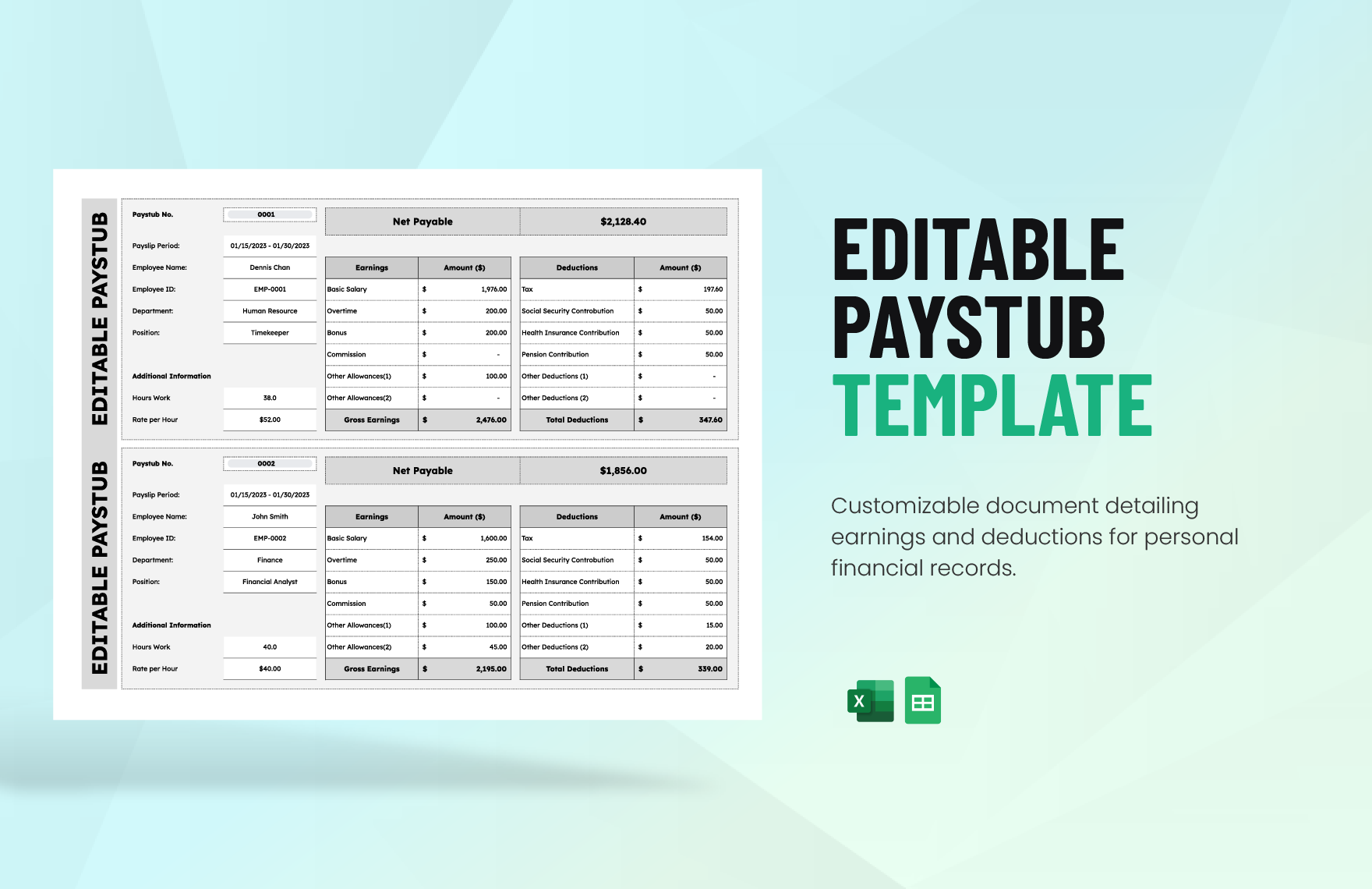
Editable Paystub Template
Source: Template.net
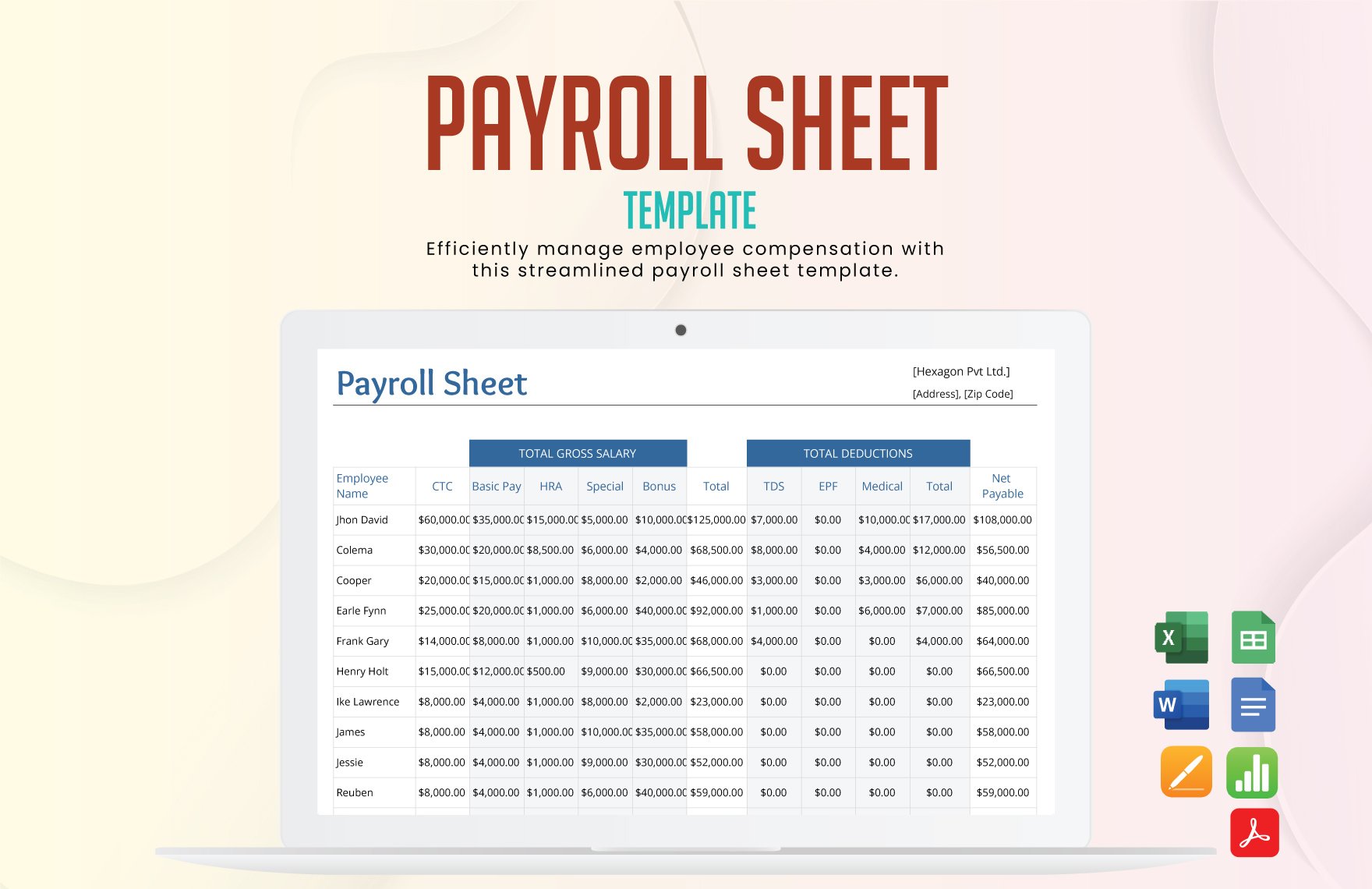
Payroll Sheet Template
Source: Template.net
Payroll Register Template
Source: Template.net
