Searching for business card designs templates psd ai Template usually means you want more than a visually attractive card. You need a layout that can be edited efficiently, keeps branding consistent, contains the right contact information, and can move from a design file to a reliable printed result. PSD files are especially useful when layered raster artwork, effects, and image treatments matter, while AI files are valuable when scalable vector elements, logos, icons, and precise shapes are central to the design.
The best template is therefore not simply the one with the most decoration. It is the one whose structure matches your brand, editing workflow, printing method, and intended audience. A strong starting layout can reduce repetitive design work, but it should still leave enough flexibility for typography, color, logo placement, contact details, QR codes, and finishing choices. The examples below show how different layouts handle those decisions while keeping the card recognizable as a professional piece of brand communication.
What a strong business card template should provide
A useful business card template establishes a visual system before you begin changing the content. At minimum, that system should make room for a logo or brand mark, the person’s name, role or title, and the contact methods that actually matter. Depending on the business, this can include a phone number, email address, website, physical location, social handle, or QR code. The strongest layouts establish a clear hierarchy so that someone can identify the person and business within seconds.
Editable structure is equally important. A layered PSD can separate typography, backgrounds, icons, shadows, color fields, and decorative elements, allowing you to change one component without rebuilding the entire card. An AI template can provide a different advantage: vector objects remain scalable, making it easier to adjust logos, geometric shapes, lines, and illustrations without introducing raster softness. When both formats are supplied, the designer can select the file that best suits the particular editing task.
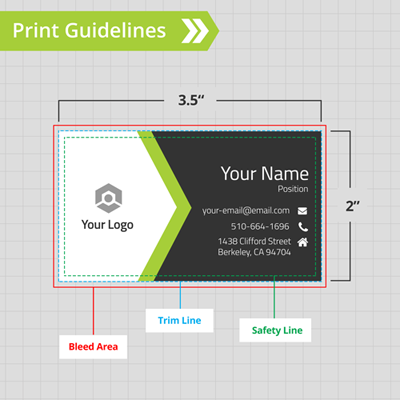
Good templates also expose their production logic. Guides, bleed boundaries, trim indicators, organized layers, named objects, and clearly separated front and back artwork make customization safer. A visually impressive card becomes much less useful if the logo sits too close to the edge, tiny contact information is difficult to edit, or important artwork has been flattened into one inaccessible layer. Template quality is therefore partly about design and partly about how intelligently the file has been constructed.
PSD versus AI: which format fits the design?
PSD is a natural choice when the design depends on raster imagery, textured backgrounds, lighting effects, photographic elements, or layered presentation scenes. Photoshop layers can make it straightforward to isolate a background, change a color overlay, edit text, replace a logo, and adjust visual effects. For a card containing a photographic background or a complex texture, a well-organized PSD can make revisions considerably easier.
AI is generally better suited to artwork built around vector geometry. Logos, icons, lines, patterns, borders, abstract shapes, and flat color areas benefit from vector construction because they can be resized while retaining clean edges. AI files can also make it easier to modify individual shapes and create alternate compositions. This is particularly helpful when one identity needs horizontal, vertical, compact, or different-size card variations.
There is no universal rule that one format is superior. A designer creating a photographic personal-brand card may prefer PSD, while a branding studio creating a geometric corporate identity may prefer AI. If a template includes both, inspect how the layers are organized rather than choosing based only on the extension. A well-built file with logical naming and editable components is usually more valuable than a poorly structured file in the theoretically preferred format.
Choosing a layout style for the brand
Minimal business cards rely on restraint. They typically use generous whitespace, a small number of type styles, limited color, and a strong alignment system. This approach works well for consultants, accountants, technology firms, architects, photographers, and other businesses where clarity is more important than visual complexity. Minimalism does not mean leaving the card empty; it means making each remaining element carry a clear purpose.
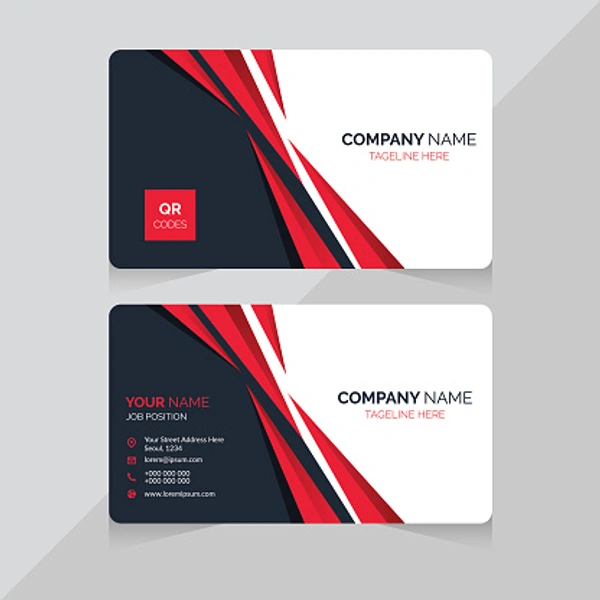
Corporate layouts often use structured blocks, strong alignment, restrained color palettes, and recognizable brand marks. A two-column arrangement can separate identity information from contact information, while a strong back side can carry the logo without competing with the practical information on the front. These templates are particularly useful when a company needs a consistent system that can be repeated across many employees.
Creative layouts have more freedom to use unusual shapes, contrasting colors, rounded corners, gradients, oversized typography, or asymmetrical compositions. The important consideration is whether experimentation improves recognition. A visually complicated card can become difficult to scan if the person’s name, company, and contact details are treated as decoration rather than information. The most effective creative templates establish a strong focal point before adding secondary visual elements.
Minimal, corporate, luxury, or creative?
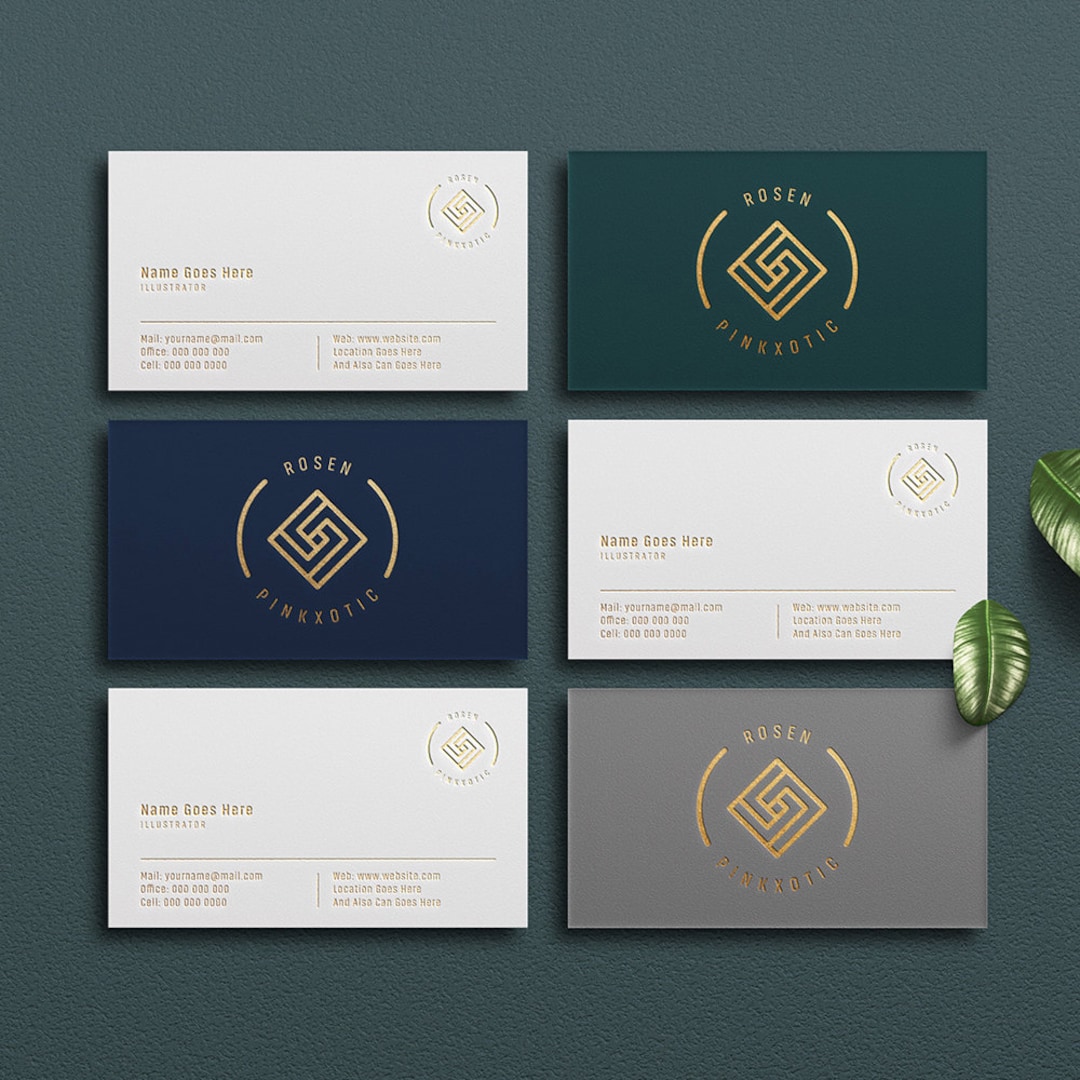
Luxury designs frequently use dark backgrounds, metallic-looking accents, fine lines, generous spacing, and restrained typography. They can work particularly well for premium hospitality, property, fashion, beauty, architecture, and specialist services. However, a luxury appearance should not depend entirely on visual effects. The typography must remain legible, especially when the final card is physically small.
Industry-specific templates can also save time, but they should be treated as a starting point rather than a fixed identity. A medical practice, legal office, restaurant, construction company, or design studio may have different communication priorities. For example, a service business may need a prominent phone number, while a creative studio may benefit more from a portfolio URL or QR code. The correct template is the one that supports the actual interaction the card is intended to create.
When comparing several designs, temporarily ignore the colors and ask whether the underlying structure still works. Look at the size and position of the logo, the relationship between the name and job title, the amount of room for contact information, and the balance between the front and back. If the structure is sound in grayscale, it is much easier to develop a strong visual identity from it.
Building the information hierarchy
The person’s name is usually one of the most important pieces of information on a personal business card. It should have enough visual weight to distinguish it from supporting details without overwhelming the company identity. A job title can sit below the name at a smaller size, while the company logo or name establishes the broader brand context.
Contact details should be grouped rather than scattered. Phone, email, website, and address information can be aligned into one compact block with consistent spacing. Icons can help scanning, but they should remain secondary to the actual text. A common mistake is to make icons larger than the information they represent, which consumes valuable space without improving comprehension.
QR codes can be useful when the physical card needs to bridge into a digital destination. A code might lead to a portfolio, contact page, booking page, menu, company profile, or other relevant destination. It should not replace essential information that someone may need immediately. The card should remain understandable even if the QR code is ignored or cannot be scanned.

Front and back design decisions
A two-sided card creates more room, but that space needs a purpose. One practical approach is to use the front for the person’s identity and contact information while giving the back to the logo, slogan, pattern, service list, or a simple brand statement. Another approach is to treat both sides as one continuous composition, allowing a graphic element to visually connect them.
The back side can also serve as a quiet brand surface. A logo centered against a solid color may create a memorable visual signature without competing with contact information. This is particularly effective when the front already contains several information blocks. Conversely, a service-oriented business might use the back for a short list of specialties or a QR code that leads to more information.
Templates with front and back variations are especially useful when testing several brand directions. Before committing to one version, print small paper proofs or view the design at its physical size. A layout that looks balanced on a large monitor can feel cramped when reduced to a real card, while subtle spacing differences can become much more noticeable in physical form.

Print dimensions, bleed, trim, and safe areas
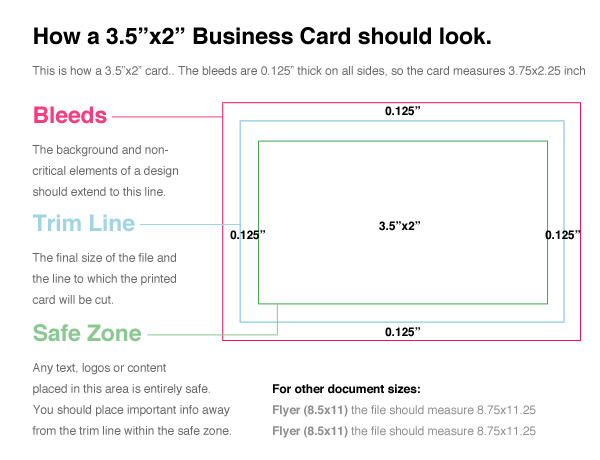
There is no single worldwide business card size. Common formats vary by market and printer, so the safest approach is to confirm the finished dimensions with the intended print provider before editing the template. A frequently encountered US format is 3.5 by 2 inches, while many other markets commonly use approximately 90 by 50 mm or 85 by 55 mm. Folded, square, rounded, and other specialty formats may use different specifications.
Bleed is the extra artwork extending beyond the final trim edge. It gives the cutting process room for small positional variation and helps prevent unintended white edges when a background or color field reaches the edge of the finished card. Adobe’s current print guidance notes that 0.125 inch, or about 3 mm, is a typical bleed value, but the printer’s own specification should take precedence.
The safe area is equally important. Text, logos, QR codes, and other critical details should be kept comfortably inside the trim boundary rather than positioned close to the edge. A template can include guides for this purpose, but guides are not a substitute for checking the final printer specification. If a printer asks for different bleed, trim, or safe-area values, modify the document to match those instructions.

Color and typography choices
Color should begin with the existing brand system rather than with the template’s preview colors. If a company already has established colors, convert the template to those colors before making further stylistic decisions. When there is no existing palette, choose a primary color, a supporting neutral, and an accent only when the accent serves a clear hierarchy.
Print color requires particular care. A screen preview is not a perfect representation of physical ink or toner, so bright RGB colors may behave differently after conversion to a print-oriented color workflow. A template intended for professional printing may specify CMYK and a particular resolution. Follow the printer’s output requirements rather than assuming that every printer handles color conversion identically.
Typography should be judged at actual card size. Thin decorative fonts can look elegant when enlarged but become fragile when printed small. Long email addresses and website URLs also need enough space to remain legible. A practical hierarchy might use one strong display face for the name, a simpler text face for contact information, and limited weight variation to distinguish labels from values.
Using mockups to evaluate a template
A flat artwork view answers questions about alignment and spacing, while a mockup answers different questions about presentation. A mockup can reveal whether the contrast feels appropriate, whether the card appears premium or casual, and whether the front and back work together as a physical object. It is especially useful when comparing multiple template directions for a client or internal brand review.
Mockups should not replace a print proof. Shadows, perspective, paper texture, and lighting can make a design appear more sophisticated than it will look on an actual sheet of stock. Use the mockup for presentation and communication, then inspect the production artwork separately for dimensions, bleed, typography, color mode, and image resolution.
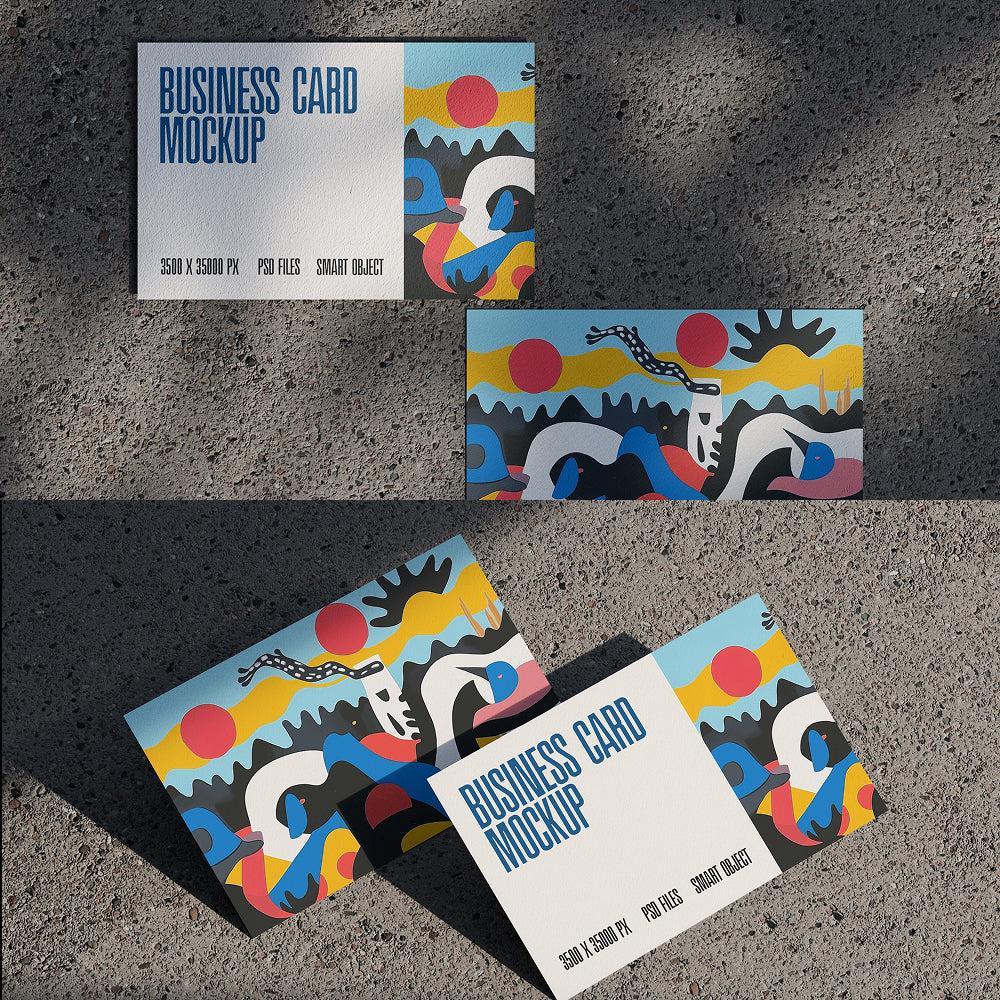
A good PSD mockup often uses Smart Objects so that artwork can be placed into a defined card surface. This is convenient for testing alternate colors and layouts. If you are presenting a template collection, creating several mockups from the same identity can also help compare horizontal and vertical orientations without redesigning the brand from scratch.
Printable layouts and practical file preparation
A printable template should make production decisions visible. Check the finished size, bleed, trim guides, image resolution, color mode, fonts, and whether important elements remain editable. If the file contains linked images or external fonts, make sure those dependencies are available before moving the design between computers or sending it to another designer.
Fonts deserve special attention. If a file uses live text, the recipient may need the same fonts to reproduce the design accurately. When appropriate, create an outlined production copy after keeping an editable master, but do not destroy the editable version. The exact workflow depends on the printer and the software used to produce the final output.
PDF can be useful as a final exchange format because it can preserve page dimensions, typography, vector elements, and print settings in a controlled package. It should be exported according to the printer’s specifications rather than using a generic preset automatically. Before delivery, inspect the resulting PDF at high zoom and at physical size to catch missing fonts, clipping, incorrect bleed, or unexpected color changes.

Word-based layouts and simpler editing workflows
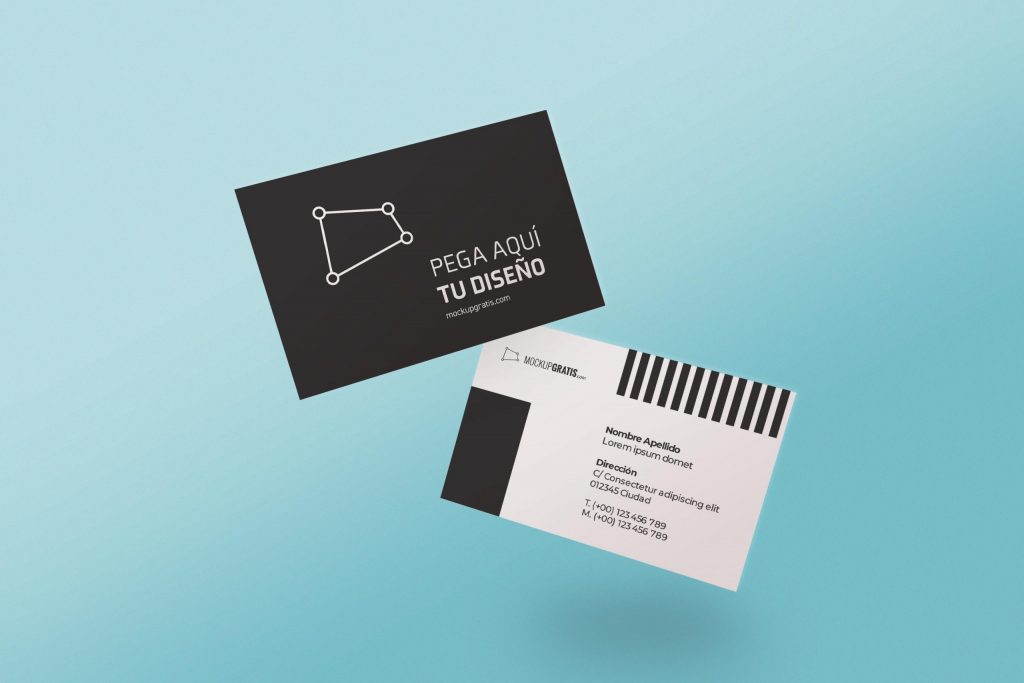
Not every business card project requires a professional graphics workflow. A Word-based layout can be useful when the user needs to update names, titles, addresses, or phone numbers without specialized design software. The limitation is that precise print control, advanced vector editing, layered image effects, and complex brand systems can be harder to manage in a word-processing environment.
For a small organization with many employees, a simple structured layout can be more valuable than an elaborate visual design. The key is to establish locked visual decisions conceptually: consistent logo placement, type hierarchy, margins, spacing, and brand colors. Even when the editing environment is simple, the underlying design system should remain disciplined.
When a card must eventually be recreated in PSD or AI, keep the source information organized. Maintain a master record of the approved logo, exact company name, preferred contact formatting, brand colors, and type choices. This prevents small variations from appearing across different versions and makes later migration into a professional design file much easier.
Template research and community inspiration
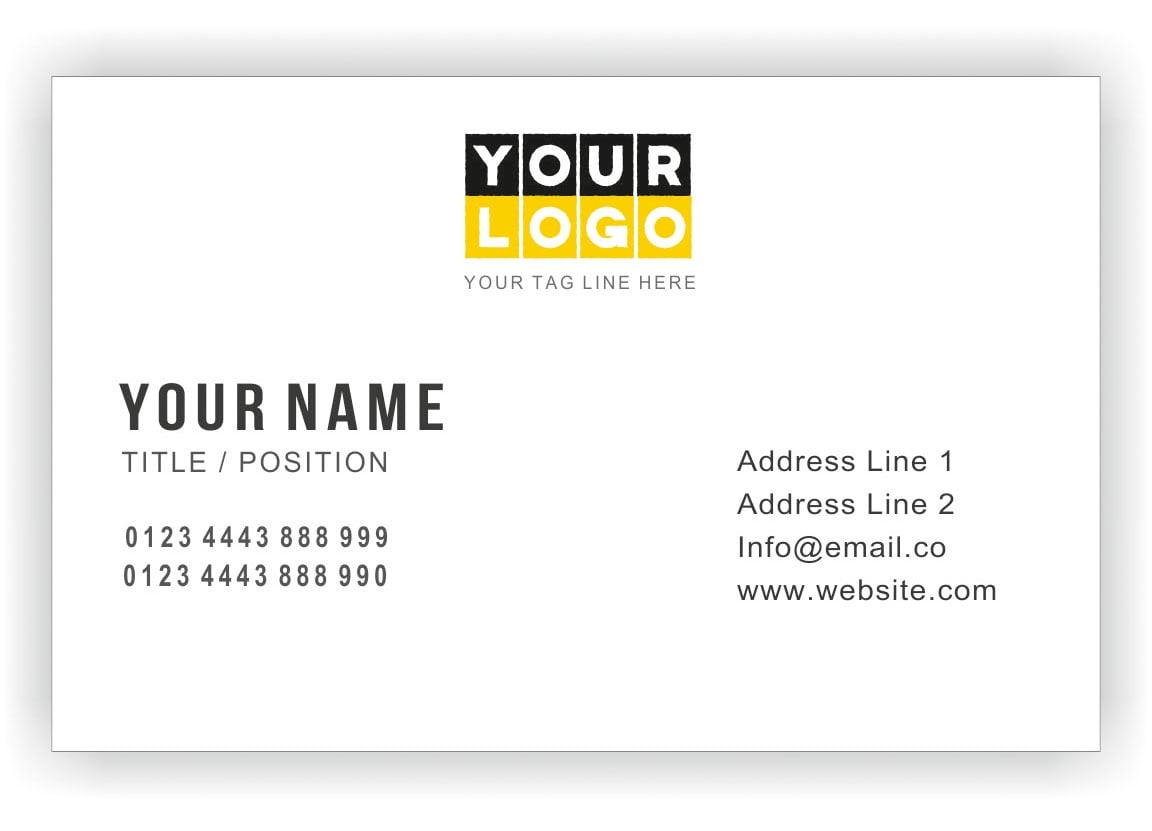
When researching business card designs, image collections and design communities can reveal patterns that are difficult to notice when looking at one template at a time. Compare several cards side by side and identify recurring solutions: two-column information blocks, centered logos, bold color bands, QR code placement, vertical formats, rounded corners, or large whitespace areas.
Community discussions can also be useful for discovering practical concerns such as readability, printing problems, licensing questions, and whether a particular layout remains useful outside a polished screen mockup. However, community comments should be treated as experience-based opinions rather than formal production specifications. For exact dimensions, bleed requirements, or color instructions, rely on the printer or software documentation.
Searches related to business card designs templates psd ai template reddit can therefore be useful for discovering conversations and design opinions, but the final decision should be based on the actual file structure and production requirements. A visually popular design is not automatically the best choice for your brand, and a community recommendation should never override the requirements of your intended print process.

How a business card generator fits into the workflow
A business card generator can be useful when the main goal is speed and consistency rather than extensive art direction. Such tools often organize the basic fields for a person’s name, company, role, contact information, colors, and sometimes a QR code. They are convenient for producing standardized variations when many people need cards that follow the same identity.
The important distinction is between automated layout and a reusable design system. Automation can populate fields quickly, but it cannot always determine whether a particular line break, logo size, contrast level, or spacing choice is appropriate. A carefully constructed AI or PSD template gives the designer more control over those visual decisions, while a generator can be useful for straightforward repeated versions.
The strongest workflow can combine both approaches: establish the brand architecture in a professional template, define the approved content hierarchy, and then use a structured generator or repeatable editing process for routine variations. This prevents speed from taking priority over brand consistency and ensures that the underlying design remains intentional.
Common mistakes to avoid
One frequent mistake is trying to place too much information on a small card. A business card is not a miniature brochure. If the reader must search through several paragraphs of text to find a phone number or website, the layout needs simplification. Move secondary information to a digital destination and keep the physical card focused on recognition and contact.
Another mistake is changing every visual element simply because the template is editable. A strong template already has a hierarchy. If the logo is enlarged, the name is made heavier, the background becomes more complex, and several extra icons are added simultaneously, the original balance can disappear. Make changes deliberately and review the whole composition after every significant revision.
Ignoring licensing is another practical risk. A template may permit editing but impose restrictions on redistribution, resale, commercial usage, fonts, photographs, or included graphics. Keep records of the source and license associated with each asset used in the final design. If a preview contains stock imagery that is not part of the underlying file, replace it with properly licensed artwork before production.

Practical Solution
Start by defining the physical specification before editing the template. Confirm the finished width and height, bleed requirement, corner treatment, paper stock, color workflow, and output format with the intended printer. Then choose a PSD or AI layout whose dimensions and structure are compatible with those requirements. Keep a clean master copy before making changes so that experimental versions do not overwrite the original structure.
Next, prepare the content hierarchy. Place the logo, person’s name, title, company identity, phone, email, website, address, and QR code only where they serve a clear purpose. Remove unnecessary fields rather than shrinking everything to fit. Establish one dominant visual element and one clear information block. Test the typography at the actual card size, not only at the large zoom level used during editing.
After that, customize the visual system systematically. Change the brand colors first, then typography, then graphic accents. Keep vector elements as vectors when possible, preserve editable layers in the master file, and avoid unnecessary rasterization. Review both sides together and check whether the card still looks like one identity rather than two unrelated designs.
Before final production, inspect the bleed and safe areas, verify that important information is not too close to the trim, check image quality, review color settings, and examine the exported print file. Create a physical proof whenever possible. Hold it at normal reading distance and ask whether the name, company, and contact method can be identified immediately. Only after those checks should the final production file be released.

Industry-specific design considerations
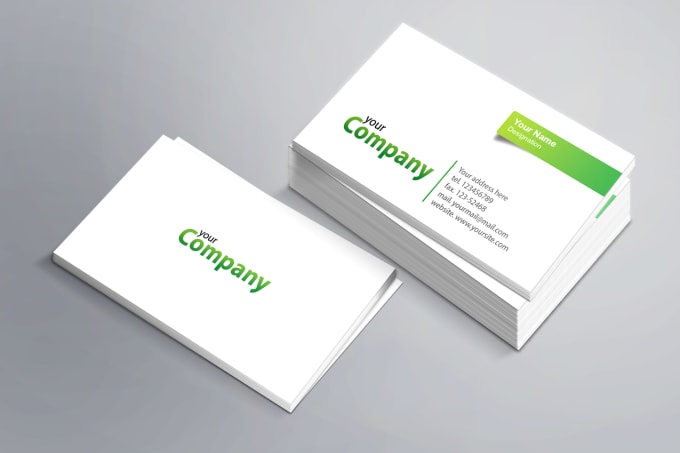
Consultants and professional services often benefit from restrained layouts where the person’s name and expertise are easy to identify. Technology businesses may use geometric systems, QR codes, or strong digital-oriented branding, while creative professionals can use more expressive color and composition. Retail and hospitality businesses may emphasize location, booking information, social channels, or a short service message.
Luxury brands need to balance visual refinement with practical legibility. Fine rules, metallic effects, dark backgrounds, and small type can look sophisticated on screen but may lose clarity in physical production. Construction, logistics, and industrial businesses may benefit from stronger contrast, larger contact details, and more robust geometric elements that remain recognizable at a glance.
The industry should influence the template, but it should not dictate every design decision. A common visual category can become generic when too many competitors use the same color and layout conventions. A better approach is to identify the expected visual language of the industry and then introduce one or two distinctive brand cues that make the card recognizable without sacrificing clarity.

Evaluating a template before committing to it
A useful evaluation process begins with structure. Ask whether the template provides enough room for the longest realistic name, title, email address, and website you expect to use. Check whether the logo can be replaced without disturbing surrounding objects. Examine whether the front and back share a coherent grid and whether the card can accommodate your actual brand colors without losing contrast.
Then inspect technical details. Look for editable text, logical layer names, vector artwork, appropriate document dimensions, bleed guides, and separate front and back structures. If the file relies on linked assets, verify that those assets are available and properly licensed. If the template uses fonts that are not part of your normal workflow, decide whether you can legally and practically reproduce the typography.
Finally, evaluate the design at three levels: zoomed-in editing view, actual physical size, and realistic mockup presentation. Each reveals different problems. Editing view exposes technical issues, physical size exposes readability problems, and a mockup exposes balance and brand presentation. A template that performs well in all three views is much more likely to be a dependable starting point.
Note: the image above is shown as a visual reference from a design presentation page; for production use, the actual card artwork should be prepared in the editable source file rather than recreated from a presentation image.
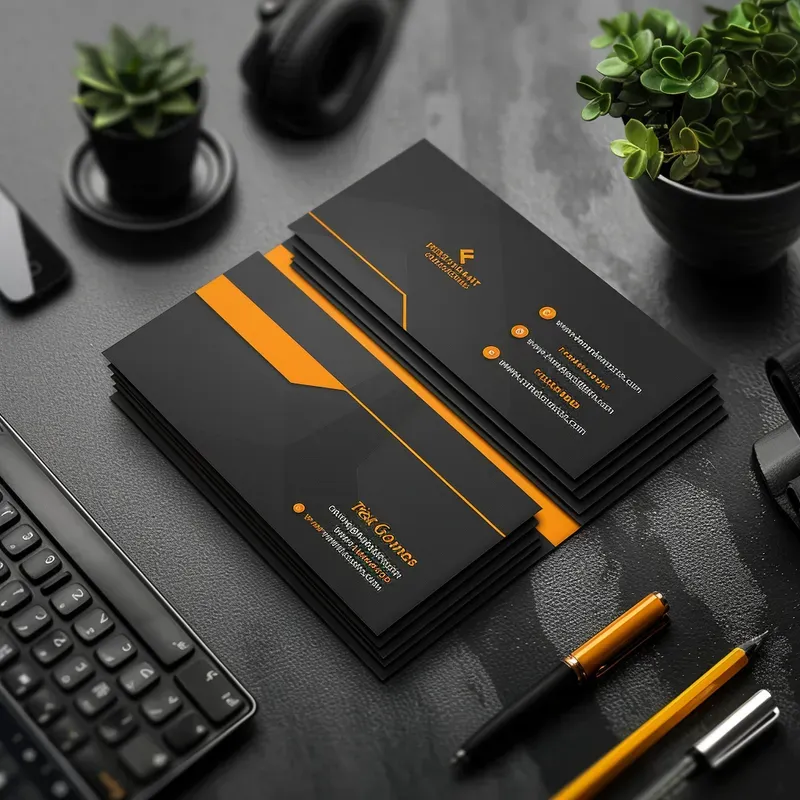
A template collection is most useful when it gives you a repeatable visual foundation without locking you into a single result. The objective is not to make every card look identical; it is to make every variation feel intentional, readable, technically sound, and recognizably connected to the same brand.

For teams, that repeatability is especially valuable. A master template can define the grid, logo relationship, typography, color usage, and information hierarchy while allowing each individual cardholder’s details to change. Keeping those rules stable reduces accidental inconsistencies and makes future revisions much easier.

For independent designers, the same principle applies at a smaller scale. Establish the structure once, keep an editable master, create a production version separately, and use realistic presentation previews only after the underlying artwork has passed technical checks.
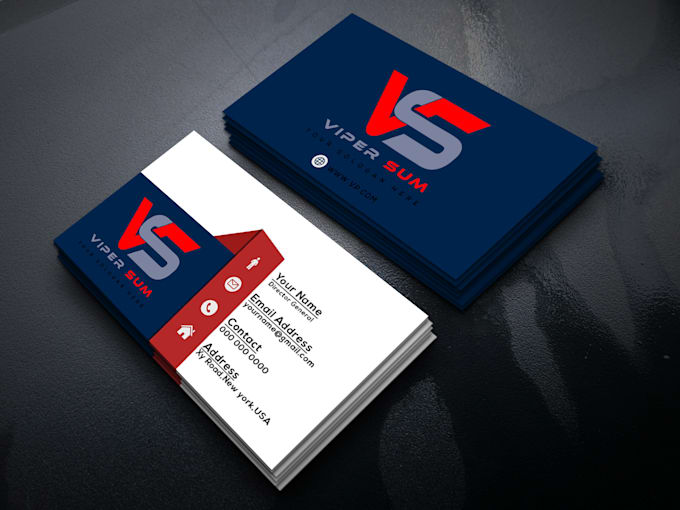
Reference Examples
The visual references in this section illustrate several characteristics that matter when evaluating business card designs templates psd ai Template . Look for the relationship between finished card size and content density, the placement of logos and names, the separation of front and back information, and the way color establishes hierarchy. Some examples emphasize technical guides such as bleed and safe zones, while others demonstrate finished branding compositions. Together, they show why a good template is more than a decorative arrangement: it is a structured framework that connects typography, identity, contact information, physical dimensions, and production requirements.
These references can also help when comparing possible directions before editing your own business card designs templates psd ai Template . A useful comparison considers whether the design remains readable at physical size, whether the visual identity survives a color change, whether the information can be edited without disturbing the layout, and whether the front and back feel like parts of the same system. Use the examples as visual benchmarks rather than as artwork to reproduce. The goal is to identify useful structural ideas and then build an original card around your own brand assets, content, and printing specification.
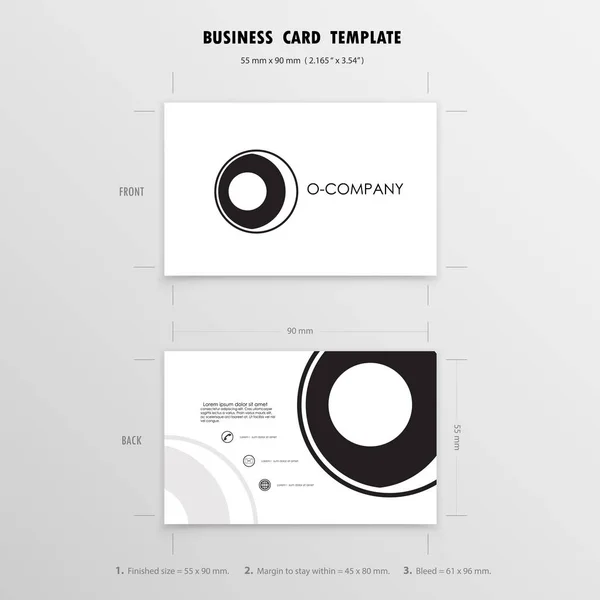
Business Card Design Template
Source: Depositphotos
Business Card Layout Guidelines
Source: Envato

Business Card Mockup
Source: Behance
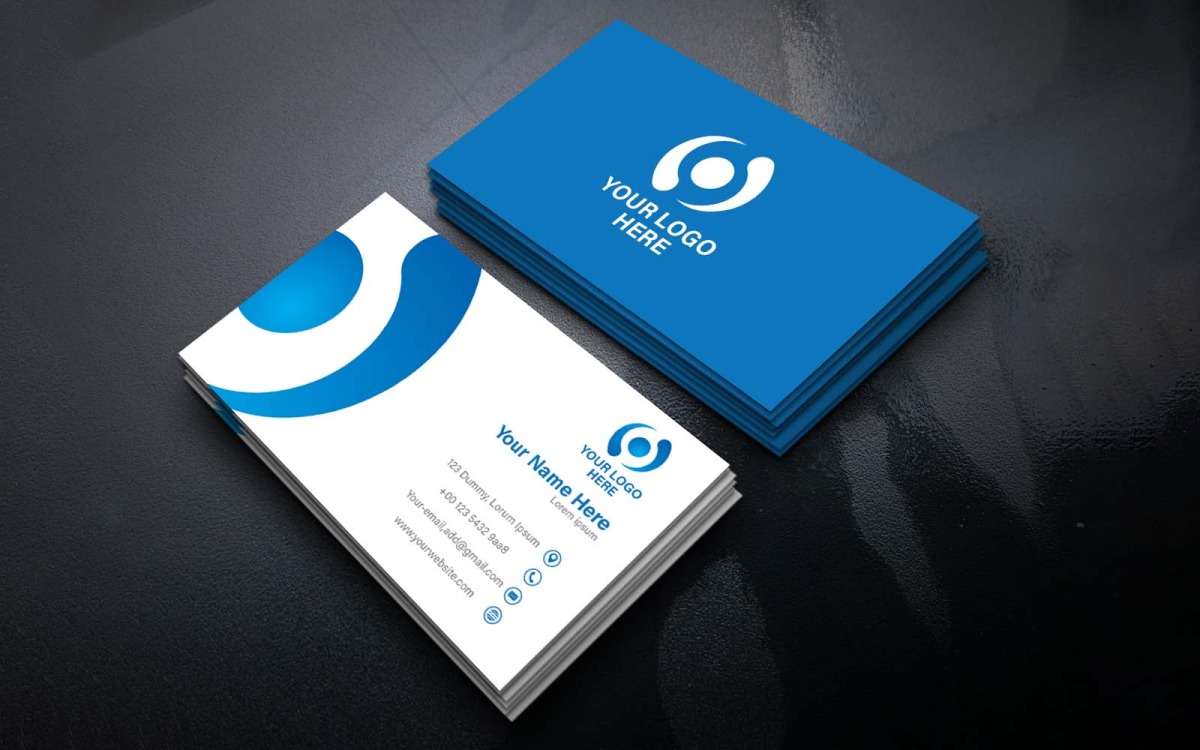
Modern Business Card Mockup
Source: TemplateMonster

Unique Luxury Business Card Design
Source: Behance
