The right format depends on what you need to accomplish. A small shop may only need customer name, phone number, email address, and registration date, while a B2B company may need company details, billing information, contact roles, account status, and follow-up notes. The most useful template is therefore one that matches the actual workflow.
Customer registration forms are useful because they standardize data collection. Instead of asking every employee to record information differently, a defined structure tells everyone which fields to capture and where those fields belong. This makes records easier to read, search, update, and transfer into another system later.
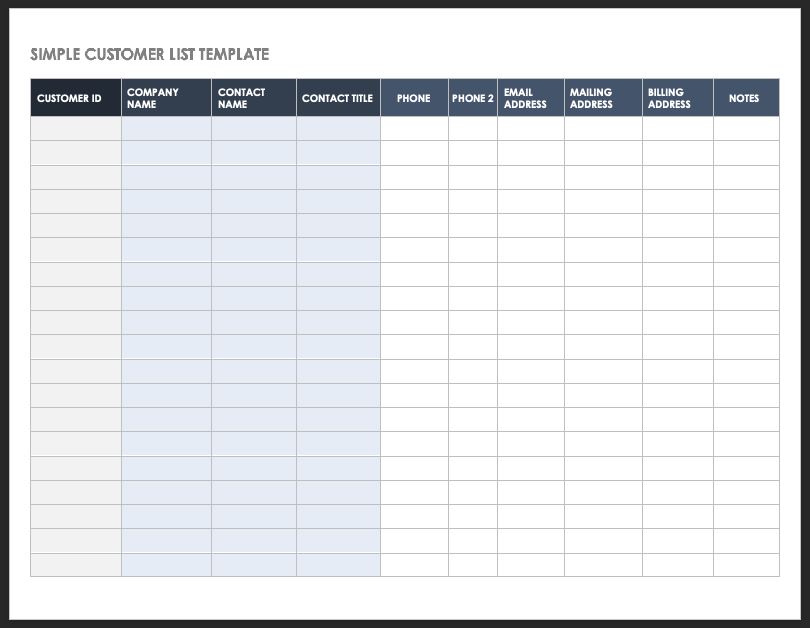
Current template resources commonly support multiple formats, including spreadsheets and editable documents. For example, customer list templates can include customer IDs, company names, contact names, phone numbers, email addresses, mailing addresses, billing addresses, and notes. These fields provide a practical foundation for a basic register.
This guide explains how to choose, build, customize, print, and maintain a customer register. It also compares PDF, Excel, and Word approaches, explains when a registration form is preferable to a register, and shows how to avoid common data-quality problems.
What Is a Blank Customers Register Template?
A customer register is a structured record used to store information about customers or clients. A blank customers register template is the empty framework used to create those records. It normally contains headings and rows or labeled fields but leaves the actual customer information blank for later completion.
The distinction between a register and a registration form is important. A registration form usually collects information from one customer at a time. A register typically stores information for many customers in one organized list. A business may therefore use both: the form for intake and the register for ongoing record management.
A good template should make the intended data structure obvious. If the first column is Customer ID, every row should contain an identifier in that column. If the next fields are name, phone, email, and address, those categories should remain consistent throughout the register.
The structure can be very simple. A local service provider might use Customer ID, Customer Name, Phone, Email, Registration Date, Service, and Notes. A larger organization could add company name, job title, billing address, account status, preferred contact method, assigned employee, and next follow-up date.
Template-based record keeping is valuable because it reduces unnecessary design work. Instead of deciding the layout every time a new customer joins, the business starts with an established structure and modifies only the fields that are genuinely relevant.
Why Businesses Use Customer Registers
A customer register creates a central reference point for information that would otherwise be scattered across notebooks, email threads, invoices, appointment records, and individual employee files. A central register can make routine customer communication much easier when the data is kept accurate.
It also helps different employees work from the same information. If a customer calls after speaking with another employee, the next employee can consult the register instead of asking the customer to repeat basic information. This is especially useful when responsibilities are shared across sales, service, administration, and support.
Another benefit is consistency. When the same fields are collected for every customer, the resulting information is easier to compare. A manager can identify customers by status, registration date, service type, location, or assigned representative without first cleaning up several incompatible record formats.
Registers can also support follow-up activities. A business can add fields for last contact date, next action, account status, or notes. These fields turn a static contact list into a lightweight customer-management tool without requiring a full CRM platform.
The value depends on maintenance. A beautifully designed register that contains outdated phone numbers or duplicate customers is less useful than a simple register that employees update consistently. Data quality should therefore be treated as part of the template design, not as an afterthought.
Core Fields to Include
The first group of fields should identify the customer. Common options include Customer ID, full name, company name, contact person, and customer type. A unique ID is particularly useful because names can be similar or change over time, while an internal identifier can remain stable.
Contact fields commonly include phone number, mobile number, email address, mailing address, city, state or province, postal code, and country. Only collect fields that support a genuine business purpose. A form should not become longer simply because more columns are technically possible.
Business customers may require additional information. Depending on the workflow, this could include company registration details, industry, job title, billing contact, shipping address, tax information, payment terms, or purchasing contact. Sensitive or regulated information should only be collected when there is a clear need and an appropriate handling process.
Registration fields can include registration date, source, referred by, customer category, selected service, membership level, and assigned representative. These fields help explain how the customer entered the relationship and what should happen next.
Finally, include operational fields such as account status, last contact date, next follow-up date, notes, and record owner. These fields make the register useful after the initial registration process instead of treating customer information as a one-time submission.

Keep the First Version Simple
A common mistake is to build an elaborate register before understanding how employees will use it. Start with the information needed to identify and contact customers. Once the workflow is established, add fields only when a real operational need appears.
For example, a neighborhood repair business may begin with customer number, name, phone, email, address, registration date, and notes. Adding twenty more fields at the beginning may slow down staff and discourage customers from completing the registration process.
A simpler register is also easier to audit. When each column has an obvious purpose, employees can spot missing information quickly. This is particularly important when a spreadsheet becomes the foundation for invoices, appointments, customer support, or marketing communication.
Another advantage is easier printing. A register that contains only essential fields can often fit on a standard page in landscape orientation. Excessive columns may require tiny text or multiple pages, making paper-based use unnecessarily difficult.
Start with the minimum viable structure, then improve it through experience. The best customer register is not necessarily the one with the most fields; it is the one that captures the right information with the least friction.

Choosing Between a Register and a Customer Registration Form
A customer registration form is designed around the person providing information. It normally presents labeled fields in a sequence that makes sense to the customer, such as name, contact information, address, service selection, preferences, and consent.
A register is designed around the business reviewing many records. Its structure is usually tabular, with one customer per row and one information category per column. This makes it better for sorting, filtering, searching, and comparing records.
Businesses often benefit from connecting the two. A new customer completes a registration form, an employee checks the submission for completeness, and the relevant information is transferred into the customer register. In a digital workflow, the transfer can be automated.
For a very small operation, the form and register may even be the same document. A paper sheet can have repeated customer-entry sections, while a spreadsheet can provide an input area and a separate customer list. The appropriate design depends on volume and workflow complexity.
The important principle is to avoid duplicating data unnecessarily. If employees have to type the same customer information into three separate files, errors become more likely. A well-designed process collects information once and reuses it wherever practical.

How to Design a Blank Customers Register Template
Begin by defining the purpose of the register. Write down what the business needs to know about customers and why each category matters. This prevents the template from becoming a collection of arbitrary fields copied from unrelated forms.
Next, decide whether the register will be used primarily on paper, on a computer, or in both environments. Paper-first registers benefit from generous writing space and clear borders. Digital-first registers benefit from filters, consistent formats, dropdown values, and protected headings.
Create the identification fields first. Customer ID, customer name, and company name should appear near the beginning because they help employees understand whose record they are viewing. Avoid placing obscure administrative fields before the basic identity information.
Then add contact and operational fields. Group related fields together so employees can understand the record quickly. For example, place phone and email near each other, and place registration date, status, and next follow-up date in a separate operational area.
Finally, test the blank template using several hypothetical customer records. Look for fields that are confusing, columns that are too narrow, inconsistent date formats, and information that employees cannot realistically collect during a normal customer interaction.

Step 1: Define the Customer Record
A customer record should answer a few fundamental questions: Who is this customer? How can the business contact them? What did they register for? When did the relationship begin? Who is responsible for the account?
For a consumer-focused business, the record may center on an individual. For a B2B organization, the company and contact person may both be important. Do not assume that a single “customer name” field will work for every type of customer.
If the organization serves both individuals and companies, consider adding a Customer Type field with values such as Individual, Business, Organization, or Other. This can make filtering and reporting easier without requiring separate registers.
Unique identifiers should also be handled carefully. If IDs are assigned manually, define a consistent pattern. If they are generated automatically, test the process to ensure that duplicate identifiers cannot appear.
The goal is to create a record that remains understandable months after it was created. A future employee should be able to open one row and understand the customer without needing to ask the person who originally entered it.

Step 2: Standardize Contact Information
Contact information should follow consistent formatting rules. Phone numbers should use one agreed convention, email addresses should be entered without unnecessary spaces, and addresses should follow a consistent structure suitable for the markets the business serves.
Consistency matters because apparently different values may represent the same thing. One employee might enter a phone number with an international prefix while another uses a local format. A documented convention reduces ambiguity when the list becomes large.
Email fields should be checked for obvious entry mistakes. A simple review can catch missing symbols, spaces, or accidental punctuation. Digital forms can often add validation rules, while paper forms require a visual review by the employee receiving the information.
Address fields deserve similar attention. If the business ships products, a complete delivery address may be necessary. If the business only communicates electronically, a full physical address may not always be required.
Keep customer convenience in mind. Every required field creates a small amount of friction. The best template asks for information that has a clear operational purpose and avoids turning registration into an unnecessarily long questionnaire.

Step 3: Add Registration and Service Details
Registration details help explain why a customer entered the database. Useful fields can include registration date, service requested, product category, membership type, referral source, campaign source, or location.
If a business offers several services, a standardized selection is usually better than free-text descriptions. A dropdown or checkbox list prevents employees from entering slightly different versions of the same category.
For example, a service company might use “Installation,” “Repair,” “Maintenance,” and “Consultation.” If employees instead type whatever wording comes to mind, reporting later may require extensive cleanup before categories can be compared.
Referral information can also be valuable. A business may want to know whether customers came from a website, existing customer, partner, event, advertisement, search engine, or direct inquiry. This can help evaluate acquisition channels.
However, registration data should remain focused. If the purpose is simply to create a customer account, extensive marketing questions may be inappropriate or unnecessary. Separate operational registration requirements from optional research or promotional questions when possible.

Blank Customers Register Template PDF
A blank customers register template pdf is useful when the main requirement is a stable document that can be printed, emailed, archived, or viewed consistently across devices. PDF is especially practical when the final layout matters more than ongoing data manipulation.
A PDF version can be used as a paper registration sheet or as a fillable document when appropriate form fields are included. A static PDF, however, is not automatically interactive. The user experience depends on how the PDF was created.
PDF is also useful for finalized records. Once a customer has completed a form and the business needs an archival copy, a PDF can preserve the appearance of the completed document. The original editable file should still be retained when future changes are expected.
When evaluating a PDF resource, check whether it is genuinely blank, whether the page size matches your printer, whether fields are legible, and whether the document contains unnecessary sample information that could be mistaken for real customer data.
Do not assume that every page described online as a PDF template is a downloadable file. Verify the actual resource before promising customers or employees that a specific PDF can be downloaded or edited.

Blank Customers Register Template Free and Free Download Considerations
The phrase blank customers register template free usually reflects a desire to start without purchasing specialized software or a premium design. Free resources can be perfectly adequate when the business needs a straightforward contact register rather than a complex CRM.
However, “free” can mean different things. A resource may be free to view, free to edit, free for personal use, free with an account, or free under particular licensing conditions. Those distinctions matter if the template will be distributed commercially.
The phrase blank customers register template free download also signals a preference for a file that can be saved and reused locally. Before relying on any download, confirm the file format, licensing terms, editing capability, and whether the resource actually contains a blank version.
Businesses should also avoid downloading unknown office files simply because the title sounds relevant. Use reputable sources and apply ordinary file-security practices. A trustworthy template should not require unnecessary credentials or unrelated software installations.
For many small businesses, a simple blank spreadsheet or document from an established template provider is enough. The important factor is not the marketing language around “free,” but whether the file supports the intended workflow and can be maintained reliably.
Blank Customers Register Template Excel
A blank customers register template excel is often the most flexible option for businesses that need to store multiple customer records and work with them digitally. A spreadsheet can hold rows of customers while allowing sorting, filtering, formatting, calculations, and controlled data entry.
Excel works especially well for small and medium-sized lists. A business can create columns for Customer ID, name, company, phone, email, city, registration date, status, assigned employee, and notes. Each customer can then occupy one row.
Spreadsheet databases should follow a consistent structure. Keep one category per column and one customer per row. Avoid merging cells inside the data area because merged cells can interfere with sorting, filtering, and later import into other systems.
Formatting should also support data quality. Dates should use a consistent date format, status values should use standardized choices, and columns should have appropriate widths. Where practical, validation rules can limit entries to approved categories.
A spreadsheet is not a substitute for every database system. As customer records become highly interconnected or the number of users grows, a dedicated CRM or database may become more appropriate. Excel is most effective when the underlying record structure remains manageable.

Blank Customers Register Template Word
A blank customers register template word is useful when the document is intended to look like a formal form rather than a database. Word is particularly convenient for printable documents that need headings, instructions, signature areas, tables, and branding.
Word works well for one-customer-per-page registration forms. The document can contain sections for customer details, contact information, business information, service requirements, preferences, consent, and signatures.
For a multi-customer register, however, Word becomes less convenient than a spreadsheet once the number of records grows. Tables can work for small lists, but sorting, filtering, deduplication, and analysis are generally easier in spreadsheet software.
A useful approach is to use Word for the customer-facing intake form and Excel for the internal register. The Word document provides a professional registration experience, while the spreadsheet provides a practical structure for managing many customer records.
When designing a Word template, leave sufficient writing space and make labels easy to scan. A crowded form can be technically complete but difficult to use, especially when customers must complete it by hand.

Blank Customers Register Template Printable
A blank customers register template printable should be designed for the physical page rather than simply being a digital document that happens to contain a print button. Page size, margins, font size, line spacing, and writing space all affect usability.
For a table-style register, landscape orientation can provide more horizontal space. For an individual registration form, portrait orientation is often easier to read and file. The correct choice depends on the number of fields and how the completed document will be stored.
Leave enough room for handwritten entries. A phone number field that looks adequate on screen may be uncomfortable when someone must write it with a pen. The same principle applies to notes, addresses, signatures, and open-ended questions.
Use strong visual grouping rather than excessive decoration. Clear section headings, adequate whitespace, consistent borders, and readable labels are usually more valuable than large graphics or decorative backgrounds.
Before printing hundreds of copies, print one test page using the actual printer and paper size. Check for clipped columns, page breaks, tiny text, missing borders, and fields that are difficult to complete.
Blank Customers Register Template Free Printable
A blank customers register template free printable can be especially useful for small offices, market stalls, workshops, clubs, salons, local service providers, and other organizations that still use paper intake at the point of service.
Paper registration can be practical when internet access is unreliable or when customers are already completing physical paperwork. The key is to establish a clear process for transferring important information into the main digital record when necessary.
Paper forms should have a defined storage location. If completed customer forms are left on desks or mixed with unrelated paperwork, the apparent simplicity of the template creates a larger administrative problem.
Consider assigning each paper form a customer ID or filing number. This makes it easier to connect the physical document to a digital record and reduces the risk of confusing two customers with similar names.
Paper records should also be handled according to the organization’s privacy and retention requirements. Do not keep sensitive information indefinitely simply because a template has a blank field for it. Collect, store, access, and dispose of customer information deliberately.
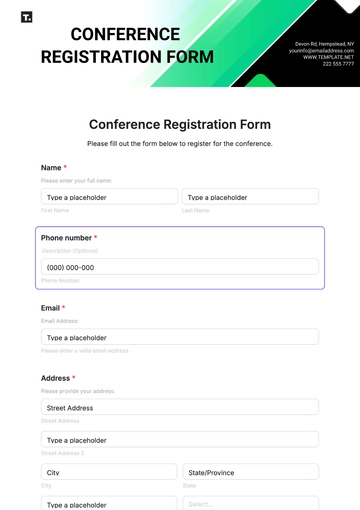
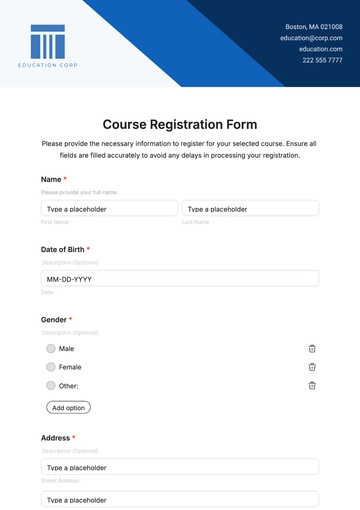
Customer Registration Form Template
A customer registration form template provides the structured intake side of customer management. It can be printed, embedded online, converted into a fillable document, or recreated in spreadsheet or form software depending on the business process.
Typical forms start with personal or business identification and continue with contact details. Additional sections can capture service requirements, preferences, referral information, account details, or consent where relevant to the organization’s legitimate needs.
Forms should distinguish required information from optional information. Customers should be able to see what they must provide to complete registration and what information is optional. This improves transparency and can reduce abandonment.
Questions should also be written in plain language. “Preferred contact method” is generally easier to understand than an internal abbreviation. If an employee needs a specialized internal code, keep that code separate from the customer-facing wording.
The form should end with a clear completion point. Depending on the workflow, that may be a signature, confirmation checkbox, submit action, registration date, or employee verification field.
Blank Check Register Template: A Different Kind of Register
A blank check register template is fundamentally different from a customer register even though both use the word “register.” A check register records financial transactions, commonly using fields such as check number, date, description, payment, deposit, and balance.
This distinction matters when searching for templates. Someone looking for a customer register should not accidentally download a financial register simply because the page title contains similar words. Always inspect the actual fields before using a template.
A check register is appropriate for tracking account activity, while a customer register is designed to identify and manage people or organizations. Their data models, privacy considerations, and business purposes are entirely different.
The financial example is nevertheless useful for understanding register design. Both formats rely on repeated records, consistent columns, and chronological or logical organization. Both also become more useful when entries are made consistently and checked regularly.
When a search phrase includes both customer and register terminology, focus on the intended data rather than the word “register” alone. The template should match the records you actually need to maintain.
Blank New Customer Form
A blank new customer form is most useful at the beginning of the relationship. It gives a sales representative, receptionist, service provider, or administrator a repeatable way to capture the information needed to create the customer record.
A strong new-customer form usually starts with name and contact information, then moves into business or service details. The exact order should follow the natural conversation between the customer and the employee rather than the order in which the database happens to store fields.
For example, a home-service business may ask for name, phone, email, service address, type of service, preferred appointment method, and notes. A wholesale business may instead need company name, purchasing contact, billing address, shipping address, payment terms, and account category.
New customers should not be asked for information that does not contribute to registration, service delivery, account administration, or another clearly defined purpose. A shorter form can improve completion and reduce unnecessary data handling.
Once the form is complete, the employee should verify critical information before creating the permanent customer record. A quick confirmation of spelling, email address, phone number, and address can prevent repeated corrections later.
New Customer Registration Form Template Word
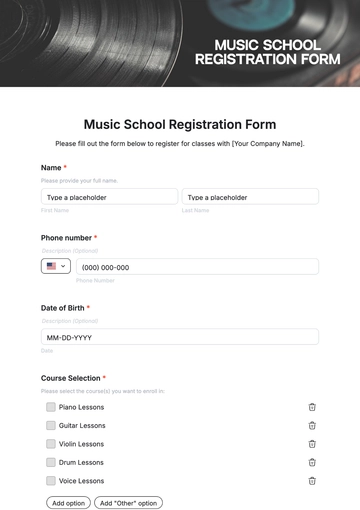
A new customer registration form template word is appropriate when a business wants a reusable Word document for onboarding new customers. Word makes it relatively easy to arrange sections, add a logo, create tables, and prepare a professional printable form.
The form can include customer identification, contact information, business information, requested services, communication preferences, notes, and signature areas. It should be adapted to the organization’s actual process rather than used unchanged simply because a template contains many fields.
For a service business, an employee may complete part of the document while the customer supplies the remaining information. Clearly label employee-only fields so customers do not accidentally complete internal sections.
Word documents should also have sensible naming and version-control practices. If several employees keep modified copies of the same form, different versions can gradually develop different fields. A central master copy helps maintain consistency.
If the document eventually becomes a database source, establish which fields map to the register. For example, the Word field “Primary Phone” should correspond to one clearly named spreadsheet column rather than being entered into whichever phone field an employee finds convenient.
Customer Registration Form Template Excel
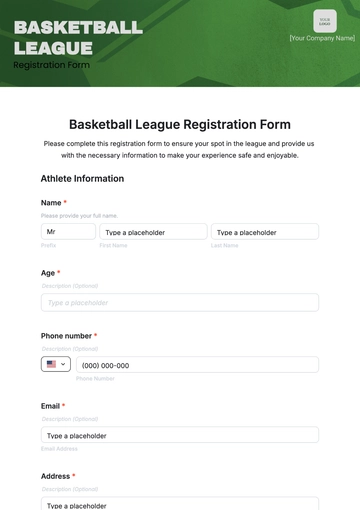
A customer registration form template excel can combine form-style data entry with spreadsheet storage. This can be useful when the business wants employees to collect structured information while keeping the resulting customer records in a searchable workbook.
Excel can support separate worksheets for customer intake, the master register, lookup lists, and reports. This arrangement is often easier to maintain than putting every function onto one crowded sheet.
The master customer table should remain clean. Avoid inserting decorative headings inside the data rows, blank rows between customers, or multiple unrelated tables in the same range. A clean table makes sorting, filtering, and later migration much easier.
Use controlled values where possible. Status might be limited to Active, Inactive, Prospect, or Closed. Customer type might use Individual, Business, or Organization. Standardized values make reports more reliable.
Regular backups are also important. A customer spreadsheet may contain valuable business information, so access permissions, storage locations, backup procedures, and retention practices should be appropriate to the sensitivity of the data.
How to Use a Customer Register Step by Step
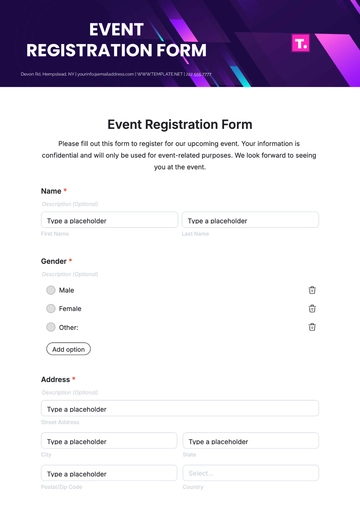
Start by preparing the blank template before collecting any new records. Confirm that the headings are correct, fields are wide enough, dates are formatted consistently, and optional versus required information is understood by everyone who will use the file.
When a new customer arrives, complete the registration form or intake process. Review the customer’s name, contact information, and requested service. If the customer is a business, confirm the organization name and primary contact role.
Create or assign a unique customer ID. Then enter the approved information into the main register. Avoid creating duplicate rows simply because an existing customer has contacted a different employee or requested another service.
After entry, check the record for missing fields and obvious errors. If the register contains a status or next-action field, update it immediately so the customer record represents the current situation.
Finally, establish a review schedule. Some businesses may review customer records weekly, while others may update them whenever an interaction occurs. The appropriate frequency depends on how quickly customer information changes.
Data Collection and Quality Control
Data quality begins at collection. If employees enter inconsistent information from the beginning, later cleanup becomes more difficult. Clear labels, standardized choices, validation rules, and short instructions can prevent many common errors.
Duplicate detection is another important control. Customers may register with different spellings, email addresses, or company descriptions. A unique ID and a consistent search process can help employees check whether a record already exists before creating another one.
Missing data should be handled explicitly. Do not use random symbols such as “-,” “N/A,” “none,” or blank cells interchangeably. Decide when a field may remain empty and when a standard value should be entered.
Changes should be traceable when they matter operationally. If a customer changes address or contact person, update the current record rather than silently creating another customer. Where auditability is important, retain appropriate change history separately.
Periodic quality reviews can examine duplicate names, invalid email formats, inconsistent categories, missing IDs, outdated contact information, and records without an assigned owner. A small amount of maintenance can prevent a register from becoming unreliable.
Using a Customer Register for Analysis
Once the register contains consistent information, it can support basic business analysis. A spreadsheet can show how many customers belong to each category, how many were registered during a period, or which customers require follow-up.
Registration date is particularly useful because it creates a simple timeline. Businesses can review new registrations by week, month, quarter, or another relevant period without relying on memory or scattered paperwork.
Customer source can also provide insight. If referral source is recorded consistently, a business can compare registrations originating from referrals, websites, events, partners, advertising, or direct inquiries.
Status fields can support operational reporting. For example, a manager might filter for active customers without a recent follow-up, or for new registrations that have not yet received a welcome communication.
Analysis should not be confused with certainty. A register can describe recorded customer information, but it does not automatically prove why customers behave a certain way. Deeper conclusions may require surveys, transaction data, interviews, or other research methods.
Practical Examples
Consider a small salon that registers customers for appointments and loyalty services. Its register might include Customer ID, name, phone, email, registration date, preferred service, communication preference, and notes. The form can remain short enough to complete at reception.
Now consider a repair company serving both households and businesses. It may need customer type, contact person, service address, billing address, equipment category, service history reference, account status, and assigned technician. A more detailed structure is justified because those fields support actual operations.
A membership organization may prioritize registration date, membership type, renewal date, communication preference, emergency contact, and status. It should avoid copying fields from a general business template that have no role in membership administration.
A wholesaler may need company name, purchasing contact, accounts-payable contact, billing address, shipping address, payment terms, tax details, and sales representative. In this situation, separating customer information from transaction records can make the overall system easier to maintain.
These examples show why a universal template is only a starting point. The strongest blank register is customized around the business process, customer relationship, information requirements, and level of detail actually needed.
Common Mistakes to Avoid
One common mistake is collecting too much information. Every additional field increases completion time and creates another category that must be stored, maintained, and potentially protected. Remove fields that have no clear operational purpose.
Another mistake is using inconsistent labels. If one document says “Phone,” another says “Telephone,” and a spreadsheet says “Contact Number,” employees may create duplicate concepts. Consistent terminology makes the overall system easier to understand.
Mixing customer records with transaction records can also create confusion. A customer may have many purchases, appointments, or service events. Storing every transaction in the customer master list can create repeated customer information and make updates difficult.
Another problem is allowing unrestricted free text for categories that should be standardized. If status values are manually typed, one employee might enter “Active,” another “active,” and another “Currently Active.” Controlled options are better for reporting.
Finally, do not treat the template as a complete data-management policy. A good layout cannot by itself determine who should have access to customer information, how long records should be retained, or how sensitive information should be protected.
Privacy, Access, and Record Management
Customer registers may contain personal information, so businesses should consider privacy obligations applicable to their location and industry. The exact legal requirements vary, and a general template should not be presented as proof of legal compliance.
Access should be based on genuine business needs. A receptionist may need contact information, while an accounts employee may need billing details. Not every employee necessarily needs access to every field.
Storage also matters. A paper register should be kept where unauthorized people cannot casually view it. Digital registers should be stored in appropriate systems with suitable access controls and backups.
Retention should be deliberate. Keeping old customer records forever may increase administrative and privacy risks, while deleting records too quickly may interfere with legitimate business requirements. Establish a retention approach suitable for the organization and applicable obligations.
If the register contains particularly sensitive information, consider whether that information belongs in the general customer register at all. Separating sensitive data from ordinary contact information can reduce unnecessary exposure and make access management easier.
Practical Solution
The most practical approach is to build a simple customer-registration workflow around one master record structure. Start with a blank customers register template containing only the fields needed for identification, communication, registration, and follow-up.
Next, create an intake document that matches those fields. If customers complete the information themselves, make the language customer-friendly. If employees complete it during conversations, organize the questions in the order the conversation naturally occurs.
Choose the file format according to the job. Use Word when the priority is a polished printable form, Excel when the priority is managing multiple customer records, and PDF when a stable printable or archival representation is needed.
Standardize values for status, customer type, service category, communication preference, and other repeated classifications. Where the software permits it, use dropdowns or validation rules instead of relying entirely on free-text entry.
Assign a unique customer ID and establish a simple duplicate-check procedure. Before creating a new record, employees should search the register using the customer’s name, phone number, email address, or another appropriate identifier.
After registration, perform a quick quality check. Confirm the spelling of the customer’s name, verify contact details, make sure the correct service or customer category is selected, and confirm that the record has an owner if follow-up is required.
Store the master register in one controlled location rather than allowing many uncontrolled copies to circulate. If employees need local working files, define how changes are reconciled with the master record.
Schedule periodic maintenance. Review duplicates, incomplete records, outdated contact information, inconsistent categories, and customers who require follow-up. Even a short monthly review can substantially improve the reliability of a growing register.
Finally, document the basic rules in a short internal procedure. Explain what each field means, who may edit the register, how new records are created, how duplicates are handled, and where completed paper forms are stored. A simple template becomes much more effective when supported by a simple process.
Reference Examples
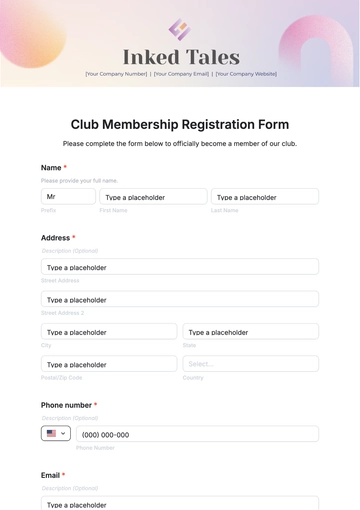
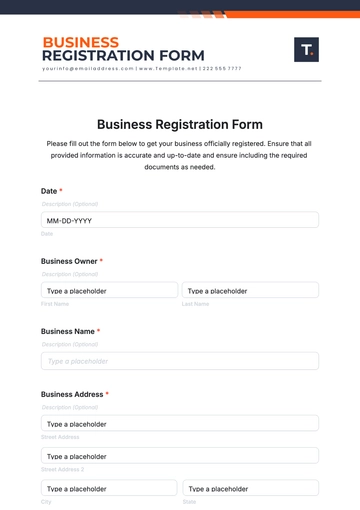
The following examples illustrate different customer-registration, customer-list, spreadsheet, printable, and register layouts. They are reference visuals rather than claims that every pictured format is appropriate for every business.
blank customers register template
Source: Smartsheet
blank customers register template pdf
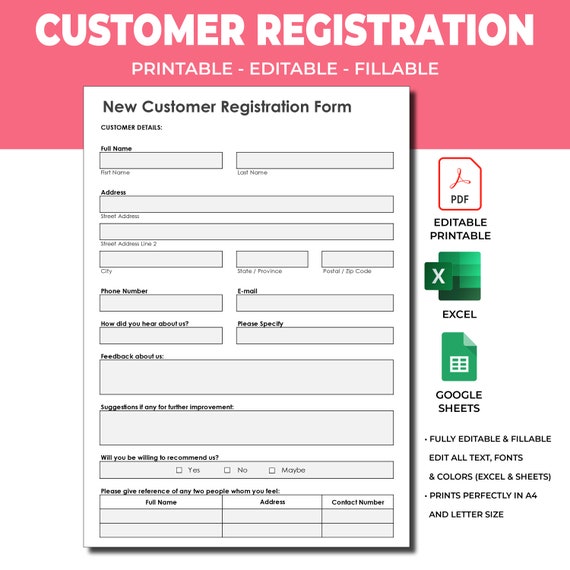
Source: Etsy
blank customers register template free
Source: Template.net
blank customers register template free download
Source: Template.net
blank customers register template excel
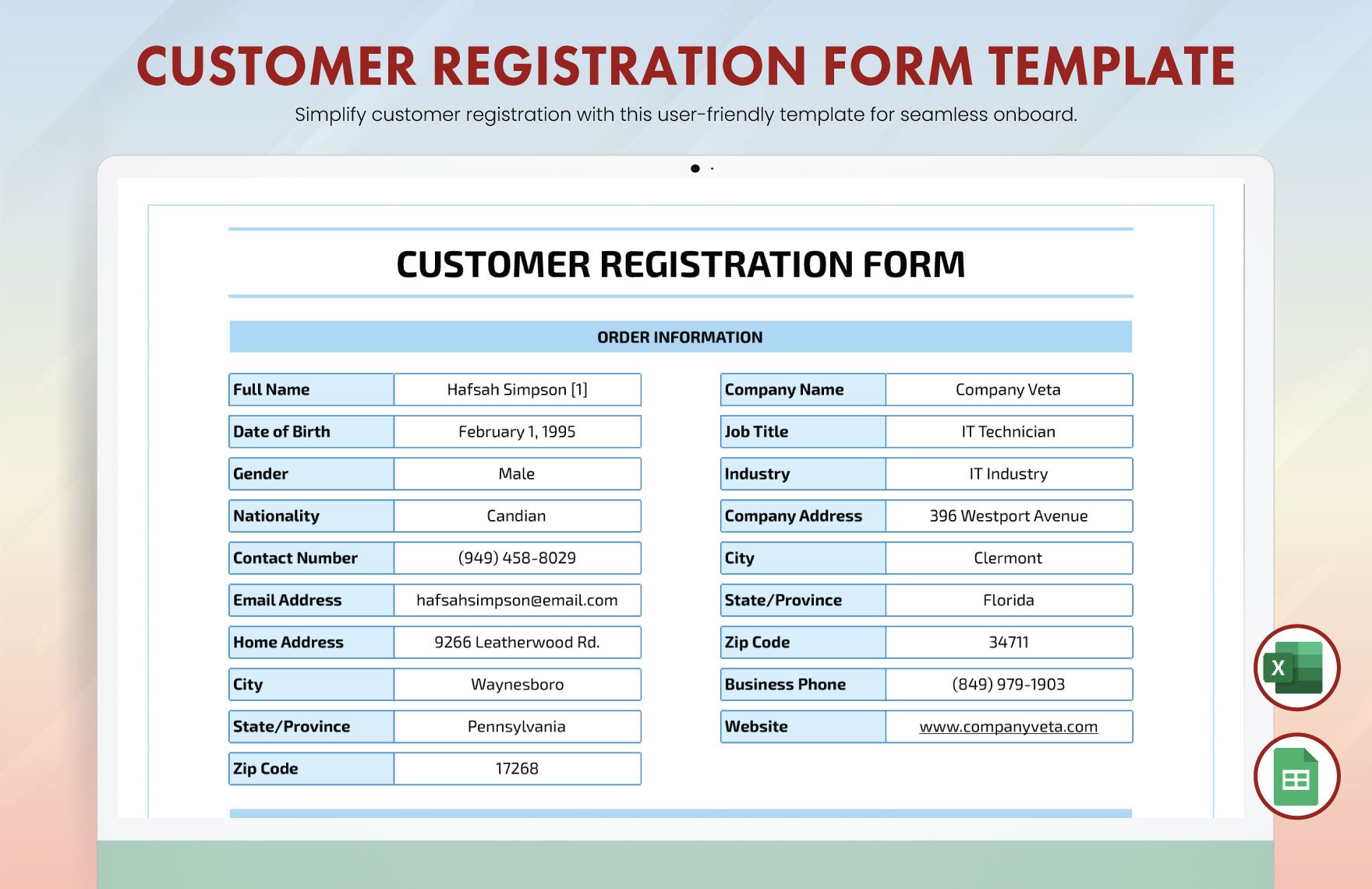
Source: Template.net
blank customers register template word
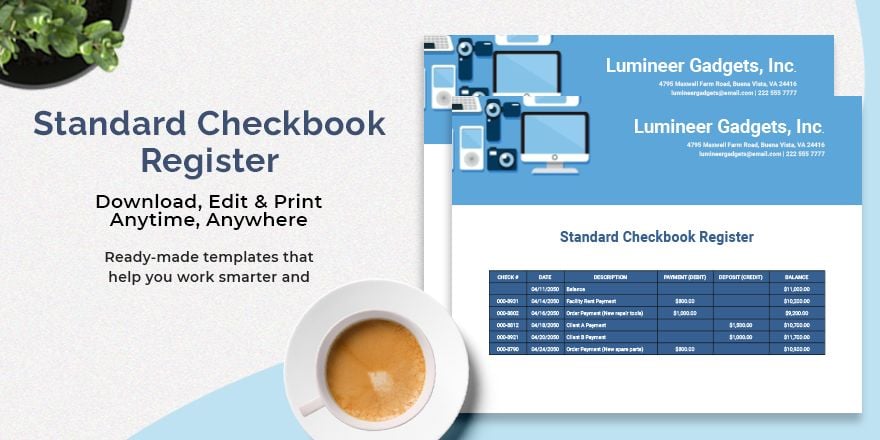
Source: Template.net
blank customers register template printable

Source: Template.net
blank customers register template free printable
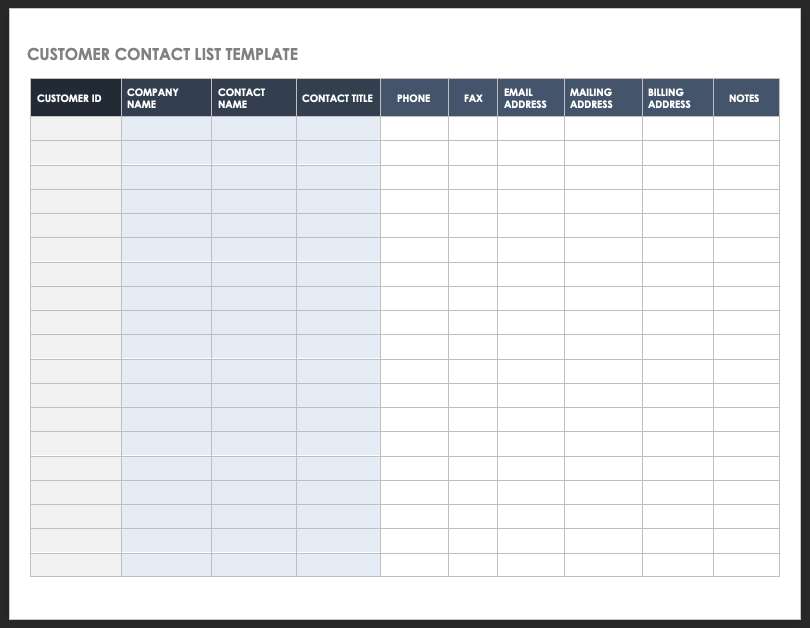
Source: Smartsheet
customer registration form template
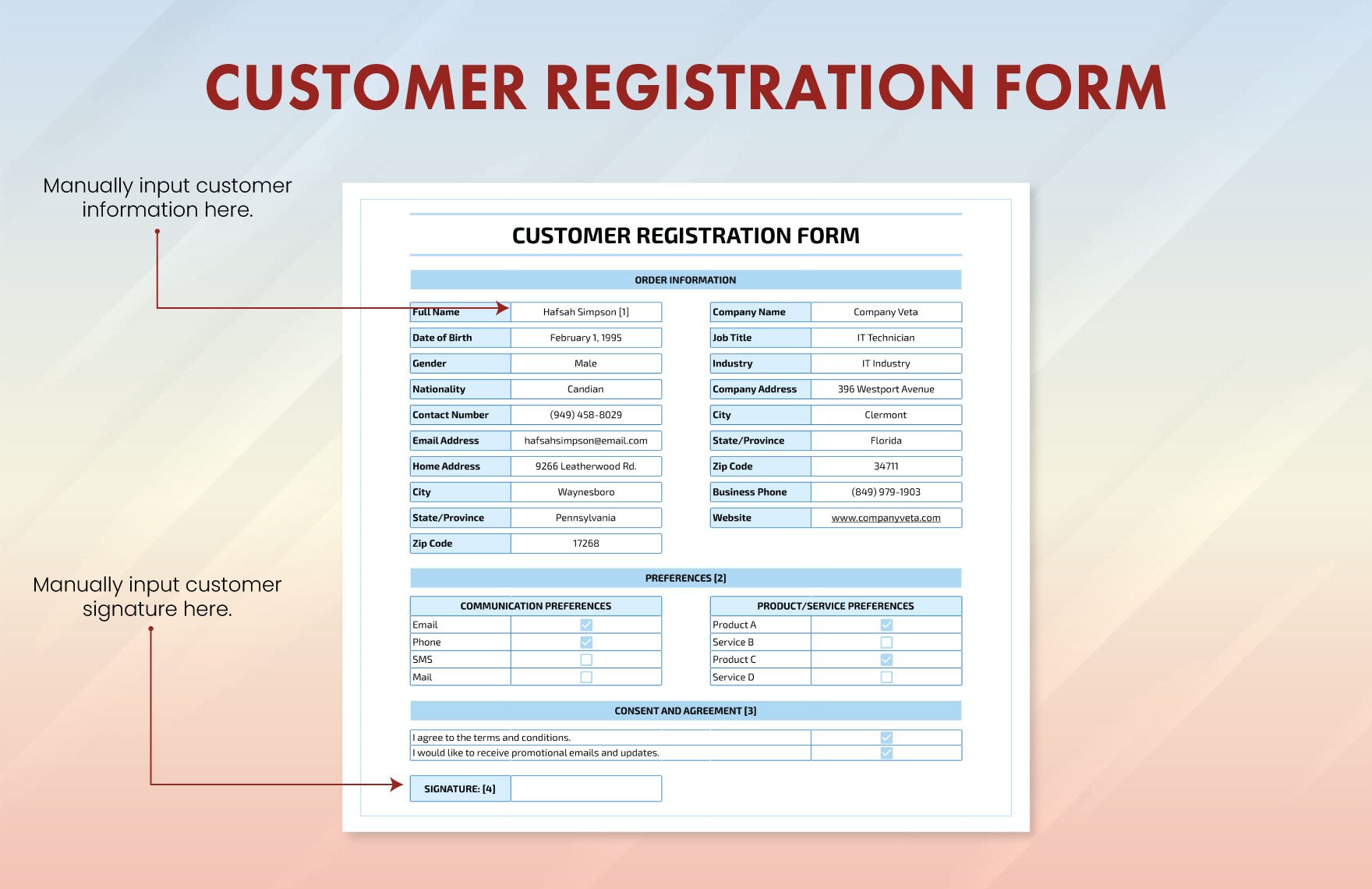
Source: Template.net
blank check register template

Source: Template.net
blank new customer form
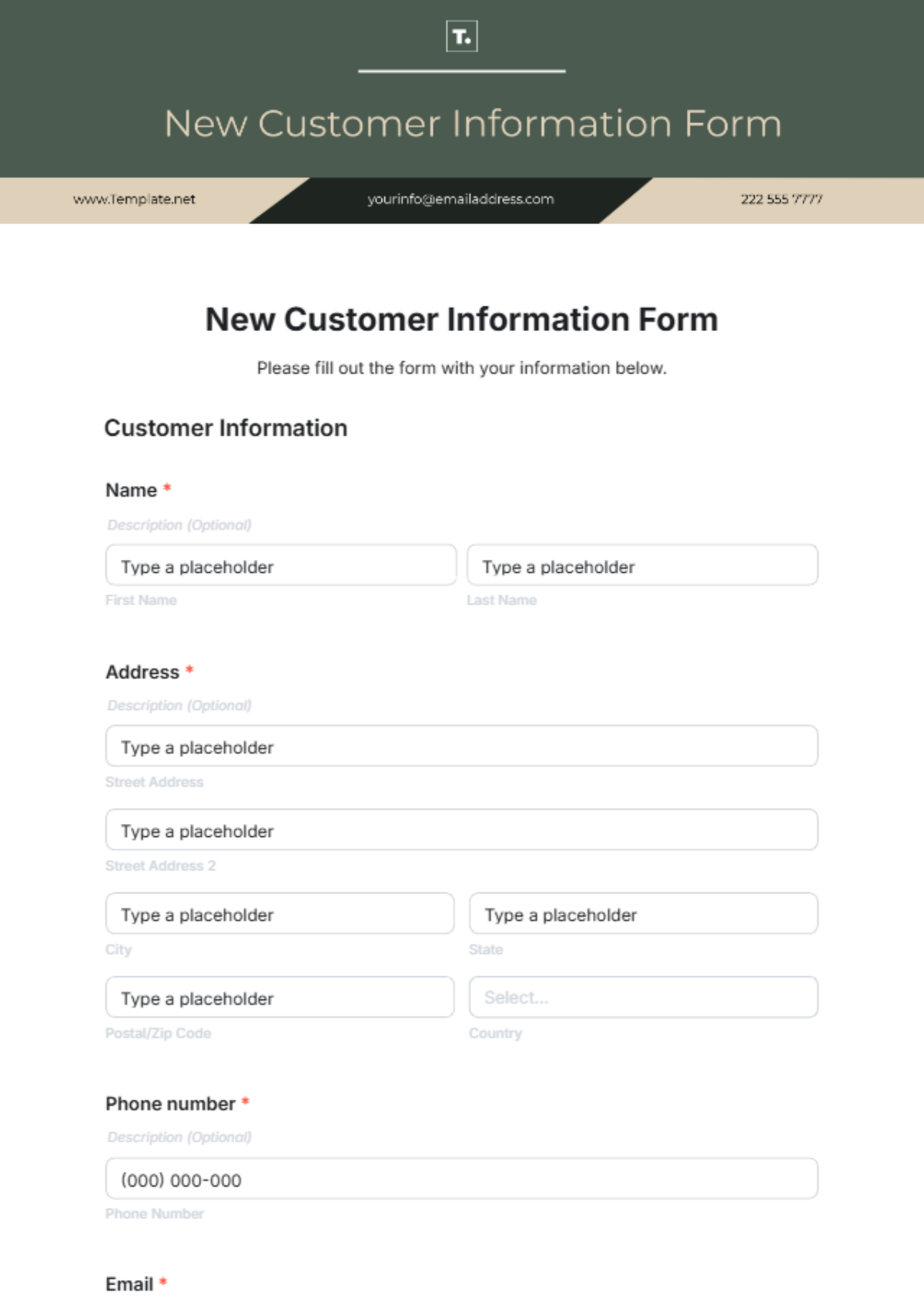
Source: Template.net
new customer registration form template word
Source: Template.net
customer registration form template excel

Source: Smartsheet
Frequently Asked Questions
What should a blank customers register template contain?
At minimum, include a customer identifier, customer name, relevant contact information, registration date, and a notes or status field when needed. Add business, service, billing, or follow-up fields only when they support a real operational requirement.
Is Excel a good format for a customer register?
Excel is often a practical choice for small and medium-sized customer lists because it supports rows, columns, sorting, filtering, validation, and basic analysis. It becomes less suitable as the data model, number of users, or workflow complexity grows.
When should I use Word instead of Excel?
Use Word when the main purpose is a polished customer-facing form, especially one that will be printed, signed, or completed one customer at a time. Use Excel when the main purpose is maintaining and analyzing many customer records.
Can a customer registration form become a customer register?
Yes. The form can serve as the intake document, while the relevant answers are transferred into a master customer register. In a digital workflow, the form can sometimes populate the register automatically.
What is the difference between a customer register and a CRM?
A customer register is primarily a structured collection of customer information. A CRM can provide broader capabilities such as interaction histories, sales pipelines, automated follow-ups, tasks, reporting, permissions, and integrations. A register can be a useful starting point for simpler operations.
Should every customer have a unique ID?
A unique ID is strongly useful because names and contact details can change or be shared by multiple people. An ID gives the organization a stable reference for invoices, service records, communications, and other related information.
How many fields should a registration form have?
There is no universal number. Include the smallest practical set of fields needed for registration and service delivery. Optional questions should have a clear purpose, particularly when they involve personal information.
Can a blank customers register template be printed?
Yes. A register can be designed specifically for paper use, with appropriate page size, margins, writing space, and readable headings. Always test a printed copy before producing a large quantity.
How should duplicate customers be handled?
Search for an existing record before creating a new one, using identifiers such as customer ID, email address, phone number, or company name. If a duplicate is discovered, consolidate records carefully rather than simply deleting one without checking its history.
How often should a customer register be updated?
Update it whenever meaningful customer information changes or whenever a new customer is registered. A periodic quality review can then identify records that have not been updated, contain errors, or require follow-up.
Conclusion
A well-designed blank customers register template is more than an empty table: it is the foundation of a consistent customer-information process. Whether you choose a printable form, Word document, Excel workbook, or PDF, the strongest approach is to collect only useful information, standardize the structure, assign reliable identifiers, protect customer data, and maintain the register consistently. A practical blank customers register template should make customer registration easier today while keeping the resulting records useful for communication, follow-up, reporting, and future business decisions.
