A business simple mileage log template is a structured record for capturing work-related vehicle travel in a consistent way. The strongest version is not merely a blank grid. It gives each trip a clear place for the date, starting point, destination, business purpose, odometer readings or miles, and notes that explain unusual circumstances. For a small business, the goal is to make every entry easy to understand months later, when a reimbursement request, bookkeeping review, tax preparation, or internal cost analysis depends on the record.
Searchers looking for a business simple mileage log template usually want something practical: a layout they can start using immediately, guidance on which fields matter, and a way to choose between spreadsheet, document, and paper formats. This article focuses on that decision rather than treating every mileage record as identical. It also explains how to build a basic mileage log template, how to avoid common documentation gaps, and how to organize records for recurring business travel.
The right template should reduce friction without hiding important information. A compact sheet can be better than a complicated tracker when one driver has a few trips each week. A multi-sheet workbook becomes more useful when several vehicles, employees, rates, or reporting periods must be reviewed. The key is to match the structure to the work while preserving a clear trip-by-trip history.
What a business mileage log actually records
A business mileage log is a contemporaneous record of business transportation. In the United States, Internal Revenue Service guidance emphasizes timely, accurate records for transportation expenses and identifies the date, business destination, and business purpose among the elements that should be supported. A computer record can qualify as a written record, which is why a spreadsheet can serve the same basic documentation role as a paper log when it is maintained properly.
A useful log distinguishes the trip itself from the reimbursement or deduction calculation. The trip record answers what happened: when the vehicle was used, where it went, why it was used, and how far it traveled. The calculation layer answers what the miles are worth under the applicable employer policy or tax method. Keeping those functions distinct makes the record easier to review and reduces the risk that a rate change will alter historical trip data.
The distinction matters because a mileage total without context is weak evidence. For example, a row that says “42 miles” does not explain whether the travel was a client visit, a supply pickup, a personal errand, or ordinary commuting. A stronger row might identify the date, office-to-client route, project purpose, start and end odometer readings, and the resulting trip distance. The added detail does not need to become a narrative; it needs to make the business connection understandable.
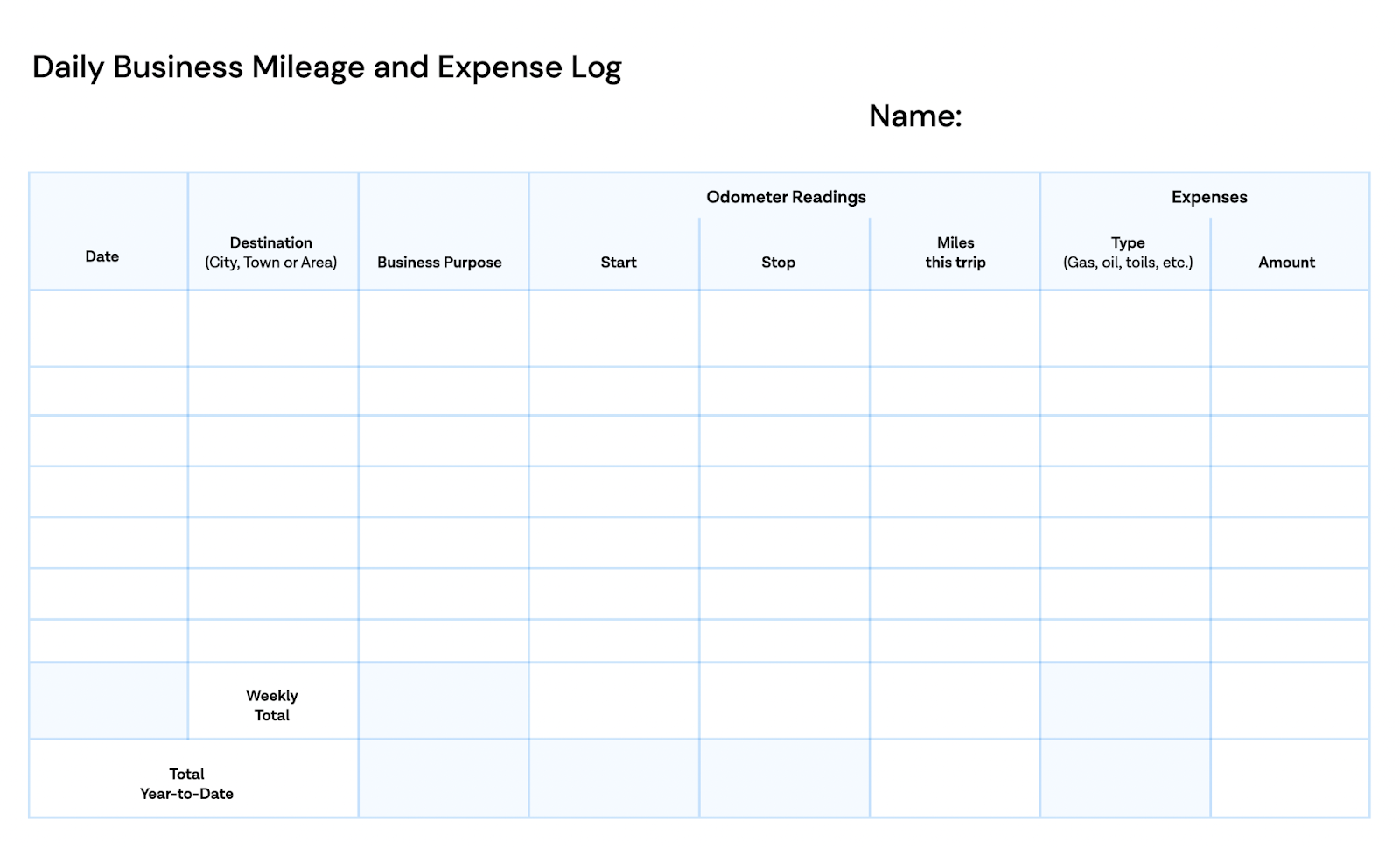
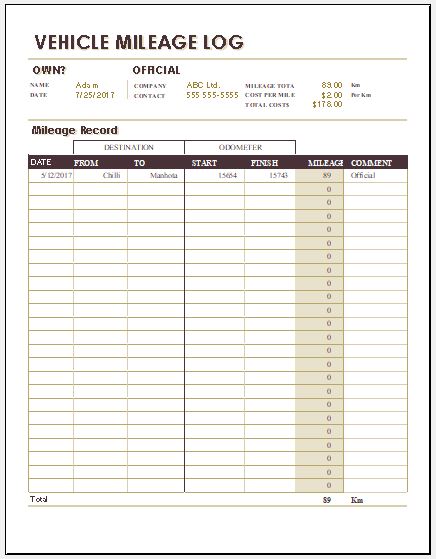
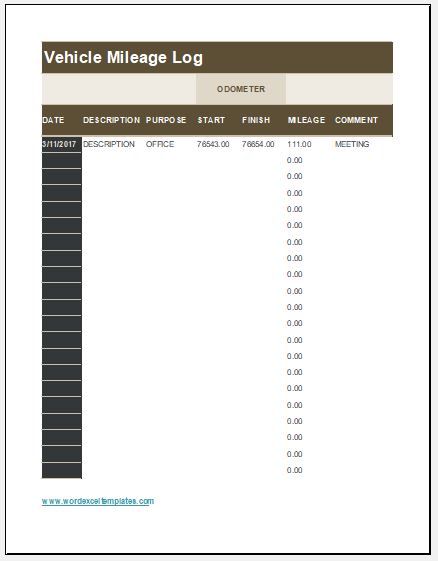
The visual structure of a daily log illustrates an important design principle: one row should represent one identifiable trip or travel event. Header fields can identify the driver and reporting period, while the rows preserve the individual evidence. Weekly and year-to-date totals are useful summaries, but they should sit below the underlying entries rather than replace them.
Essential fields to include
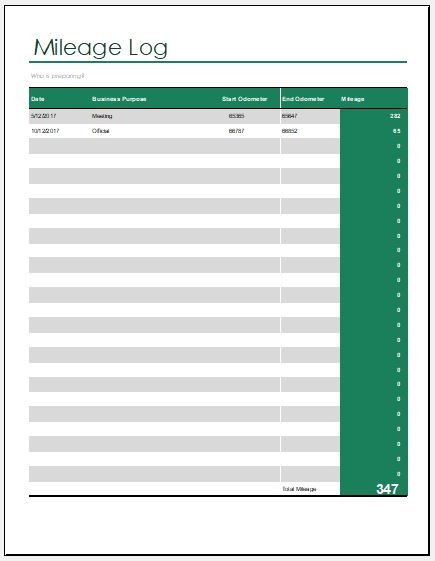
The most useful business simple mileage log template starts with a small set of fields that answer the core recordkeeping questions. At minimum, include the trip date, destination, business purpose, and miles. If odometer readings are available, include starting and ending readings because they create an objective basis for calculating the distance. For mixed business and personal use, tracking total vehicle mileage for the period also helps establish the relationship between business and total use.
A practical header can contain the driver name, vehicle description, reporting period, and starting and ending odometer readings for that period. These fields are especially useful when the same business has multiple drivers or vehicles. A vehicle identifier prevents two cars from being combined accidentally, while a reporting period makes it easier to reconcile the log with payroll, bookkeeping, or a tax year.
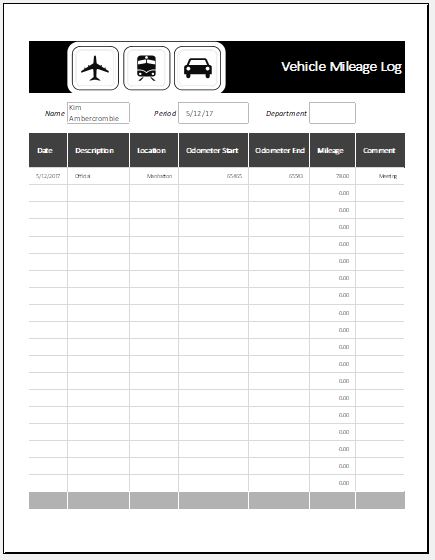
The trip area should be arranged in a predictable order. A simple sequence is date, start location, destination, business purpose, odometer start, odometer end, miles, and notes. If reimbursement is part of the workflow, add a rate and reimbursement column separately. If parking and tolls are reimbursed, keep those amounts separate from mileage so the reviewer can see which part came from distance and which part came from incidental travel costs.
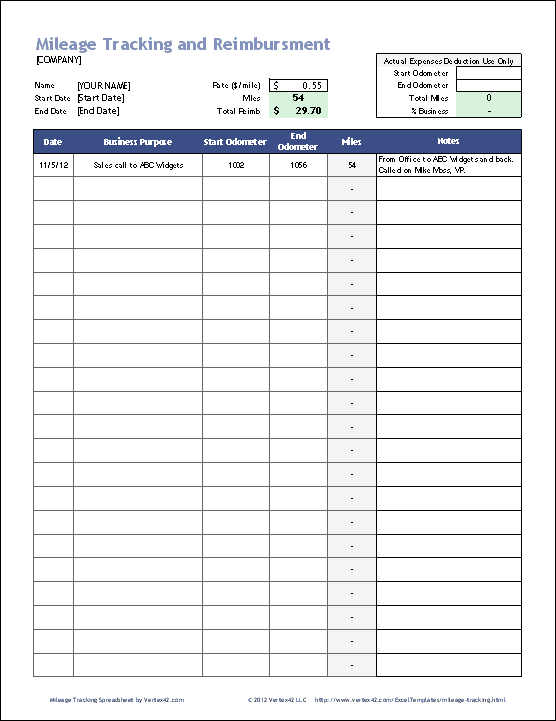
A more detailed design can include trip IDs, employee departments, approval status, receipt indicators, or project codes. Those fields are valuable for organizations with a formal reimbursement process, but they are not necessary for every sole proprietor or small operation. Extra columns should solve a real control or reporting problem; otherwise they create more opportunities for incomplete entries.
- Date: record the day the business travel occurred.
- Origin and destination: identify where the trip began and where the business travel ended.
- Business purpose: state the client, project, meeting, delivery, inspection, supply pickup, or other work reason.
- Odometer start and end: record the vehicle readings when those readings are part of your chosen process.
- Miles: show the distance attributable to the trip.
- Notes: explain route exceptions, combined stops, or other details that a reviewer may need.
- Rate and reimbursement: keep calculation fields separate from the factual trip record.
Choosing a spreadsheet, document, or paper layout
A spreadsheet is usually the most flexible choice when the log needs automatic arithmetic, filtering, monthly totals, or year-to-date summaries. A business simple mileage log template excel can be designed with one row per trip and formulas that calculate miles from odometer readings. It can also separate business, personal, and commuting categories so that totals are not accidentally mixed.
A document-based layout can be preferable when the main objective is a clean form for typing or printing. A business simple mileage log template pdf can work well when a fixed page layout matters, while a business simple mileage log template google docs can be useful for a document-oriented workflow. A business simple mileage log template google sheets is better suited to a grid-based record that needs formulas, sorting, filters, or shared spreadsheet editing.
Paper remains practical for drivers who want a log in the vehicle and prefer handwriting entries at the time of travel. A business mileage log printable format should have sufficiently wide columns for the destination and business purpose, while leaving enough rows for the expected reporting period. A compact basic mileage log template is often easier to maintain than a visually elaborate form with tiny writing spaces.
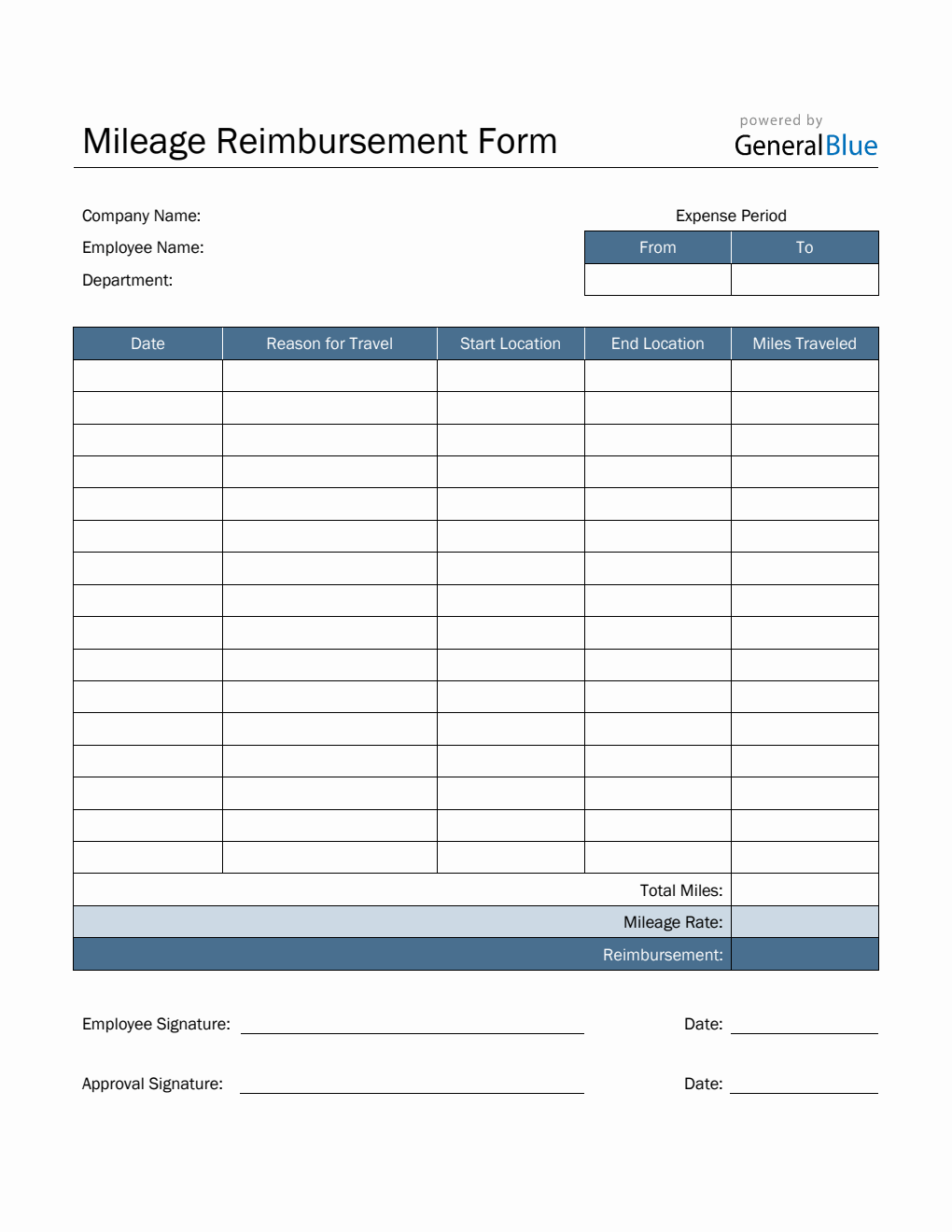
The best format is therefore the one that fits the actual workflow. If the record is entered at a desk and summarized for payroll, a spreadsheet is usually efficient. If the record is signed and submitted as a reimbursement form, a document or fixed form may be better. If entries are made during travel, a paper sheet stored with vehicle records can reduce the chance that trips are reconstructed later.
How to design a business simple mileage log template
Start by deciding what one row means. For most small businesses, one row equals one business trip. This prevents several stops from being collapsed into one vague monthly total. If a route has multiple business destinations, either create a row for each meaningful leg or define a consistent rule for recording the complete trip. Consistency matters more than a particular layout.
Next, separate input fields from calculated fields. In a spreadsheet, the driver should type the date, locations, purpose, and odometer readings into clearly marked cells. Miles can then be calculated as ending odometer minus starting odometer when that method fits the record. Reimbursement can be calculated as eligible miles multiplied by the applicable rate. Keeping formulas away from manual-entry cells reduces accidental overwriting.
Then add a review layer. A useful sheet can flag blank purposes, missing destinations, negative mileage, or unusually large distances. The purpose of these checks is not to judge a trip automatically; it is to send unusual rows back for human review. A formula cannot determine whether a trip was genuinely business-related, but it can identify data that deserves attention.
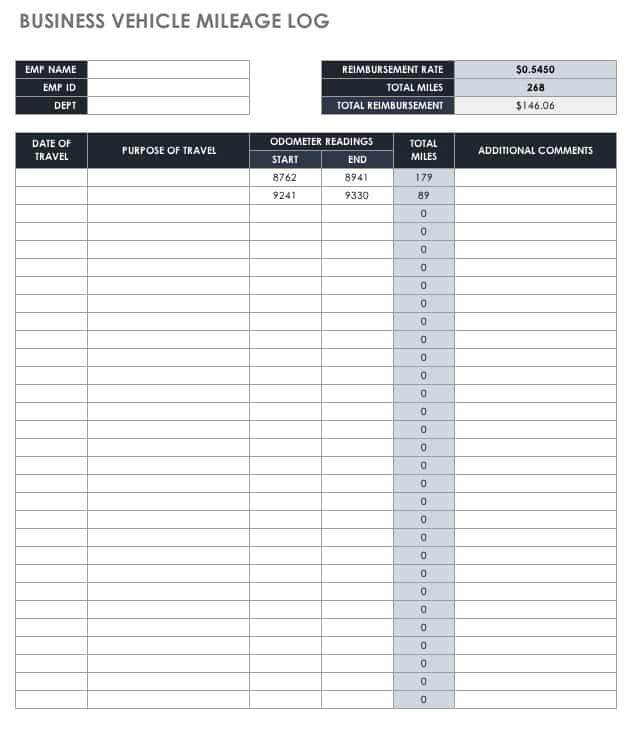
Finally, create a summary that does not obscure the underlying data. Useful summaries include business miles by month, total miles by vehicle, reimbursement amount by period, and unresolved rows. The summary should be a reporting view, not the only record. If a reviewer asks why a total changed, the individual trip rows should make the answer traceable.
Using formulas without making the log fragile
A spreadsheet can calculate trip distance with a simple subtraction when start and end odometer readings are entered. If the start reading is 12,450 and the end reading is 12,482, the example trip distance is 32 miles. This is a hypothetical illustration, not a claim about a real trip. A separate reimbursement calculation can multiply eligible miles by the rate selected for that period.
The formula should not silently convert every row into a business expense. Include a trip category or business indicator when personal and business travel are mixed. Then calculate the business total from rows classified as business. This makes the logic visible and prevents a personal trip from being swept into a business total simply because a number appears in the miles column.
Rate changes deserve special care. For U.S. taxpayers, the Internal Revenue Service publishes standard mileage rates and can revise them during a calendar year. For 2026, the IRS lists 72.5 cents per business mile for January 1 through June 30 and 76 cents per business mile for July 1 through December 31. If a workbook calculates amounts automatically, it should use the trip date to select the appropriate rate rather than applying one annual figure to every row.
The safest spreadsheet design keeps the rate in a clearly identified settings area and preserves the rate used for each completed period. Do not overwrite historical rates simply because the current rate changed. If an employer has a policy rate that differs from a tax benchmark, record the employer rate used for reimbursement and keep tax calculations separate.
Keeping entries timely and specific
Timeliness is one of the most important habits in mileage recordkeeping. Internal Revenue Service Publication 463 says records should be kept at or near the time of the expense or use and notes that a weekly log can qualify as timely when it accounts for use during that week. The practical lesson is simple: record the trip while the facts are fresh instead of waiting until the end of a quarter.
Specificity is equally important. “Meeting” is a weak purpose because it does not identify the business connection. “Client project review at Riverside Manufacturing” gives a reviewer more context without requiring a long explanation. Similarly, “supplier” is less useful than “parts pickup for Job 1842.” The purpose field should make the reason for travel recognizable to someone who was not in the vehicle.
Destinations should be specific enough to distinguish one business trip from another. A city may be sufficient for some workflows, while a client name, site name, or address may be more useful when many customers are in the same area. If a route includes several business stops, record them consistently. The objective is to make the trip reconstructable from the log and supporting records without relying on memory alone.
A useful routine is to make the log part of the trip itself. Before departure, capture the starting odometer when your process uses it. At arrival, capture the ending reading and enter the purpose while the event is still clear. For recurring routes, use consistent naming for clients and projects. That small discipline prevents the common problem of having a complete mileage total but an incomplete explanation.
Business, personal, and commuting miles
A mixed-use vehicle requires clear classification. Business travel can include trips to clients, suppliers, temporary work locations, job sites, or other destinations connected to the business, depending on the applicable rules and facts. Personal trips should not be folded into business mileage simply because they occurred during the same day.
Ordinary commuting is another important distinction. For U.S. federal tax purposes, travel between a person’s home and regular place of business is generally treated as commuting rather than business travel. A template cannot decide whether a particular home-office or temporary-work-location situation qualifies, so unusual cases should be reviewed against current tax guidance or with a qualified tax professional.
The log should make classifications visible rather than burying them in notes. A category column can identify business, personal, or commuting use. Another option is to keep a separate personal mileage record while maintaining a business-only reimbursement sheet. Either approach can work if the records are complete, consistent, and reconciled to the vehicle’s total mileage.
For a mixed-use vehicle, record beginning and ending odometer readings for the relevant period even when every individual personal trip is not entered. This provides a useful cross-check against the sum of detailed entries. The exact method should follow the tax rules and business policy applicable to the record.
Examples of useful layouts
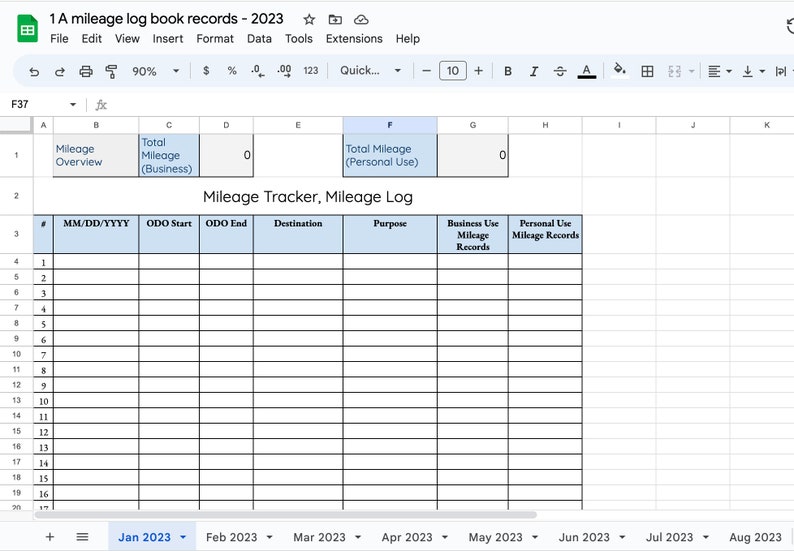
A very simple business log can use eight columns: date, start location, destination, purpose, odometer start, odometer end, miles, and notes. This is enough for many small businesses that only need a clear trip history and a separate reimbursement calculation. The layout should prioritize writing space over decorative formatting.
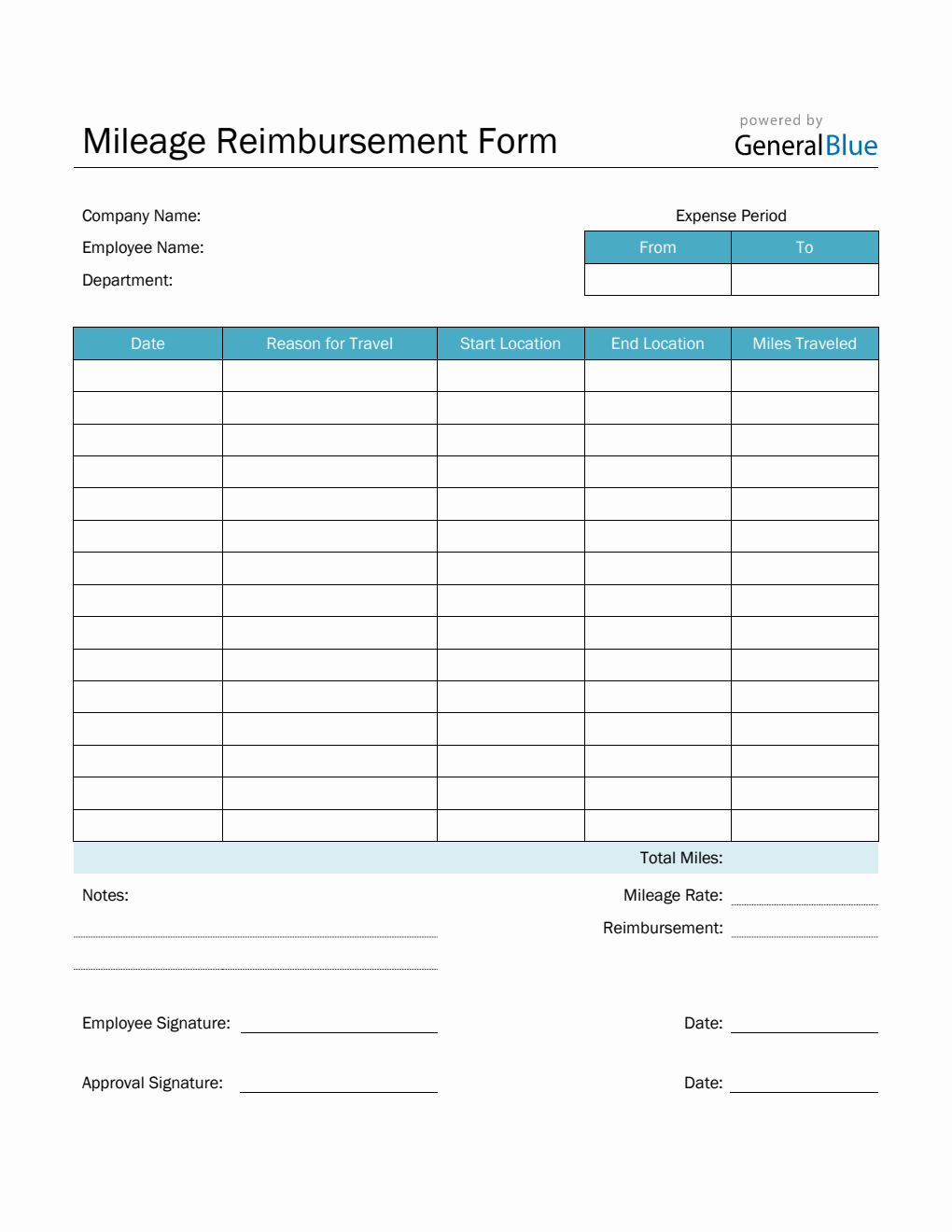
A reimbursement-oriented layout can add employee name, department, rate, reimbursement amount, approval status, parking, tolls, and receipt status. That design is useful when finance staff must review many employees. It turns the mileage record into part of an expense-control workflow while keeping the actual travel facts visible.
An annual workbook can use one sheet per month plus a summary sheet. Monthly tabs keep the rows manageable, while the annual sheet can total business miles by vehicle or driver. This structure is helpful when the same vehicle is used throughout the year and management wants a high-level view without losing the monthly detail.
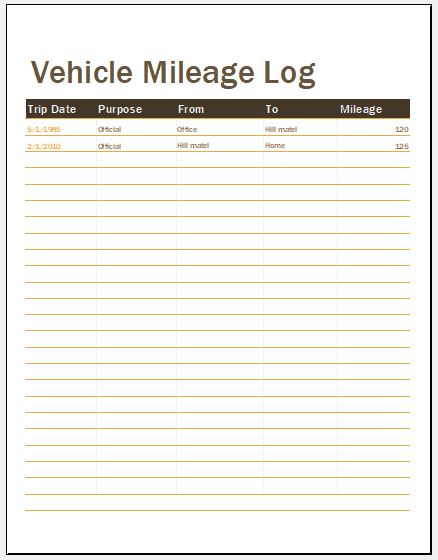
For searchers comparing formats, a business mileage log excel template is generally strongest when calculation and review are important. A business mileage log printable layout is strongest when handwriting and portability matter. The important point is that format should follow workflow, not the other way around.
Practical examples of trip entries
Consider a hypothetical consultant who drives from an office to a client site for a project review. A strong row might record the date, the client location, “Project review for Phase 2,” the starting odometer, the ending odometer, and the resulting miles. If the consultant then drives to a supplier, that second business stop should be represented consistently rather than hidden inside a generic “business travel” entry.
Now consider a hypothetical contractor visiting two job sites. The contractor might record one row for the first site and another for the second, with each row identifying the project and destination. If parking or tolls are reimbursable, those amounts can be recorded in their own fields. The mileage number should remain a mileage number rather than being used as a catch-all for every travel cost.
For an employee submitting a monthly reimbursement, the completed log can be checked against the expense report before payment. The reviewer can compare the total business miles, rate, parking and tolls, and approval status. If a row is missing a destination or has an implausible odometer sequence, the employee can correct it before the reimbursement batch is finalized.
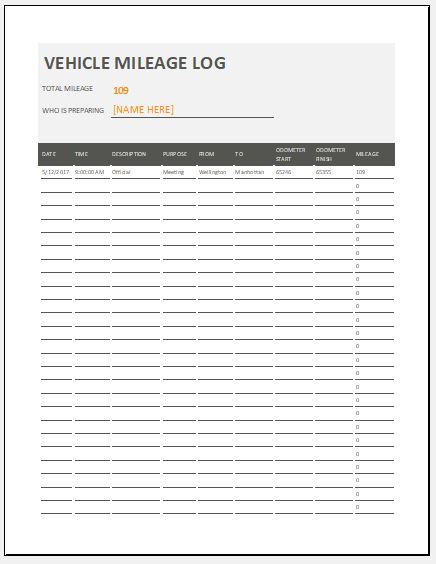
An example business mileage log should therefore demonstrate structure rather than prescribe one universal form. The right columns depend on whether the record is for tax substantiation, employer reimbursement, internal job costing, client billing, or a combination. The underlying principle remains the same: each entry should be understandable, traceable, and supported by the records that matter to the particular use.
Common mistakes that weaken a mileage log

One common mistake is recording a single monthly mileage total with no trip detail. A total may be useful for a dashboard, but it cannot explain what the miles represent. If the business purpose and destinations are missing, a reviewer may have difficulty distinguishing qualifying business travel from personal use.
Another mistake is changing old rows after a rate or policy update. Historical trip facts should remain historical. If a new reimbursement rate takes effect, apply it according to the relevant policy and effective date while preserving the original trip date. A dated rate field or archived period sheet makes this much easier.
A third mistake is allowing formulas to become opaque. A spreadsheet that calculates totals through hidden cells and complicated references may look sophisticated but be difficult to audit. Keep formulas simple, label important assumptions, and protect only cells that genuinely need protection. A reviewer should be able to understand how miles and reimbursement amounts were produced.
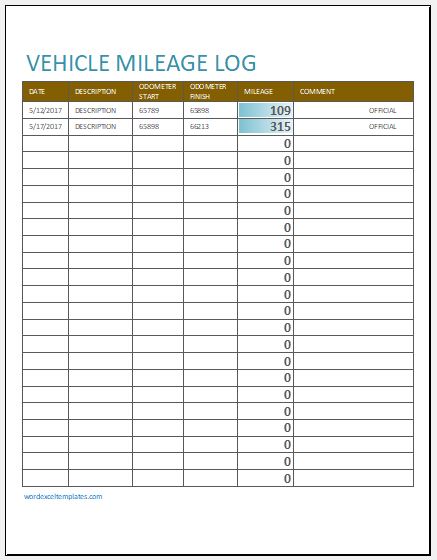
Other avoidable problems include duplicate rows, missing end readings, vague purposes, inconsistent client names, and mixing business and personal mileage. A monthly review can catch most of these issues before they become year-end problems. The goal is not to make the form complicated; it is to make omissions visible.
Practical Solution
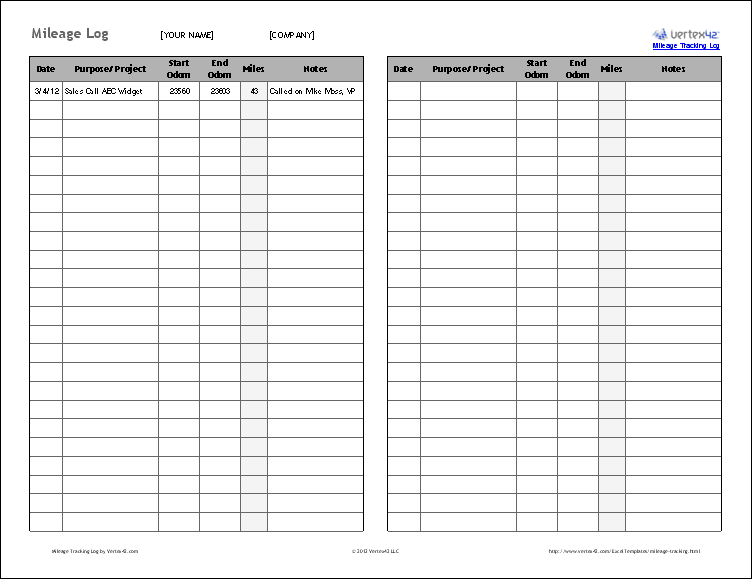
The practical solution is to build one dependable master layout and use it consistently. Start with driver, vehicle, and reporting-period fields. Then create one row per trip with date, origin, destination, business purpose, odometer start, odometer end, miles, and notes. Add a separate rate and reimbursement area if the log supports payments or tax calculations. Keep business, personal, and commuting classifications visible when the vehicle has mixed use.
For spreadsheet users, create formulas only after the manual-entry structure is stable. Use a simple miles formula based on the odometer readings when appropriate, then calculate the business total and reimbursement from clearly identified rows. Add validation for dates, categories, and missing fields. Create a summary sheet only after the detailed log works correctly. This sequence prevents the dashboard from becoming a polished view of incomplete data.
For paper users, choose a layout with enough writing space and a clear period header. Keep the current sheet with the vehicle records or another consistent business record location. At the end of the reporting period, total the miles, review unusual entries, and preserve the completed record. If a digital backup is appropriate for your recordkeeping system, scan or reproduce the completed form without altering the original information.
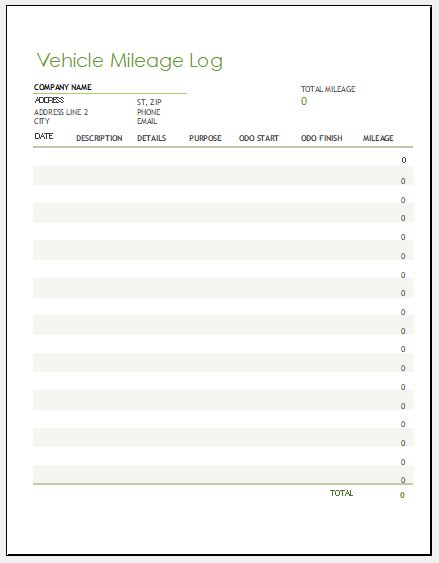
The most effective workflow is short: log the trip, check the row, review the period, then archive the completed record. A small business does not need a complex system if a simple one is used consistently. When several employees or vehicles are involved, add only the controls that solve real review problems, such as employee IDs, department fields, approval status, or vehicle identifiers.
Spreadsheet structure for Excel and Google Sheets
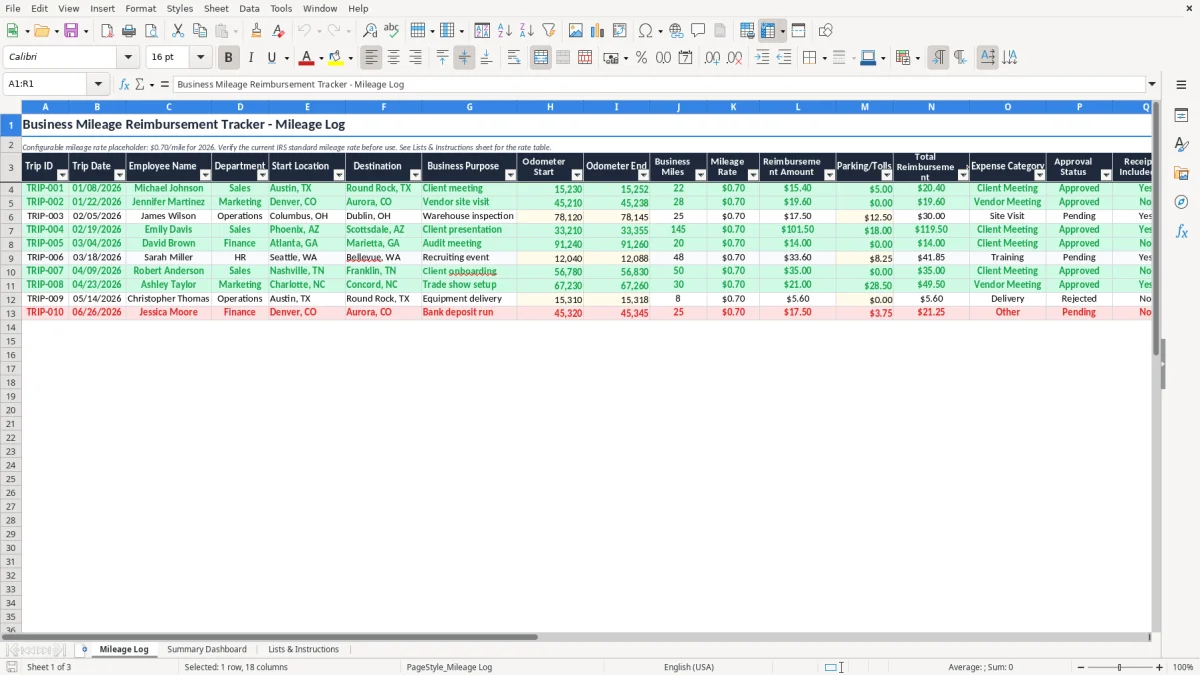
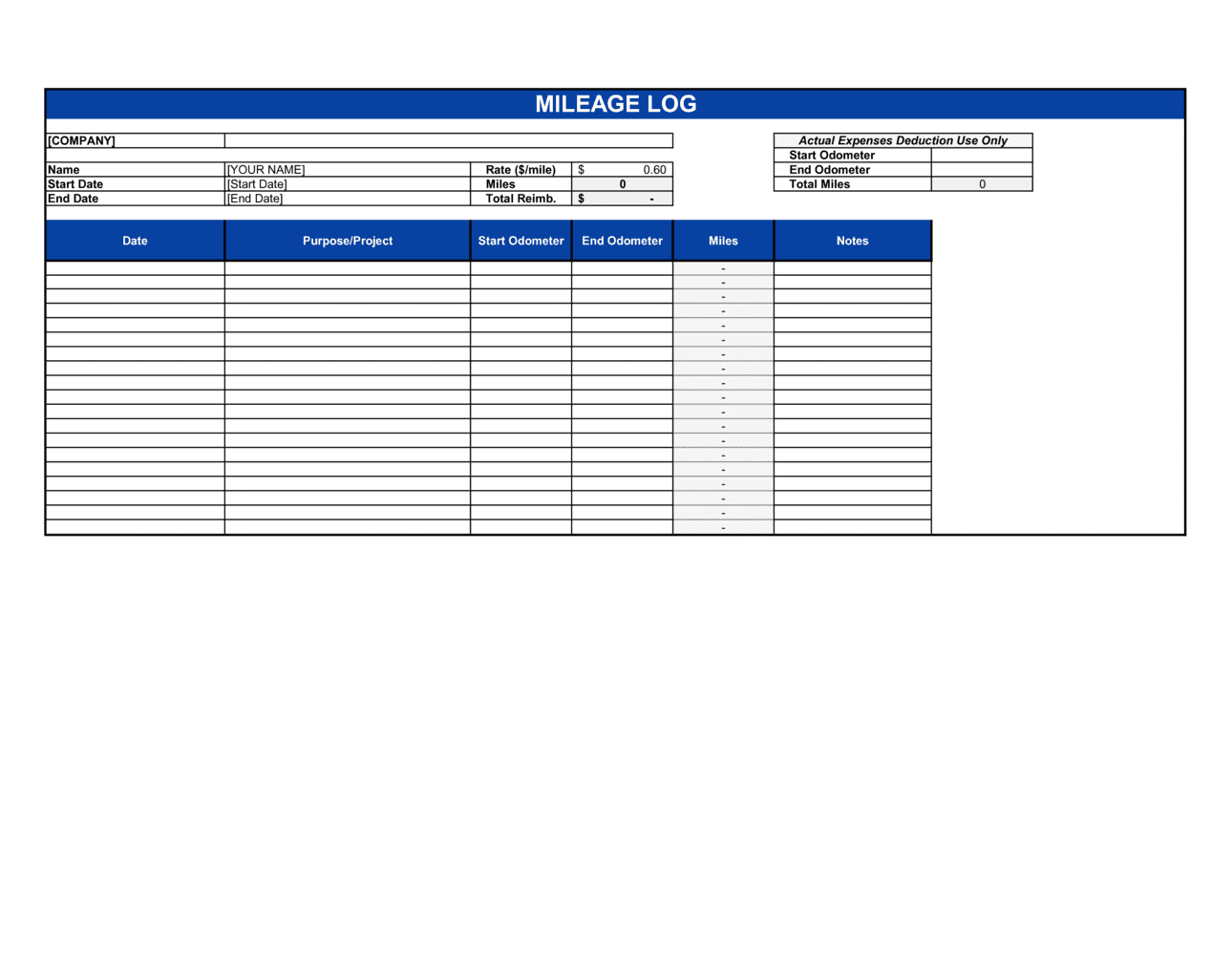
A business simple mileage log template excel should keep inputs and calculations visually distinct. One row can contain the trip date, starting point, destination, purpose, start odometer, end odometer, miles, category, rate, reimbursement, and notes. A top section can identify the vehicle and reporting period, while a bottom section summarizes business miles and reimbursement.
The same logic works in a business simple mileage log template google sheets. Shared spreadsheets can be useful when a driver enters trips and a bookkeeper reviews them later. Use consistent column names, avoid merged cells inside the data area, and keep the first row as the header. Filters can then isolate one vehicle, employee, month, or trip category without changing the underlying record.
A business simple mileage log template google docs is better suited to a document workflow than a calculation-heavy spreadsheet. It can be useful when the form is primarily a typed report or a printable document. If the document must calculate many rows automatically, a spreadsheet is usually the more natural format. If the main need is a stable page layout, a document can be easier to control.

The same design principle applies across formats: preserve the factual trip record first, then add calculations and presentation around it. The file type is secondary to the quality of the information recorded.
When a basic template is enough
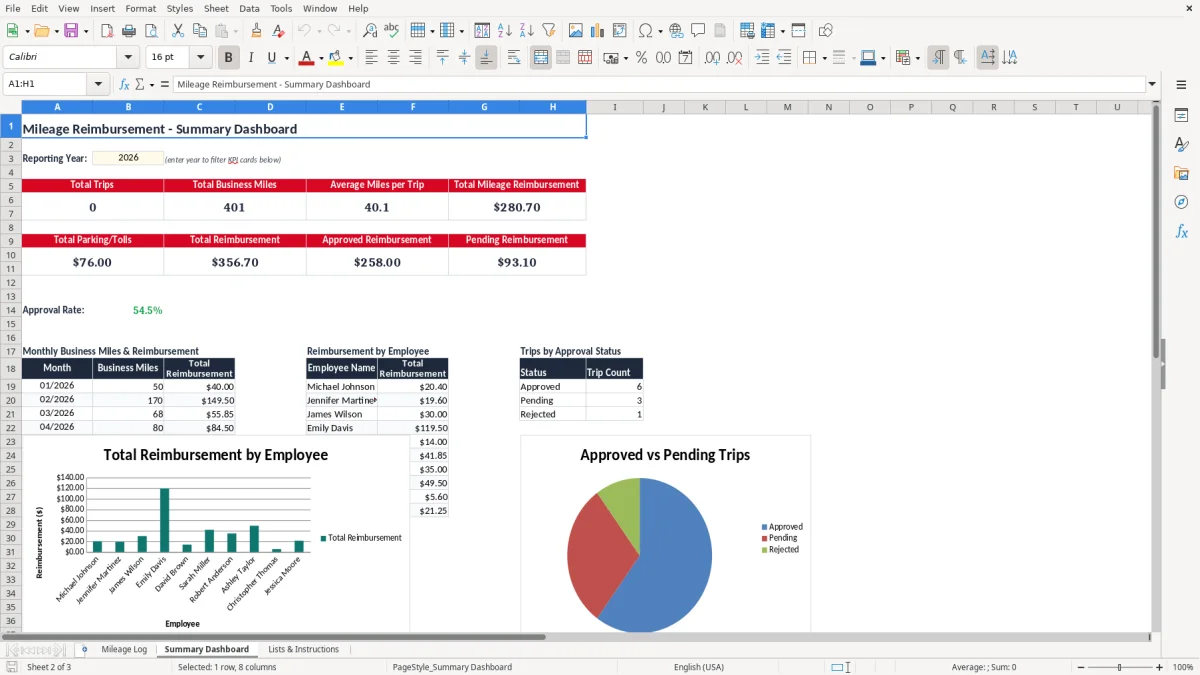
A basic mileage log is often enough for a sole proprietor who drives one vehicle, has a modest number of business trips, and does not need multi-employee approval. The essential fields can fit on one page or one spreadsheet sheet. Adding a dozen administrative columns in that situation may make the log harder to maintain rather than more reliable.
A small service business may need slightly more structure because the driver travels to many locations. Adding job number, customer, or technician can help connect mileage to billing and job costing. The added fields should be selected because they answer a business question, not because more columns look more professional.
A larger organization may need a workbook with employee, department, vehicle, project, approval, and receipt controls. At that point, the mileage log becomes one component of a broader expense process. Even then, the trip-level fields should remain clear because every summary number should be traceable to individual travel records.
If you are unsure which format to choose, start with the smallest structure that captures every required fact. You can add fields after a real review shows that something is missing. Removing unnecessary fields later is easier than teaching users to complete an oversized form correctly from the beginning.
How to review the log before filing or reimbursement
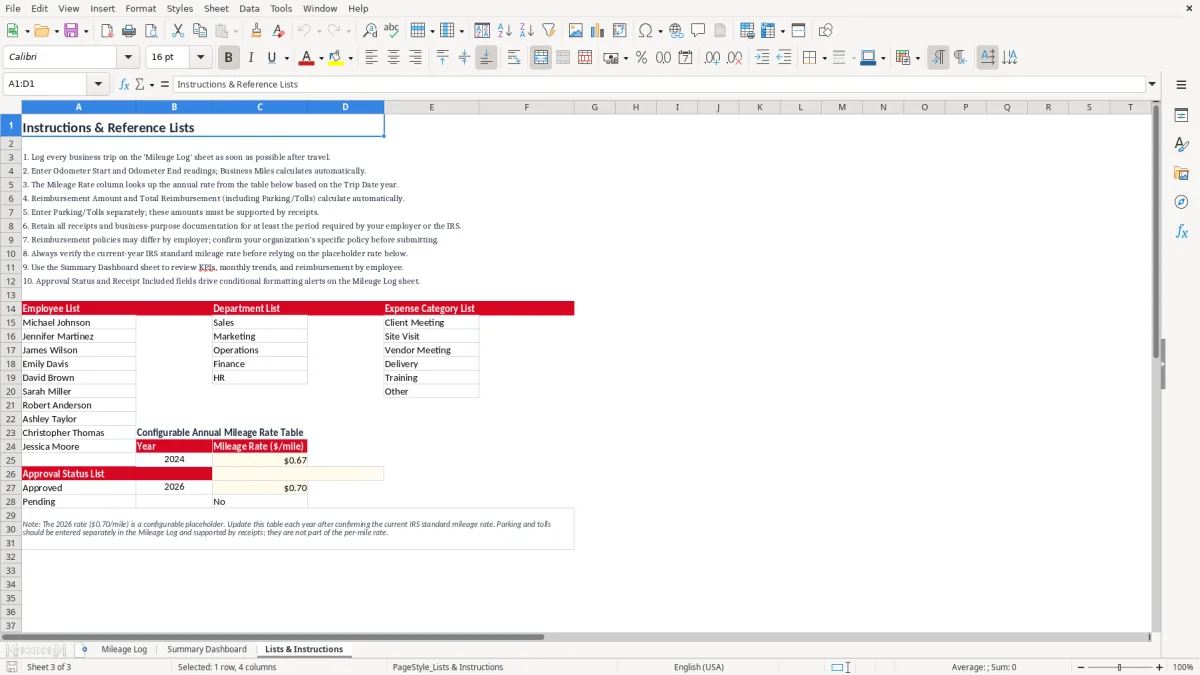
Begin with completeness. Scan for blank dates, missing destinations, vague purposes, absent odometer readings, and rows where miles are missing. In a spreadsheet, filters can make this review quick. On paper, a short checklist beside the completed form can serve the same purpose.
Next, review reasonableness. Compare unusually long trips with calendars, job schedules, route records, or other supporting information when appropriate. Check that ending odometers do not move backward and that the calculated distance matches the intended calculation method. A mileage log is stronger when the numbers agree with the surrounding business records.
Finally, reconcile totals. Compare the business-mile total with the reimbursement claim, accounting entry, or tax worksheet that uses it. If parking and tolls are tracked separately, reconcile those amounts to receipts and company policy. Once approved, preserve the completed period as a dated record rather than continually editing the same live workbook.
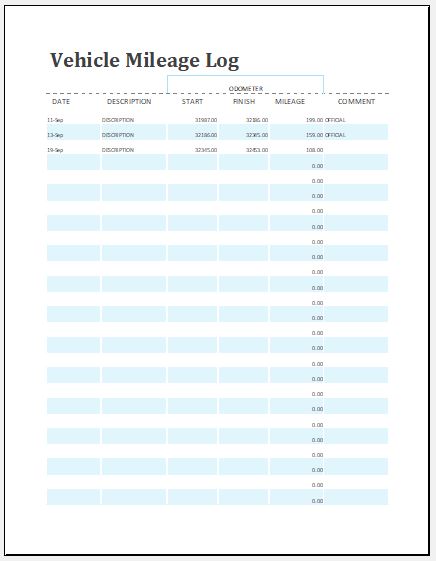
The review process should be proportionate to the risk. A single-owner business with a handful of trips may need a short monthly check. A company with many drivers and frequent reimbursements may need weekly approval and exception reporting. The template should support the review process rather than become the review process itself.
Record retention and supporting evidence
Keeping the completed mileage log is only part of good recordkeeping. Supporting evidence may include receipts for reimbursable parking or tolls, calendars showing meetings, work orders, client records, or other documents that help explain the business purpose. The exact supporting documents depend on the transaction and the tax or employer rules that apply.
Internal Revenue Service Publication 463 states that records supporting transportation expenses should generally be kept as long as needed for tax administration and notes a general three-year period for records supporting a deduction from the date the return is filed, with special rules that can require longer retention. Businesses should apply the retention period appropriate to their circumstances rather than treating three years as a universal rule.
A good archive preserves the original trip data and the calculation context. If a reimbursement rate was used, keep a record of the rate and the period it covered. If a workbook is updated later, retain a dated copy of the approved period. This creates a clearer history than repeatedly overwriting one annual file.
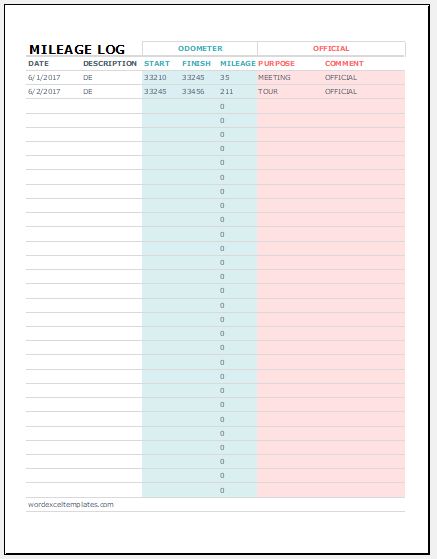
Digital records can be especially useful when they are organized by year, vehicle, and reporting period. Paper records can also work when they are legible, complete, and retained appropriately. The important point is that the record should remain accessible and understandable when the original trip is no longer fresh in memory.
What to look for in a high-quality template
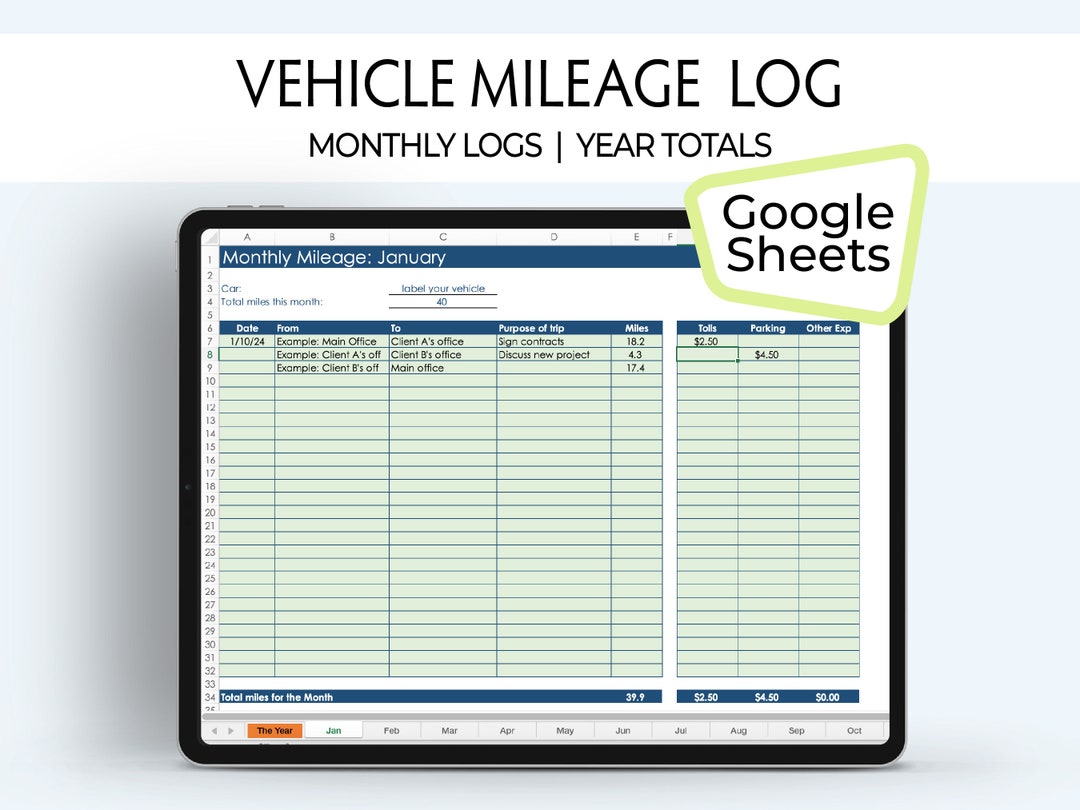
A strong template has clear column labels, enough room for meaningful entries, simple calculations, and a visible period summary. It should be easy to tell which cells are for manual input and which cells are calculated. It should also make business and personal classifications obvious when both types of travel are recorded.
Avoid layouts that rely heavily on decorative graphics, tiny writing areas, or unexplained formulas. A professional mileage record is primarily a data document. A clean grid, logical ordering, and clear totals usually matter more than elaborate styling. The best design is one that a driver can complete quickly and a reviewer can understand without a tutorial.
A template should also be adaptable. If your company changes reimbursement rates, adds vehicles, or introduces project codes, you should be able to extend the record without rebuilding the entire history. Spreadsheet templates are particularly useful for this reason, but a paper or document format can still be effective when the process is stable.
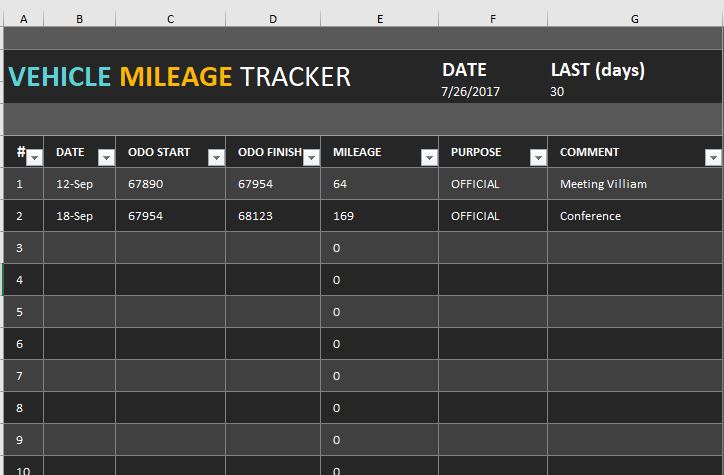
The strongest choice is therefore not the most complicated template. It is the one that captures the necessary facts, supports the intended calculation, and encourages timely entries.
Final selection checklist
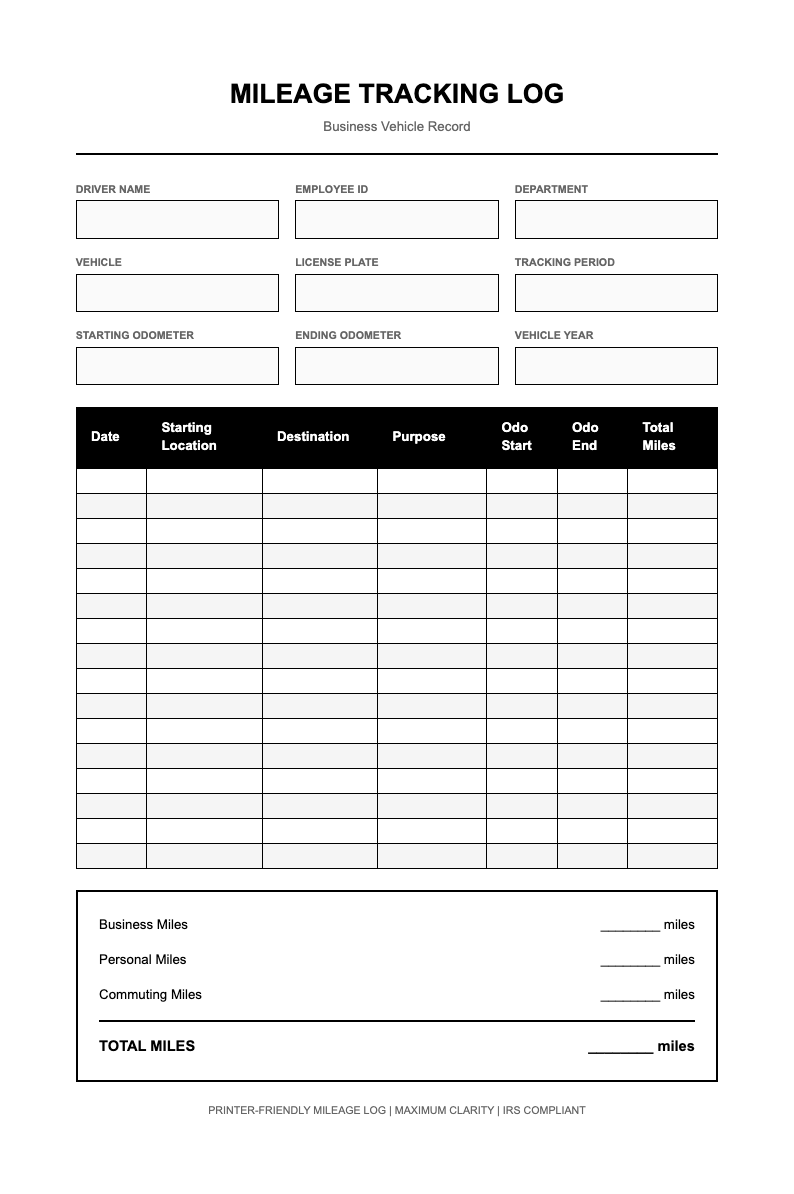
Before adopting a business mileage template, ask whether it captures the date, destination, business purpose, and miles for every business trip. If odometer readings are part of your process, make sure both start and end fields are present. If the vehicle has mixed use, decide how personal and commuting miles will be identified and reconciled.
Then consider workflow. Will the driver enter the record in a spreadsheet, a document, or on paper? Who reviews it? Does the business need reimbursement calculations, approval status, parking and toll fields, project codes, or monthly summaries? Answering those questions will usually reveal which format is appropriate.
For a small business, simplicity is a feature. A business mileage log printable sheet may be ideal for a driver who records trips in the vehicle. A spreadsheet may be better when totals and filtering matter. A document may be preferable when the completed form must look like a formal report. Whichever format you choose, keep the trip-level record complete and preserve the calculation assumptions.

The phrase example business mileage log is useful because seeing a completed structure can make the required fields easier to understand. But an example should be treated as a model for organization, not as a substitute for recording the facts of the actual trip.
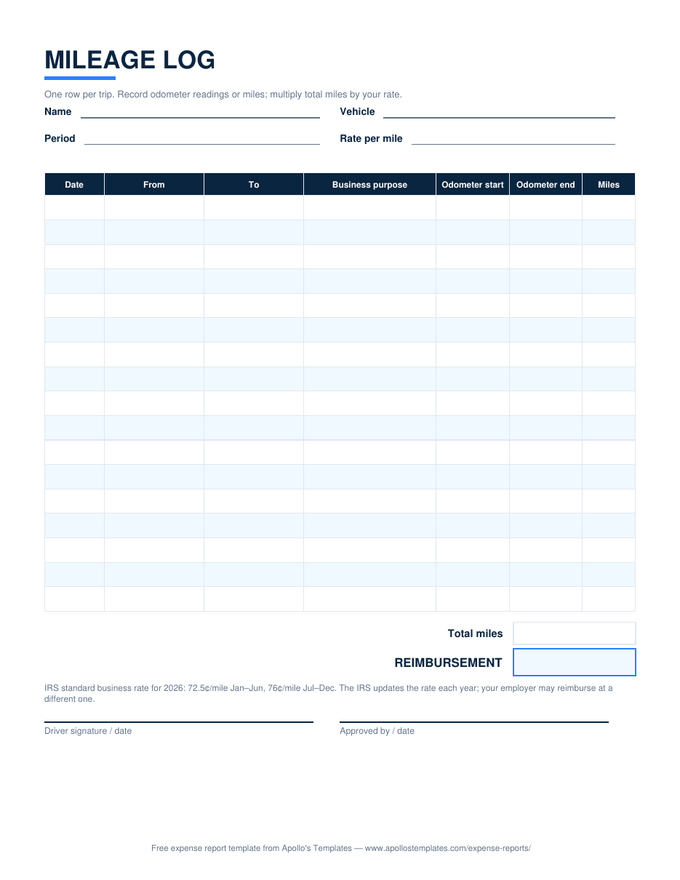

Reference Examples
A business simple mileage log template is easiest to evaluate when you can see how different layouts handle the same core information. Some designs emphasize a short trip-by-trip grid, while others add company branding, driver fields, project details, reimbursement calculations, or tax-oriented columns. The visual examples below are useful because they show how the same underlying record can be organized for different workflows without changing the central purpose: documenting business vehicle travel in a clear, reviewable format. When comparing them, pay attention to column order, writing space, calculation areas, reporting-period fields, and whether the layout keeps factual trip details separate from summary amounts.
These references also help illustrate the difference between a minimal log and a more structured business record. A compact form can be appropriate when one driver records a modest number of trips, while a company-oriented sheet may need employee or vehicle identifiers and more room for review. The most useful visual reference is not necessarily the most elaborate one. Instead, look for a design that makes date, route, purpose, mileage, and any required supporting information easy to enter and easy for another person to understand later. Use the visuals as design references and adapt the fields to your actual workflow and applicable rules.
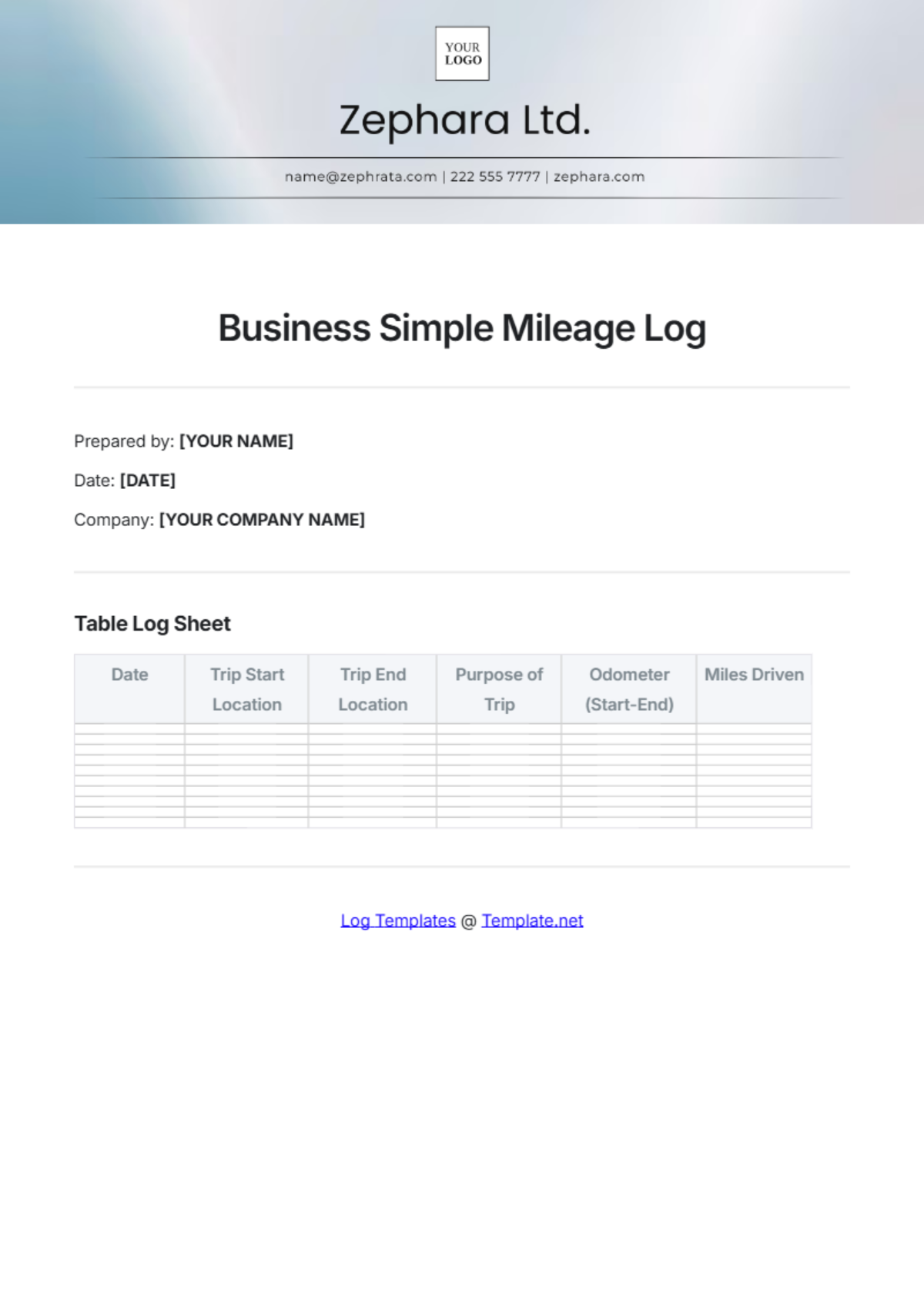
Business Simple Mileage Log Template
Source: Template.net
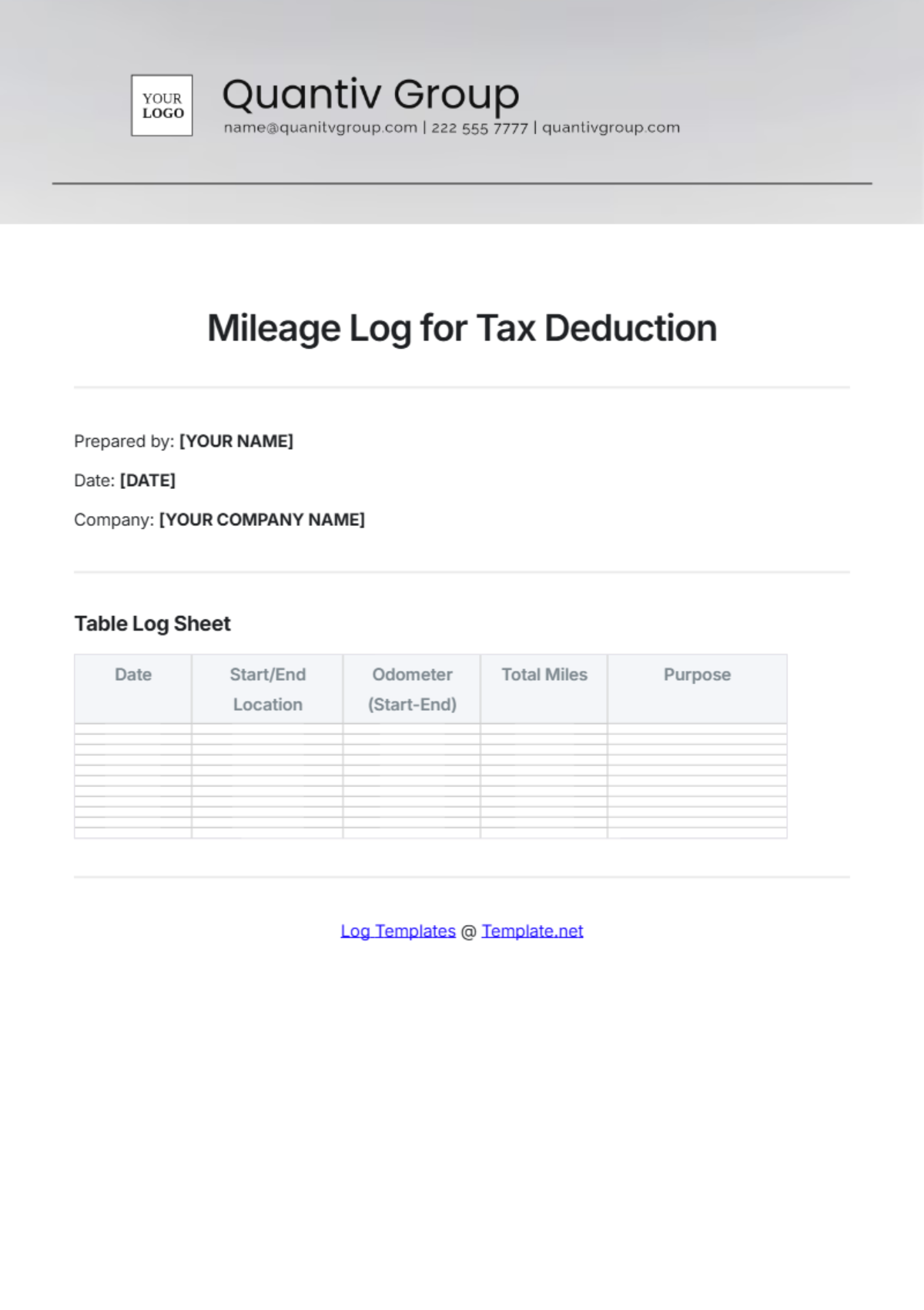
Mileage Log for Tax Deduction
Source: Template.net
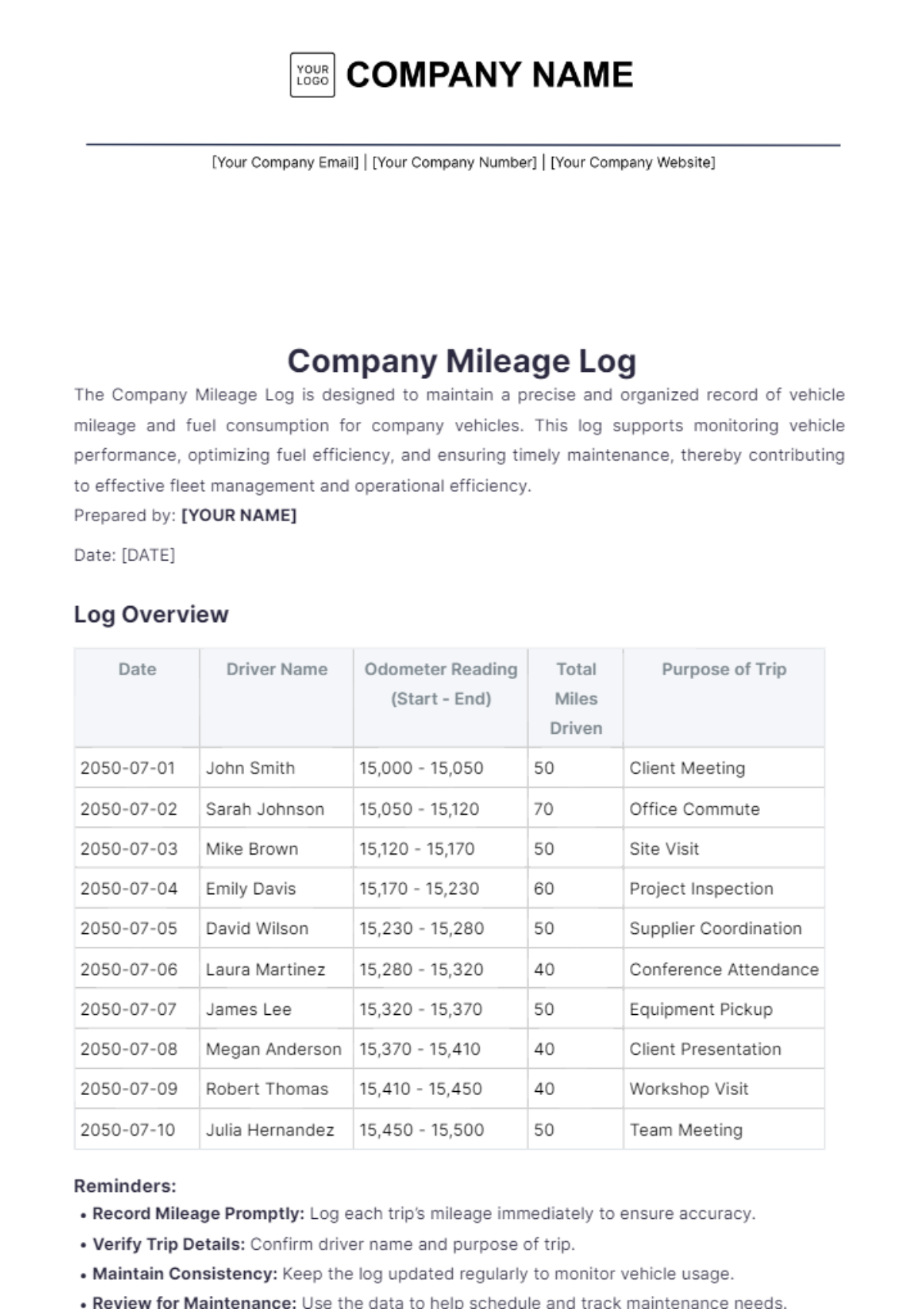
Company Mileage Log
Source: Template.net
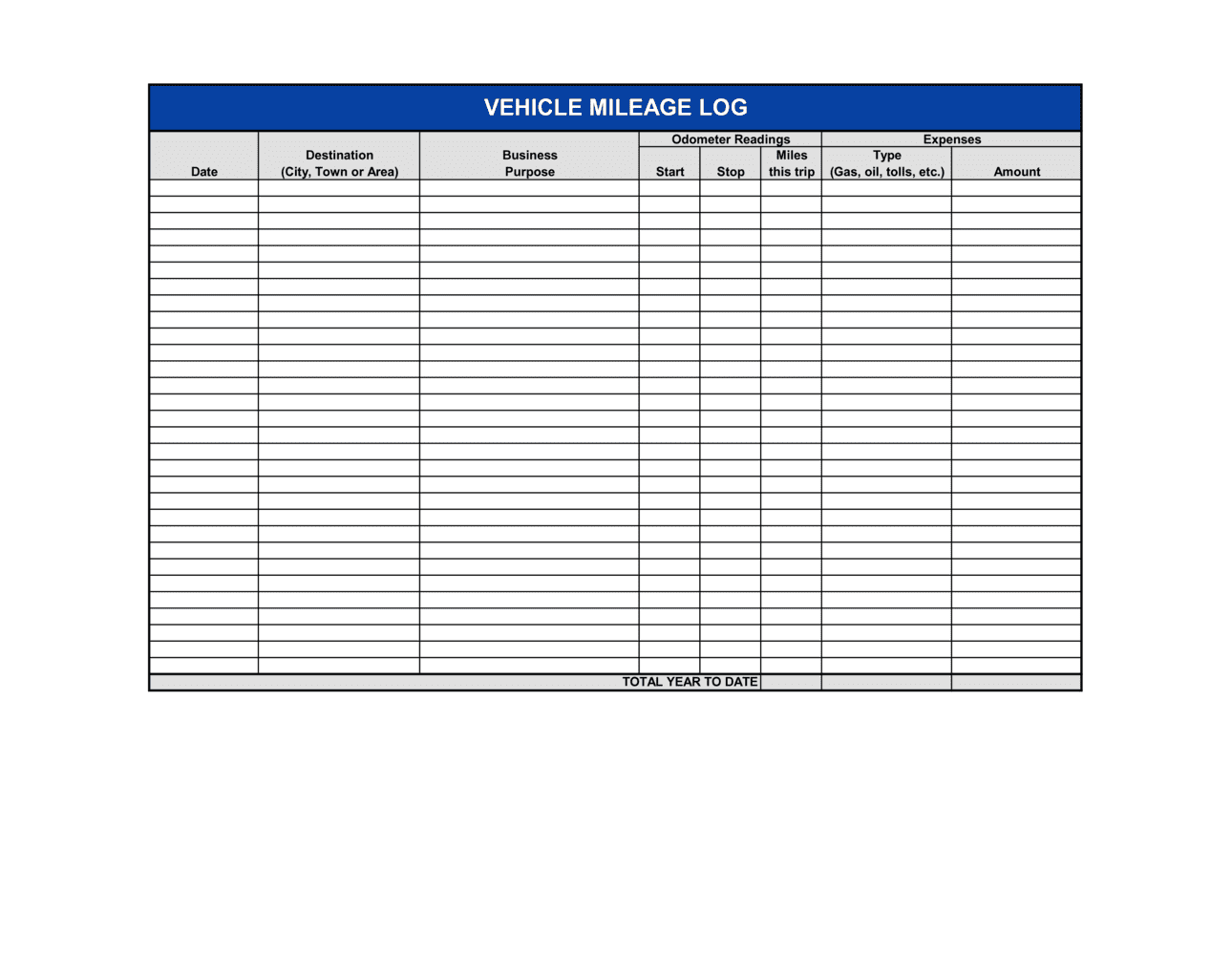
Vehicle Mileage Log Template
Source: Business in a Box
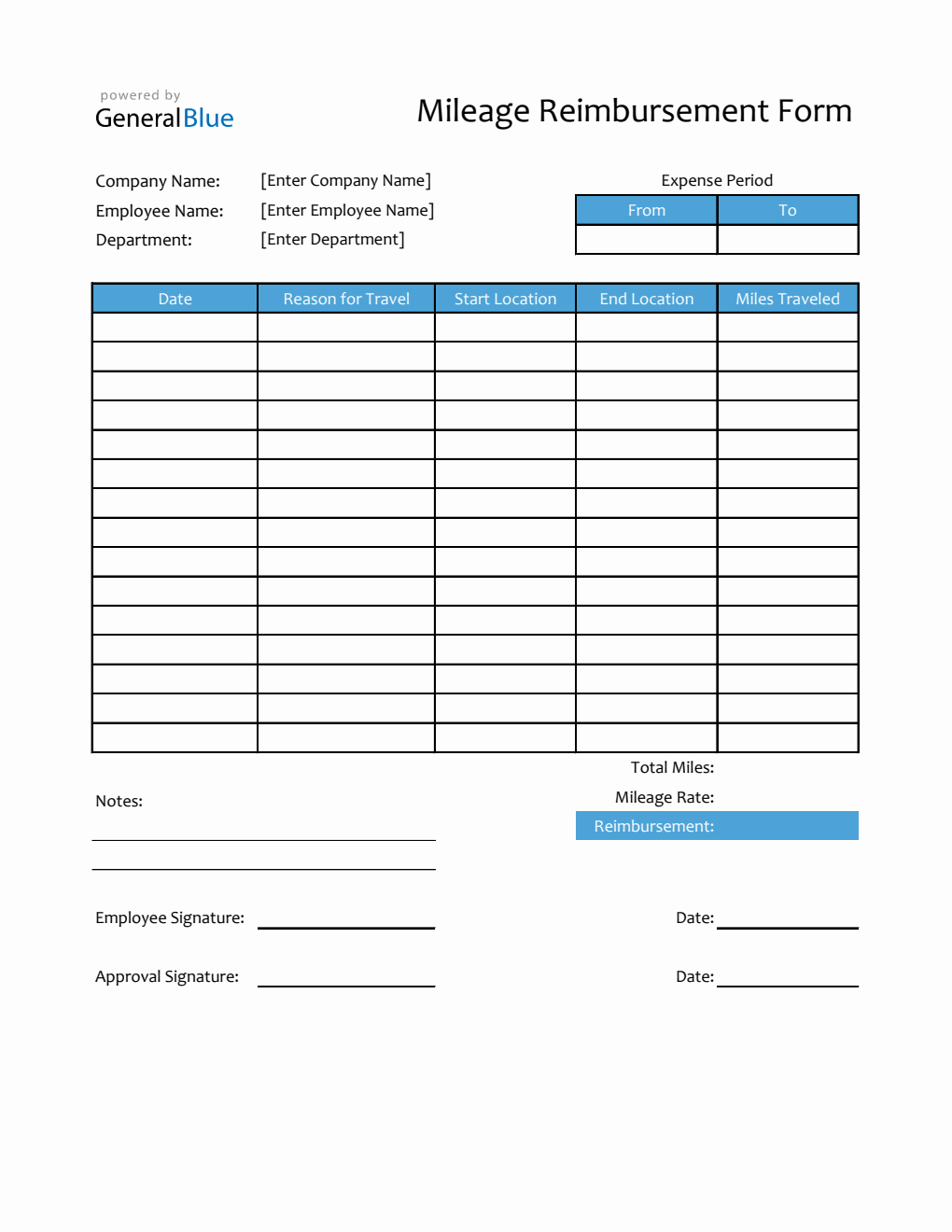
Mileage Reimbursement Form in Excel
Source: General Blue
