An it project cost estimate Template is a structured way to turn project scope, resources, rates, materials, services, and uncertainty into a defensible financial estimate. Instead of treating the budget as one large number, a good template breaks the project into phases and tasks, assigns measurable cost drivers, and rolls those figures into subtotals and a project-level estimate. This makes the financial logic easier to review before work begins and easier to compare with actual spending once execution starts.
Readers searching for an IT project estimate template are usually looking for something practical: a spreadsheet structure they can adapt, a clear list of cost categories, formulas for calculating totals, and guidance on choosing an appropriate estimating method. The most useful template is therefore not necessarily the most complicated one. It is the one that matches the project’s scope, captures the major cost drivers, makes assumptions visible, and gives stakeholders enough detail to understand where the estimate comes from.
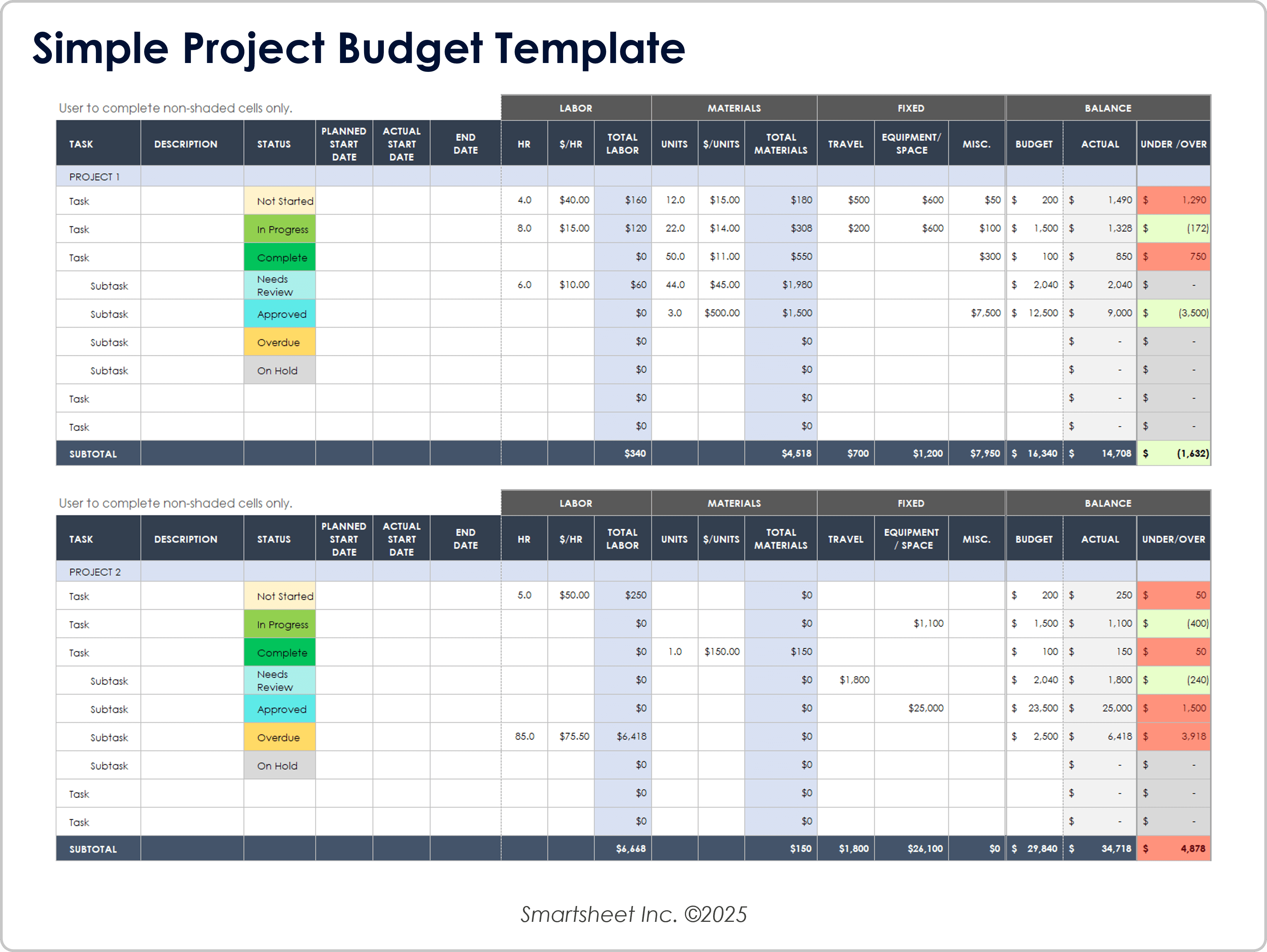
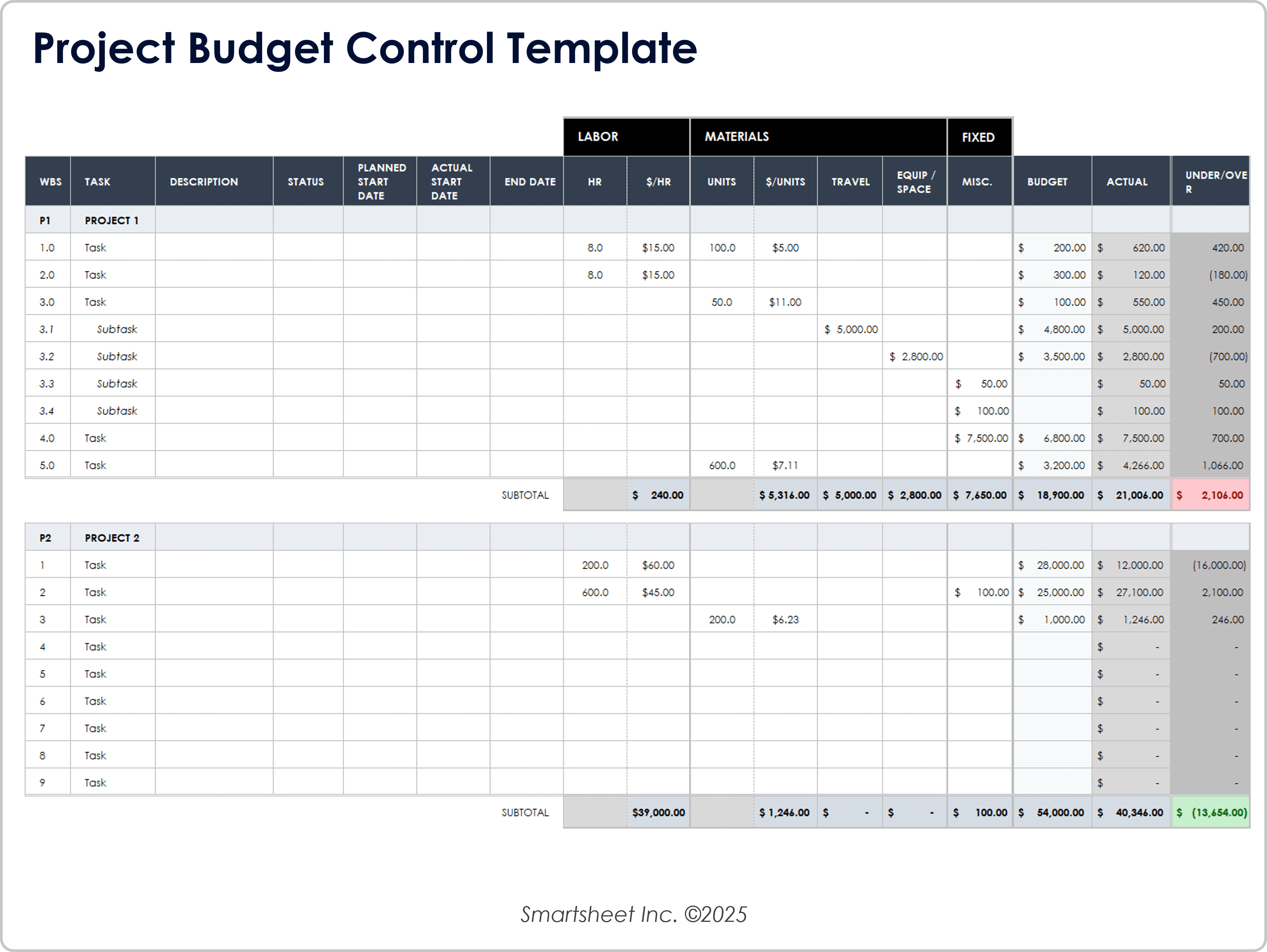
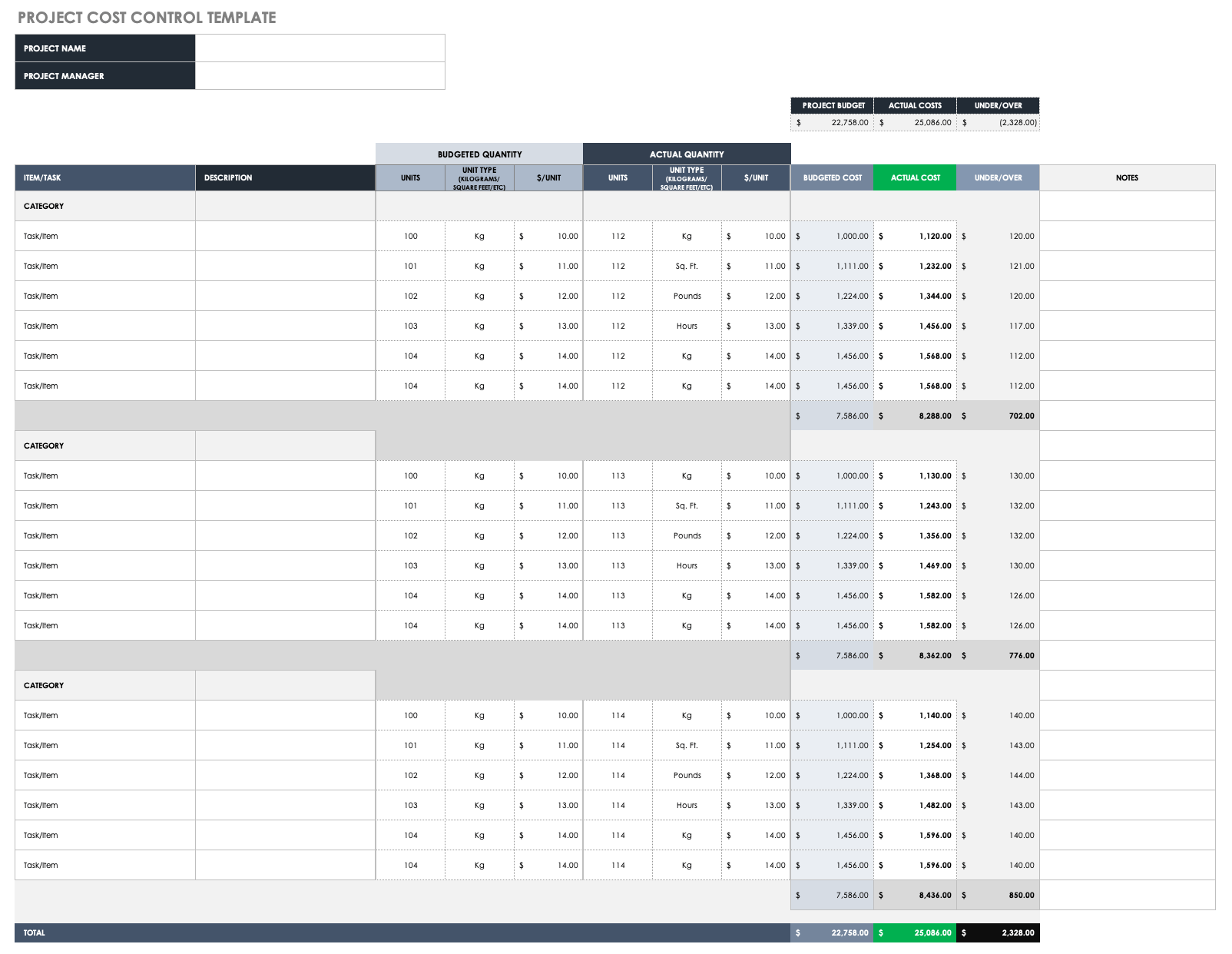
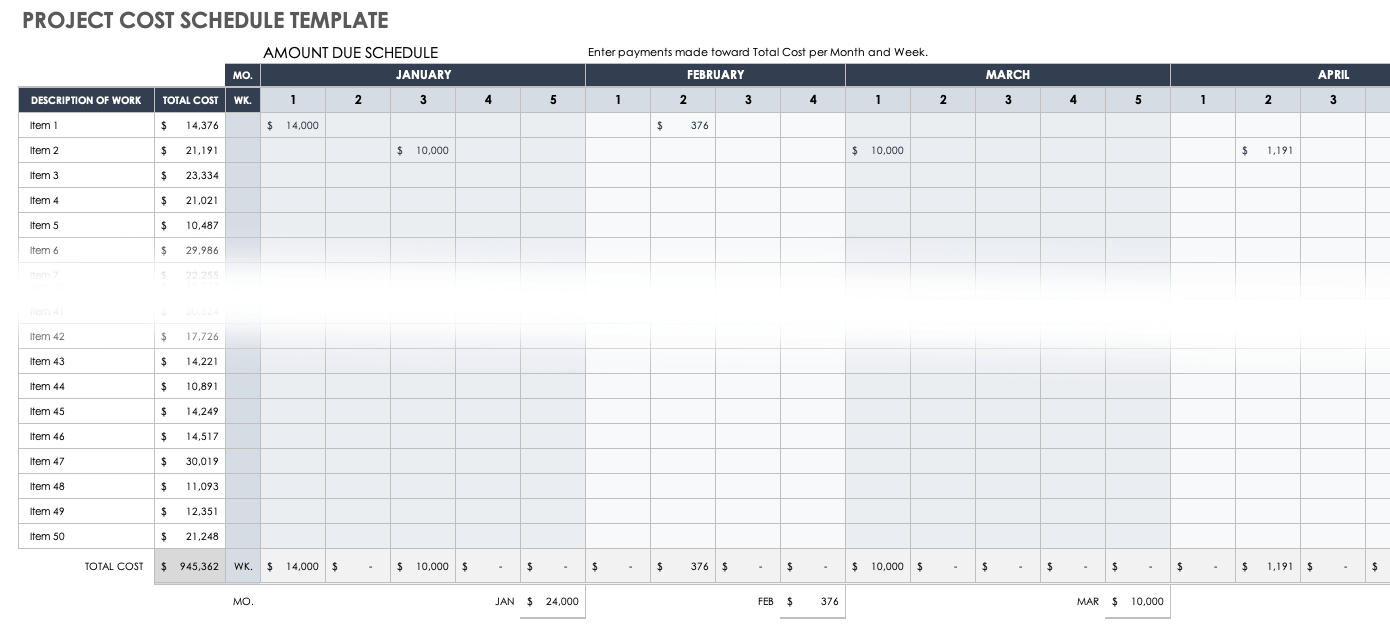
Current template examples from established project-management publishers show recurring design patterns: work breakdown structures, estimated hours, labor rates, material or unit costs, fixed expenses, contingency, status fields, budget-versus-actual comparisons, and summary totals. These patterns are useful because they connect estimating with later cost control rather than treating the estimate as a document that becomes irrelevant after approval.
What an IT project cost estimate template should accomplish
The primary purpose of an IT project cost estimate template is to create a traceable relationship between scope and money. If the project includes requirements analysis, architecture, development, testing, migration, training, deployment, and support, each area should have a visible place in the estimate. That structure allows a reviewer to ask meaningful questions such as whether testing effort is included, whether infrastructure is treated as a one-time or recurring expense, and whether post-launch support has been considered.
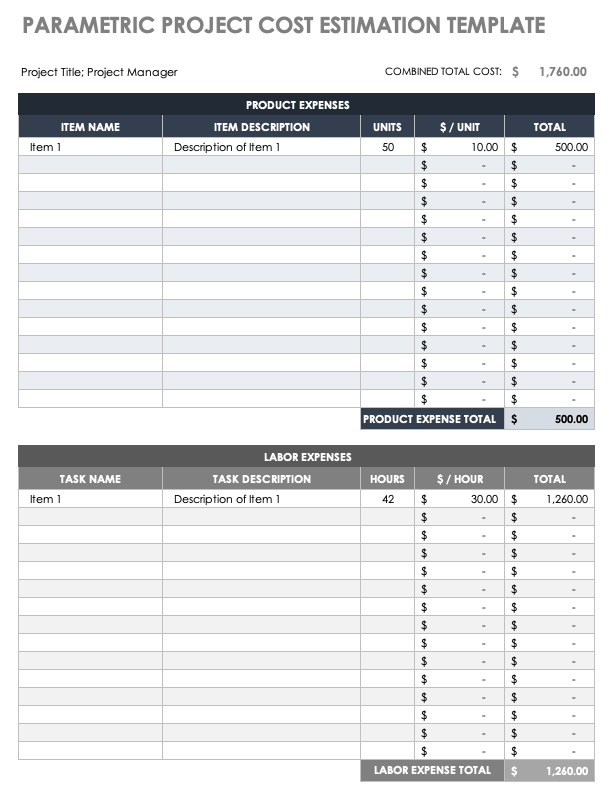
A useful template also separates different kinds of estimates. Labor may be calculated from hours multiplied by a rate, while hardware may be calculated from quantity multiplied by unit price. Cloud services may require a recurring monthly assumption, and external specialists may be represented through a fixed quotation. Combining all of these into one undifferentiated amount makes the result difficult to validate. Keeping the drivers visible makes the estimate easier to challenge and revise.
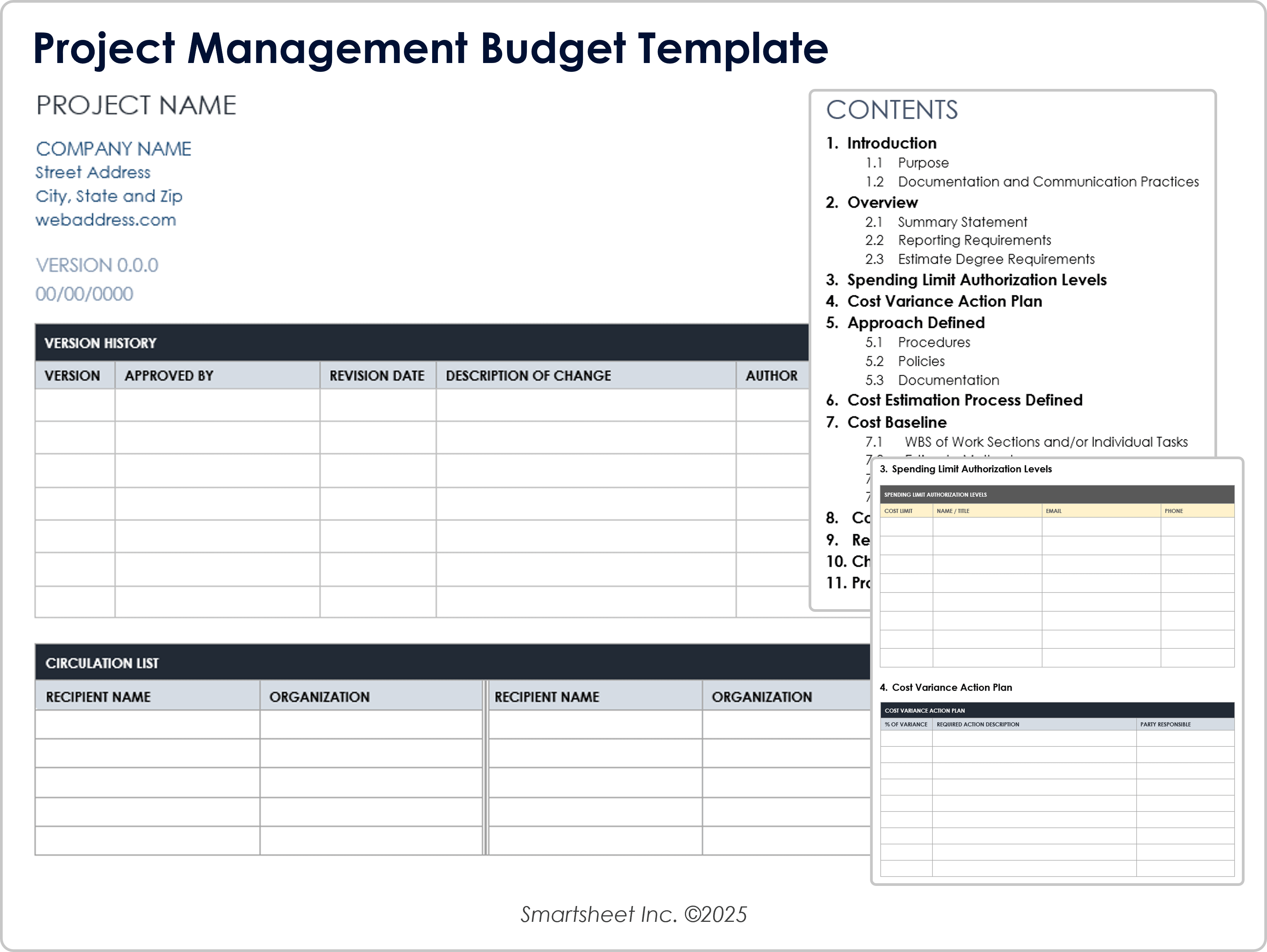
Another important function is version control. IT projects change frequently because requirements become clearer, technical constraints emerge, vendors change quotations, and stakeholders approve or reject scope. A good template should therefore make the estimate date, version, assumptions, and major changes visible. This creates an audit trail and prevents teams from confusing an early planning estimate with a later, more detailed baseline.
Core components of a project cost estimate
A strong project cost estimate template normally begins with project identification fields. These can include project name, project manager, client or sponsor, project ID, estimate date, planned start and finish dates, currency, and estimate version. These fields seem administrative, but they are important because cost figures have meaning only when the scope and time period behind them are known.
The next layer is the work breakdown structure, or WBS. A WBS decomposes the project into manageable deliverables, phases, and tasks. For an example software initiative, the structure might include discovery, requirements, UX and architecture, development, integration, testing, migration, deployment, training, and stabilization. The deeper levels should be detailed enough to estimate effort without creating hundreds of trivial rows that add maintenance overhead.
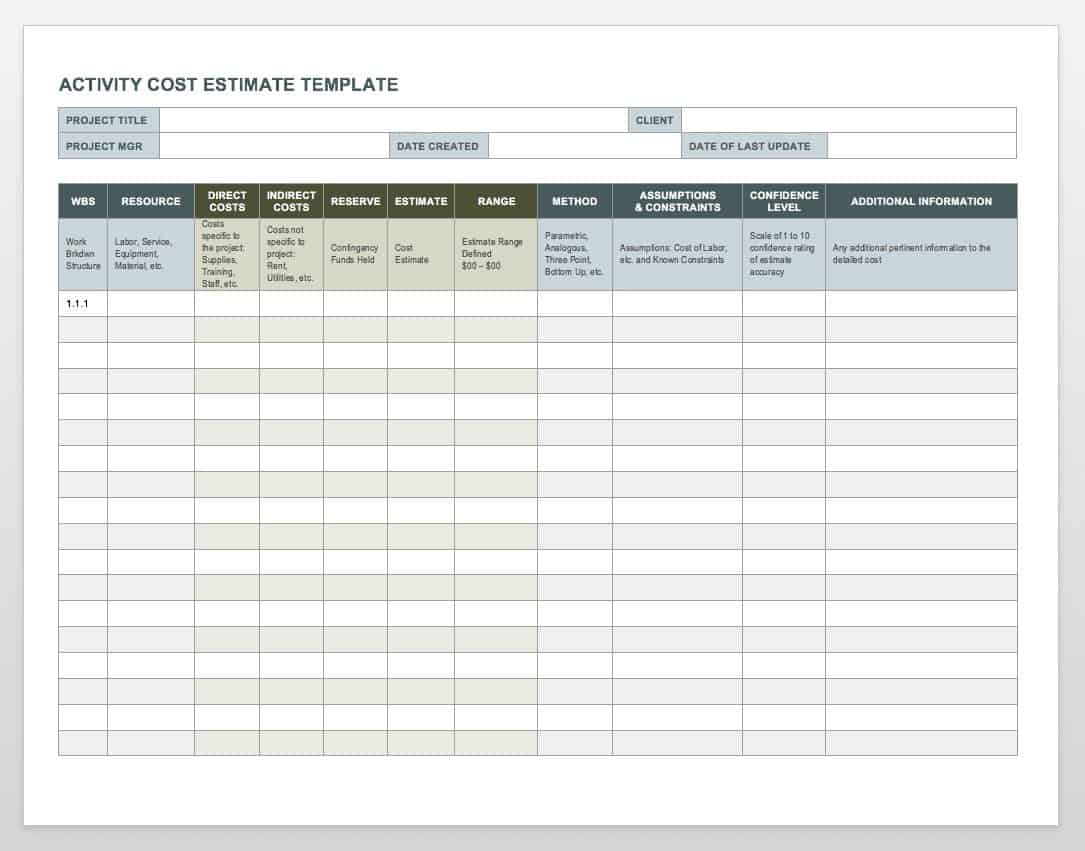
Cost-driver columns then turn the WBS into an estimate. Typical fields include quantity, hours, hourly rate, unit price, fixed amount, vendor amount, estimated cost, contingency, and notes. More mature templates can also include confidence level, estimation method, assumptions, dependencies, planned versus actual values, and variance. The objective is not to include every possible field; it is to include enough information that another person can understand how the estimate was constructed.
- Project information: project name, owner, sponsor, dates, currency, and estimate version.
- WBS structure: phase, deliverable, task, subtask, and task identifier.
- Resource data: role, quantity, estimated hours, and applicable rate.
- Non-labor costs: hardware, licenses, hosting, subscriptions, travel, contractors, and specialist services.
- Risk allowance: documented contingency or reserve linked to identified uncertainty.
- Summary: subtotals, total estimate, assumptions, exclusions, and approval information.
Cost categories to include in an IT estimate
Labor is often a central cost category in technology projects. The estimate should distinguish roles where rates or effort differ materially. A project manager, business analyst, solution architect, developer, tester, data specialist, security specialist, and trainer may each require different assumptions. If a blended rate is used, document how it was derived and what roles it represents rather than presenting the blended amount as though it were an individual market rate.
Technology costs should be separated into the items the project actually requires. Hardware may include servers, networking equipment, endpoints, storage, or specialized devices. Software-related costs may include licenses, subscriptions, implementation services, integration products, or development tools. Cloud and hosting expenses should identify the relevant period because a recurring service can continue after implementation and may therefore belong partly in operating costs rather than only in the project implementation estimate.
Other categories are easy to overlook. They can include data migration, testing environments, security reviews, architecture work, vendor onboarding, training materials, travel, procurement costs, external consultants, support during rollout, and contingency. A practical rule is to ask what resources must be purchased, contracted, or consumed to produce each deliverable. If a cost cannot be connected to a deliverable, assumption, or project dependency, it should be examined rather than automatically added.
Choosing an estimating method
There is no single estimating technique that works equally well for every IT project. Analogous estimating uses a comparable previous project as a reference and adjusts for differences in scope, complexity, scale, or technology. It can be useful early in planning when detailed requirements are not available, but the quality of the result depends heavily on how genuinely comparable the historical project is.
Parametric estimating uses measurable units and rates. For example, an estimate might use hours per interface, cost per device, cost per environment, or another defensible unit relationship. The advantage is transparency: once the quantity or rate changes, the resulting cost can be recalculated. Parametric logic is particularly useful when an organization has reliable historical data and stable cost drivers.
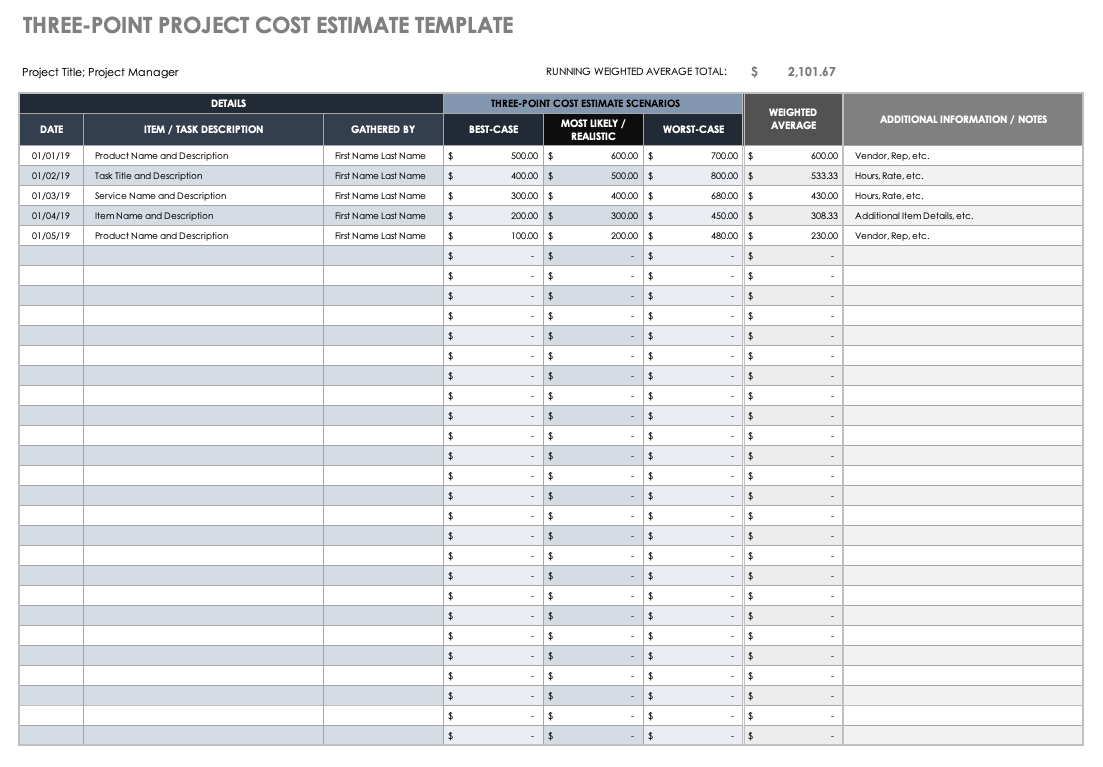
Bottom-up estimating goes deeper by estimating individual activities and rolling them upward. It generally requires more effort because the estimator must define the work at task level, determine who performs it, estimate effort, apply rates, and consider dependencies. Three-point estimating can add another layer by capturing optimistic, most likely, and pessimistic values. This is valuable when uncertainty is significant and a single-point number could create false confidence.
Excel, Google Sheets, and PDF formats
People searching for an it project cost estimate template excel generally want a workbook that can calculate totals, rates, subtotals, and scenario values. A spreadsheet is particularly useful when the estimate contains many line items or when formulas need to roll individual task values into phase totals. It also makes it easier to create separate tabs for assumptions, resource rates, detailed estimates, and executive summaries.
An it project cost estimate template google sheets can be useful when several contributors need to review or update the same estimate. Shared spreadsheet workflows can reduce version conflicts, but collaboration should be controlled carefully. Establish who owns the estimate, who can change assumptions, and how approved versions are identified. Shared editing does not replace governance; it makes clear ownership more important.
Some stakeholders prefer a fixed document for review or formal circulation, which is where an it project cost estimate template pdf can be useful as a presentation or record of a particular estimate version. A PDF is best treated as a snapshot rather than the primary calculation layer. Keep the underlying calculation workbook or structured source intact so that changes can be made without manually rebuilding totals and narrative sections.
How to create the estimate step by step
Step one is to define the estimating boundary. Write down what the estimate covers and what it excludes. A cloud migration estimate, for example, might include discovery, migration planning, engineering, testing, cutover, and stabilization while excluding ongoing cloud consumption after a defined period. Without an explicit boundary, stakeholders can interpret the same total differently.
Step two is to build the WBS. Start with deliverables and major phases, then decompose them into tasks that can be estimated. Each task should have a clear outcome. “Development” is usually too broad to estimate confidently, while “build customer authentication flow” or “configure production monitoring” is more measurable. Assign an owner or responsible role where appropriate so that effort assumptions have an identifiable basis.
Step three is to gather cost inputs. Use approved internal rates where available, current vendor quotations where applicable, and historical project information for recurring work. Separate known figures from assumptions. If a vendor price is not yet confirmed, mark it as an assumption rather than making the number look authoritative. For recurring services, state the period represented by the estimate.
Step four is to calculate, review, and challenge the result. Labor cost can be represented as hours multiplied by rate. Unit-based costs can be calculated as quantity multiplied by unit price. Add appropriate fixed costs and documented reserves, then review the result with people who understand the technical scope. A finance reviewer may challenge missing categories, while a technical reviewer may identify hidden implementation work.
Worked example: estimating a software implementation
Consider a hypothetical internal system implementation. The project includes requirements, solution design, configuration, integration, testing, migration, training, and deployment. Suppose the estimating team identifies 120 hours of business analysis, 260 hours of engineering, 140 hours of testing, 60 hours of project management, and 40 hours of training. These figures are hypothetical and illustrate the method rather than representing a benchmark for actual projects.
The next step is to apply the appropriate internal or contracted rates. If engineering has a higher rate than testing, multiplying each role’s hours by the applicable rate creates a more defensible labor estimate than multiplying total hours by one arbitrary rate. Hardware, third-party services, travel, and other fixed expenses are then added separately. This separation also makes later revisions easier because a change to one rate does not require rebuilding unrelated cost categories.
Suppose the first calculation produces a baseline estimate of $180,000 in the hypothetical scenario. The project team should not automatically add an arbitrary percentage and call the result the final budget. Instead, identify uncertainty: requirements still being clarified, migration complexity, vendor dependencies, integration risks, or additional testing environments. The reserve should reflect those identified uncertainties and be explained in the notes so stakeholders understand why it exists.
Common mistakes that weaken IT cost estimates
One common mistake is estimating from a vague scope. When the project description says “upgrade the platform” without defining deliverables, interfaces, environments, migration activities, testing expectations, or deployment responsibilities, the estimate becomes a guess. The solution is not necessarily to produce a huge spreadsheet; it is to clarify the work enough that every significant cost can be connected to something the project must deliver.
Another mistake is ignoring non-development work. Teams sometimes focus heavily on coding effort while underestimating requirements, architecture, security, testing, data preparation, release management, training, documentation, and support. These activities can be essential to delivering the intended outcome. A well-structured WBS helps expose them before the financial estimate is approved.
A third mistake is presenting uncertainty as precision. A total such as $247,350 can look authoritative even when several inputs are rough assumptions. Precision in formatting is not the same as accuracy. Use notes, ranges, confidence indicators, scenario estimates, or explicit assumptions when the available information is uncertain. Update the estimate as better evidence becomes available rather than defending an early number simply because it was previously approved.
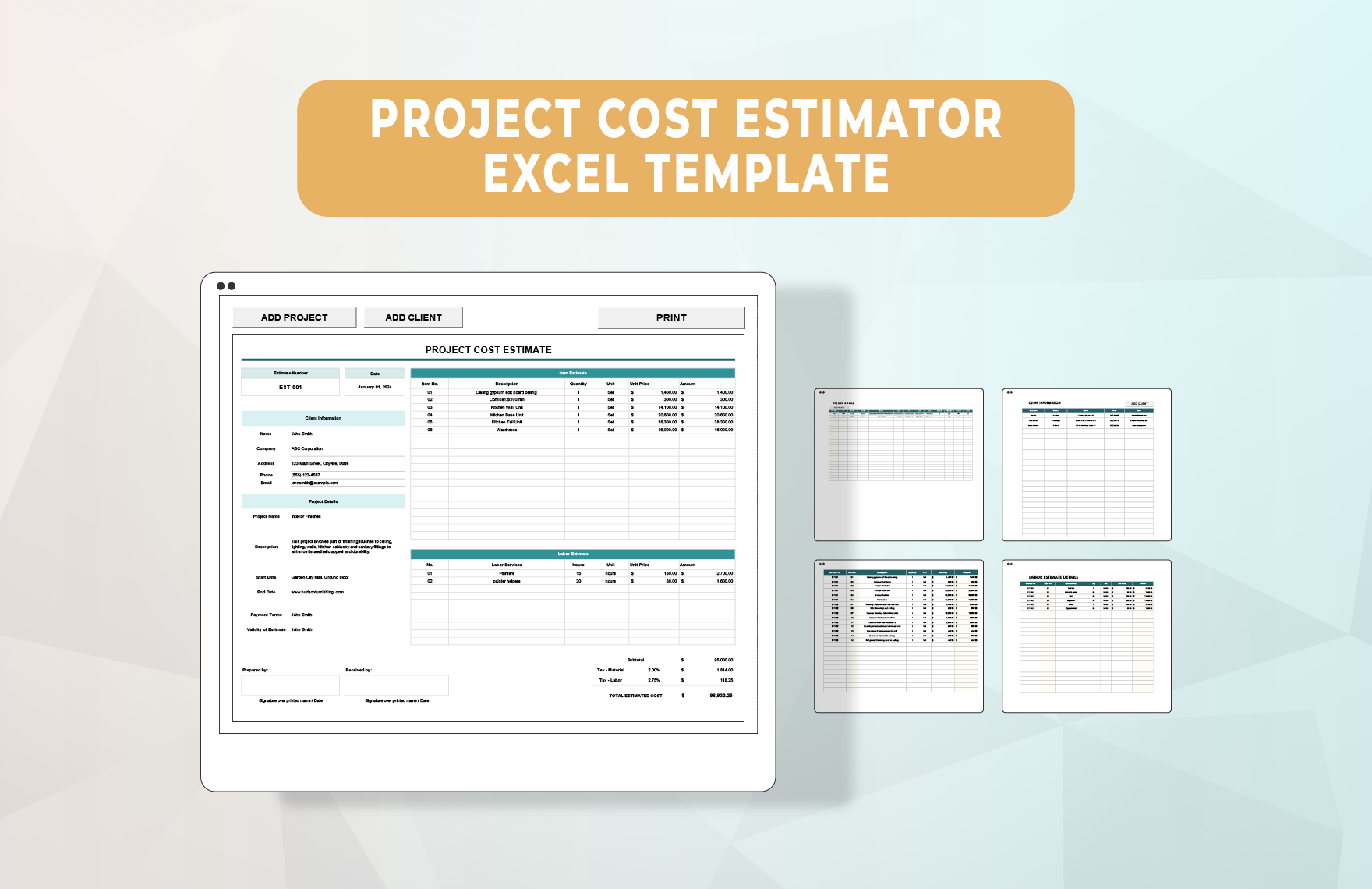
Practical Solution
The most practical solution is to build one estimating workbook around the project’s WBS and then make every major total traceable to an input. Start with a scope sheet containing assumptions and exclusions. Create a detailed estimate sheet with task IDs, descriptions, resources, hours, rates, quantities, unit costs, fixed costs, and notes. Add a summary sheet that rolls those figures into phase totals and the overall project estimate. Keep approved assumptions visible rather than burying them inside formulas.
Next, introduce a review cycle before the estimate becomes a baseline. Ask a technical lead to challenge the scope and effort assumptions, ask procurement or finance to review external and recurring costs, and ask the project sponsor to confirm that the financial scope matches the intended outcome. When a disagreement occurs, record the assumption that changed rather than silently changing a number. This makes the estimate easier to defend and creates useful evidence for future projects.
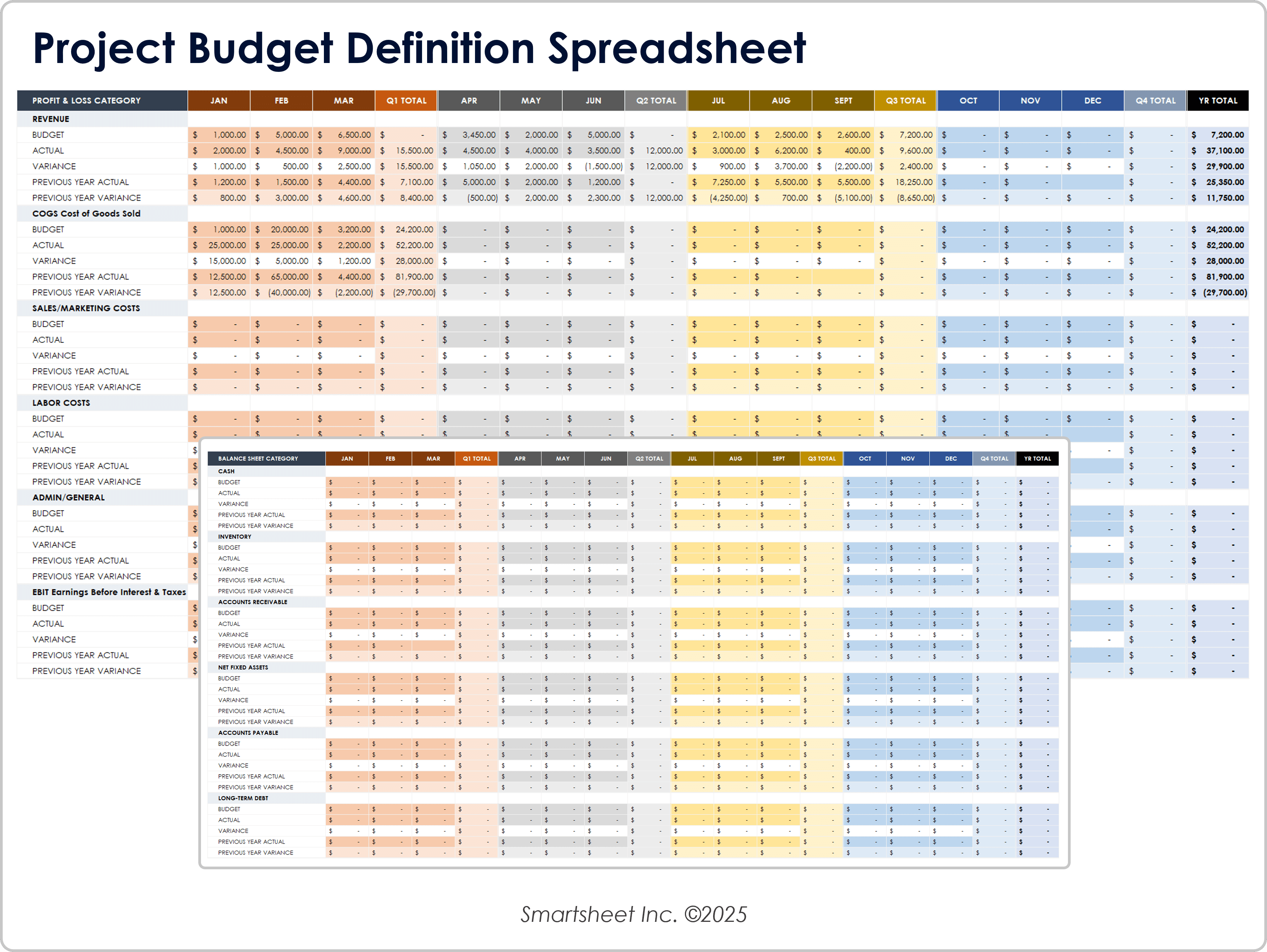
After approval, preserve the baseline and create a separate mechanism for actual costs. The same structure can then support budget-versus-actual analysis. If a testing task was estimated at 100 hours but reaches 135 hours, the variance becomes visible. If a vendor cost changes, the impact can be traced to the relevant category. This turns the estimate into a management instrument rather than a static planning document.
For teams choosing among formats, an it project cost estimate template free download search may reveal many layouts, but the priority should be suitability rather than the label attached to the resource. An it project cost estimate template free option can be perfectly useful for a small project if its structure captures the required cost drivers. For formal reporting, an it project cost estimate template pdf can serve as a stable review copy, while the working calculations remain in a spreadsheet.
The same principle applies to related searches such as project cost estimate template excel and cost estimate project management template. The file format matters less than whether the structure supports the estimating method. A good template should help the team explain where costs came from, identify uncertainty, revise assumptions efficiently, and compare the eventual result with what was originally expected.

Reference Examples
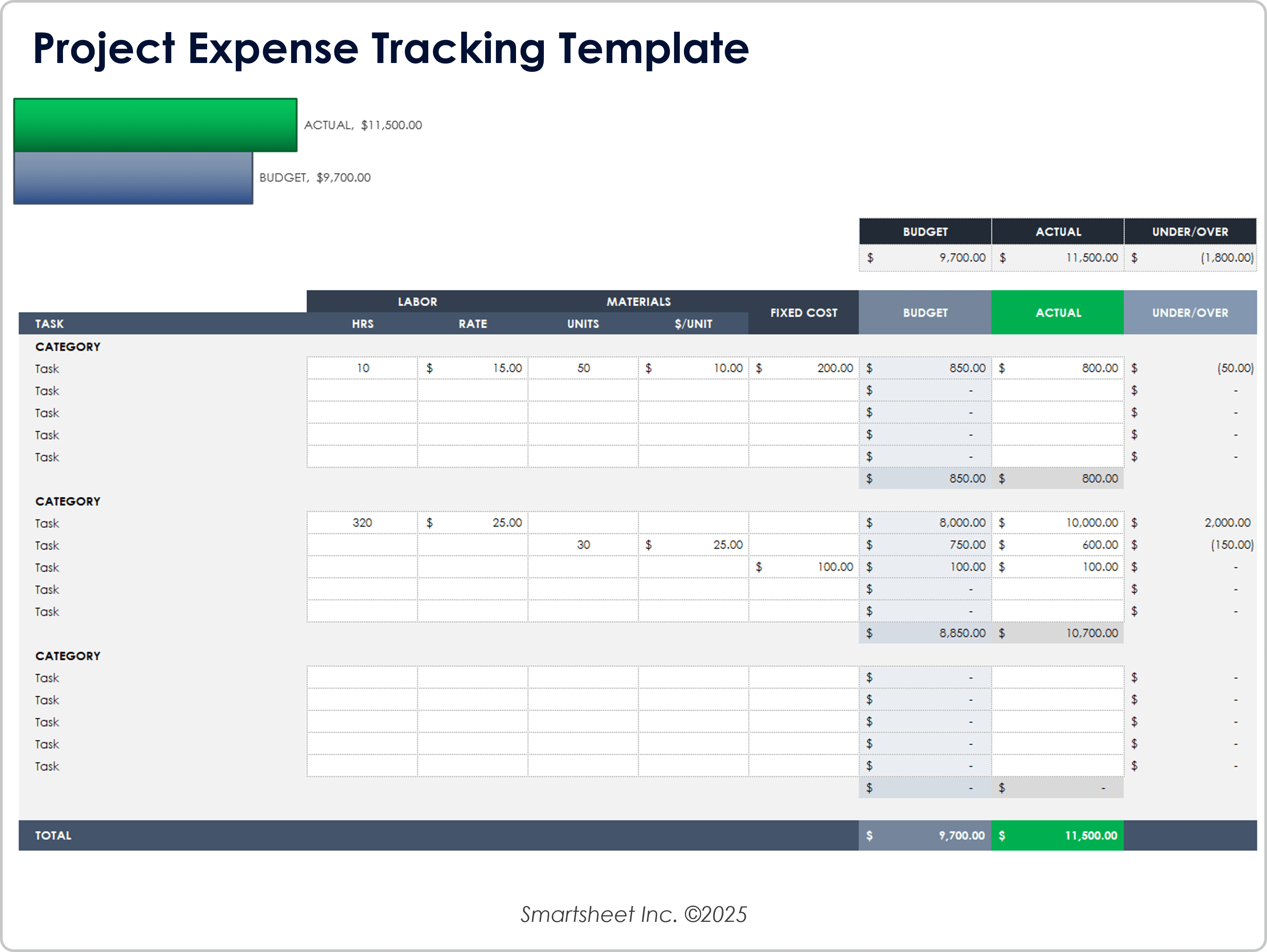
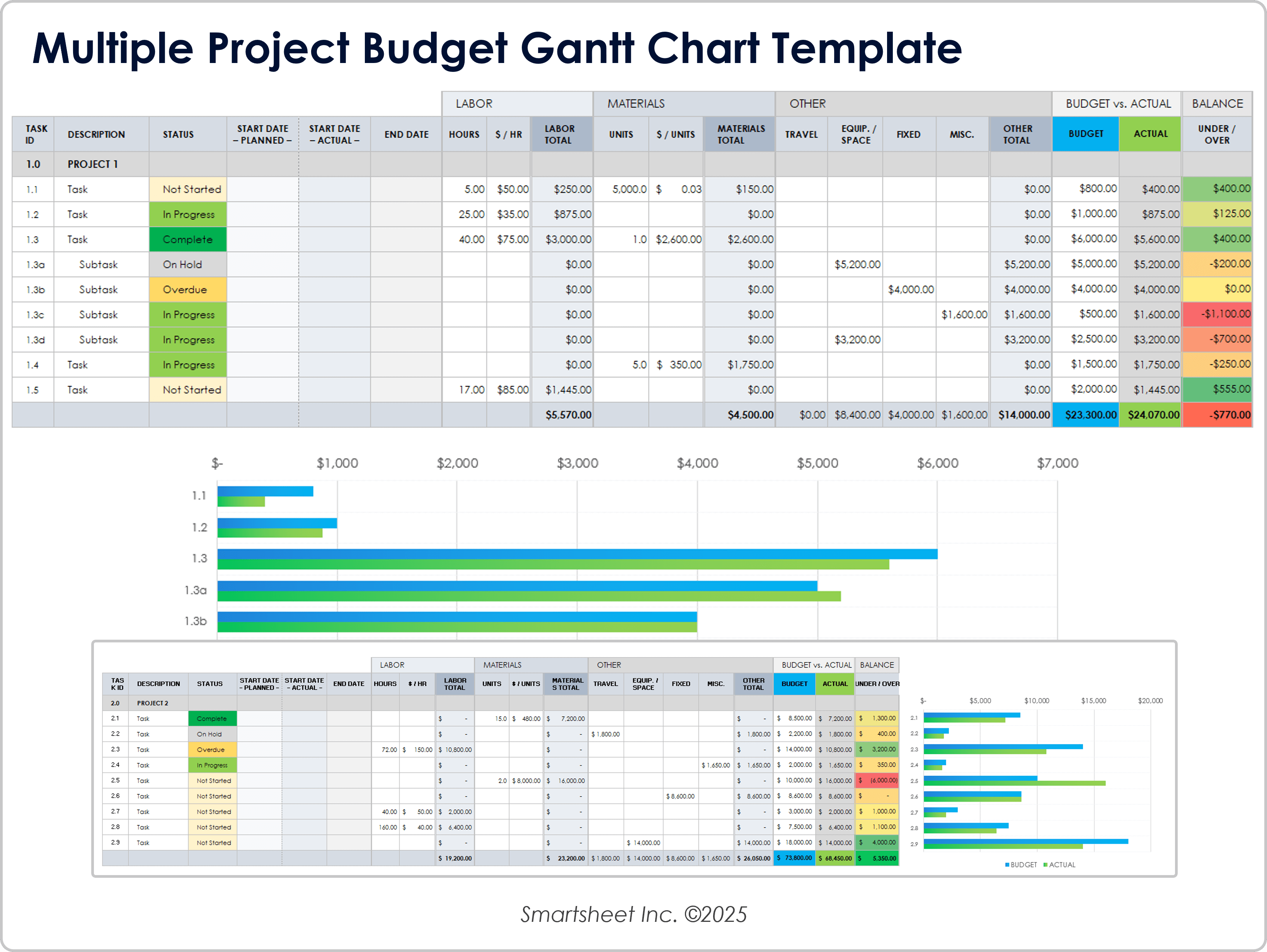
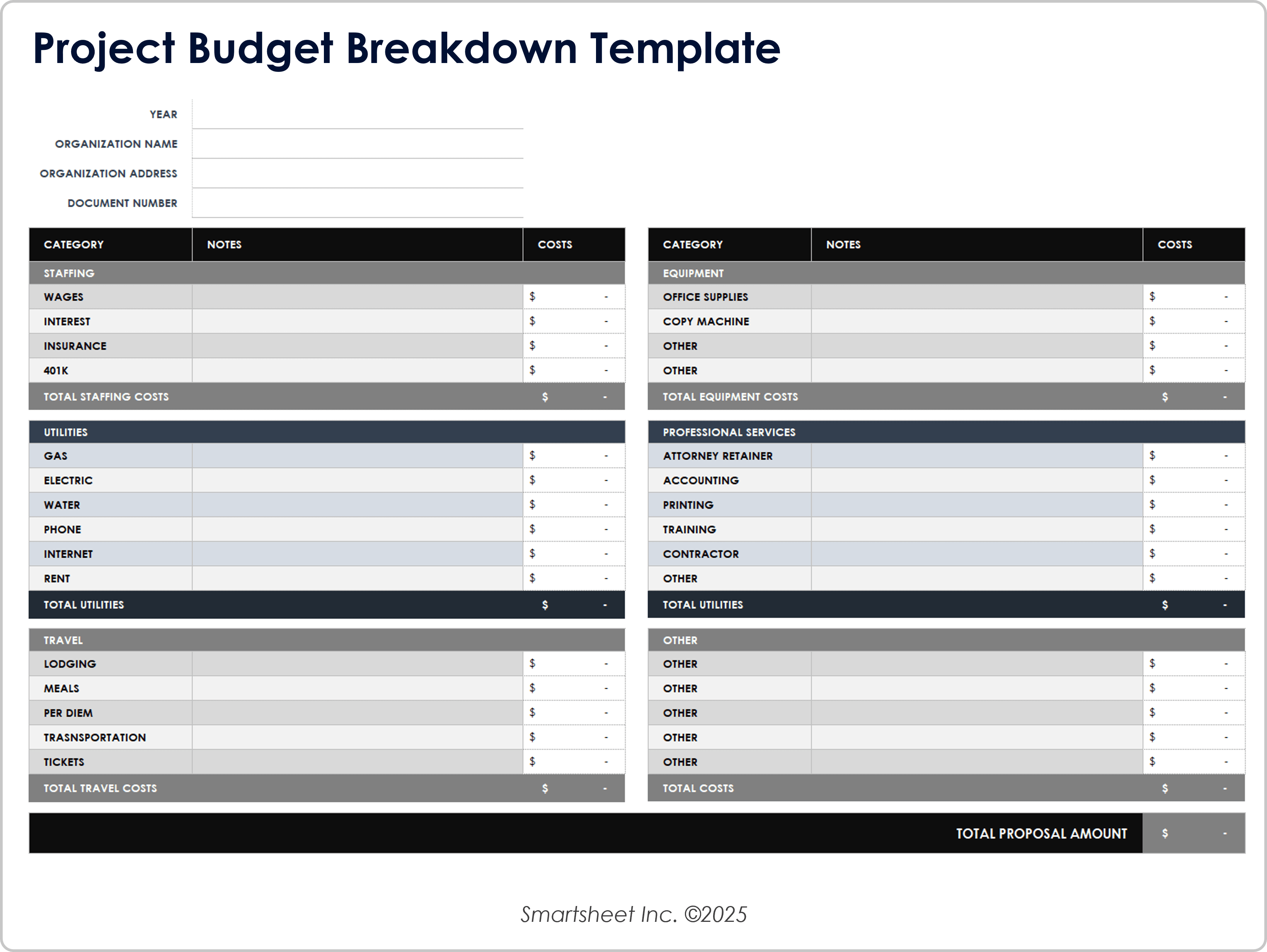
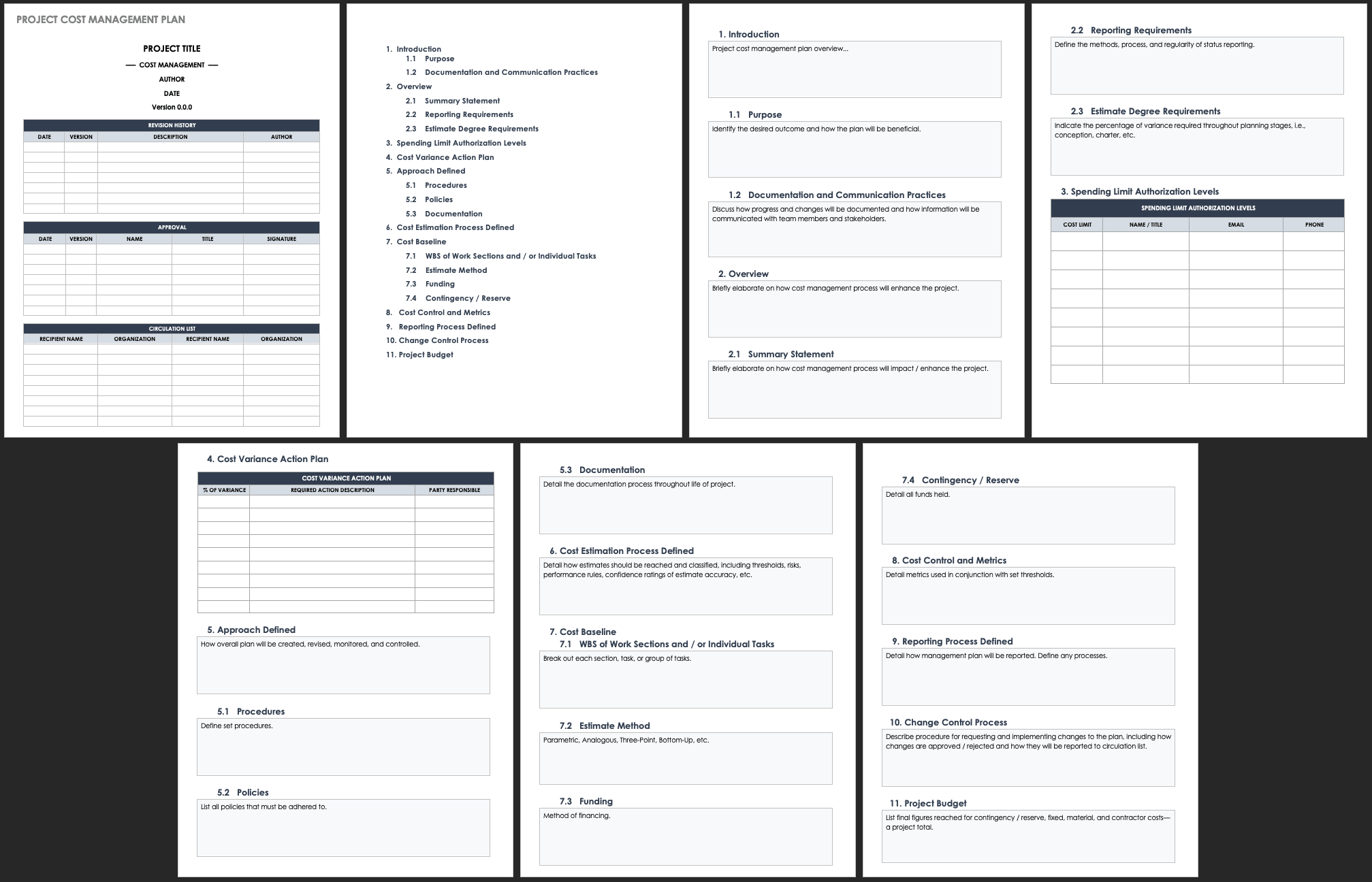
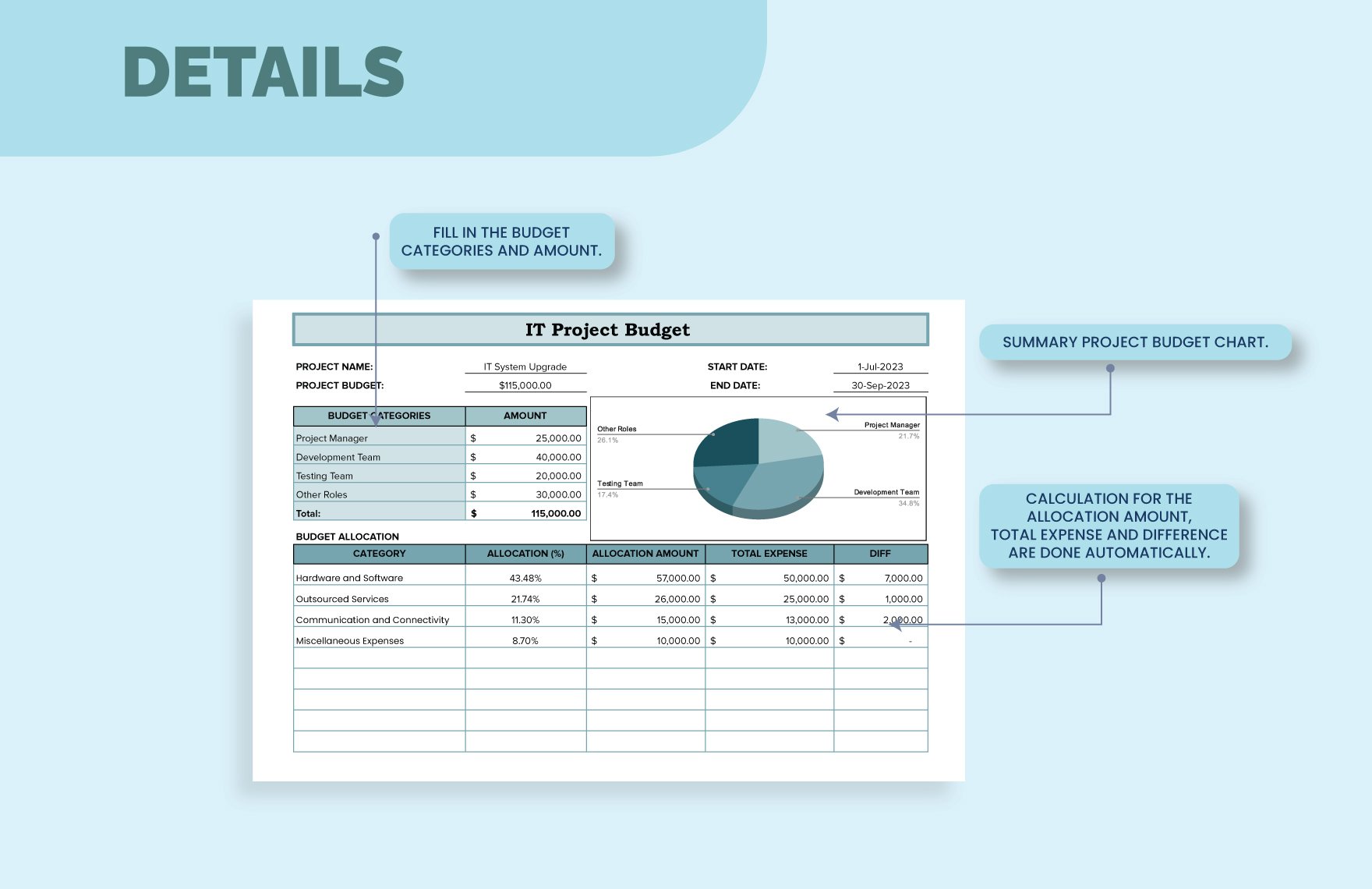
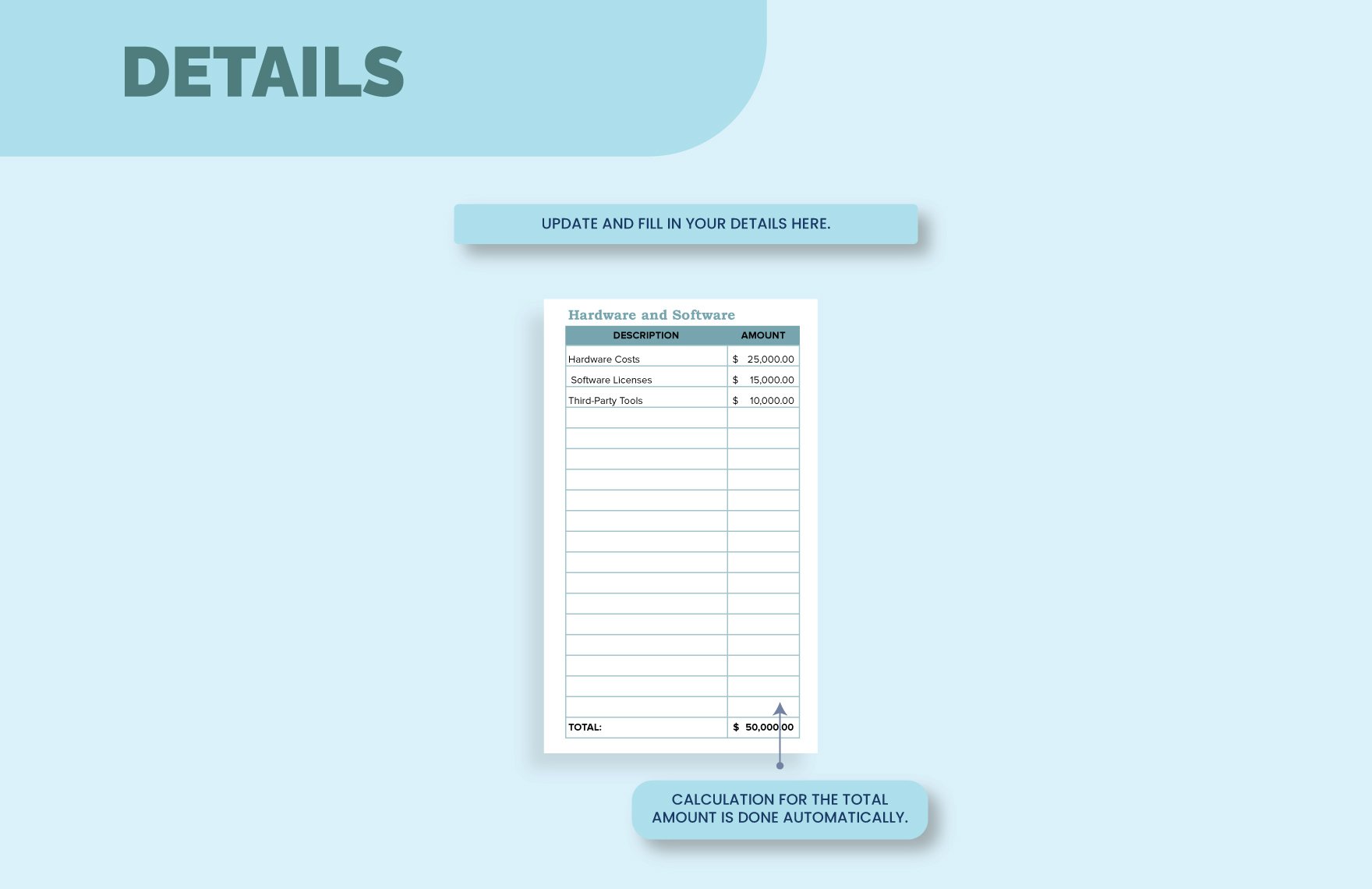
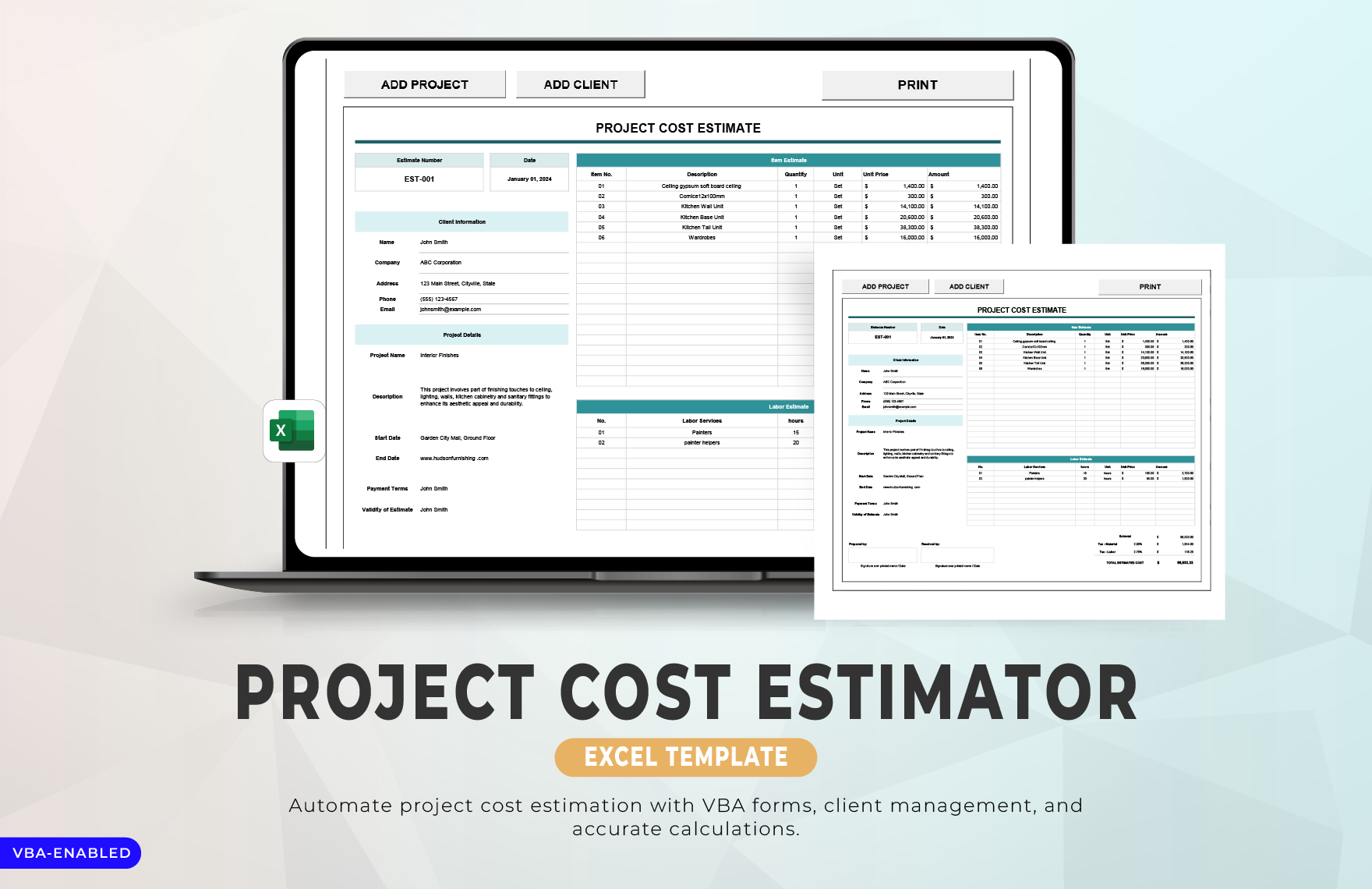
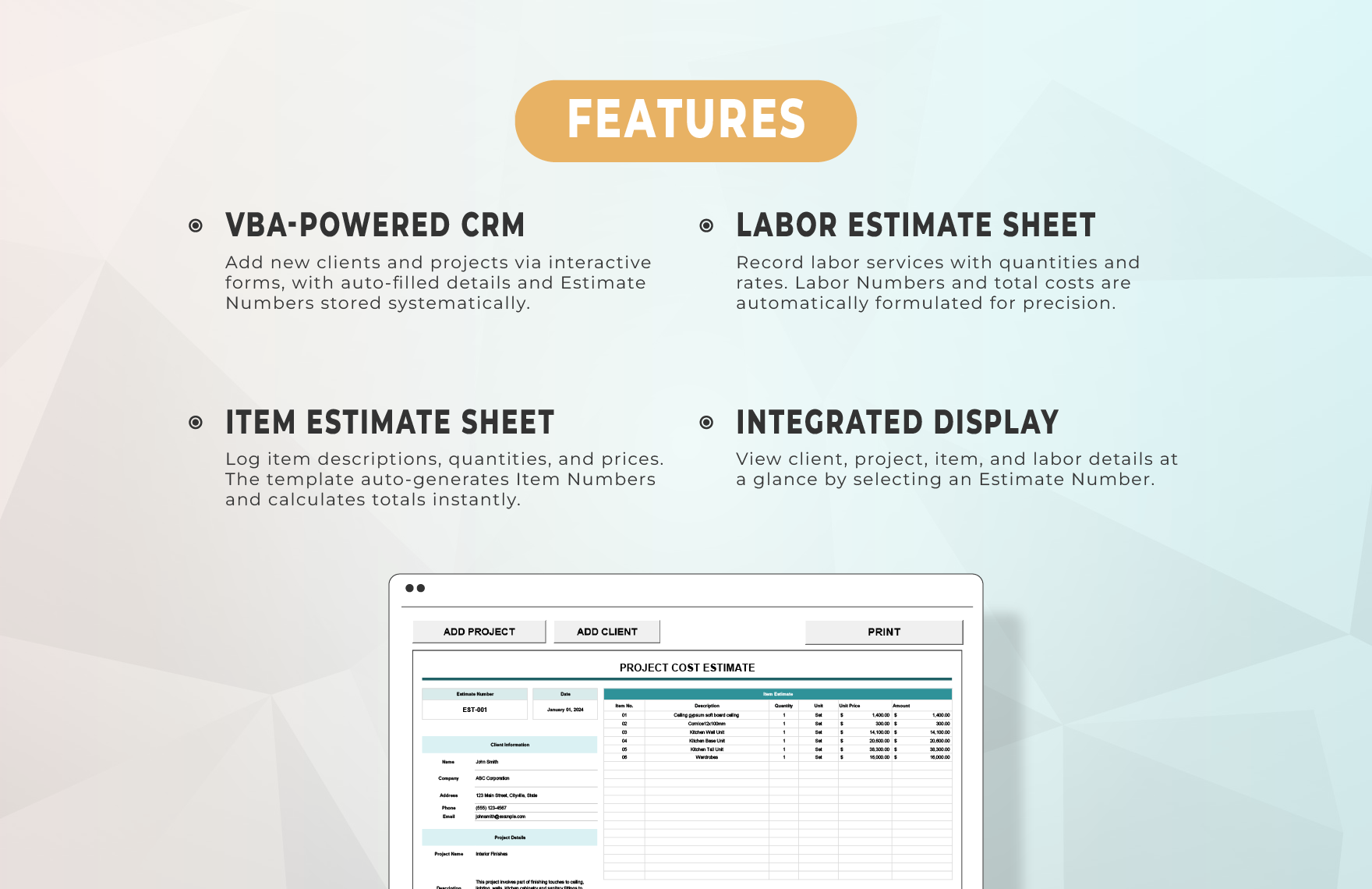
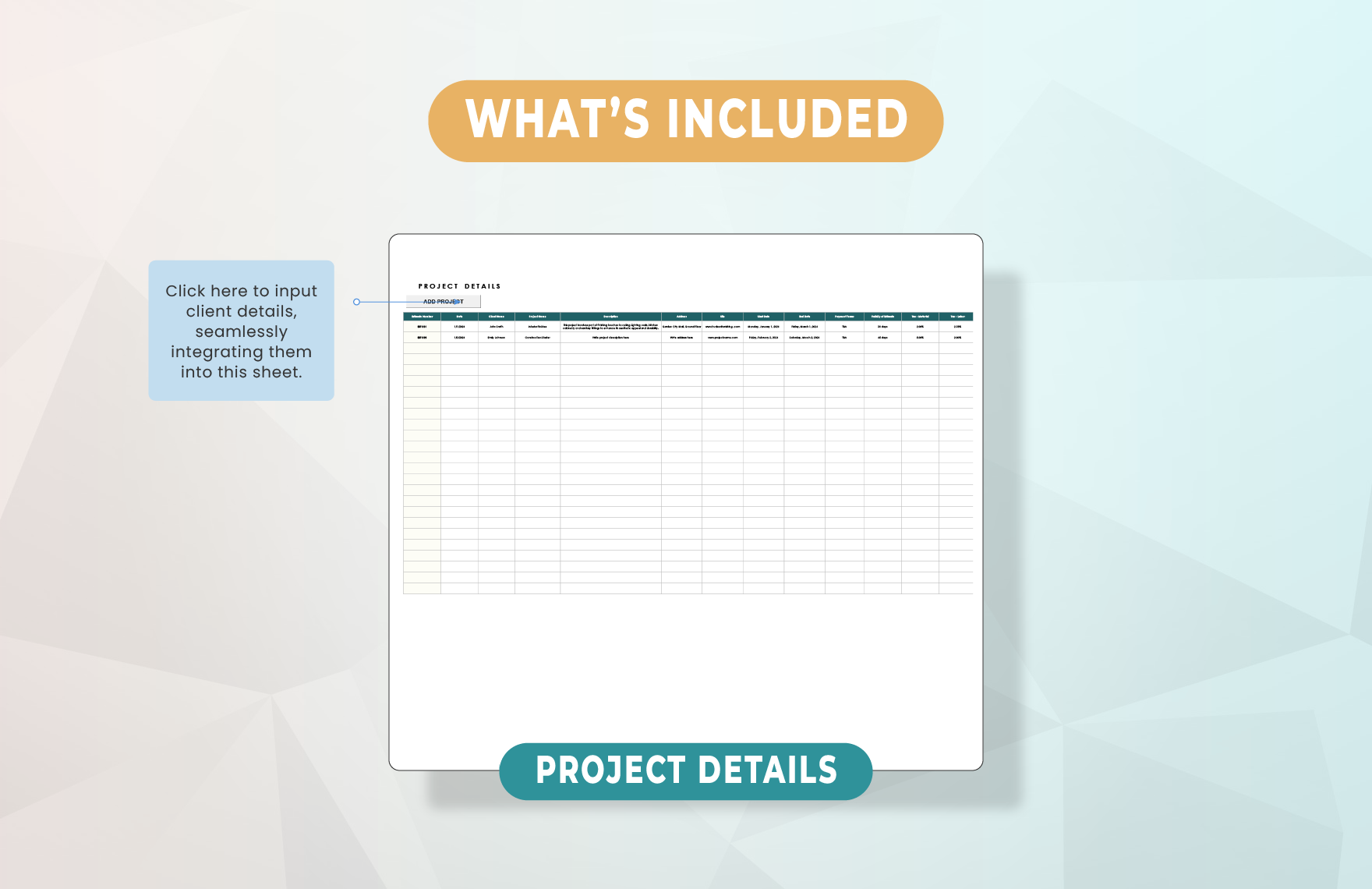
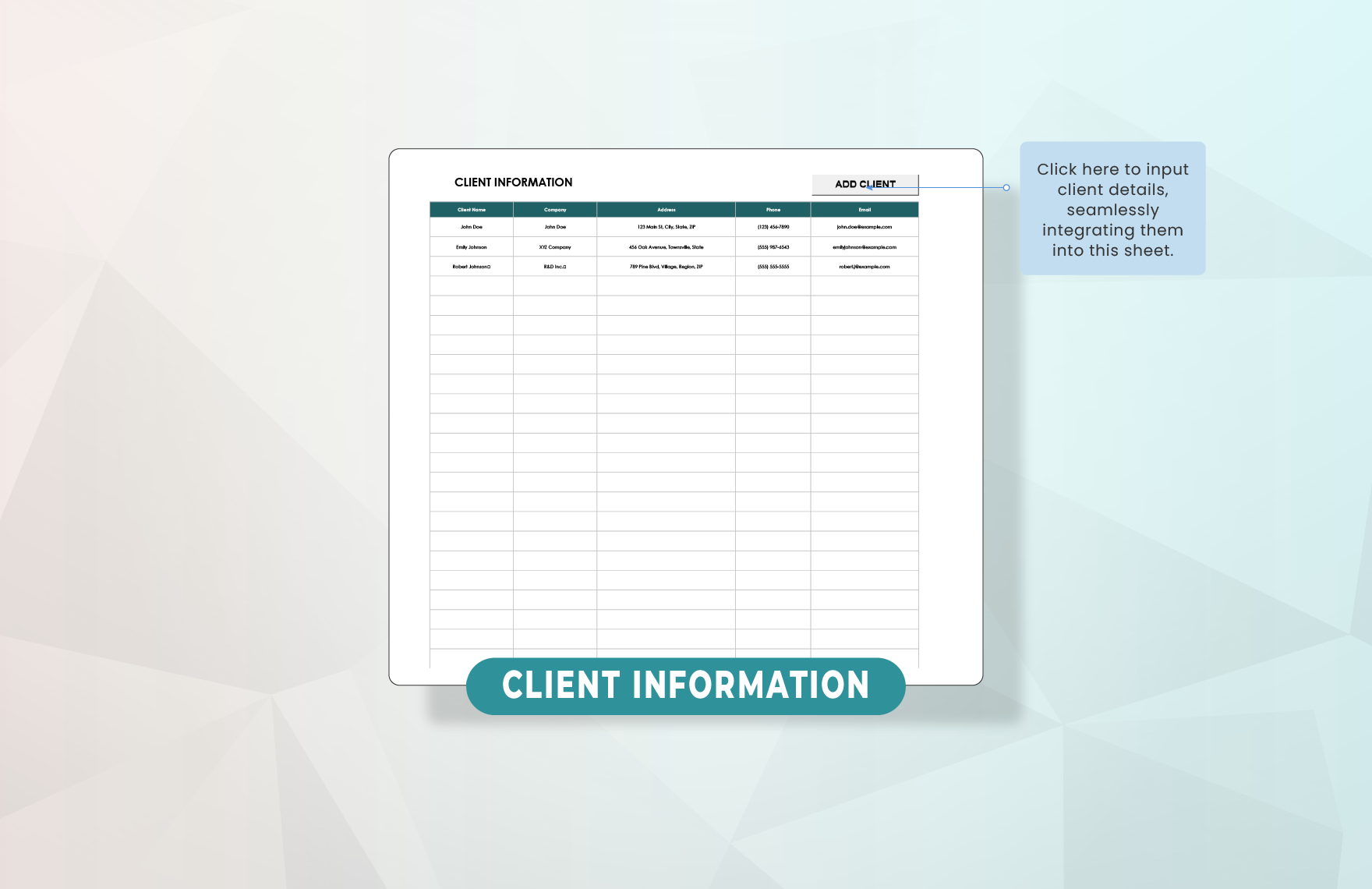
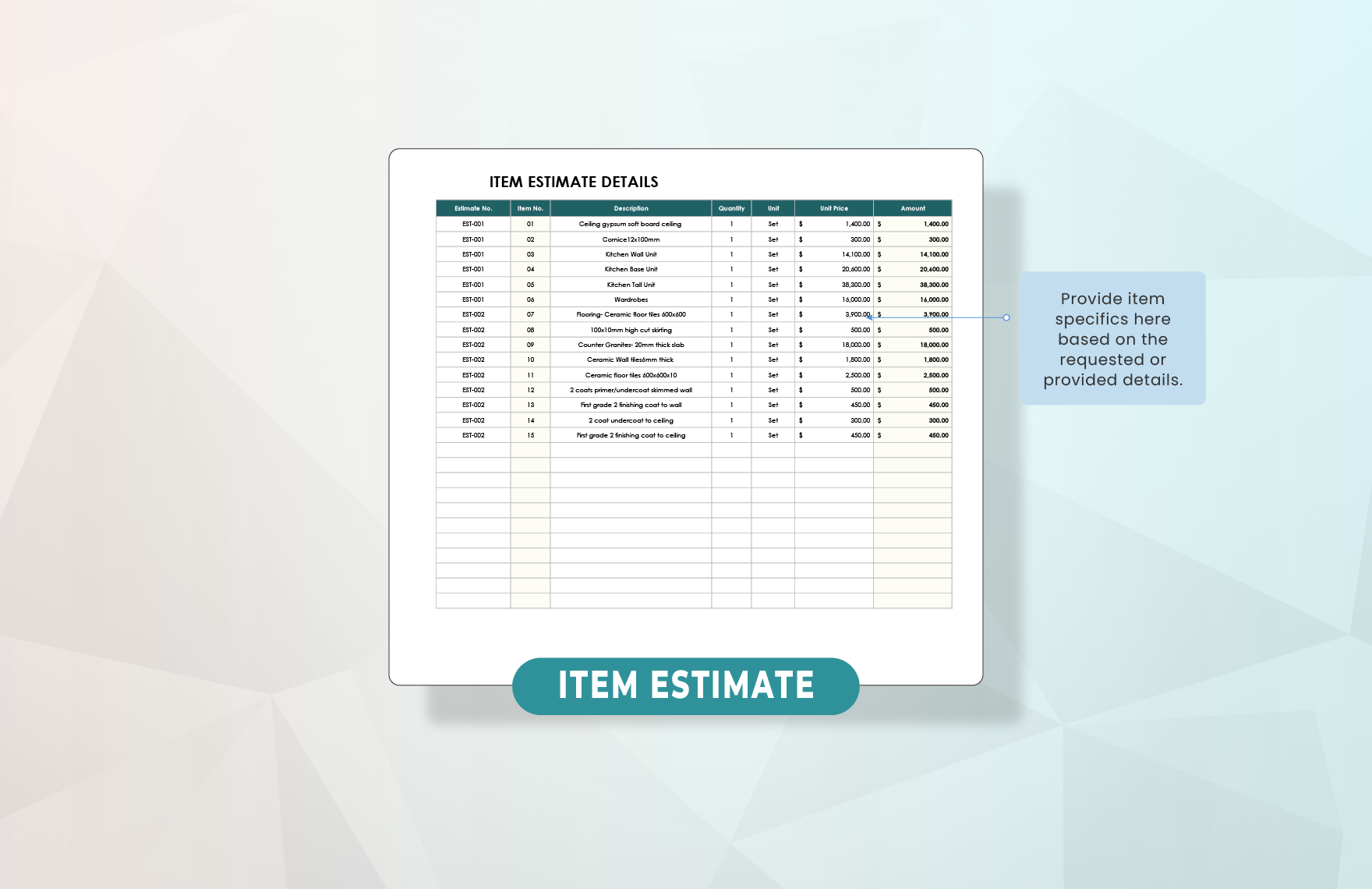
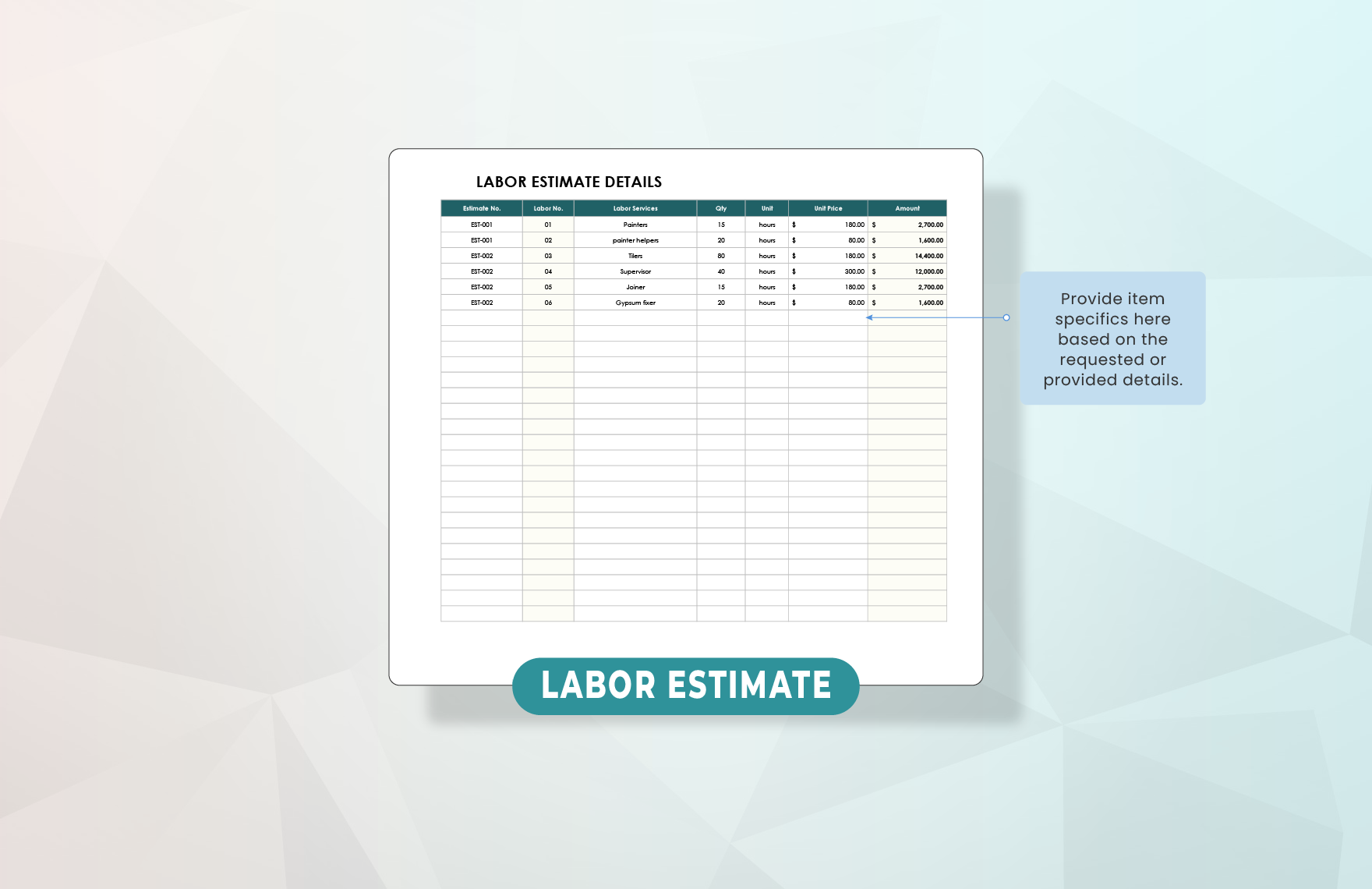
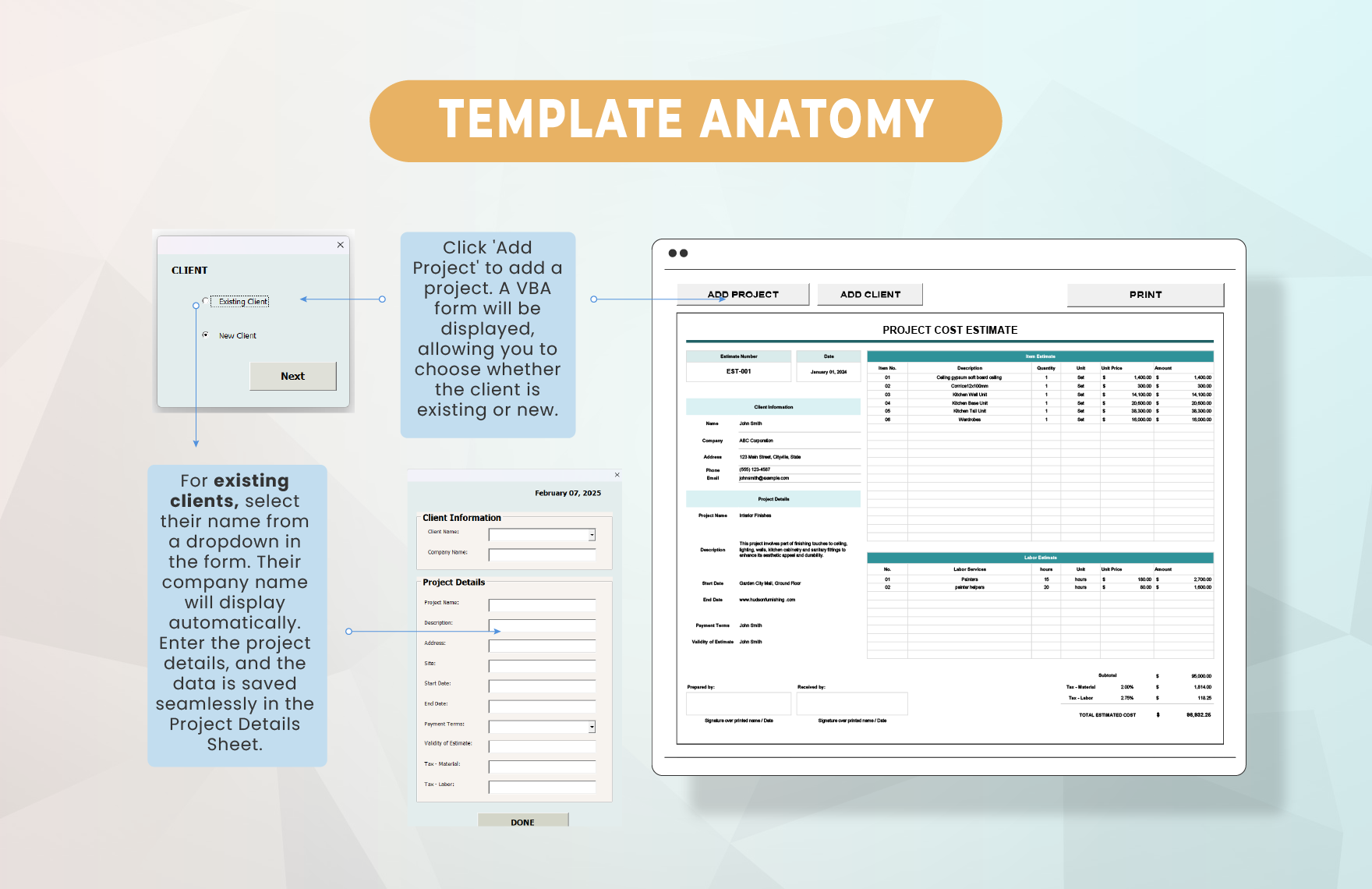
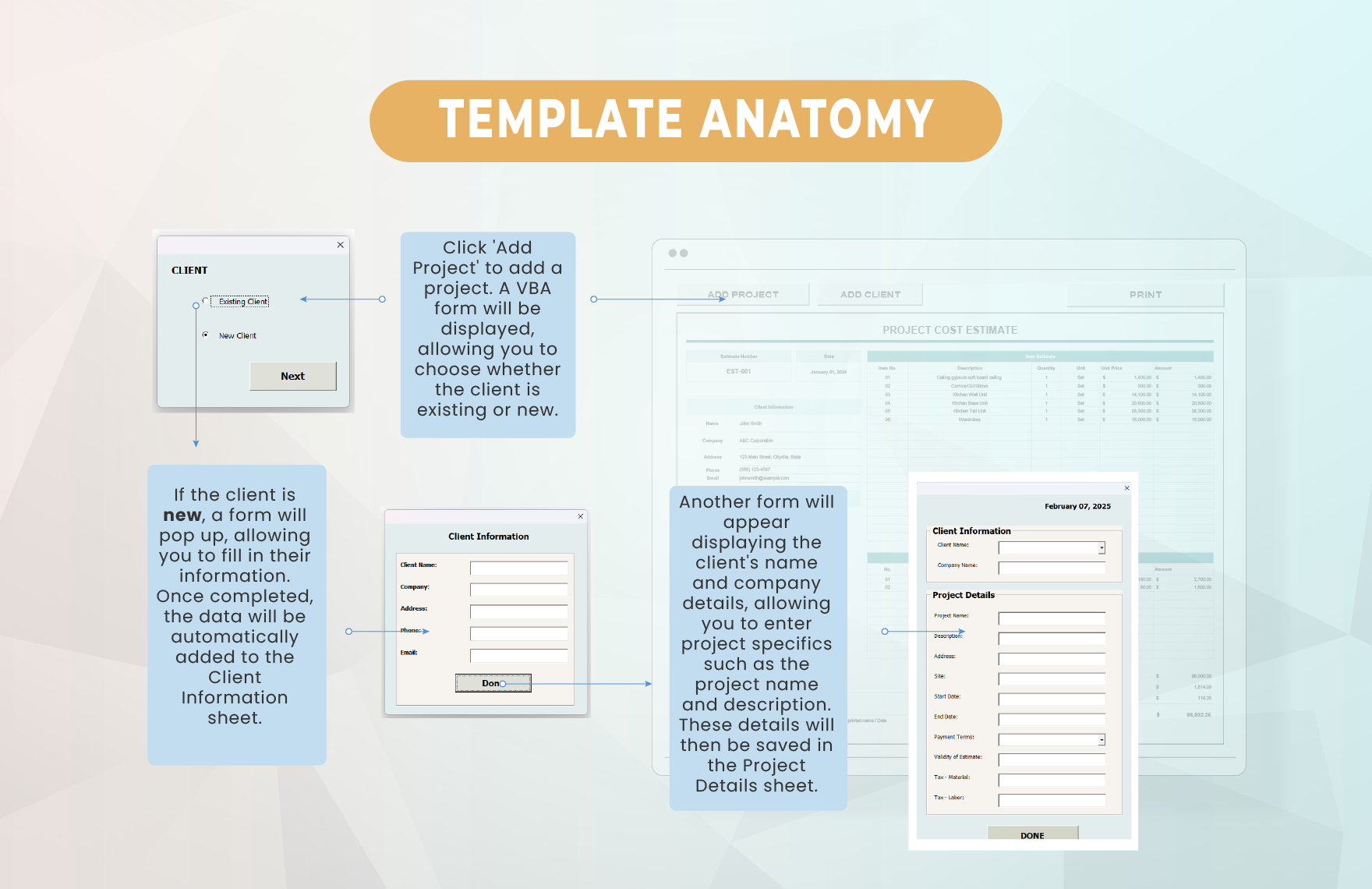
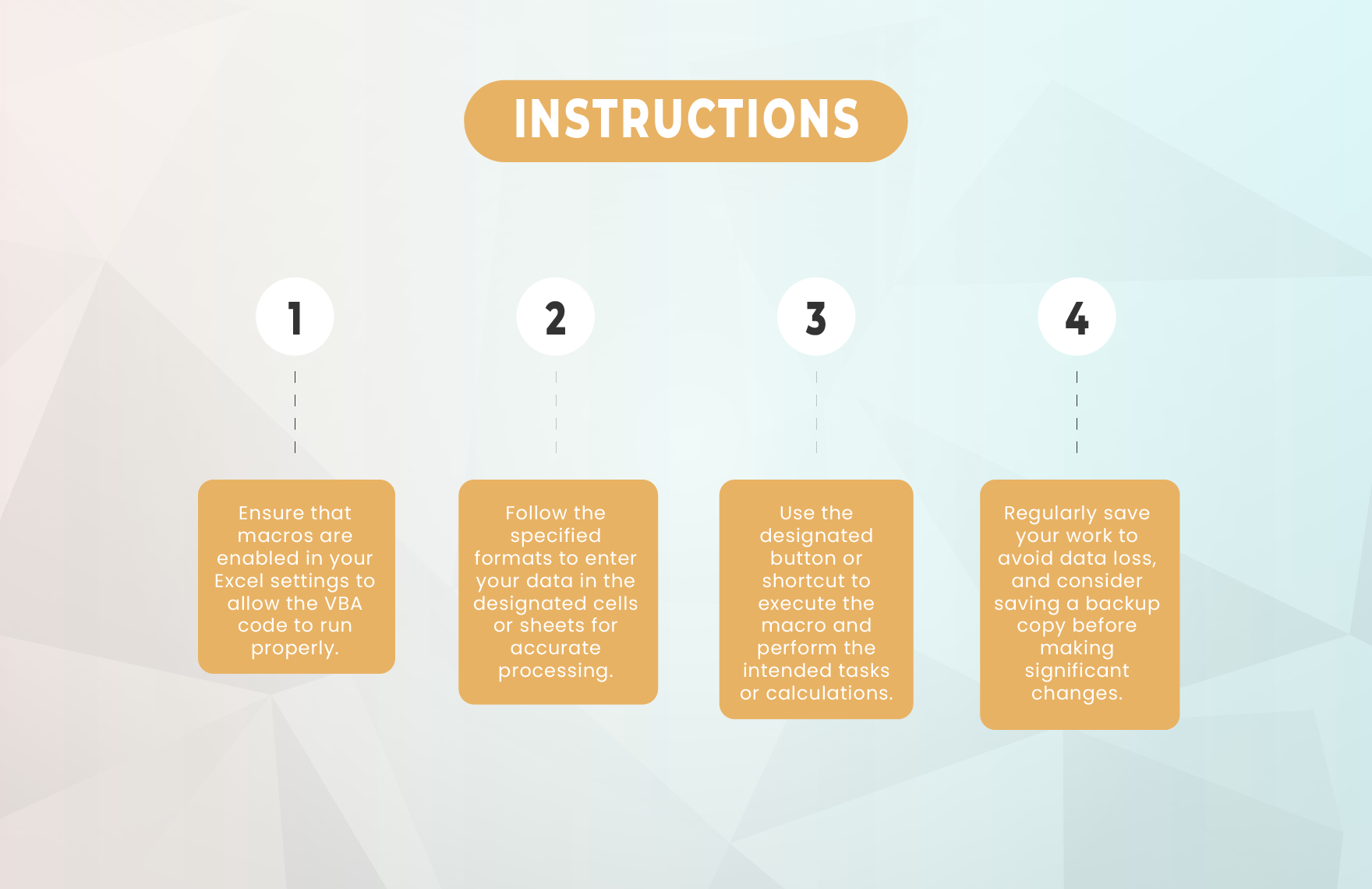
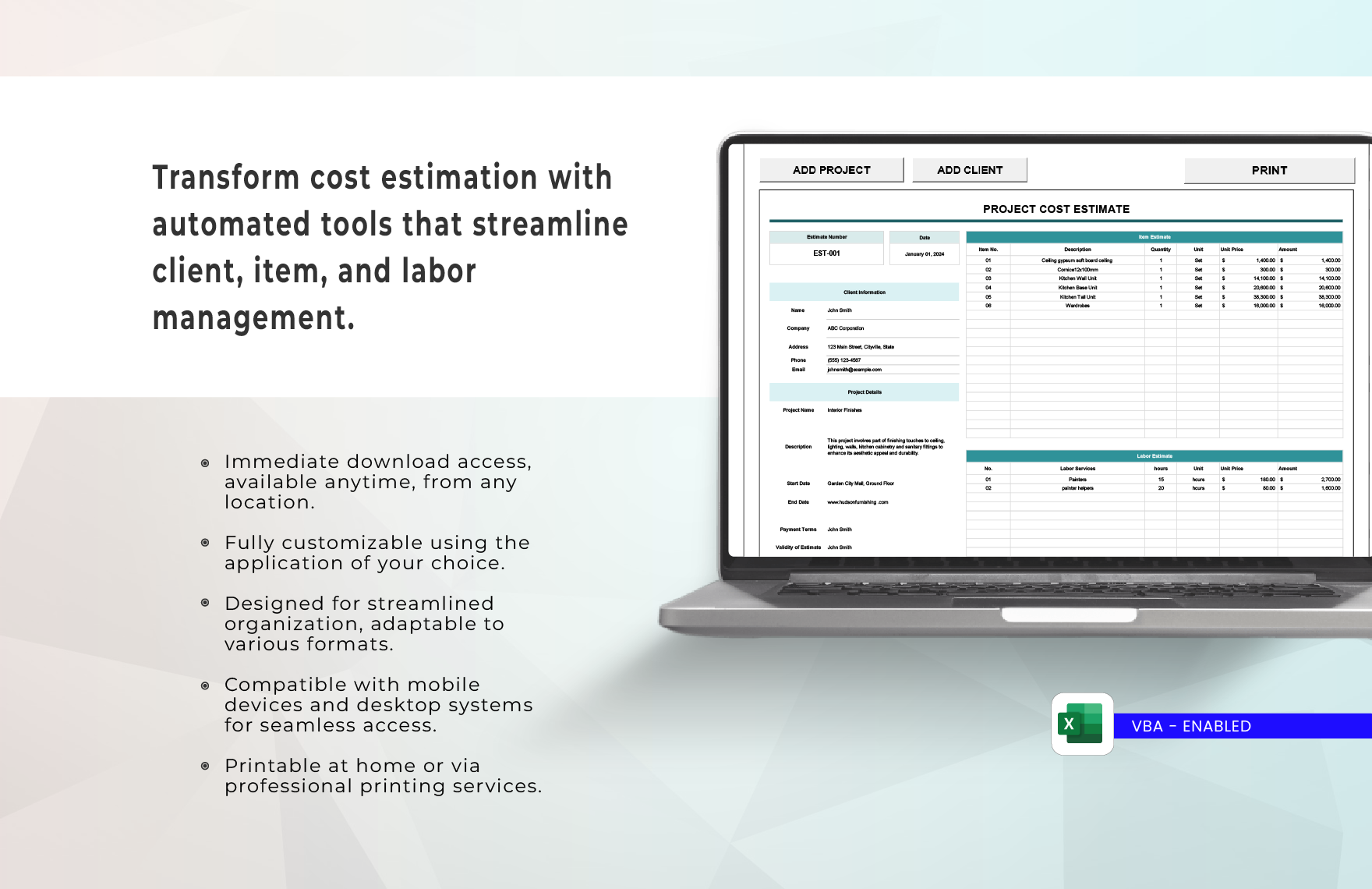
These reference examples illustrate how an it project cost estimate Template can be structured around phases, resources, hours, rates, additional expenses, and totals. Some examples emphasize task-level estimating, while others show broader project budgeting, cost control, or lifecycle analysis. The important point is not to copy any particular layout exactly. Instead, examine how each visual makes cost drivers visible, how categories are separated, and how totals are connected to the underlying work. A useful template should make it possible to move from project scope to cost assumptions and then from approved estimates to ongoing financial control.
The following visuals also show why there is no single ideal format for every IT initiative. A small implementation may need only a concise task-and-rate worksheet, while a complex software project may require WBS identifiers, multiple resource types, contingency, scenario ranges, and lifecycle costs. Comparing the references can help readers recognize useful fields and decide which ones belong in their own project cost estimate template. Treat the displayed figures as source-specific examples, not universal cost benchmarks, and adapt the structure to the scope, accounting practices, and estimating maturity of the project.
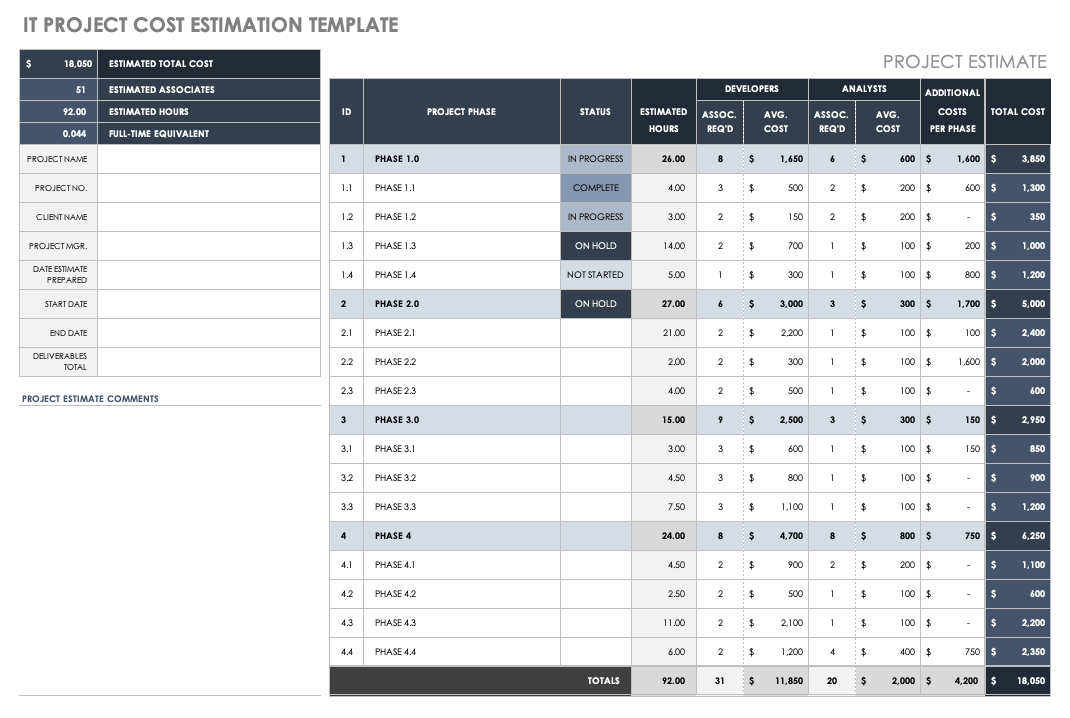
IT Project Cost Estimation Template
Source: Smartsheet
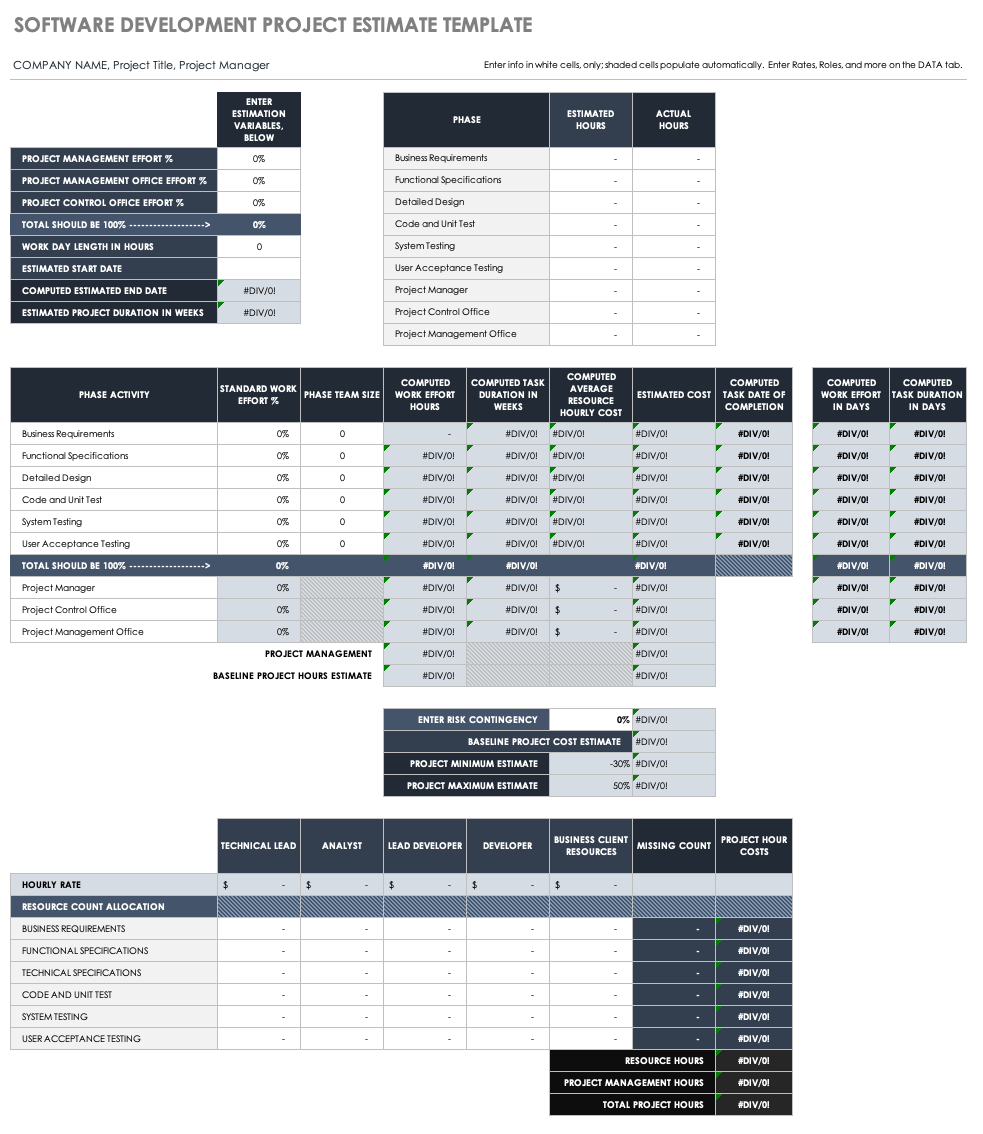
Software Development Project Estimate Template
Source: Smartsheet
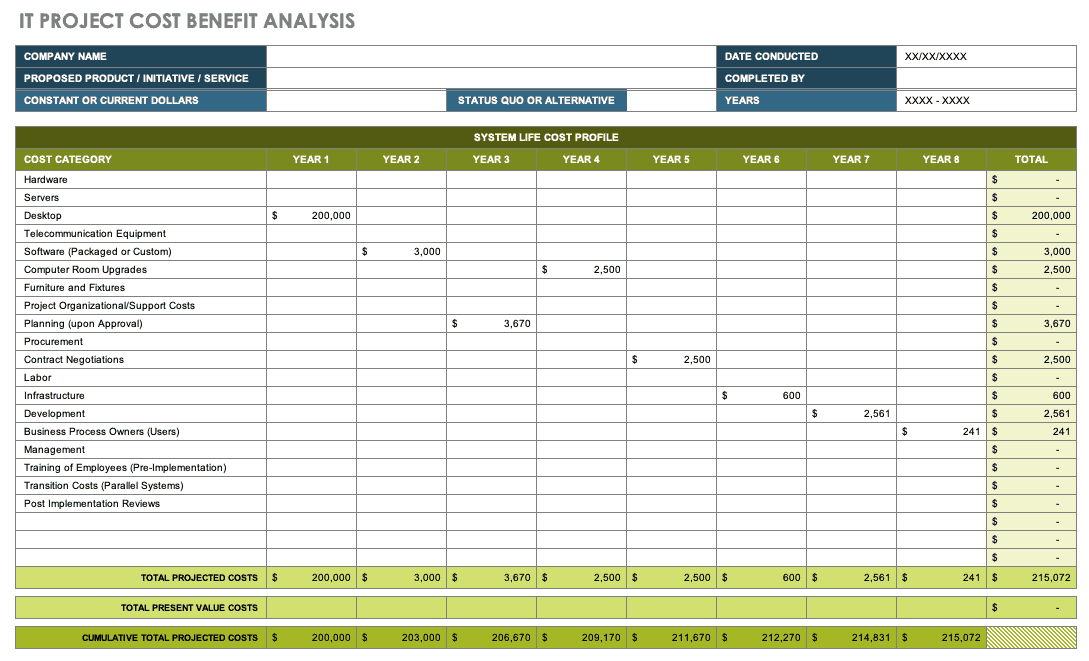
IT Project Cost Benefit Analysis
Source: Smartsheet
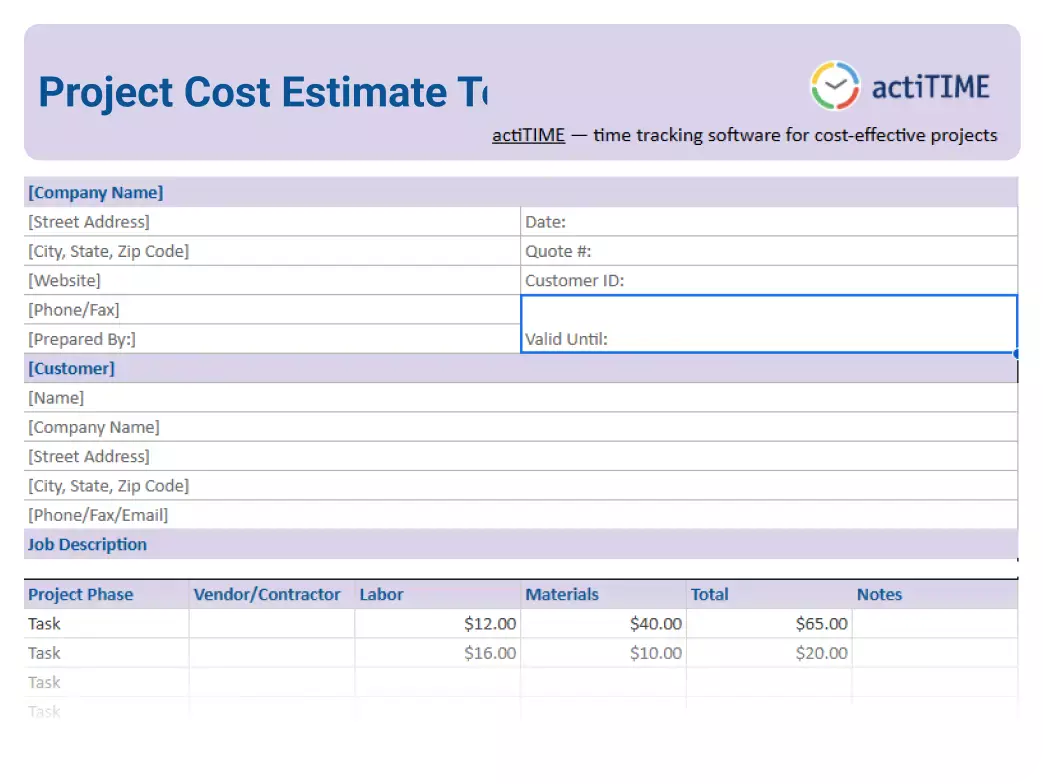
Project Cost Estimate Template
Source: actiTIME
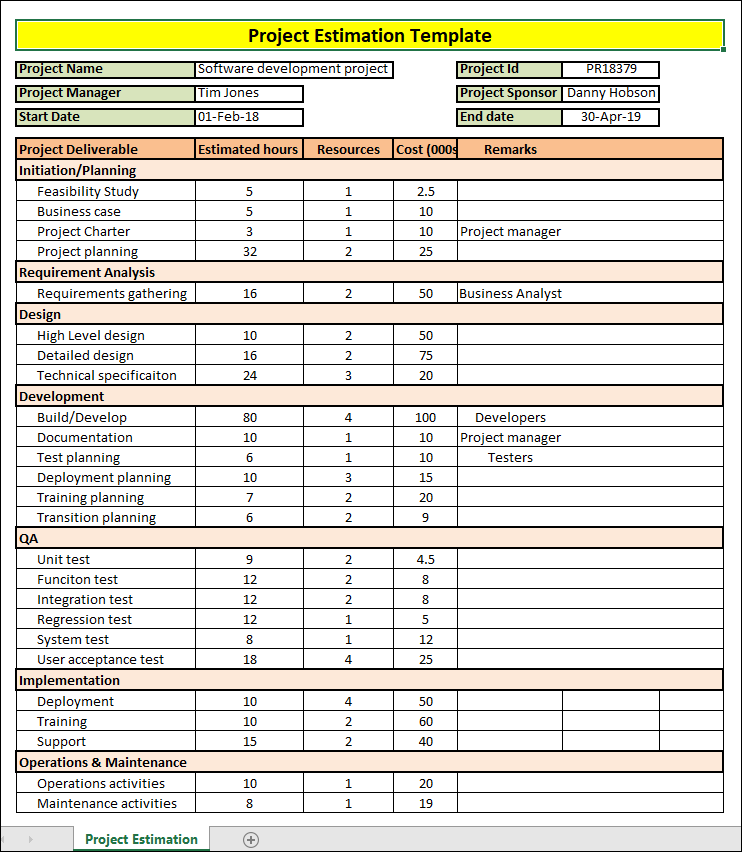
Project Estimation Template
Source: ISO Templates and Documents
