For a small business, freelancer, startup, shop, agency, or service company, cash tracking is often one of the simplest accounting tasks to begin with and one of the most important to maintain. Revenue on paper does not necessarily mean money is available today. A cash-focused worksheet helps separate what has been earned, what has actually been received, and what has already been paid.
The best template is not necessarily the most complicated one. It should match the volume and complexity of the business, make transactions easy to enter, reduce opportunities for calculation errors, and produce information that can support decisions. A simple daily cash book may be enough for a small cash-based operation, while a growing company may need monthly forecasts, accounts receivable tracking, accounts payable schedules, and reconciliation controls.
This guide explains how to choose and build a business cash accounting worksheet, what fields to include, how Excel and Google Sheets can be used, how to handle PDF versions, how to connect cash records with other accounting reports, and how to avoid common spreadsheet mistakes. It also provides practical examples so the template can become a working management tool rather than just a formatted table.
What Is a Business Accounting Cash Template?
A business accounting cash template is a pre-structured format for recording financial transactions that affect cash. Depending on its design, it may contain columns for transaction date, description, reference number, account or category, cash inflow, cash outflow, running balance, payment method, and notes.
The term can describe several related tools. A cash book records transactions chronologically, a cash flow statement summarizes movements over an accounting period, and a cash flow forecast estimates future receipts and payments. These documents overlap in subject matter but serve different purposes, so choosing the correct format matters.
A transaction-level template is usually the best starting point when the primary goal is bookkeeping. It gives the business a detailed source record from which monthly summaries can be prepared. A forecast, by contrast, is built around expected timing and may contain estimates rather than completed transactions.
Many useful templates are spreadsheet-based because formulas can calculate totals and running balances automatically. A business can enter an opening balance, record cash coming in and going out, and allow formulas to calculate the resulting balance. The same structure can then be copied for another month or reporting period.
The most useful design principle is consistency. Every transaction should be entered using the same date convention, category logic, sign convention, and description standard. Consistency makes the resulting data easier to review, reconcile, filter, summarize, and transfer into more formal accounting records.
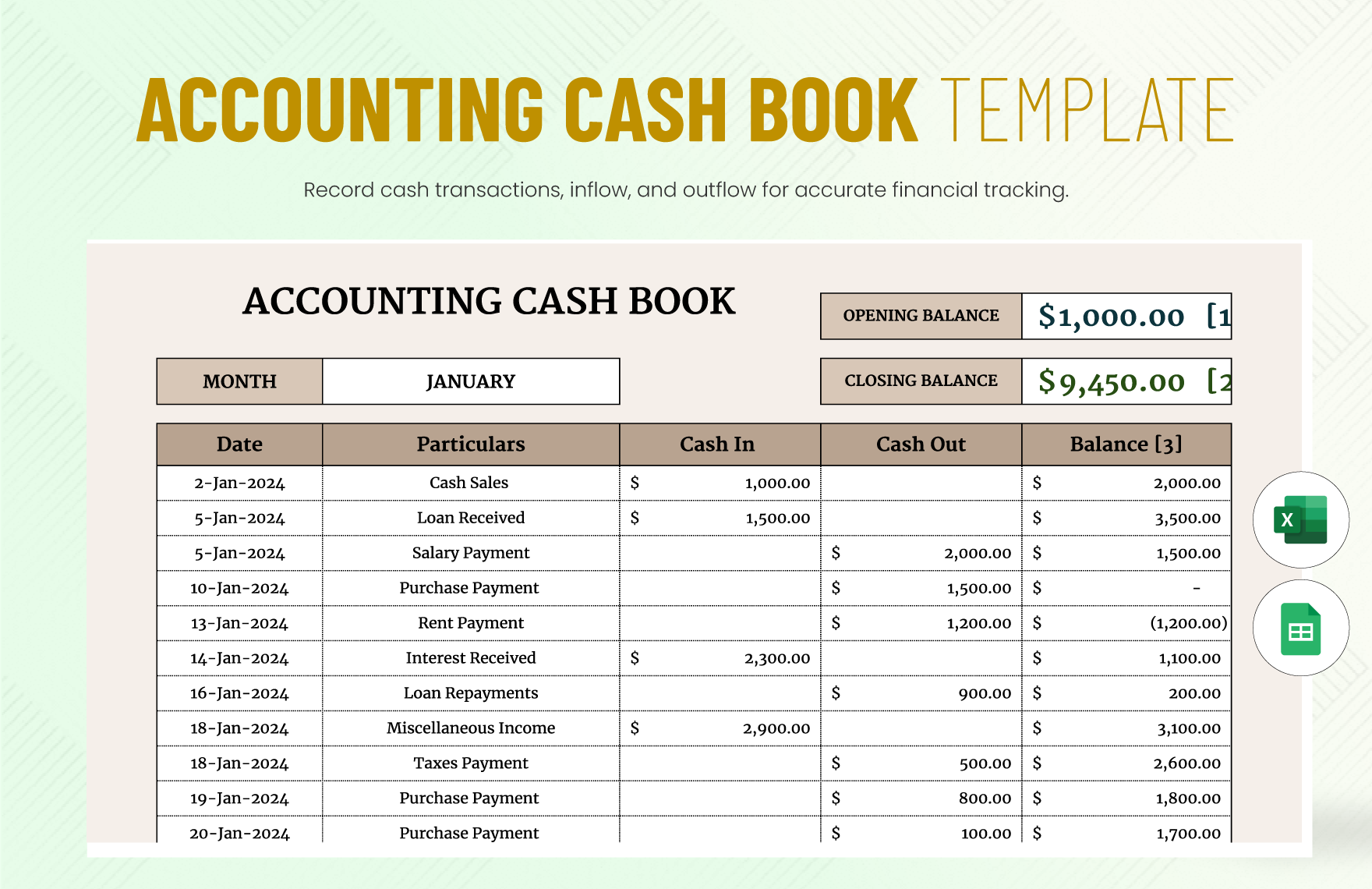
For example, a basic cash register might contain Date, Description, Cash In, Cash Out, and Balance. A more advanced business accounting cash Template might add Customer, Vendor, Invoice Number, Account Category, Tax, Payment Method, Reconciled Status, and Notes. The additional fields are valuable only when the business actually needs them.
Why Cash Tracking Matters in Business Accounting
Cash availability is different from accounting profit. A business can show a profitable month while still experiencing a temporary cash shortage because customers have not paid invoices yet. Conversely, a business can receive a large loan or customer deposit and have more cash without that inflow representing operating profit.
A dedicated cash record makes these timing differences visible. Instead of looking only at sales or expenses, the owner can see when money actually entered or left a bank account or cash drawer. This is particularly useful when payroll, rent, supplier invoices, loan payments, taxes, or seasonal purchases create large timing differences.
Cash tracking also provides a practical control over everyday transactions. If the recorded closing balance does not agree with the bank statement or physical cash count, the difference becomes a prompt for investigation. Missing receipts, duplicated entries, bank fees, incorrect dates, and unrecorded payments can then be identified before they become larger problems.
For management, a cash worksheet can also support short-term planning. A business may have enough cash overall but not enough cash next Tuesday to cover a scheduled supplier payment. A weekly or monthly forecast can expose that timing issue early enough to adjust collections, spending, purchasing, or financing plans.
The template therefore has two roles: recordkeeping and decision support. The recordkeeping side answers what happened. The forecasting side answers what may happen next. Keeping these functions clearly labeled prevents estimated amounts from being confused with actual transactions.
Core Components of a Business Accounting Cash Template
A useful template normally starts with a reporting-period header. Include the business name, period covered, currency, and the date the worksheet was last updated. These details become especially important when several months or business entities are maintained in separate files.
The transaction area should contain a date field and a concise description. A transaction identifier is helpful when receipts, invoices, bank statements, or payment confirmations need to be traced later. If the business has multiple bank accounts or cash locations, an account field should also identify where the money moved.
Cash inflow and cash outflow should be separated clearly. Using separate columns is often easier for small-business users than entering all values as positive and negative numbers in one column. Either approach can work, but the chosen convention should be documented and used consistently.
A running balance is particularly useful for transaction-level cash books. The basic logic is opening balance plus cash received minus cash paid. In a spreadsheet, the formula can be copied down the entire transaction range, provided the opening balance and transaction references are set correctly.
Categories provide another layer of information. Typical categories include customer receipts, owner contributions, loan proceeds, supplier payments, wages, rent, utilities, taxes, software, marketing, equipment purchases, and financing repayments. Categories should be specific enough for analysis without becoming so detailed that users cannot apply them consistently.
Finally, consider a reconciliation field. A simple Yes/No or checkbox column can indicate whether a transaction has been matched to a bank statement, receipt, invoice, or other supporting document. This small addition can make a basic spreadsheet considerably more reliable.
Choosing Between a Cash Book, Cash Flow Statement, and Forecast
A cash book is transaction-focused. It answers questions such as when money was received, when a payment was made, what the transaction was for, and what the balance became after the transaction. It is usually the most practical format for day-to-day entry.
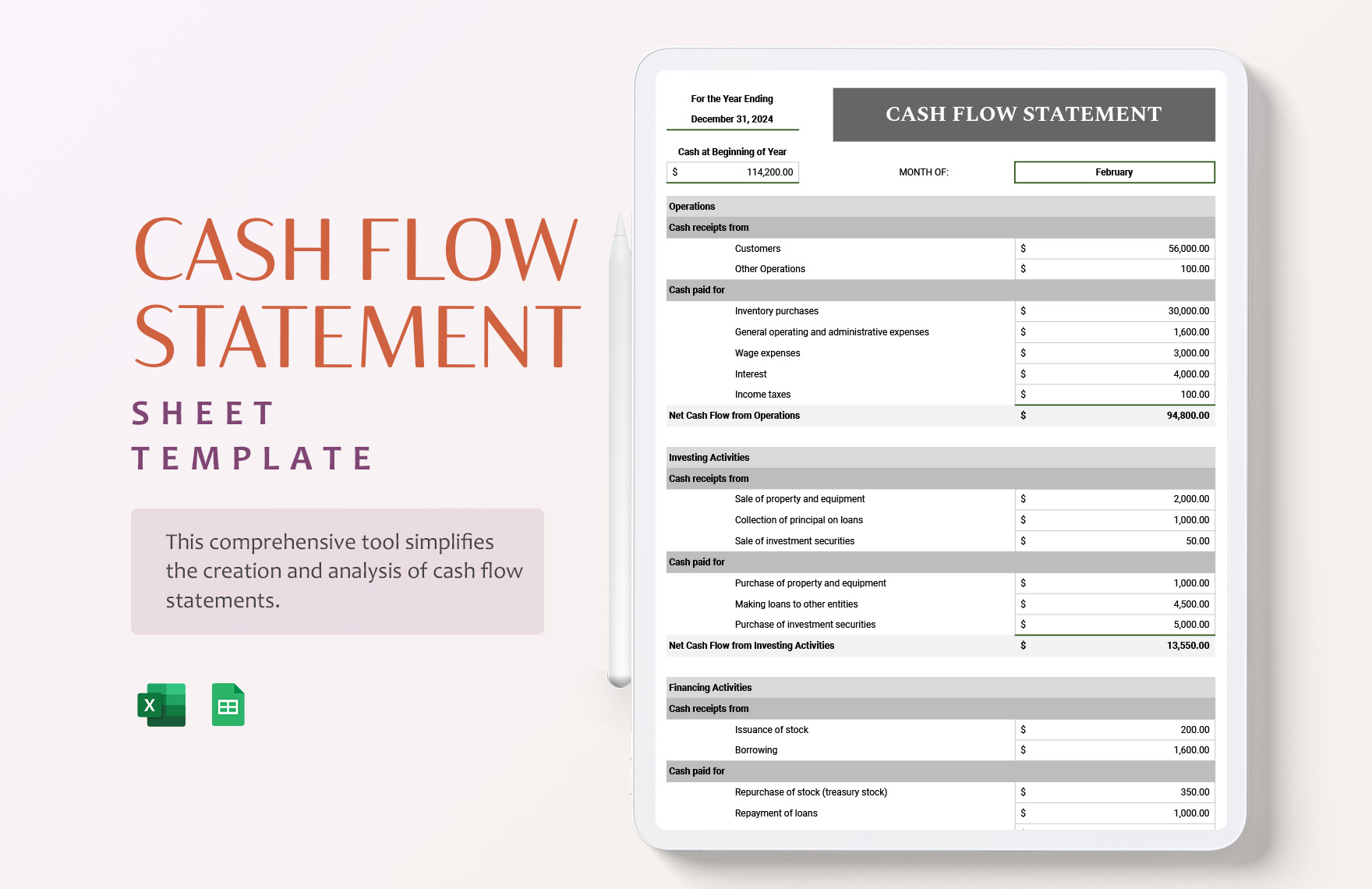
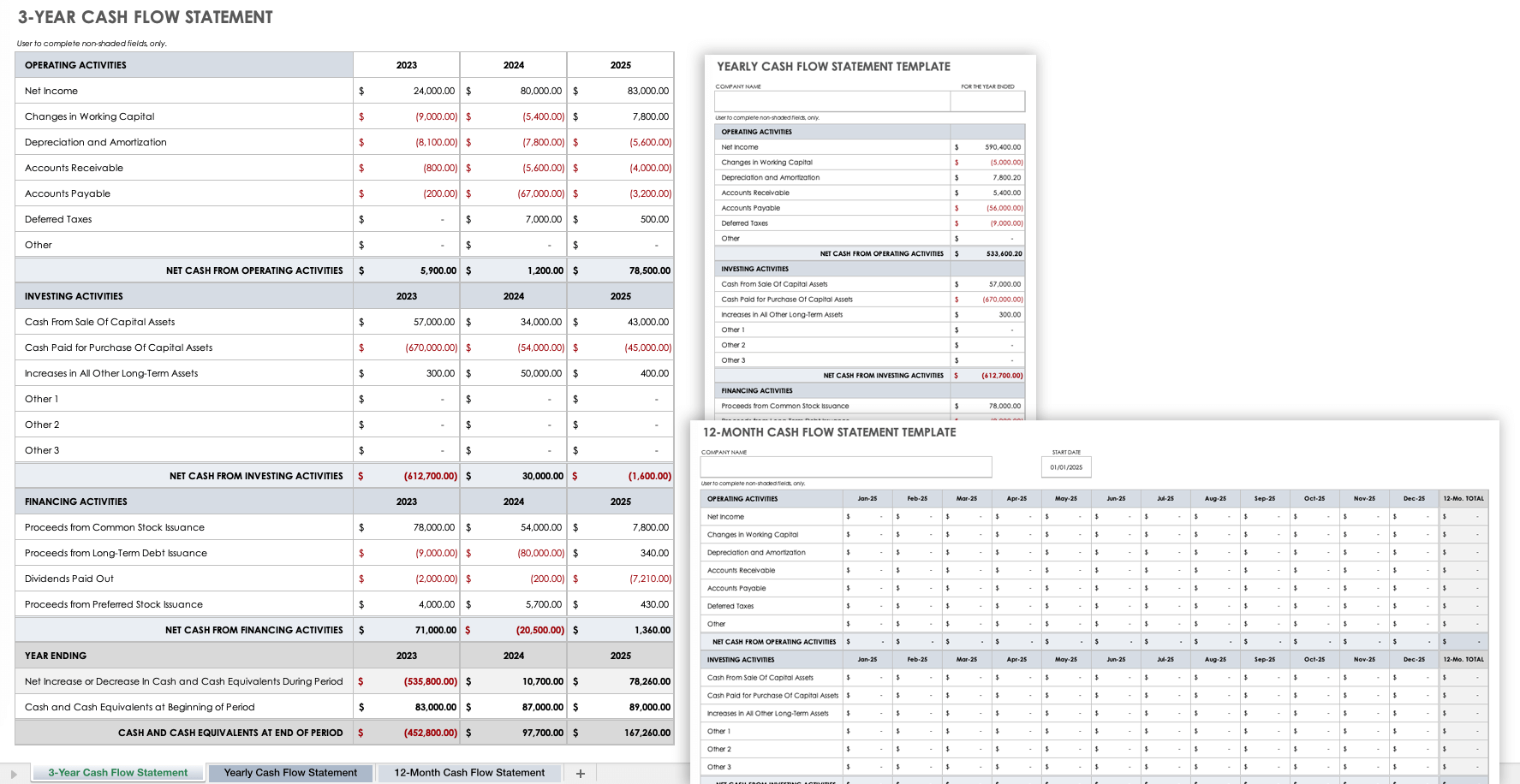
A cash flow statement is period-focused. Instead of showing every transaction, it summarizes cash movements and commonly groups them into operating, investing, and financing activities. This format is more appropriate for management reporting, financial analysis, and formal financial reporting.
A cash flow forecast is future-focused. It starts with a current or expected opening cash position and estimates future receipts and payments. Forecasts are especially useful for identifying periods when cash could fall below a desired minimum level.
Businesses often need all three. The cash book can act as the detailed source record, the cash flow statement can summarize completed activity, and the forecast can use historical patterns and known future commitments to plan upcoming periods.
The three formats should not be treated as interchangeable. A forecast amount should not be presented as an actual transaction, and a cash book should not be expected to provide the same analytical view as a formal statement of cash flows.
When selecting a template, first define the question the worksheet needs to answer. If the question is “Where did the money go?” choose a transaction log. If it is “How did cash change this month?” choose a statement. If it is “Will we have enough cash next month?” choose a forecast.
Example: A Simple Daily Cash Book
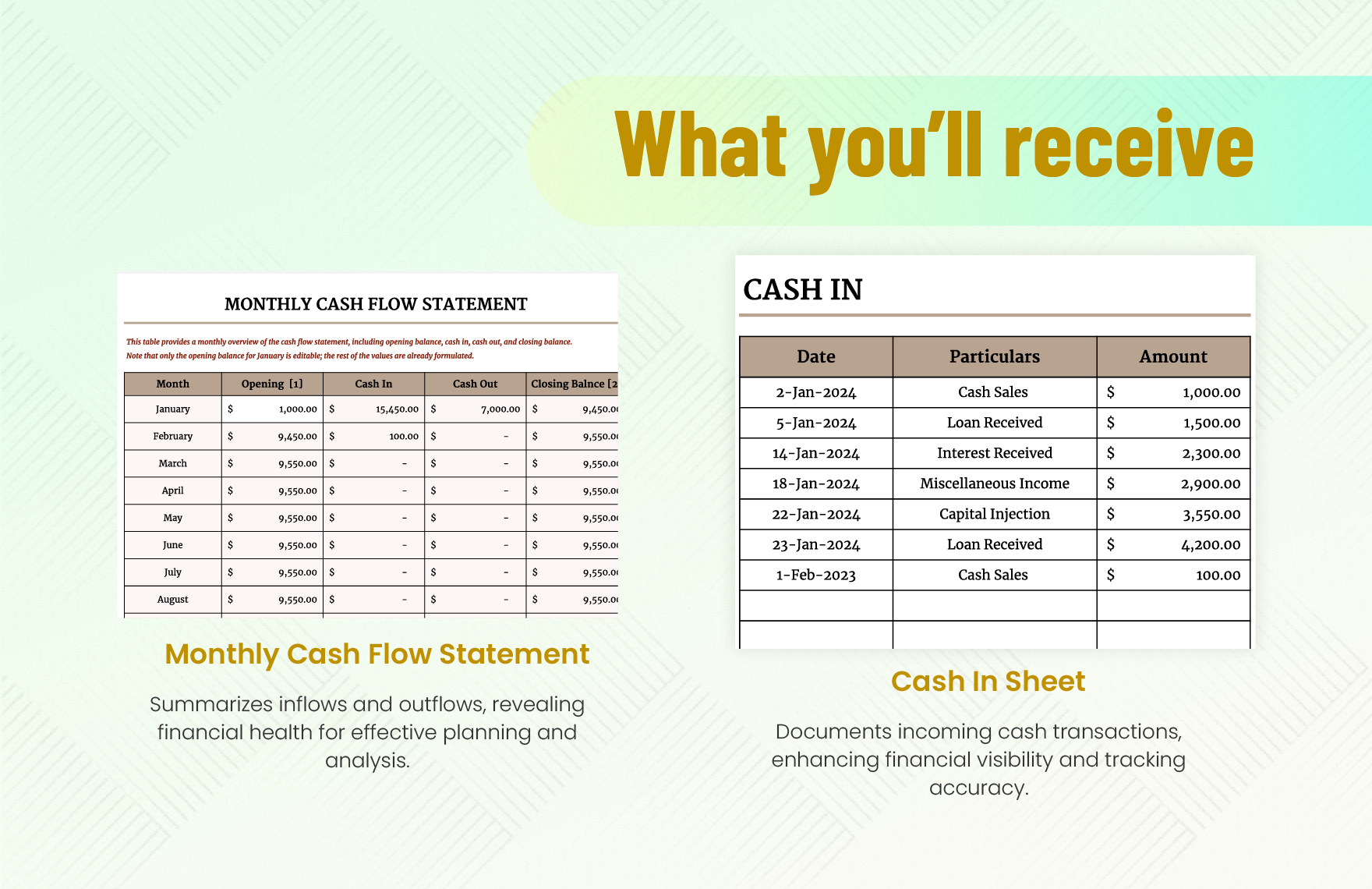
Imagine a small service business beginning Monday with an opening cash balance of $4,000. During the week, it receives customer payments and pays expenses such as software, transportation, supplies, and rent. A daily cash book records each event in chronological order.
A typical row might contain the date, transaction description, cash-in amount, cash-out amount, and resulting balance. If a customer pays $1,200, that amount appears under cash in. If the business then pays a $350 supplier invoice, the payment appears under cash out and reduces the running balance.
The transaction description should be specific enough to explain the event without requiring the reader to open another file. “Customer payment — Invoice 1042” is more useful than simply writing “income.” Similarly, “Office supplies — receipt 883” provides better audit information than “expense.”
If the template supports reference numbers, use the same identifier found on the related invoice, receipt, bank transaction, or payment confirmation. This creates a simple traceability system. A reviewer can move from the spreadsheet row to the underlying evidence without guessing which document belongs to the transaction.
At the end of the day, compare the calculated balance with the actual cash or bank position where practical. A difference does not automatically mean the template is wrong; it may indicate an unrecorded bank charge, pending transaction, timing difference, or data-entry mistake that should be investigated.
A simple daily structure is often more useful than a sophisticated dashboard when transaction volume is low. The objective is not to impress the user with formatting. The objective is to make accurate recording quick enough that the worksheet remains current.
Building a Reliable Cash Ledger
A ledger should be designed around the transaction flow of the business. Start with the accounts or cash locations that actually exist, then determine which information must be captured for each movement. Avoid copying fields from a large corporate workbook if the business has no practical use for them.
For a business with one bank account and occasional cash payments, an Account field may be enough to distinguish bank and petty cash. For a company with several bank accounts, payment platforms, and cash registers, an Account or Wallet column becomes essential for understanding the total position.
Use a stable category list rather than allowing every user to invent descriptions. For example, “Advertising,” “Marketing,” and “Promotion” could become three different categories even when they are intended to mean the same thing. A controlled list produces cleaner summaries.
Dates should also be standardized. A transaction date should normally represent when the cash movement occurred or when the accounting system defines the transaction date. Do not mix invoice dates, due dates, and payment dates in one field without clear labels.
Descriptions should explain the business purpose of the movement. A good description makes a transaction understandable months later, when the person who entered it may no longer remember the context. This is particularly important for owner withdrawals, reimbursements, transfers, and unusual payments.
The final ledger should make it easy to answer five questions: what happened, when it happened, how much cash moved, why it moved, and where the supporting evidence can be found. If the worksheet cannot answer those questions, additional formatting will not solve the underlying information gap.
How to Build the Spreadsheet Step by Step
Start with a clean workbook and create a dedicated input sheet. Put business information and reporting assumptions at the top, followed by the transaction table. Keep calculations separate from raw input wherever possible so users know which cells are intended for data entry.
Next, define the opening balance. This should be a verified starting figure for the selected period. If the period begins on the first day of a month, the opening balance should agree with the closing balance of the preceding period after all required transactions have been recorded.
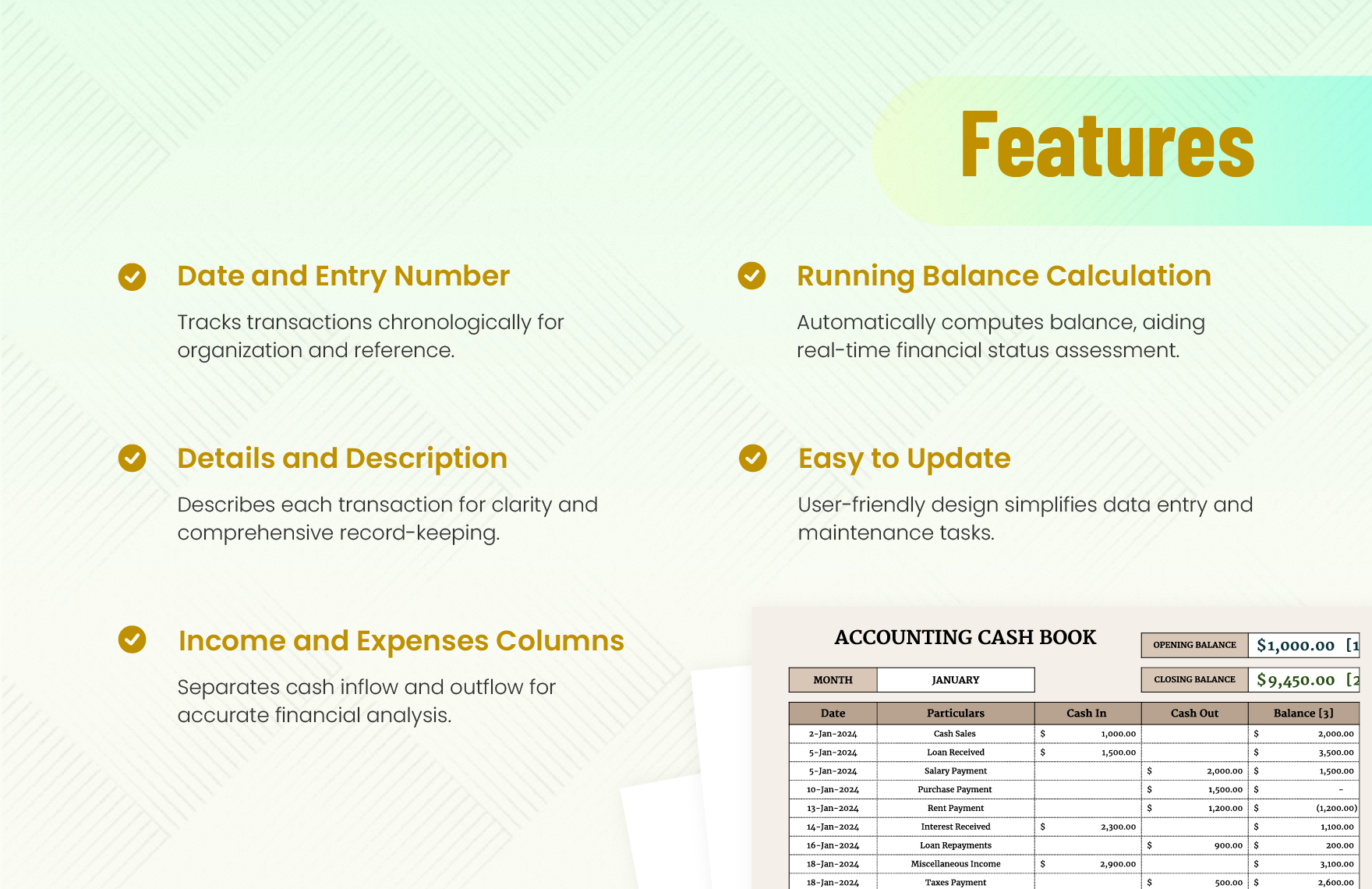
Create columns for date, reference, description, category, cash in, cash out, and balance. Add bank or cash account if necessary. If the business sells on credit, consider separate accounts receivable tracking rather than trying to treat an unpaid invoice as cash received.
Enter a few realistic test transactions before filling the sheet with actual data. Check whether a receipt increases the balance, whether a payment decreases it, and whether a zero-value or blank row behaves correctly. Testing formulas first prevents errors from spreading across hundreds of transactions.
Add validation rules for categories, account names, and payment methods where the spreadsheet application supports them. A controlled selection reduces spelling variations and makes later reporting easier. Protect formula cells if several people will use the workbook.
Finally, add a summary area showing opening cash, total receipts, total payments, net cash movement, and closing cash. The summary should derive its numbers from the transaction table rather than relying on manually entered totals.
Excel as a Business Accounting Cash Tool
Excel is well suited to cash templates because it supports formulas, tables, filtering, data validation, conditional formatting, charts, and workbook-level organization. A business can start with a simple ledger and gradually add reports as its needs become more sophisticated.
A practical Excel workbook might contain separate tabs for Transactions, Categories, Cash Summary, Accounts Receivable, Accounts Payable, and Forecast. The transaction tab remains the detailed source, while summary tabs pull information from it using formulas or pivot tables.
Excel also makes it easy to preserve a blank template separately from the live accounting file. The blank version can contain formulas, headings, validation rules, and formatting but no confidential transaction history. A working copy can then be created for each reporting period.
When using formulas, avoid excessive complexity unless there is a clear benefit. A transparent SUM or running-balance formula is usually easier to review than a deeply nested formula that only one person understands. Spreadsheet maintainability is part of accounting control.
Use Excel Tables where appropriate so formulas and formatting expand automatically as rows are added. Keep raw data in a rectangular structure rather than inserting decorative blank rows between transactions. This makes sorting, filtering, pivoting, and exporting more reliable.
Excel can therefore serve as both a bookkeeping aid and a management reporting tool, but it should not be treated as automatically authoritative. The quality of the result still depends on accurate inputs, consistent procedures, reconciliation, appropriate access controls, and sensible review.
The daily accounting visual above illustrates a broader spreadsheet principle: a useful workbook should make revenue, expenses, receivables, payables, and the resulting balance understandable at a glance. For a real implementation, use a verified image or template asset rather than relying on decorative elements that do not improve the accounting workflow.
Avoid building the workbook around manually typed totals. If the total revenue, total expense, or closing balance must be re-entered every time transactions change, the spreadsheet creates an unnecessary opportunity for inconsistency.
Instead, make the transaction table the source of truth for the workbook. Summary cells should calculate from that table, and charts should reference summary ranges rather than independently maintained figures.
For larger files, consider separating transaction entry from reporting. This keeps the detailed ledger clean while allowing management views to show monthly totals, category trends, forecast variances, or outstanding collections.
The best Excel template is therefore not simply a colorful spreadsheet. It is a controlled information system in miniature, with defined inputs, repeatable calculations, clear outputs, and a review process.
Before using any externally sourced workbook, inspect its formulas and assumptions. A template can look professional while using formulas that do not match your business’s accounting treatment. Treat every downloaded spreadsheet as a starting point that requires review.
Google Sheets for Collaborative Cash Accounting
Google Sheets is useful when multiple authorized users need access to the same cash workbook. A shared file can reduce the problem of having several versions of a spreadsheet stored on different computers, provided access permissions and editing responsibilities are managed carefully.
It is particularly helpful for businesses where transaction information is collected from different locations. For example, one person may enter customer receipts, another may enter supplier payments, and a finance reviewer may check the completed rows later.
Shared spreadsheets benefit from clearly defined input fields. Use a dedicated transaction area and avoid allowing users to overwrite summary formulas. A simple status column such as “Entered,” “Reviewed,” or “Reconciled” can make the review workflow visible.
Google Sheets can also support filters and shared views that help users focus on a particular account, month, category, or reconciliation status without changing the underlying dataset. This is useful when several people work from the same transaction register.
When moving a workbook between Excel and Google Sheets, inspect formulas, date formats, named ranges, conditional formatting, and data validation. Basic formulas usually transfer well, but more specialized features may behave differently between applications.
Collaboration should not mean unrestricted editing. The people responsible for data entry should not necessarily have the same permissions as the person responsible for approving or finalizing financial reports. Good spreadsheet governance remains important even when the file is cloud-based.
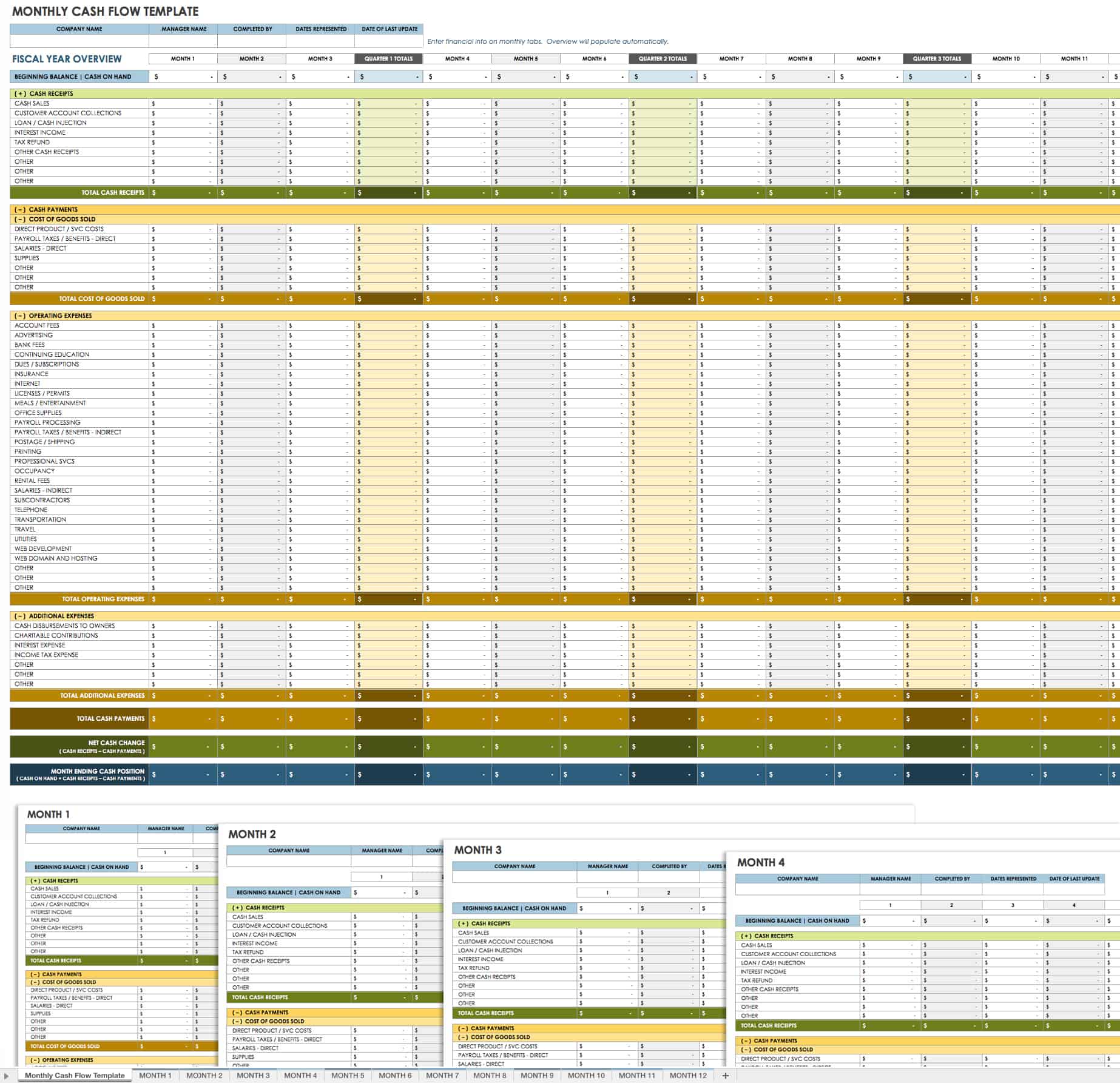
Using a Monthly Cash Flow View
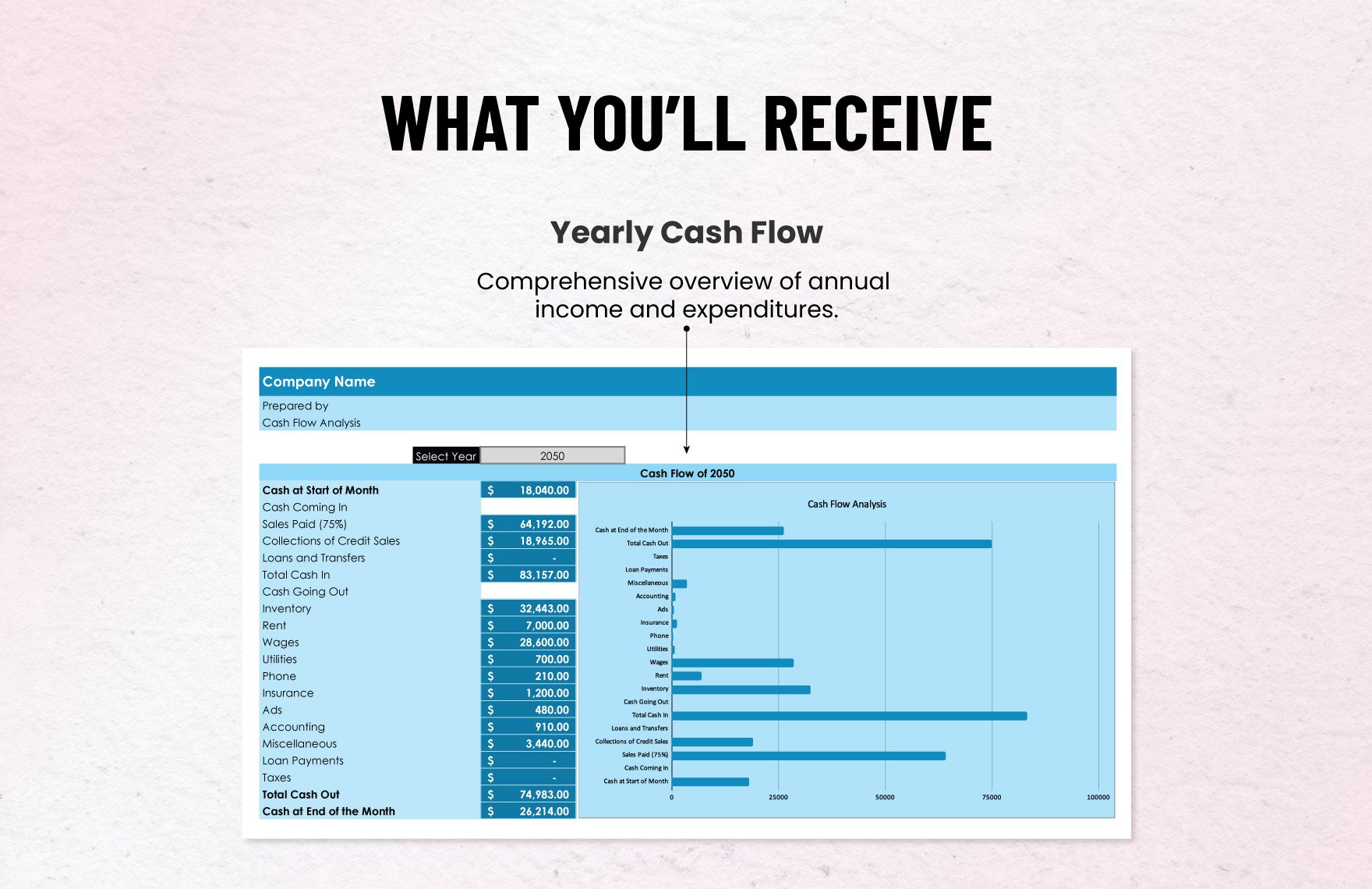
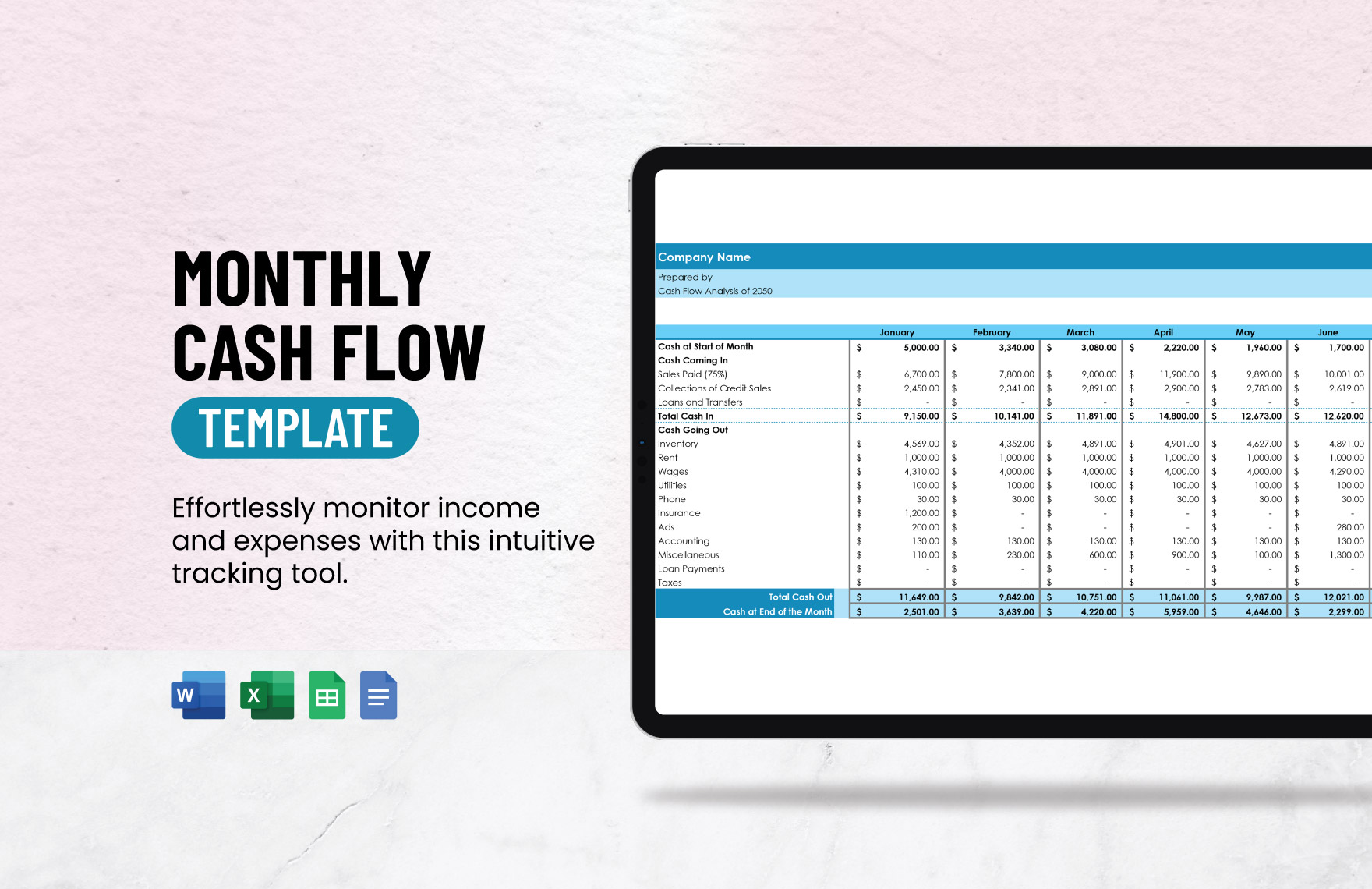
A monthly view aggregates cash movements into a manageable planning horizon. Instead of reviewing hundreds of individual transactions, the owner can see expected or actual receipts and payments for each month and compare the resulting cash position.
Monthly categories should correspond to the business’s actual operating cycle. A retailer might need sales receipts, inventory purchases, payroll, rent, card fees, and tax payments. A consultancy might emphasize customer collections, contractor payments, software, travel, payroll, and professional services.
Monthly reporting is also useful for identifying recurring costs. If software, insurance, rent, or loan payments occur every month, the forecast can reflect their expected timing. One-time expenses such as equipment purchases should be identified separately so they do not distort the normal operating pattern.
A monthly cash flow table can include actual and forecast columns. For example, January may contain actual results while February through December contain forecasts. As each month closes, replace forecast values with actual results and add another future month to maintain a rolling view.
The key measure is not simply whether the business has positive cash flow for the year. A company can have positive annual cash movement while experiencing several difficult weeks or months. Timing is therefore central to useful cash planning.
Monthly templates are especially useful for owners who do not need a full accounting system but still want visibility into liquidity. They can also provide a bridge between a transaction-level cash book and more formal financial reporting.
Cash Inflows: What Should Be Recorded?
Cash inflows should represent money that actually enters the relevant cash or bank account during the period being tracked. Common examples include customer payments, cash sales, refunds received, loan proceeds, owner contributions, interest received, and proceeds from asset sales.
Do not automatically treat an invoice as cash received. An invoice creates an amount due from a customer, but the cash movement occurs when the customer pays. A separate accounts receivable record helps maintain this distinction.
Transfers between the business’s own bank accounts require special attention. The transfer increases one account and decreases another, but it does not represent new money for the business as a whole. A template that combines all accounts without identifying the source and destination can accidentally double-count these movements.
Owner contributions and loans should also be classified clearly. They may increase available cash, but they are not the same as sales revenue. Keeping them in separate categories prevents management from mistakenly interpreting financing activity as operating performance.
For each inflow, record enough information to identify the payer and purpose where practical. Customer name, invoice number, receipt reference, payment channel, or deposit reference can help with later reconciliation.
Consistent inflow classification makes the cash template more useful for analysis. At the end of the month, the owner can distinguish customer collections from financing, refunds, asset sales, and other non-operating sources of cash.
Cash Outflows: Recording Payments Properly
Cash outflows include supplier payments, payroll, rent, utilities, taxes, loan repayments, equipment purchases, software subscriptions, professional services, advertising, travel, and other payments made by the business.
The description should explain what the payment was for, while the category should place it into a consistent reporting group. For example, “Acme Hosting — annual renewal” can be described under a Software or Hosting category rather than being entered as a generic “expense.”
Capital purchases deserve separate attention. Buying equipment uses cash, but the accounting treatment may differ from an ordinary operating expense. A cash template should therefore capture the payment without assuming that every cash outflow belongs in the income statement.
Loan repayments can also contain multiple components. Depending on the accounting framework and circumstances, principal and interest may have different classifications. If the business needs formal financial statements, the cash workbook should be coordinated with the accounting records rather than used as the only source of classification.
Recurring payments should be reviewed periodically. A spreadsheet can reveal subscriptions, service agreements, or other automatic payments that continue long after their original business purpose has changed.
Good outflow tracking therefore does more than show how much money was spent. It reveals the timing, purpose, recurrence, and business function of payments, giving management a better basis for controlling costs and planning future cash requirements.
Accounts Payable and Cash Timing
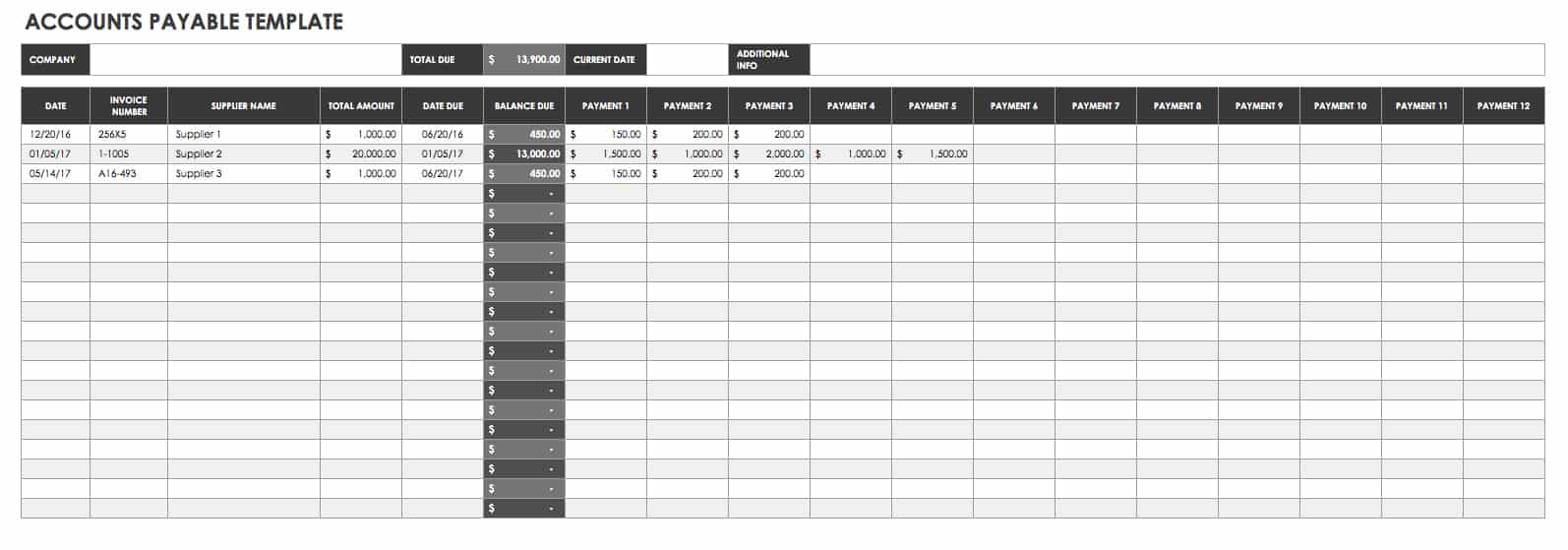
Accounts payable is closely connected to cash management because supplier invoices can create future payment obligations. A business may receive inventory or services today but not pay the supplier until a later date. That difference between expense recognition and cash payment affects liquidity planning.
An accounts payable schedule should normally include supplier, invoice number, invoice date, due date, amount, payments made, and remaining balance. The cash forecast can then use expected payment dates rather than simply copying expense totals into a cash schedule.
This distinction is particularly important when payment terms vary. A supplier offering thirty-day terms creates a different cash timing pattern from a supplier requiring payment on delivery, even when the invoice amounts are identical.
Late payments can create additional costs or damage supplier relationships, while paying every invoice immediately can unnecessarily reduce available working capital. A clear schedule helps management make payment decisions based on due dates and cash availability.
For a small business, a simple accounts payable table may be sufficient. Larger organizations may need approval workflows, purchase-order matching, tax information, payment batches, and aging reports.
The cash template should not replace accounts payable records, but it can connect the two. Known future payments from the payable schedule become inputs into the cash forecast, making the forecast more realistic.
Accounts Receivable and the Collection Cycle
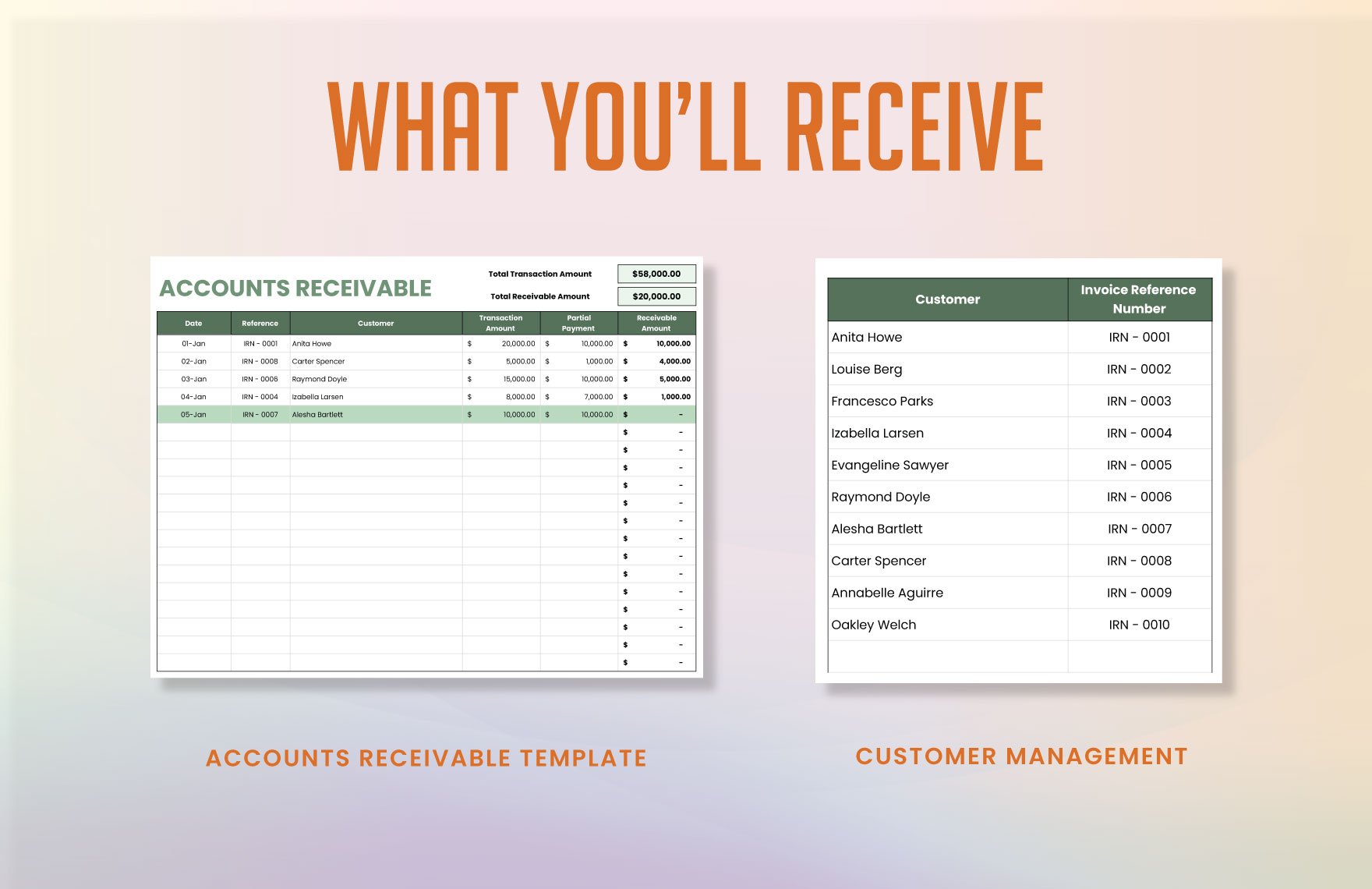
Accounts receivable creates the opposite timing issue. A business may record a sale and recognize revenue while waiting for the customer to pay. The cash template should show the payment when it actually arrives, while the receivable schedule tracks the amount still owed.
Useful receivable fields include customer, invoice number, invoice date, due date, invoice amount, amount collected, remaining balance, and collection status. An aging field can divide unpaid amounts into categories based on how long they have been outstanding.
The cash forecast can use expected collection dates rather than assuming every invoice will be paid on its due date. Businesses with irregular collections should consider conservative assumptions and update forecasts when customer payment behavior changes.
Collection timing is often more important than sales volume when assessing short-term liquidity. A rapidly growing company can experience cash pressure if sales increase faster than customers pay.
Connecting receivables with the cash forecast creates a more realistic picture of expected inflows. Instead of entering one large monthly sales figure, the business can estimate when specific invoices are likely to become cash.
This approach also makes the workbook useful for collection management. If a future cash gap is driven by overdue invoices, the business can identify the customers contributing to the problem and prioritize appropriate follow-up.
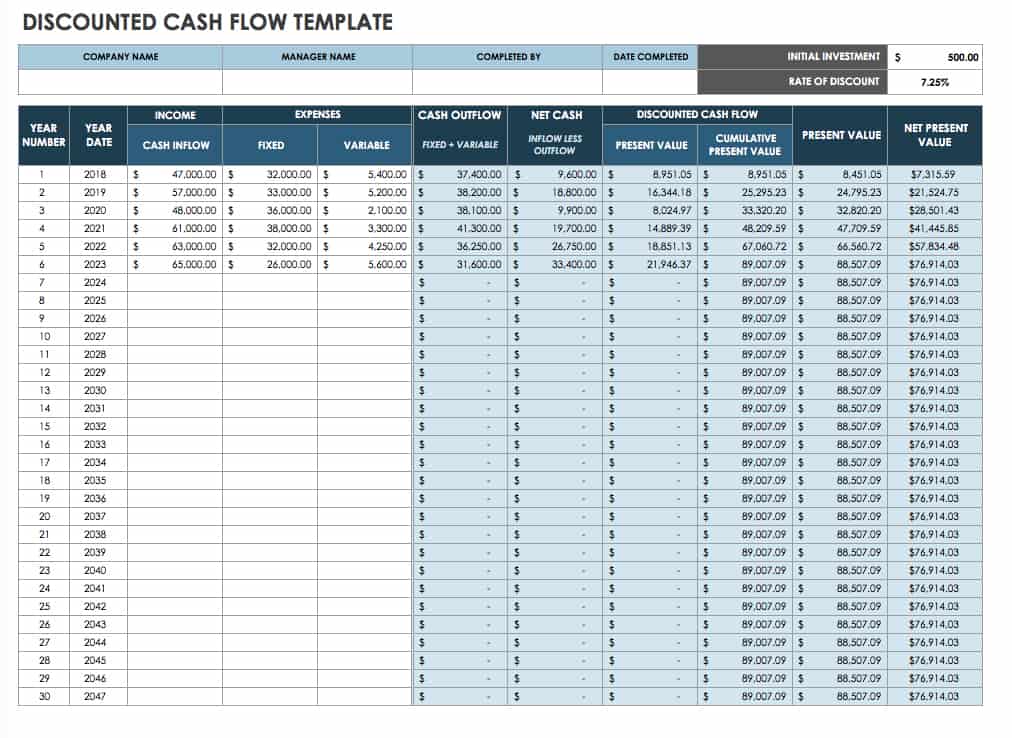
Forecasting Cash for Three to Twelve Months
A forecast should begin with a verified opening cash position and a reasonable set of assumptions. Expected receipts should be based on realistic collection timing, while expected payments should include known commitments and reasonable estimates for variable costs.
Short forecasts are often easier to maintain because the assumptions are closer to observable events. A weekly thirteen-week view, for example, can be useful when the primary concern is immediate liquidity. A twelve-month view is better for seasonal planning and broader budgeting.
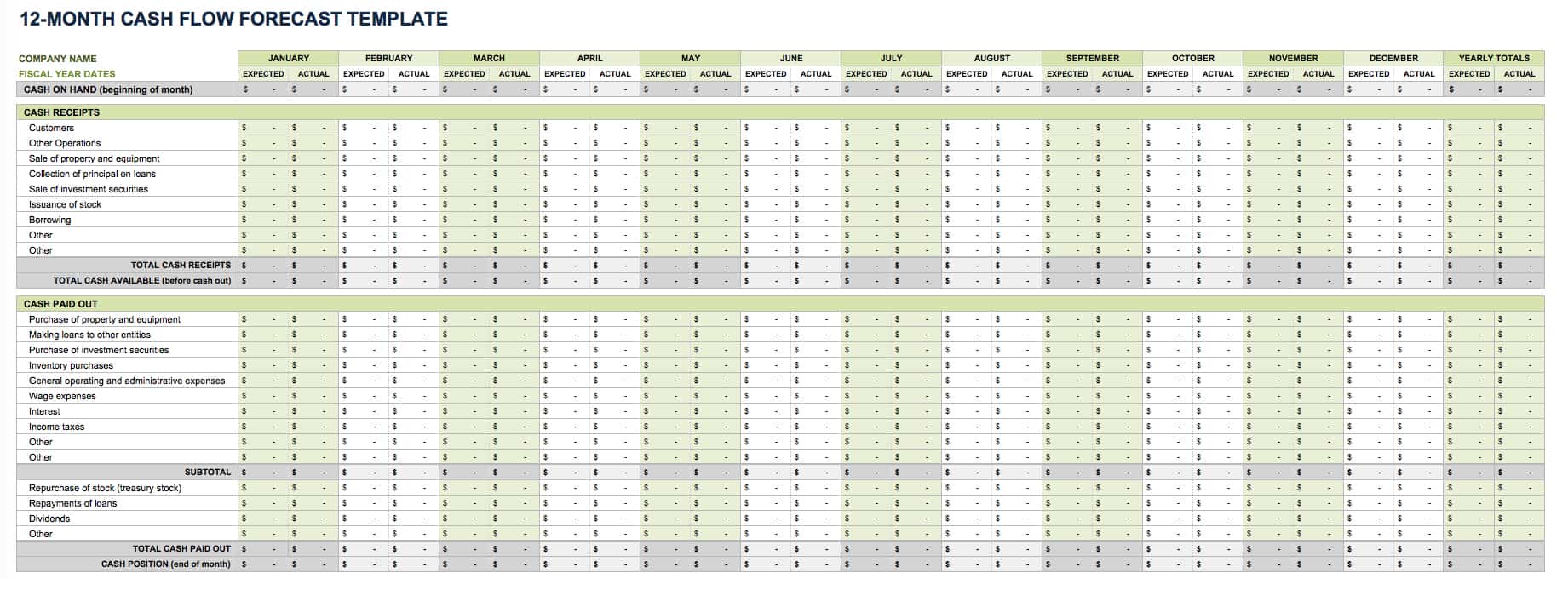
Separate forecast values from actual values. A common structure uses paired columns for each month, such as Expected and Actual, followed by a Variance column. This allows management to learn from forecasting errors rather than simply replacing estimates with actuals without analysis.
Forecast assumptions should be documented. If customer collections are expected to occur thirty days after invoicing, record that assumption. If payroll rises in a particular month because of bonuses, note the reason. Clear assumptions make the forecast easier to update when conditions change.
Forecasts should include unusual but foreseeable payments. Annual insurance, quarterly taxes, equipment purchases, loan installments, renewal fees, and planned marketing campaigns can create cash movements that disappear from a simple monthly average.
A rolling forecast is often more useful than a static annual workbook. Each month, close the completed period, compare forecast against actual, update assumptions, and add a new future period. This keeps the planning horizon current without requiring a completely new model.
Cash Flow Analysis: From Recording to Decision-Making
Recording cash is only the first step. Analysis begins when the business examines why cash increased or decreased and whether the movement was expected. A cash decline caused by inventory investment may require a different response from a decline caused by falling customer collections.
Operating cash flow should be examined separately from financing and investing movements when the purpose is to understand the health of ordinary operations. A business can receive financing and temporarily improve its bank balance while its underlying operations continue to consume cash.
Trend analysis is another useful technique. Compare current month cash receipts with previous periods, then examine whether changes are driven by sales volume, collection timing, pricing, customer concentration, or one-off events.
Expense analysis should focus on categories that are controllable, recurring, or unusually volatile. A cash spreadsheet can reveal that several small subscriptions together represent a meaningful recurring cost, or that supplier payments are consistently concentrated in a difficult week.
Variance analysis compares what was expected with what actually happened. Large differences should be explained rather than simply corrected. The explanation may improve future forecasting and help management identify operational changes.
The objective is not to make every month look predictable. Businesses naturally experience uncertainty. The objective is to make uncertainty visible early enough that management can respond deliberately.
Daily, Weekly, Monthly, and Annual Formats
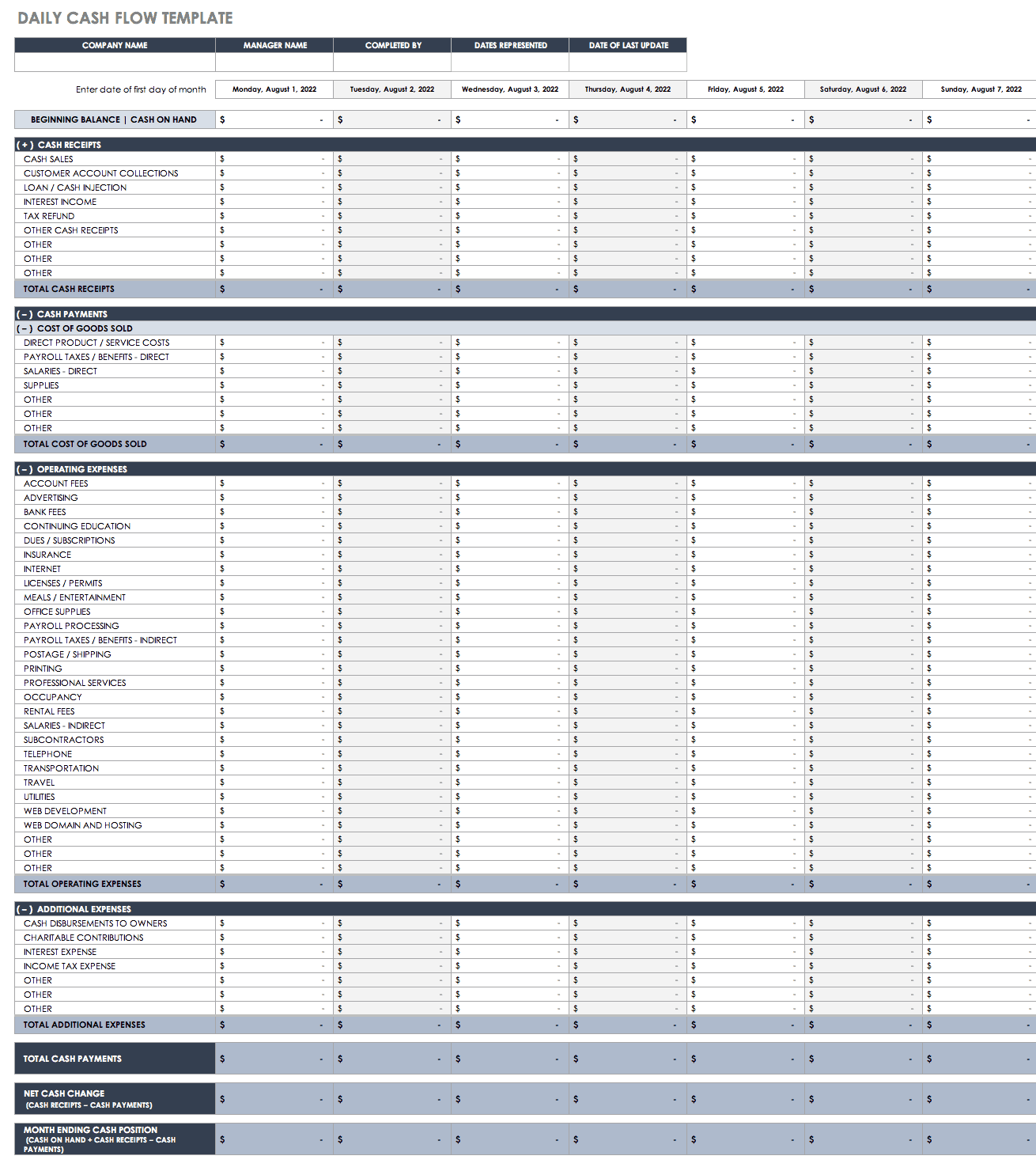
Daily cash templates are appropriate when transaction volume is high or cash needs to be controlled closely. They can be especially useful for retail, hospitality, field operations, or businesses where physical cash is handled frequently.
Weekly formats are useful when the business has tight payment cycles. A weekly forecast can reveal short-term shortages that disappear when transactions are viewed only at monthly level.
Monthly formats are usually the most practical compromise for small businesses. They provide enough detail for planning without requiring management to interpret an enormous number of individual entries every day.
Annual formats are useful for high-level comparison and planning, but they should not replace shorter-term cash forecasting when timing risk is significant. Annual totals can hide severe intra-year cash shortages.
The ideal structure often combines formats. Detailed transactions feed a monthly summary, while the monthly summary feeds a rolling forecast. This layered design prevents the business from manually maintaining multiple unrelated totals.
Choose the shortest reporting period that answers the management question. If the business routinely faces weekly payment pressure, a monthly-only template is too coarse. If cash is stable and transactions are limited, a daily forecast may create unnecessary administrative work.
Using a Business Accounting Spreadsheet Template Without Losing Control
A spreadsheet becomes reliable when the process around it is reliable. Establish who enters transactions, who checks them, who reconciles balances, and who approves adjustments. Even a simple template benefits from clearly assigned responsibilities.
Keep a master copy of the blank template separate from working files. This protects formulas and formatting from accidental changes and makes it easier to start a new period using a clean structure.
Use consistent file names that identify the business, period, and version. For example, a workbook might identify the company and reporting month without including unnecessary personal information. Version discipline is especially important when files are exchanged by email.
Backups should be part of the process. A cash workbook contains financial information that may be difficult to reconstruct if a file becomes corrupted or overwritten. Cloud version history or a controlled backup routine can reduce this risk.
Do not store sensitive financial information in an openly shared workbook unless access is appropriate. Sharing convenience should never override basic financial privacy and access controls.
Finally, document important spreadsheet assumptions. A future user should be able to understand how the opening balance was established, how categories are defined, how transfers are handled, and which cells contain formulas.
When a Business Accounting Excel Template Is Enough
A spreadsheet may be sufficient when the business has relatively straightforward transactions, a manageable number of accounts, and a small number of people entering or reviewing data. It can provide a practical bridge before more specialized accounting software becomes necessary.
A template is particularly useful for planning, scenario analysis, small cash books, simple forecasts, and supplementary management schedules. It can also help an owner understand accounting concepts before adopting a more formal system.
However, a spreadsheet becomes harder to control as transaction volume grows. Multiple users, complex tax requirements, large inventories, several entities, detailed payroll, extensive receivables, or high transaction frequency can make manual spreadsheet bookkeeping increasingly risky.
The decision to move beyond a spreadsheet should be based on complexity and control requirements rather than business size alone. A very small business with complicated transactions may need accounting software sooner than a larger business with simple operations.
Even when accounting software is used, spreadsheets can remain valuable for forecasts and custom management analysis. The key is to define which system is authoritative and reconcile supplementary spreadsheets to that source.
A business accounting cash Template should therefore be viewed as a tool with a useful scope, not as a universal replacement for accounting systems or professional advice.
PDF, Printable, and Document-Based Versions
A PDF version is useful when the primary requirement is viewing, printing, distributing, or archiving a completed report. PDF is generally not the best format for maintaining a live transaction ledger because ordinary PDF pages do not provide the same calculation and sorting functionality as spreadsheets.
A practical workflow is to maintain the editable accounting data in Excel or Google Sheets and export a finalized report to PDF when a fixed, shareable version is needed. This preserves the calculations in the source workbook while creating a stable presentation copy.
Printed cash sheets can still be useful for businesses that record transactions away from a computer. In that situation, the paper form should contain enough fields for date, description, reference, cash in, cash out, and verification before the information is transferred into the main spreadsheet.
When using printable forms, make sure handwriting remains readable and that supporting receipts can be matched to the correct row. Sequential numbering can help prevent missing entries.
A PDF should never be treated as proof that a particular template is officially required. The file format is simply a delivery or presentation choice unless a specific regulatory or contractual requirement says otherwise.
For recurring reports, keep the editable source file and exported PDF together under a consistent naming and retention process. This creates a useful relationship between the report that was distributed and the underlying data from which it was produced.
Common Mistakes in Cash Accounting Templates
One of the most common mistakes is confusing revenue with cash receipts. A sale made on credit may increase revenue and accounts receivable without increasing the bank balance. Recording it as cash immediately can overstate liquidity.
Another mistake is double-counting transfers. Moving $5,000 from a checking account to a savings account changes the location of cash but does not create $5,000 of new business cash. Account identifiers and transfer categories help prevent this error.
Manual totals are another weakness. If users type total cash receipts and total cash payments independently from the transaction rows, the summary can become inconsistent. Whenever possible, calculate totals directly from the source table.
Inconsistent categories can also undermine analysis. If one month uses “Office,” another uses “Office Expense,” and another uses “Office Supplies” for similar payments, the resulting category report may not represent the actual spending pattern.
Ignoring one-time transactions is another forecasting problem. Businesses often focus on recurring monthly costs and forget annual insurance, tax payments, equipment purchases, loan installments, or other irregular cash movements.
Finally, failing to reconcile the template is a serious weakness. A spreadsheet can contain perfectly correct formulas and still produce incorrect results if transactions are missing or entered incorrectly.
Best Practices for Accurate Cash Records
Update the cash record at a consistent frequency. The correct frequency depends on transaction volume, but delaying entries for too long makes reconciliation harder and reduces the usefulness of the balance as a current management indicator.
Use source documents whenever possible. Receipts, invoices, bank statements, payment confirmations, and transfer records provide evidence for the entries being recorded. A spreadsheet row should be traceable to supporting information when review is necessary.
Reconcile bank accounts regularly. Compare the workbook’s recorded transactions with the bank statement and investigate differences. Do not simply adjust the closing balance to force agreement without understanding why the difference exists.
Separate actuals from forecasts. Use clear labels, distinct columns, or separate sections so an estimated customer receipt cannot be mistaken for a payment that has already occurred.
Review unusual transactions. Large payments, unexpected refunds, owner withdrawals, financing receipts, and asset purchases can materially affect the cash position and deserve additional attention.
Keep the workbook understandable. A template should be usable by someone other than its creator. Clear headings, simple formulas, documented assumptions, and restrained formatting make that much easier.
Practical Example: A Small Service Business
Consider a hypothetical design agency that starts a month with $18,000 in available cash. It expects customer collections of $12,000, pays contractors of $6,000, payroll of $7,000, rent of $2,000, software of $800, and taxes of $1,500.
The forecast begins with the $18,000 opening balance and adds the expected $12,000 of customer collections. It then subtracts the expected payments. The resulting projected closing balance is $12,700 before considering any other transactions.
That figure is more informative than looking only at projected sales because it reflects actual cash timing. If one customer delays a $5,000 payment, the projected balance changes significantly even though the underlying sale has not disappeared.
The agency could use a receivable schedule to identify which invoices make up the $12,000 expected collection. If one invoice is historically slow to pay, the forecast can use a later collection date rather than assuming perfect timing.
The same agency could also add a minimum cash threshold, such as a management target established by the owners. The threshold is not an accounting rule; it is a planning assumption that can be compared with projected closing cash.
This example shows why a business accounting cash Template becomes most useful when it connects transactions, timing, receivables, payables, and management assumptions instead of treating each worksheet as an isolated document.

How to Analyze Cash Gaps
A projected cash gap occurs when expected available cash falls below the amount the business needs for scheduled commitments or its chosen minimum reserve. The first step is to identify the date of the gap rather than looking only at the monthly total.
Next, identify the transactions causing the shortage. The problem may be a delayed customer collection, a large supplier payment, payroll timing, taxes, a planned equipment purchase, or several smaller costs occurring together.
Then classify the possible responses. Some actions affect inflows, such as accelerating collections or changing payment terms. Others affect outflows, such as rescheduling discretionary purchases or negotiating supplier timing. Financing may be another option, depending on the business and circumstances.
Do not solve every forecast gap by assuming revenue will increase. A stronger forecast distinguishes committed cash, probable cash, and uncertain cash. This creates a more realistic picture of what is actually available to solve the problem.
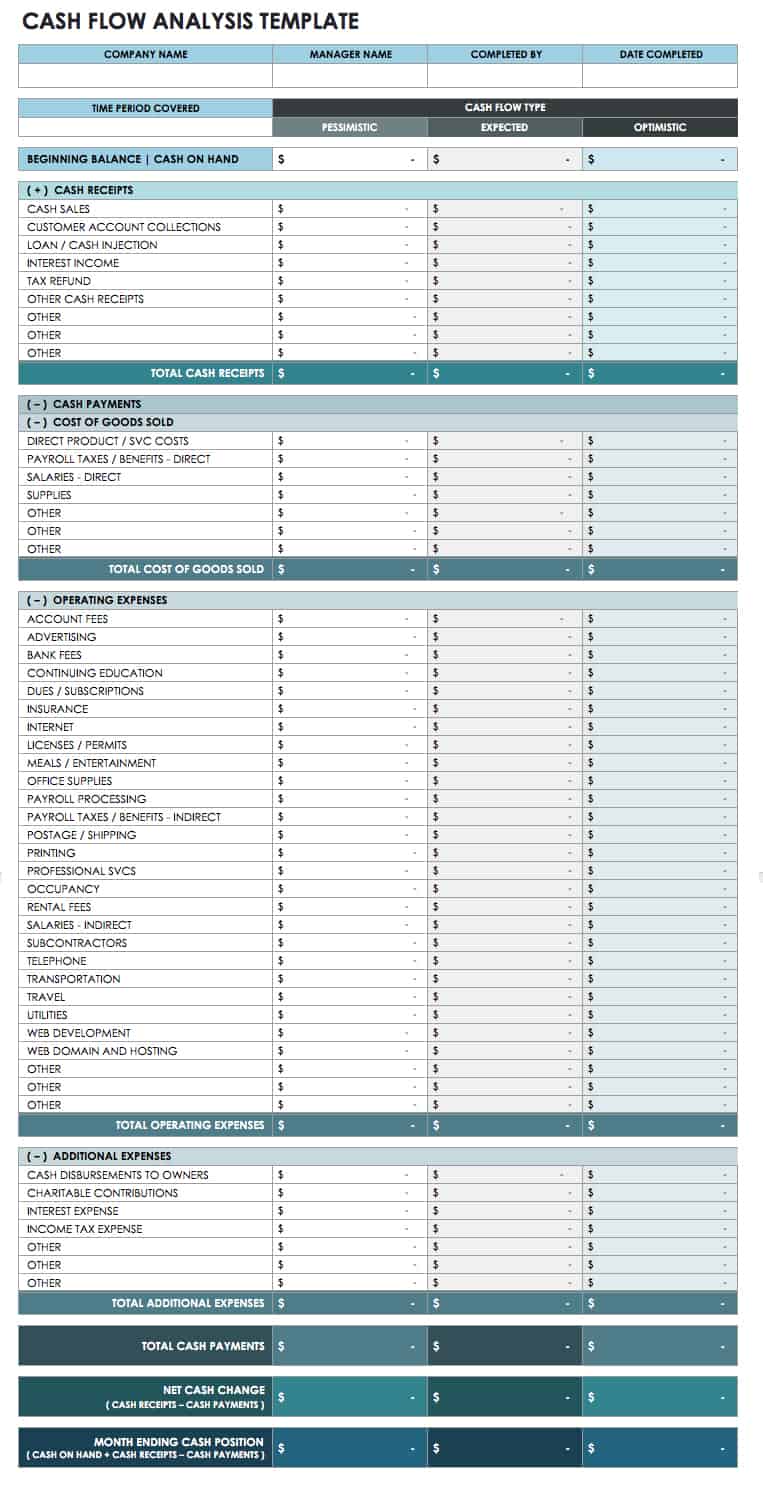
Scenario analysis can be useful. Create conservative, expected, and optimistic assumptions for uncertain collections or sales. The purpose is not to predict the future perfectly but to understand how sensitive the cash position is to major variables.
Once the business takes an action, update the forecast. A cash template is most valuable when it becomes a living management tool that changes as decisions and external conditions change.

Practical Solution: A Repeatable Cash Accounting Workflow
The practical solution is to create one controlled transaction register, connect it to a summary, reconcile it regularly, and use a separate forecast for future cash timing. This structure is simple enough for many small businesses while remaining expandable as transaction volume increases.
Step 1: Define the scope. Decide which accounts, cash locations, currencies, and periods the workbook covers. Write these assumptions at the top of the workbook so users understand what is included.
Step 2: Establish the opening balance. Start each reporting period from a verified figure. If the workbook covers multiple bank accounts, record each account separately and calculate the consolidated balance only after account-level balances are correct.
Step 3: Record transactions consistently. Enter each cash movement once. Use the transaction date, reference, description, category, account, cash in, and cash out fields. Avoid entering summary totals manually.
Step 4: Reconcile supporting evidence. Match bank activity, receipts, payment confirmations, invoices, and other documents to the relevant rows. Mark transactions as reviewed or reconciled where appropriate.
Step 5: Review the summary. Calculate opening cash, total inflows, total outflows, net cash movement, and closing cash. Compare the calculated closing balance with the verified account position.
Step 6: Build the forecast. Carry the verified closing balance into the next forecast period. Add expected customer collections, scheduled supplier payments, payroll, taxes, financing, capital purchases, and other known cash events.
Step 7: Compare forecast with actual. At the end of each period, replace forecasts with actual results and calculate variances. Explain major differences so future assumptions can be improved.
Step 8: Review upcoming pressure points. Look ahead for weeks or months when projected cash falls below the business’s chosen reserve. Identify the specific transactions causing the pressure and consider practical responses.
Step 9: Protect the workbook. Keep a clean master copy, restrict formula editing, control access to financial data, and maintain backups or version history.
Step 10: Know when to upgrade. If the workbook becomes difficult to reconcile, has too many users, or requires increasingly complex controls, consider moving core bookkeeping into dedicated accounting software while retaining spreadsheets for forecasting and analysis where useful.
Reference Examples
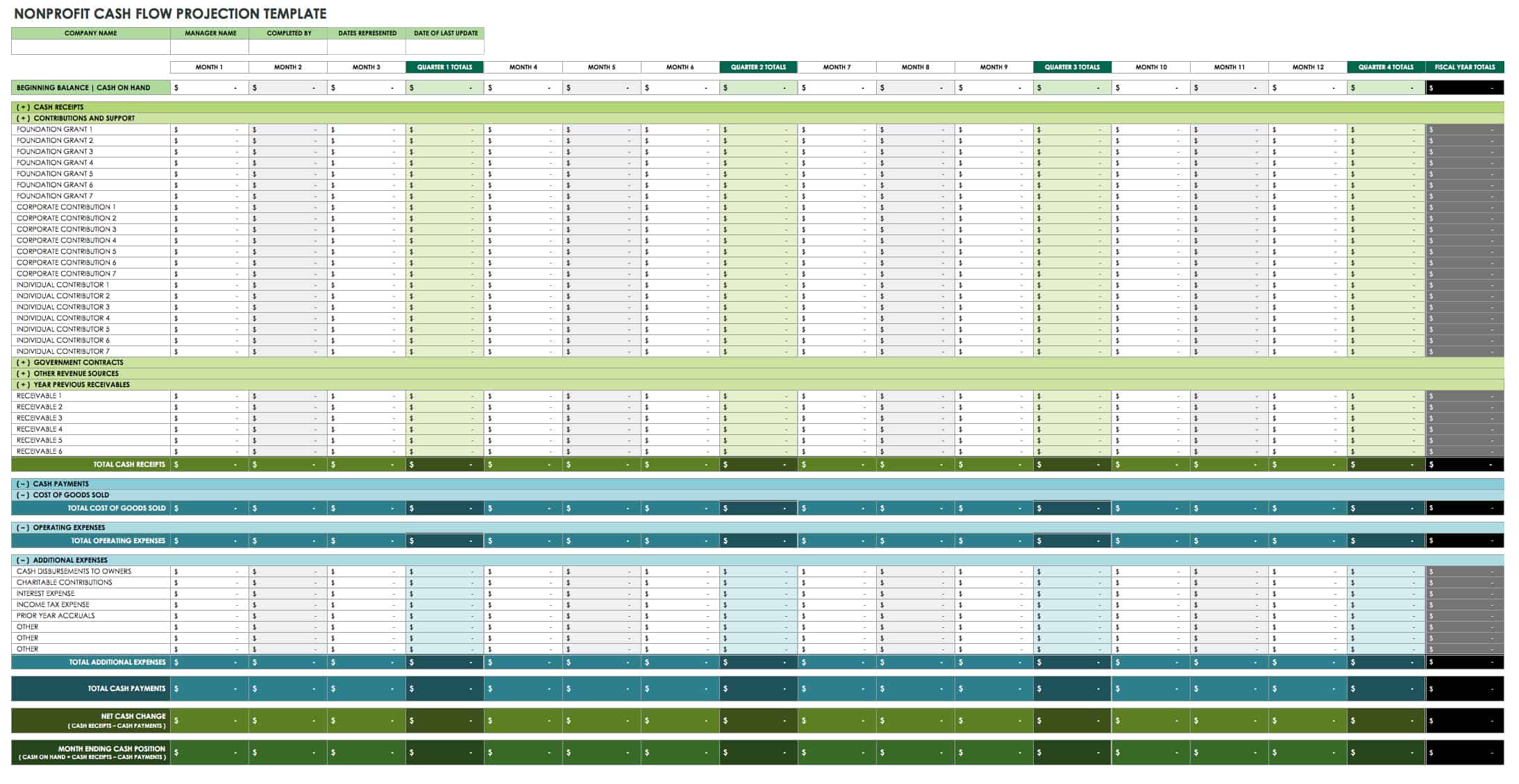
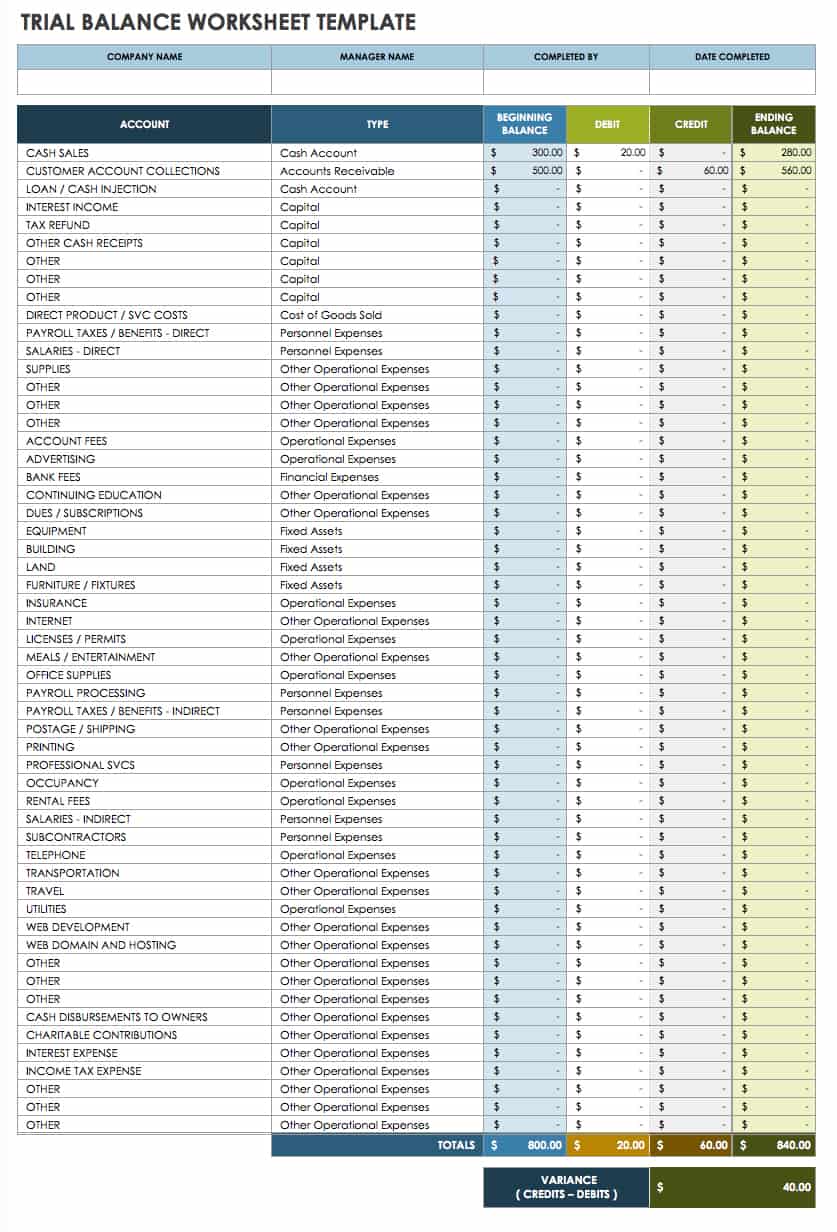
The following reference visuals correspond directly to the requested template formats and concepts. They are examples of layouts and document structures rather than claims that every business should use the same format.
business accounting cash template free download
Source: Smartsheet
business accounting cash template excel

Source: ExcelMojo
business accounting cash template free

Source: Smartsheet
business accounting cash template pdf
Source: Template.net
business accounting cash template google sheets
Source: Template.net
business accounting cash template excel free

Source: ExcelMojo
business accounting free template
Source: Smartsheet
business accounting spreadsheet template
Source: Template.net
business accounting excel template

Source: ExcelMojo
accounting cash book template excel
Source: Template.net
business accounting templates excel
Source: Smartsheet
free excel business accounting templates
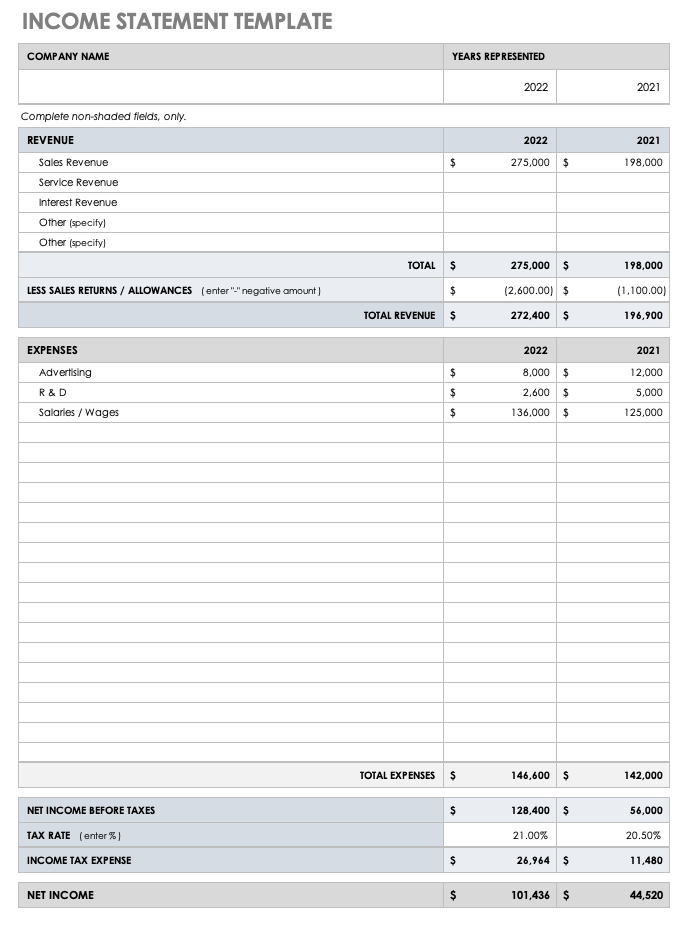
Source: Smartsheet
Frequently Asked Questions
What should a business accounting cash Template include?
At minimum, include the reporting period, opening balance, transaction date, description, cash received, cash paid, and resulting balance. Adding categories, references, account names, payment methods, and reconciliation status can make the template more useful for larger operations.
Is a cash book the same as a cash flow statement?
No. A cash book records individual cash transactions, while a cash flow statement summarizes cash movements for a reporting period. A cash book can provide detailed source information that supports a broader cash flow report.
Can I use Excel for small-business cash accounting?
Yes. Excel can be practical for straightforward businesses with manageable transaction volumes. It works particularly well for cash books, forecasts, supporting schedules, and management analysis when formulas, access, backups, and reconciliation are properly controlled.
Can Google Sheets be used instead of Excel?
Yes. Google Sheets is useful when authorized users need shared access. Before switching between applications, review formulas, formatting, validation rules, and any specialized spreadsheet features to make sure the workbook behaves as expected.
Should cash forecasts include unpaid invoices?
They can, but only as expected future receipts rather than cash already received. The forecast should use realistic collection timing and distinguish expected cash from completed transactions.
How often should a cash template be updated?
The appropriate frequency depends on transaction volume and liquidity risk. Some businesses benefit from daily updates, while others can operate effectively with weekly or monthly updates. The key is to update often enough for the balance and forecast to remain useful.
What is the best way to handle transfers between bank accounts?
Identify both the source and destination accounts and treat the transaction as an internal transfer rather than new revenue. This prevents the same money from being counted twice in a consolidated cash position.
Can a PDF be used as the main accounting template?
A PDF can work well as a printable form or finalized report, but an editable spreadsheet is generally more practical for ongoing transaction entry, calculations, filtering, and forecasting. A completed spreadsheet can be exported to PDF when a fixed presentation copy is needed.
When should a business stop relying on a spreadsheet?
Consider dedicated accounting software when transaction volume, user count, reporting complexity, reconciliation needs, tax requirements, or internal controls make the spreadsheet difficult to maintain accurately. Spreadsheets can still remain useful for forecasts and custom analysis.
Conclusion
A well-designed business accounting cash Template gives a business a practical way to understand where cash comes from, where it goes, how much is available, and when future shortages may occur. The strongest template is not the one with the most tabs or visual effects; it is the one that produces consistent, traceable, decision-ready information.
For many small businesses, the best starting point is a simple transaction register with an opening balance, cash-in column, cash-out column, running balance, categories, and references. From there, the workbook can expand into monthly summaries, accounts receivable, accounts payable, forecasting, variance analysis, and management reporting as the business grows.
Whether the working file is maintained in Excel or Google Sheets, keep actual transactions separate from estimates, reconcile balances to reliable source information, document assumptions, protect formulas, and maintain a controlled master copy. Use PDF or printed versions for distribution and archival purposes rather than as the primary calculation environment.
The most valuable habit is regular review. Record transactions promptly, reconcile them consistently, compare forecasts with actual results, and investigate material differences. Used this way, a business accounting cash Template becomes more than a bookkeeping worksheet: it becomes a practical cash-management system that helps the business make better decisions before financial pressure becomes an emergency.
For a final control check, review customer collections, supplier obligations, recurring expenses, unusual payments, financing activity, and upcoming one-time costs before relying on the projected balance. A clear cash picture supports better timing decisions, and a disciplined template provides the structure needed to maintain that picture over time.

Ultimately, the right business accounting cash Template is the one your business can keep accurate, current, understandable, and reconciled. Start with the simplest structure that answers your real cash questions, build reliable controls around it, and expand only when additional detail improves the quality of financial decisions.
