A small business org Template is most useful when it reflects how work actually moves through a company rather than simply placing impressive job titles into a hierarchy. A good organizational chart shows who owns a function, who reports to whom, where decisions are made, and how responsibilities connect across the business. For a small company, that clarity matters because one person may handle several functions at once, contractors may support important activities, and reporting relationships can change quickly as the company grows.
Research into current small-business organizational-chart guidance shows that common formats include hierarchical, horizontal, functional, partnership, and matrix structures. The appropriate format depends on the company’s size, operating model, decision-making needs, and degree of cross-functional work. A useful chart can support planning, onboarding, workload reviews, role clarification, and growth discussions without becoming an overly complicated management diagram.
The most effective template therefore starts with the real organization. Before choosing colors or shapes, identify the owner or executive role, the major business functions, the people responsible for those functions, and the reporting relationships that exist today. The visual design should then make those relationships easy to understand. The examples throughout this article illustrate different layouts so you can compare structures and adapt the one that best represents your business.
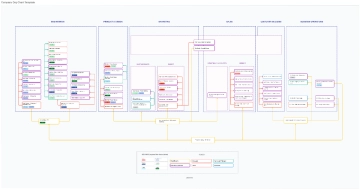
What a Small Business Organizational Chart Should Show
At its simplest, an organizational chart is a visual map of roles and reporting relationships. The upper portion normally represents leadership, while lower levels show managers, specialists, and other positions. Connecting lines indicate reporting relationships, and grouped boxes can distinguish functions such as sales, operations, finance, marketing, customer service, or administration.
For a small business, the chart should distinguish between position ownership and the individual currently occupying the position. This distinction becomes valuable when the company is planning future hiring. A box labeled “Operations Manager” remains useful even if a particular employee changes roles, while a chart built entirely around personal names may become outdated quickly.
The chart can also reveal responsibilities that are otherwise hidden. A founder might be responsible for sales, hiring, purchasing, financial approvals, and operations simultaneously. Showing those responsibilities in a structured diagram can make it easier to see where a future hire, manager, contractor, or internal promotion could relieve a bottleneck.
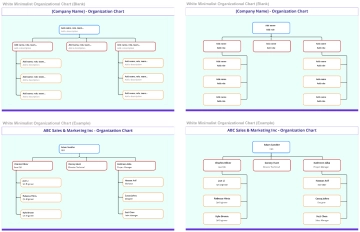
Another important distinction is between a formal reporting relationship and a working relationship. A marketing specialist may collaborate closely with sales without reporting to the sales manager. If every collaboration is drawn as a reporting line, the chart becomes confusing. Use solid reporting lines for actual accountability and use separate notes or supporting documentation for cross-functional collaboration when necessary.
The amount of detail should also match the purpose. An internal planning chart may include role responsibilities, vacancies, backup ownership, or decision rights. A presentation chart may need only names, titles, departments, and reporting lines. A hiring-planning version may emphasize roles that do not yet exist but are expected at a later stage.
Smartsheet’s small-business organizational-chart guidance describes organizational charts as visual representations of personnel structure and reporting relationships, and notes their usefulness for growth planning, restructuring, and workload review. :contentReference[oaicite:0]{index=0} Those uses make the chart more than a decorative graphic: it can become a practical management reference when maintained accurately.
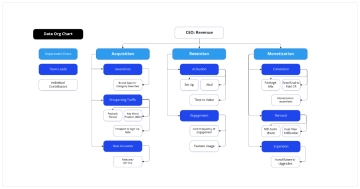
Choosing the Right Structure for a Small Company
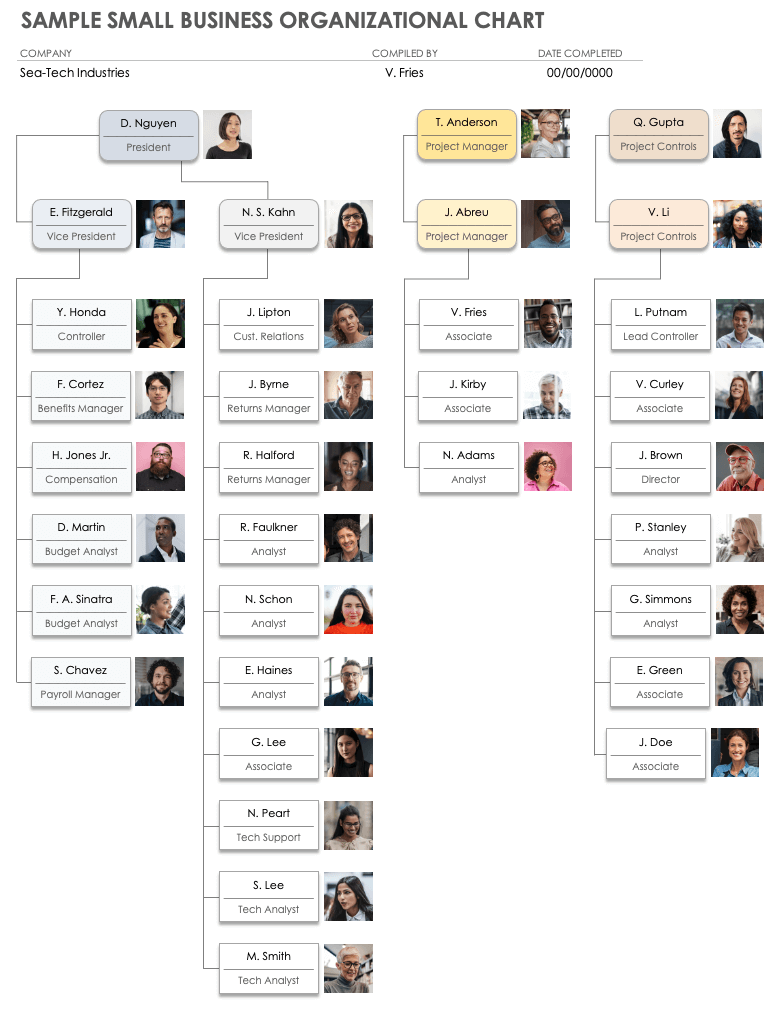
The traditional hierarchical structure places the owner, president, or chief executive at the top and branches downward through managers and employees. This format works well when authority is relatively clear and each employee has a primary manager. It is also easy for new employees to understand because the reporting path is visually obvious.
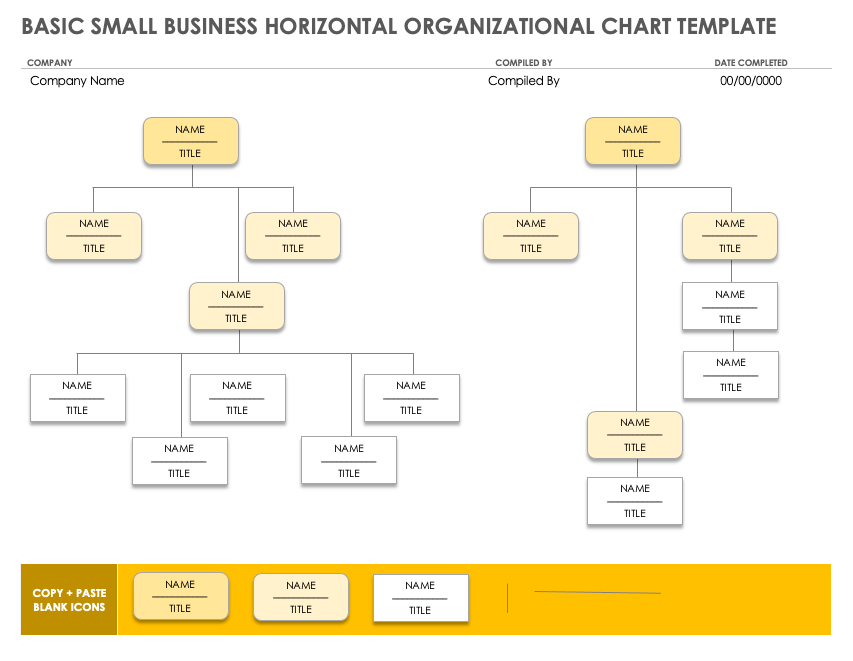
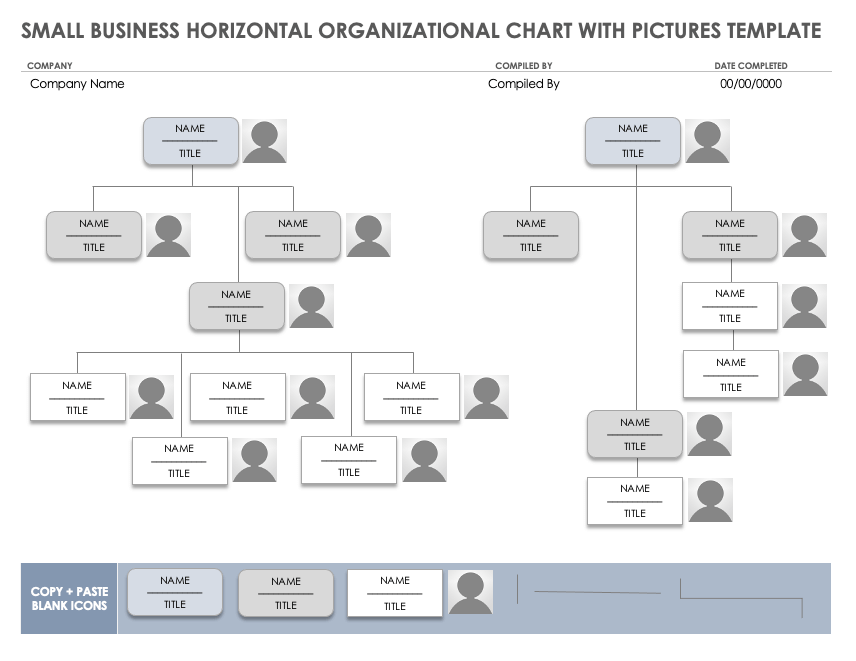
A horizontal or flat structure uses fewer management layers. Instead of creating several levels between the owner and employees, it emphasizes direct relationships and functional responsibility. This can make sense for a small team in which employees work independently and the owner communicates directly with most of the company.
A functional structure groups roles by the kind of work performed. Sales, marketing, finance, operations, customer service, and administration become major branches. This structure is particularly useful when the business has moved beyond an owner doing nearly everything and needs clearer ownership of recurring functions.
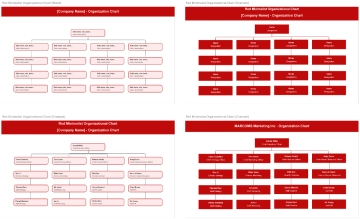
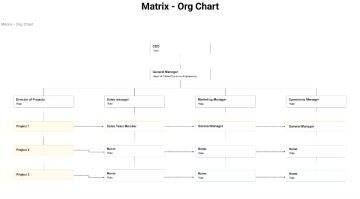
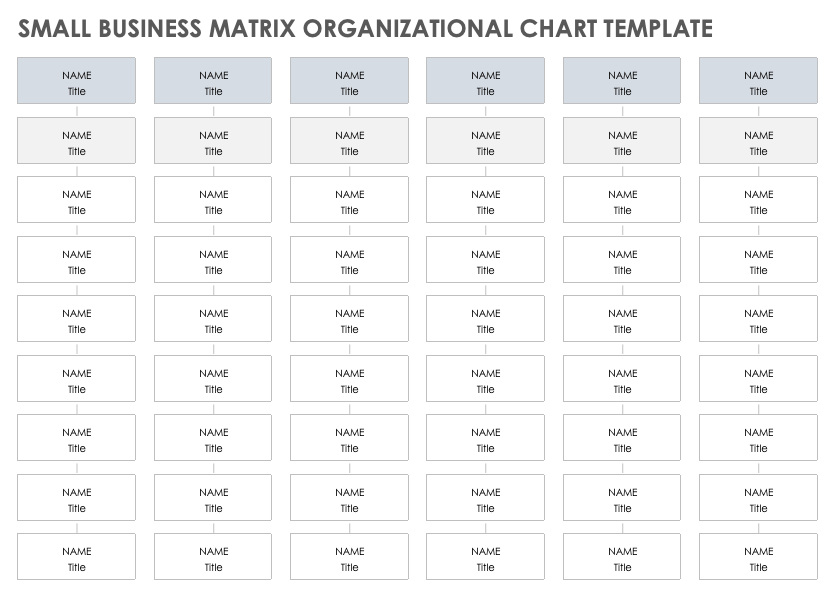
A matrix structure is different because one employee can have more than one significant reporting or project relationship. It can be useful when a small consulting, technology, creative, or project-oriented company assigns people to different client or product teams while they remain connected to a functional manager.
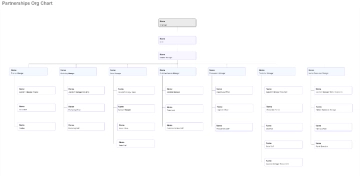
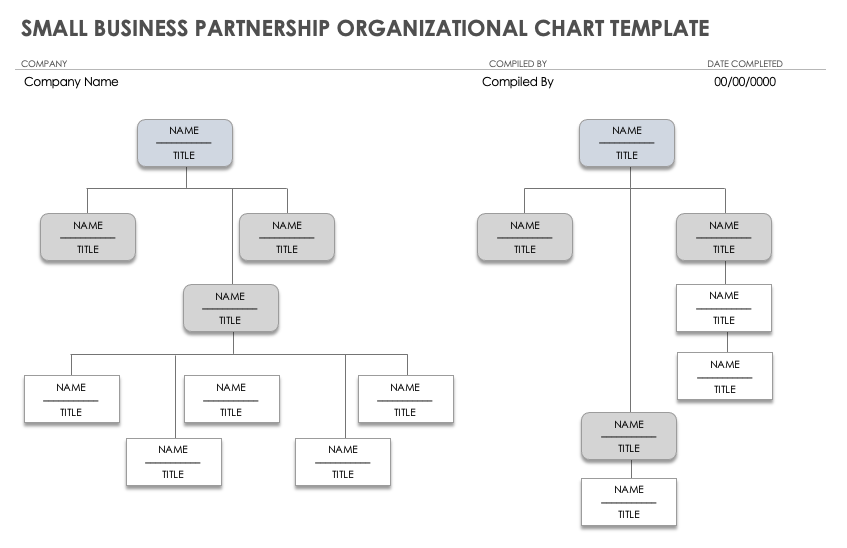
Partnership structures require another variation. When two or more owners share responsibility, the chart should make ownership and operational authority understandable without suggesting that every decision follows a conventional employee-manager hierarchy. Partners may have distinct responsibilities for finance, sales, operations, or strategy even when they share ownership.
The best organizational structure for a small business is therefore not determined by the number of boxes on a template. It is determined by how authority, accountability, communication, and work actually operate. A chart that looks sophisticated but does not match the business can create more confusion than a simple one.
Core Components to Include
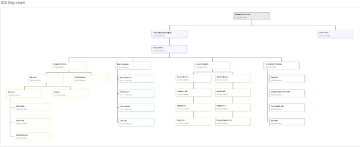
Start with the leadership level. This may be an owner, managing director, president, general manager, or another role. If two partners jointly operate the company, represent both where appropriate rather than forcing one person into a position that does not reflect the actual arrangement.
Next, identify the primary business functions. Typical small-company functions can include operations, sales, marketing, finance, administration, customer service, production, technology, and human resources. Not every business needs all of these as separate branches. If one person manages several functions, that can be shown through a role with clearly defined responsibilities.
Finally, add the reporting relationships. Every employee should have a clear primary reporting line in the main chart unless the business genuinely uses a matrix arrangement. Contractors, advisers, and external service providers can be shown separately or with a distinct visual convention if their relationship is important to the operating model.
Names, Roles, and Responsibilities
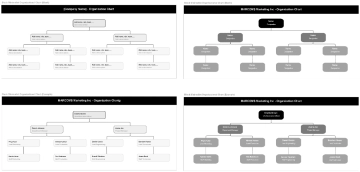
For planning, role titles are usually more durable than names. A useful chart can therefore show “Operations Manager” rather than a person’s name, with a separate roster containing the current employee. For internal directories, names can be added when identification is genuinely useful.
Responsibilities should be concise. Instead of placing a complete job description inside every box, identify the main ownership area. For example, “Operations Manager — scheduling, delivery, quality control” communicates more than a box filled with several sentences.
If one employee wears multiple hats, avoid creating several competing primary reporting lines unless the organization really uses dual reporting. A better approach is to give the employee one primary position and identify secondary responsibilities separately. This keeps accountability visible while acknowledging the realities of a small team.
How to Build a Small Business Org Template From the Ground Up
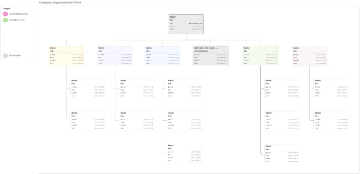
Begin with a simple roster rather than drawing boxes immediately. List each current position, the person or role responsible, the function, and the primary manager. If a position has no current employee, mark it as an open or planned role. This approach prevents the visual design from influencing decisions about who should report to whom.
After creating the roster, group roles into logical functions. A retail company might have store operations, sales, customer service, finance, and administration. A professional-services firm might have client delivery, business development, finance, and administration. A small manufacturer might have production, purchasing, quality, sales, and logistics. The correct categories come from the business itself.
Then identify the highest-level decision owner for each function. Ask practical questions: Who approves spending? Who assigns daily work? Who handles customer escalations? Who supervises performance? Who makes hiring recommendations? Who owns the outcome when something goes wrong? The answers provide stronger evidence for reporting lines than job titles alone.
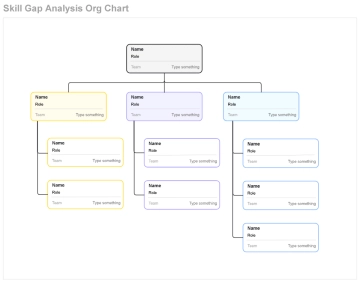
Once the relationships are clear, select the visual format. A top-down hierarchy is usually easiest when the company has clear management levels. A horizontal layout can work when the business is flatter. A matrix can represent genuine dual accountability. A functional structure can clarify ownership once several business disciplines have developed.
Keep the first version intentionally simple. Excessive detail makes a small-business chart difficult to read and difficult to maintain. Start with roles, departments, and reporting lines. Add secondary information only when it serves a specific purpose, such as identifying vacancies, decision rights, or critical backup responsibilities.
Finally, review the chart with the people who actually manage the work. A chart can look logical to an owner but still conflict with how decisions happen every day. Managers and team leads can identify informal reporting patterns, unclear ownership, duplicated responsibilities, or bottlenecks that should be addressed before the chart becomes an official reference.

Using Spreadsheet and Document Formats
A spreadsheet is useful when the organization wants the chart to stay close to a structured employee or role list. Microsoft Excel and Google Sheets can be convenient for maintaining names, titles, departments, managers, vacancies, and review dates. Smartsheet currently lists small-business organizational-chart formats for Microsoft Excel and Google Sheets alongside other document formats. :contentReference[oaicite:1]{index=1}
The strength of a spreadsheet-based approach is maintainability. A business can keep a roster on one sheet and use another area for the visual chart or reporting structure. This is especially useful when the organization changes frequently because the underlying information can be reviewed systematically rather than relying on a single static picture.
A document format is often more suitable when the chart is going into a policy manual, employee handbook, planning document, or leadership report. Microsoft Word can work well for a compact hierarchy, while Google Docs is useful when several authorized users need to review the wording and structure of a document together.
A PDF is generally most useful as a distribution format rather than as the primary working file. It preserves the visual arrangement and can make a chart easier to print or circulate. The editable source should normally remain in the format in which the chart is maintained so changes can be made without rebuilding the diagram.
Microsoft formats are particularly useful for companies already working within the Microsoft ecosystem, while Google formats can fit organizations that rely on shared cloud documents and spreadsheets. The important consideration is not the brand of the format but whether authorized users can update the chart, preserve version accuracy, and access the current organizational structure.
For searchers comparing options such as a small business org template Google Sheets format, a small business org template Google Docs format, a small business org template Excel format, a small business org template PDF format, or a small business org template Word format, the practical decision is to match the file type to the workflow. Choose a spreadsheet for structured maintenance, a document for narrative business materials, and a fixed document format for distribution.
Designing the Chart for Growth
A small business chart should not pretend that every future position already exists. Instead, it can show the current structure and, when useful, a separate future-state version. This distinction helps leadership discuss growth without confusing planned roles with current employees.
One practical method is to create three versions: current structure, near-term structure, and longer-term structure. The current version describes today’s accountability. The near-term version identifies roles that may be needed as workload increases. The longer-term version explores how functions might be divided if the business develops additional departments, locations, products, or management layers.
This approach can make hiring conversations more concrete. Instead of saying that the company “needs more management,” the chart can identify the exact function that is overloaded. For example, if the owner currently controls scheduling, purchasing, quality, and customer escalation, a future operations role may be more meaningful than simply adding another general manager.
How to Keep the Chart Accurate
An organizational chart becomes less useful when it describes an organization that no longer exists. Review it whenever there is a significant hire, departure, promotion, department change, ownership change, or shift in decision authority. A formal quarterly review can also be useful even when no major changes have occurred.
Assign responsibility for maintaining the chart. The chart owner might be the business owner, operations leader, HR coordinator, office manager, or another person with reliable access to organizational information. The important point is that someone should know which version is current and when it was last reviewed.
Use a visible review date when the chart is intended for internal reference. This simple practice helps readers distinguish an active structure from an old version. If the business has several locations or divisions, consider maintaining a company-level chart alongside smaller department or location charts rather than creating one enormous diagram.
Consistency also matters. Use similar box sizes for comparable roles, consistent spacing between levels, and a restrained color system. Colors can distinguish departments, but they should not become the main source of meaning. The reporting lines and labels should remain understandable if the chart is printed in grayscale.
Accessibility should be considered as well. Keep text large enough to read, avoid overcrowding, and make connector lines easy to follow. If the chart becomes too wide for a normal page, split it into logical sections instead of shrinking the text until it becomes unreadable.
A strong chart is therefore both accurate and maintainable. A beautifully designed diagram that becomes outdated after one staffing change is less useful than a simple chart that the organization can revise quickly.
Common Mistakes to Avoid
One common mistake is copying an enterprise hierarchy into a small company. Large organizations may have several executive levels, regional managers, directors, and specialized departments. A small business often does not. Adding unnecessary layers can make the chart look formal while obscuring who actually makes decisions.
Another mistake is confusing ownership with seniority. The person who owns the company may not personally manage every function. If an operations manager has authority over scheduling and delivery, the chart should show that authority rather than placing every operational employee directly beneath the owner simply because the owner ultimately owns the company.
A third mistake is ignoring informal work arrangements. If an outside accountant handles monthly financial reporting, that relationship may matter even though the accountant is not an employee. Depending on the chart’s purpose, the relationship can be shown as an external support function rather than incorrectly placing the accountant inside the employee hierarchy.
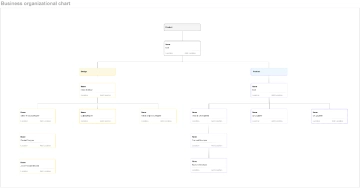
Overloading each box is another frequent problem. A chart should not become a collection of miniature job descriptions. Keep the diagram focused on structure and move detailed responsibilities into job descriptions, operating procedures, or role documents.
Finally, avoid treating the chart as permanent. Small businesses often change responsibilities faster than large organizations. The chart should be considered a current operating snapshot, not a statement that the structure can never change.
Practical Solution
The most practical way to create a small business org Template is to work from a role inventory before touching the visual design. Create a simple list containing every current position, its primary function, its manager, and its main responsibilities. Mark positions as current, vacant, planned, or external where appropriate. This gives you a reliable source of truth from which the chart can be built.
Next, establish one primary reporting relationship for each employee wherever the operating model allows it. If someone genuinely works across departments, identify the functional manager and then document project or collaboration relationships separately. For a true matrix structure, show the dual relationships deliberately rather than adding ambiguous connector lines that make the hierarchy difficult to interpret.
Then select a format that matches the way the business works. A straightforward top-down chart is appropriate when there is a clear owner-to-manager-to-team structure. A horizontal chart can represent a flatter company. A functional layout is useful when departments have become distinct. A matrix layout is useful when project work creates genuine dual accountability. A partnership structure can represent shared ownership without forcing an artificial single-leader hierarchy.
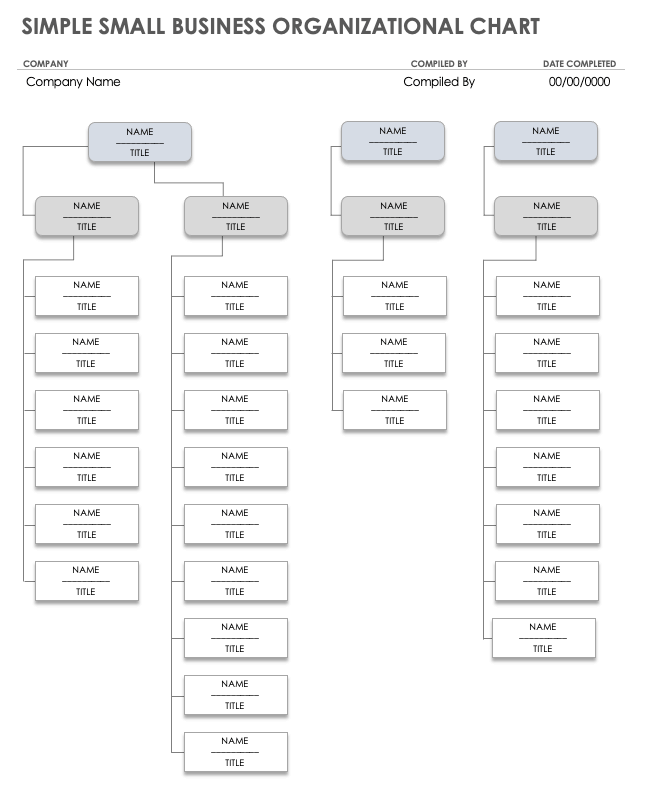
For a spreadsheet workflow, keep a structured roster containing role, name, department, manager, status, and review date. For a document workflow, maintain the organizational diagram alongside a short explanation of reporting responsibilities. If the chart is distributed as a fixed document, retain the editable master separately so the next revision does not require rebuilding the structure from scratch.
Before publishing an internal version, test the chart with practical scenarios. Ask who approves a purchase, who handles a customer escalation, who assigns daily work, who reviews performance, and who covers a role when the primary owner is unavailable. If different people give different answers, the chart has uncovered an organizational issue that should be clarified.
Finally, establish a review routine. Add the review date, name the chart owner, and revise the structure when responsibilities change. This turns the template from a one-time diagram into a useful operating reference. The best org chart template for small business is ultimately the one that makes accountability obvious, remains easy to update, and accurately represents how the company functions today.
Examples of Layouts You Can Adapt
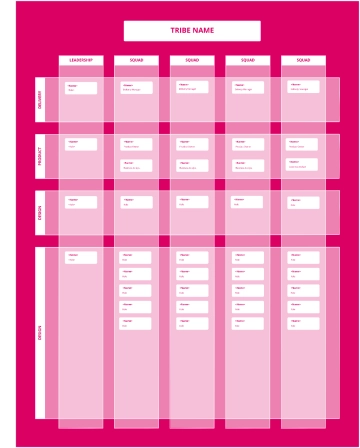
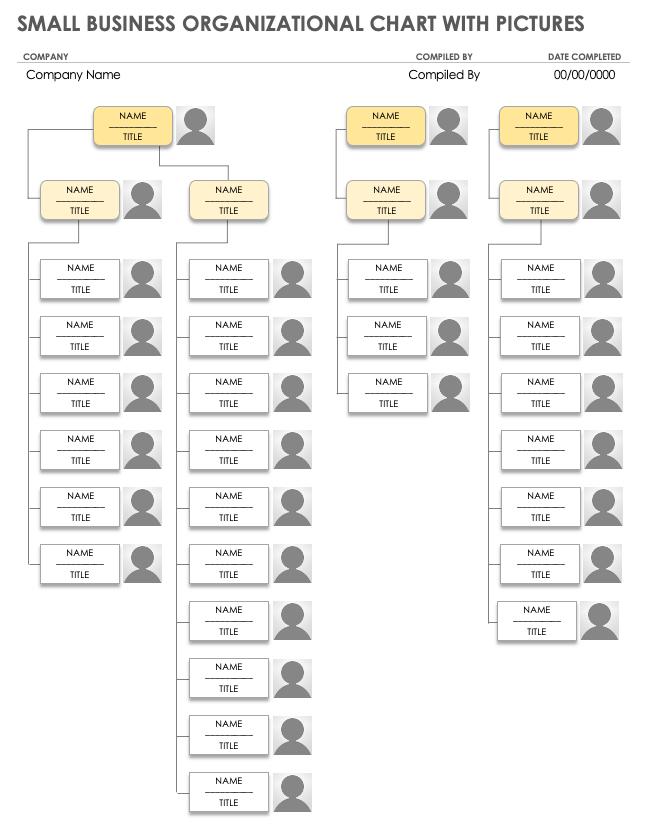
A compact owner-led business may use a single owner or general manager at the top, followed by operations, sales, administration, and customer service. Each branch can then contain the few roles that actually report into that function. This layout works well when the business is small enough that the owner still has direct involvement in several areas.
A growing service company may separate client acquisition from service delivery. The owner or managing director can oversee a sales lead and an operations lead, while technicians, account coordinators, or service specialists sit beneath operations. This creates a clear distinction between winning work and delivering it.
A small professional-services firm may use a functional structure in which client delivery, business development, finance, and administration are distinct branches. The same individual can still contribute to multiple areas, but the chart should identify which function owns each recurring decision.
A partnership may place two or more partners at the top and then divide responsibilities beneath them. One partner might lead operations while another owns business development and finance. The chart should reflect actual authority rather than assuming that ownership automatically means identical operational responsibilities.
A project-based company may need a matrix layout. For example, a designer can remain part of the creative function while also being assigned to a particular client project. The chart should make the functional relationship and project relationship distinguishable so employees understand both their professional home and project accountability.
These examples demonstrate why a template should be treated as a starting structure rather than a rigid organizational prescription. The boxes, colors, and connector patterns can be adapted, but the underlying information should always come from the company’s real responsibilities and reporting arrangements.
When to Add More Management Layers
Adding another management layer should solve a real organizational problem. A new manager may make sense when a leader has too many direct reports, when a function has become operationally complex, or when recurring decisions can be delegated to a clearly accountable role.
However, management layers should not be added simply because a template contains space for them. In a small organization, an unnecessary layer can slow communication and make responsibility less clear. The chart should explain why the role exists and what authority it has.
A useful test is to identify the decisions that are currently concentrated at the top. If a founder approves routine scheduling changes, customer-service exceptions, purchasing decisions, and staff assignments, the chart can help identify which of those responsibilities should eventually move to functional leaders.
The same reasoning applies when a business becomes larger. Instead of automatically creating another executive title, determine which function needs ownership, what decisions need delegation, and how the new role will interact with existing managers. The resulting chart will be more useful because each layer has a clear operational purpose.
Growth can also create temporary structures. A project manager may coordinate a major initiative without becoming the permanent manager of everyone involved. In such cases, distinguish project accountability from permanent reporting so the chart does not imply a long-term hierarchy that does not exist.
Using the Chart for Hiring and Role Planning
An organizational chart can reveal missing roles without predicting exactly when they should be filled. If one person owns too many unrelated functions, that may indicate an opportunity to divide responsibilities. If a department has several employees but no clear supervisor, the structure may need clarification.
For hiring discussions, create a future-state version that shows proposed roles using a different visual treatment. The future chart can then be compared with the current chart to identify the structural change. This is more precise than adding hypothetical employees to the current chart and presenting them as if they already exist.
The chart can also help define a new job. Instead of writing a position from scratch, identify where it belongs, who manages it, which roles it supports, and which responsibilities it will own. That context can improve the clarity of the eventual job description.
Role planning should also account for backups. Small businesses can be vulnerable when only one person knows how to perform an essential function. The main chart does not need to become a continuity plan, but a companion role register can identify backup ownership for critical responsibilities.
This is particularly useful for finance, customer records, scheduling, purchasing, technical systems, and other functions where an absence could interrupt operations. The organizational chart shows accountability; the supporting role register can show backup coverage.
Partnership and Shared-Ownership Structures
Shared ownership requires careful wording because ownership and management are related but not identical concepts. Two partners may own a business equally while having very different daily responsibilities. A useful chart can show both partners at the ownership level and then connect each partner to the functions they manage.
When partners jointly approve decisions, the chart should not create a false impression that one partner supervises the other. Instead, use a structure that makes shared authority clear and then identify operational reporting underneath it.
For a family-owned business, the same principle applies. Family relationships should not replace role clarity. The chart should show who manages operations, finance, sales, customer service, or administration based on actual responsibility. This makes the organizational structure easier for employees and external stakeholders to understand.
Reference Examples
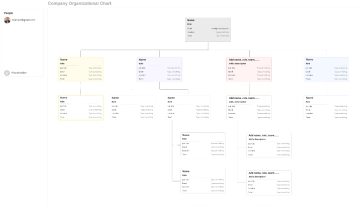
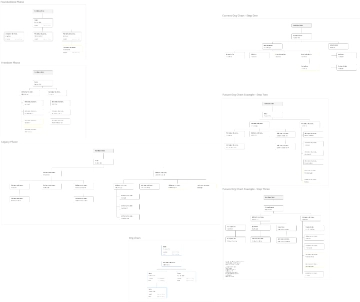
A small business org Template can take many visual forms while retaining the same fundamental purpose: making organizational responsibility visible. The examples below show practical variations such as owner-led hierarchy, functional grouping, partnership structure, matrix reporting, geographic organization, project teams, and flatter structures. Looking at these layouts side by side can help you recognize which arrangement most closely resembles the way work is actually assigned in your company.
These visual references are especially useful when deciding how much hierarchy to show and where to place departments or roles. Some emphasize a conventional top-down chain of command, while others make cross-functional or project relationships more prominent. Use them as structural references rather than as fixed organizational rules, and adapt the terminology, number of levels, and reporting lines to the actual responsibilities in your small business.
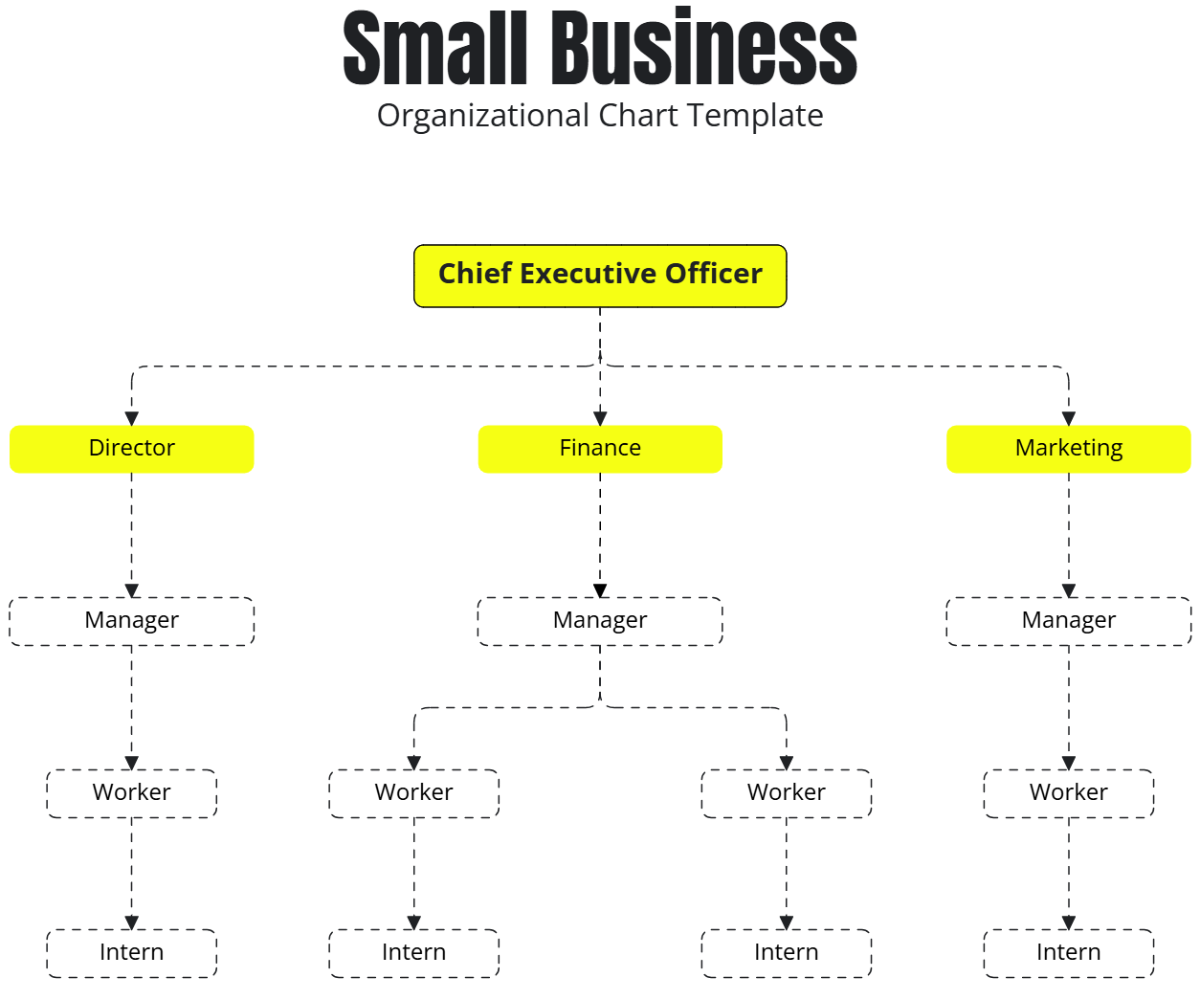
Small Business Organizational Chart Template
Source: Template.net
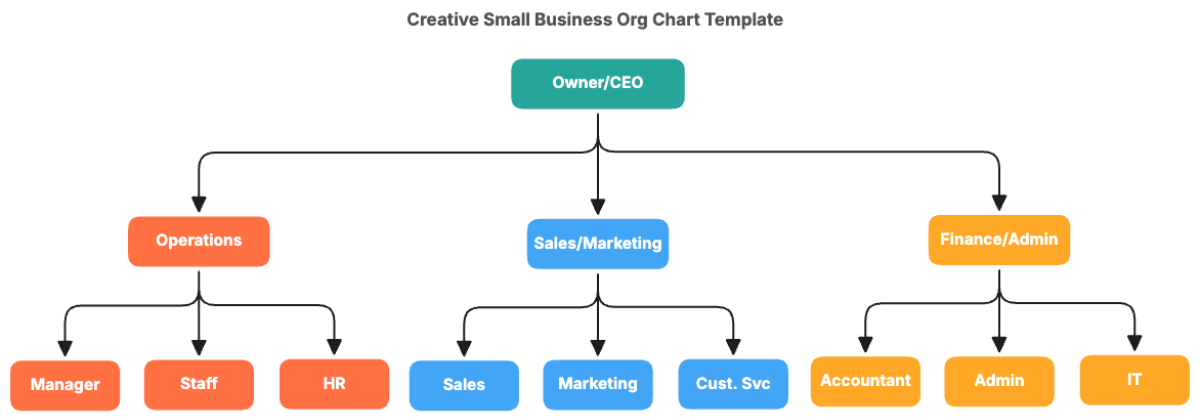
Creative Small Business Org Chart Template
Source: Template.net
Matrix – Org Chart
Source: Template.net
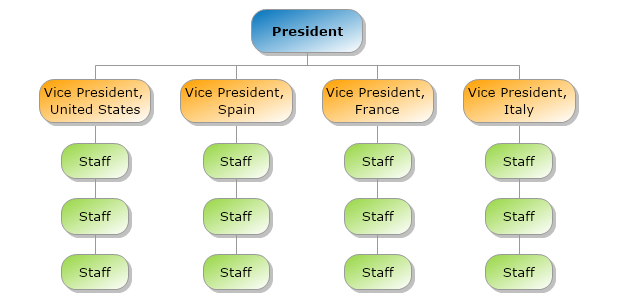
Geography Structure
Source: MyDraw
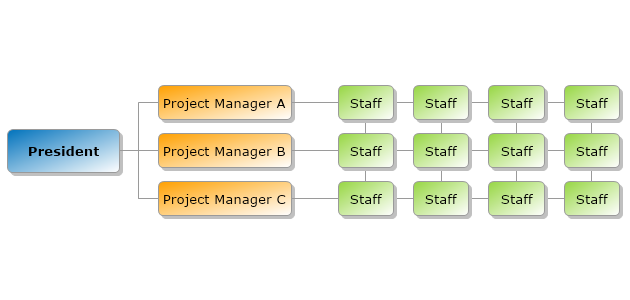
Project Structure
Source: MyDraw
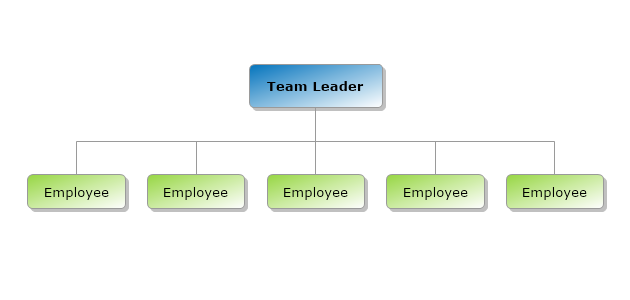
Flat Structure
Source: MyDraw
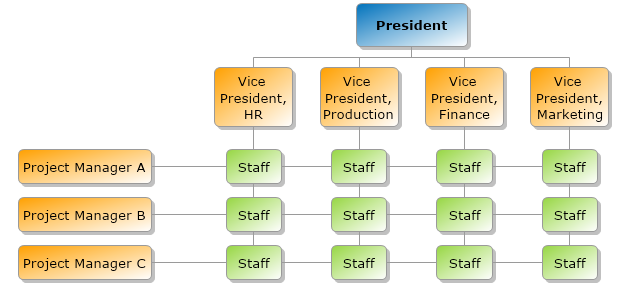
Matrix Structure
Source: MyDraw

Team Structure Org Chart
Source: Wikimedia Commons

Sample-Organization-Chart-600×450.jpg
Source: Wikimedia Commons
