The best template is not necessarily the most decorative one. It is the one that matches the type of information being reported, the audience reading it, and the software used to create, review, distribute, and archive the finished document.
Microsoft Word is particularly useful for narrative reports, while Excel is stronger when calculations, tables, formulas, and data analysis are central to the document. Google Docs is convenient when several people need to edit the same report online.
PDF is usually most useful as a final distribution format or as a form that has been deliberately designed for filling, printing, or signing. The important distinction is between a document that is easy to edit and a document that is intended to preserve its final appearance.
What Is a Report Template to Edit?
A report template to edit is a pre-structured document that contains a reusable framework for entering information. It can include a title area, reporting period, author details, executive summary, findings, tables, recommendations, and supporting sections.
The template separates structure from content. The structure stays relatively consistent while the details change from one reporting cycle to another. This is particularly helpful when several people prepare similar reports and need to follow the same basic format.
A good editable template also provides enough flexibility to accommodate differences between reports. You might need to add a chart to one report, remove an unused section from another, or expand a table when the amount of data increases.
Microsoft describes report templates in Word as a way to structure detailed reports with consistent headings, appendices, layouts, and other formatting elements. Its current template collection includes business, academic, project, and other report types. :contentReference[oaicite:0]{index=0}
That approach illustrates the central principle of template design: formatting should make information easier to understand rather than becoming the main feature of the document. The reader should be able to identify the purpose, important findings, evidence, and next steps quickly.
Why Use an Editable Report Template?
The most obvious benefit is time. A reusable layout eliminates many small formatting decisions that otherwise have to be repeated. Once the basic design is established, future reports can focus more heavily on information and less heavily on page construction.
Consistency is another major advantage. When reports follow a recognizable structure, readers learn where to find the executive summary, metrics, findings, recommendations, or supporting notes. This becomes increasingly valuable when reports are produced by multiple authors.
Templates can also reduce accidental omissions. A well-designed framework reminds the writer to include essential fields such as the reporting period, responsible person, scope, methodology, key findings, decisions, and follow-up actions.
For organizations, a reusable document can also support branding. Logo placement, typography, headings, page numbering, and approved colors can be established once and reused rather than recreated inconsistently by every contributor.
For students, the benefit is slightly different. A school or academic template can provide a clear hierarchy for introduction, evidence, analysis, conclusion, references, and appendices while still leaving the actual research and writing to the student.
How to Choose the Right Report Format
Start by identifying what the report is supposed to accomplish. A status report, financial report, research report, school report, and employee evaluation may all use the word “report,” but their information needs are very different.
Next, consider the dominant type of information. If the report is mostly prose, Word or Google Docs will usually provide a comfortable editing environment. If it contains extensive numerical data, Excel or another spreadsheet application may be more appropriate.
Consider the audience as well. Executives may need a concise summary and a few decision-oriented charts, while a researcher may need detailed methodology, source notes, tables, and appendices.
Think about the report lifecycle. If many people will revise it, an online collaborative document may be useful. If the final document must preserve its layout exactly for distribution, exporting the completed document to PDF can make sense.
Finally, consider how often the report will be reused. A one-time school assignment does not need the same level of template engineering as a weekly operational report that will be prepared by an entire department.
Report Template to Edit in Word
A report template to edit in word is a practical choice when the document needs substantial narrative content, structured headings, tables, images, or recommendations. Word is particularly comfortable for reports that are read from beginning to end.
When starting with a Word template, replace placeholder text rather than rebuilding the layout. Update the title, author, date, reporting period, company or school information, and other identifying fields first.
Use heading styles consistently. A proper Heading 1, Heading 2, and Heading 3 hierarchy makes a long document easier to navigate and can support an automatically generated table of contents.
Tables should be used where they improve comparison. Avoid placing long paragraphs inside narrow table cells merely because the template contains a table. Narrative information is often more readable as normal paragraphs.
Before distribution, check page breaks, headers, footers, table alignment, image resolution, spelling, and the consistency of dates and terminology. Microsoft also recommends customizing fonts, colors, headings, logos, and other elements when adapting Word templates. :contentReference[oaicite:1]{index=1}
Report Template to Edit in Excel
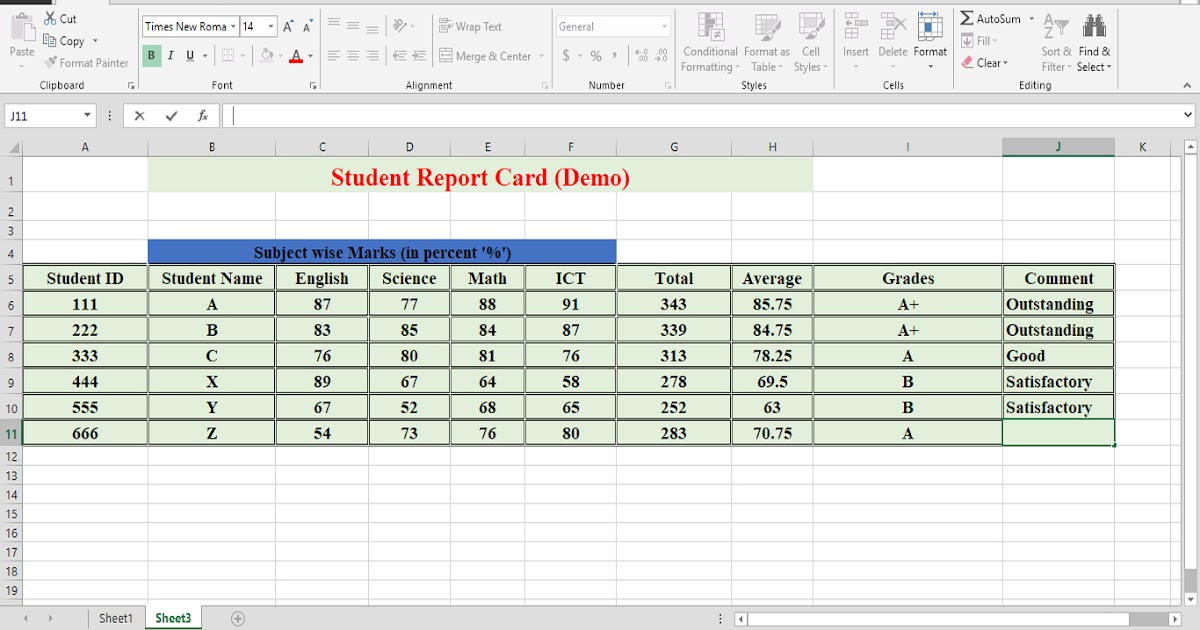
A report template to edit in excel is most effective when the report depends on calculations, repeated numerical entries, comparisons, schedules, or dashboards. Spreadsheet-based reports can combine raw data with formulas and visual summaries.
Begin with a clear input area. Separate raw data from calculations and from the final presentation sheet whenever possible. This makes it easier to audit formulas and update the report without accidentally overwriting source information.
Use formulas consistently. If a total, average, percentage, or variance can be calculated automatically, build the calculation into the spreadsheet instead of relying on repeated manual entry.
Formatting should support interpretation. Number formats, column widths, frozen headers, filters, conditional formatting, and charts can help readers understand the information without forcing them to inspect every cell.
A spreadsheet report should still tell a story. A page filled with figures is not automatically a useful report. Highlight the important trend, exception, comparison, or decision that the numbers are intended to support.
Report Template to Edit Google Docs
A report template to edit google docs can be useful when several contributors need access to the same document. Google Docs provides an online editing environment where the report can be revised without passing separate files between contributors.
A practical Google Docs template should use simple styles that survive collaborative editing. Excessive manual spacing, decorative text boxes, and inconsistent formatting can become difficult to maintain when multiple people make changes.
Create a clean master copy and make a new copy for each reporting cycle. This prevents completed reports from overwriting the original structure and gives contributors a stable starting point.
Use comments and suggested edits when reviewers need to discuss wording without immediately changing the final text. This is especially useful when a report passes through several stages of review.
Google Docs is also useful when a report begins as a shared draft and later needs to become a polished final document. The important practice is to establish ownership of the master template and a consistent naming convention for completed reports.

Report Template to Edit for Business
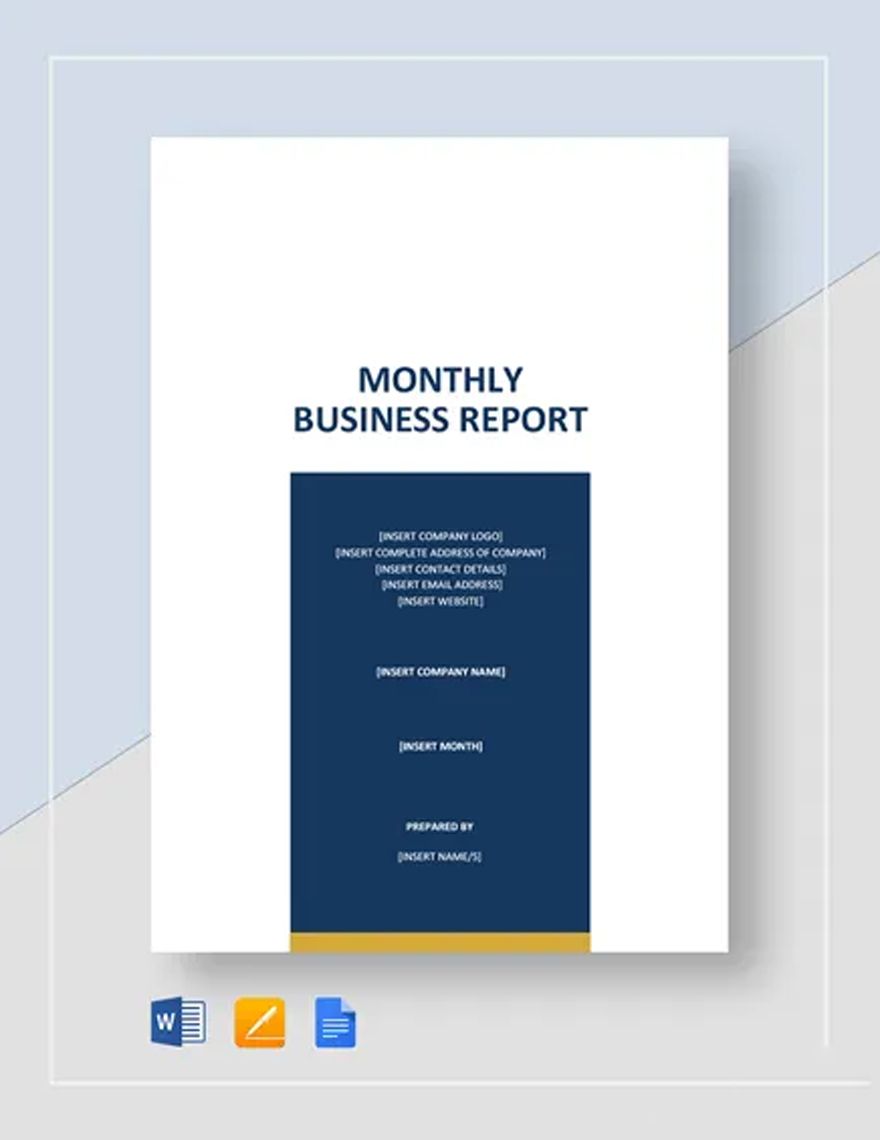
A report template to edit for business should make decisions easier. Business readers generally need to understand what happened, why it matters, what the evidence shows, and what should happen next.
An executive summary is therefore one of the most useful components. It should not simply repeat the report title. It should briefly explain the situation, major findings, significant risks, and recommended actions.
Business reports often benefit from a clear metrics section. Choose measures that connect directly to the purpose of the report rather than filling the page with every available statistic.
Visual hierarchy matters. A reader should be able to distinguish major findings from supporting details and identify important changes without studying every paragraph.
For recurring business reports, preserve stable sections while allowing flexible sections for commentary. This balances consistency with the reality that each reporting period may contain different developments.
Report Template to Edit for Work
A report template to edit for work should fit the workflow in which the report will actually be used. A weekly work report, project status report, incident report, and performance report each require different fields.
For a weekly report, useful fields might include completed work, work in progress, blockers, priorities, measurable outcomes, and next-week plans. Keeping these sections stable makes weekly reporting faster.
For project reporting, add information such as overall status, milestones, risks, dependencies, budget position, decisions required, and upcoming deadlines.
For an employee report, separate objective measures from manager commentary. This makes the document easier to review and reduces the chance that subjective observations are confused with measurable results.
Work reports should also make ownership visible. When an action is identified, record who owns it and, where appropriate, the expected completion date. This turns the report into a working management document rather than a passive record.
Report Template to Edit for School
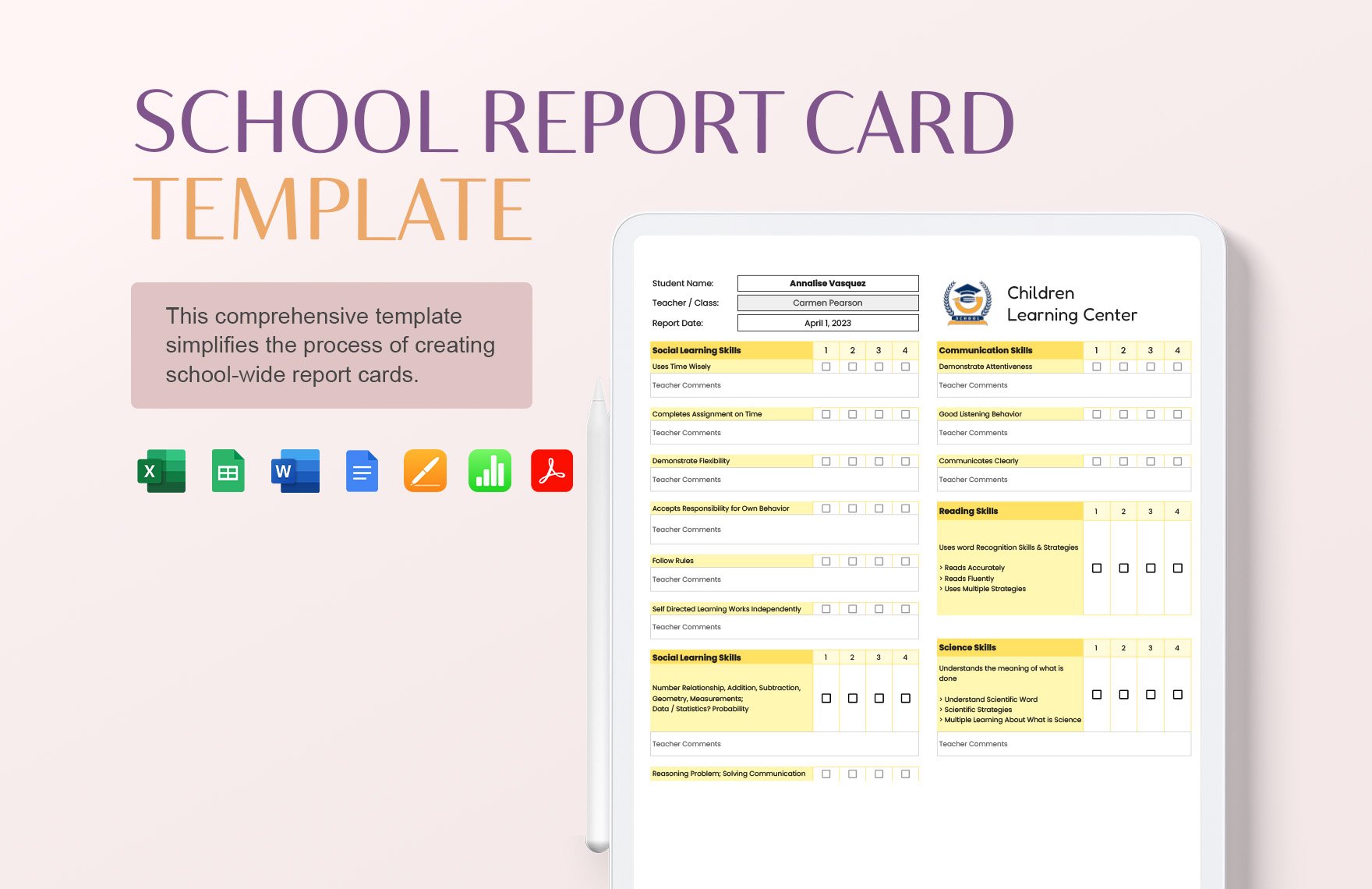
A report template to edit for school can help students and teachers organize information without making the layout itself the main challenge. The appropriate structure depends on whether the document is a project report, research assignment, progress report, or school administration record.
Academic reports usually benefit from a predictable progression: title, introduction, purpose or question, evidence or method, findings, discussion, conclusion, and references where required.
Students should still follow the specific instructions supplied by their teacher or institution. A generic template is a starting point, not proof that a particular school requires a particular format.
Teachers can use editable templates to standardize recurring classroom documentation while leaving enough space for individualized feedback. This is especially useful when several students or classes need comparable reports.
School reports should prioritize clarity over decoration. A readable table, logical headings, sufficient writing space, and consistent terminology are generally more valuable than complicated graphics.
Report Template to Edit PDF
A report template to edit pdf requires a slightly different approach because PDF is primarily designed to preserve document appearance across devices. Some PDFs are editable forms, while others are final documents that are not intended for structural editing.
If you need a fillable PDF, decide which fields must be editable before creating the form. Typical fields include names, dates, checkboxes, quantities, comments, signatures, and other recurring entries.
If the PDF is a final report, edit the source document before exporting rather than repeatedly modifying the PDF itself. Keeping the original Word, Excel, or Google Docs source makes future revisions much easier.
Check the final PDF for missing fonts, clipped tables, distorted images, incorrect page numbers, and unexpected blank pages. The final appearance should be reviewed on more than one device when practical.
PDF is particularly useful for distribution because it can preserve the intended visual hierarchy. The editing stage and the distribution stage should therefore be treated as separate steps in a sensible reporting workflow.
Core Sections Every Good Report Should Consider
The title section should identify the report immediately. Include the report name, organization or class, author or responsible team, and reporting period when those details are relevant.
The executive summary should provide the shortest useful version of the report. A reader who only has a minute should still understand the main situation, most important result, and major recommendation.
The introduction establishes context. Explain why the report exists, what it covers, and what it does not cover. This prevents readers from interpreting findings outside their intended scope.
The findings section should contain the evidence or observations that support the report’s conclusions. Tables, charts, examples, and concise explanations can work together when the information is complex.
The recommendation section should convert findings into action where appropriate. Strong recommendations identify the proposed action and explain the reasoning without exaggerating what the evidence can support.
How to Edit a Report Template Step by Step
Begin by making a clean copy of the original template. Never use the master file as the working version if the template is expected to be reused later.
Replace identification fields first. Enter the report title, author, department, organization, class, reporting period, document version, and date before filling the body.
Next, review the section structure. Remove sections that are genuinely irrelevant, but avoid deleting fields simply because they are empty on the first draft. Some sections may become useful after information is collected.
Enter the evidence carefully. Copy numerical values from an authoritative source where possible, check units and dates, and distinguish between measured information and estimates or assumptions.
Finish with a formatting and content review. Ask whether every section contributes to the report’s purpose, whether the recommendations follow from the findings, and whether a reader can understand the document without an oral explanation.
Designing Tables and Data Sections
Tables work best when readers need to compare several related values. A table should have clear headings, consistent units, and enough space to prevent the information from becoming visually compressed.
Use one measurement system consistently. Mixing percentages, raw values, currencies, and ratios without clear labels can make an otherwise accurate report difficult to interpret.
Charts should answer a question. A line chart can reveal change over time, a bar chart can compare categories, and a simple table may be better when exact values matter more than visual trends.
Avoid decorative charts that do not add information. If the reader can understand the point more quickly from one sentence and a small table, the simpler presentation may be stronger.
When a report contains financial or operational data, preserve the relationship between source data and displayed results. A visually attractive chart is not useful if its numbers cannot be traced back to reliable inputs.
Business Reporting Examples
Consider a hypothetical monthly sales report. The title page identifies the reporting month, sales team, and report owner. The summary then states the main performance movement and the most important issues requiring attention.
The next section could show revenue, units sold, conversion rate, average transaction value, and comparison with the previous period. The report should explain unusual movements rather than merely display them.
A project report could use a different structure. It might begin with overall status, then summarize milestones, completed work, upcoming work, risks, dependencies, budget position, and decisions needed.
An employee performance report might combine measurable objectives with qualitative comments. Ratings should be accompanied by enough context to explain what they mean and how they relate to the role.
These examples demonstrate why there is no single perfect template. The structure should follow the decision or communication task rather than forcing every report into the same shape.
Academic and Research Reporting
Academic reports generally require a stronger distinction between evidence and interpretation. A reader should be able to tell which statements describe observations, which summarize sources, and which represent the writer’s analysis.
A research-oriented template may include a research question, background, objectives, methodology, data collection, results, discussion, limitations, conclusion, and references.
The methodology section should explain enough about the process for readers to understand how the information was obtained. The appropriate level of detail depends on the assignment or research context.
Results should be presented before conclusions are overstated. If a small dataset provides an observation rather than a definitive answer, the report should use language that reflects that limitation.
Academic formatting requirements vary by institution, instructor, discipline, and assignment. A generic editable template should therefore be customized to the actual instructions rather than treated as an official universal standard.
Using Templates for Recurring Reports
The greatest efficiency gain usually comes from recurring reports. If a report is prepared every week or month, record the structure once and improve it after each reporting cycle.
Keep stable fields stable. If the same metric appears every month, use the same label and definition rather than renaming it casually from one report to the next.
Separate fixed instructions from changing content. A master template can contain prompts such as “Key Findings” or “Risks and Issues,” while the completed copy contains the actual information for that reporting period.
Version control becomes important when multiple copies exist. Use a clear naming system that identifies the report type, reporting period, and version when revisions are expected.
After several reporting cycles, review the template itself. Remove fields nobody uses, add recurring information that is consistently missing, and simplify sections that repeatedly create confusion.
How to Make a Template Easier to Edit
Use descriptive placeholders. “[Report Title]” is more useful than a vague blank space because the person editing the document immediately understands what belongs there.
Keep the number of required fields reasonable. Every field adds work, and unnecessary fields encourage users to enter meaningless information simply to complete the form.
Use consistent typography. A small set of heading, body, table, and caption styles is usually easier to maintain than dozens of individually formatted elements.
Build tables with realistic content in mind. A template that looks excellent with one short word per cell may become unusable when the real report contains longer descriptions.
Test the template with a realistic draft before publishing it. The test should reveal whether sections expand properly, whether tables split across pages sensibly, and whether the finished report remains easy to scan.
Common Mistakes When Editing Reports
One common mistake is keeping every section from the original template even when it does not serve the report. Templates should guide the document, not dictate irrelevant content.
Another mistake is changing formatting manually throughout the document. Small manual changes can accumulate into inconsistent headings, spacing, fonts, and table alignment.
Writers also sometimes place conclusions before establishing evidence. A strong report generally gives readers enough context and supporting information to understand why the conclusion follows.
Overloaded pages are another problem. A report can technically contain all the required information while still being difficult to read because tables, charts, text, and headings are competing for attention.
Finally, do not confuse a polished design with accurate reporting. Formatting can improve comprehension, but it cannot compensate for missing evidence, unclear definitions, incorrect calculations, or unsupported claims.
Best Practices for Professional Reports
Write for the reader rather than for the template. The template provides the structure, but the writer remains responsible for deciding what information deserves emphasis.
Lead with the information that affects decisions. If a major risk requires action, do not hide it several pages into the document beneath background material.
Use plain language whenever technical terminology is not necessary. Specialized terms are appropriate when the audience understands them, but unexplained jargon can make a report harder to use.
Keep dates, labels, units, and definitions consistent. If one section says “quarterly revenue” and another uses a slightly different measurement without explanation, readers may incorrectly assume the figures are comparable.
Before finalizing, have someone unfamiliar with the drafting process read the report. Their questions often reveal assumptions that the author no longer notices because of familiarity with the material.
School Report Cards and Student Evaluation Templates
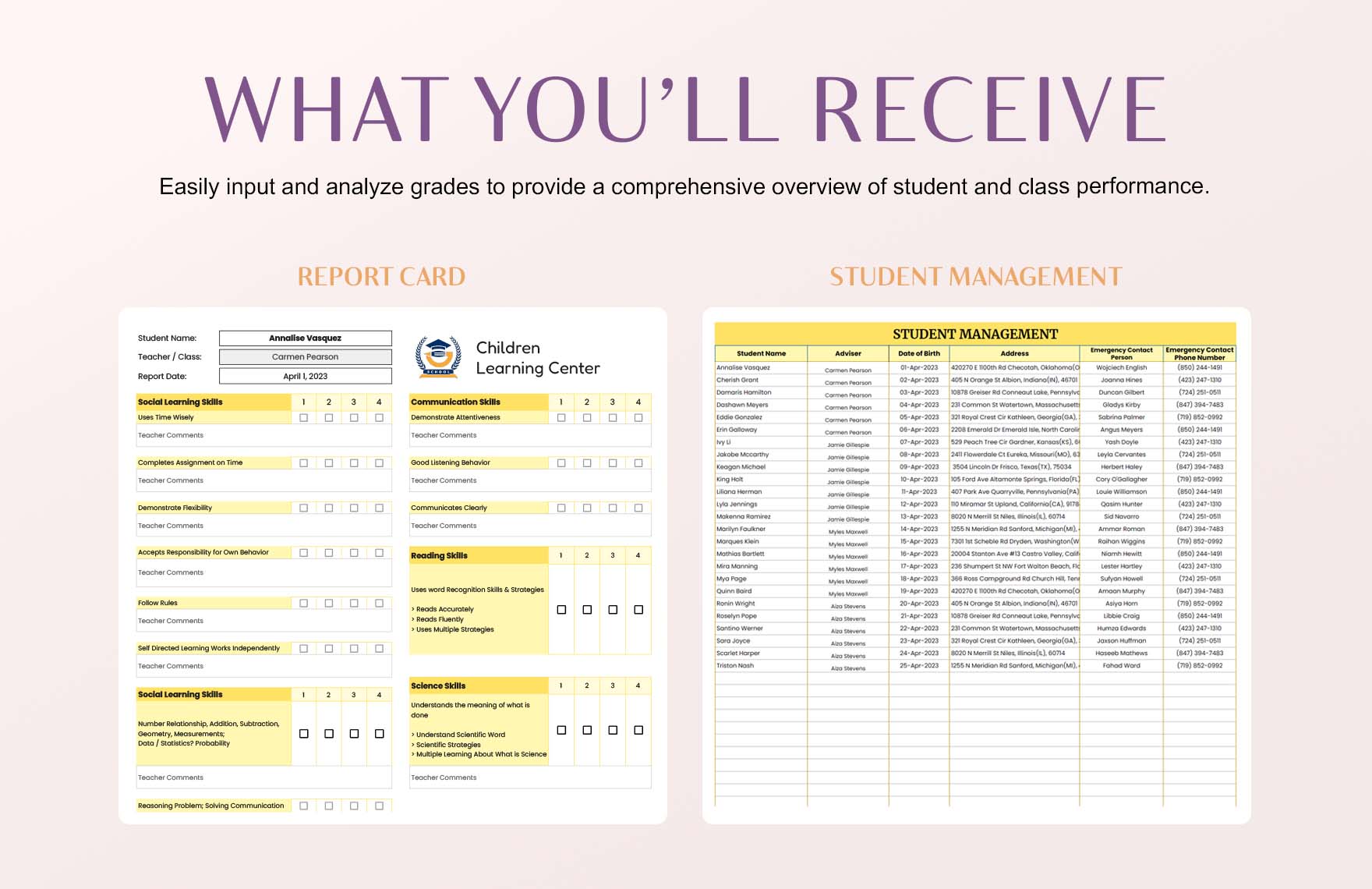
Report cards require a different balance because they often combine structured data with individualized comments. A useful design should make grades, attendance, progress indicators, and teacher feedback easy to locate.
A school report card may include student identification, academic subjects, grading periods, attendance, learning behaviors, comments, and signatures. The exact fields should follow the school’s own reporting practices.
Editable school report card designs can be useful when teachers need to adjust subjects, grading categories, or comment areas. The layout should remain readable after those changes.
Some report card templates are designed for Word and Google Docs, while others use Excel or spreadsheet formats for structured grade entry. Current template libraries demonstrate that school reporting resources are available across several formats. :contentReference[oaicite:2]{index=2}
Because school records can be sensitive and institutional requirements differ, educators should verify the final design against their school’s policies before using a template as an official student record.
Practical Data Collection and Analysis
A report is only as useful as the information supporting it. Before editing a template, decide what information must be collected and where that information will come from.
For operational reporting, data might come from spreadsheets, project systems, forms, interviews, meeting records, or other organizational sources. Record the source and reporting period so that later reviewers understand the context.
For research or academic reporting, define the question before collecting information. Otherwise, it becomes easy to gather large quantities of material that do not actually answer the question.
When analyzing data, distinguish between description and interpretation. Saying that one value increased is descriptive; explaining why it increased is an interpretation that requires appropriate evidence.
Use the report template after the analytical structure is understood. Designing the page too early can encourage the writer to force useful findings into predetermined boxes simply because those boxes already exist.
Reference Examples
The following examples illustrate the kinds of editable report and report-card layouts associated with the requested formats and use cases. They are visual references rather than universal formatting requirements.
report template to edit in word

Source: Softwareg.com.au
report template to edit in excel
Source: Webunit
report template to edit google docs
Source: Charlotte Fountaine
report template to edit for business
Source: Template.net
report template to edit for work
Source: Adobe Express
report template to edit for school
Source: Template.net
report template to edit pdf
Source: Adobe Express
school report card src template editable
Source: Template.net
editable report card template
Source: Template.net
Practical Solution: Build a Reusable Reporting Workflow
The most practical solution is to treat the template as one part of a repeatable reporting workflow. First define the purpose, audience, reporting period, and decisions the document needs to support.
Second, establish the information sources. Identify which figures come from spreadsheets, which observations come from people, which statements require supporting documents, and which sections are based on professional judgment.
Third, select the editing format. Use Word when narrative structure is dominant, Excel when calculations and tabular data dominate, Google Docs when collaboration is central, and PDF when the final appearance or form distribution is important.
Fourth, create a clean master template. Use meaningful headings, consistent styles, clearly labeled fields, and realistic tables. Keep the master free of temporary notes and completed reporting-period data.
Fifth, make a working copy for each report. Complete the identification fields, enter the source information, write the findings, add recommendations, and then perform a separate quality-control pass before distribution.
Quality-Control Checklist Before Sharing
Check the report title and reporting period first. A beautifully formatted report with the wrong period can still create serious confusion, especially when several versions are stored together.
Verify numerical information against the source data. Recheck totals, percentages, dates, units, and comparisons. Spreadsheet formulas should also be inspected when a calculation drives an important conclusion.
Review every chart and table for readability. Make sure labels are visible, legends are understandable, and the visual does not imply a relationship that the underlying data cannot support.
Read the executive summary independently. It should accurately represent the full report rather than promising conclusions or results that the detailed sections do not support.
Finally, inspect the exported version. Page breaks, fonts, tables, images, headers, footers, and links can behave differently after conversion, so the final file deserves its own review.
Frequently Asked Questions
What is the easiest report template to edit?
The easiest format depends on the content. Word is usually straightforward for narrative reports, Excel is convenient for numerical reports, and Google Docs is useful when several people need to edit the same document online.
Can I edit a report template in Word?
Yes. Word templates can be customized by replacing placeholder text, changing headings, adjusting tables, adding branding, and modifying sections to fit the report’s purpose. Microsoft currently provides report templates for business and academic uses. :contentReference[oaicite:3]{index=3}
Is Excel suitable for a report?
Excel is particularly useful when the report contains structured numerical information, calculations, comparisons, formulas, or charts. A separate presentation sheet can make a spreadsheet-based report easier for non-technical readers to review.
Can a report template be used in Google Docs?
Yes. A Word document can often be opened or adapted in Google Docs, and purpose-built Google Docs templates can be copied and edited online. The template should be tested after conversion because complex formatting may not behave identically across applications.
Should I create the report directly in PDF?
Usually, the editable source should be created first in Word, Excel, Google Docs, or another suitable editor. Export the completed report to PDF when you need a stable version for distribution or printing.
What should a business report include?
A typical business report may include a title, reporting period, executive summary, objectives or scope, findings, supporting data, risks or issues, recommendations, action items, and appendices where necessary. The exact structure should match the business purpose.
What should a school report template include?
Depending on the context, it may include student details, subjects or assessment areas, grades or progress indicators, attendance, teacher comments, learning skills, and sign-off fields. Specific school requirements should always take priority over a generic template.
How do I keep a report template reusable?
Keep one clean master copy, remove completed-period information, use consistent placeholders, and create a separate working copy for each reporting cycle. Review the master periodically as reporting requirements change.
Conclusion
A good report template to edit does more than make a document look polished. It provides a repeatable structure that helps writers collect the right information, present it clearly, and communicate findings to the people who need to use them.
The best choice depends on the task. Word works well for narrative reports, Excel is valuable for data-driven reporting, Google Docs supports collaborative editing, and PDF is useful when preserving the finished presentation or distributing a form is the priority.
Whether the report is intended for business, work, school, research, or routine administration, start with purpose rather than appearance. Define the audience, identify the evidence, choose the appropriate format, and then customize the template around those needs.
Finally, treat the template as a reusable system rather than a one-time design. A clean master, consistent fields, reliable source data, and a simple review process can make recurring reports faster to produce while improving clarity and consistency.
When those principles are combined, an editable report template becomes a practical foundation for creating professional documents without sacrificing accuracy, flexibility, or readability.
A well-designed template should ultimately disappear into the workflow: it gives the writer a reliable structure, gives the reader a predictable path through the information, and leaves the actual report focused on what matters—the evidence, meaning, decisions, and actions that the document is meant to communicate.
