An hvac service technician Template is most useful when it turns a field visit into a consistent record that another technician, service manager, customer, or office administrator can understand later. A strong template does more than provide blank lines. It guides the technician through customer identification, equipment details, reported symptoms, inspection findings, measurements, work performed, parts used, recommendations, and sign-off. Current HVAC service-report examples commonly organize information around customer and site data, equipment identification, service summaries, findings, recommendations, warranty information, and acknowledgment.
The best structure depends on the type of work being recorded. A routine maintenance visit needs repeatable inspection checkpoints, while a diagnostic call needs room for symptoms, readings, testing logic, corrective action, and verification. Installation and commissioning records require still different information, including equipment identification, installation conditions, operating measurements, and final checks. A well-designed hvac service technician Template therefore starts with the service workflow rather than a generic document layout.
Research into current HVAC service forms shows several recurring elements: customer and site information, make and model, serial number, service reason, inspection observations, operating measurements, materials, corrective action, recommendations, and signatures. Some forms also provide dedicated fields for refrigerant information, pressure readings, electrical measurements, airflow, temperature readings, and equipment condition. These recurring elements are useful starting points, but they should always be adjusted to the equipment, company procedures, manufacturer instructions, contract, and applicable requirements. :contentReference[oaicite:1]{index=1}
What an HVAC Service Template Should Accomplish
A service record should establish a reliable connection between the customer, property, equipment, complaint, technician, and work performed. This is particularly important when several units exist at one location. Recording the exact equipment location, manufacturer, model, serial number, and unit type helps prevent information from one system being attributed to another. For larger sites, an asset identifier or internal equipment tag can make the record even more useful.
The second purpose is to create a chronological account of the service visit. A technician should be able to document what was reported on arrival, what was observed, what was measured, what was tested, what was changed, and what condition existed after the work. This distinction matters because a customer’s complaint is not necessarily the same as the technician’s diagnosis. Separating those two concepts makes the record more objective.
The third purpose is communication. A technically accurate report can still be difficult for a customer to understand if it is filled with unexplained abbreviations or isolated readings. A strong template gives the technician space to summarize findings in plain language, while retaining technical measurements for future service. The result should let a qualified technician reconstruct the service logic without requiring the original technician to be present.

Core Sections to Include
Customer and Site Identification
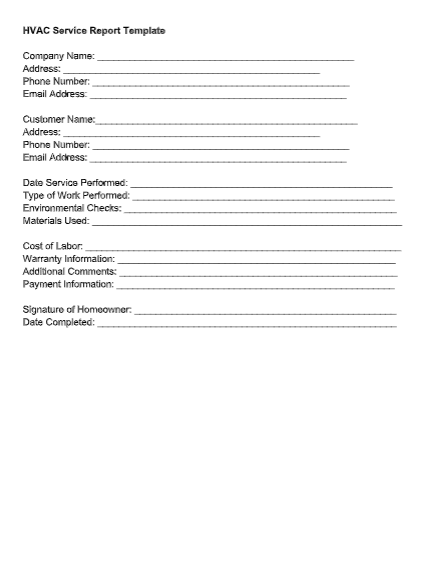
Begin with the information that anchors the service event: customer name, service address, contact details, job or work-order number, date, arrival time, completion time, and technician name. For commercial work, include the site name, building, floor, room, suite, asset area, or other location identifier when relevant. Keeping these fields near the top reduces ambiguity when a property contains multiple HVAC systems.
The equipment section should identify the system being serviced as precisely as practical. Useful fields include system type, manufacturer, model number, serial number, installation date when known, capacity or tonnage where relevant, refrigerant type, and equipment location. If several units are serviced during the same visit, the form should provide a repeatable equipment block rather than forcing the technician to combine several systems into one narrative.
Equipment identification is also valuable for future troubleshooting. A later technician may need to compare an operating reading with an earlier visit or verify which component was previously replaced. A precise serial number and equipment location can save considerable time. Service records should therefore favor specific identifiers over vague descriptions such as “outside unit” or “AC upstairs.”
Reported Problem and Arrival Condition
The complaint field should capture what the customer or site representative actually reported. Examples include insufficient cooling, no heating, unusual noise, water leakage, repeated cycling, poor airflow, an error indication, or a system that will not start. The technician should avoid converting the complaint into a diagnosis before testing begins.
An arrival-condition field adds useful context. It can record whether the system was operating, whether the thermostat was calling, whether the equipment showed visible damage, whether filters were heavily loaded, or whether a safety condition prevented normal operation. This establishes a baseline and separates observations made before corrective work from observations made afterward.
For complex calls, a short chronology is helpful. A technician might record that the customer reported intermittent cooling, that the unit was operating on arrival, that the indoor airflow appeared restricted, and that subsequent measurements were taken before any adjustment. This sequence makes the report more defensible than a single statement such as “low performance found.”

Inspection Findings
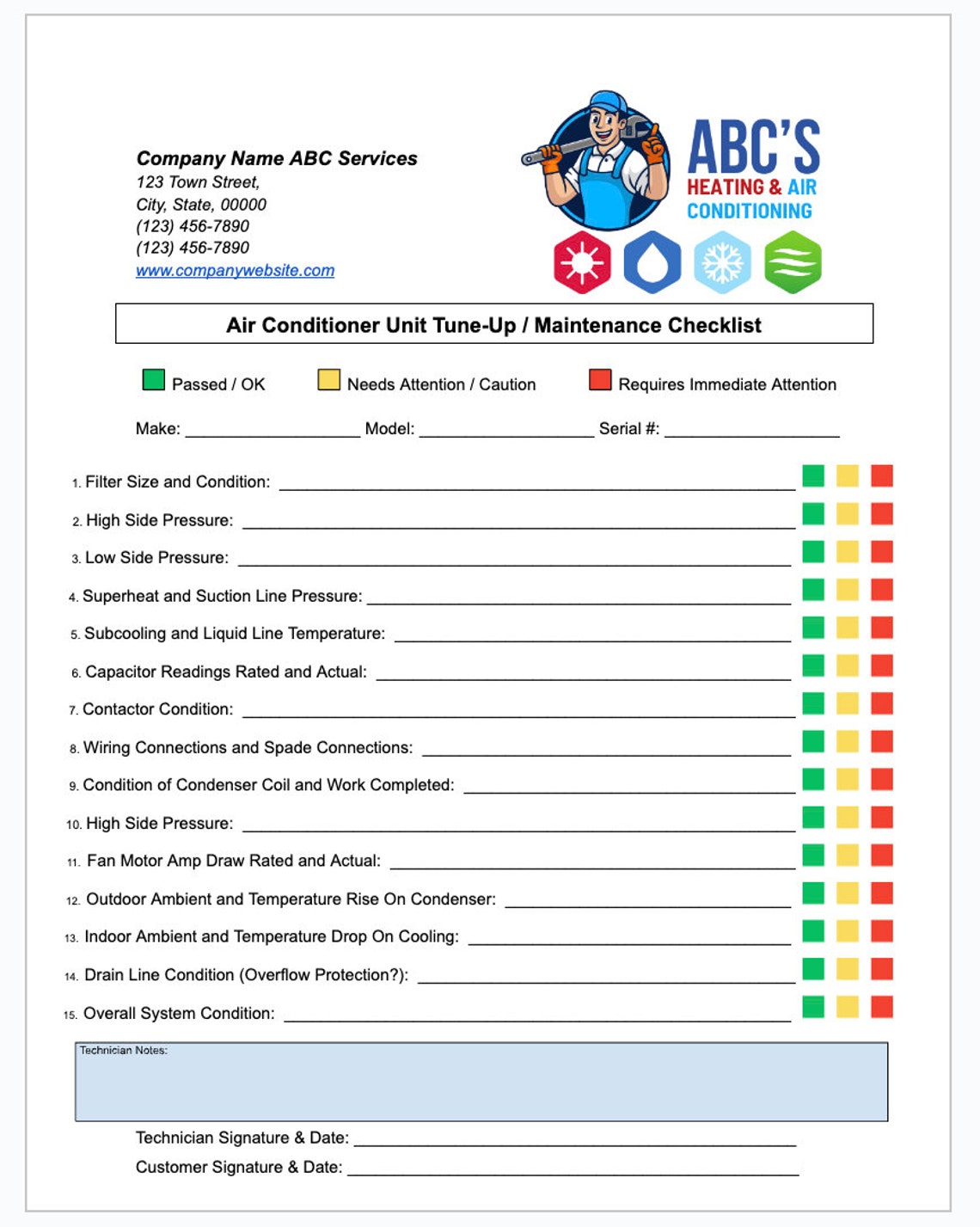
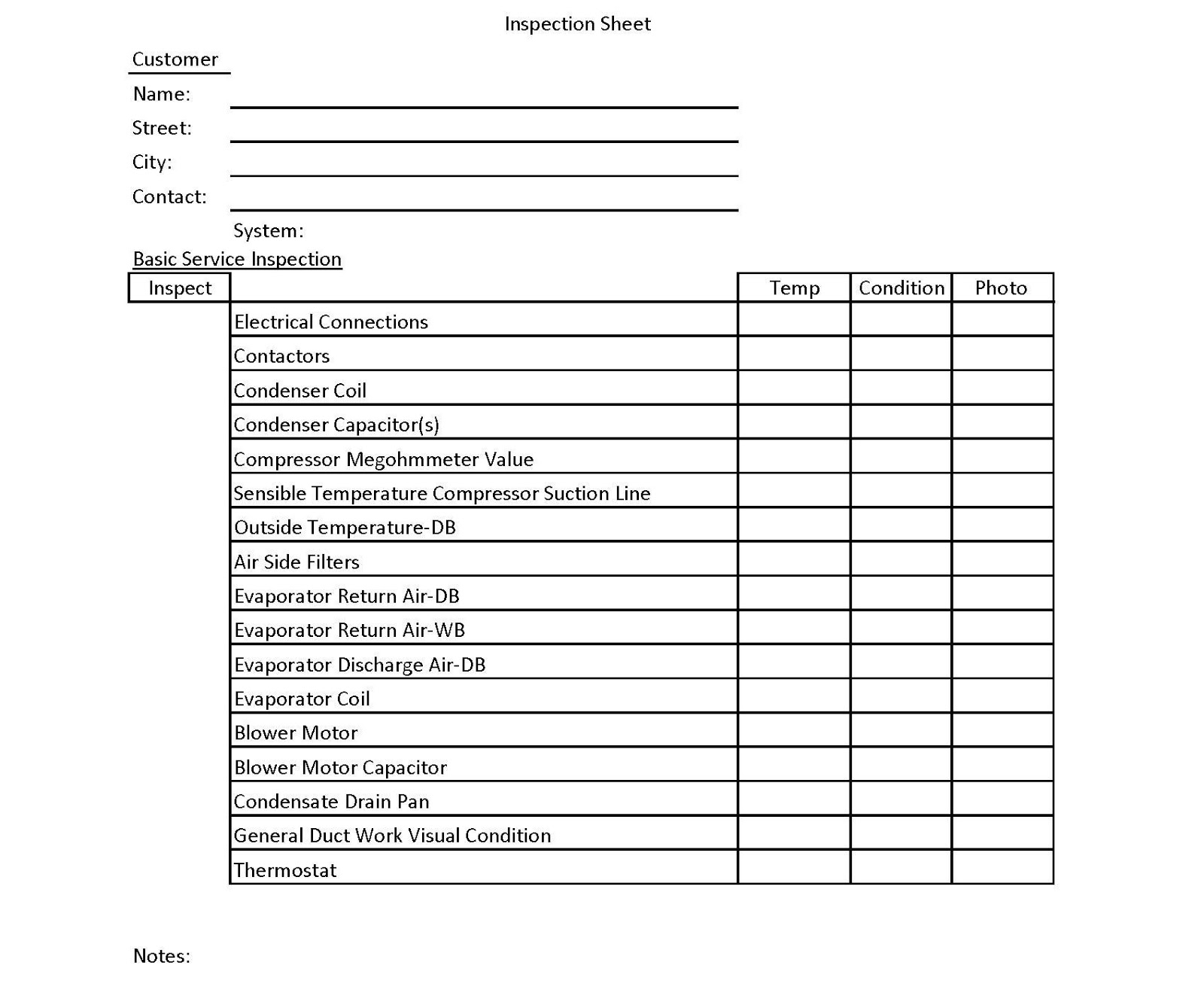
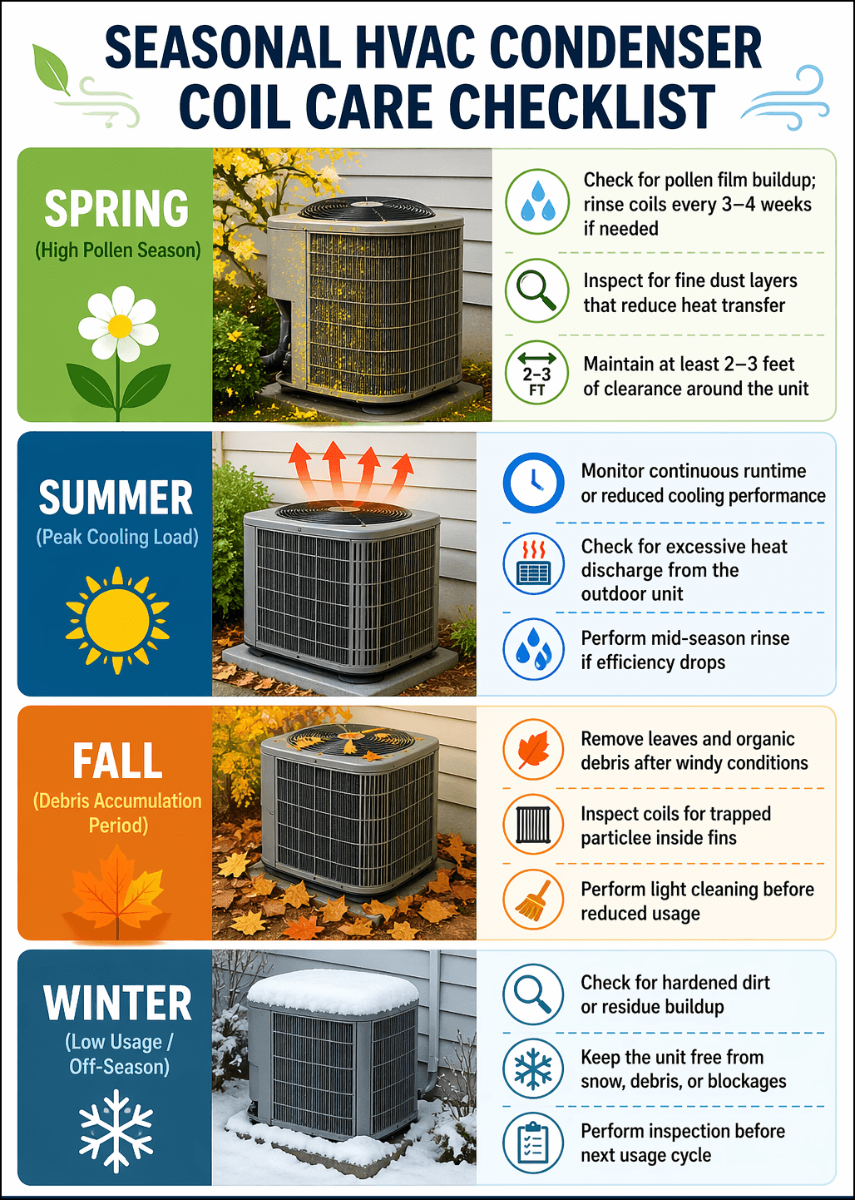
An inspection section should encourage observation before intervention. Depending on the system, this can include cabinet condition, access, filters, coils, drain pans, condensate lines, wiring, terminals, motors, belts, fans, ductwork, insulation, controls, and visible signs of leakage or corrosion. Not every item applies to every system, so the template should allow a technician to mark items as not applicable rather than leaving unexplained blanks.
Checklist design matters. A simple status system such as satisfactory, attention required, and urgent condition can make a long inspection easier to review. The status should be accompanied by a note when the condition is unusual or needs follow-up. A checkbox alone rarely explains why an item was considered acceptable or deficient.
For commercial systems, the checklist may need additional categories for air handling units, variable-speed drives, dampers, economizers, chilled-water components, building controls, or other equipment-specific items. Current commercial maintenance examples commonly include filters, coils, refrigerant lines, blower assemblies, electrical connections, thermostats, safety controls, belts, drains, ductwork, sensors, and control systems.

Recording Technical Measurements Correctly
Measurements are often the most valuable part of an HVAC service record because they provide evidence of operating conditions at a particular time. Depending on the equipment and diagnostic purpose, useful readings can include supply and return temperatures, ambient temperature, voltage, current, static pressure, suction pressure, discharge or liquid pressure, superheat, subcooling, airflow, capacitor readings, and control signals.
A measurement field should include its unit whenever ambiguity is possible. A blank labeled “pressure” is less useful than a field identifying the circuit, measurement point, unit, and operating mode. The same principle applies to temperature, electrical current, airflow, and static pressure. If the value depends on a specific test condition, that condition should be captured as well.
Do not design a form that encourages technicians to enter numbers without context. A useful diagnostic record identifies what was measured, where it was measured, when it was measured, and what the equipment was doing at the time. Manufacturer procedures and qualified diagnostic practice should determine which measurements are appropriate. The template should support that process rather than prescribe a universal set of readings for every HVAC system.

For airside work, a service record may benefit from dedicated fields for supply and return temperatures, static pressure, airflow, filter condition, duct observations, and damper adjustments. Air-balance records commonly compare design airflow with measured airflow and provide space for instrument information, system adjustments, and recommendations. :contentReference[oaicite:3]{index=3}
For refrigeration-side work, the record should distinguish between observations, measured pressures, refrigerant type, refrigerant added or recovered where applicable, leak findings, and corrective action. Refrigerant handling is an area where technicians should follow applicable regulations, company procedures, equipment instructions, and qualification requirements. A generic form should never be treated as a substitute for those requirements.
Electrical readings deserve the same care. Voltage and current should be associated with the relevant component or circuit and operating state. If a capacitor reading is recorded, the component identity and test context should be clear. A form that merely says “amps OK” gives a future technician much less information than an actual reading paired with the equipment condition and relevant reference value.

Work Performed and Corrective Action
The work-performed section should answer a straightforward question: what did the technician actually do? Record cleaning, adjustment, repair, replacement, testing, calibration, inspection, or other completed actions. Avoid vague entries such as “serviced unit” when a more precise description is possible.
Parts and materials should be documented separately when practical. Useful information can include part description, manufacturer or part number, quantity, refrigerant quantity where applicable, consumables, and whether a component was supplied by the contractor, customer, manufacturer, or another party. The exact fields should reflect the company’s billing and inventory process.
The corrective-action narrative should also distinguish completed work from recommendations. For example, “drain line cleared and drainage verified” describes completed work, while “replace damaged insulation during next visit” describes a recommendation. Keeping those categories separate prevents a customer from interpreting a recommendation as work that has already been completed.
Before-and-After Verification
A strong hvac service technician Template should provide a place to document verification after corrective work. The exact verification depends on the service. It may involve confirming system startup, checking temperature response, verifying drainage, confirming electrical operation, observing airflow, checking controls, or repeating a diagnostic measurement.
Before-and-after measurements are especially valuable when a service involved adjustment or repair. If the technician changes a condition and then confirms the expected response, the record tells a much stronger story than a simple statement that the repair was completed. The template can provide paired fields for initial reading, final reading, and technician comments where this comparison is relevant.
Verification should not be reduced to a checkbox. If a system could not be fully tested because of weather, access restrictions, a failed component, an unavailable control signal, or another limitation, that limitation should be recorded. Honest documentation of incomplete testing is more useful than implying that a complete verification occurred.

Maintenance Records and Recurring Service
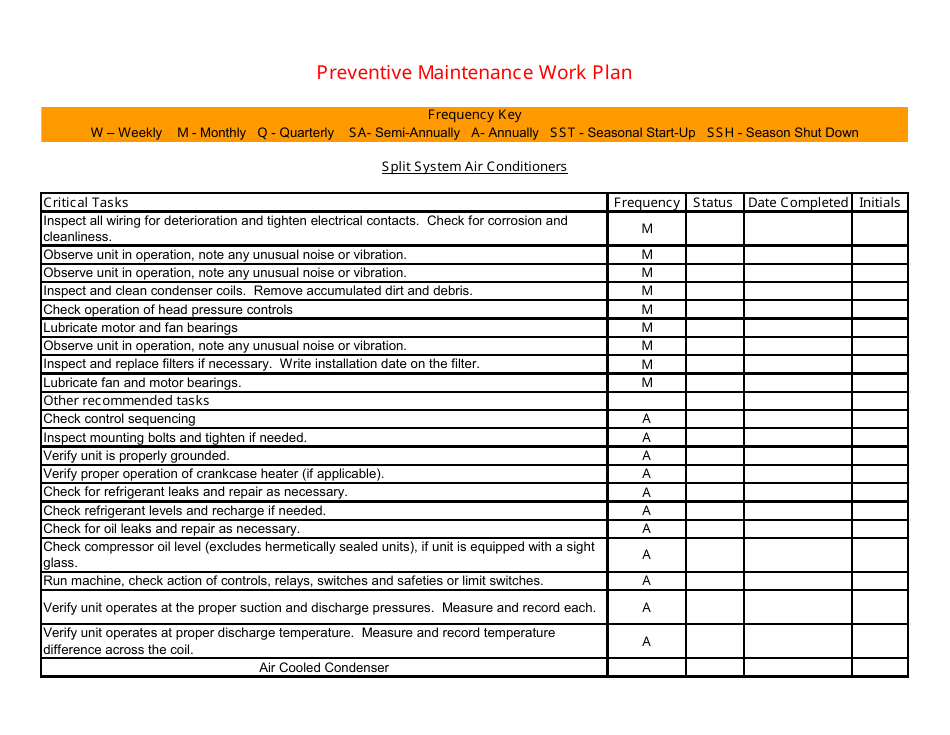
Maintenance visits benefit from repeatable inspection sequences. A technician should be able to review the previous record, identify recurring issues, complete the scheduled inspection, record measurements, and create recommendations without rebuilding the document structure each time. A recurring maintenance record can therefore function as both a current visit report and part of the equipment’s service history.
A useful maintenance record should identify the service interval or visit type, equipment serviced, tasks completed, deficiencies, measurements, corrective actions, and next service considerations. A continuing log can then preserve the history of those visits. Current maintenance examples distinguish between a checklist that guides task completion and a report or log that records the outcome of the visit. :contentReference[oaicite:4]{index=4}
Recurring service plans should also make ownership clear. If a recommendation is left open, someone should know who is responsible for the next step. The record can include a follow-up owner, target date, estimate reference, or service status. This is particularly useful for commercial accounts where several people may be involved between the field visit and the eventual repair.

Choosing the Right Format
Different formats serve different workflows. A printable PDF-style document is useful when the process depends on a stable page layout, signatures, paper records, or a consistent customer-facing report. A Word-based document can be convenient when staff need to adjust narrative sections and company wording. An Excel-based workbook is useful when calculations, repeated rows, measurement comparisons, or structured data entry are important.
Google Docs can be useful when several authorized staff members need to collaborate on narrative documentation, while spreadsheet-based records can be better suited to measurement-heavy work. The important question is not which format is universally best. It is whether the selected format matches how technicians gather information, how managers review it, and how completed records are retained.
For field work, usability should take priority over visual complexity. A technician working beside a rooftop unit should not have to navigate dozens of irrelevant fields. The best form exposes the information needed for that service type, uses clear labels, provides adequate writing space, and makes required information obvious. A beautiful document that slows down field work will not produce better records.

When a Spreadsheet Structure Helps
A spreadsheet-style structure is particularly useful for measurements and repeated equipment. A technician can record multiple units, circuits, rooms, or readings without creating a separate page for every item. Formulas may also help with arithmetic such as totals or percentage comparisons, provided that the formulas are tested and the user understands what they represent.
However, a spreadsheet should not become an uncontrolled diagnostic calculator. Calculated results are only useful when the underlying measurements, units, assumptions, and test conditions are correct. Where a calculation affects a technical decision, the technician should follow the relevant procedure and verify the result rather than relying solely on an automated cell.
A structured workbook can also support management reporting. Consistent fields make it easier to identify recurring equipment problems, common repair categories, overdue recommendations, or frequently replaced components. The value comes from consistent data capture, not from the spreadsheet format itself.

Designing a Better Technician Workflow
The most practical sequence is to make the form follow the physical and diagnostic flow of the service call. Start with job identification and access information, then equipment identification, reported issue, arrival condition, safety considerations, inspection, measurements, diagnosis, work performed, verification, recommendations, and sign-off. This sequence reduces backtracking and makes the finished record easier to review.
Use checkboxes for repeatable yes-or-no or status questions, but reserve narrative space for findings that need explanation. A checklist is efficient for “filter condition inspected,” while a narrative field is more appropriate for “filter heavily loaded and replaced with the specified size.” Combining both approaches produces a record that is quick to complete without becoming vague.
Technicians should also be able to mark items as not applicable. An empty field may mean the item was missed, forgotten, or irrelevant. A deliberate not-applicable status removes that ambiguity. For high-consequence tasks, company procedures can identify which fields must be completed before a service record is closed.
Common Mistakes to Avoid
One common mistake is creating a form that tries to cover every possible HVAC system in one enormous checklist. The result can overwhelm technicians and encourage them to skip fields. A better approach is to maintain a core service record and add equipment-specific sections for systems such as heat pumps, furnaces, rooftop units, chillers, air handlers, or variable-refrigerant systems.
Another mistake is mixing diagnosis with customer language. If a customer says the system “isn’t getting cold,” that should remain the reported complaint. The diagnosis may later be a restricted filter, airflow problem, control issue, refrigerant problem, component failure, or something else. Separating complaint, observation, test result, diagnosis, and action preserves the reasoning behind the service.
A third mistake is failing to record unresolved conditions. If the technician identifies a problem but does not repair it during the visit, the report should say what remains, why it remains, and what the recommended next step is. This prevents an important finding from disappearing into a completed-service status.

Practical Solution
Start by building one core hvac service technician Template around the information every visit needs. Put customer, site, job number, date, technician, equipment identity, complaint, arrival condition, findings, work performed, recommendations, and signatures in the standard structure. Then create optional blocks for technical measurements, refrigerant work, electrical testing, airflow, maintenance tasks, or commissioning.
Next, create service-specific versions from that core structure. A diagnostic form can emphasize symptoms, measurements, testing, diagnosis, corrective action, and verification. A maintenance form can emphasize scheduled tasks, component condition, measurements, cleaning, adjustments, deficiencies, and next-service dates. A commissioning form can emphasize installation verification, operating conditions, controls, airflow, refrigerant circuit checks, and final acceptance information. Current HVAC commissioning references commonly separate commissioning details, operational verification, and final documentation or handover. :contentReference[oaicite:5]{index=5}
Finally, test the form in a realistic field scenario before making it the standard record. Ask a technician to complete it during a normal service call and note which fields slow the process, which labels are unclear, and which important observations have nowhere to go. Remove unnecessary fields, clarify technical labels, enlarge critical narrative areas, and keep the final record focused on evidence that another person can understand later.
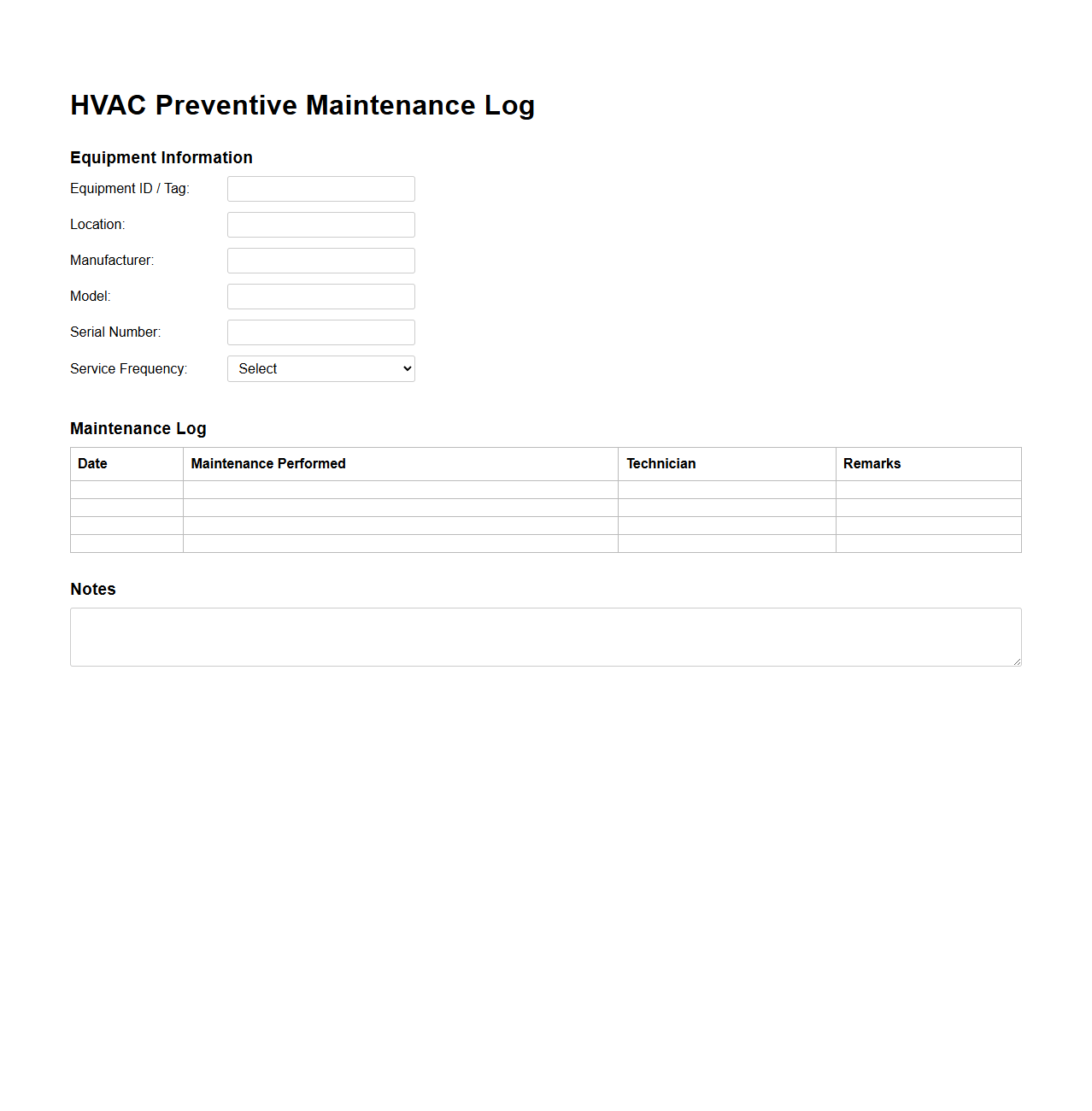
A practical quality check should occur before the technician leaves the site. Confirm that the correct equipment was identified, the complaint is recorded, important readings include units, completed work is distinguished from recommendations, unresolved issues have an owner or next step, and the customer acknowledgment is complete when required. This small review can prevent missing information from becoming a later service problem.
For service managers, review a sample of completed records periodically rather than focusing only on whether forms were submitted. Look for missing serial numbers, unexplained readings, vague work descriptions, incomplete recommendations, and inconsistent terminology. Use those findings to improve the form and technician training. Documentation quality is an operational process, not merely a paperwork issue.
For technicians, the simplest rule is to record facts while they are available. Do not rely on memory at the end of a long service day. Capture the equipment identity, relevant readings, observations, actions, and final condition as the work progresses. The best template makes this behavior easy by putting each piece of information exactly where the technician expects to find it.
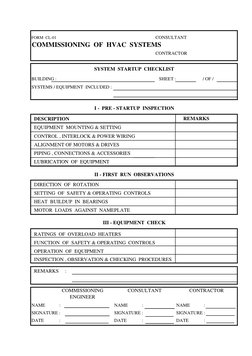
Commissioning and Startup Records
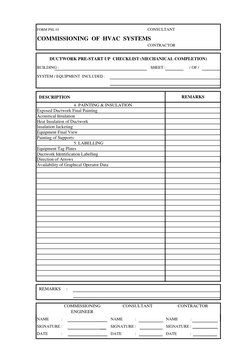
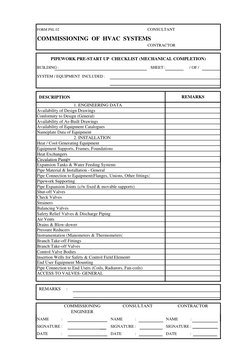
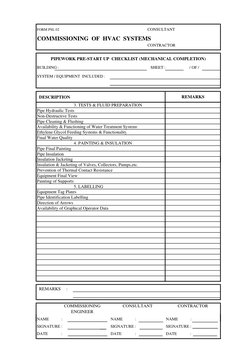
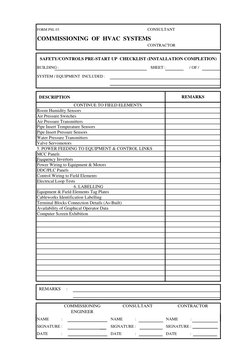
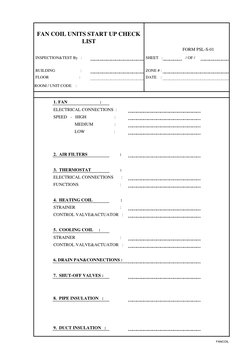
Commissioning and startup work requires a different level of detail from ordinary maintenance. The record may need project identification, equipment information, installation observations, operating pressures, temperatures, electrical conditions, controls, airflow, and final remarks. The objective is to demonstrate that the installed system was inspected and operated under the conditions required by the project procedure.
Startup records can also become valuable references for later troubleshooting. If a system develops a problem months after installation, the original startup measurements may provide useful baseline information. That is why the record should distinguish initial readings, final readings, adjustments, and unresolved observations rather than simply stating that startup was completed.
Commissioning forms should not be treated as universal substitutes for project specifications. The required checks depend on the equipment, project, design documents, manufacturer instructions, commissioning scope, and applicable standards. A template is best viewed as a structured recordkeeping aid that must be adapted to the actual job.
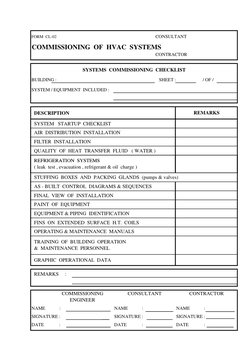
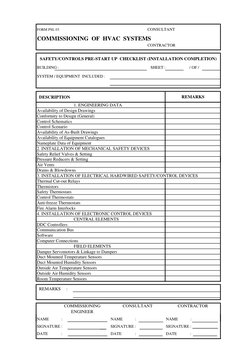
For larger projects, separate sections can cover engineering data, installation quality, ductwork, piping, controls, safety devices, refrigeration systems, documentation, training, and final inspection. Such separation makes it easier for different responsible parties to review the portions relevant to them.
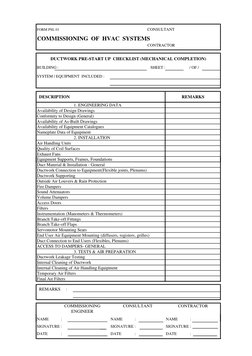
Sign-off should identify the responsible role rather than implying that every person has the same authority. Depending on the project, signatures may involve a technician, commissioning engineer, contractor, consultant, customer representative, or other authorized reviewer. The template should reflect the actual workflow rather than assuming a universal approval chain.
Using Service History for Better Follow-Up
A service record becomes more valuable when it can be compared with previous visits. Repeated capacitor problems, recurring drain restrictions, declining airflow, persistent temperature complaints, or repeated control faults may become visible when records use consistent terminology and equipment identifiers. This is one reason a standardized hvac service technician Template can support both individual service quality and broader maintenance planning.
Historical records should preserve the original service event rather than silently replacing old information with new information. If a report needs correction, the organization should use an appropriate revision process that preserves the relevant history. The exact retention and revision process depends on company policy, contracts, manufacturers, insurers, and applicable requirements.
Recommendations should also be traceable. If a technician recommends coil cleaning, insulation repair, component replacement, airflow investigation, or another follow-up, the next record should make it possible to determine whether that recommendation was completed, deferred, rejected, or still pending. This creates continuity between service visits.
When records are used for recurring service plans, avoid creating a separate document for every small piece of information unless the workflow truly requires it. A well-organized service record can capture the visit, while a maintenance schedule or asset history can track the recurring relationship. Keeping those functions distinct reduces duplication.
Customer-Facing Documentation
A technician’s internal notes and the customer-facing report do not always need identical levels of detail. Internal records may contain extensive diagnostic reasoning, while the customer version may focus on the reported issue, findings, work completed, system condition, recommendations, and any approval or acknowledgment needed.
Technical language should still be accurate. If a customer receives a report containing terms such as superheat, subcooling, static pressure, or electrical current, the document can briefly explain why the measurement matters when appropriate. The goal is not to turn every service report into a training manual, but to make the important result understandable.
Photos can strengthen documentation when the workflow supports them. Useful examples include equipment nameplates, damaged components, blocked filters, corrosion, leaks, wiring conditions, or before-and-after work. A photo should have a clear purpose and should correspond to the equipment and issue documented in the report.
How to Keep the Template Easy to Maintain
Templates should evolve when the service process changes. New equipment, revised company procedures, different measurement practices, or lessons from recurring service errors may justify a form revision. However, changes should be controlled so technicians know which version is current and older service records remain understandable.
Use consistent terminology throughout the document. If one section says “serial number,” another should not use an unrelated abbreviation unless there is a clear reason. The same principle applies to equipment names, service categories, status labels, and measurement units. Consistency improves both human review and later data analysis.
Keep optional content genuinely optional. If a form contains fields that almost never apply, consider moving them into a specialized version. The goal is not to create the longest possible checklist; it is to create a record that captures the information needed for the service type with minimal ambiguity.
A final review should also consider whether the form can be printed clearly, read on a screen, completed with a keyboard, and understood by someone who did not create it. Accessibility and readability are practical quality issues. Clear labels, sufficient spacing, logical grouping, and restrained use of visual elements can make the document easier to use in demanding field conditions.
Final Implementation Checklist
Before adopting an hvac service technician Template, confirm that it identifies the customer, site, equipment, technician, service date, complaint, arrival condition, findings, measurements, work performed, materials, recommendations, verification, and acknowledgment fields that your workflow actually needs. Add specialized sections only where they improve the record.
Then test it against several realistic service scenarios: a routine maintenance visit, a diagnostic call, a repair involving a replacement part, and a visit where the problem cannot be resolved immediately. If the same structure works across those situations without forcing irrelevant information, it is probably close to a practical standard.
The strongest template is not necessarily the most elaborate one. It is the one technicians can complete accurately, managers can review quickly, customers can understand, and future technicians can use as a trustworthy history. A carefully structured HVAC service record turns scattered field observations into useful technical documentation and gives every service visit a consistent starting point.
Reference Examples
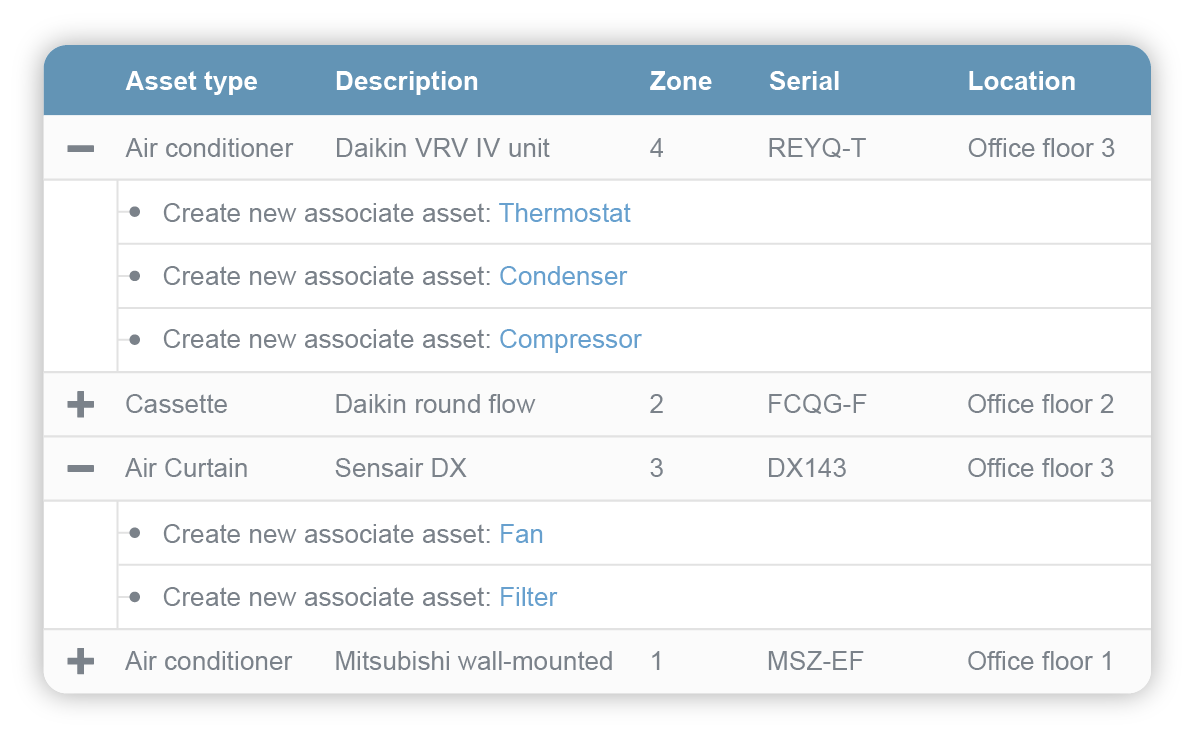
Reference examples of an hvac service technician Template are useful because the strongest designs make the service workflow visible on the page. A practical record usually begins with identification information, then moves through equipment details, inspection findings, measurements, completed work, recommendations, and acknowledgment. Visual examples can reveal how much space is allocated to each task, how checkboxes and narrative areas are balanced, and whether technical readings are separated clearly from general service notes. Comparing several real HVAC forms also shows that there is no single universal layout: residential maintenance, commercial service, commissioning, repair, and recurring maintenance records can each require different levels of detail.
The following visual references help illustrate the range of structures that can support an hvac service technician Template. Some emphasize recurring maintenance, others focus on equipment history, service agreements, inspection records, or customer-facing documentation. They should be treated as examples of document structure rather than universal requirements. Before adopting any format, technicians and service managers should adapt the fields to the equipment being serviced, company procedures, manufacturer instructions, contract requirements, and applicable rules. The goal is a clear record that accurately represents what happened during the actual HVAC service visit.
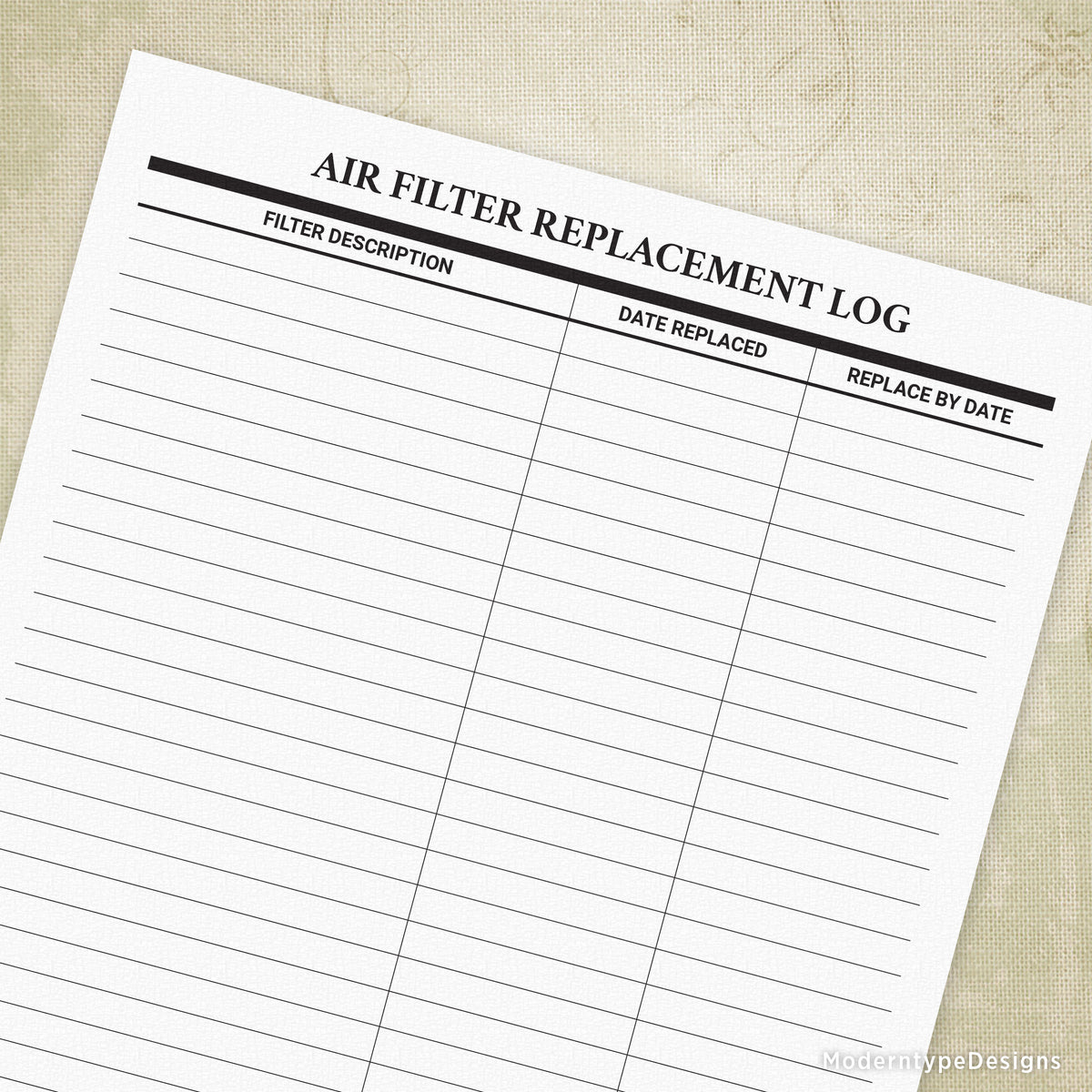
Air Filter Replacement Log
Source: ModernType
HVAC Asset Management Table
Source: Commusoft
Air Conditioning Maintenance Checklist

Source: Scribd

HVAC Service Agreement Form
Source: Printit4less
HVAC Service Order Form
Source: Action Forms
