shot list for commercial Template: Build a Production-Ready Plan for Every Shoot
A shot list for commercial Template turns a creative idea into a practical filming plan. Instead of relying on memory during a busy production day, the director, cinematographer, assistant director, camera team, lighting department, sound team, and editor can work from the same structured document. A useful list identifies what must be captured, how the camera should capture it, where the shot belongs, what equipment is required, and which details need special attention.
Commercial production creates particular planning demands because every second of screen time usually has a purpose. A product reveal, pack shot, logo moment, close-up, lifestyle frame, transition, voiceover cue, or visual effect may need to fit an approved creative concept and a specific delivery format. A strong template makes those requirements visible before the cameras roll.
What a commercial shot list does
A commercial shot list is more than a checklist. It is a communication document between creative decisions and production execution. The creative brief may explain the campaign idea, while a storyboard may show the intended visual appearance. The shot list translates those ideas into individual camera setups that a crew can actually prepare and capture.
Each row should answer a practical question: what is being filmed, how should it look, what happens during the shot, and what does the crew need to make it happen? Depending on the scale of the production, the list can also record lens choice, camera body, movement, lighting, sound, duration, props, visual effects, continuity notes, priority, and status.
Why commercial productions benefit from a detailed template
Commercial shoots often involve more departments and approval points than a casual video project. A product may need to remain perfectly positioned across several setups. Packaging, labels, colors, wardrobe, set dressing, reflections, and brand marks can all require continuity. The director may also need several variations of the same concept for different edits or aspect ratios.
A structured document reduces ambiguity. The director can identify the creative priority, the cinematographer can assess framing and lens requirements, the assistant director can understand the sequence of setups, and the production team can anticipate equipment or location needs. The editor also benefits because the planned coverage makes it easier to understand why particular inserts, cutaways, or alternate angles were captured.
Core fields to include
The best template is not necessarily the one with the greatest number of columns. It is the one that contains the information the crew actually needs. Start with a compact structure, then add fields when the production requires more control.
- Scene or sequence: Connects each shot to the relevant part of the script, treatment, storyboard, or creative concept.
- Shot number: Gives every setup a clear identifier that can be referenced during production and post-production.
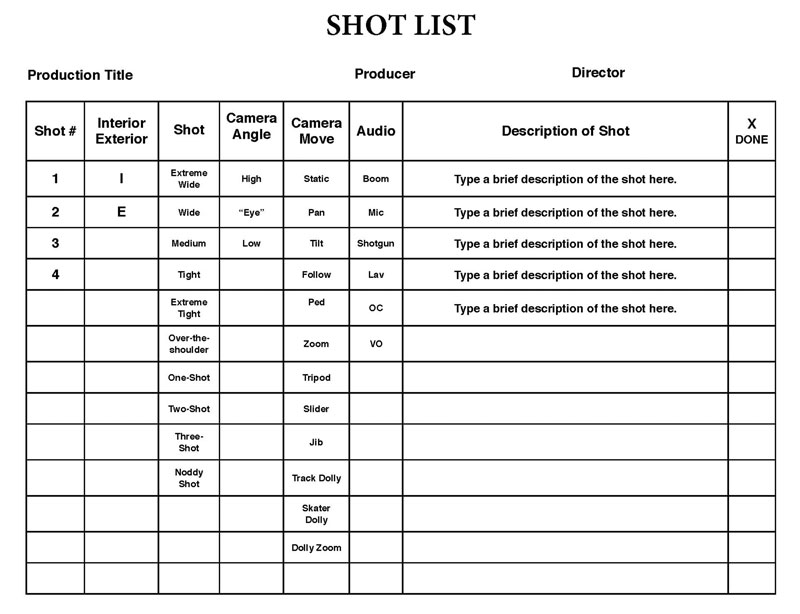
- Shot size: Records whether the frame is wide, medium, close, extreme close, full, two-shot, insert, or another defined framing.
- Camera angle: Specifies eye level, high angle, low angle, overhead, profile, point of view, or another intended perspective.
- Movement: Records static framing, pan, tilt, dolly, tracking, crane, handheld, gimbal, zoom, or other movement.
- Description: Explains exactly what the viewer should see and what action occurs.
- Lens: Identifies focal length or lens family when perspective is important to the creative direction.
- Equipment: Lists camera support, movement systems, specialty equipment, or other production requirements.
- Lighting: Captures the intended lighting condition, modifiers, practical sources, or continuity requirements.
- Sound: Records dialogue, voiceover, effects, room tone, playback, music cues, or whether the shot is silent.
- Duration: Helps the team understand the intended screen length or estimated capture requirement.
- Notes: Holds continuity warnings, visual effects instructions, product positioning, client priorities, and other special information.
How to structure shots for a commercial
Commercial coverage usually works best when the list is built around the communication goal rather than simply following the order in which the audience will eventually see the footage. For example, a thirty-second product spot might need an establishing frame, product introduction, detail inserts, demonstration shots, lifestyle coverage, reaction or interaction coverage, a hero product frame, and a final brand lockup.
The shooting order can be different from the edit order. Several shots may share the same camera position, lighting arrangement, lens, or product placement. Grouping those shots together can reduce unnecessary resets. The final list should therefore make both the creative sequence and the practical setup sequence understandable.
Start with the essential coverage
For each commercial sequence, identify the shots that make the message understandable even if production time becomes tight. A hero product shot, a critical action, an important insert, and the required ending frame may be considered essential. Additional variations can then be marked as secondary priorities.
This distinction matters because commercial schedules can change quickly. If a location becomes unavailable, a product setup takes longer than expected, or a lighting transition consumes additional time, the crew needs to know which shots protect the final edit and which shots can be sacrificed.
Shot size, angle, and movement
Shot size determines how much visual information enters the frame. A wide shot can establish the environment and spatial relationship, while a medium frame can communicate an interaction and a close-up can emphasize product details or emotional reactions. In product advertising, extreme close-ups can be useful for texture, material, ingredients, controls, surfaces, or distinctive design features.
Camera angle changes the viewer’s relationship with the subject. Eye-level framing is often neutral, while a low angle can make an object appear more imposing and a high angle can make it feel smaller or more exposed. Overhead framing can be especially useful for tabletop demonstrations, food arrangements, packaging layouts, and carefully controlled product compositions.
Movement should be recorded with enough precision that the operator knows what is intended. Instead of writing only “dolly,” specify whether the camera moves toward the product, away from it, laterally, or along a defined path. If a movement has a start and end position, describe both. This is especially important when the motion must match graphics, transitions, or a musical beat.
Lenses and camera specifications
A lens column is valuable when perspective is part of the visual identity. A wide focal length can reveal more of the environment and may exaggerate spatial relationships. A normal focal length can provide a more familiar perspective, while a longer focal length can isolate the subject and compress background relationships.
The exact lens choice should remain a creative and technical decision rather than a rigid requirement when the production needs flexibility. The template can record a preferred focal length and a practical alternative. This gives the camera team a target while leaving room to adapt to the physical location, sensor format, available equipment, or client review.
Lighting and product continuity
Commercial product work often depends on repeatable visual conditions. The shot list should therefore connect camera setups with lighting requirements. A simple note such as “soft side light” may be enough for a small production, while a larger job may need information about key direction, diffusion, practical sources, reflections, color temperature, negative fill, or a product-specific lighting rig.
Continuity deserves special attention when products are moved, opened, consumed, assembled, rotated, or handled. Record important states in the shot description. For example, a beverage may need one frame with the cap sealed, another with the cap removed, and another with condensation visible. Recording these states prevents the crew from assuming that every product position can be reconstructed later.

Sound, voiceover, and visual effects notes
A visually precise list can still create problems if sound requirements are omitted. Commercials may include dialogue, voiceover, product sounds, synchronized actions, playback music, sound effects, or deliberately silent footage intended for later design. A dedicated sound field makes those requirements visible before shooting begins.
Visual effects should also be identified early. A product may require screen replacement, object removal, compositing, tracking, cleanup, simulated atmosphere, graphics, or a controlled background. Even a short note such as “leave clean space for graphic” can influence framing and composition. If a shot needs tracking markers, locked-off movement, clean plates, or multiple passes, those requirements should be stated explicitly.
Building the template from the creative brief
Do not begin by filling rows randomly. Start with the campaign objective and the approved creative concept. Identify the product promise, key visual moments, mandatory brand elements, required claims, and final call to action. Then break those elements into visual beats.
For each beat, ask what the audience must see to understand the message. If a product benefit is demonstrated, identify the establishing frame, the action that proves the benefit, and the detail that makes the result unmistakable. If the campaign relies on mood, identify the environmental frames and product details that create that mood.
Once the visual beats are identified, turn each required moment into one or more shots. Avoid writing vague descriptions such as “product shot.” A stronger entry explains the subject, composition, action, and intended emphasis. The person operating the camera should be able to understand the desired frame without having to reconstruct the entire creative meeting from memory.

Organizing the shoot by setup
One of the most useful ways to improve a commercial shot list is to distinguish a shot from a setup. A setup is the physical arrangement required to capture one or several related shots. Changing the camera position, lens, lighting, background, product position, or major support equipment can create a new setup.
Suppose a product sits on a tabletop with a locked camera. From that same position, the crew may capture a wide product frame, a medium demonstration, several inserts, and a detail of the packaging. Listing these as separate shots while keeping them under one setup makes the schedule easier to understand.
Grouping by setup also helps the cinematographer and assistant director estimate practical production time. A list containing many shots may still be efficient if those shots share equipment and lighting. Conversely, a short list can become demanding if every row requires a completely different physical arrangement.
Using Google Docs, Word, spreadsheets, and PDF layouts
The format should match the way the crew works. A spreadsheet-style document is useful when the production needs sorting, filtering, status tracking, or rapid revisions. A document layout can be more convenient when the list is intended to print as a scene-by-scene production sheet. A PDF layout is useful when the team needs a stable version for review or set reference.
The important point is that the underlying fields should remain consistent. Whether the document is prepared in a spreadsheet, word processor, or printable format, the crew should still be able to locate the scene, shot number, framing, movement, description, lens, equipment, sound, and notes without learning a completely different system.
When a simple layout is better
Not every commercial needs a highly technical document. A small product shoot with one camera and a controlled tabletop setup may only need shot number, description, framing, lens, movement, lighting, and notes. Adding dozens of unused fields can make the sheet slower to read and harder to maintain.
A useful rule is to include a field only when someone will make a decision from it. If the camera team needs lens information, include it. If the production has no dialogue, a detailed dialogue column may not be necessary. If every shot is locked to one camera, a camera-body field may add little value. The template should serve the production rather than become an administrative burden.
Common mistakes to avoid
- Writing descriptions that are too vague: “Product shot” does not tell the operator what the frame should communicate.
- Ignoring inserts: Small details often become valuable editing tools, especially in short-form commercial work.
- Forgetting the final brand frame: The end card, product lockup, or logo composition should be planned rather than left to the last minute.
- Listing shots without setup information: A long list of shots can hide how many physical resets are required.
- Ignoring delivery formats: A composition intended for a landscape master may need a different framing strategy when vertical or square versions are required.
- Over-specifying creative decisions too early: Technical detail should clarify the intended result, not prevent the cinematographer from solving practical problems.
- Failing to mark priority: Essential shots should be distinguishable from optional variations.
- Not updating the list on set: If a shot changes, the current version should reflect the decision so the editor and production team are not working from conflicting information.
How to make the document useful during production
The strongest shot list is easy to scan under pressure. Use consistent abbreviations and terminology. Keep descriptions short enough to read quickly, but specific enough to remove ambiguity. Group related shots together and make important priorities visually obvious through the document’s existing formatting.
During production, record meaningful status information. If a shot is captured, mark it. If it was intentionally skipped, record that decision. If a take is particularly strong, note the take number or timecode. These small details can save significant time during editorial review.
It is also useful to keep a notes area for changes that affect several shots. For example, if the client approves a revised product position, a global note can prevent the same instruction from being rewritten repeatedly across individual rows.
Practical Solution
For most commercial shoots, build the document in five passes. First, extract the visual requirements from the creative brief, script, storyboard, product notes, and delivery specifications. Second, create the required shots for every important visual beat. Third, add technical details such as shot size, angle, movement, lens, sound, lighting, and equipment. Fourth, regroup the rows by physical setup and location so the shooting order is practical. Fifth, review the entire document with the director and cinematographer before the production day.
After that review, mark each shot by priority. A practical hierarchy is must capture, important variation, and optional coverage. The exact labels can be customized, but the principle is valuable: when time becomes limited, the crew should immediately know which frames protect the commercial.
For a hypothetical thirty-second beverage commercial, the list might begin with an establishing kitchen frame, move to a product placement shot, continue with a close-up of the package, capture an opening action, record liquid and texture inserts, capture the hero consumption moment, and finish with a clean product composition. These are illustrative planning choices rather than requirements for every beverage campaign.
Before locking the document, perform a final coverage check. Confirm that every mandatory creative beat has a corresponding shot, that product states are consistent, that the ending frame is included, that alternate delivery formats have been considered, and that any special effects or sound requirements are visible. Then walk through the list physically at the location. A technically perfect row can still be impractical if the camera cannot reach the required position or the lighting setup conflicts with the space.
How to review a commercial shot list before the shoot
A pre-shoot review should involve more than checking spelling and numbering. Read the list as if you were a crew member seeing it for the first time. Can you identify the subject? Can you understand the action? Is the intended framing clear? Is the camera movement achievable? Is the required equipment known? Does the lighting note communicate the important visual condition?
Then review it from the editor’s perspective. Ask whether the footage will contain enough coverage to establish context, cut between actions, emphasize important product details, and transition into the final brand message. A commercial can look impressive in individual frames and still become difficult to edit if the coverage does not provide useful relationships between shots.
Finally, review the document from the production manager’s perspective. Look for repeated location moves, unnecessary equipment changes, complicated lighting transitions, and shots that may require additional time. The purpose of the planning document is not to eliminate creativity. It is to make creative choices visible early enough that the crew can prepare for them.
Reference Examples
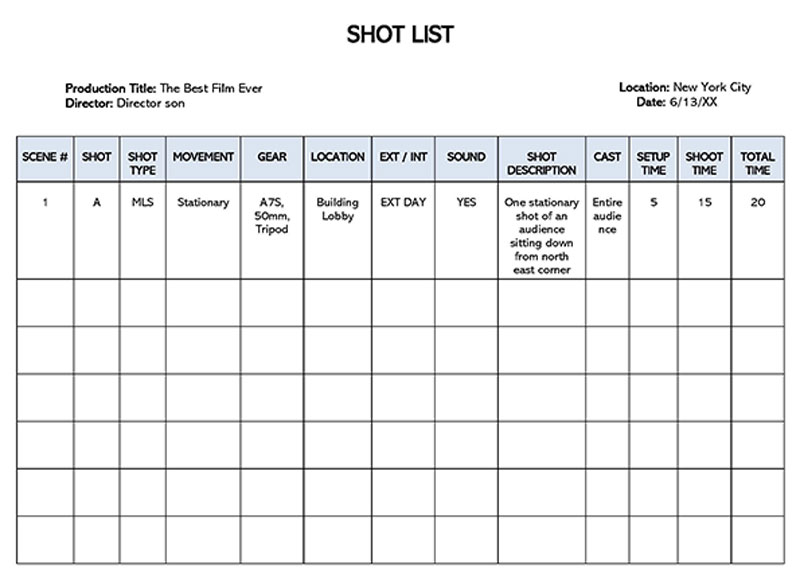
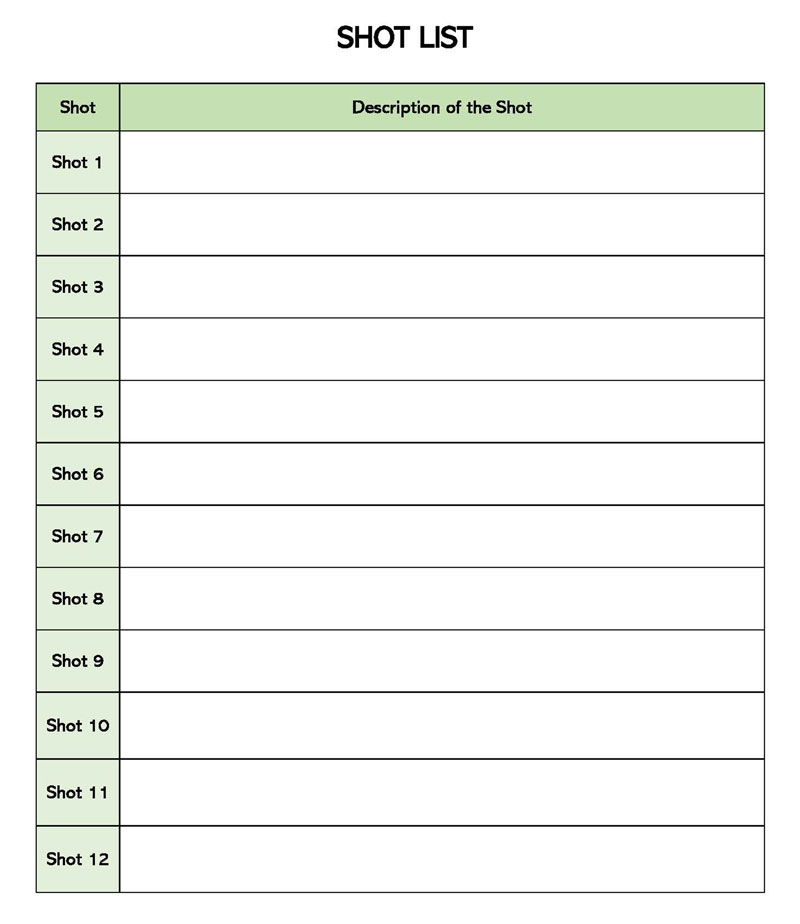
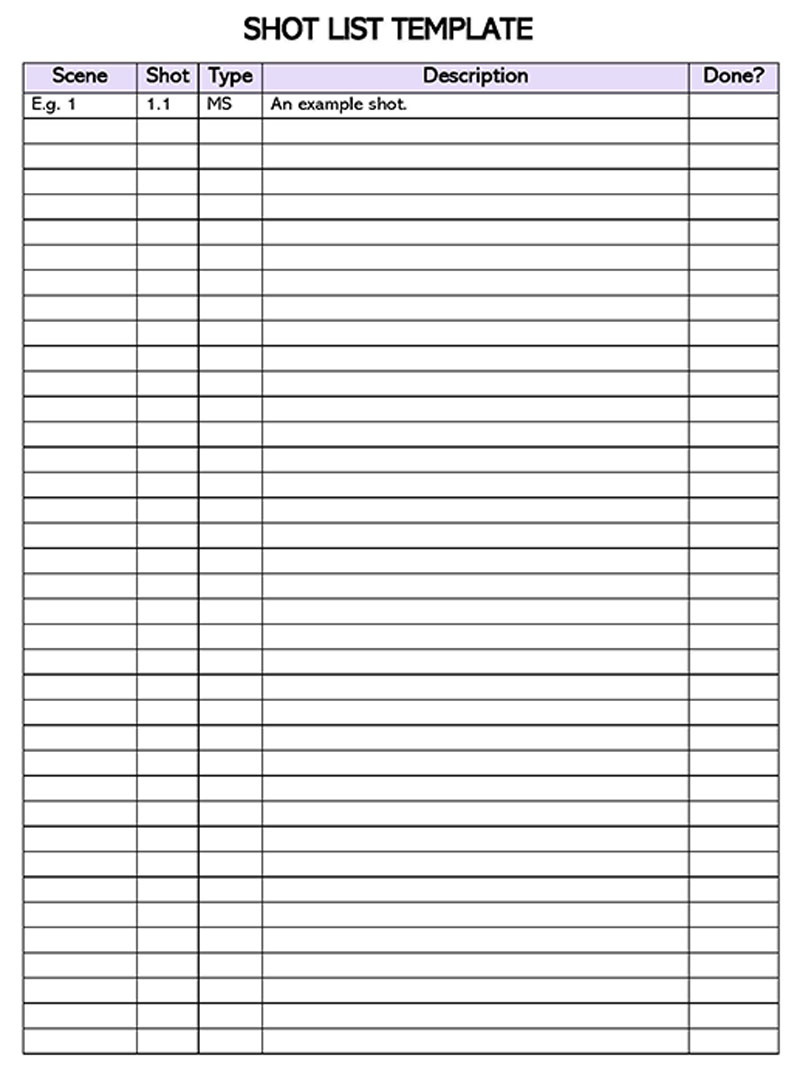
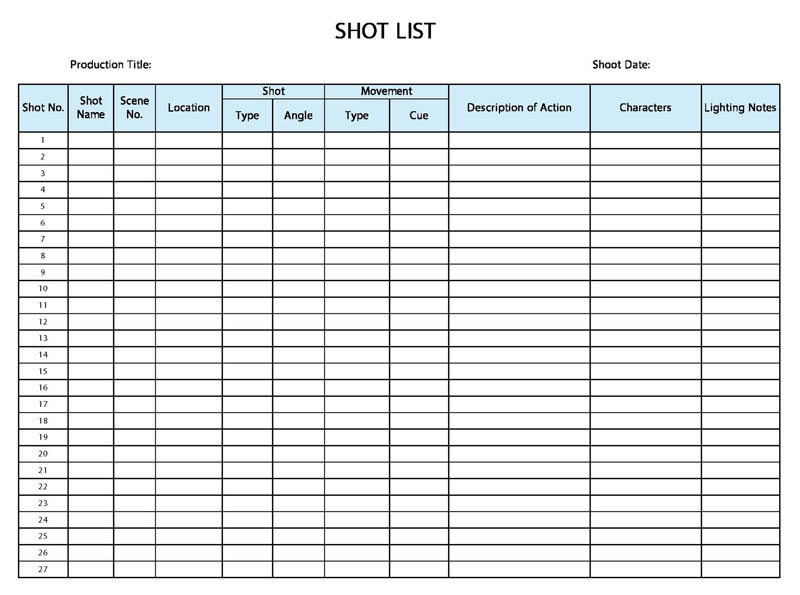
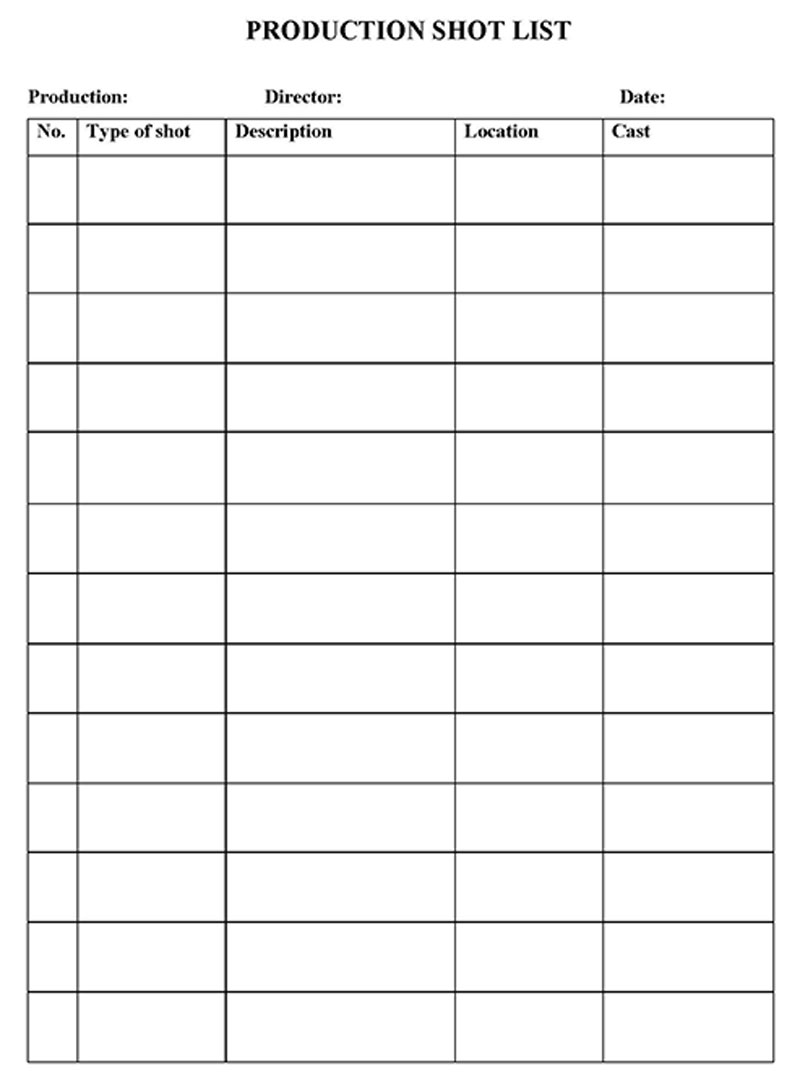
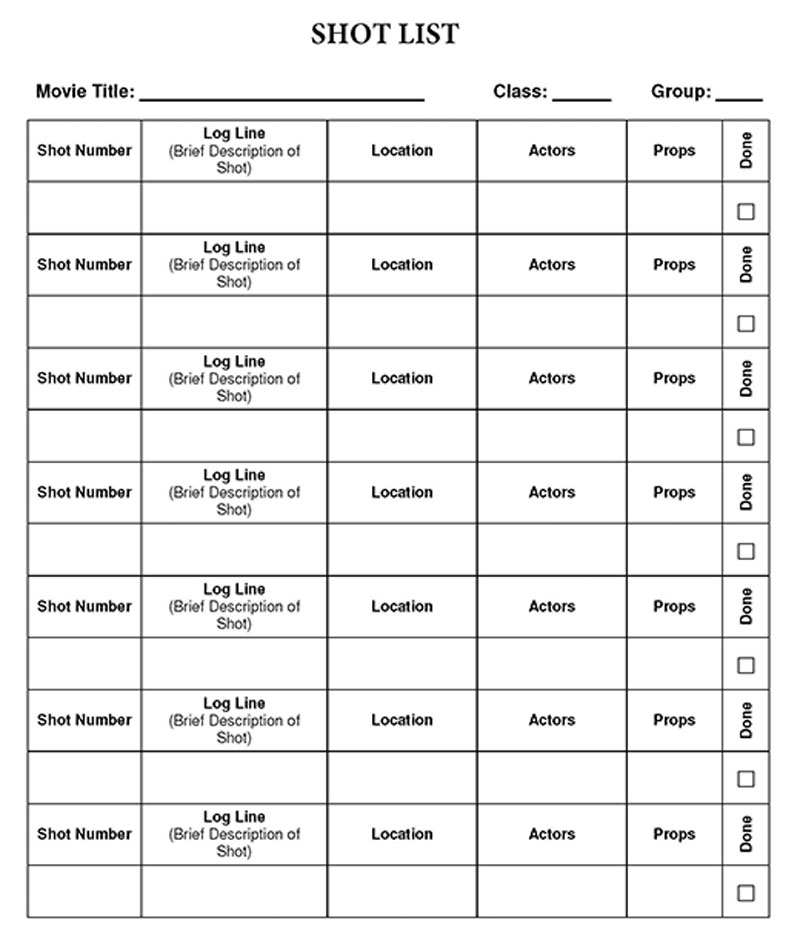
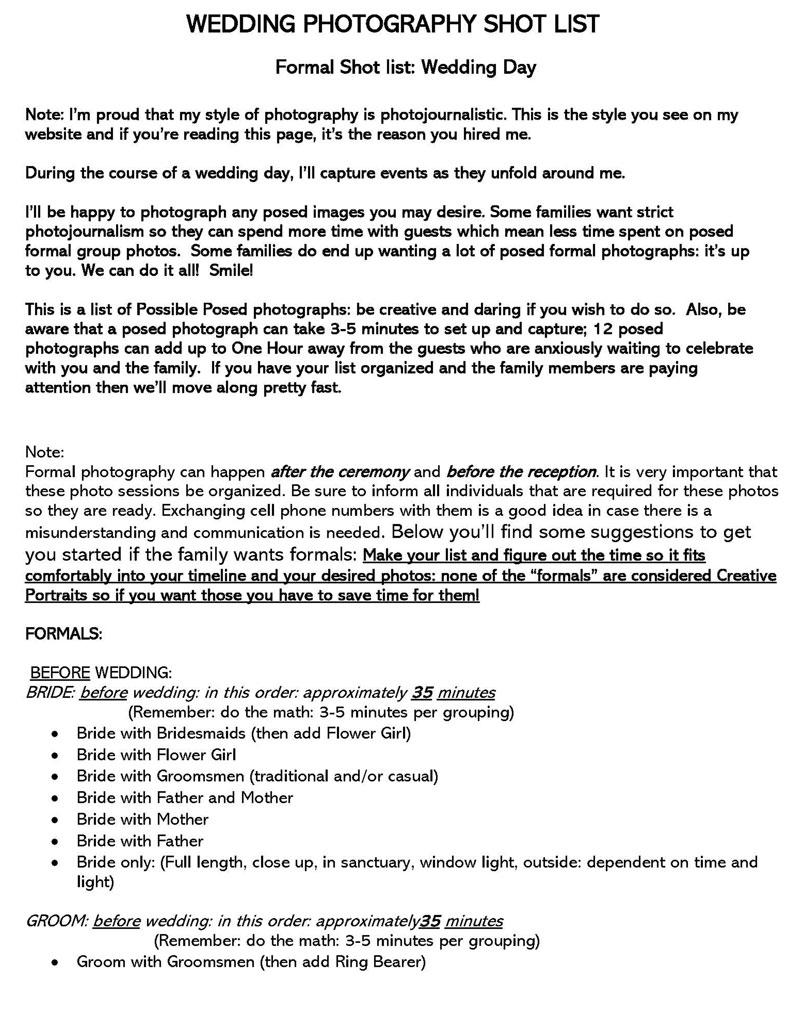
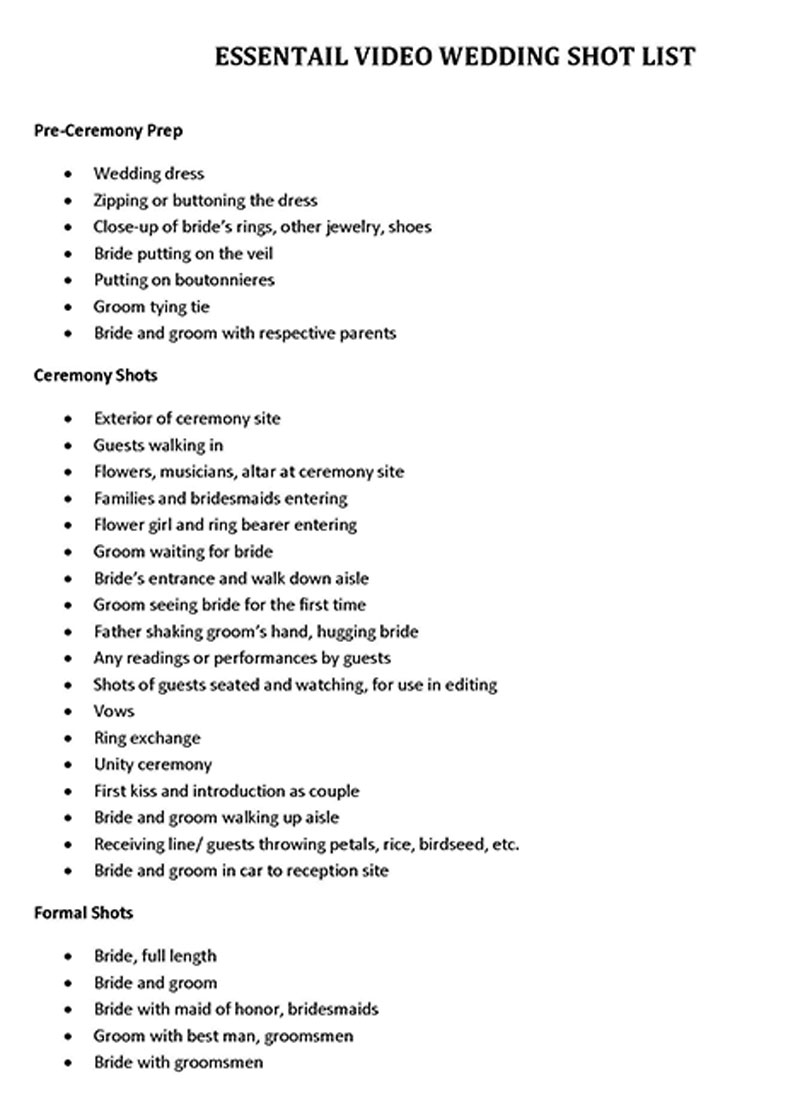
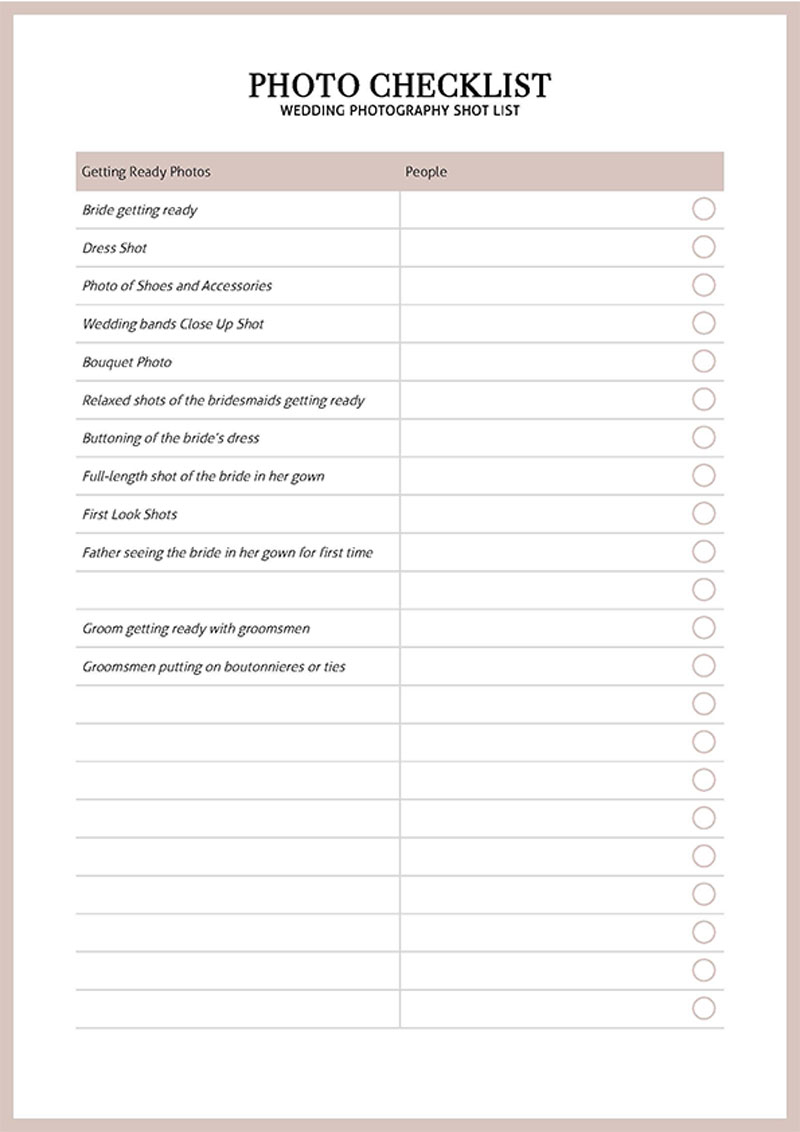
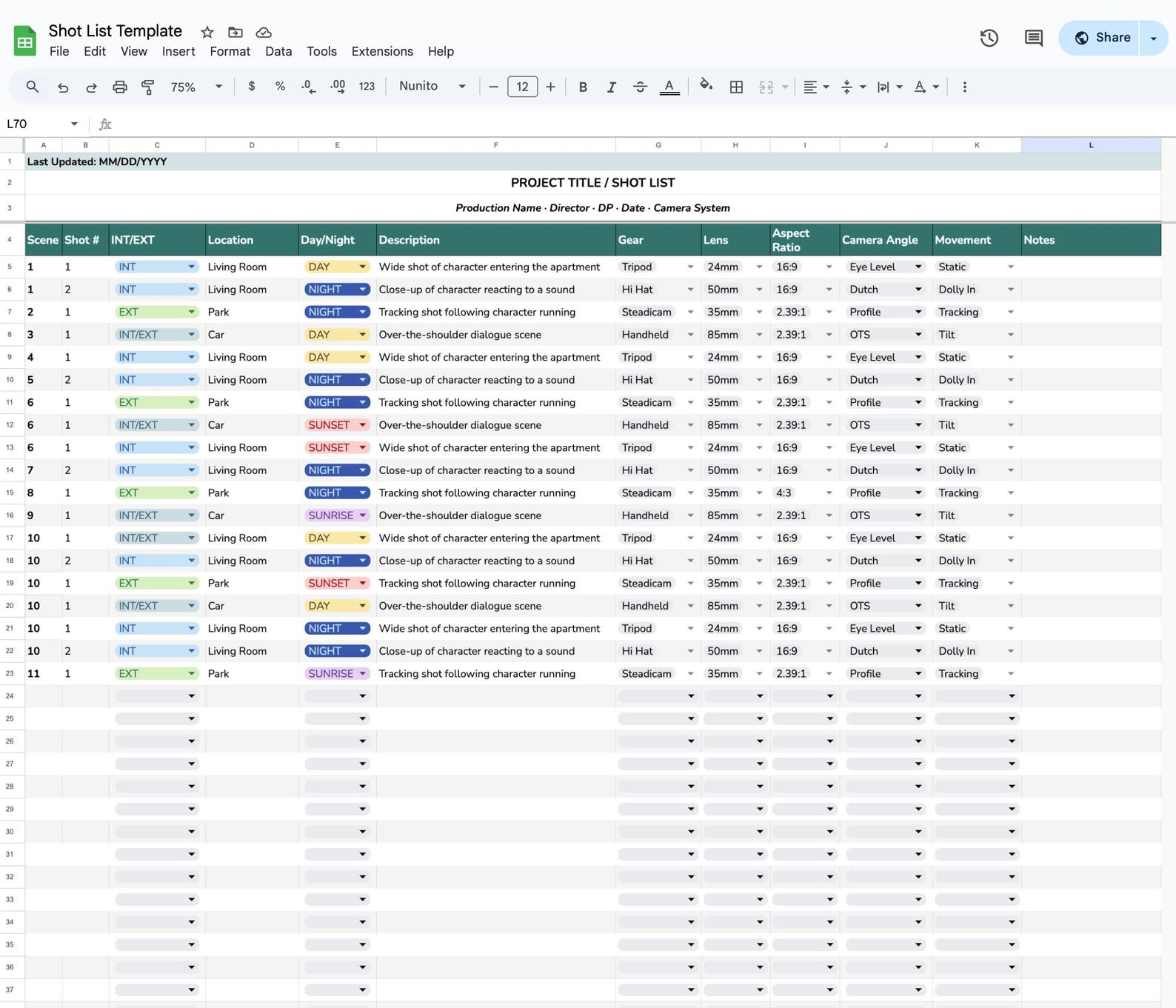
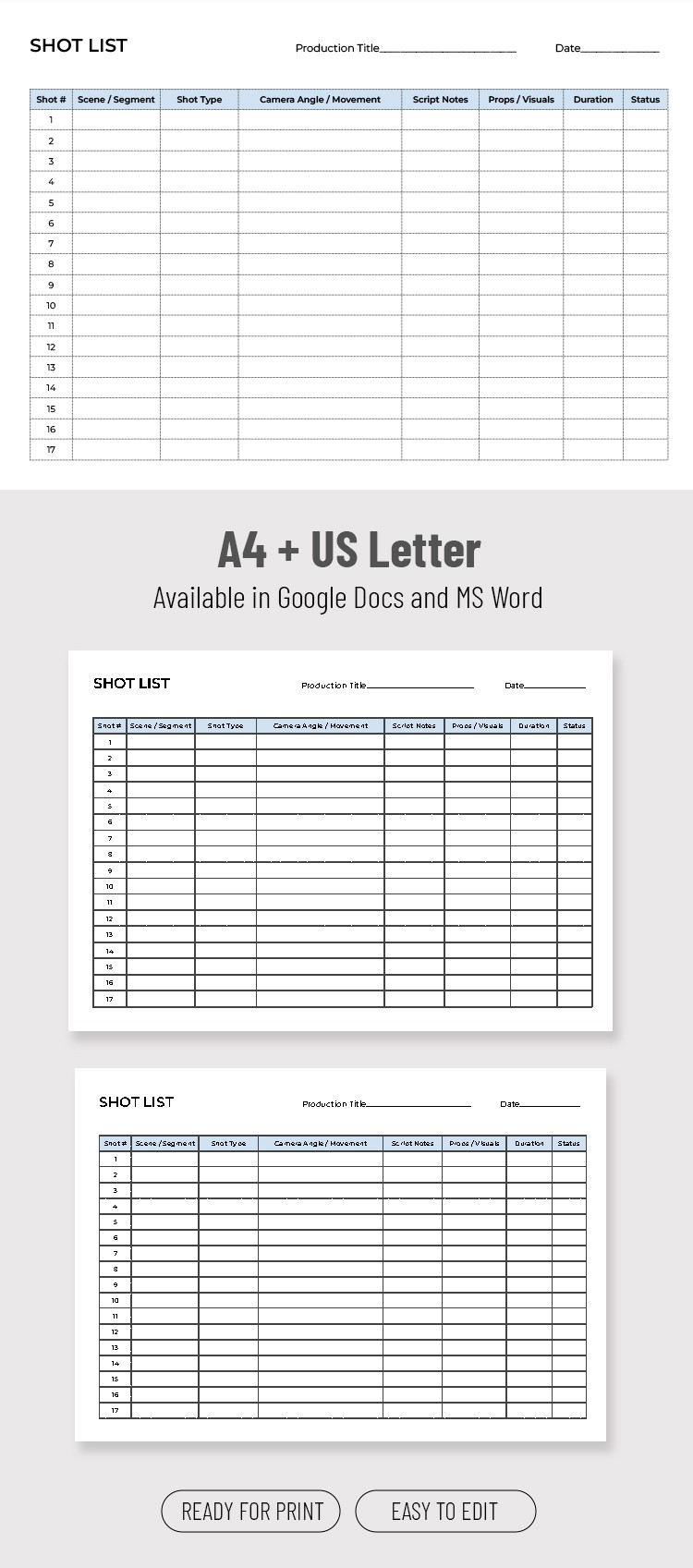
A shot list for commercial Template is easiest to understand when its structure is viewed as a working production document rather than as an abstract checklist. The references below show different ways a shot list can organize scene numbers, shot types, camera movement, equipment, locations, timing, descriptions, and completion status. Some examples are designed for general filmmaking rather than advertising specifically, but their structures demonstrate the same planning principles that can be adapted to commercial production.
The visual references also show why there is no single mandatory layout for every production. One document may emphasize camera mechanics, another may prioritize action and description, while another may combine storyboard space with technical fields. When choosing or adapting a template, focus on whether the layout makes the information easy to scan and whether it reflects the actual decisions your crew must make before and during the shoot.
Shot List Template 05-22-09
Source: Word Templates Online
Shot List Template 06-22-05-2
Source: Word Templates Online
Shot List Template 05-22-01-1
Source: Word Templates Online
Film Shot List Template
Source: Etsy
Shot List Template Overview
Source: TheGoodocs
Bricks Coffee Video Ad Shot List
Source: Scribd
