For a small retailer, an inventory outline may be a single spreadsheet. For a growing business, it may become a workbook with product, supplier, movement, purchasing, and dashboard sheets. The underlying principle is the same: inventory information should be structured so that another person can understand it, update it, and use it to make decisions without having to reconstruct the system from scratch.
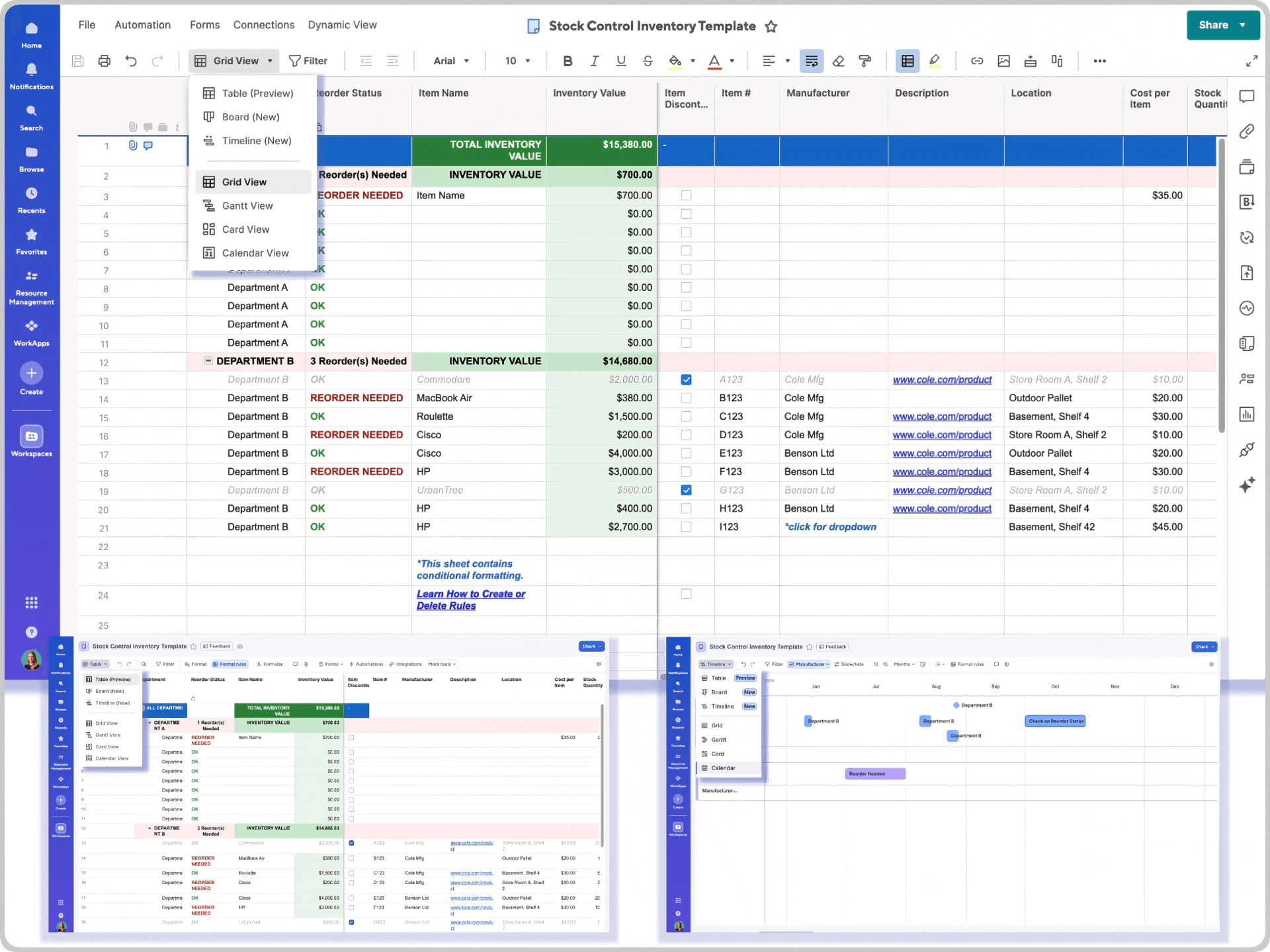
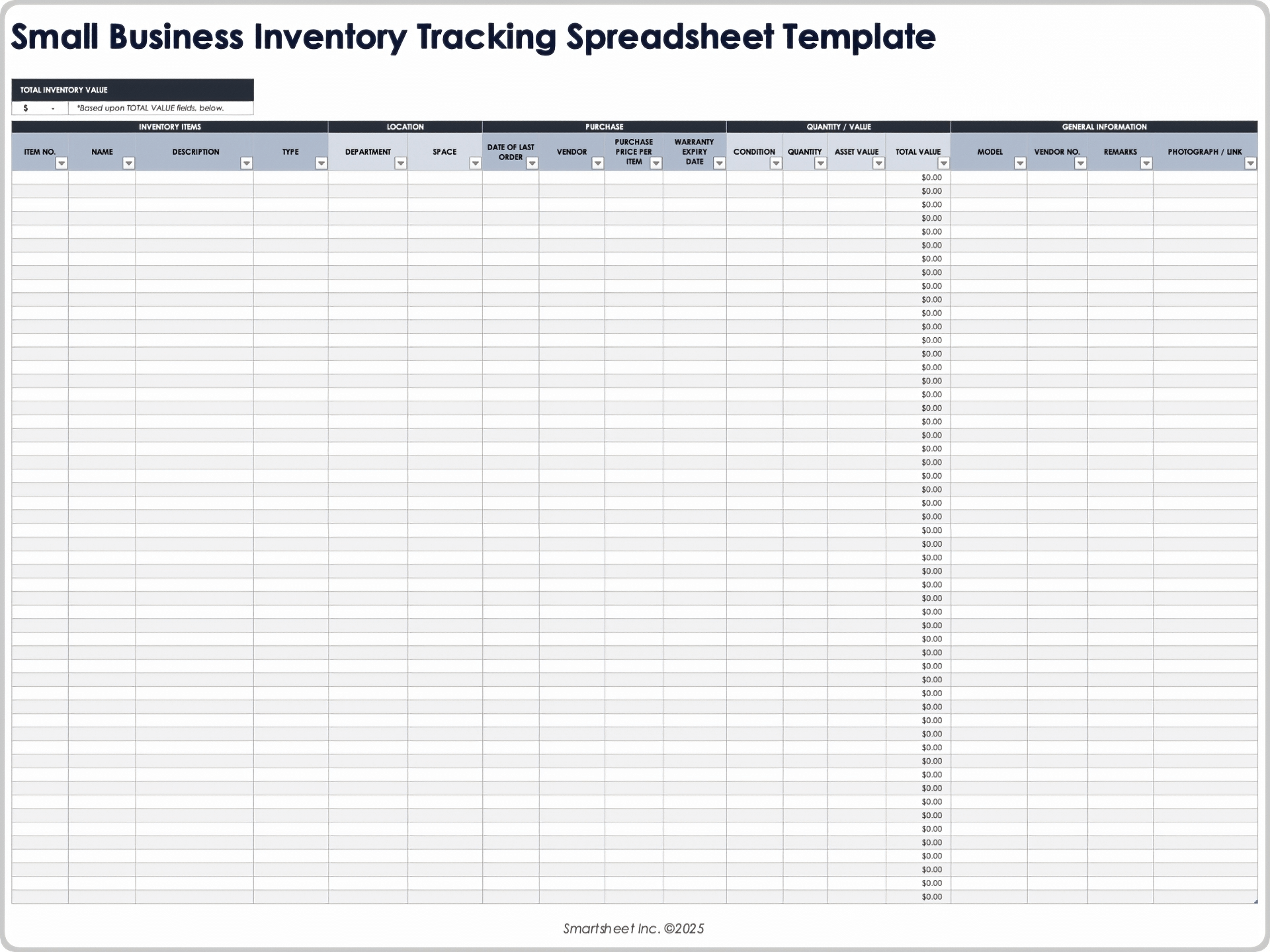
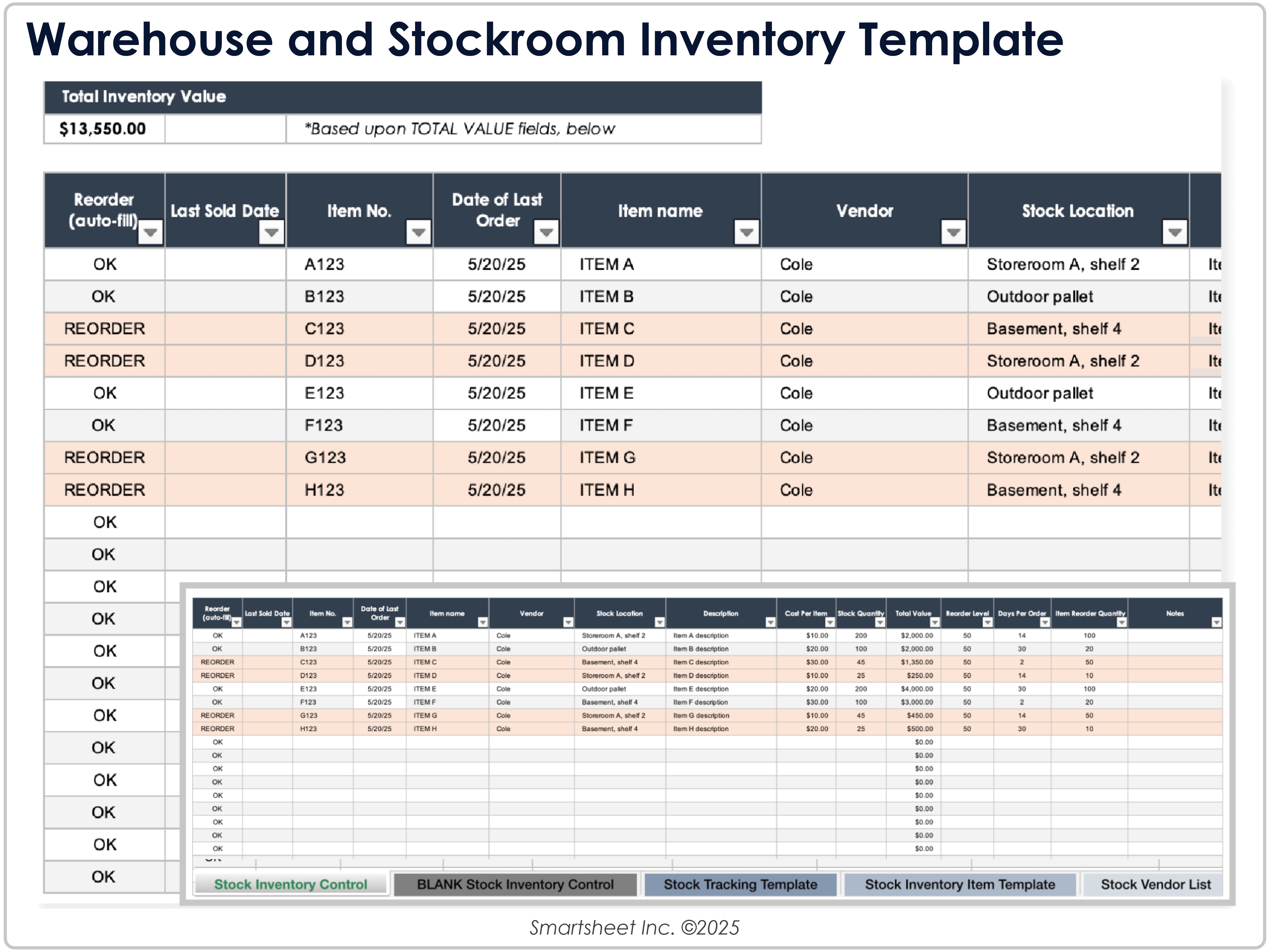
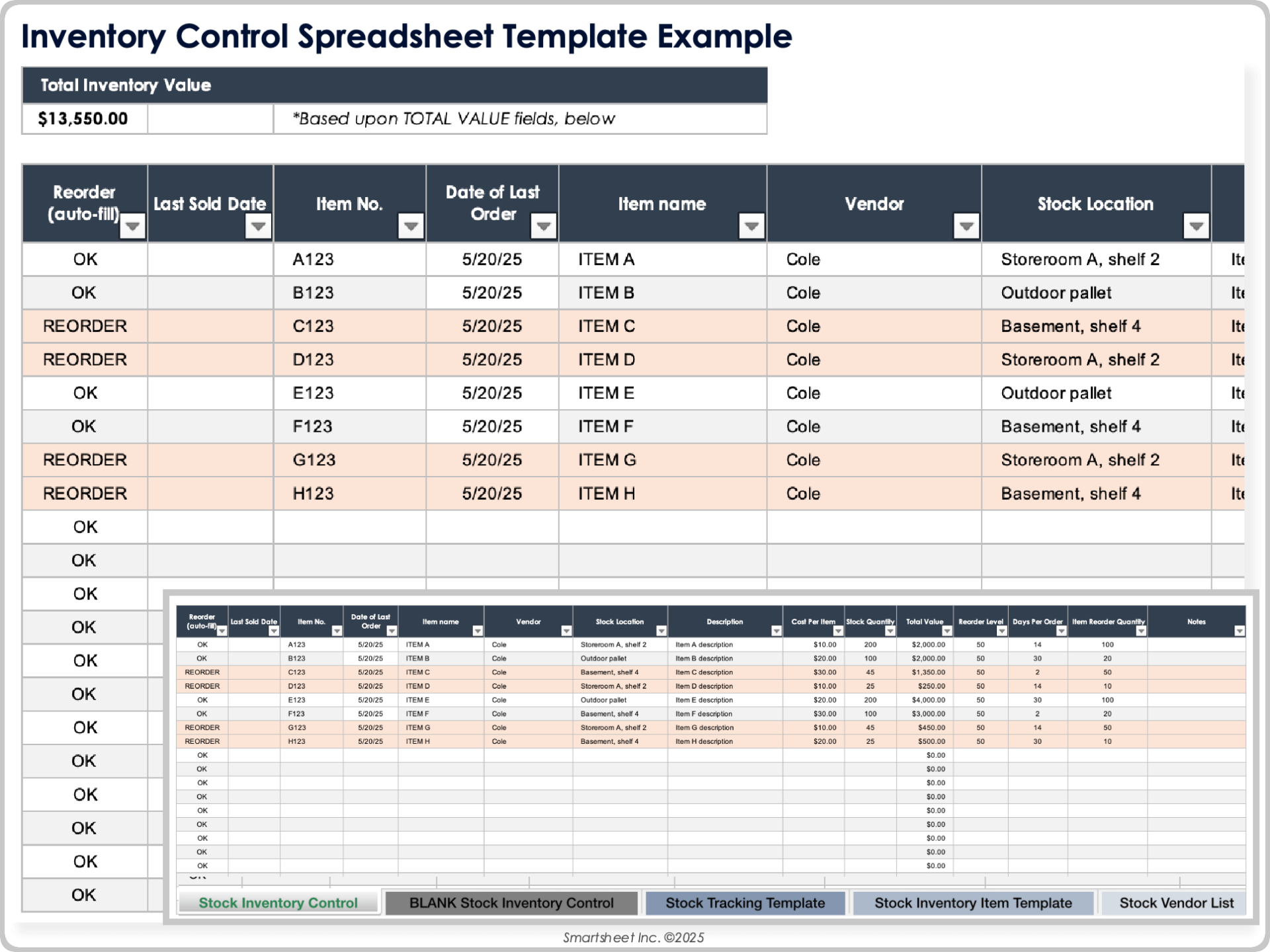
Current inventory template resources commonly use fields such as item number, item name, location, quantity, unit cost, total value, reorder level, vendor, and transaction dates. More advanced designs separate master data from movement records and use formulas or alerts to identify stock that needs attention. :contentReference[oaicite:0]{index=0}
This guide explains how to design an inventory outline that remains useful as the number of products, locations, suppliers, and transactions increases. It also compares practical formats, explains what each field should accomplish, and shows how to turn a basic list into a dependable inventory workflow.
The goal is not to make the spreadsheet look complicated. The goal is to make the information easy to enter, easy to verify, easy to analyze, and difficult to misunderstand.
What Is a Modern Inventory Outline Template?
A modern inventory outline template is a predefined structure for recording and organizing inventory information. Instead of starting with a blank document, the user begins with clearly labeled fields and an intentional order of information. The template can then be adapted to products, raw materials, supplies, equipment, merchandise, spare parts, or other stock categories.
The word “modern” is useful because inventory templates have evolved beyond static lists. A contemporary design may combine an item master, stock movement log, reorder controls, supplier information, calculated inventory value, and a management summary. This makes the template useful for both day-to-day operations and higher-level decision-making.
A well-designed outline also separates facts from calculations. For example, the quantity physically counted should be an input, while total inventory value can be calculated from quantity and unit cost. Keeping those roles distinct reduces accidental overwriting and makes the workbook easier to audit.
The structure should also reflect how inventory actually moves. Items are received, stored, transferred, sold, consumed, returned, adjusted, or disposed of. A good template makes those movements traceable instead of simply replacing yesterday’s quantity with today’s number.
For that reason, the best inventory outline is not necessarily the one with the most columns. It is the one that captures the information needed to answer practical questions such as “What do we have?”, “Where is it?”, “What is running low?”, “What is already on order?”, and “Why does the physical count differ from the record?”
Why Inventory Templates Matter
Inventory accuracy affects purchasing, customer service, warehouse work, production planning, and financial visibility. If the recorded quantity is wrong, a buyer may reorder something unnecessarily or fail to replenish a product that is actually close to running out.
A consistent template creates a shared language for the inventory team. Everyone uses the same item identifiers, units of measure, location codes, status labels, and date conventions. That consistency is especially important when more than one person updates the records.
Templates also reduce the time required to perform recurring tasks. A staff member can enter a stock movement without deciding where the information belongs each time. A manager can filter the same columns every week to identify low-stock items or outstanding purchase orders.
Another advantage is comparability. When the same fields are captured over time, the business can examine changes in stock levels, inventory value, reorder activity, slow-moving products, and supplier performance. A blank document does not provide that structure automatically.
Finally, an inventory template provides a useful bridge between manual processes and specialized inventory software. A small operation can begin with a spreadsheet, establish disciplined data practices, and later migrate cleaner information into a dedicated system if transaction volume or complexity makes that necessary.
Core Components of a Modern Inventory Outline Template
1. Item identification
Every inventory record should have a unique identifier. This may be called a SKU, item number, asset number, product ID, or another internal code. The important point is that the identifier should distinguish one record from another.
Item names should be descriptive enough for people to recognize the product, but they should not carry the entire burden of identification. A name such as “Blue Cotton Shirt” may be ambiguous if there are multiple sizes, suppliers, or styles. A unique code solves that problem.
Descriptions should explain meaningful characteristics without becoming uncontrolled free-form notes. Depending on the business, useful attributes may include size, material, color, packaging, model, grade, or configuration.
Categories provide another useful layer. They make it easier to filter the inventory, summarize value, compare demand, and assign different replenishment rules to different product groups.
A clean item master therefore commonly includes fields such as SKU, item name, category, description, unit of measure, barcode, supplier, and active status. Separating these relatively stable fields from daily movements makes the system easier to maintain.
2. Quantity and stock status
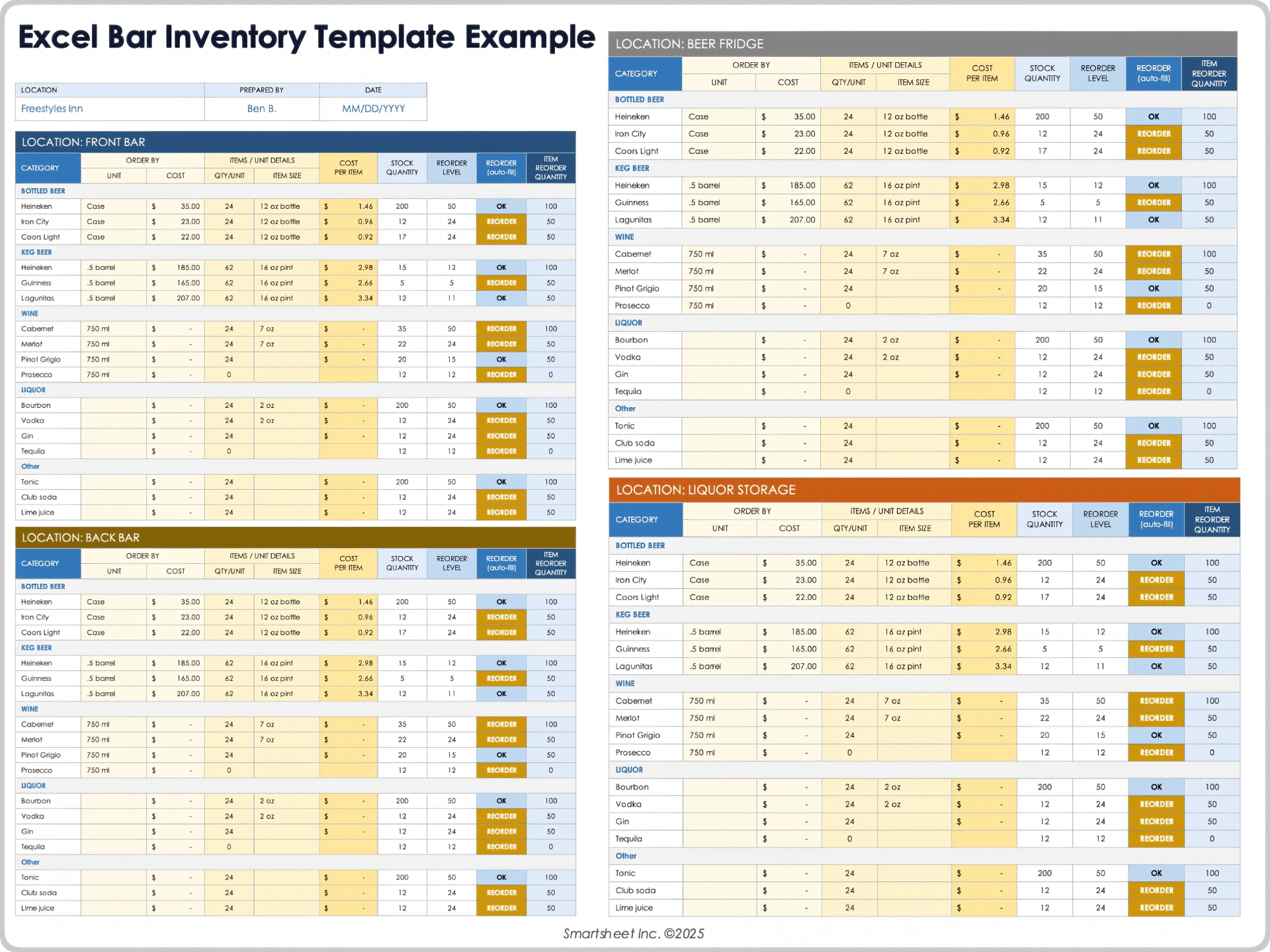
Quantity on hand is the most visible inventory field, but it should not stand alone. A useful system distinguishes current stock from quantities that are already ordered, reserved, damaged, unavailable, or in transit when those distinctions matter to the business.
A status field can make the information easier to scan. Common examples include In Stock, Low Stock, Reorder, Out of Stock, On Order, Discontinued, and Hold. The exact labels should match the business process rather than being copied blindly from another template.
Units of measure must be standardized. Counting one product by pieces while another is counted by cartons is acceptable if the unit is explicitly defined. Problems arise when staff alternate between cases, boxes, packs, and individual units without documenting the conversion.
For fast-moving products, the template may also include minimum stock, maximum stock, safety stock, reorder point, or reorder quantity. These fields turn the inventory list into a replenishment tool rather than merely a record of what was counted.
The important distinction is that a threshold is a management rule, while quantity on hand is an observation. Keeping both visible lets the reader understand not only what exists, but whether the current level requires action.
3. Location information
Location becomes increasingly important as inventory moves beyond one shelf or room. A location field might identify a warehouse, store, department, aisle, rack, shelf, bin, or fulfillment area.
For a small operation, “Back Room” may be sufficient. For a warehouse, a structured code such as WH1-A03-R02-B04 can identify a specific storage position. The exact format should be simple enough that employees can understand and use it consistently.
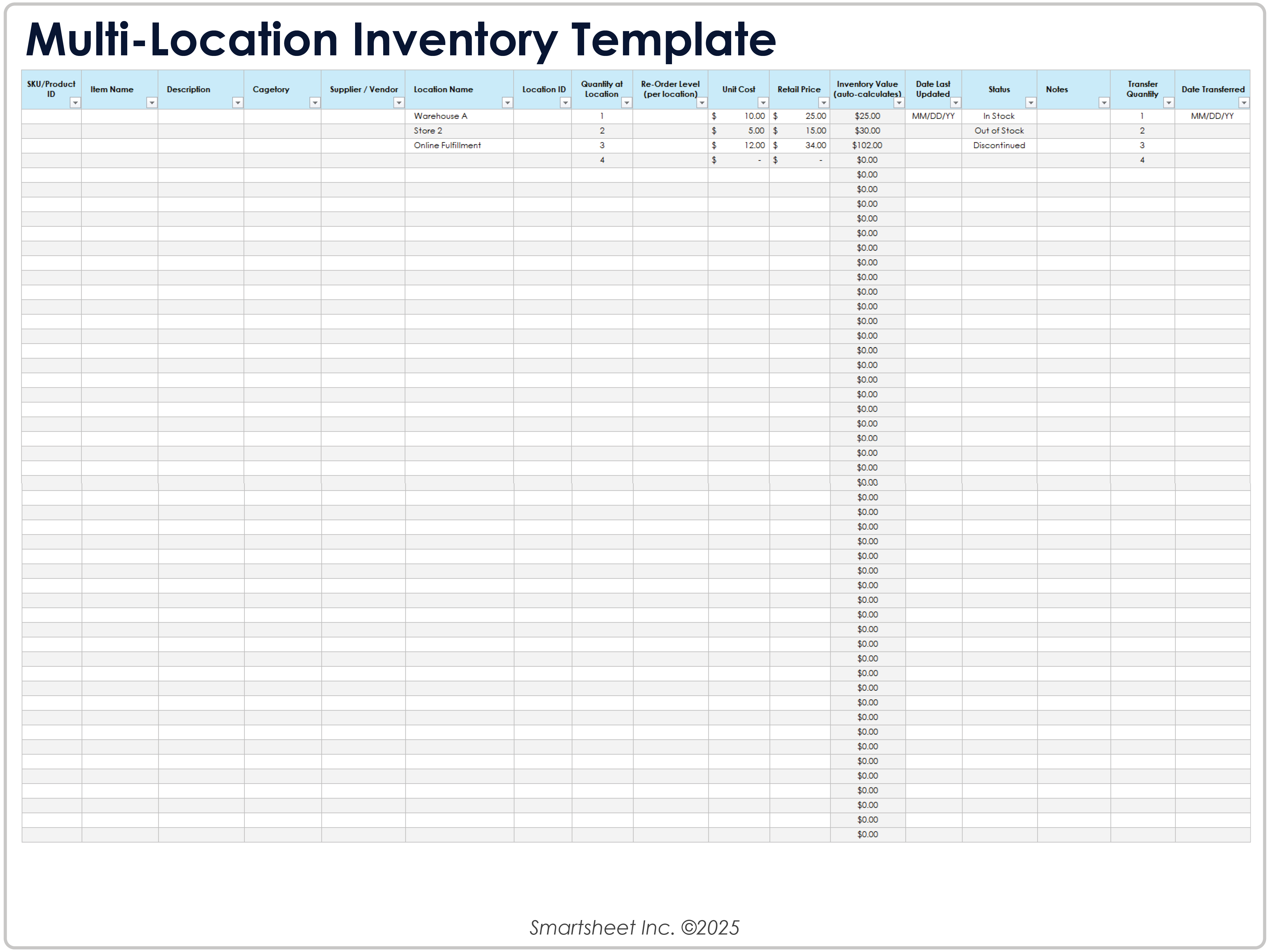
Multi-location inventory requires special care because the same SKU can exist in several places. A single total quantity can hide an important operational problem if one site has excess stock while another has none.
A modern template can therefore include location-level quantities, transfer quantities, and transfer dates. This makes the workbook more useful for deciding whether to purchase new stock or move existing stock between locations.
Location data should also be controlled through consistent naming. A dropdown list or reference table can prevent variations such as “Warehouse A,” “WH A,” and “Warehouse-A” from being treated as three different locations during filtering or reporting.
4. Cost and inventory value
Many inventory templates include unit cost because management often needs to understand not just how many units exist, but how much capital is tied up in stock. A basic calculated value is quantity multiplied by unit cost.
For example, if a hypothetical item has 240 units on hand and an internal tracking cost of $8 per unit, its recorded inventory value would be $1,920 under that simple calculation. The example is illustrative; actual accounting treatment depends on the organization’s policies and applicable accounting framework.
Cost fields should be clearly labeled. “Purchase price,” “standard cost,” “landed cost,” and “selling price” are not interchangeable concepts. A template should not imply that one value represents another.
Inventory valuation can become more complex when purchase costs change over time or when the organization uses a particular costing method. A simple operational tracker can still show a current tracking cost, but users should distinguish that from formal financial reporting.
Keeping cost and quantity fields separate also makes the template flexible. If costs are updated periodically, formulas can recalculate inventory value without requiring every quantity record to be rebuilt.
5. Supplier and purchasing data
Supplier information becomes valuable when the template is used to manage replenishment. Useful fields can include supplier name, supplier item code, contact information, lead time, minimum order quantity, preferred order quantity, and last order date.
Lead time is particularly important because a reorder point should reflect how long replenishment normally takes. An item with a long supplier lead time may need a higher threshold than a fast-replenishing item with similar demand.
Purchase order information can be tracked separately from the item master. This avoids repeatedly typing purchase details into every product row and makes it easier to see what is currently expected from suppliers.
A purchasing workflow should distinguish between “needs to be ordered” and “already ordered.” Otherwise, staff may place duplicate orders because the inventory list still shows the item below its threshold.
Templates that include order date, expected delivery date, quantity ordered, and received quantity can also support receiving reconciliation. The goal is to create a clear chain from stock requirement to purchase to receipt.
How to Design a Modern Inventory Outline Template
Step 1: Define the purpose before adding columns
Start by deciding what the template must accomplish. A retail stock list has different needs from an equipment register, restaurant ingredient tracker, or manufacturing material list.
Write down the decisions the template should support. Examples include deciding what to reorder, locating a product, reconciling a physical count, preparing a purchase request, or estimating the value of stock.
This exercise prevents unnecessary columns. If a field does not support a decision, transaction, control, or useful report, it may not belong in the primary inventory sheet.
Next, identify the people who will use the template. A warehouse employee may need speed and simple dropdowns, while a purchasing manager may need supplier and lead-time information. A finance user may need cost and valuation fields.
The final design should accommodate these needs without making the frontline entry process unnecessarily difficult. Good inventory design balances completeness with usability.
Step 2: Build the item master
Create a stable list of items first. This becomes the reference point for transactions, counts, purchase orders, and reports.
Use one row per distinct inventory item or SKU. Avoid putting multiple unrelated products into one row merely because they belong to the same category.
Include the fields that change infrequently: SKU, item name, category, unit, description, supplier, standard cost, reorder point, reorder quantity, and active status.
Use consistent formatting for dates, currency, units, and identifiers. If the workbook is shared, document these conventions so a new employee does not create a different structure after a few weeks.
For larger item lists, protect formula cells and reference tables. Data validation can restrict category, location, unit, and status entries to approved choices. This type of control is a practical way to prevent spelling variations from weakening reports.
Step 3: Add the movement log
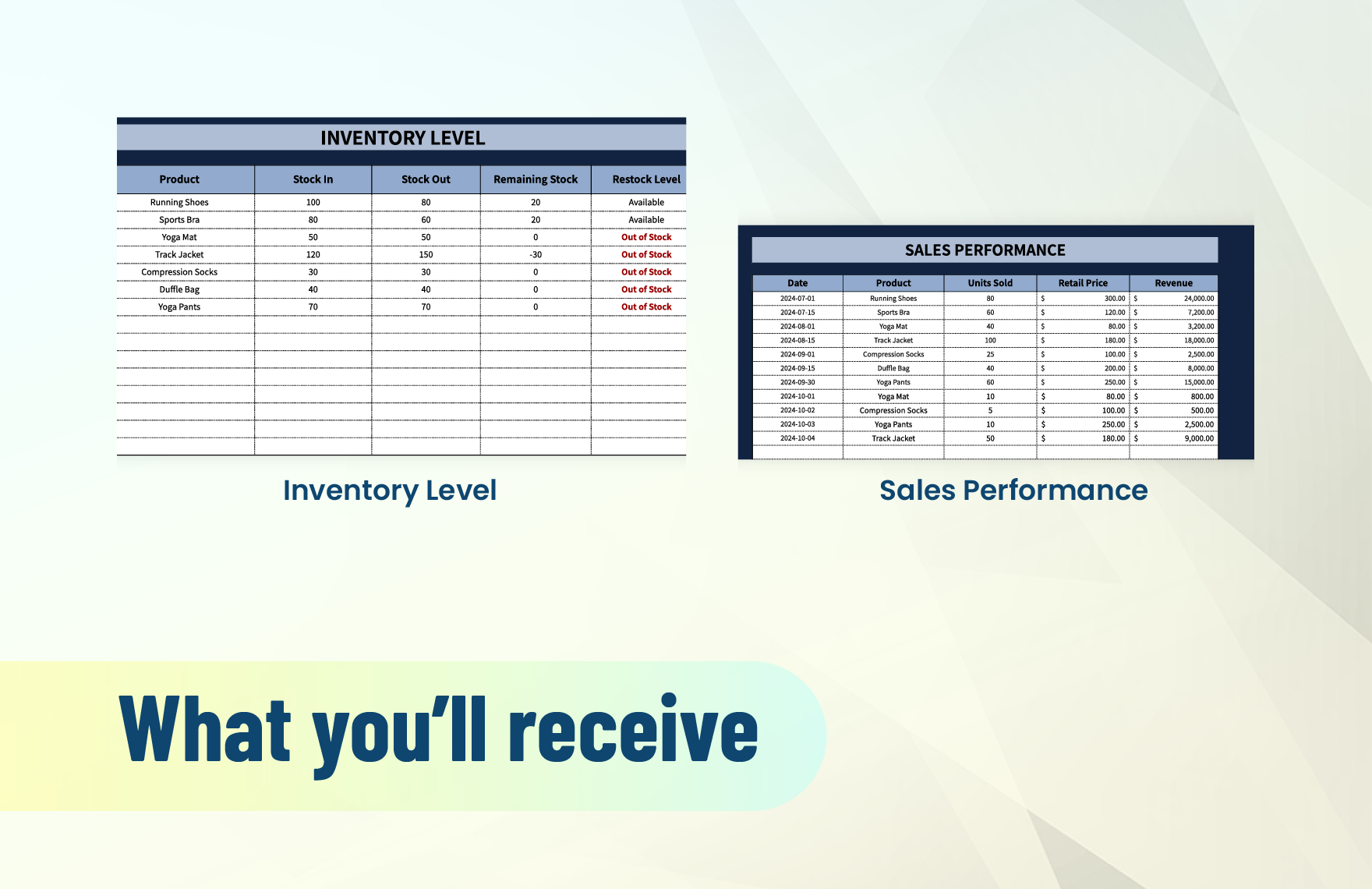
A movement log records changes rather than simply storing a new balance. Typical transaction types include receipt, sale, issue, transfer, return, adjustment, damage, and disposal.
A movement record should identify the date, SKU, transaction type, quantity, location, reference number, and person responsible when appropriate. The exact fields depend on how much traceability the business needs.
Suppose a hypothetical store receives 50 units, sells 12, and later transfers 8 to another location. A movement-based design makes those events visible instead of leaving only the final balance.
This approach is especially useful when a physical count does not match the system. The movement history provides a starting point for investigating receiving errors, unrecorded transfers, incorrect issues, or counting mistakes.
For small inventories, a movement log can remain simple. As transaction volume increases, however, it is usually better to keep the log separate from the item master and calculate current stock from transactions or controlled stock updates.
Step 4: Add reorder logic
A reorder point is a practical signal that an item may need replenishment. A common conceptual approach is to consider expected demand during supplier lead time plus a safety-stock allowance.
For example, if a hypothetical item normally sells 6 units per day, the supplier lead time is 10 days, and management has chosen 20 units of safety stock, a simple reorder point would be 80 units.
The formula is not universal. Demand variability, supplier reliability, seasonality, promotions, service expectations, minimum order quantities, and storage limitations can all affect the appropriate rule.
A template should therefore make the underlying assumptions visible rather than presenting a threshold as a mysterious number. Useful fields include average daily demand, lead time, safety stock, reorder point, and reorder quantity.
Conditional formatting can make low-stock conditions visually obvious, but visual alerts should support a defined process. Someone should know who reviews the alert, how often it is checked, and what action follows it.
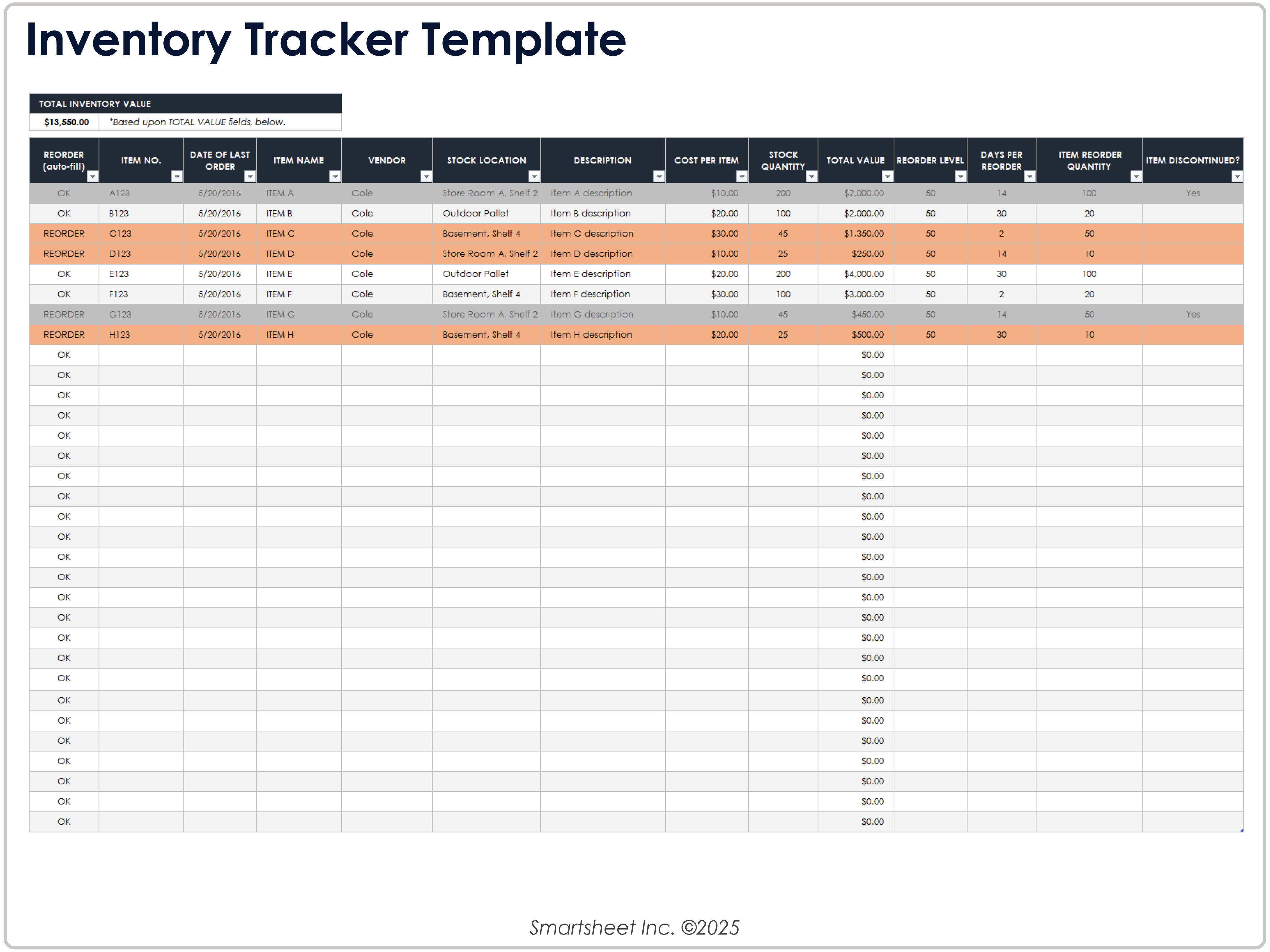
Choosing the Right Format
Spreadsheet format
Spreadsheet-based inventory systems remain practical for small operations because they are flexible, familiar, and relatively inexpensive. Excel and Google Sheets can handle structured tables, formulas, filters, validation rules, and dashboards.
A spreadsheet is especially appropriate when transaction volume is manageable, the number of users is limited, and the business does not require sophisticated integrations.
The weakness of a spreadsheet is not the file format itself. The bigger risk is poor governance. Multiple uncontrolled copies, manual overwriting, inconsistent formulas, and unclear ownership can quickly make a spreadsheet unreliable.
A good spreadsheet should therefore have a clear master copy, named sheets, documented rules, controlled inputs, regular backups, and a defined owner.
When the workbook becomes difficult to explain or when many users need simultaneous transactional access, it may be time to evaluate dedicated inventory software rather than adding more complexity to the spreadsheet.
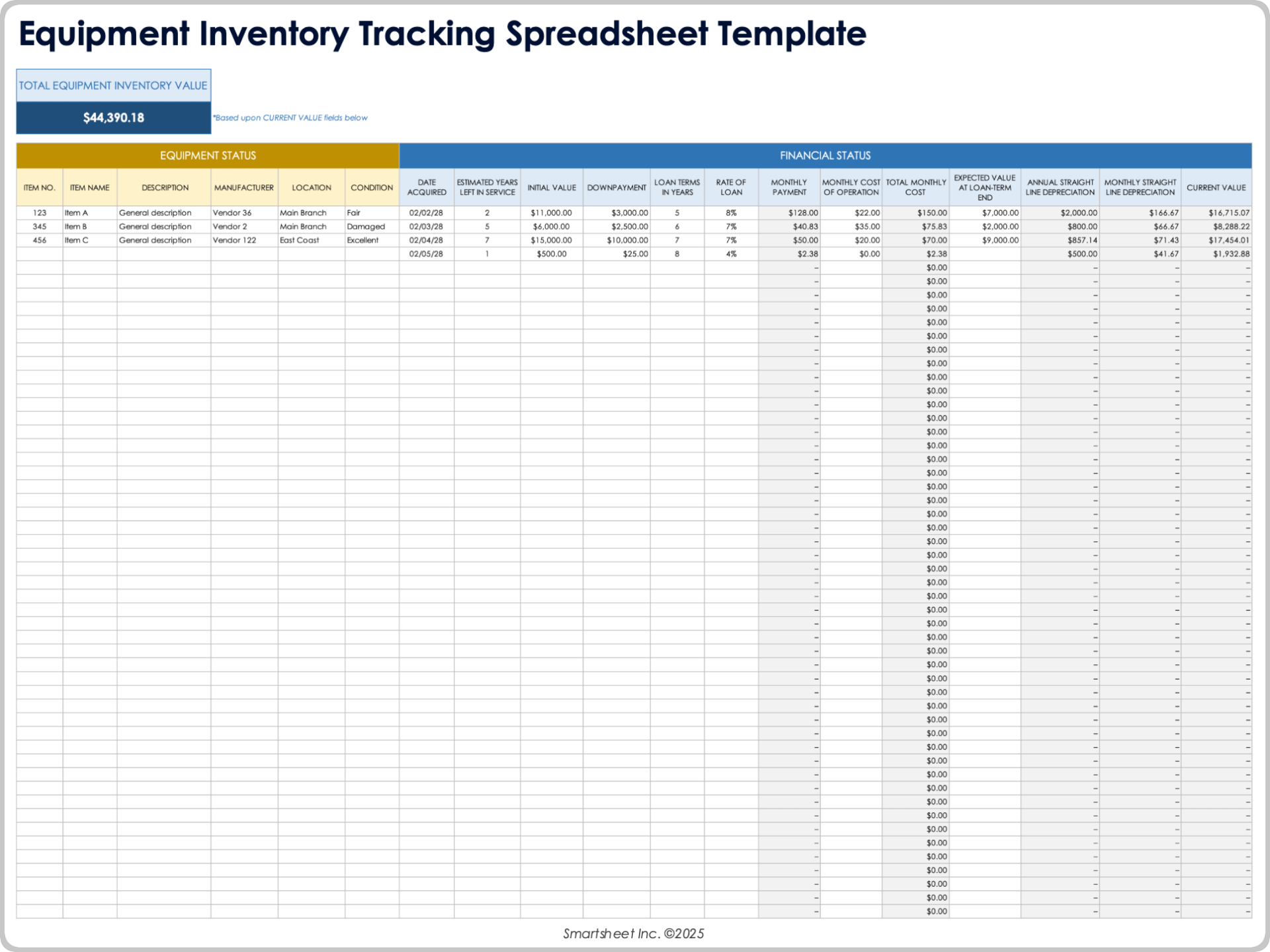
Online and collaborative formats
An online inventory template can be useful when several people need access from different locations. Cloud-based spreadsheets provide collaborative editing, version history, and centralized access when configured appropriately.
A simple online inventory workflow can work well for a distributed team that needs to update stock counts, purchase information, or item records without emailing new copies of a file.
However, online access does not automatically make an inventory system real-time. If staff enter updates only at the end of the day, the underlying information remains delayed.
Likewise, collaboration does not eliminate the need for permissions and data standards. Users should know which fields they may edit and which cells contain formulas or reference data.
The best online design combines centralized access with clear responsibilities. Someone should own the master data, someone should review exceptions, and routine users should have a simple process for recording transactions.
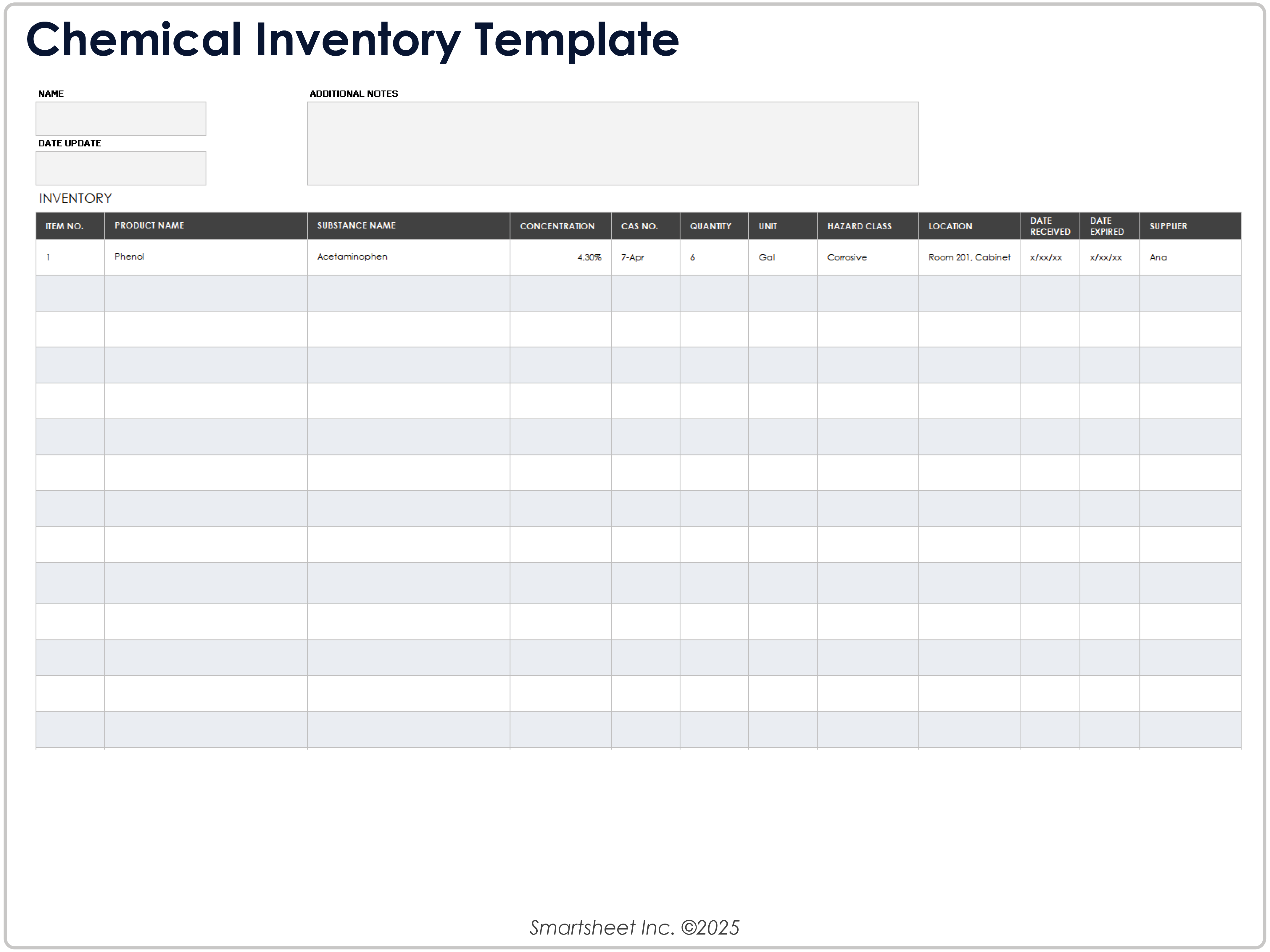
Printable formats
Printable inventory sheets remain useful in warehouses, storerooms, offices, and other environments where staff physically count items. A printed sheet can act as a temporary count record before results are entered into the main system.
A printable design should prioritize writing space, item identification, location, count quantity, and notes. Tiny fonts and excessive columns can make a physical count slower and increase the likelihood of transcription errors.
When the printed count is later entered into a digital system, the process should include a verification step. A second person or a controlled reconciliation process can review unusual differences before the inventory balance is changed.
Printable records are also useful when digital devices are not practical in a particular storage area. They should be treated as part of a defined workflow rather than as a permanent substitute for the central record.
For recurring counts, consider creating a standard count sheet with the same SKU and location order each time. Familiarity makes counting faster and makes discrepancies easier to spot.
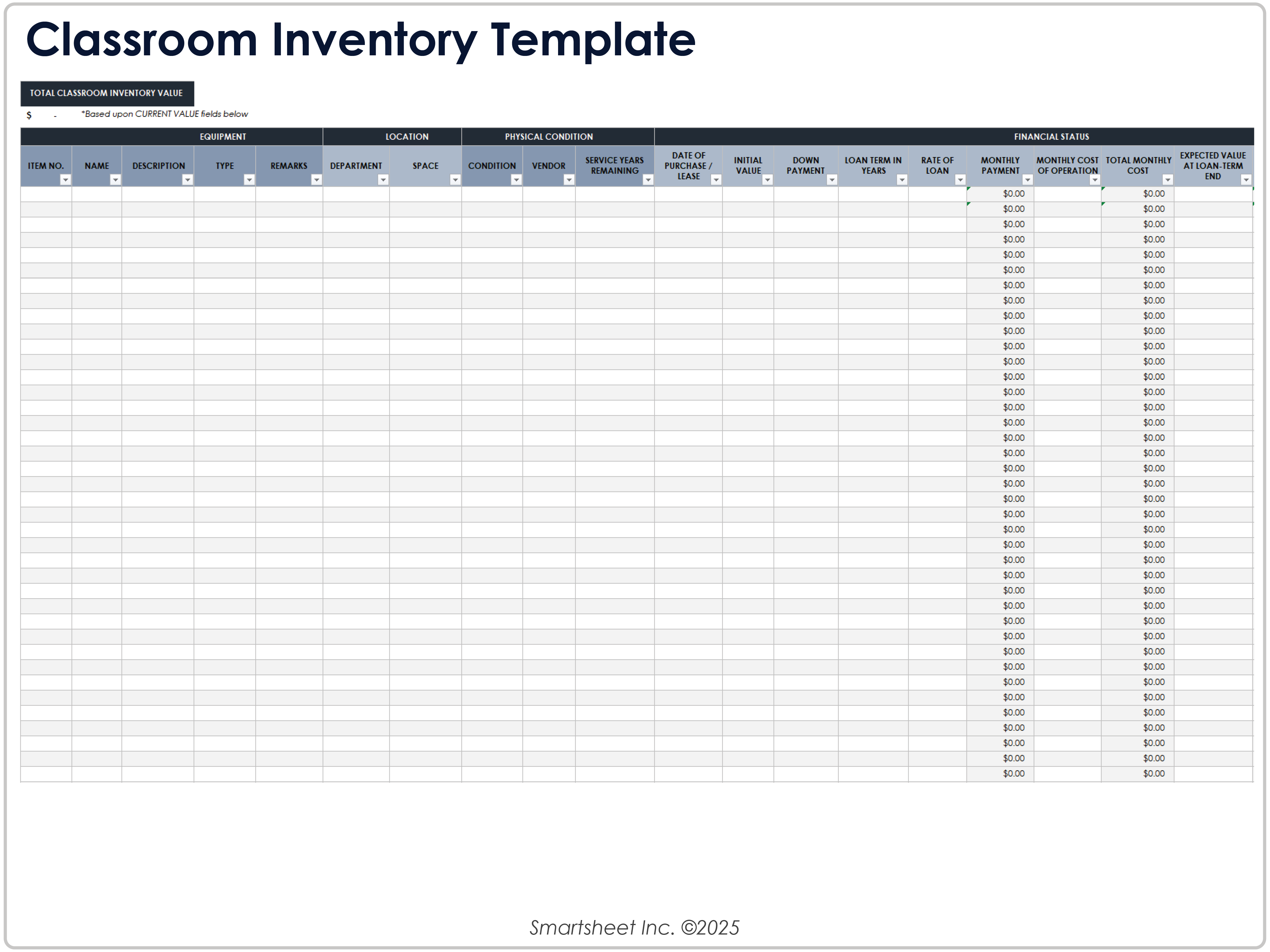
Modern Inventory Outline Template for Google Docs, Excel, Word, PDF, and PowerPoint
Different document formats serve different purposes, even when they contain similar inventory information. A spreadsheet is generally best for calculations and ongoing data entry, while a word-processing document can be better for printable forms or narrative procedures.
PDF is useful when a stable, non-editable presentation is needed for distribution, printing, or reference. It is not inherently better for active inventory data because changes generally require editing the original source file.
Google Docs can be useful for documentation around an inventory process, instructions, policies, or printable forms. For actual inventory calculations, a spreadsheet environment is usually more appropriate because rows, formulas, filters, and sorting are central to the task.
PowerPoint can be useful when inventory information needs to be presented to management. A dashboard slide can communicate total inventory value, stock risks, category performance, purchasing priorities, or trends without exposing the full working spreadsheet.
Word can be useful for count sheets, procedures, checklists, and printable inventory documentation. The right format depends on whether the document is intended for calculation, collaboration, printing, presentation, or archival reference.
How to Use an Inventory Template Step by Step
Step 1: Clean the starting data
Before importing an existing list, remove duplicate products and inconsistent naming. Two rows that appear to describe the same SKU can create misleading totals and reorder decisions.
Check that every item has a unique identifier and that units of measure are clear. Correct obvious spelling variations in categories, suppliers, and locations before building formulas.
Do not immediately add every historical field from an old system. First decide which information is operationally useful and which information belongs in an archive.
Then establish a baseline quantity. If possible, perform a physical verification for important items instead of assuming that the old spreadsheet balance is correct.
A clean starting point is often more valuable than an elaborate template filled with unreliable historical information.
Step 2: Record inventory movements consistently
Define the transaction types before users begin entering data. A short controlled list might include Receive, Sale, Issue, Transfer, Return, Adjustment, Damage, and Disposal.
Make quantity direction clear. One practical convention is to record receipts as positive quantities and issues as negative quantities. Another is to keep transaction type and quantity positive while calculating the effect from the transaction type.
Either approach can work. The important requirement is consistency and documentation. A new user should not have to guess whether “12” means twelve units received or twelve units removed.
Reference numbers can strengthen traceability. A purchase order, sales order, transfer number, adjustment ticket, or count batch can connect the inventory entry to supporting documentation.
Review unusual adjustments separately. Large manual corrections can conceal process problems if they are accepted without asking why the difference occurred.

Step 3: Perform regular inventory counts
Physical counting should not be reserved only for major annual exercises. Cycle counting allows selected items or locations to be checked on a recurring schedule.
High-value or fast-moving items may justify more frequent checks than slow-moving, low-risk items. The schedule should reflect business risk rather than treating every SKU as equally important.
When counting, isolate the location or clearly account for stock movement that occurs during the count. Receiving, picking, transfers, and replenishment can otherwise create differences that are caused by timing rather than by actual loss or error.
When a variance appears, recount before making an adjustment when practical. Then investigate plausible causes such as incorrect unit conversion, receiving mistakes, misplaced stock, unrecorded movement, damage, or data-entry errors.
The objective of cycle counting is not simply to make the spreadsheet match the physical count. It is to improve the process so that the same discrepancy is less likely to occur again.
Data Analysis and Inventory Reporting
Once the inventory data is structured, it can support more useful analysis than a simple stock list. Managers can summarize stock by category, location, supplier, status, or value.
Total inventory value is one useful indicator, but it should not be interpreted alone. A high inventory value may reflect healthy availability, excessive stock, seasonal purchasing, or simply expensive products.
Inventory turnover can help show how efficiently stock is moving. In general terms, turnover compares the cost of goods sold with average inventory. The exact calculation and interpretation should follow the organization’s accounting and reporting practices.
Days of supply or days of cover can provide another operational perspective. Instead of asking only how many units exist, the business estimates how long those units may last under an assumed demand rate.
Low-stock counts, out-of-stock incidents, slow-moving items, inventory adjustments, and supplier lead-time performance can also become dashboard metrics. The best dashboard is not the one with the most charts; it is the one that makes important actions obvious.
Example of a practical inventory dashboard
Imagine a hypothetical retailer with 600 active SKUs. Its dashboard could show total inventory value, number of items below reorder point, items currently out of stock, purchase orders awaiting receipt, and inventory value by category.
A second section could list the ten items requiring the most immediate attention. Each row might show SKU, product name, current quantity, reorder point, supplier, lead time, and expected delivery date.
A third section could show a trend over several months. The purpose would not be to decorate the dashboard, but to reveal whether inventory is growing faster than sales, whether stockouts are increasing, or whether a category is becoming unusually slow.
Filters can make the dashboard more useful. A manager might select one location, supplier, category, or product family and immediately see the relevant inventory position.
When creating charts, always preserve the ability to trace a metric back to its source records. A visually impressive dashboard is not useful if nobody can explain how the number was calculated.
Practical Inventory Examples
Example 1: Small retail shop
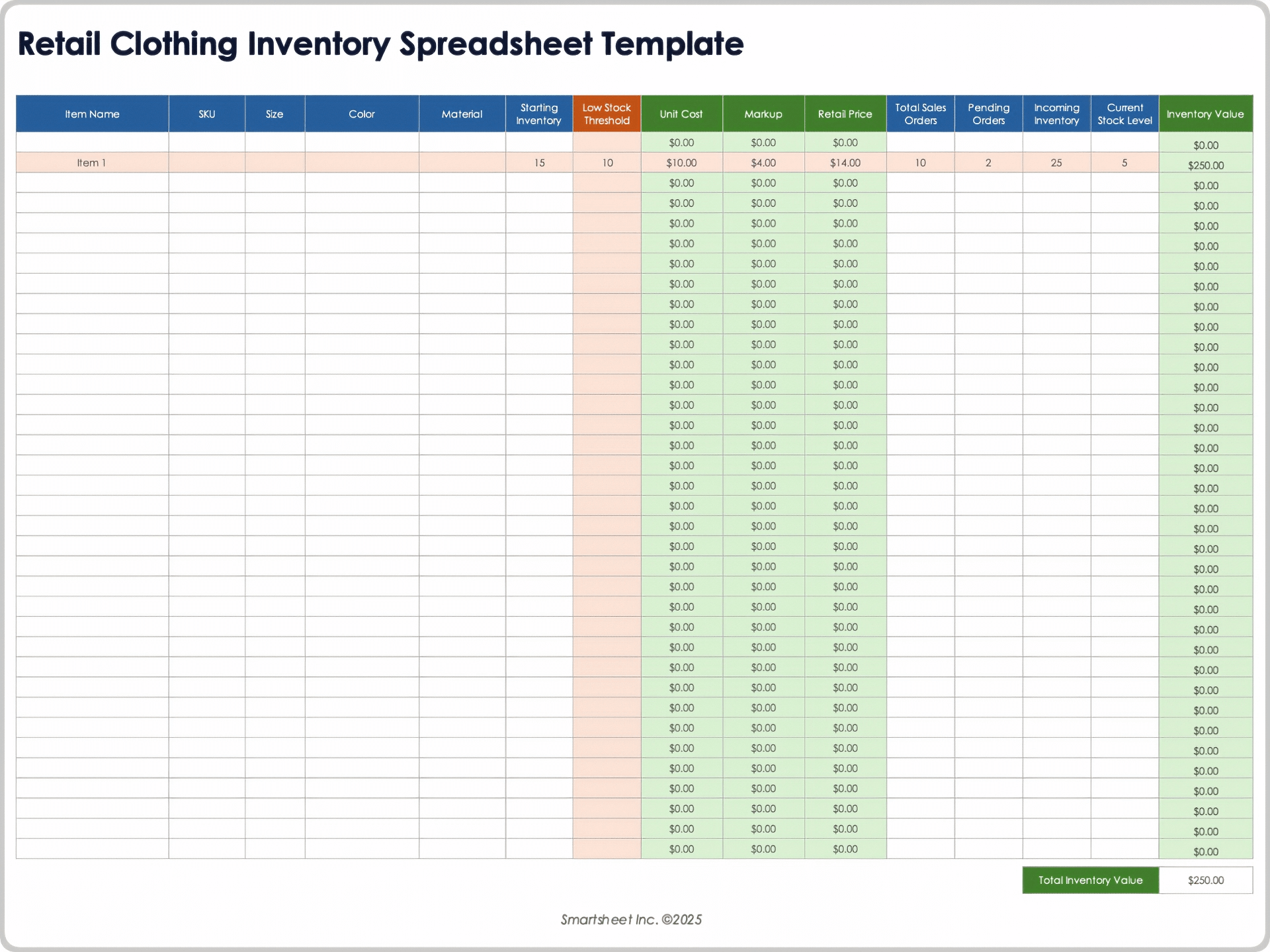
A small apparel shop might use SKU, product name, size, color, category, quantity on hand, unit cost, selling price, reorder threshold, and supplier as its core fields.
The owner could review the list every morning to identify products below their replenishment thresholds. A weekly report could then group products by category and show which sizes or colors are consistently selling through.
The shop does not necessarily need a complicated multi-sheet system on day one. A well-designed master list and simple movement process may be enough while the product catalog remains manageable.
As the number of transactions grows, the owner can add a movement sheet and dashboard without changing the basic product identifiers. This illustrates why a stable item master is valuable.
The template should evolve because the business has become more complex, not because complexity looks more professional.
Example 2: Warehouse with multiple locations
A warehouse operation may need SKU, description, warehouse, aisle, bin, quantity, available quantity, reserved quantity, reorder point, supplier, and movement history.
Suppose 500 units of a hypothetical component exist across three locations. A total stock figure of 500 does not tell the whole story if 450 units are in one warehouse and the production site needs 100 units immediately.
A location-aware template can reveal the imbalance and support a transfer decision before a new purchase is made.
The same structure can support receiving and issuing processes. Each movement can reference a document number, which makes later reconciliation easier.
Multi-location inventory becomes significantly easier to manage when the location field is treated as structured data instead of informal notes.
Example 3: Office and equipment inventory
Not all inventory is sold. Businesses also need records for computers, tools, furniture, machinery, and other equipment.
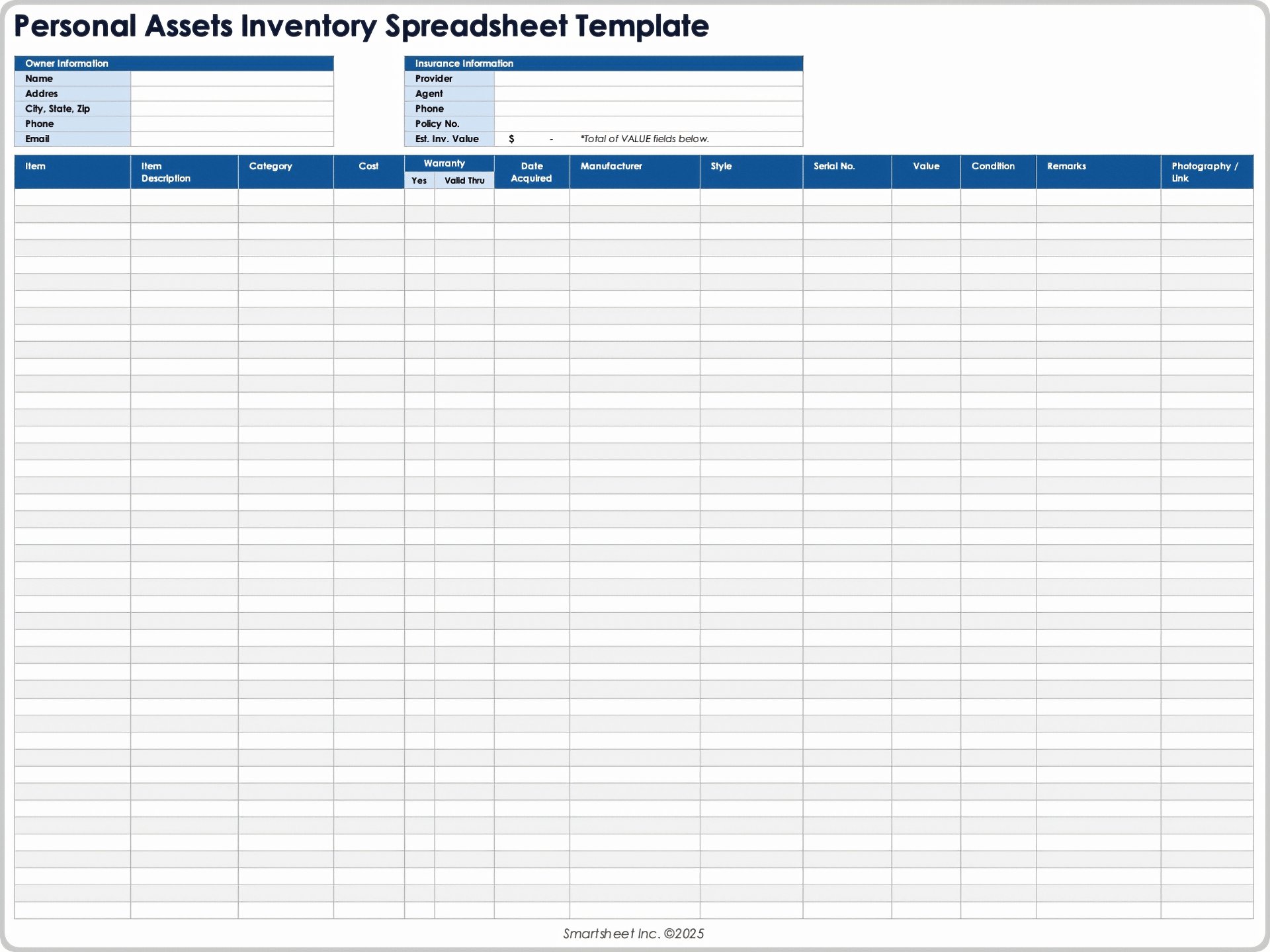
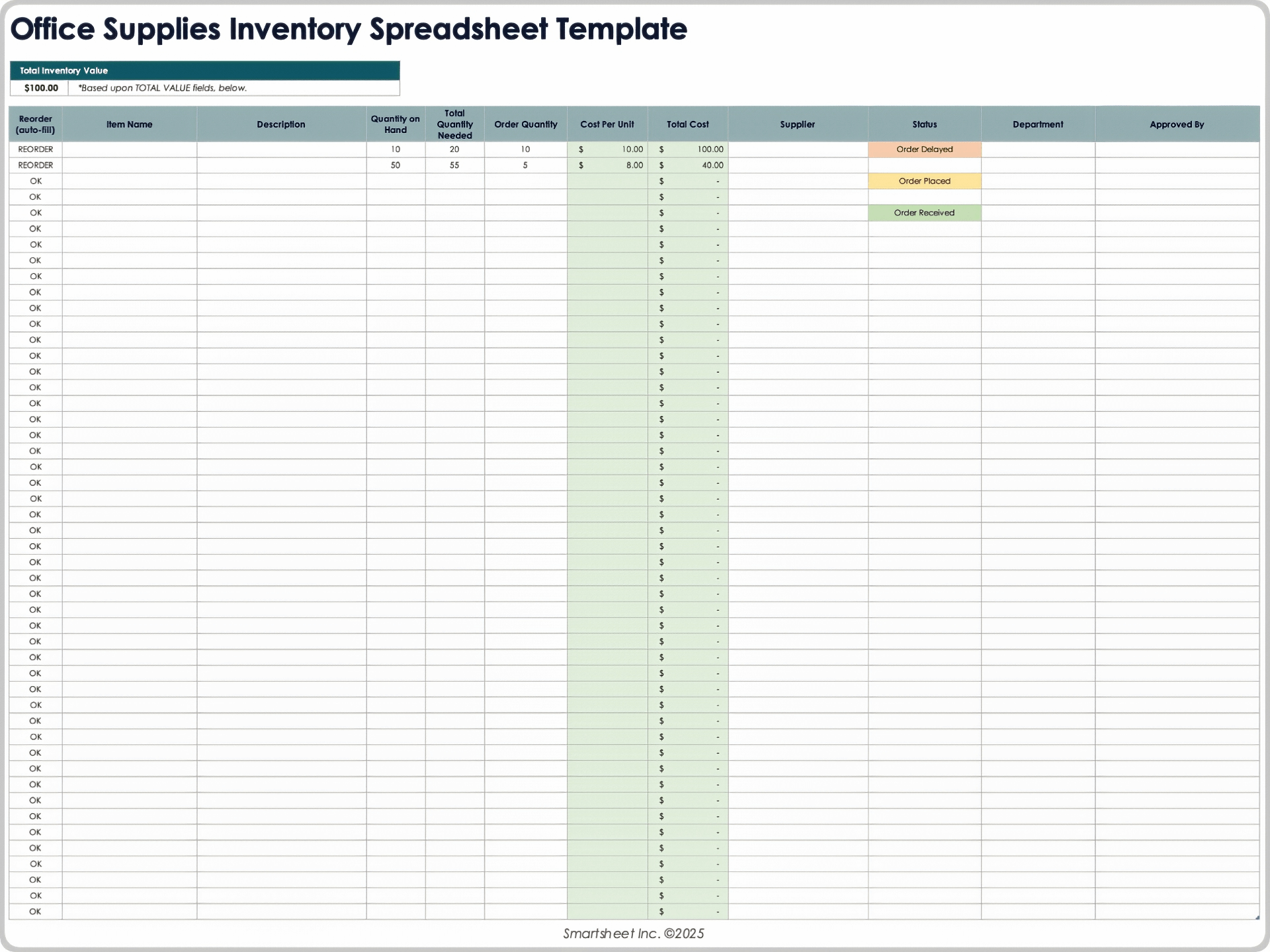
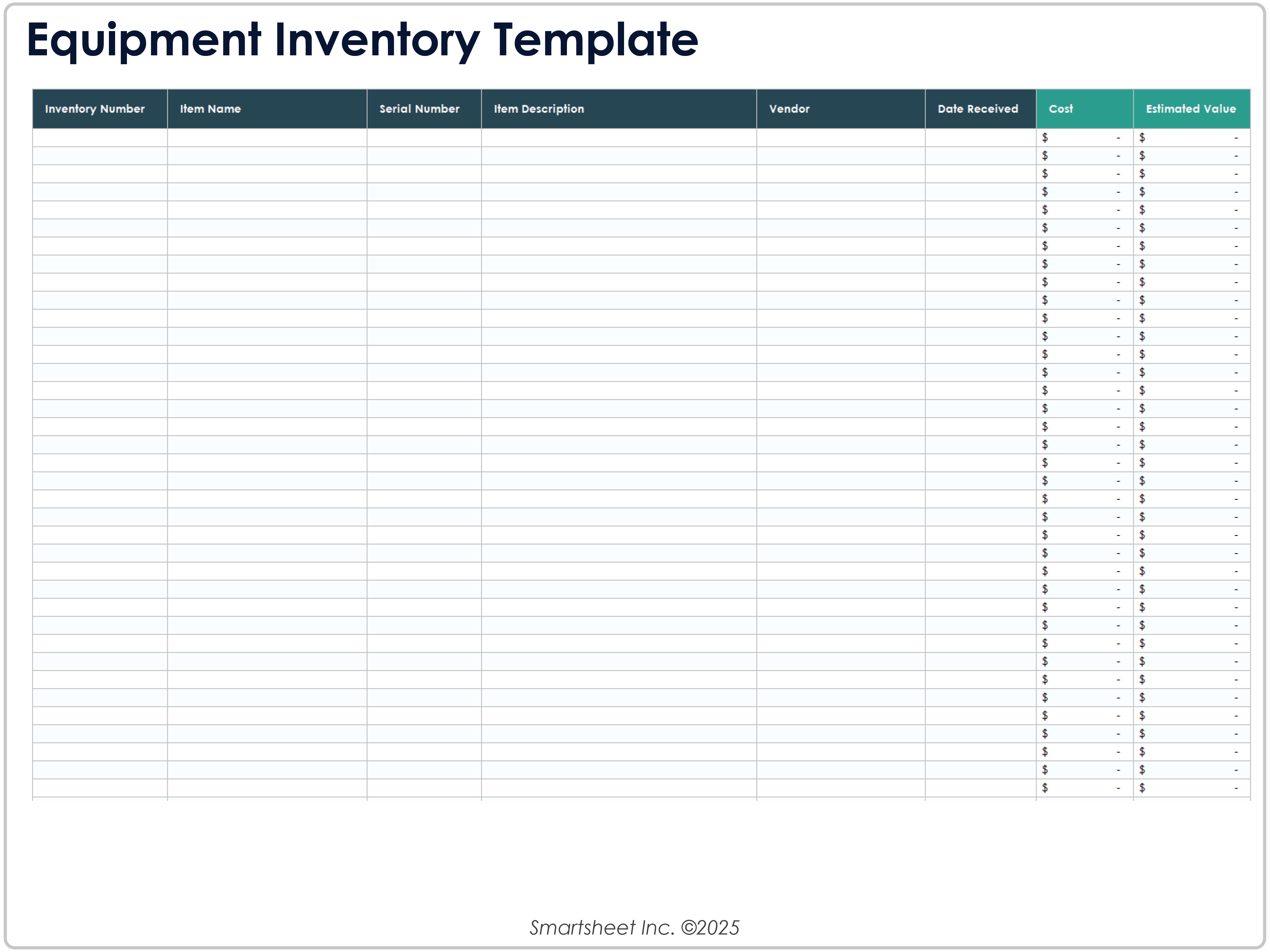
An equipment-oriented template can include asset ID, item name, serial number, manufacturer, location, custodian, purchase date, cost, condition, warranty date, and estimated current value.
This structure is different from a sales inventory because the primary concern is identification, accountability, condition, and lifecycle rather than daily replenishment.
Equipment records can support audits, maintenance planning, insurance documentation, replacement decisions, and internal accountability.
Using the same inventory philosophy while adapting the fields to the asset type creates consistency without forcing every business process into an identical spreadsheet.
Common Inventory Template Mistakes
One common mistake is putting everything into one enormous worksheet. A single sheet may look simple initially, but it becomes difficult to maintain when item data, transactions, suppliers, purchase orders, and reporting are mixed together.
Another mistake is allowing free-form entries everywhere. If one employee enters “Office,” another enters “Office Supplies,” and another enters “Admin,” category reports become unreliable.
Hard-coding calculated values is another risk. If total inventory value is manually typed instead of calculated, changes in quantity or cost can make the displayed total obsolete.
Templates can also fail because they contain no ownership rules. If everyone can edit everything, nobody is clearly responsible for maintaining the item master, checking variances, or correcting supplier information.
Finally, some templates attempt to solve every possible inventory problem at once. A smaller, controlled system that people actually use is usually more valuable than a sophisticated workbook that nobody understands.
Best Practices for Long-Term Reliability
Use stable identifiers. An SKU should not change simply because a product description changes. Keeping identifiers stable makes historical analysis and reconciliation much easier.
Keep reference lists separate. Categories, suppliers, locations, units, and status values can be maintained in controlled tables and used for dropdowns.
Document formulas and assumptions. If a reorder point depends on lead time and safety stock, record the logic somewhere users can find it.
Protect critical formulas. Users should be able to enter quantities and transactions without accidentally deleting calculations or reference data.
Back up the master file and use version history when available. A reliable inventory process needs a recovery path if someone deletes rows, overwrites formulas, or introduces an incorrect bulk update.
Practical Solution: Build Your Modern Inventory Outline Template in One Working Session
Start by creating five logical areas: Items, Locations, Movements, Purchasing, and Summary. You can keep them as separate sheets in a workbook or as corresponding sections in another inventory system.
In the Items area, create one row per SKU and include the stable information needed to identify and manage each product. At minimum, consider SKU, item name, category, unit, location, supplier, cost, reorder point, reorder quantity, and active status.
In the Locations area, create a controlled list of warehouses, stores, rooms, aisles, shelves, or bins. Give each location a clear code and description so users can select locations rather than typing them differently each time.
In the Movements area, record every meaningful stock change using a consistent transaction vocabulary. Include date, SKU, transaction type, quantity, location, reference number, and user or responsible role where appropriate.
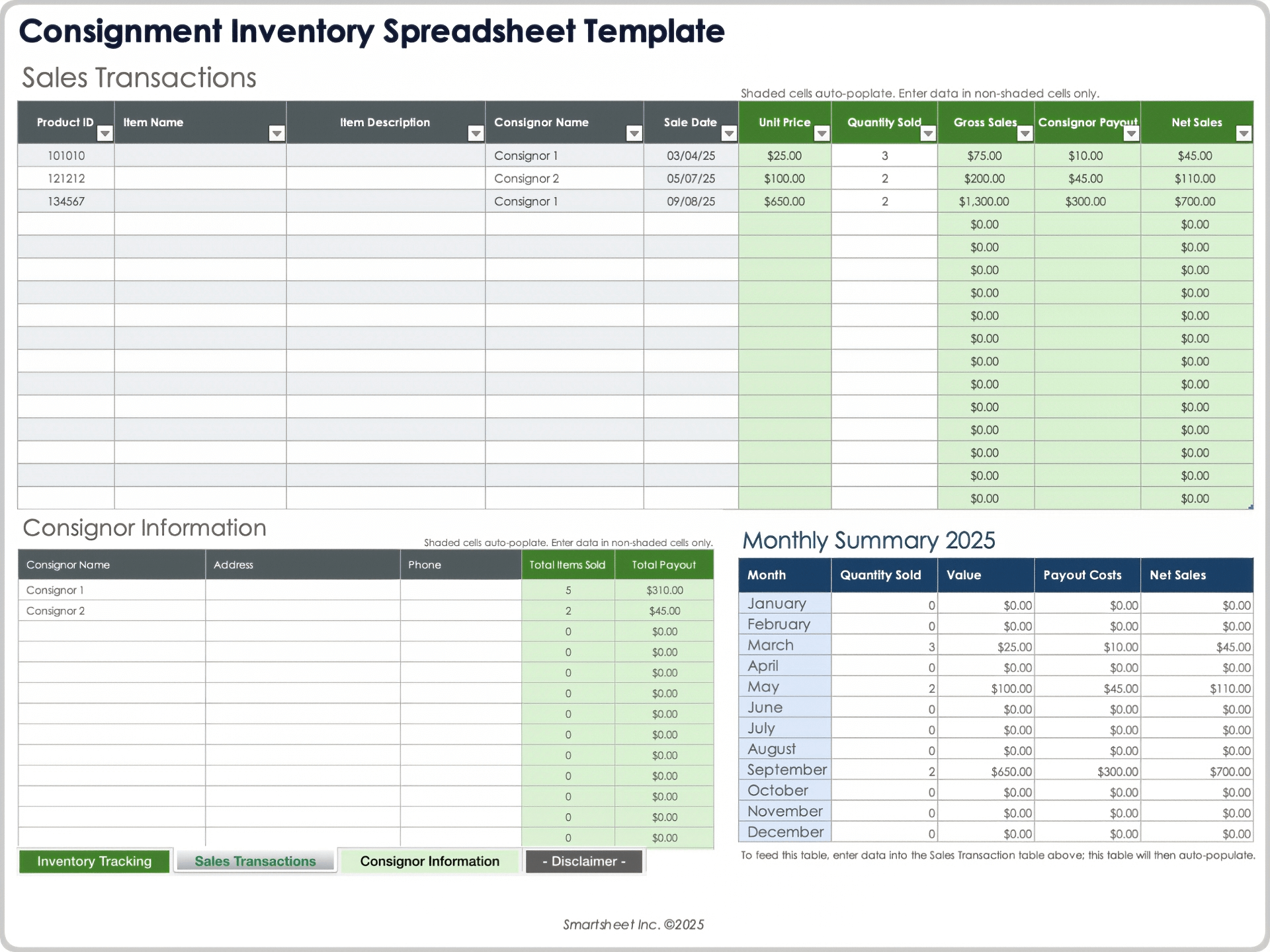
In the Purchasing area, track suppliers, purchase orders, quantities ordered, order dates, expected delivery dates, and quantities received. Keep “needs reorder” separate from “already ordered” so alerts do not generate duplicate purchases.
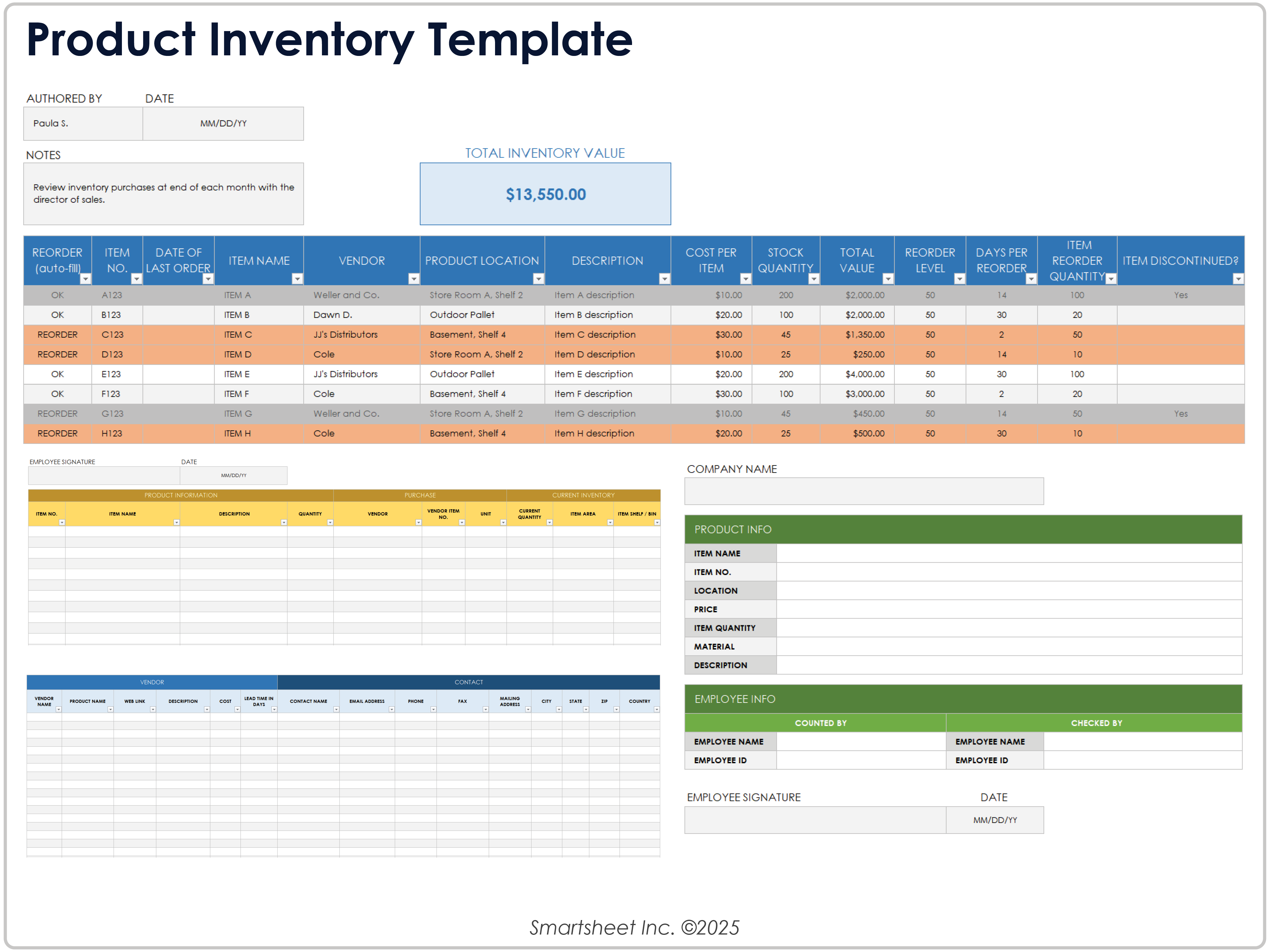
Next, create a Summary area that answers management questions rather than reproducing the entire data table. Useful indicators can include total units, total tracking value, low-stock items, out-of-stock items, open purchase orders, and inventory value by category.
Apply data validation to categories, locations, units, suppliers, and transaction types. This small investment has a large practical benefit because standardized entries make filtering and reporting more dependable.
Test the template using realistic but hypothetical transactions before relying on it. Add an opening balance, receipt, sale or issue, transfer, and adjustment. Then verify that the resulting stock position makes sense.
Ask another person to perform the same test without explaining every step. If they cannot understand where to enter an item, record a movement, or identify a reorder, the template needs clearer labels or instructions.
Finally, define an operating rhythm. Decide when inventory is updated, when counts occur, who reviews low-stock alerts, who approves adjustments, and who owns the master data. The template becomes valuable when it is connected to these routines.
Reference Examples
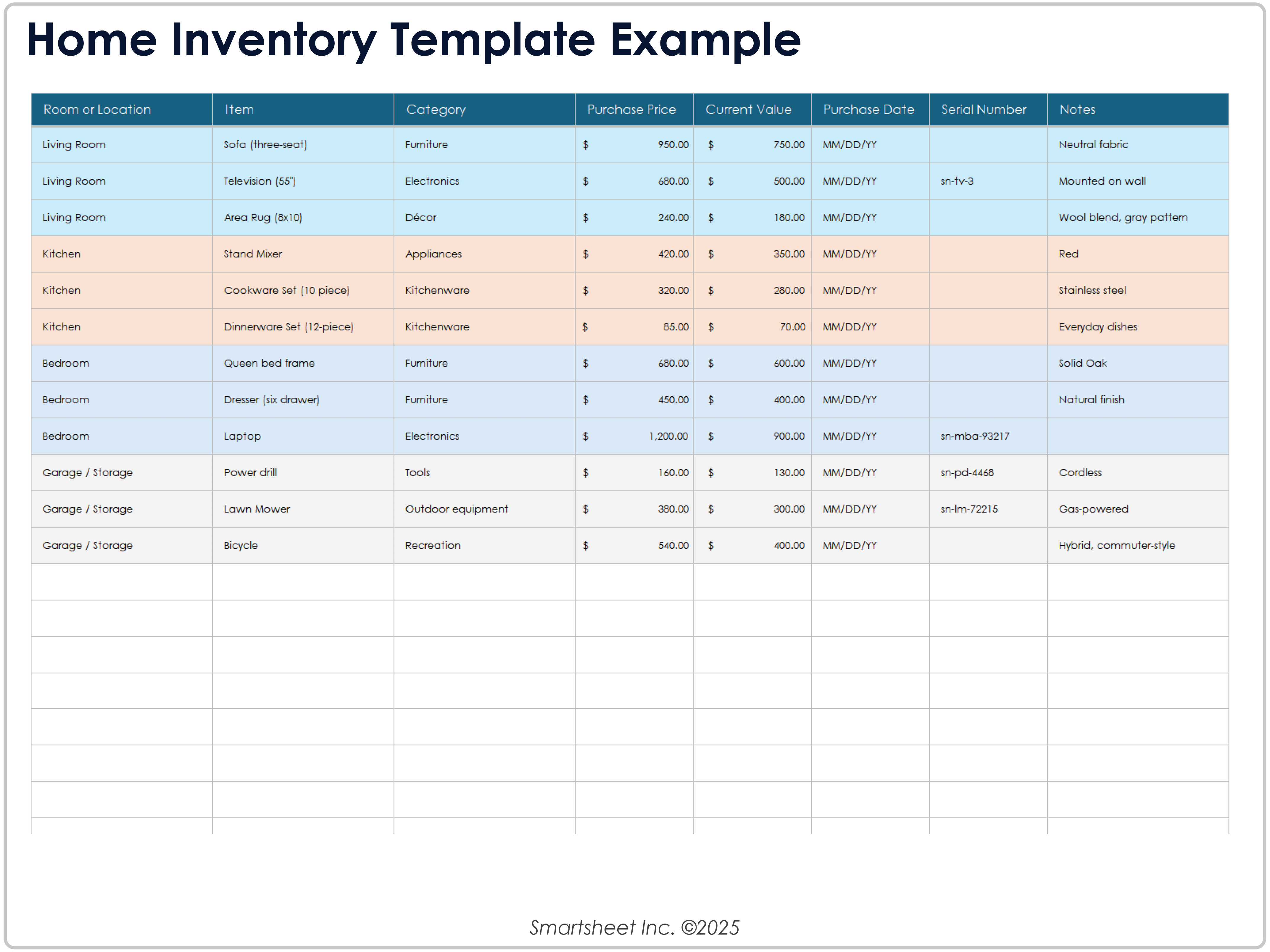
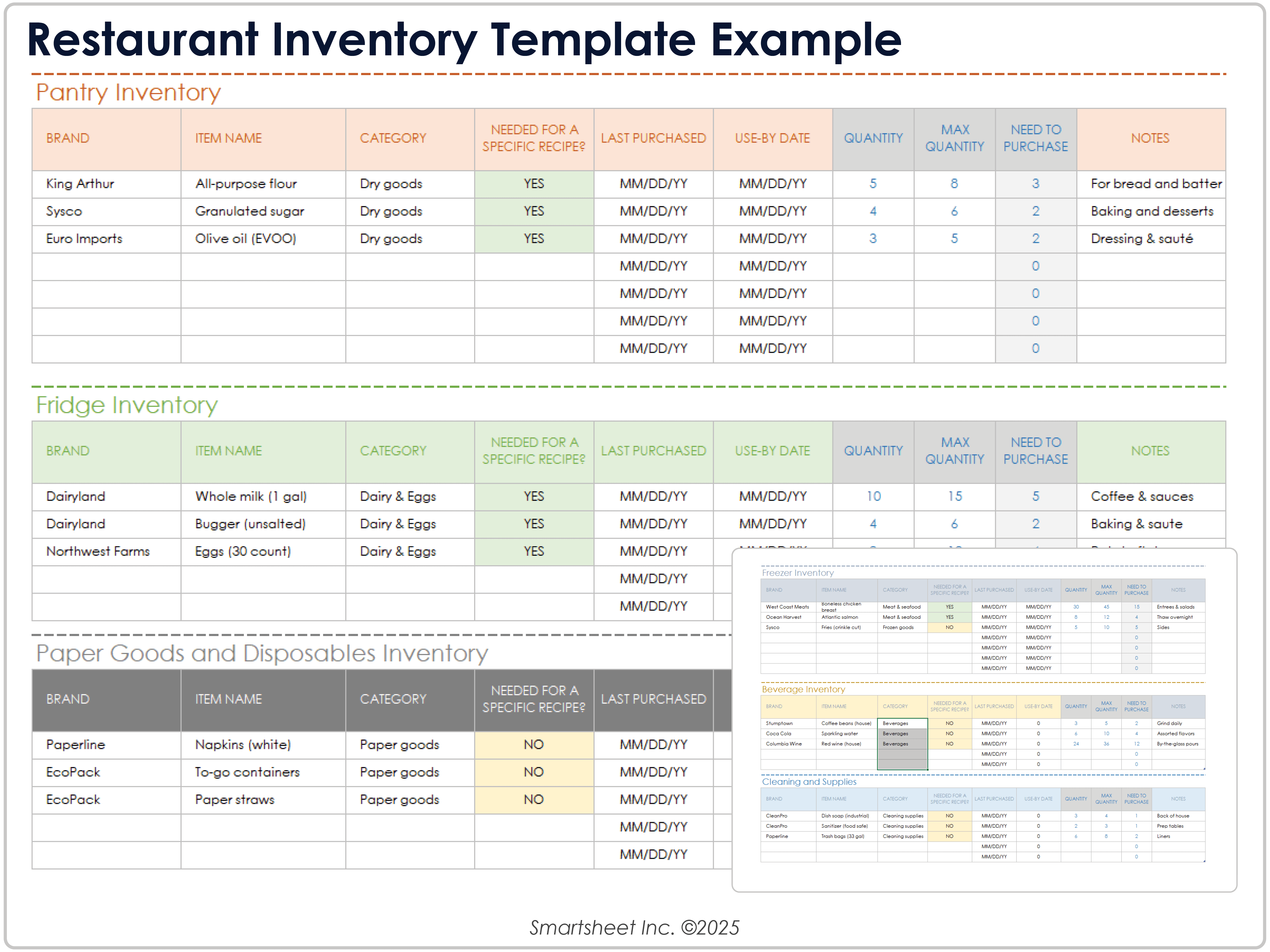
The following examples illustrate the kinds of inventory layouts and formats that can inform a modern inventory outline template. They are reference visuals rather than claims that every format is available as a free downloadable file.
modern inventory outline template
Source: Smartsheet
modern inventory outline template free
Source: Smartsheet
modern inventory outline template free download
Source: Smartsheet
modern inventory outline template google docs
Source: Smartsheet
modern inventory outline template pdf
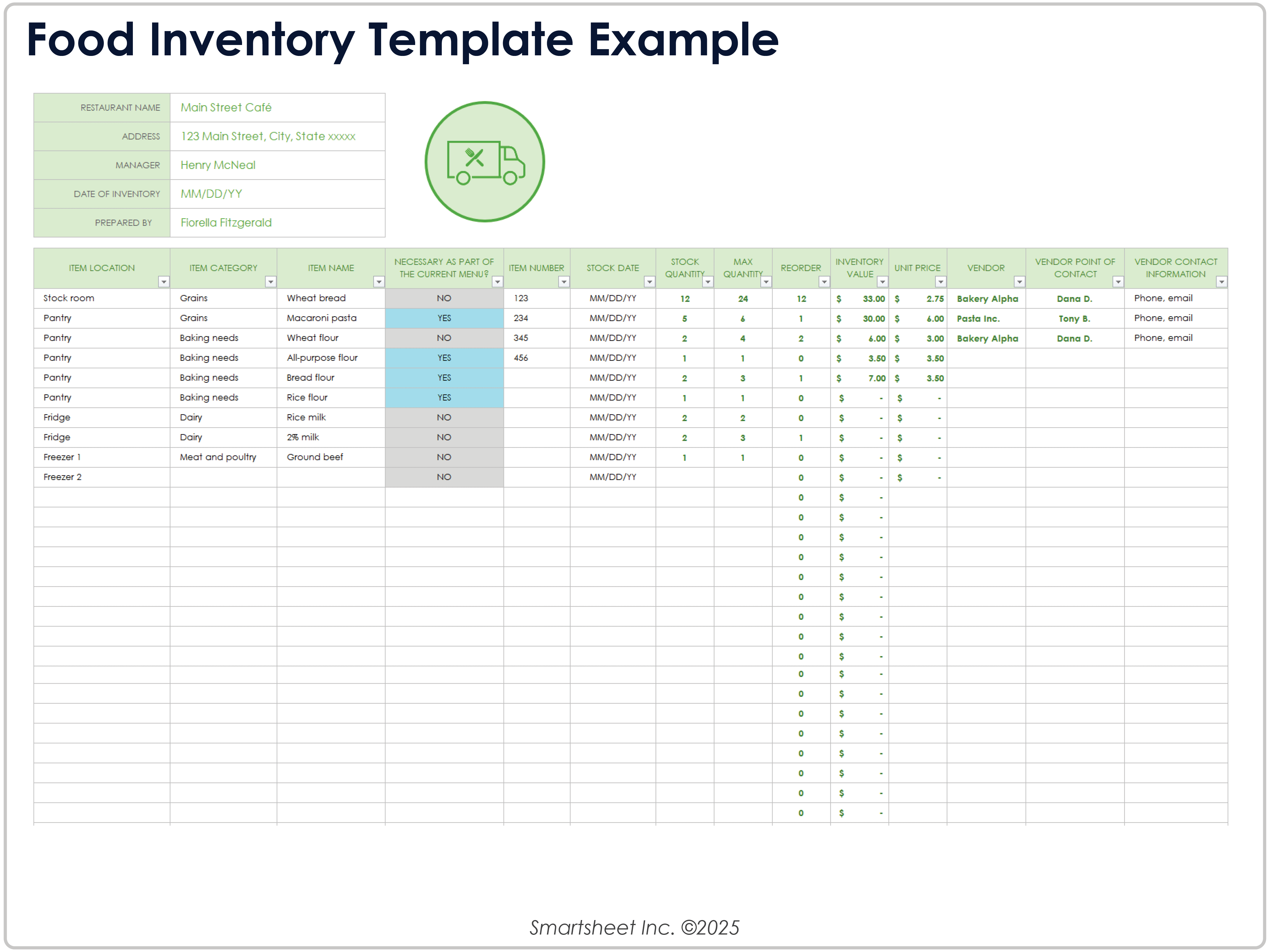
Source: Smartsheet
modern inventory outline template excel
Source: Smartsheet
modern inventory outline template word
Source: Smartsheet
modern inventory outline template powerpoint
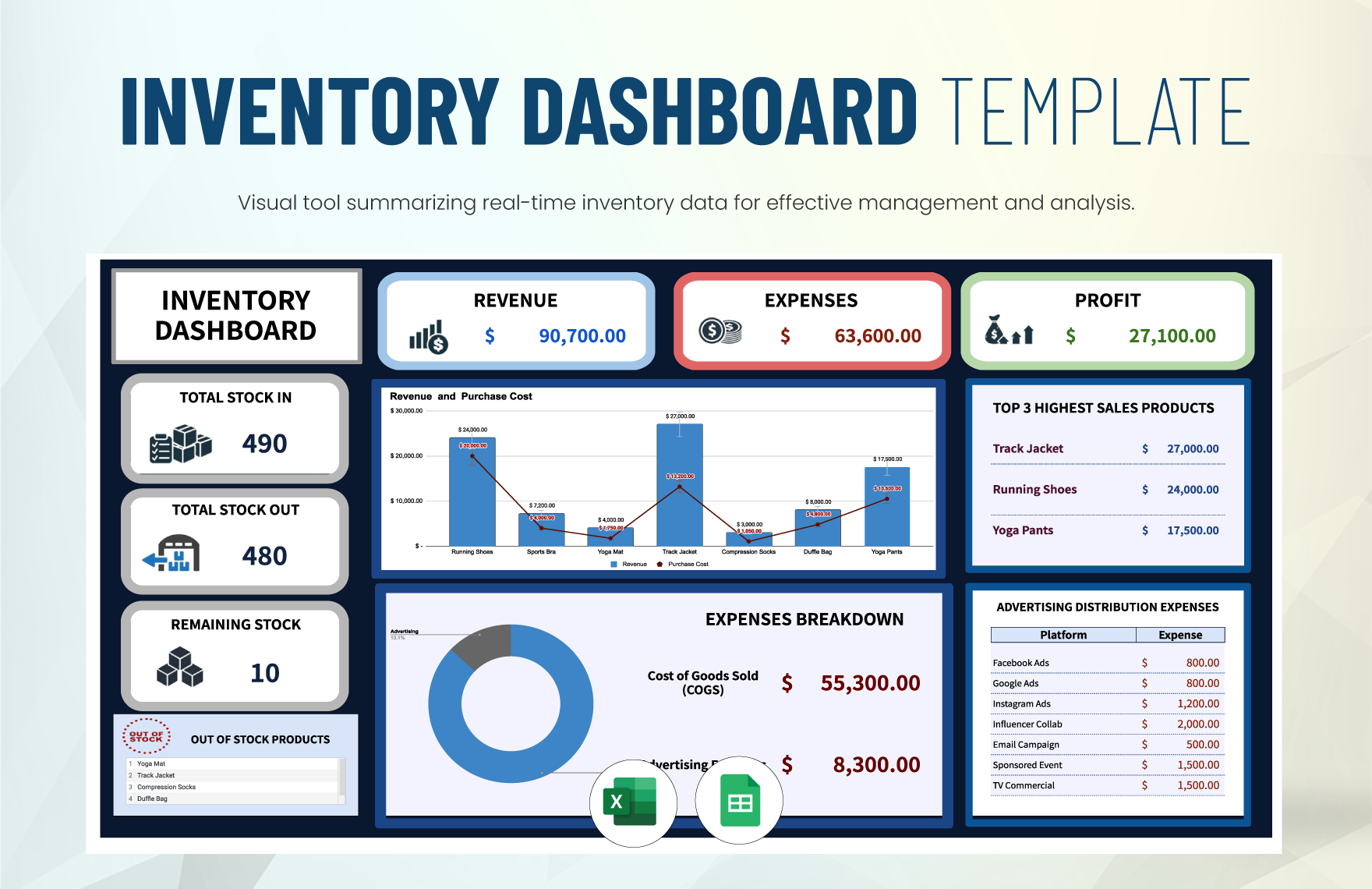
Source: Template.net
online inventory free template

Source: Smartsheet
free online inventory management template
Source: Smartsheet
basic inventory template free
Source: Smartsheet
free inventory template pdf
Source: Smartsheet
free inventory tracking template
Source: Smartsheet
stock inventory template free download
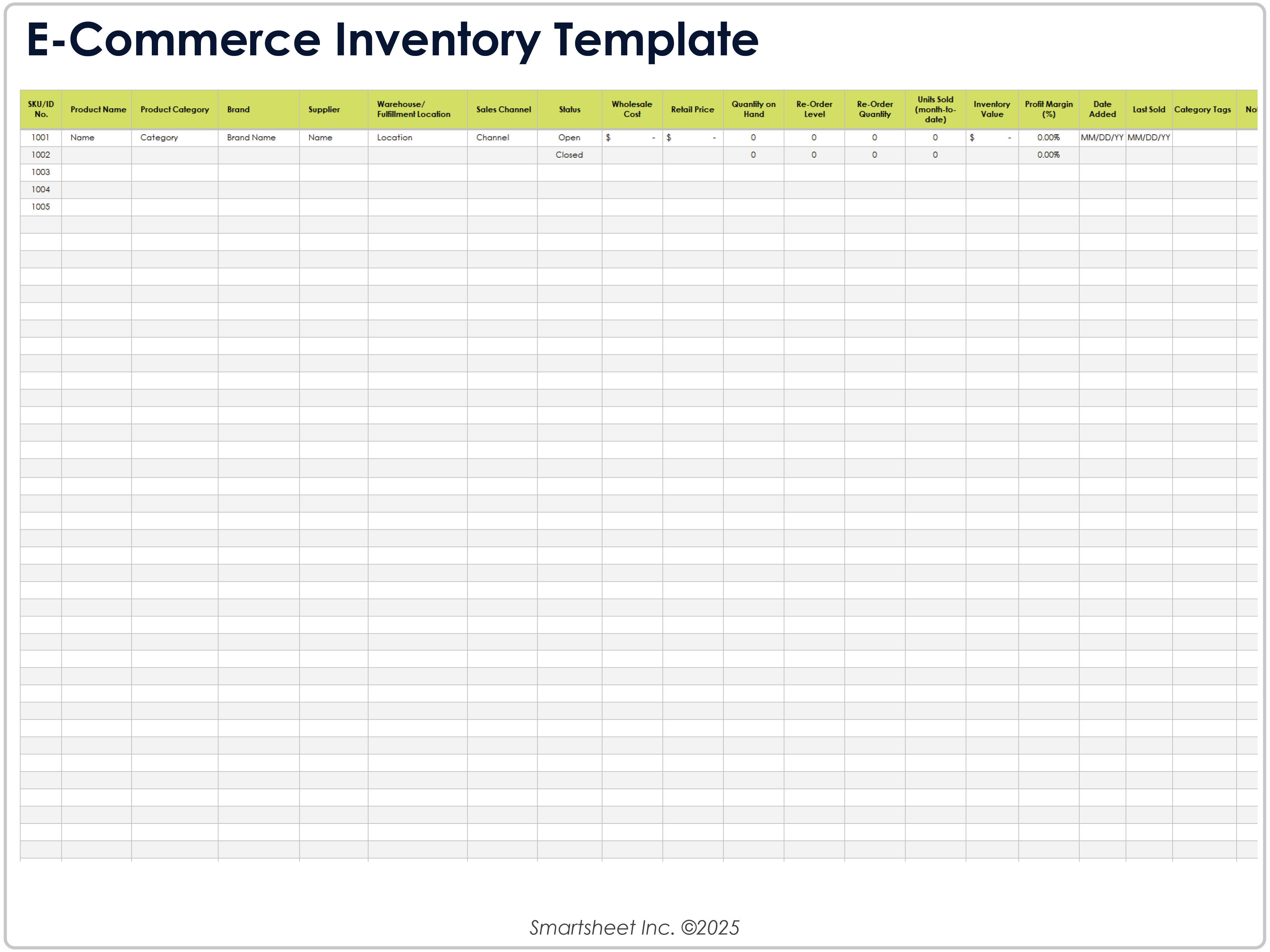
Source: Smartsheet
inventory template excel free download
Source: Smartsheet
Frequently Asked Questions
What should a modern inventory outline template include?
A practical template normally includes a unique item identifier, item name, category, description, unit of measure, location, quantity, cost, reorder information, supplier information, and dates relevant to purchasing or stock movement. More advanced systems add transaction history, multiple locations, reservations, purchase orders, and dashboards.
Can a modern inventory outline template be used for a small business?
Yes. A small business often benefits from starting with a simple item master and a manageable stock-update process. The template should be expanded only when additional operational needs justify more fields or worksheets.
Is Excel suitable for inventory management?
Excel can be suitable for simple and moderate inventory workflows when the workbook is well designed and controlled. It becomes less suitable when transaction volume, simultaneous users, integration requirements, or audit complexity exceeds what the spreadsheet can comfortably support.
Can Google Sheets be used as an online inventory template?
Yes. Google Sheets can provide centralized, collaborative access and supports formulas, filters, validation, and charts. The effectiveness of the system still depends on data discipline, permissions, ownership, and the frequency with which inventory movements are recorded.
Should inventory quantity be updated manually?
Manual updates can work for low-volume operations, but a movement-based process is generally easier to audit. Recording receipts, issues, transfers, returns, and adjustments creates a history that helps explain how the current quantity was reached.
What is the difference between inventory quantity and inventory value?
Inventory quantity describes how many units are recorded, while inventory value represents the monetary value assigned to those units under the chosen tracking or accounting method. A template should make the distinction clear.
How often should inventory be counted?
There is no single schedule that fits every operation. High-value, high-velocity, or high-risk items may justify more frequent cycle counts, while lower-risk items may be checked less often. The schedule should reflect operational risk and the cost of counting.
What is the biggest mistake when creating an inventory template?
The biggest practical mistake is designing the spreadsheet around appearance instead of workflow. A polished layout cannot compensate for duplicate SKUs, inconsistent units, uncontrolled edits, missing movement history, or unclear responsibility for correcting discrepancies.
When should a business move from a spreadsheet to inventory software?
Consider specialized software when the business needs frequent transactions, many simultaneous users, barcode workflows, integrations with sales or accounting systems, sophisticated permissions, multiple warehouses, or stronger audit controls. The transition is easier when the spreadsheet already uses clean identifiers and structured data.
A good inventory system should make the next action clearer, not merely display more information. If the template consistently tells the team what exists, where it is, what needs attention, and why the recorded balance changed, it is doing its job.
The strongest designs also remain understandable as the business grows. Separate stable item information from changing transactions, control repeated values with standardized lists, document calculations, and review physical stock regularly.
When selecting a format, match the tool to the task: spreadsheets for structured calculation and tracking, online workbooks for collaboration, documents for procedures and printable forms, PDFs for stable distribution, and presentation formats for management communication.
Most importantly, do not confuse a template with an inventory process. The template is the framework; accurate data entry, counting, reconciliation, purchasing, review, and accountability are what make the framework useful.
Used thoughtfully, a modern inventory outline template can provide a practical starting point for everything from a basic stock list to a structured inventory management workflow. Start with the information your operation genuinely needs, build around consistent identifiers and movements, and add automation or specialized software only when the underlying process is already clear.
